“But real-quality deinterlacing is anything but trivial” ---- Do not even ask 
IMO I consider that academic algorithms came to their end because they strongly depend on the quality of initial material
QTGMC ??? I Strongly recommend You to try Topaz video deinterlaser.
PS It is sad that CLI restricted for us.
Chromaster v2.6.2
Working CBR for SVT-AV1, H.266/VVC profile and rate-control fixes, plus reliability polish.
 SVT-AV1
- Emit a low-delay prediction structure in CBR so constant-bitrate encodes no longer fail at init.
- Guard rate-control-dependent options: adaptive quantisation, startup mini-GOP, tune and hierarchical levels are now clamped or greyed out to match the active rate-control mode, preventing invalid combinations.
 H.266 / VVC
- Pass the profile through the correct encoder channel so Main 10 and Main 10 Still Picture profiles encode instead of failing.
- Isolate QP from the rate-control mode: no quantiser is emitted in bitrate (VBR) mode anymore.
- Lock the Level control to Auto, letting the encoder pick the lowest valid level and removing a setting that could fail on high-resolution sources.
 AV1 NVENC
- Grey out the Multipass control where it has no effect, keeping it active only when the rate-control mode actually uses it.
 Monitoring
- Restore the symmetric fade on the CPU widget when monitoring is toggled off.
 Download Chromaster v2.6.2 α
Chromaster v2.7.0
A first-launch setup wizard that installs and configures everything for you, no manual setup required.
 First-Launch Setup Wizard
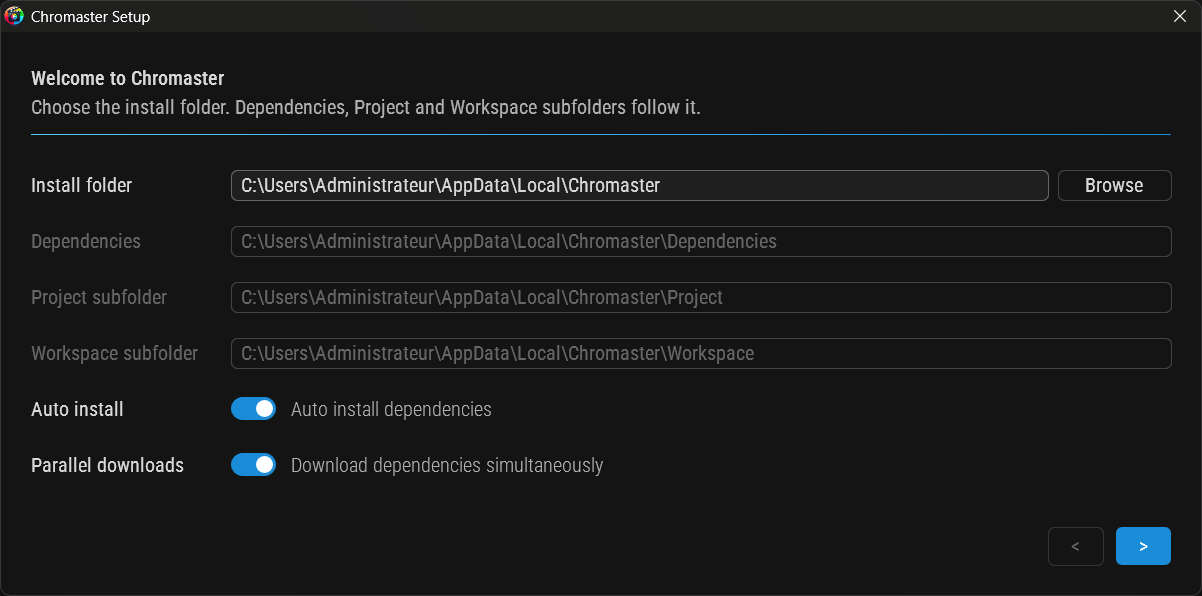
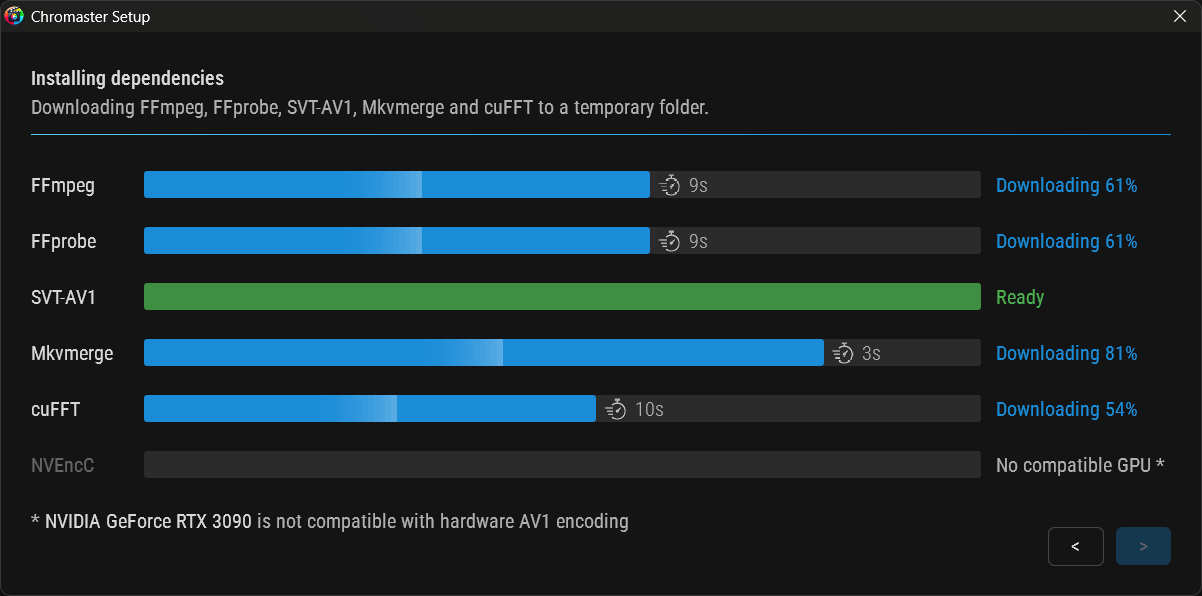
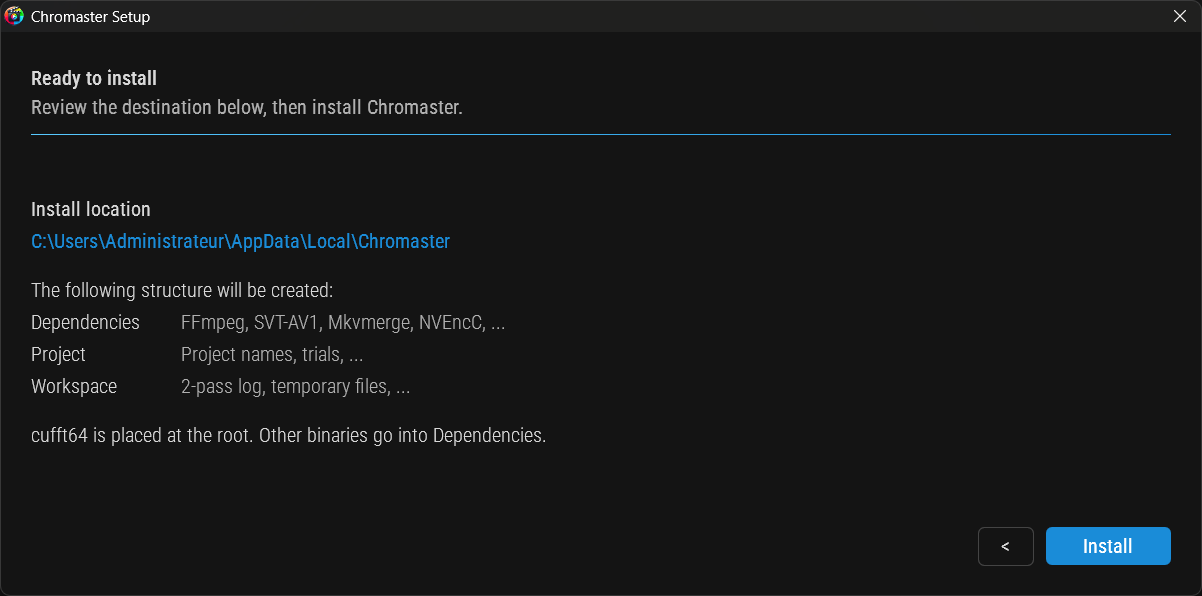
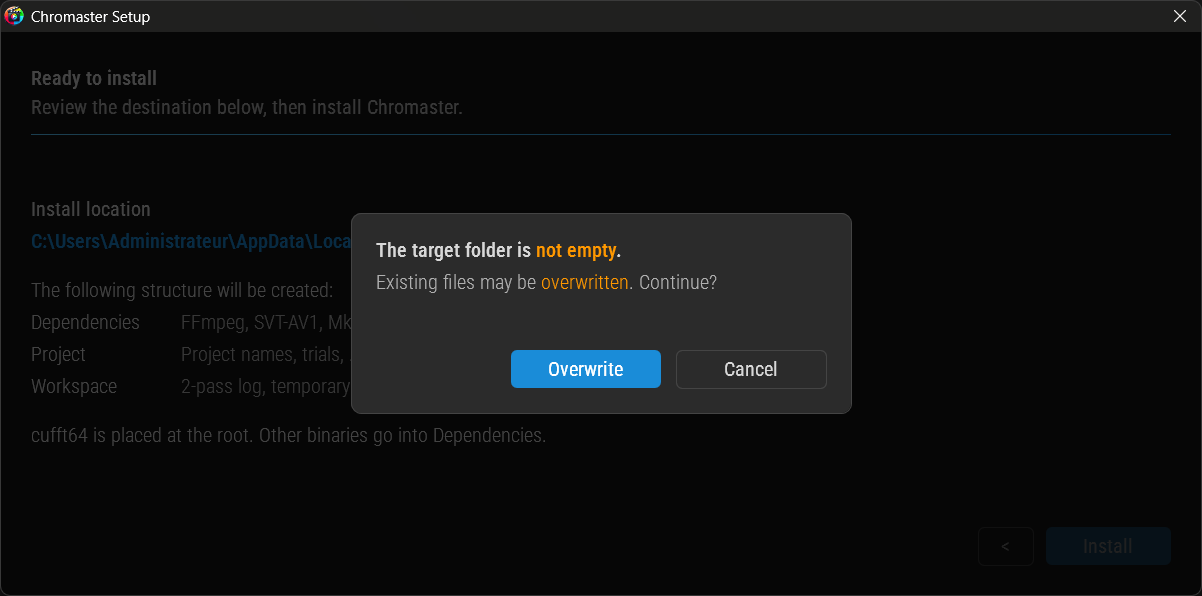
- Guide the first launch: choose an install folder, then fetch and install every dependency automatically (FFmpeg, FFprobe, SVT-AV1, Mkvmerge, cuFFT, NVEncC).
- Track each dependency live with its own progress bar and download ETA.
- Stay GPU-aware: offer cuFFT and NVEncC only on a compatible NVIDIA GPU.
- Write nothing to disk until you confirm on the final screen; quit at any step and leave zero trace.
- Keep everything tidy by placing all binaries and linked DLL in a dedicated Dependencies folder.
 Under the Hood
- Pull FFmpeg from the GitHub CDN for far faster downloads, with a fallback to the direct server.
- Fix cuFFT extraction that could fail during setup.
Download Chromaster v2.7.0 α
Preliminary AV2 test campaign
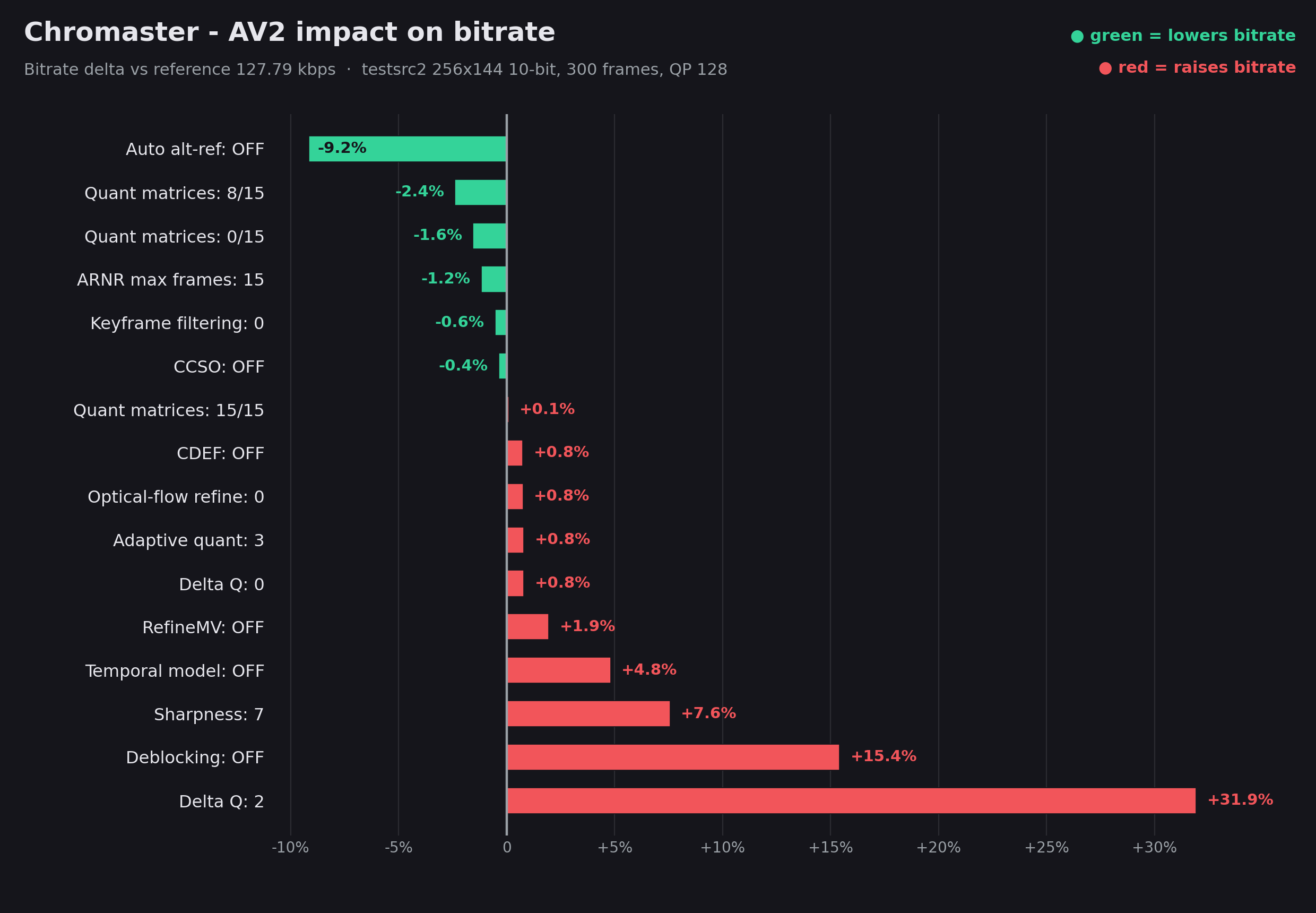
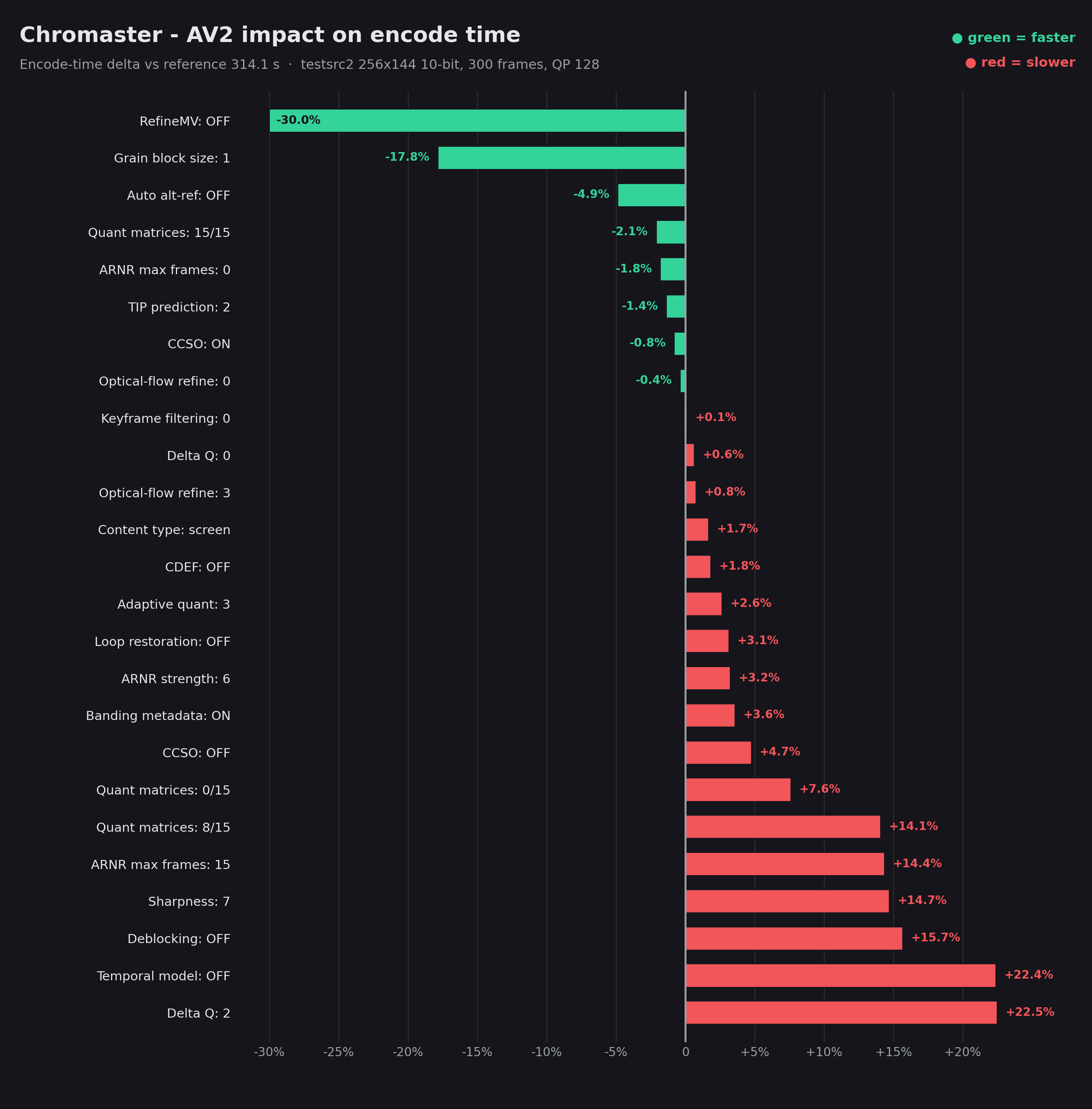
Shipping the AVM (AV2) encoder as a generic build
Context for anyone building avmenc (AVM v1.0.0) on Windows.
Symptom
- Crash with a hard
0xC0000005 - Deterministic in where, not when: always the first deep inter pass, only once the frame gets large
- SD: 300 frames fine
- 720p+: segfault before frame 12
- Rule out threading, params, content (single-thread / filters off / default GOP still dies)
Isolate the cause
- Build
generic(-DAVM_TARGET_CPU=generic, pure C, no vector asm) → encodes HD cleanly - Re-enable SIMD → crashes again
- Rebuild with both GCC and Clang → both fail identically
- Conclude: UB in the SIMD source, not the compiler
Ship the fix
- Go
generic: slow (no vectorization), but correct- Acceptable trade for a reference encoder
- Link fully static → no stray MinGW DLLs
- Enable
-DCONFIG_TUNE_VMAF=1→--tune=vmaf/vmaf_negwork - Backlog: ASan on the SIMD path, then upstream report
Next release will be shipped with avmenc generic build, so no SIMD improvments
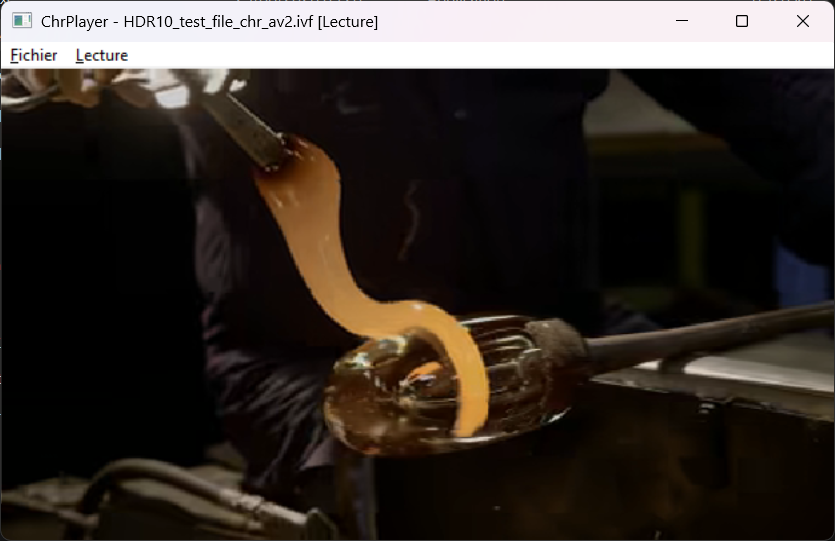
1st attempt to read AV2 stream 
(with own custom player + decoder based on AOM reference)
- Poor quality because of very low QP+res, for speedness
- No HDR since IVF container can not handle it, but it’s easily tweakable
- No dav2d here, but working however
- Due to the generic instruction set, it runs just as fast on a 5900X as on a 9950X

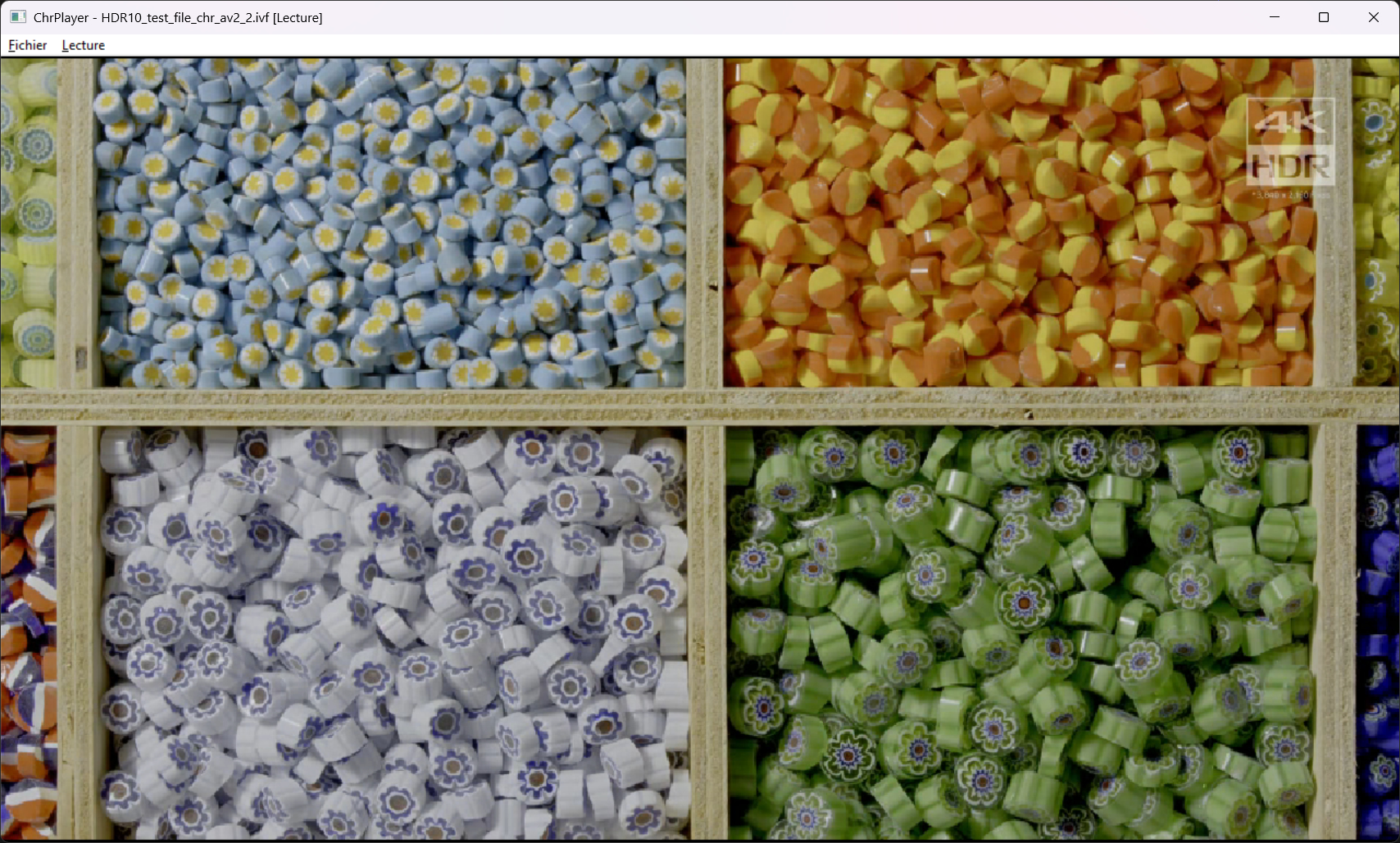
Experimenting higher resolution and encoder options
Chromaster v2.7.1
AV2 encoding matured across the board, plus a freshly rebuilt encoder for more solid HD runs.
AV2 Encoding Improvments (AOM AV2 reference codec)
- avmenc encoder, zipped, bundled and ready, zero install.
- Run HD : rebuild the encoder on a generic instruction set, killing a deep SIMD crash that hit on the first GF (golden frame).
- Tune perceptually with VMAF and VMAF-neg modes, quality models bundled.
- Drive the bitrate fully: VBR, CBR, CQ and Q modes, with min/max QP bounds, bitrate caps and buffer sizing all exposed.
- Stop forcing values: an Off / auto detent on structural sliders leaves a parameter unset and lets the encoder pick its own default.
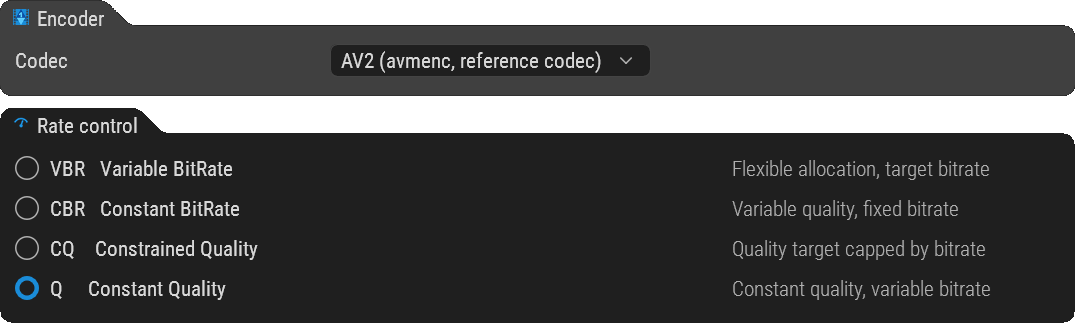
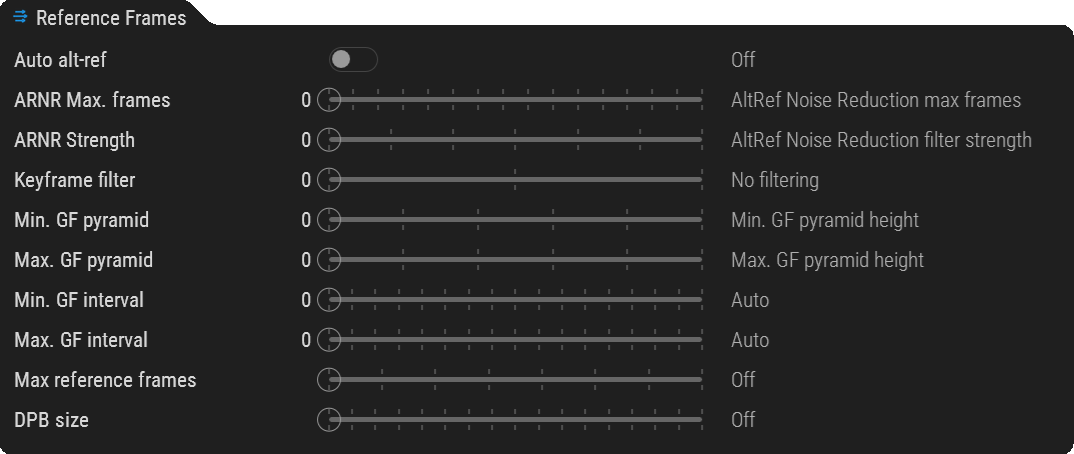
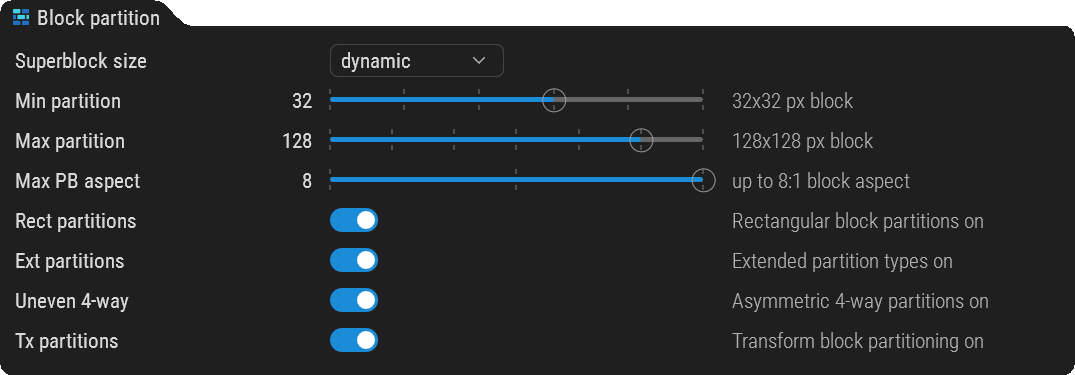
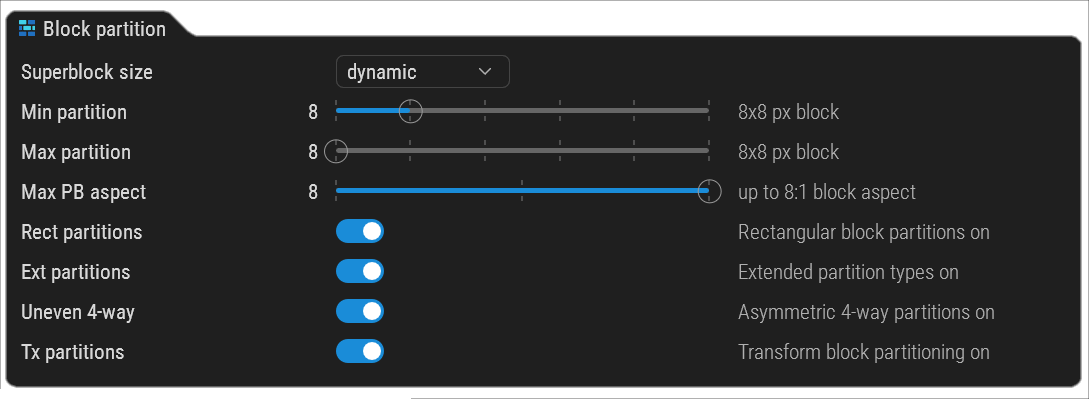
 Block Partition — new AV2 control group
- Tap straight into AV2’s partitioning engine, something no AV1 encoder ever exposed.
- Finer partitions mean bits spent where the detail lives and skipped where it doesn’t: more detail per bit, cleaner low-bitrate encodes.
- Superblock size, min/max block range, max aspect, plus rectangular / extended / asymmetric 4-way / transform toggles.
- Plain pixels and ratios, zero cryptic flags.
- Tune how AV2 sees your frame. This is where the next-gen gains hide.
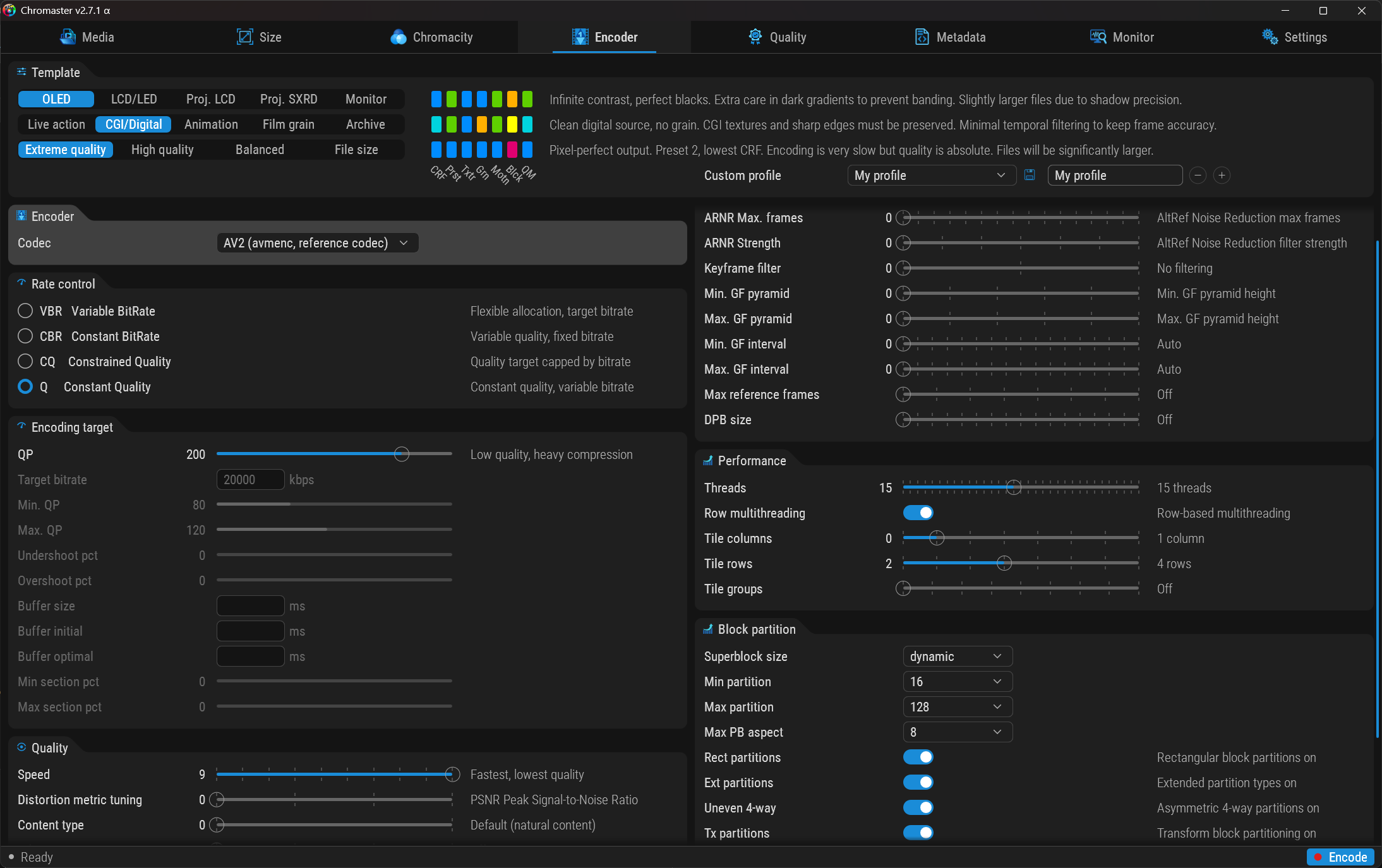
 Want to help test?
- Run rate control in Q mode for the cleanest constant-quality baseline.
- Set thread count to match the blue cores in the CPU widget, the sweet spot for your machine.
- Then push AV2 and tell us what you see.
 UI - Scroll long codec panels
- Per-column vertical scroll on the Encoder tab, with a soft fade-edge veil, keeps every setting reachable on packed encoders like AV2.
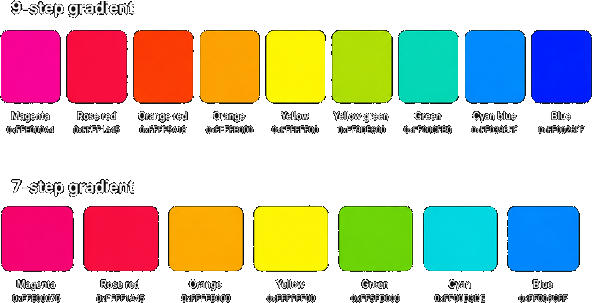
 Color Gradients
- Revisited color gradient for better understanding
 ChrPlayer — the first AV2 player (beta)
- AV2 is so new that no mainstream player reads it: no container, no codec support anywhere yet.
- So we built one. ChrPlayer plays back the raw AV2 (.ivf) output straight out of Chromaster, no remux, no conversion.
- Ships as a standalone beta companion to Chromaster.
- See your AV2 encodes actually play, today.
Under the Hood
- Recompile the AV2 encoder from scratch, fully static, zero external DLL.
- Fix a mislabeled Golden Frame interval slider.
Download Chromaster v2.7.1 α
EDIT
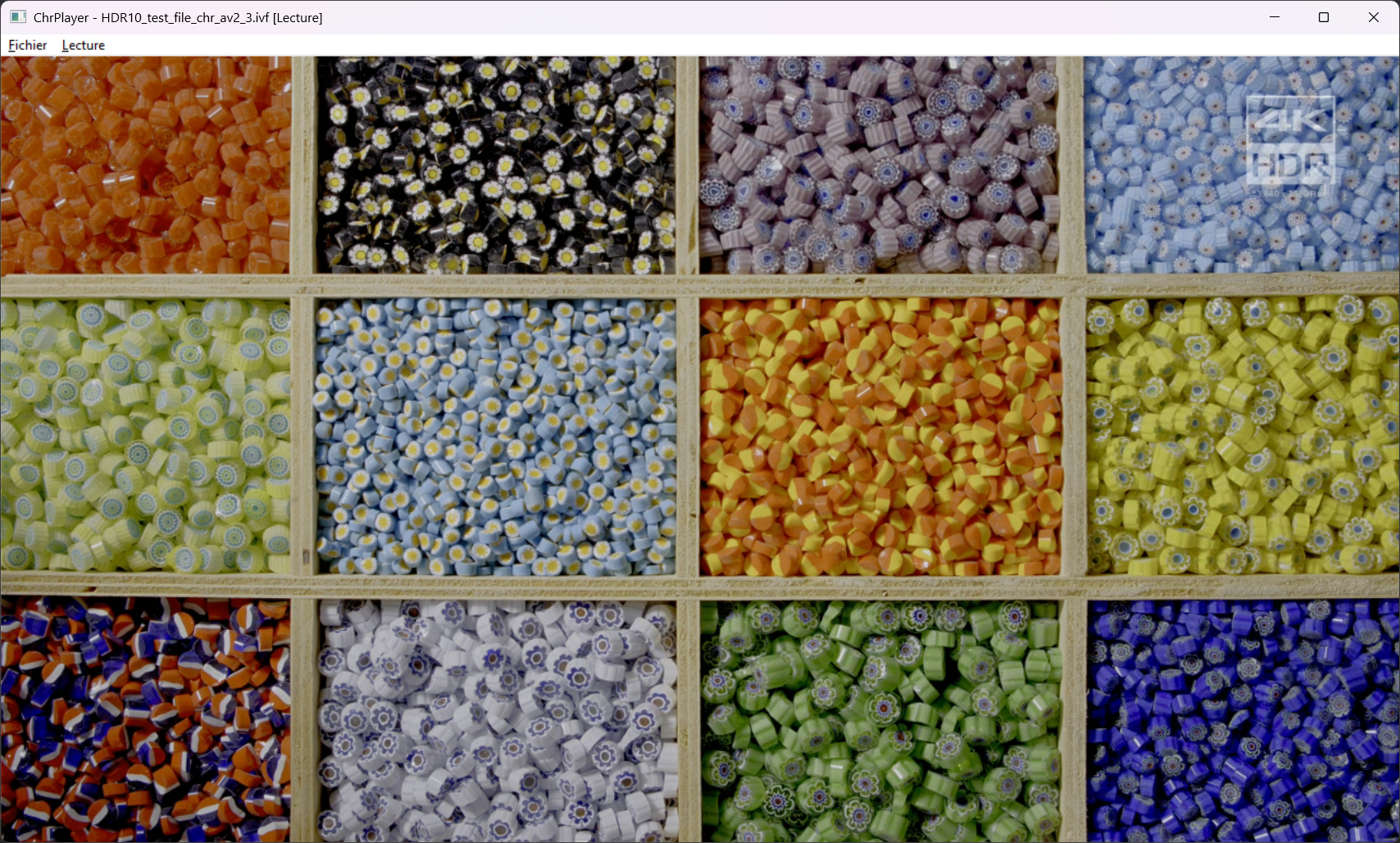
4K HDR10 → HD Ready HDR10 run, HDR stil missing, image ~ clean
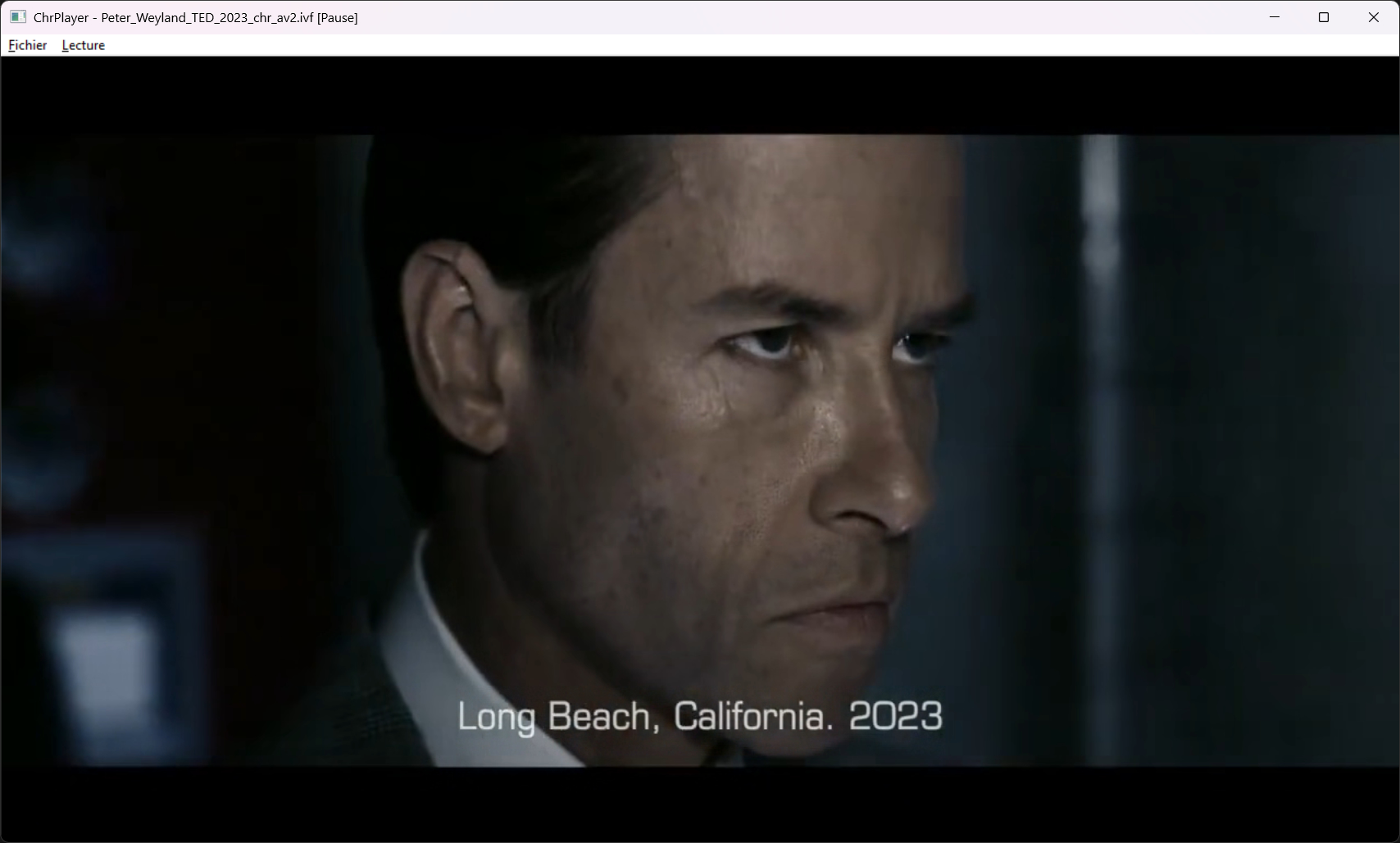
720p SDR → 720p SDR, image 100% clean
This is true AV2 encoded, AV2 played 
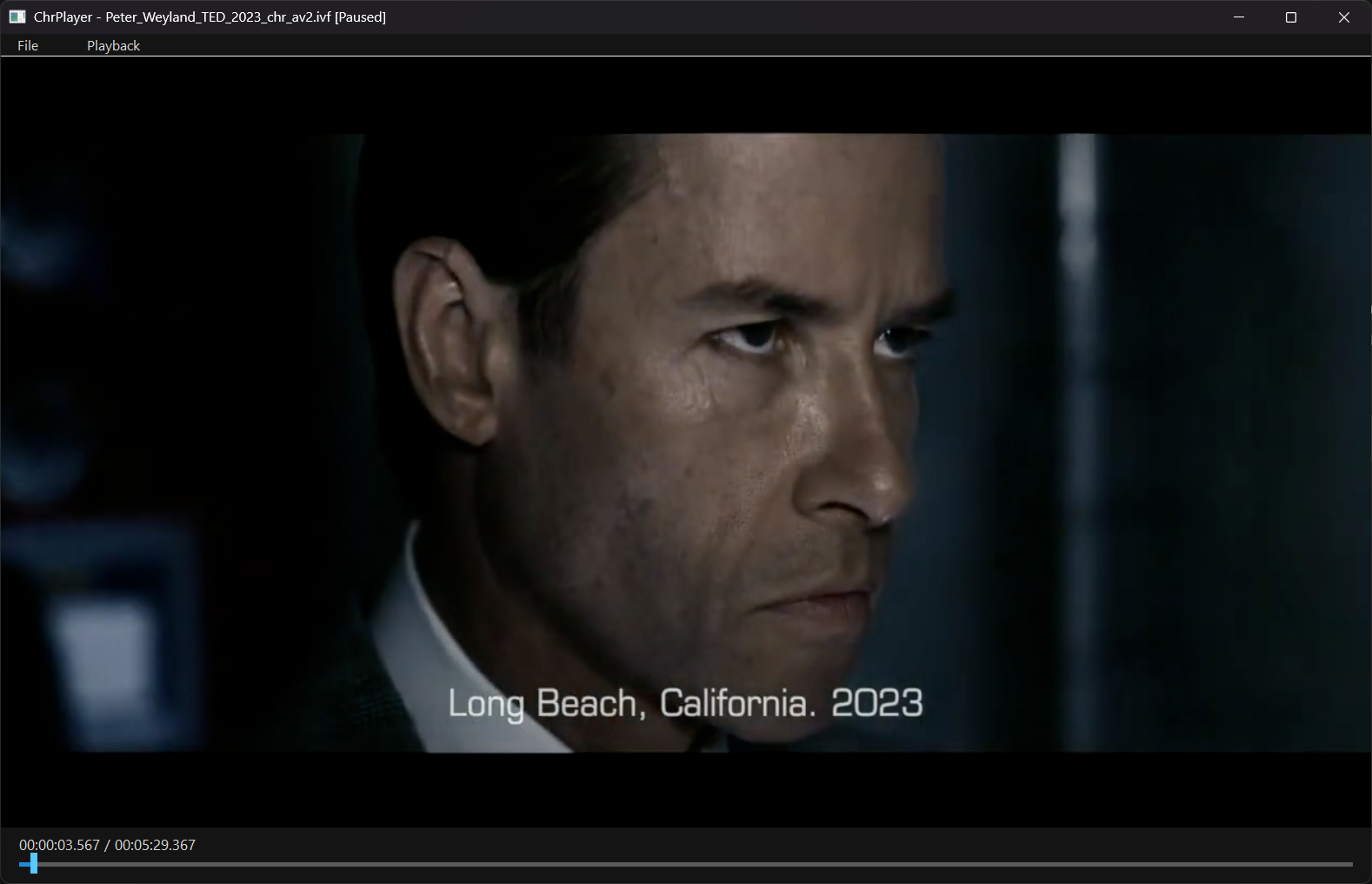
Gamma correction and 8b path patched
Chromaster v2.7.2
The AV2 player grows up: a real custom UI, correct timing, and a pile of playback bugs hunted down. Plus the encoder finally nails the frame rate.
ChromAV2 Player — now a real player. This must be another world exclusive 

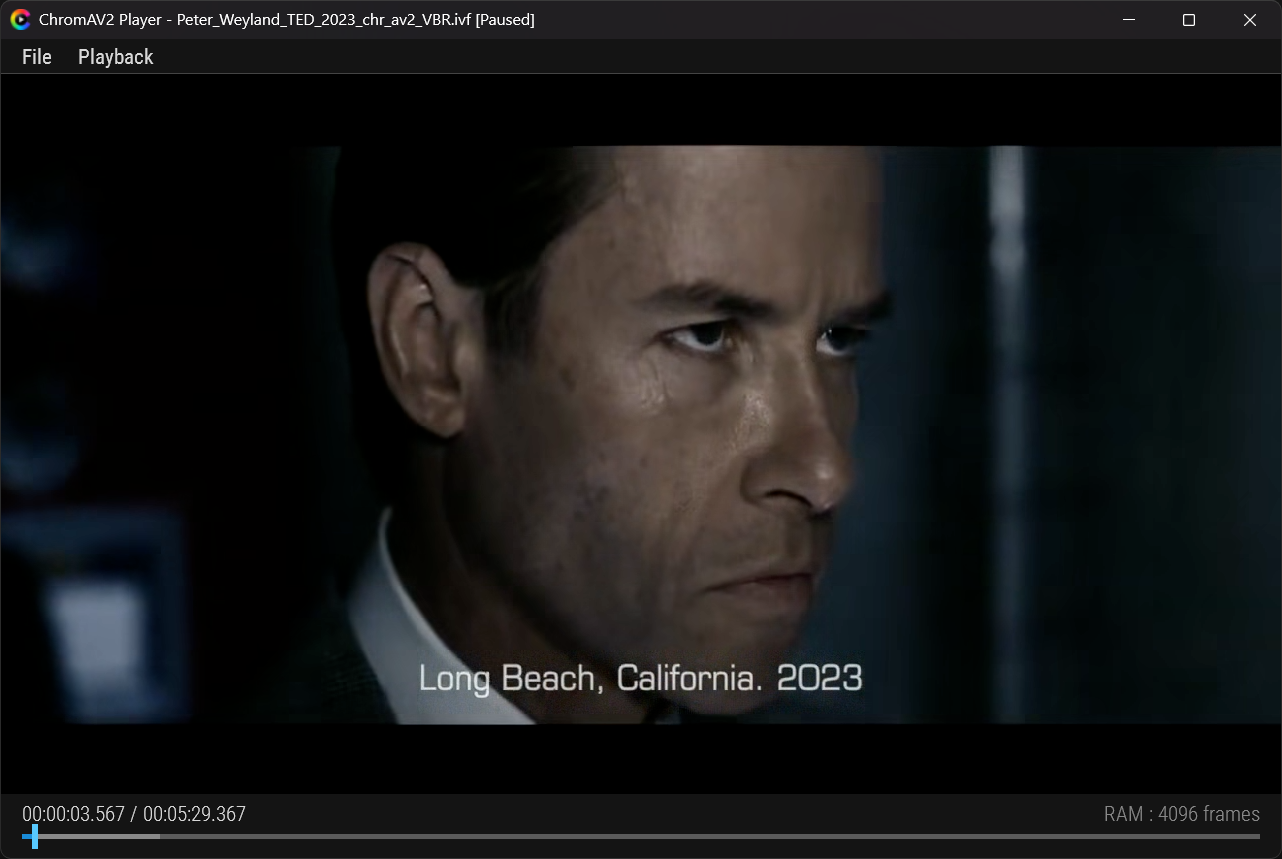
The standalone AV2 companion got a serious pass. It’s no longer a bare-bones viewer — it’s a proper player built from scratch in C + Direct3D11, reading the raw AV2 (.ivf) straight out of Chromaster.
- Fully custom Direct2D UI — menu bar, drop-down popups and nav bar, all hand-drawn, all composited in HDR. No native Win32 chrome left.
- Roboto Condensed everywhere, embedded in-memory, sharp at any DPI (133% finally crisp, no more blurry stretch).
- Multi-bit-depth pipeline — 8 / 10 / 12-bit all handled cleanly (an 8-bit file no longer turns into a magenta doubled mess).
- Auto window sizing — the window snaps to the video’s native resolution, 1 video pixel = 1 screen pixel, zero resampling.
- Click-to-pause, scrub seeking, play/pause/restart — the basics, done right.
 Correct timing & seeking
The nav bar used to lie. Not anymore.
- Real display-frame counting — the timeline now follows what actually plays, not the container’s misleading time units or timebase.
- Smart frame cache — long files get their true length written to a sidecar on first play, so the bar is perfect from the second open on.
- Monotonic cursor — no more jumping forward, no more sliding backward mid-playback.
- Buffered-zone display: you see exactly how far the decode has reached, VLC-style.
Encoder — frame rate fixed
A real one. Any VFR-tagged source was silently re-clocked to 30 fps — a 23.976 file came out 25% too long.
- Source frame rate now enforced across the whole AV2 / SVT-AV1 / NVENC chain. A 23.976 source stays 23.976, properly CFR.
- The fix is an identity on clean CFR sources — it touches nothing it shouldn’t, it just stops the silent re-clock.
Block Partition — bounds fixed (Chromaster)
- Max partition now correctly bounded to 8–256 (avmenc rejects 4 despite what its own docs claim — reference codecs at one month old, you don’t trust the docs, you test the binary).
- Max ≥ Min guaranteed through every path; old presets migrate cleanly.
 Playback fixes
- 8-bit gamma path corrected (clean image, right colors).
- Window separator artefact handling reworked.
- Empty-state timecode no longer invents a phantom frame.
 Known limitations
- True HDR not active yet — the HDR pipeline is fully in place, but the color metadata (CICP) is dropped in transit by the reference decoder’s Y4M output, so PQ/BT.2020 content currently plays as SDR. The fix needs bitstream-level color recovery (next on the list).
- Long files capped — playback currently buffers up to a frame limit; the timeline shows the true length but seeking is bounded to the buffered span. Full-length playback waits on keyframe-seek decoding.
Want to help test?
- Encode in Q mode for the cleanest constant-quality baseline.
- Match thread count to the blue cores in the CPU widget.
- Open your .IVF in ChromAV2 Player and tell us what you see — especially on long files and HDR sources.
Download Chromaster v2.7.2 α
ChromAV2 Player update
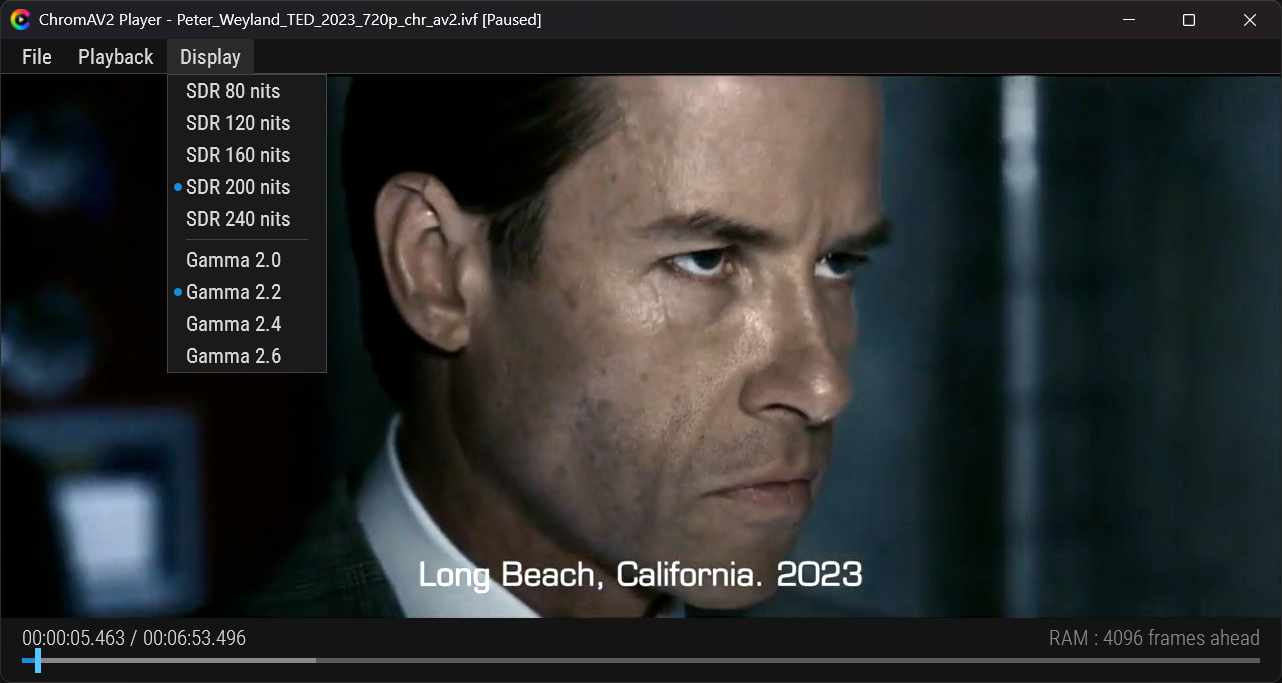
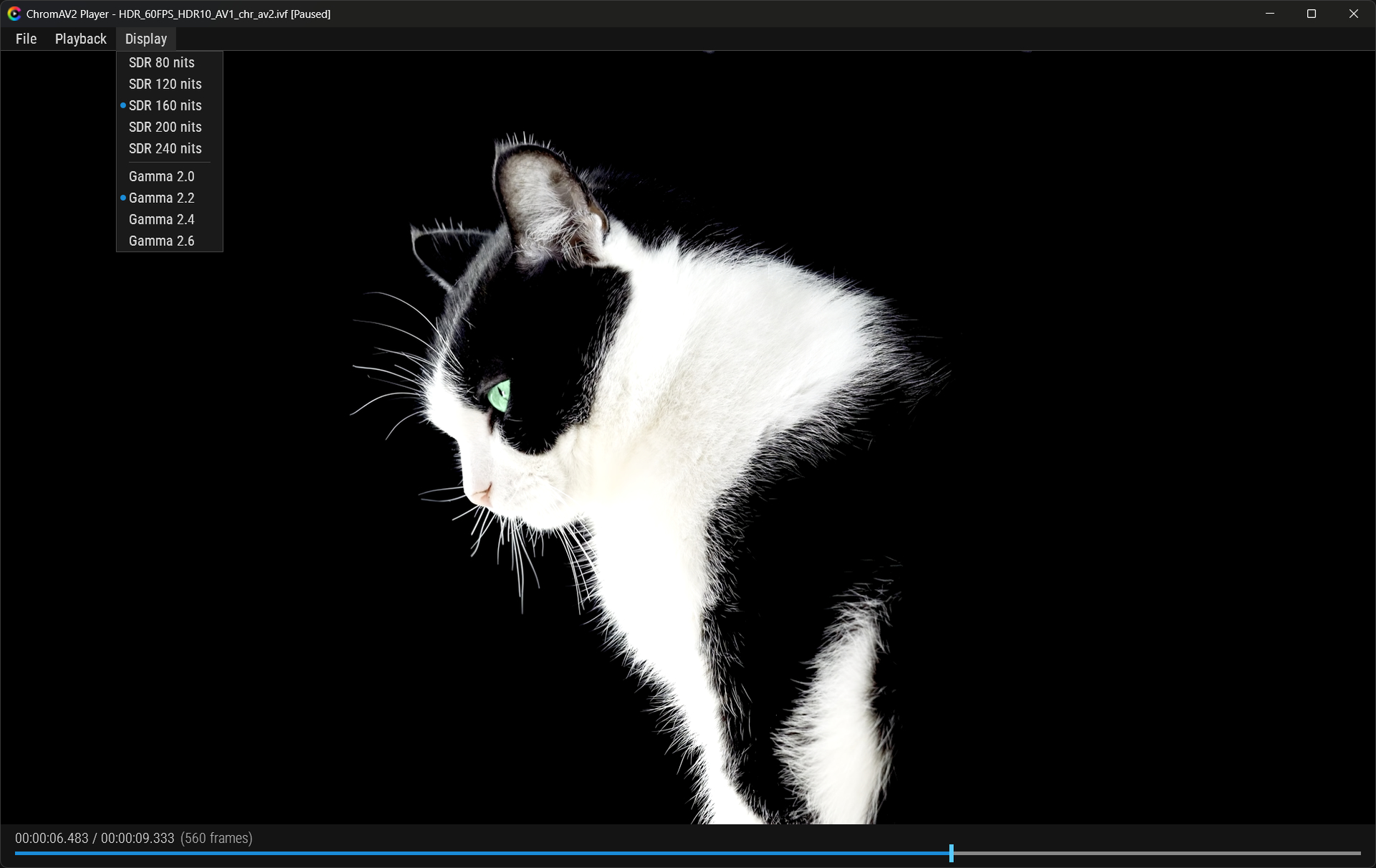
Display tuning — SDR brightness & gamma
On an HDR screen, SDR content sits at the 80-nit reference white — correct by the book, but darker than players that follow the Windows SDR-brightness slider. Now you set it yourself.
- New Display menu: SDR Brightness (80 / 120 / 160 / 200 / 240 nits) and Gamma (2.0 / 2.2 / 2.4 / 2.6), radio detents.
- Match your screen by eye, no Windows settings to touch. Live update even when paused. Settings persist between sessions.
Correct timing & speed
The nav bar used to lie. Not mine.
- Real frame rate, read from the IVF container — not from the decoder’s Y4M output, which silently defaults to 30. A 23.976 file now plays at the right speed, not 25% too fast, and shows its true length (6:53, not 5:30).
- Duration computed, not read from tags — true frame count × exact fps fraction, in 64-bit integer arithmetic. No float drift, no muxer epsilon: the displayed time is the mathematically exact length of the video stream.
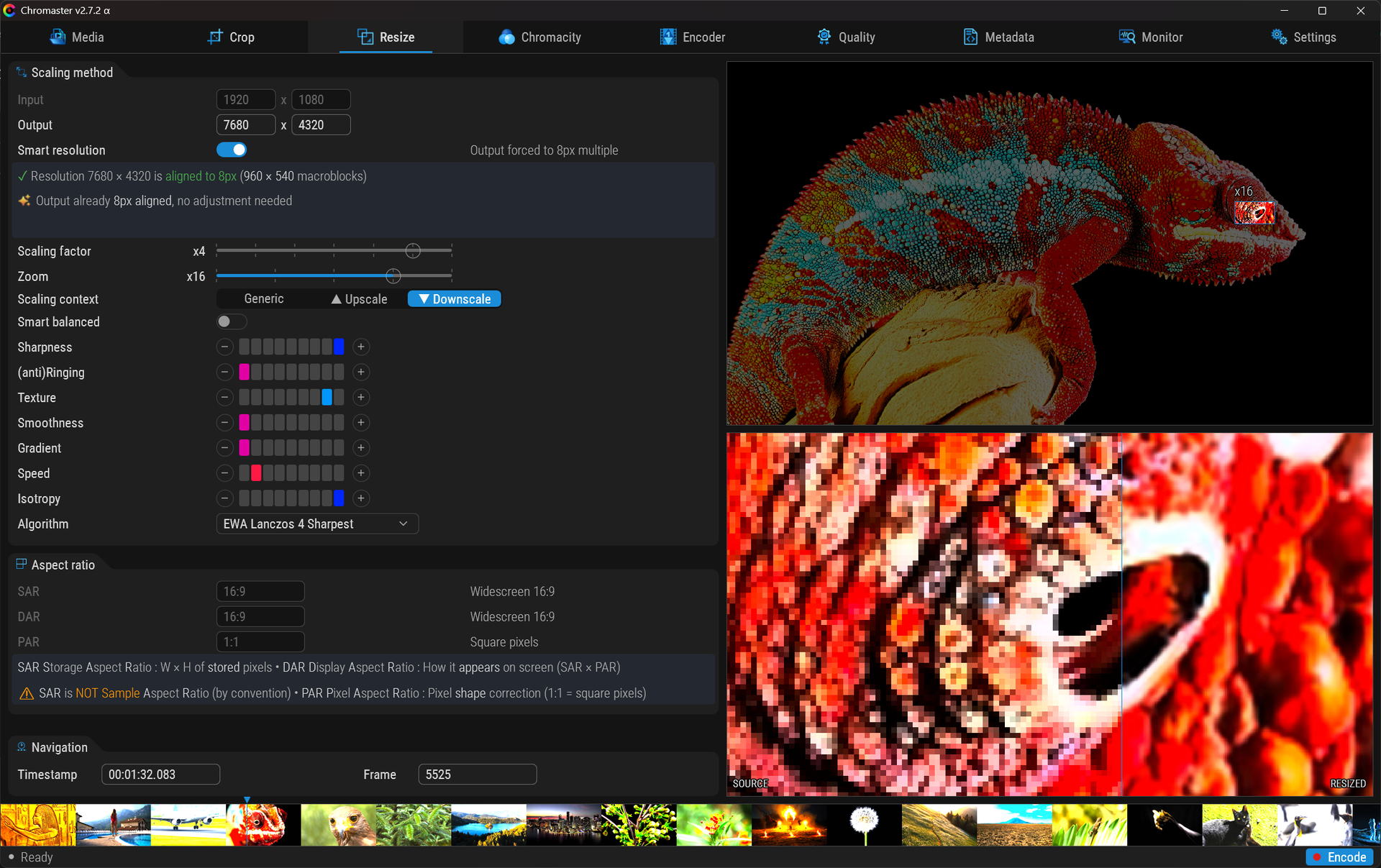
EDIT: No need for Topaz Video AI anymore, Chromaster upscales very well already (just kidding  )
)
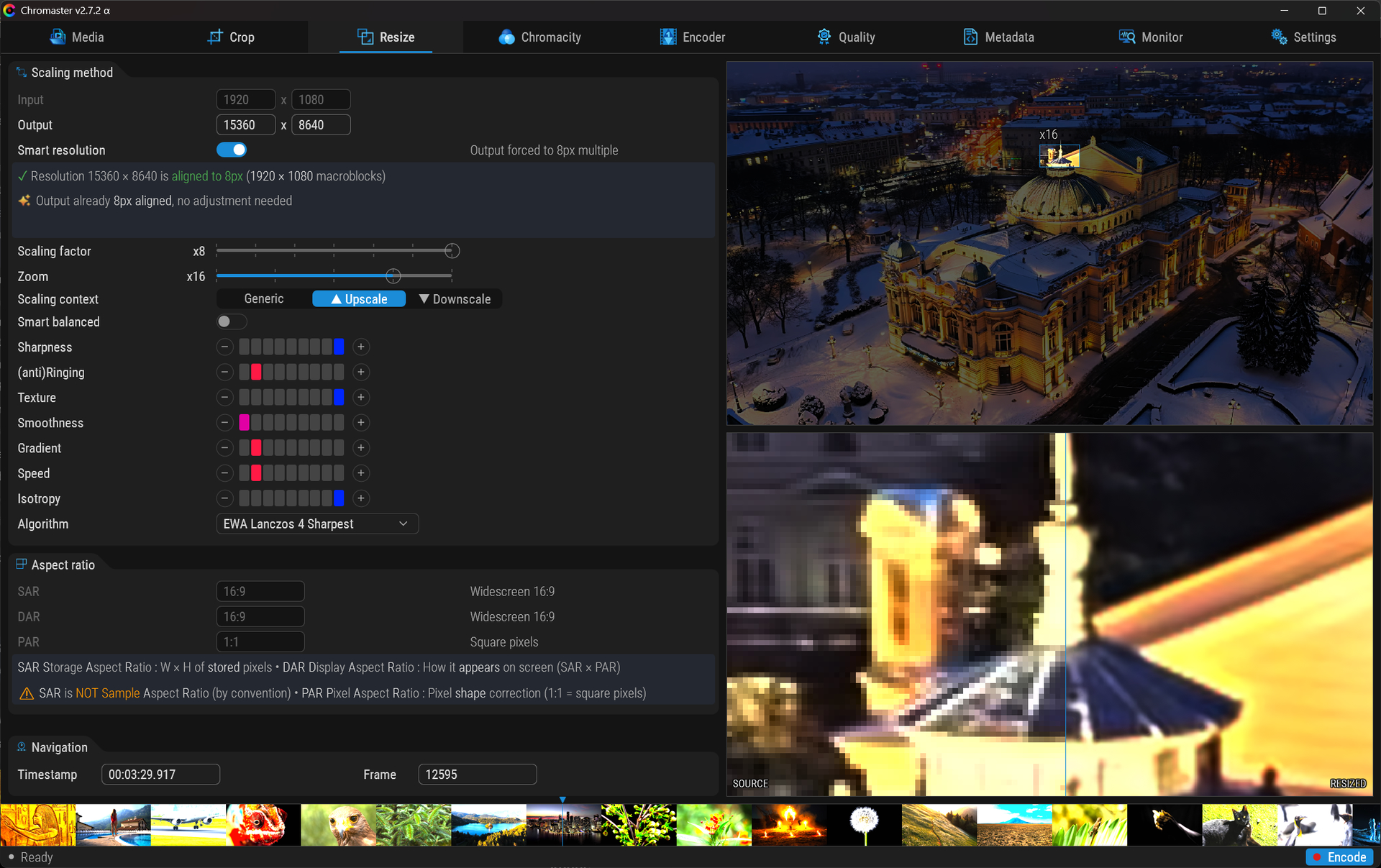
Parse HDR while you encode

Chromaster v2.7.3
 Encoder rebuilt, 1080p ceiling gone. Small release, big unlock under the hood.
AV2 encoder — the 1080p wall is down
The embedded avmenc was stuck on an old AVM build that crashed a few frames into any 1080p encode — a glass ceiling I couldn’t explain for days.
Turns out it was a known batch of upstream bugs (reference corruption, worker error handling). Rebuilt avmenc from the latest AVM source and :
- HD encodes clean now — 1080p runs past where it used to die, no crash.
- Noticeably faster, with row-based multi-threading hammering all cores (the devs disabled row-mt by default upstream — kept it on here because it flies on my machine ).
GUI
- Various cosmetic fixes across the interface.
- A few other minor bug fixes.
Lesson of the patch : on a one-month-old codec, your bug is often already fixed upstream. Test the binary, not the docs. 
Download Chromaster v2.7.3 α
EDIT : AV2 codec is masterclass, I have been impressed by H.266 but AV2 is even more  (My First 1080p output)
Chromaster v2.7.4
AV2 encoder
- Various comments ans sliders improvments
- Bugfix in some clamping features
- CBR / VBR polished
ChromAV2 Player v1.0.0
ChromAV2 player
- Some fixes
- About menu to tell app. version and decoder build
- Fixed unpacking codec
Download Chromaster v2.7.4 α
If you want to try, I built SIMD encoder / decoder with last commits
AOMedia AV2 decoder SIMD v1.0.0-39
AOMedia AV2 encoder SIMD v1.0.0-39
It’s 50% faster on my AVX2 CPU, and 20% slower on my AVX512 CPU
Astivate as less featyre as possible. At this stage, it’s still impossible to know which ones work well and which don’t.
I should add that whether you enable or disable “Row multithreading,” it has been disabled by the developers because it was buggy and there’s no ETA for a patch.
Edit :
AVX
AVX2
SSE
SSE2
SSE3
SSE4_1
SSE4_2
SSSE3
All AVX-512 builds, with or without vectorization, fail. So I’ll wait for project truc’s enhanced AVX-512 builds.
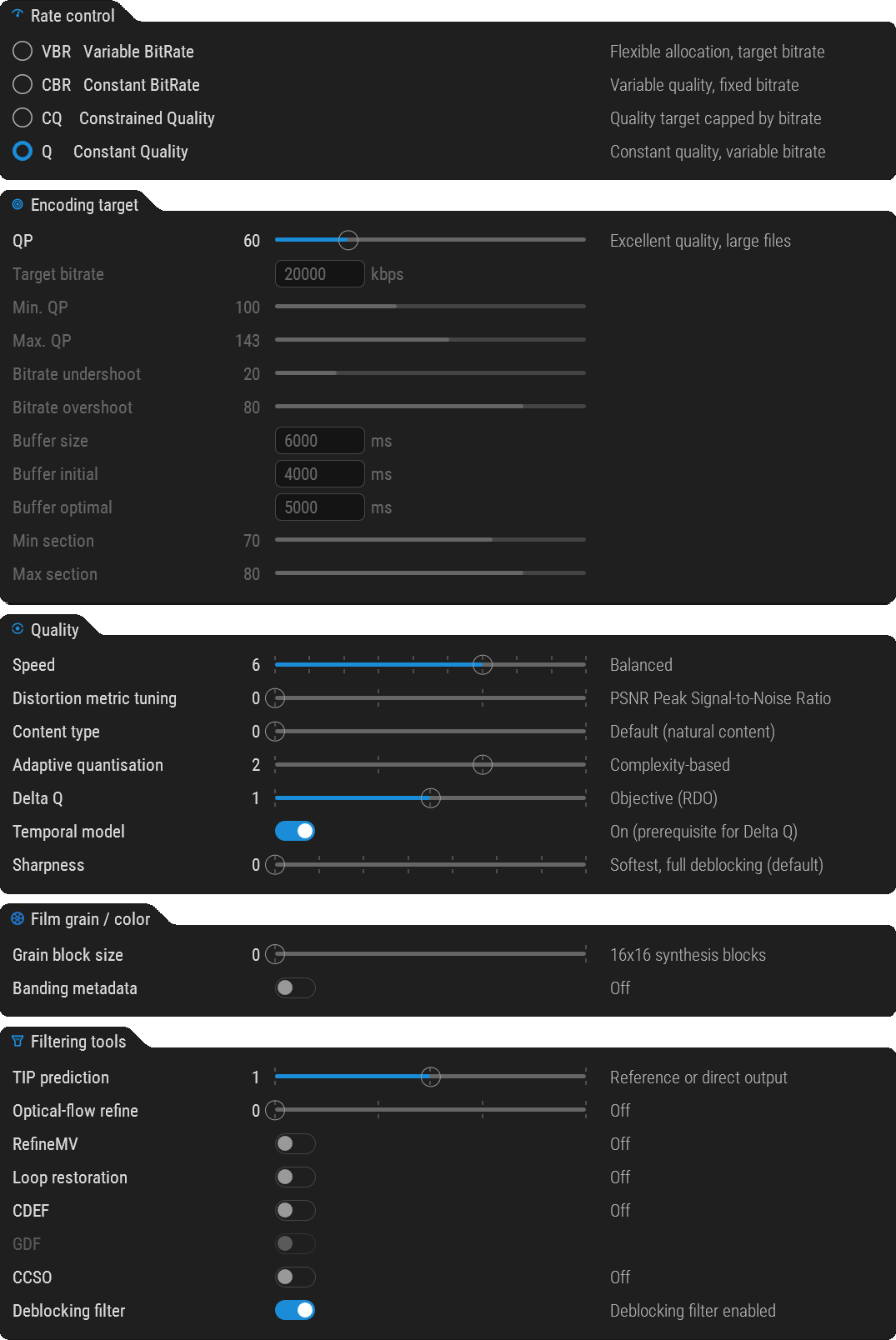
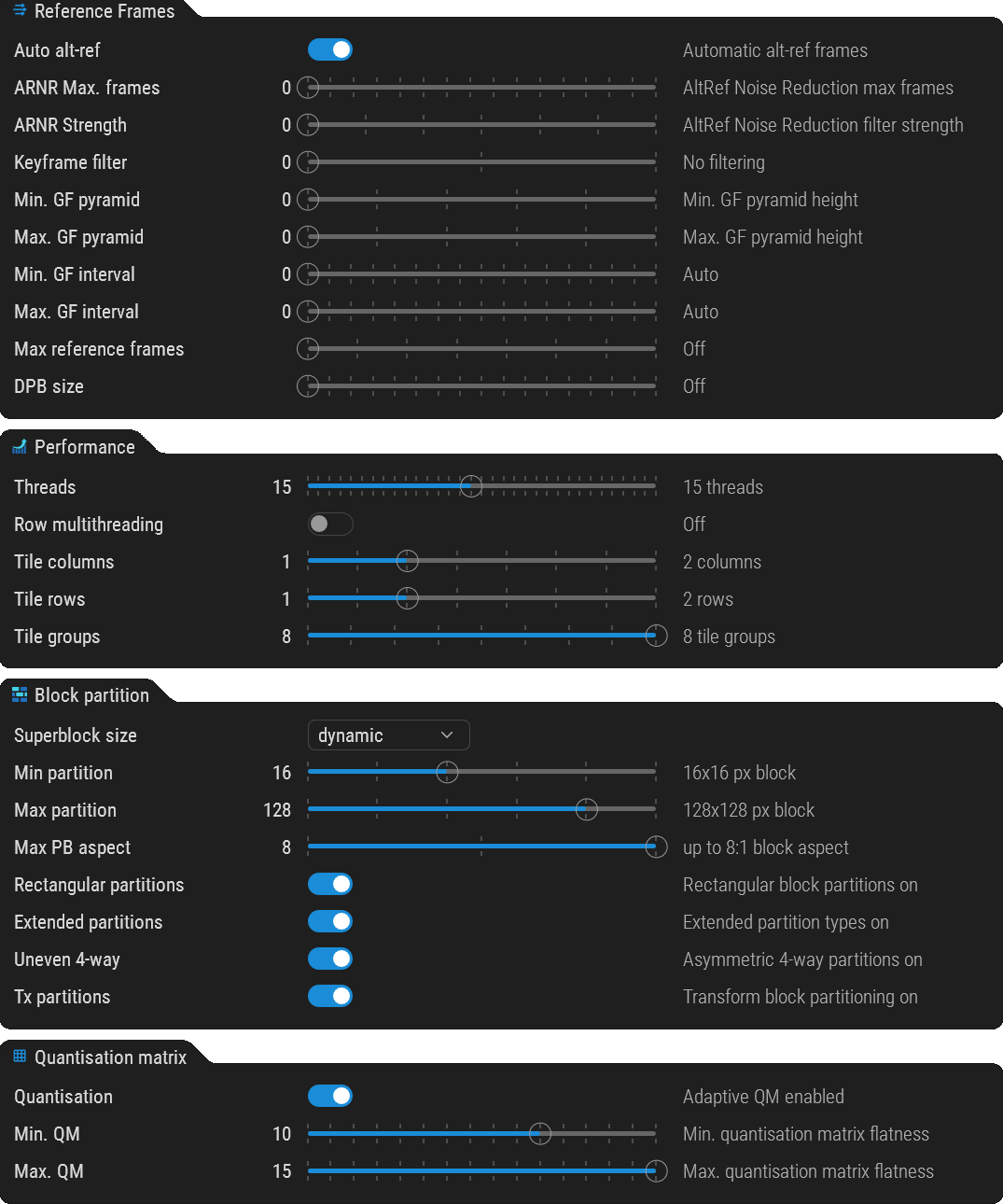
Recommended settings as of June 27th to get a fast and high-quality output.
CPU is 9950X, set threads count = your blue cores
While the issue with AV2 is being resolved, could I ask you to add the H.264/AVC codec to Chromaster—specifically as a “Universal Baseline” option—supporting both CPU and GPU/CUDA?
The HDR-VDP-2 and HDR-VDP-3 quality analysis results are impressive. 
Thanks in advance.
Thank you for the feedback! I’m glad to hear that the HDR-VDP-2 and HDR-VDP-3 quality analysis results are meeting your expectations.
Regarding your request, I currently have no plans to integrate the H.264/AVC codec into Chromaster, even as a baseline option. H.264 is a legacy codec from the early 2000s, and the core vision for Chromaster is strictly focused on next-generation, high-tech video processing.
At this stage, my development efforts are entirely dedicated to the future of compression, specifically working with AV2, SVT-AV1, and VVC/H.266. If I ever implement a more widely compatible fallback option, it would be H.265/HEVC at the very least, though my priority remains pushing the boundaries with next-gen formats.
To give you a bit more insight into the roadmap, my next major focus for Chromaster will actually be integrating HDR10+ and Dolby Vision (DV) RPU processing.
I want to ensure the app delivers cutting-edge high-dynamic-range workflows alongside next-gen codecs, which is where my development time is currently best spent.
Chromaster v2.7.5
avmenc v1.0.0-39 has been integrated
Minor visual fixes
Download Chromaster v2.7.5 α
EDIT : Teasing, now playing AV2 HDR flawlessly in ChromAV2 player
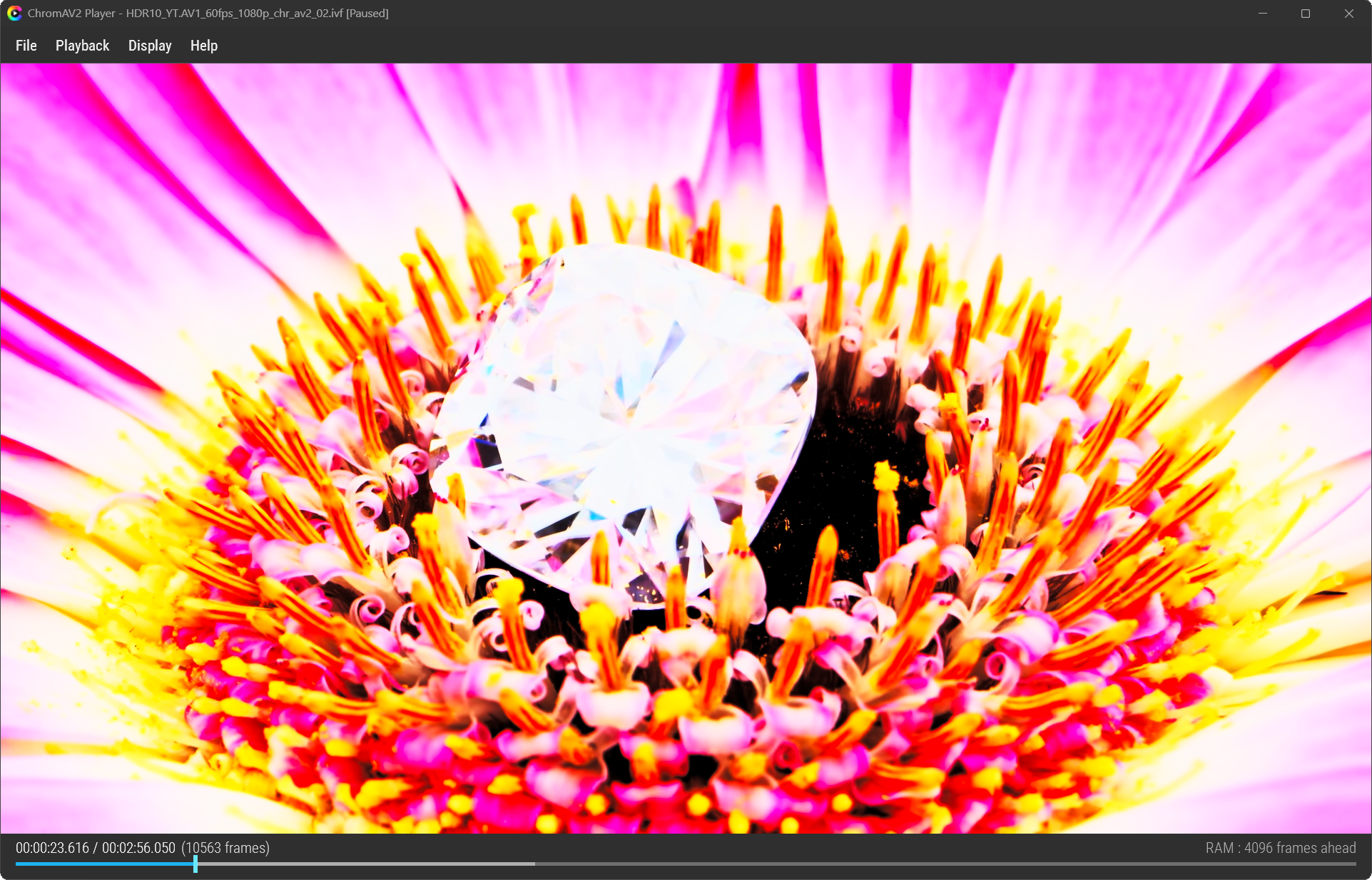
 Chromaster v2.7.6 α Keyframe control for AV2
A new Keyframes group has been added to the AV2 tab.

What’s new
Three controls to set the keyframe interval:
- Disable keyframes
- Min keyframe interval
- Max keyframe interval
The interval is shown in frames and seconds for your source (e.g. “120 frames ≈ 2.00s @ 60 fps”).
Step of 10.
 Why ?
Why ?
Until now, every AV2 encode was produced with a single keyframe — making the player decode from the start on every seek. To get instant seeking, just set a periodic interval: regular keyframes are written, and the player jumps straight to the nearest one.
 Zero regression
Default left at Auto (0) → flag omitted → existing encodes untouched. Periodic keyframes are opt-in (slightly bigger files).
To be paired with the HDR player update for a full AV2 HDR encode → seek workflow. 
ChromAV2 Player v1.1.0 HDR update
Big one this time. The player finally renders true HDR10, plus a pile of fixes for long videos.
 Real HDR rendering (the headline)
The player was showing HDR clips washed out in SDR. Turns out the color metadata (CICP) was
present in the AV2 bitstream all along — correctly tagged by avmenc — but the decode bridge was
throwing it away and hardcoding BT.709 SDR.
Now the player probes the CICP (BT.2020 / PQ) and feeds it to the render pipeline. Result:
proper HDR10 PQ/BT.2020 on an HDR display, full luminance, no more washed-out picture. 
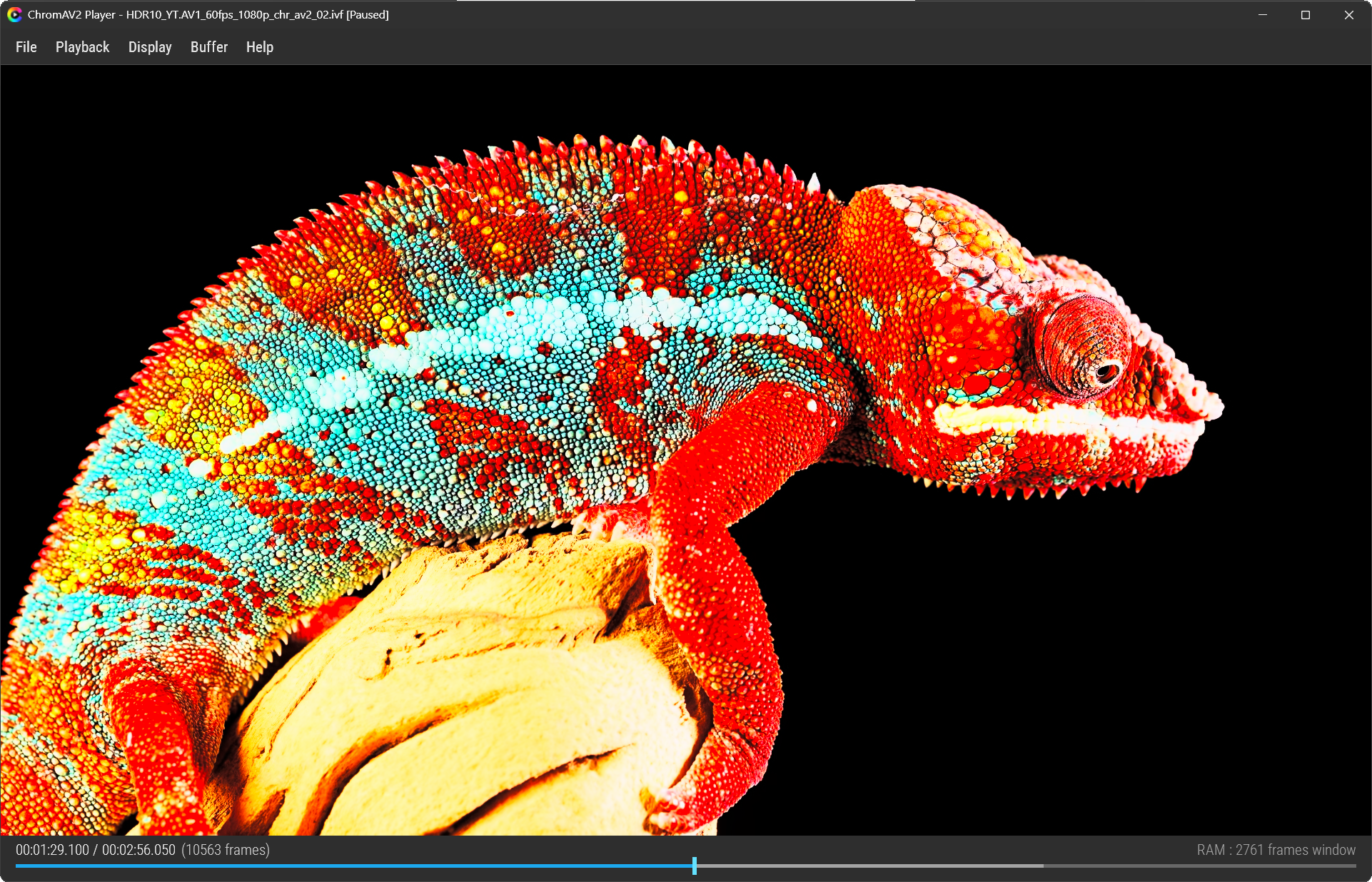
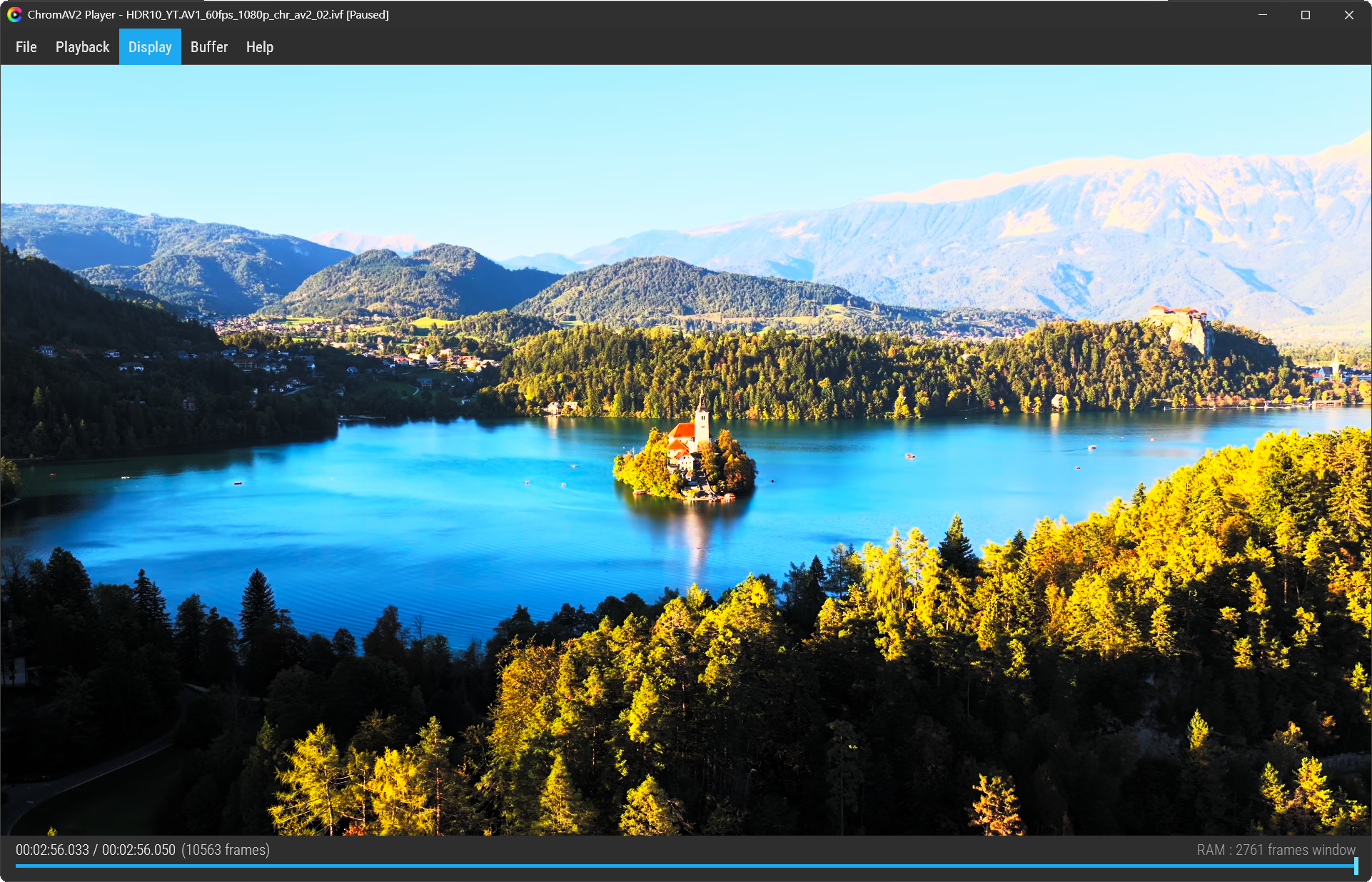
 HDR-correct UI
Menu, text and status bar were too dark on an HDR screen (white looked gray). The overlay is now
lifted to the 203-nit reference white (Windows HDR / BT.2408), independent of the video
brightness. Clean, readable UI over HDR video.
 Bounded RAM — no more crashes on long videos

The player used to keep every decoded frame in RAM for instant seeking → long clips ate all
your memory and popped an “Out of memory” crash. Replaced with a bounded ring buffer: RAM is
now capped regardless of video length. Long videos just play.
- New Buffer menu to set the memory budget yourself.
- avmdec now decodes multi-threaded → the look-ahead fills faster.
 Self-contained
avmdec is now embedded in the player and auto-extracts on first run. No external decoder, no
missing-DLL errors, no path hunting. Just the exe.
 About window

New About (Help → About) showing the player version and the embedded avmdec version.
 Coming next
Seek-to-keyframe — instant seeking anywhere in long videos (decode-on-demand from the nearest
keyframe). Already wired in the player; it kicks in fully once keyframe-interval encoding lands.
Download Chromaster v2.7.6 α
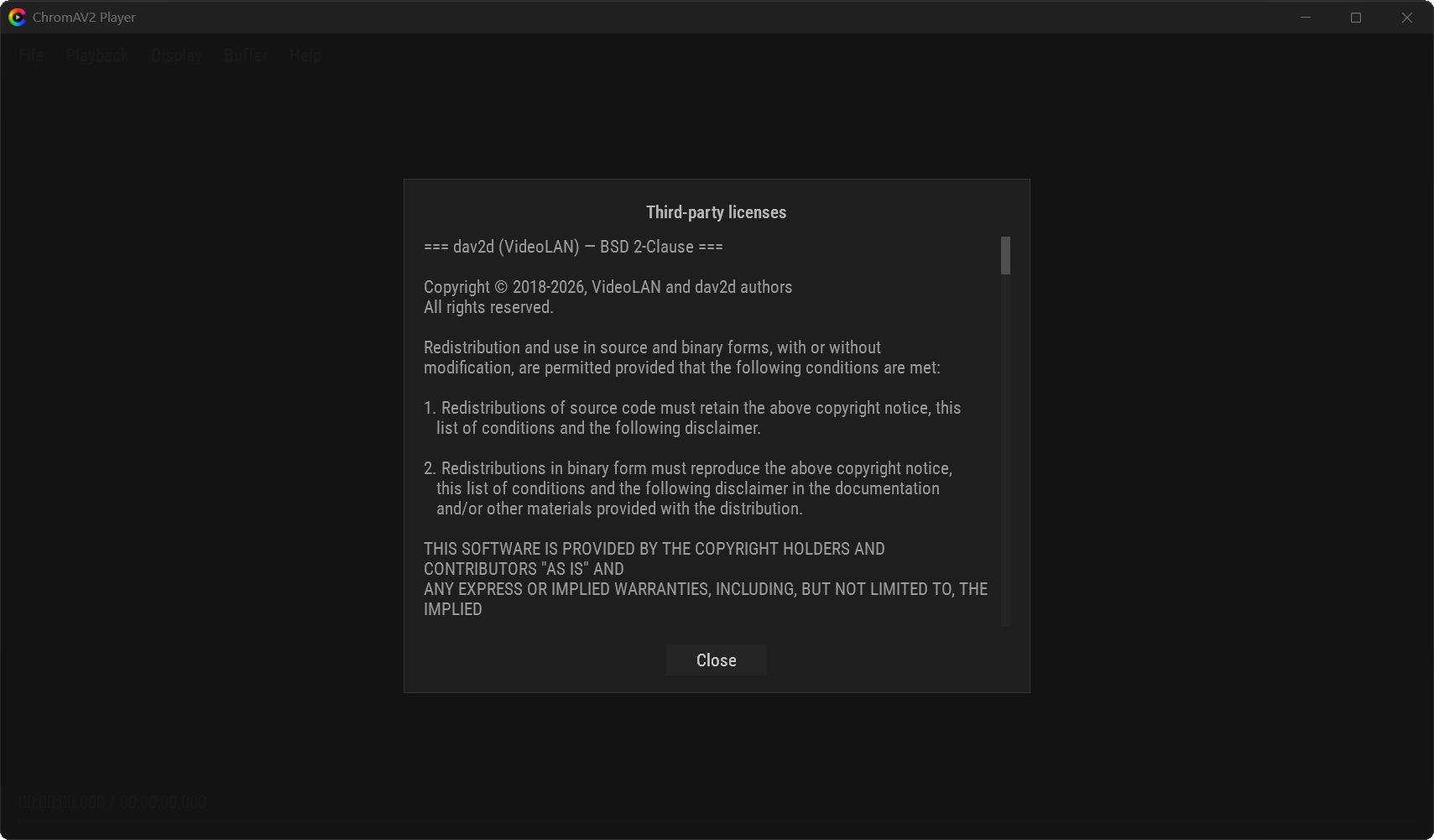
 ChromAV2 Player v1.2.1 Third-party licenses
A Third-party licenses window has been added, opened from a link in the About dialog.
The notices for the bundled components — dav2d (BSD 2-Clause) and AVM / AOM
(BSD 3-Clause Clear + Patent License) — are now embedded in the player and shown in a
scrollable window. No external files.
avmdec — the AOM reference decoder. It reconstructs the actual AV2 pixels (embedded in the player, runs and feeds its Y4M output to the display).
dav2d — VideoLAN’s lightweight decoder. It doesn’t decode pixels here (current version can’t on AV2); it only reads metadata: the HDR color info (CICP) at load and the keyframe positions for the seek index.
You are write! Don’t do that.
If You are interested, here is some history.
20 years old Ateme H.264/AVC coder
(…today Ateme’s flagship encoder/transcoder platforms (such as the TITAN range) support all major industry-standard codecs including MPEG-2, H.264/AVC, H.265/HEVC, AV1, and H.266/VVC…)
does not offer a standalone "**
psychovisual
** plugin" for download. Instead, psychovisual optimization is a proprietary feature built directly into their enterprise encoding software, such as TITAN Live and TITAN File.
**
As a result picture looks better then incoming.–- It is fantastic!
**
Modern World opensors.
SVT-AV1-PSYencoder https://svt-av1-psy.com/ - no result,frozen
I wish You good results.
Thanks for sharing those historical insights on Ateme—it’s always great to trade notes with someone who appreciates the technical depth behind professional encoding.
Regarding H.264/H.265, I’ve decided not to pursue them further. Integrating a codec rigorously is a surgical, time-consuming process. My goal for Chromaster isn’t to clutter the GUI with random sliders like consumer-grade tools, but to offer a precise, pedagogical, and streamlined experience.
As you may have seen, Chromaster already performs quite well, but I still consider it to be in an early alpha stage. I’m a total perfectionist 
As for SVT-AV1-PSY, I know it inside out from extensive testing and I love it ! It’s highly dynamic, but that makes it difficult to maintain a stable GUI alongside such rapid development. Thankfully, the main SVT-AV1 branch has now integrated the core PSY features, which is perfect for stability. I’ve actually already implemented these improvements in Chromaster under a dedicated group.
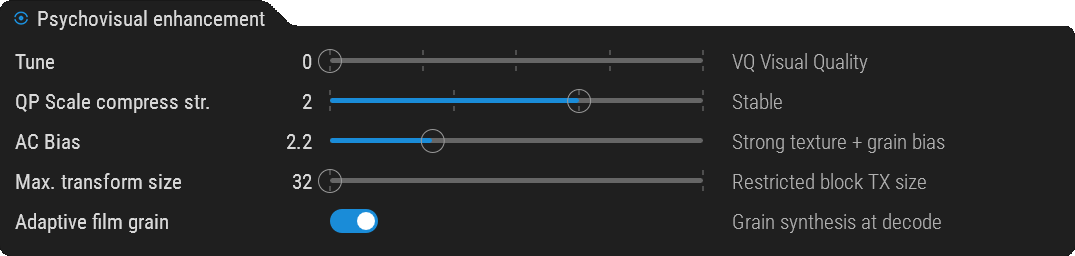
These are psychovisual enhancements taken from SVT-AV1-PSY and transposed into SVT-AV1, meaning that 90% of the -PSY features are now in the main branch. Tuning it to VQ and setting AC Bias to ~2.2 are the most important adjustments here. As always, the default settings are optimized for general use first, but users can adjust them to their taste.
Experience has taught me that “psychovisual enhancements” can sometimes push the image uncomfortably far from the source. Chromaster is built to avoid “eye candy” by providing rigorous metrics to measure actual signal changes, ensuring we keep those pixels in check.
Thanks for the continued support!
ChromAV2 Player & Chromaster — maintenance update 
A round of fixes and refinements on both tools.
ChromAV2 Player v1.2.2 α
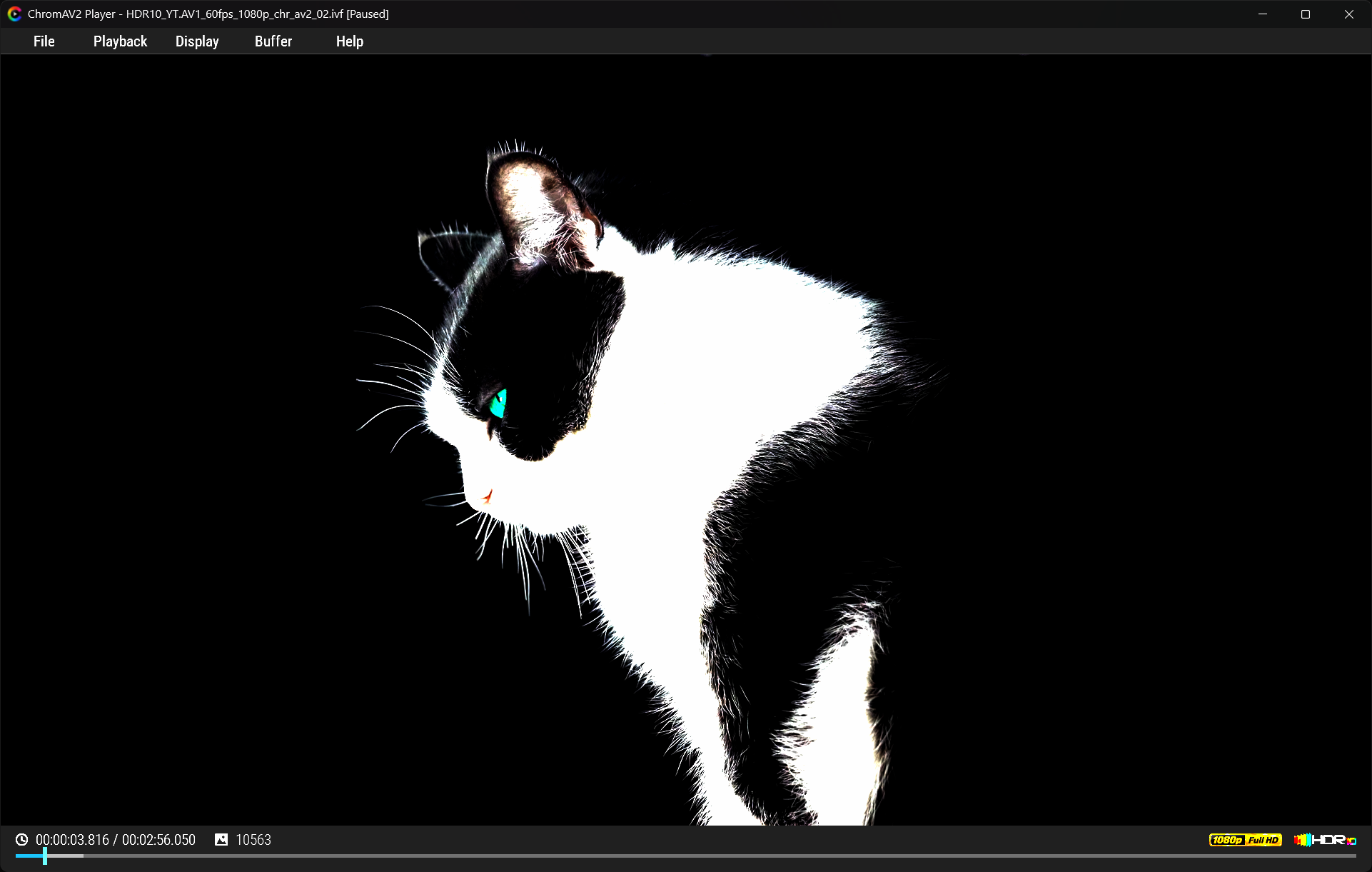
Playback timeline fixed
— On first playback of a freshly encoded clip, the progress bar andtotal duration could be wrong (bar reaching the end early, then snapping back).
Render path optimized
(for modest hardware; invisible on high-end):
- PQ EOTF moved to a 4096-entry 1D LUT instead of per-pixel
pow(). - Single-
memcpyfast path in plane upload when strides match. - Fixed an 8-bit/16-bit cast in the first-frame diagnostic log.
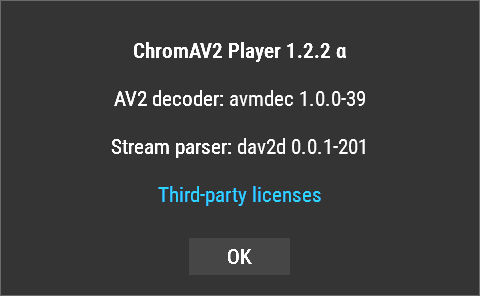
About window — now shows the decoder and parser versions:
- AV2 decoder: avmdec (reconstructs the pixels)
- Stream parser: dav2d (reads metadata — CICP, keyframes)
- New status bar
 — The bottom bar now shows the video resolution (e.g. 1920 × 1080) and an HDR10 badge, both rendered in true HDR — the badge actually glows on an HDR display, not a flat SDR sticker.
Chromaster v2.7.7 α
- Decoder compatibility locks
 — A few AV2 coding tools currently produce bitstreams that
dav2d v0.0.1 cannot parse yet (OBU parse errors → colour metadata unreadable → HDR lost on playback).
Until dav2d matures, these are locked off in the AV2 tab:--enable-cdef,--enable-gdf,--enable-keyframe-filtering,--row-mt - Removed
 — the Film grain / color group (grain block size was a no-op without a grain table;
banding metadata wasn’t exploited by the pipeline). Encoder defaults apply instead.
Will take a look later, I hate movie grain adding
Download Chromaster v2.7.7 α


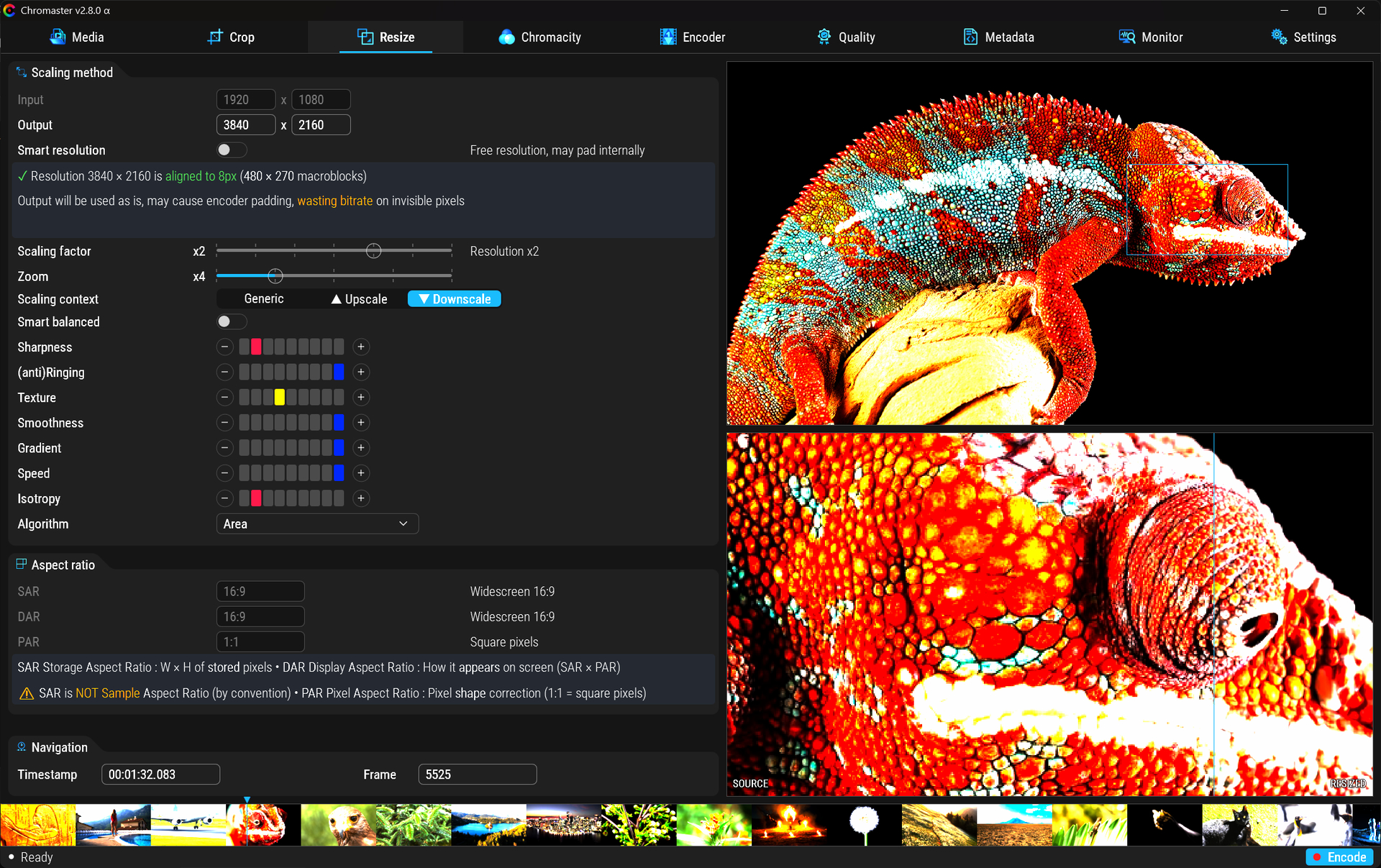
ChromAV2 Player v1.3.0
HDR playback refinement update
A new round of small but important refinements on the ChromAV2 Player side.
 New HDR peak control
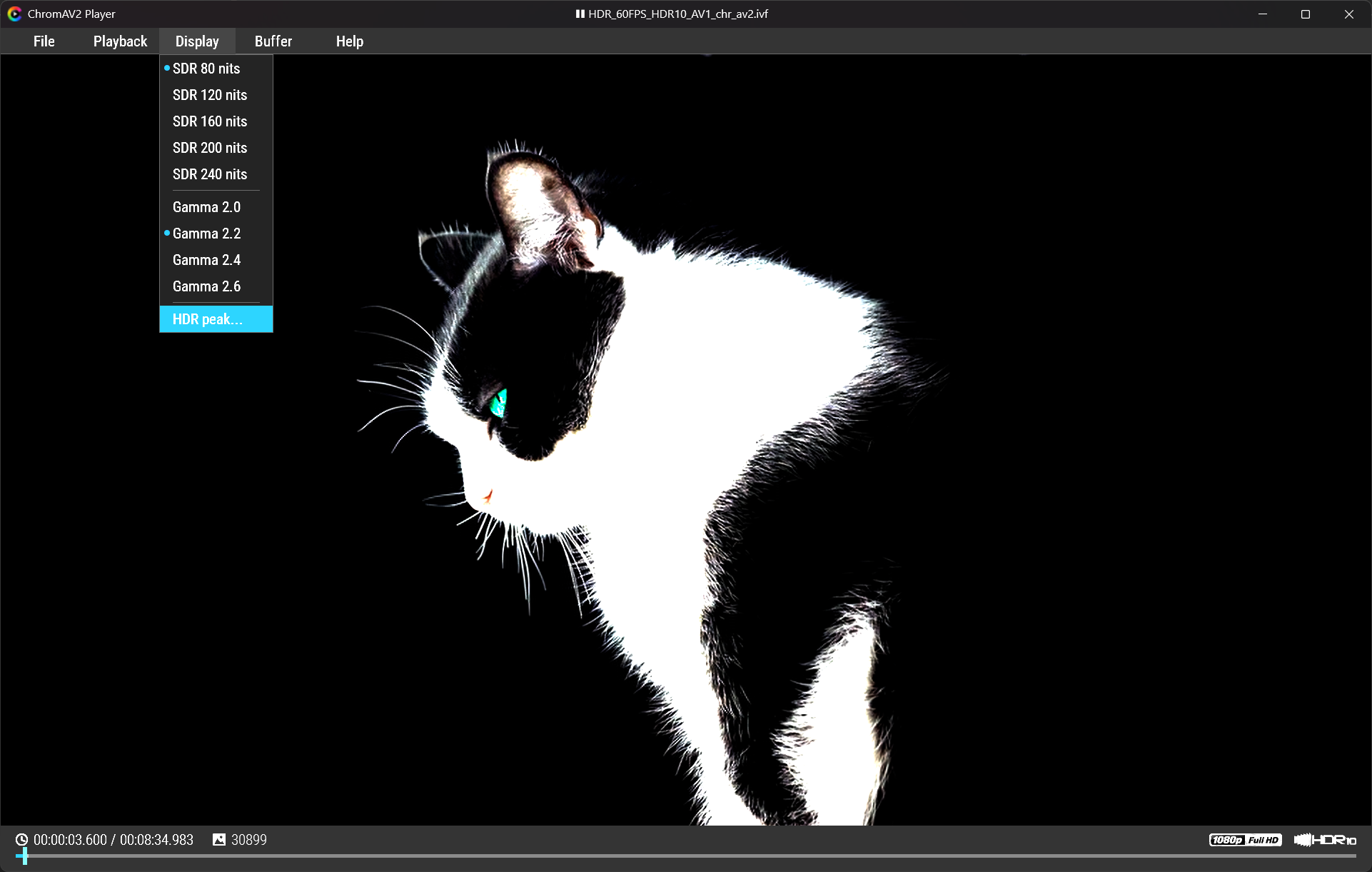
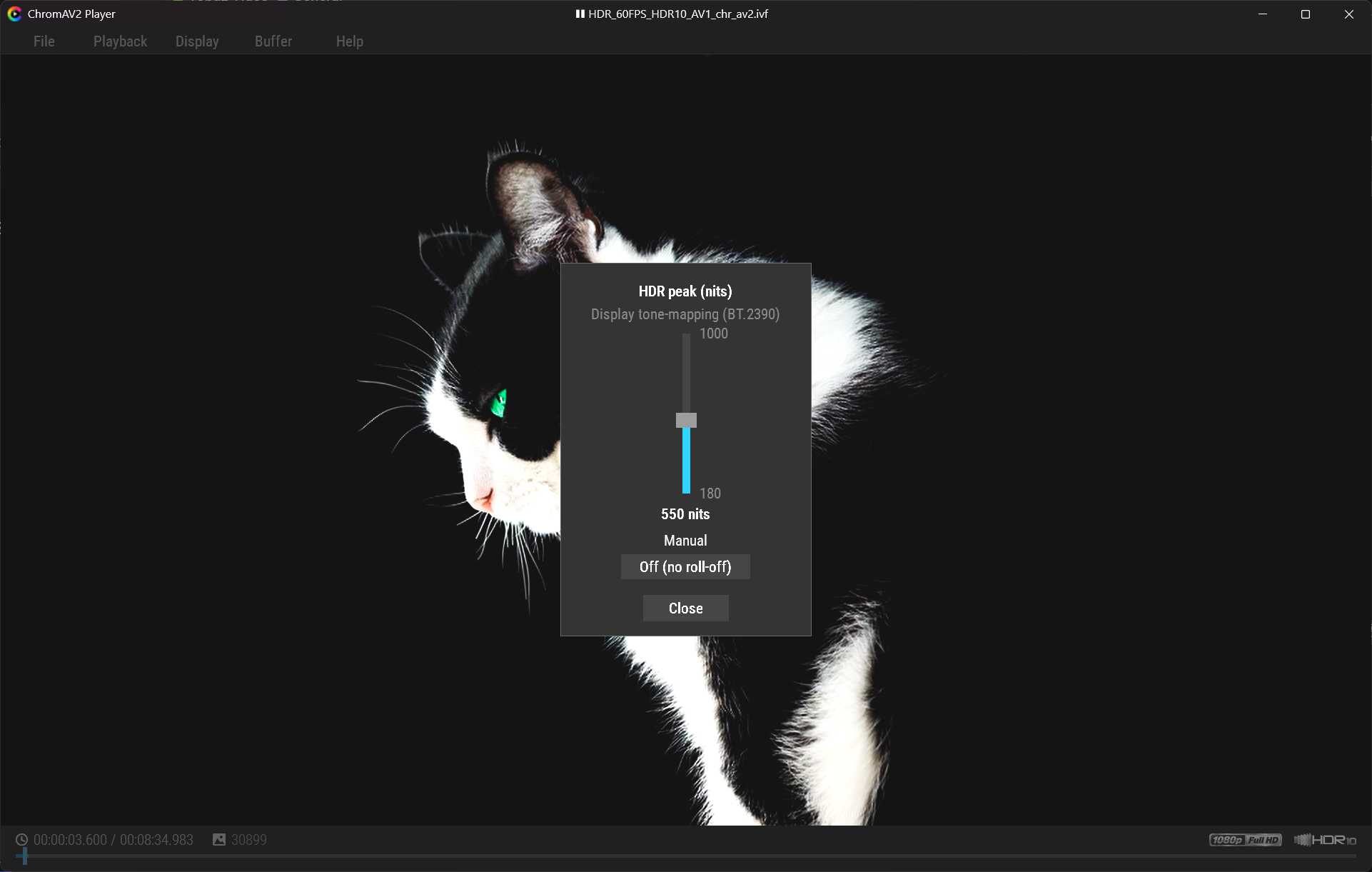
ChromAV2 Player now includes a manual HDR peak luminance control for displays with different real-world HDR capabilities.
Some HDR sources push highlights very hard. Depending on the screen, this can lead to clipped or crushed whites if the source peak goes beyond what the display can actually reproduce cleanly.
The new control lets you adapt the HDR rendering path to your display:
- Manual HDR peak setting in nits
- BT.2390 display tone-mapping path
- Optional no-rolloff mode
- Designed to preserve highlight detail instead of brutally clipping whites
This is not just metadata handling. ChromAV2 Player performs real PQ-based HDR rendering inside the GUI, like an HDR video player, then lets you tune the output for the screen you are actually using.
 UI polish
A few visual refinements were also added:
- Source title is now centered instead of left-aligned
- Nicer Unicode play / pause icons in the title area
- Cleaner playback state display
- More balanced top-bar presentation
The goal is to keep the player lightweight, but make it feel more like a real dedicated HDR/AV2 playback tool rather than a debug utility.
