I can no longer show anything in the original/preview boxes, just blank. The strip at the bottom still shows all the frames and images of the scenes. The software still works to convert and the output files produced play fine.
No error messages are shown, just can’t see previews or test upscaling methods.
If you are seeing a black preview screen it is most likely due to a driver or settings issue with the GPU card.
Let’s do a clean install of the latest Studio Driver for your GPU card from the NVIDIA drivers update page to ensure there is not a missing packet.
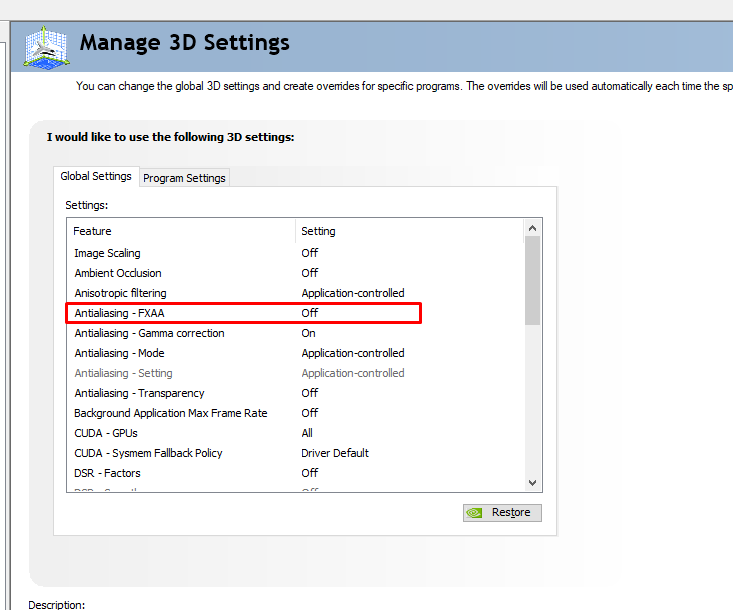
Then, restart the computer and let’s open the Nvidia settings panel and check on the FXAA setting. We will want to turn that off so that it does not interference with the MPV player in the app.
Just updated the Nvidia driver to the latest studio edition 580.97 and seems to have fixed the problem as you indicated. Driver also seems stable, some newer ones tend to be too far ahead of my ASUS laptop hardware and cause issues with fan/power management, but this one seems OK.