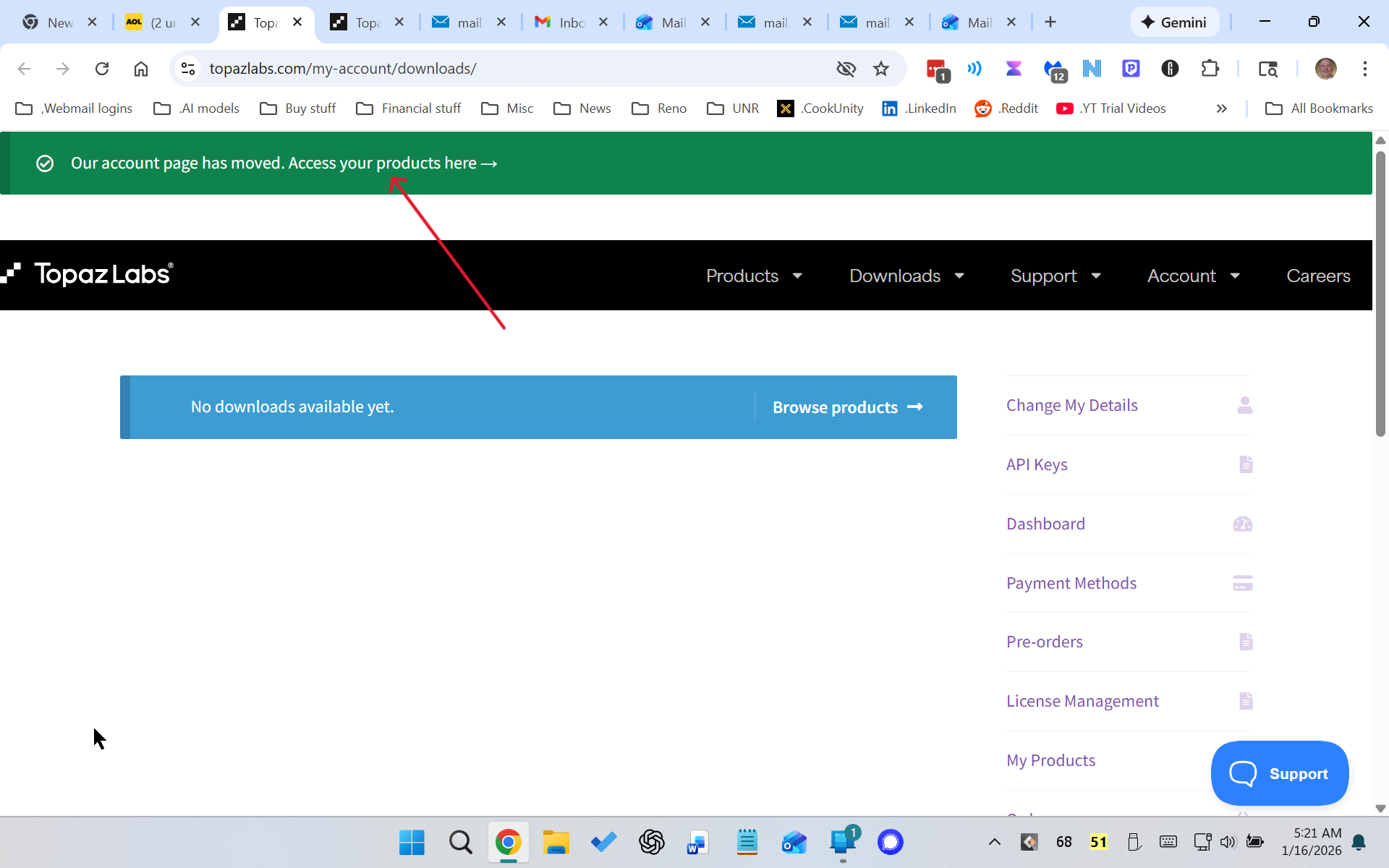
Where on the TopazLabs website can I find the payment methods I’ve entered?
Also, the links to Customer Support are all unfunctional.
Where on the TopazLabs website can I find the payment methods I’ve entered?
Also, the links to Customer Support are all unfunctional.
Hi Tony.
If you’re on the Desktop Version of the Topaz Home Page then, simply Click on Topaz Studio Tab then either Buy Topaz Studio or once you’ve Clicked the Studio Tab you can Click on one Large Boxes for the individual Applications.
Alternatively, again from the Desktop Topaz Home Page hovering over the Desktop Tab at the Top will again give you the option to Buy the individual Topaz Photo, Gigapixel and Video Applications.
Also, from the Topaz Home Page the last Tab on the end is for Plans and Pricing
Here’s the link for Plans and Pricing
If on the other hand, you’re on the Mobile Device version of the Topaz Home Page then simply Click on the Menu Icon in the top right hand corner and you’re find the same options as mentioned above
Hope this helps
Thanks, but this is not what i’m looking for. I already have Studio Pro, but I need to change the credit card used for the monthly payment. Where is that?
Tony
| AND-E Topaz Photo AI Owner
January 16 |
- | - |
Hi Tony.
If you’re on the Desktop Version of the Topaz Home Page then, simply Click on Topaz Studio Tab then either Buy Topaz Studio or once you’ve Clicked the Studio Tab you can Click on one Large Boxes for the individual Applications.
Alternatively, again from the Desktop Topaz Home Page hovering over the Desktop Tab at the Top will again give you the option to Buy the individual Topaz Photo, Gigapixel and Video Applications.
Also, from the Topaz Home Page the last Tab on the end is for Plans and Pricing
Here’s the link for Plans and Pricing
Image and video enhancement software from Topaz Labs.
If on the other hand, you’re on the Mobile Device version of the Topaz Home Page then simply Click on the Menu Icon in the top right hand corner and you’re find the same options as mentioned above
Hope this helps
Here’s the link to access your Payment details within your Account simply Click on the link below and Sign In then, navigate to Payment Methods
That was it. Thanks.
My issue had been that I immediately went to the new page indicated. There is no place to modify payment methods on the new page.
I’m glad we got there in the end because, I also, looked for it within the new Account Page.
I’ve also sent a message directly to Topaz Support saying it’s impossible for anyone to change their Payment Details within their new Account.
Take care and enjoy your weekend
Andy
Happy to see Andy was able to help 
Can you elaborate on what happens when you click on the support links? It works on my end.
Yes. The link works fine for me also. But when I enter that new world, there seems to be no place where I can choose which methods of payment I can use.
The user’s page will be consolidated eventually in one place; we are working on it. In the meantime, the payment can only be changed via the link Andy sent you.
Thank you.