We can try something else, like update your gpu drive to Nvidia studio, at least to boost the cuda cores and focus into video stuff
After installing 7 I can’t get any output to save (not just starlight). Uninstalled and reinstalled 6 and same problem. Back to 7 now, and the latest log is attached.
2025-05-14-13-44-31-Main.tzlog (99.2 KB)
wow, amazing
1 Like
Ok, now there’s a thought.
In the interim, I’ve restarted again, and now when I tell it to export, my GPU doesn’t even go up to 100% like it was the first few times I tried.
Who even knows?
1 Like
13+minutes to do a Starlight test render of 9 seconds at 720p. I will say it did do some nice sharpening up and less uncanny faces than the previews of the other models.
That being said, can we have a model that doesn’t try to pop in rendered eyes everywhere (blue, at that). I was using Proteus a few versions back and it wasn’t giving me rendered eyes ,but now it is, and in ears and stuff. I’m going to have to roll back yet again!

1 Like
I second this, i have lost several projects, recovery has never worked for me, its broken, topaz definitely needs to fix this
2 Likes
Thanks! Managed to get to work using Prores.
Now the question is how do we get it to not drastically darken the output?
anyone know the answer to this?
in Max memory % “100” setting, my GPUs memory goes up to 32GB and it takes very very very long~~~~ time to “Loading models…”

in Max memory % “70” setting, my GPUs memory goes up to arround 13~16GB and it starts processing about 15~30secs after.
my system ( RTX5090, Ryzen 9950x3d) got 0.9fps at x2 starlight mini (720x480px 16:9 to 1704x960px )
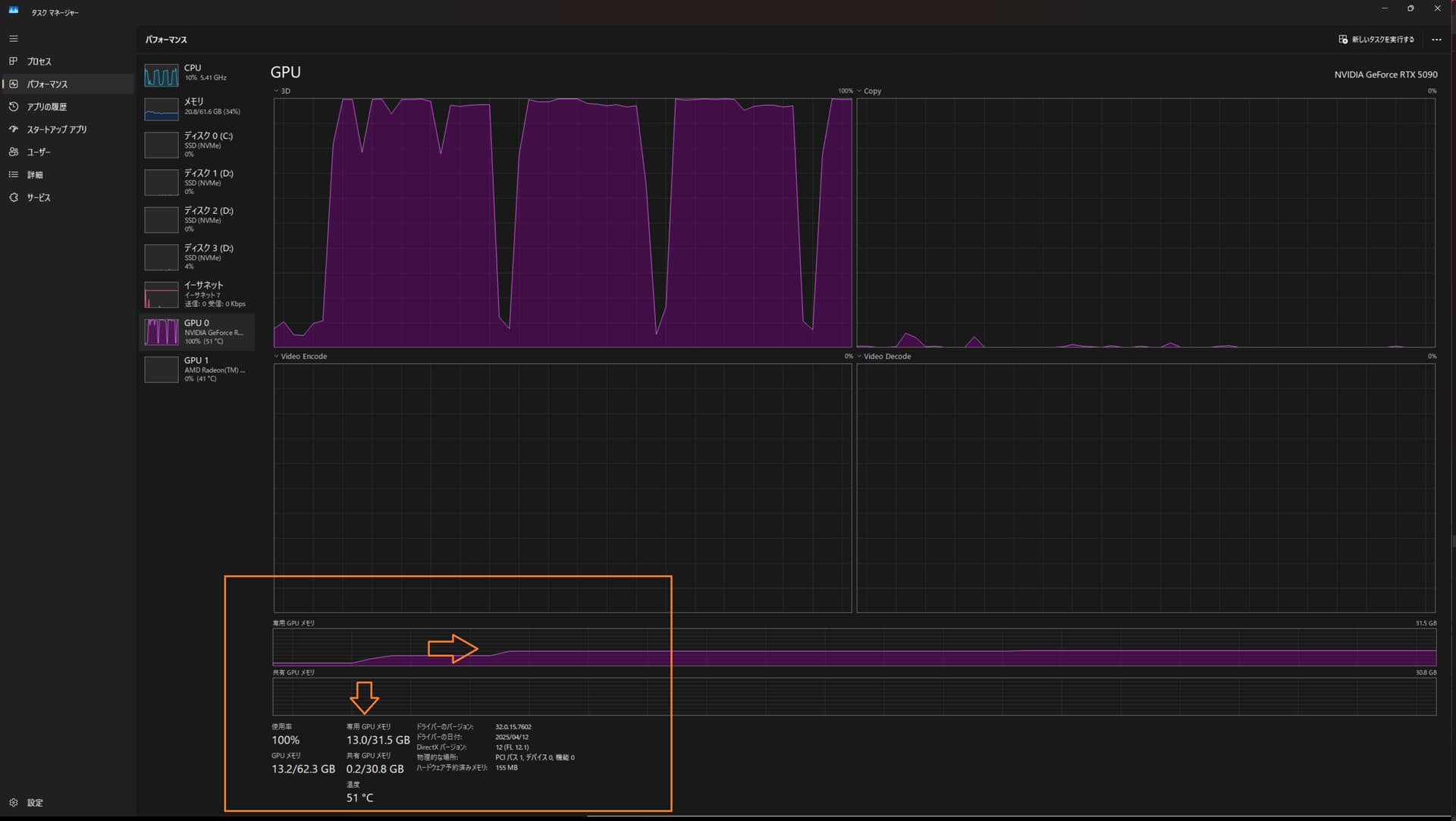
- you shoud change memory setting in perfereces,
2.“save” and close the TVAI application - and restart TVAI
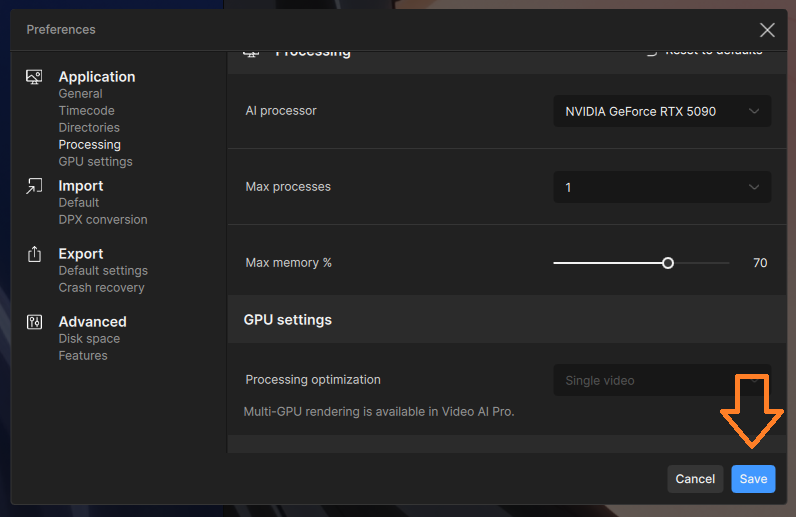
in my system, memory % “70” was good, but memory % “75” does not works.
I think different memory setting will be needed on different system
2 Likes
Reinstalled but still not seeing live previews when exporting with starlight mini. Does everyone else see previews when exporting with starlight mini?
1 Like
Yes, the preview works pretty well, it just “crash” when i try to make 4x upscale
1 Like
yes. I’ve got previews well.
it seems to be preview needs TVAI got some sufficient seconds of processed movie.. about few seconds at least?
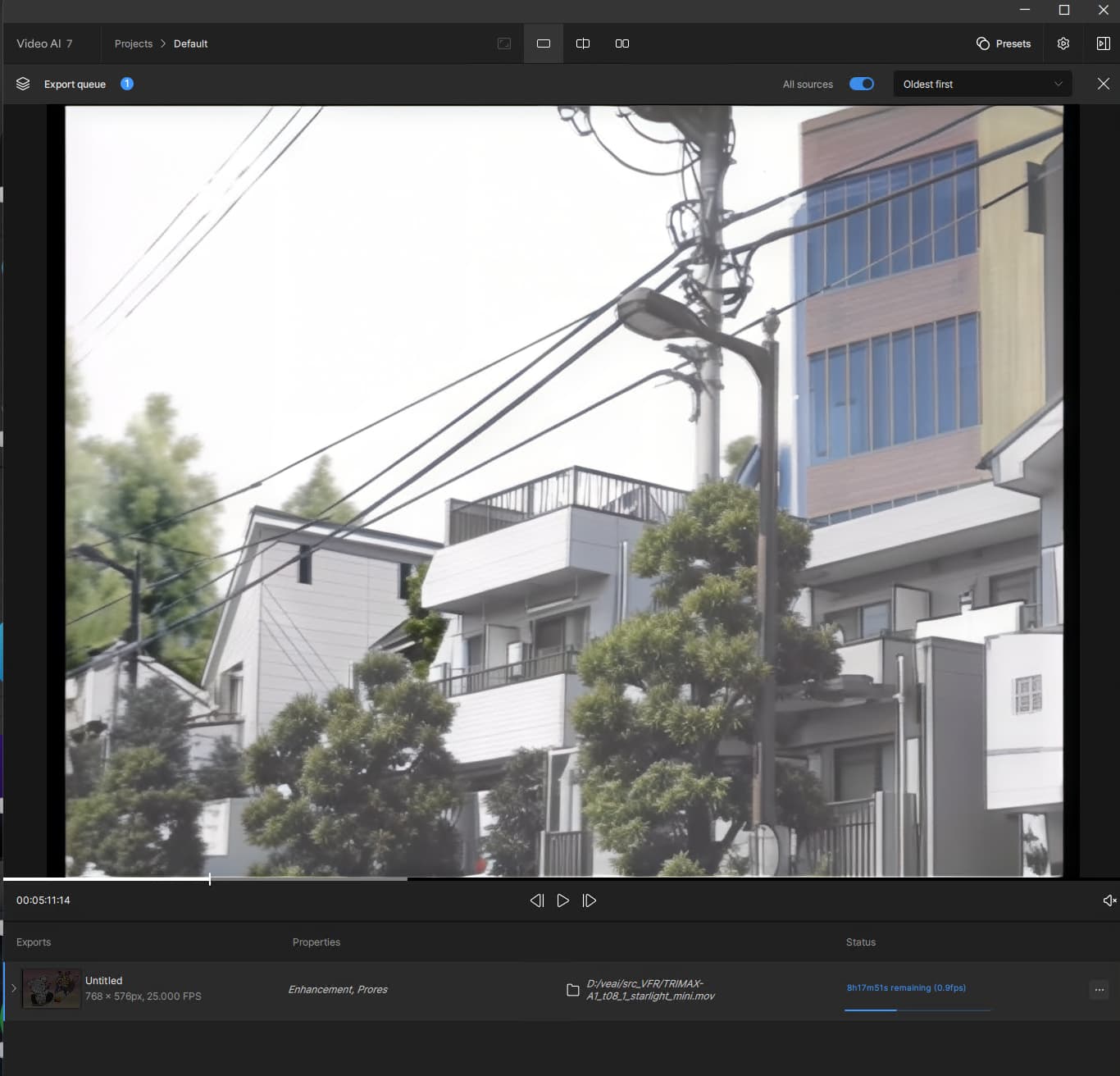
1 Like
Yes, but they sometimes can take a pretty long time before showing up. And I have had issues with them not showing up in single view, but side by side view then worked.
1 Like
Awesome, thanks everyone. I haven’t tried processing a long video yet. Only a few seconds, but it sounds like it needs some time to kick on. I’ll also try using the side by side mode.
Edit: Yes, it’s working now. After a few minutes, the preview shows up. It seems like you need to click the side by side preview icon, then the other preview options will show up. Then you can switch back and forth between them freely. Awesome!
In version 7.0, many of the bugs from the previous 0.4.b release have been fixed. All of my test clips can now be processed using Starlight Mini without issues.
However, managing the VRAM settings through Topaz itself—rather than within the model settings—remains unnecessarily complicated and imprecise. The setting only gets saved after restarting Topaz, which is inconvenient.
Additionally, I get the impression that the VRAM limit is only loosely applied. For instance, when I set the limit to 30%, the software still uses around 13 GB of VRAM on my RTX 4090. A 30% cap should ideally restrict usage to about 8–9 GB.
It also seems to make little difference whether I set the cap to 50%, 60%, or 70%—according to GPU-Z, the software still uses around 14–16 GB of VRAM.
Only when I set the VRAM usage to 100% do I see a noticeable change—at that point, the full VRAM capacity of the 4090 is actually utilized. At the same time, system RAM usage increases significantly: instead of 5–7 GB, the “runner” process starts using around 17–24 GB of my 64 GB of system memory.
Is this a bug, or is it just an issue with my setup?
Wow! My subscription continues to pay dividends.
Thank you,
Joe.
2 Likes
Strange the 16GB of my 4070Ti Super gets not fully used when 100% Usage is set, my load is about 12-13GB
1 Like
I’m having major FOMO here, excited to try Startlight mini out but even after a completely fresh install and updating my GeForce RTX 3070 drivers, I continue to get the following error and cannot export:
- Unrecognized FFmpeg option: ‘aq-strength’. Check the FFmpeg command.
Can anyone provide any insight on how to resolve?
Not a solution for V7 but you can install an try additional to V7 the beta release, there is no quality difference, I did several 15min or longer vids with it.
Ah, I thought their open-source implementations were out of the chopping block, but I’ve been mistaken, it seems. 
