I’ve been highly critical of the direction this product has taken, and it’s nice to finally see a promising development. IMO, diffusion models are definitely the way to go for quality, although at this stage it’s unusable for any practical application because of the processing time. Even being limited to 5 minutes on cloud processing is inadequate for any production use. At this stage, it’s only a proof of concept, but it’s a step in the right direction.
I’d like to see some exploration of the approach taken by SUPIR as well, because its results on still images are absolutely breathtaking. I don’t know what’s going to have to happen on the hardware side, but the current NVidia lineup clearly isn’t going to cut it any longer as these models become more and more demanding.
Now if we could just get some decent quality control and an interface that is something less than an abomination, we might be in business.
Wish I could get that. For my 2080 SUPER, it doesn’t even register fps. I get 0.0fps and the only reason I know it’s working is because the time remaining changes.
It is usable, if you have decent, at least pre-top hardware not older than 5 years from now, a lot of time, and the wishing will to do so. I was able to produce 20 minute video on 3080, using the image sequence , by stopping every 10-12 hours and continuing with the next frame after the last that was done. My speed was 0.2 fps. That’s the cost you have to bear with, if you want the best possible quallity at the moment. In my opinion now it’s only suitable for the material that have cultural or historical value. concerts, personal memorable videos, etc For movies/anime in mass quantity - that’s too long. and it will not get a lot faster, 1.5x maybe 2x, when it will be well optimised, not more, in general it will always be performance heavy. But we will have better hardware in the future i hope. despite we only have only a few nm shifts left.
Can you explain your workflow with single frames? How do you pause and know which frame to start from again? Also, do you use PNGs? I’m a bit worried about the disk space required.
yes i use png. when doing an image sequence - topaz giving you images while it’s doing the work. so you have numbers. for example frame 000515. You just stop processing, just like if you quit it. and you left with this frames. To continue, look at you last frame, let it be 515, you lounch topaz. chose the frame 516 in topaz, mark it as begining. keep tracking the frame number after you hit “mark in” if it changed even by a few frames - it’s wrong, clear the mark scroll the scale of timeline, try again. till the frame number after mark in is the same before, next. in codec settings choose png, unmark the keep original filename and also unmark “keep original frame numbers” so you’ll be able to give the name you want for the first frame processed in this run. your start # name must be 516, if not done so, topaz will just override your existing files with new ones. After you finally done, just build your video with ffmpeg at a given source framerate, and you happy. And yes’ you will need a lot of storage, every 20k frames will cost you something like 20gb for full hd. i also advise check and compare you current done frame number with source through virtualdub. just to check if they are motion identical and you have no any losses.
The apologists never cease to amaze me. It’s not a criticism to say it’s unusable. It’s just a plain fact. It’s not usable for me, because I do actual work on a daily basis and I have turnaround times. Right now, I’m scanning approximately 77,000 frames of Super8 film for a client that could really benefit from this. Do you seriously think that .2 FPS is going to work for my project and let me get it back to the client in a reasonable time? That’s in addition to physically scanning the film at >2 FPS and all the color grading, noise reduction, and editing that has to be done. Not to mention that I would have to stop ALL of my other projects and dedicate my entire system to this while it chews up 100% of my resources. If I calculated my time, I’d be working for nothing. Does that seem workable to you?
did i say that this model fits perfectly for large scale work? or maybe i said it’s reasonoble in terms of compute power needs? nope. I only said it gives the best quallity. Want to use it on large workprocess scale? Get a few 5090 workstations. Or it’s just not for you.
P.S: i’m not defending or apologizing here. The only thing i said is: you Really, really want your most precious video to be restored in the best possible quallity, here is your option. it’s heavy, it’s time consuming, but it’s the best out there.
If you need speed - just use some nyx, or even nyxfast. But it won’t be even remotely as good os starlight.
i can also say, that it’s even a little bit amusingly, how people were literally screaming here and straight up demanding the local version, when starlight appeared at first. i remember the staitments here like “i don’t care how long it takes, give people the local version” now it’s here, it’s working, it works even if you have less than 16 gb of vram… but..here we go again.. you know, diffirent solutions are for diffirent task, and for diffirent resources. I pretty much sure there are people who already use starlight mini for massive video restoration, but… those people have render farms, not a personal pc’s.
Someday, Hopper will be superceded by something else and become what Pascal is today - an archaic architecture still being kept in production as a budget alternative. Whether I’ll live long enough to see that is iffy.
I suspect that Topaz rushed Mini out of beta to a release build in response the the angry grumbles of people who kept accusing them of abandoning local processing in favor of money-grubbing cloud subscriptions. Not sure if that was such a good idea, because it just replaced one flavor of grumbles with a different one.
grumbles is the eternal state of things, you can never met people’s expectations. Even if you say 100 times in advance, “it will be slow, very demanding, hold your expectations, don’t hope for any kind of reasonable speed” this is what topaz people said here, honest and straight. But people still can’t hear and instead - just dreaming about the new level of quallity without the new level of demand. And they’re somehow angy with the impossible dream being impossible at the end of waiting.
They’ve already said they are working on speed improvements. I can’t wait to see what they’re able to come up with. Any additional fps would dramatically reduce processing times. I hope they can achieve it. Especially for 5000 series cards :).
If you look at stable diffusion for images or ai video, they started off incredibly slow. But there have been speed improvements that have drastically reduced processing times.
it depends, if speed improvements leads to less quality - it’s not so good, but if they will be able to pull off even 0.7 fps for my card with the same result - i will just applaud:)
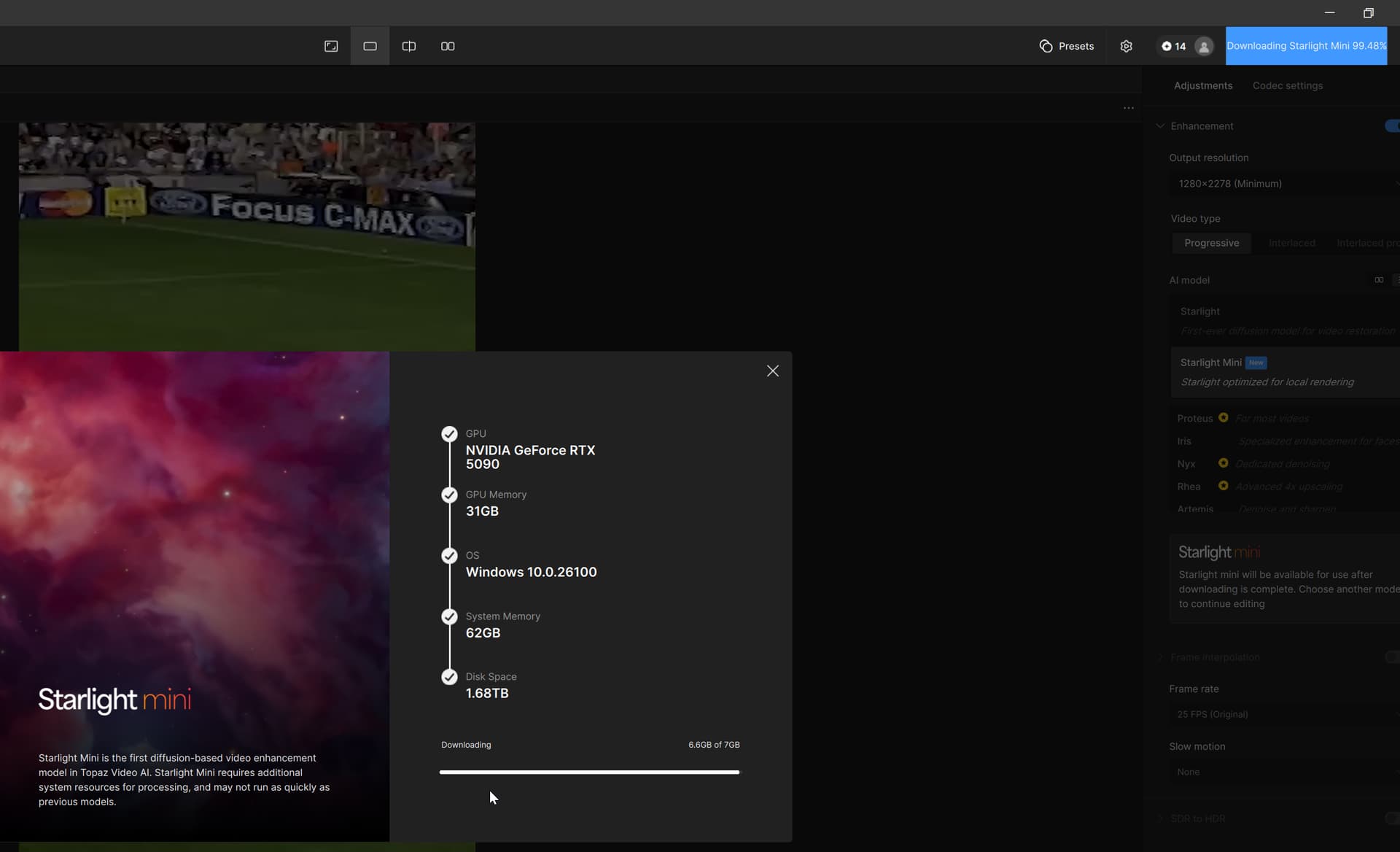
A small word of warning - if a user switches between two local Starlight Mini jobs consecutively, for an extended period of time, to refresh the progress of the running job, TVAI 7 may crash. The running job continues, though.
Maybe they’ll opt using LCM sampler and SGM Uniform scheduler (this combo comes with very low amount of steps, just 4, and that with a checkpoint adapted to it) with ‘fast’ diffusion?
What I see is so much potential improving already amazing Starligt mini @ Topaz Labs Team, please have a look what you have already to exploit synergies.
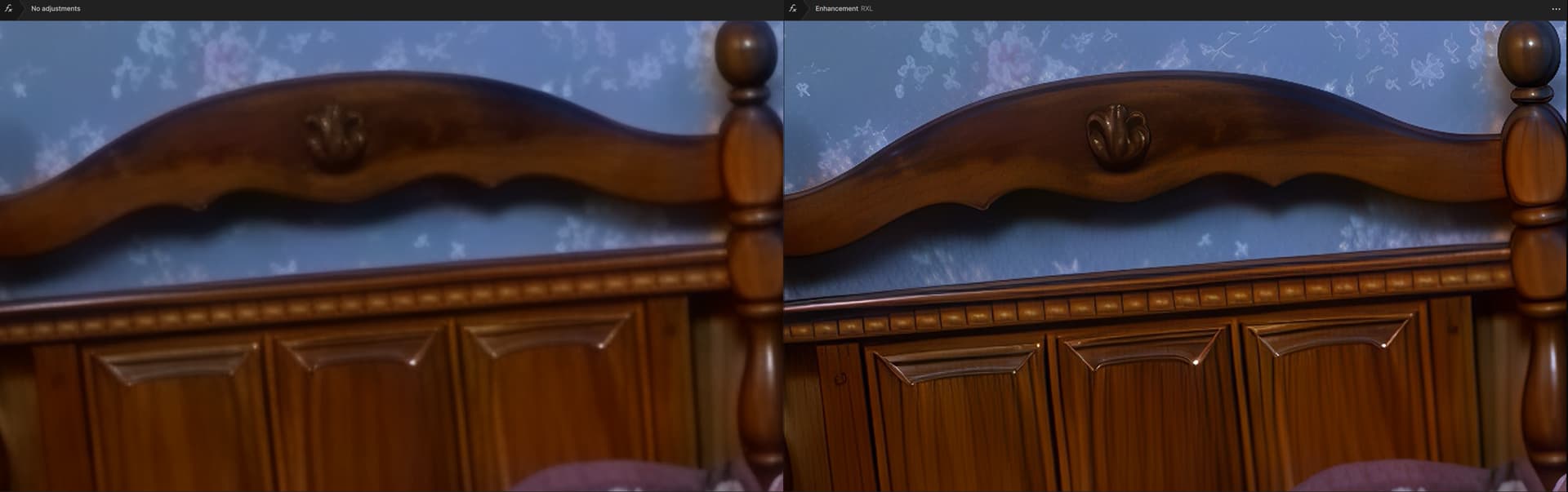
It’s about RheaXL 1x as a finisher for Starlight upscales. The two harmonize perfectly. Here’s just one quick sample of what the spurned RheaXL does with Starlight footage. This isn’t a rare case I see results like this often when using RheaXL on it. So this should be implemented somehow…maybe as a filter afterwards and I’m sure Topaz could do this even better as the results I get.
zoomed section. Left: Starlight mini, Right: Same Starlight-mini but RheaXL 1x as finisher
Those results look pretty nice! Have you tried this with a face though? I’ve ran starlight mini and then a separate pass with rhea and iris. The rhea pass distorted the face.
 or maybe i said it’s reasonoble in terms of compute power needs? nope. I only said it gives the best quallity. Want to use it on large workprocess scale? Get a few 5090 workstations. Or it’s just not for you.