You may not understand, and the crop function is not turned on, and then it is cropped
Dear pdwhite, i didn’t read well your original message. i thought your computer crashed while having SFC running, but I summited you issue to one of my friend which is a R&D dev, and he told me that i understood badly your message, and told a comment (for what it worths).
“From what i understand from his message, he didn’t launched SFC, his computer crashed when he launched powershell. Is it normal that a PC crash and reboot alone while launching powershell without launching a command ? No.
Does it have a relationship with VEAI which is running ? I don’t see why it would be.
It’s looking like a windows internal problem.”
by curiosity you don’t have this ?
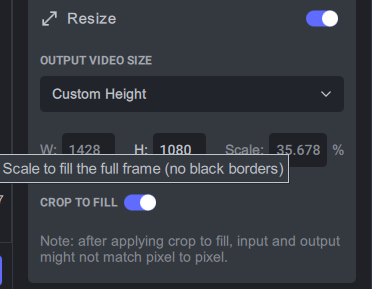
In addition, off-topic, it is recommended to add a free drag function to the cropping function, just like adjusting the windows window, you can adjust the cropping window horizontally, vertically, or at the same time. To put it bluntly it is as simple as cropping an image.
3 Likes
I have this, but I don’t have cropping turned on, so it “doesn’t exist”.I just opened it and found it
The problem is that I don’t need to crop anything and it doesn’t open. But the picture is cropped and part of the picture is missing.
1 Like
I did this request many times but i don’t know yet if this possibility will be implanted or not. for now the crop is manual with X Y widht etc hope the fonction will be implanted.
1 Like
Ok got it. I reported an issue in the actual release and present in the previous beta/alphas where it had some issues related to 4:3 videos. I received a temporary fix where my issue is fixed, so let’s see if next tuesday with the new tuesday release, it will solve your issue as well !
1 Like
Hi Marty and Suraj: Your solution for the files by unchecking ‘Allow Recovery’ has solved all issues with the files. It can now be imported into Vegas and plays fine on Microsoft Films and TV/VLC player.
What does Allow Recovery even do beside messing up the files?
Thanks.
Lucio
1 Like
I’m not sure yet, but i think it’s for the possiblity to recover files after a crash etc … feature not implanted yet. but i’m not sure about that.
1 Like
grateful! I just read (reviewed) the clipping problem mentioned in the previous thread (seen before). It’s really frustrating and frustrating, why do they always do something like re-manufacturing the wheel? Several internal testing software I have encountered are doing some repetitive and meaningless things. Many excellent solutions and solutions are always abandoned, and then a group of internal testing personnel are sent back for feedback, and finally they return to something like eating with your own mouth. As simple as the problem to make some of the most basic functions that were originally accepted and widely used by the public, it should be done in the first place.
Closer to home, about the 4:3 video (actually any video), I read the question in the previous thread, and saw the same result as mine, the left and right were cropped, the difference is that I did not turn on the crop function, Since I don’t need to crop, my output is the original 4:3 video. Hmm… There is a possibility that the video of the last tester (sorry I can’t translate it, probably: white) was cropped after being enlarged, that is to say, the cropping function is to crop the enlarged image, Instead of cropping and then zooming in, not to mention whether the cropping is a problem, but if what I said is correct, then this kind of cropping is a waste of resources, because whether it is cropped or not, it completely enlarges the original video or picture, Instead of directly enlarging the cropped video or picture, it will cause a waste of resources. Why is this possible, because there is a resolution when cropping, it is likely to be cropped according to that resolution and then according to that position on the enlarged image, so some parts are discarded, because the cropped resolution is the same The cropped and enlarged picture is larger than the resolution when cropped, so some pictures are lost. Of course this is just a guess.
The best solution is not to crop and fill, but to only enlarge the cropped image, so that the image will not be lost and the aspect ratio will not be any problem. The most important thing is to avoid the waste of computing resources (computing power). For example, it was originally 100x100 resolution, and it displayed 100x50 when cropping, and then when zooming in, it did not zoom in by 100x50, but zoomed in to 100x100>1000x1000, and then cropped it, it became 100x50 on 1000x1000. So there will be screen missing. It’s also possible that the height crop of 50 was scaled up at the same time, but the 100 didn’t change, so it wasn’t scaled up - it became 100x500. The result is that there is no problem with the height, and the left and right pictures are missing in the width. Last but not least, solve the problem in the end.
@nipun.nath Compare MediaInfo Files One From Final Cut One From FinalCut in To VEAI Prorez 422.
MediaInfo.txt (9.6 KB)
MediaInfoVEAICats0Result.txt (13.1 KB)
Re Automatic Crop solution
I had found that even when cropping was unchecked the exported file after stabilization was cropped. With
Under preferences, unchecking the “Allow Recovery” box as suggested my Marty seems to have solved the problem. I am now able to stabilize footage without the export being cropped.
Let me know if it works for the rest of you.
On another note I do see that enhancing video seems to be a lot slower with this 3.0.0.1 beta than 2.6.4. Perhaps the beta cannot make use of my nvideo RTX 2070 Super card to proper effect even though I have selected it under the AI Processor dropdown tab.
1 Like
Actually in the 3.0, the Gpu acceleration is turned off / not implanted.
it will be available soon in a future beta release, don’t know when. so it’s normal 3.0 is running slower than 2.6.4. there is no Gpu acceleration for now.
1 Like
I think “Gpu acceleration is turned off/not implemented” might confuse some. While there is no optimizations the GPU if selected is used. It’s easy enough to see if one selects the CPU instead of the GPU as the times even in 3.0 will be better for the GPU.
2.6.4 has GPU optimizations but 3.0 does not at this time.
1 Like
Hi there,
I’ve just installed this version (first chance I’ve had to try any of the betas) on a Mac Studio running Mac OS 12.5, but no matter what I do when trying to convert a PAL 576p VOB that I have used when tearing the alpha versions I’m getting FFMPEG processing errors such as these if I enable the Enhance option and try any of the presets -
No accelerated colorspace conversion found from yuv420p to bgr48le.
No accelerated colorspace conversion found from yuv420p to bgr48le.
No accelerated colorspace conversion found from yuv420p to bgr48le.
No accelerated colorspace conversion found from yuv420p to bgr48le.
No accelerated colorspace conversion found from yuv420p to bgr48le.
No accelerated colorspace conversion found from yuv420p to bgr48le.
No accelerated colorspace conversion found from yuv420p to bgr48le.
No accelerated colorspace conversion found from yuv420p to bgr48le.
No accelerated colorspace conversion found from yuv420p to bgr48le.
w:720 h:576 fmt:yuv420p sar:64/45 → w:720 h:576 fmt:bgr48le sar:64/45 flags:0x0
Output size set to: 2880 2304
Here Config props model with params: up gcg-5 4 0 0 1 720 576 0.000011 25.000000
2022-08-05 17-15-06 Thread: 0x102600580 Info Model: “gcg-5” Device: 0 VRAM: 1 threads: 0
Failed to configure output pad on Parsed_veai_up_0
Uninit called for gcg-5 1
Error reinitializing filters!
Failed to inject frame into filter network: Invalid argument
Error while processing the decoded data for stream #0:1
Statistics: 0 bytes written, 0 seeks, 0 writeouts
Statistics: 3068048 bytes read, 2 seeks
Any ideas why?
Cheers,
Dave
1 Like
@Martyprod, what means “GPU acceleration” in your understanding? I see
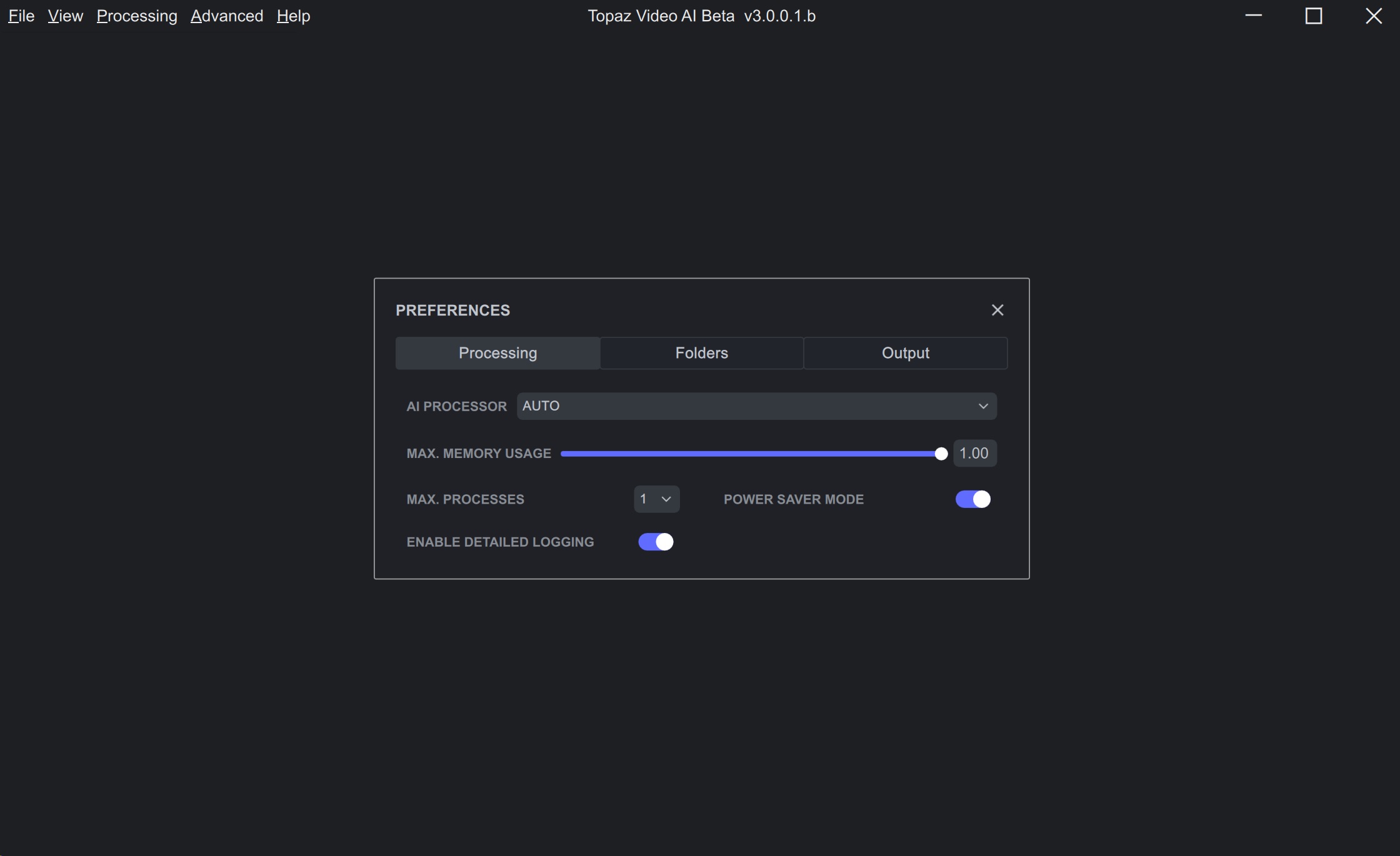
and while processing GPU is working up to 100%
Hi Dave,
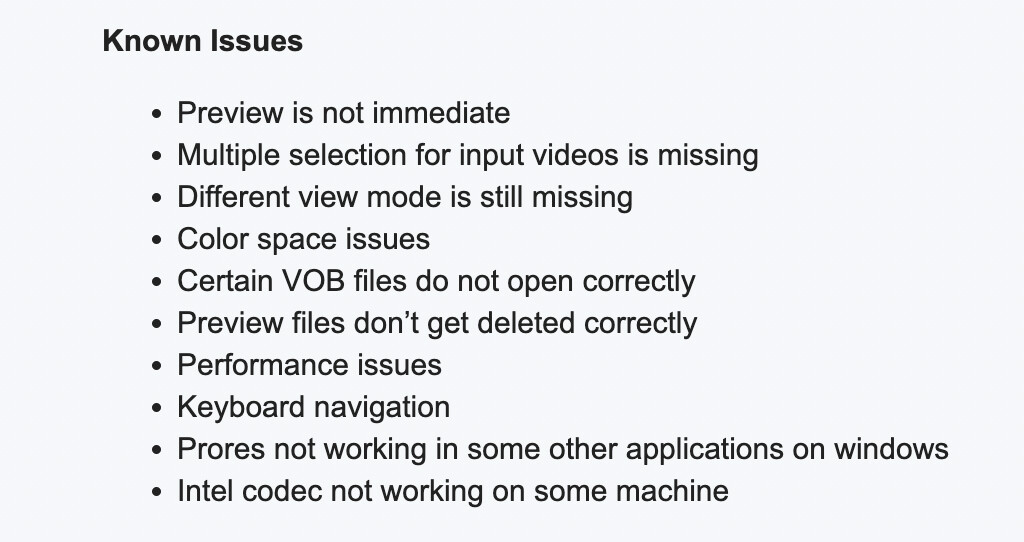
This is a known issue with certain VOB files right now 
Are you having any FFmpeg issues with other file types?
1 Like
Yes, we agree with you and the crop function will continue to be improved.
1 Like
Improvements in processing speed will occur prior to release 
3 Likes
Thanks for your feedback New model updates will be added when they are available. The app had to be entirely rebuilt in order to fix long-standing issues.
We will be adding new model updates as soon as they are available. Our first priority is to release a stable app with full functionality.
3 Likes
