I do not. It’s not supported by my CPU/motherboard combo.
I would be very curious to learn if the behavior is different using multiple dissimilar GPUs. Is that an option in one of your systems? You’d need a pretty beefy PSU, 1000w or so.
My 3900x machine has a 1000w Asus PS. It’s way over kill for the 3900x and 3060Ti but the beauty of that supply is it’s silent up to 400 watts of draw. Anyway I’ll post what I find when I get around to testing. I’ve linked below some simple testing I did with 2.6.4 and my different configurations.
2 Likes
Well, you do have Nvidia. The Nvidia control panel. (and gamer controls) allow you to change your Nvidia GPU to accommodate the needs of various applications that use it. I was surprised to see that all of the Topaz utilities I own get entries specifically for them. I have no idea if they have one for the 3.0 beta, but it may be worth taking a look.
Yes, I checked the application settings, and the CUDA - GPUs feature is set to use the global setting (All GPUs).
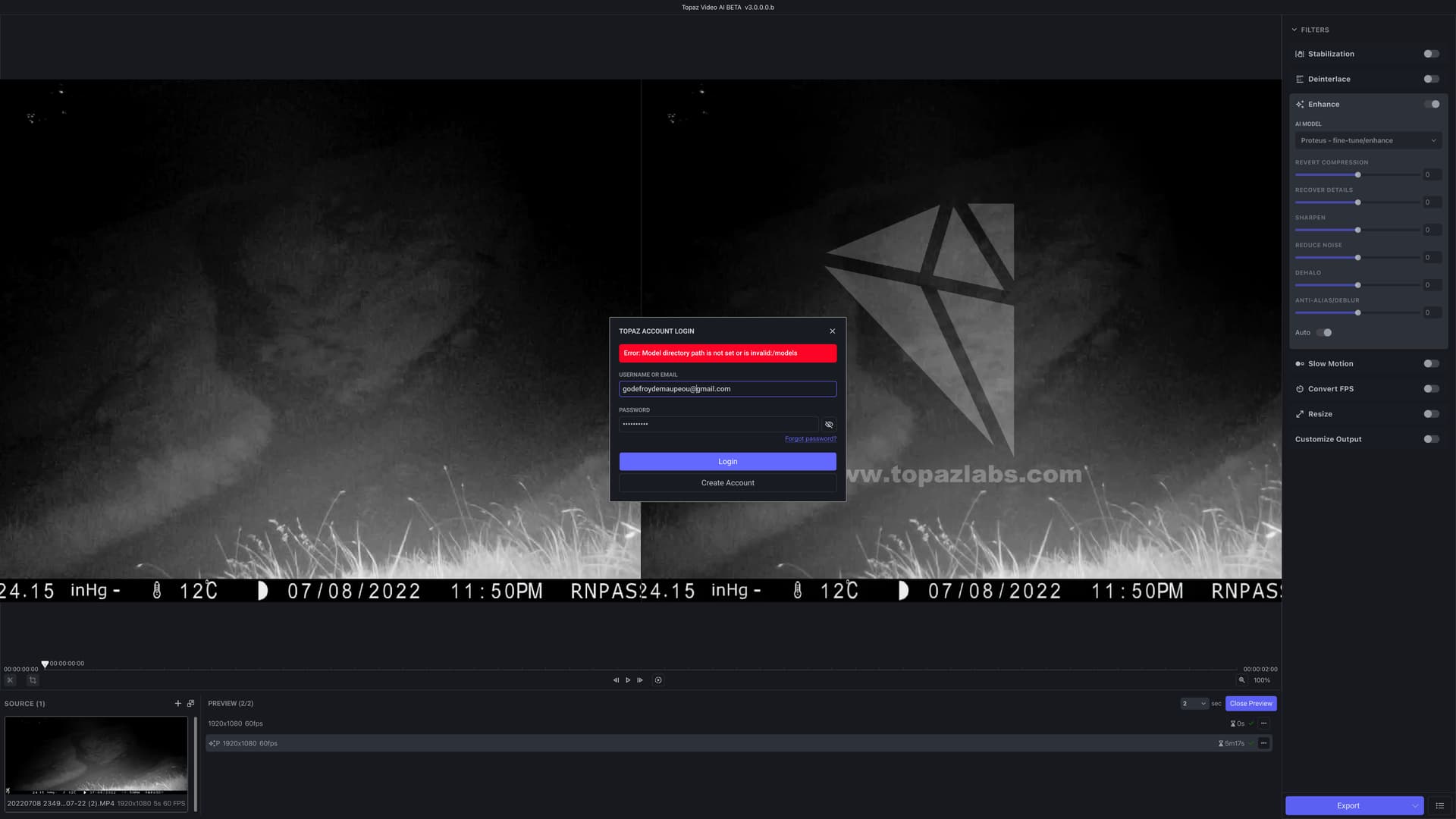
Model Directory error
Topaz had a concept of separate plugins/apps for photo, but it clearly wasn’t working well, because those plugins had to have overlaping functions. Like Sharpen AI had to have half baked denoise, Gigapixel AI had to have half baked denoise and sharpen and so on.
Yup, it has bugs. Had one video cropped, the other not cropped. The first came out fine, the other came out squashed for no particular reason. On the program restart, the second clip came out just fine.
Just uploaded a file I attempted to stabilize to your dropbox. The source was mpeg2 dvd. To summarize, I cannot import the resultant file into Vegas. Also playing it with windows apps like Films and Tv on the computer there is no sound nor can I fast forward the video.
Finally there are some files that will not stabilize at all. I believe I sent one to you via dropbox earlier this week.
Thanks
Lucio
1 Like
It looks like VEAI does “Enhance” first and then, as an independent step, “Upscale”, which gives worse results compared to v.2.
ffmpeg -i … -vf veai_up=model=prob-3:…,scale=w=3840:h=2160:flags=lanczos …
I also cannot login and have this come up
It makes you wonder if testing is actually a thing in-house.
What are the conversion options for ffmpeg?
Below is an example of converting 720p to 4K (300%) in Proteus.
-vf veai_up=model=prob-3:scale=0:w=3840:h=2160:preblur=0:noise=0:details=0:halo=0:blur=0:compression=0:estimate=20:device=-2:vram=0.5:threads=0,scale=w=3840:h=2160:flags=lanczos
VEAI can only be set to 1x, 2x, or 4x, so any other magnification is scaled down from a magnification larger than the desired size by ffmpeg’s built-in lanchos. 4x and larger would have been scaled up by lanchos.
In previous versions, the GUI would calculate the scaling factor from the specified size, using scale=2, scale=4, and set it in ffmpeg.
However, in recent versions, if scale=0 is specified and w and h are specified, the magnification is calculated internally and replaced with scale.
In other words, the options are the same as below, with the image scaled up by a factor of 4 and reduced by Lanczos.
-vf veai_up=model=prob-3:scale=4:preblur=0:noise=0:details=0:halo=0:blur=0:compression=0:estimate=20:device=-2:vram=0.5:threads=0,scale=w=3840:h=2160:flags=lanczos
However, depending on the screen size, the magnification calculation may not be performed correctly, and the image may be enlarged from 2x when it should be reduced from 4x, and so on.
I do not like the w,h option because it is not easy to tell at a glance how many times the image has been enlarged.
I know it’s only the first beta, but has anyone compared speed of rendering at any upscale resolution to version 2.6.4?
Also, someone showed a 2.6.4 vs. 3.0.0b comparison on FB of AI model results quality, and apparently they look different even though the exact same model and source video were used. Anyone else seen this?
I had to go back to the previous version because the ai model kept making things look terrible.
If that’s true, the upscale part would be done with lanczos only and not with AI, and all you would need is 1x AI models and not 2x or 4x. Is that right?
-
I just did a test, and yes, it’s different. both mpeg2 → 2.6.4 interlaced Tv model > Artemis Low (on purpose, it’s not the right setting for it).
-
noticed that 2 frames were missing on the 3.0 video. 120 instead of 122 (59.94 fps). can show the result here if someone want to see it.
1 Like
It’s complicated: Video AI 3.0.0.0.b - #224
Thank you. It would indeed be interesting to see comparison results.
