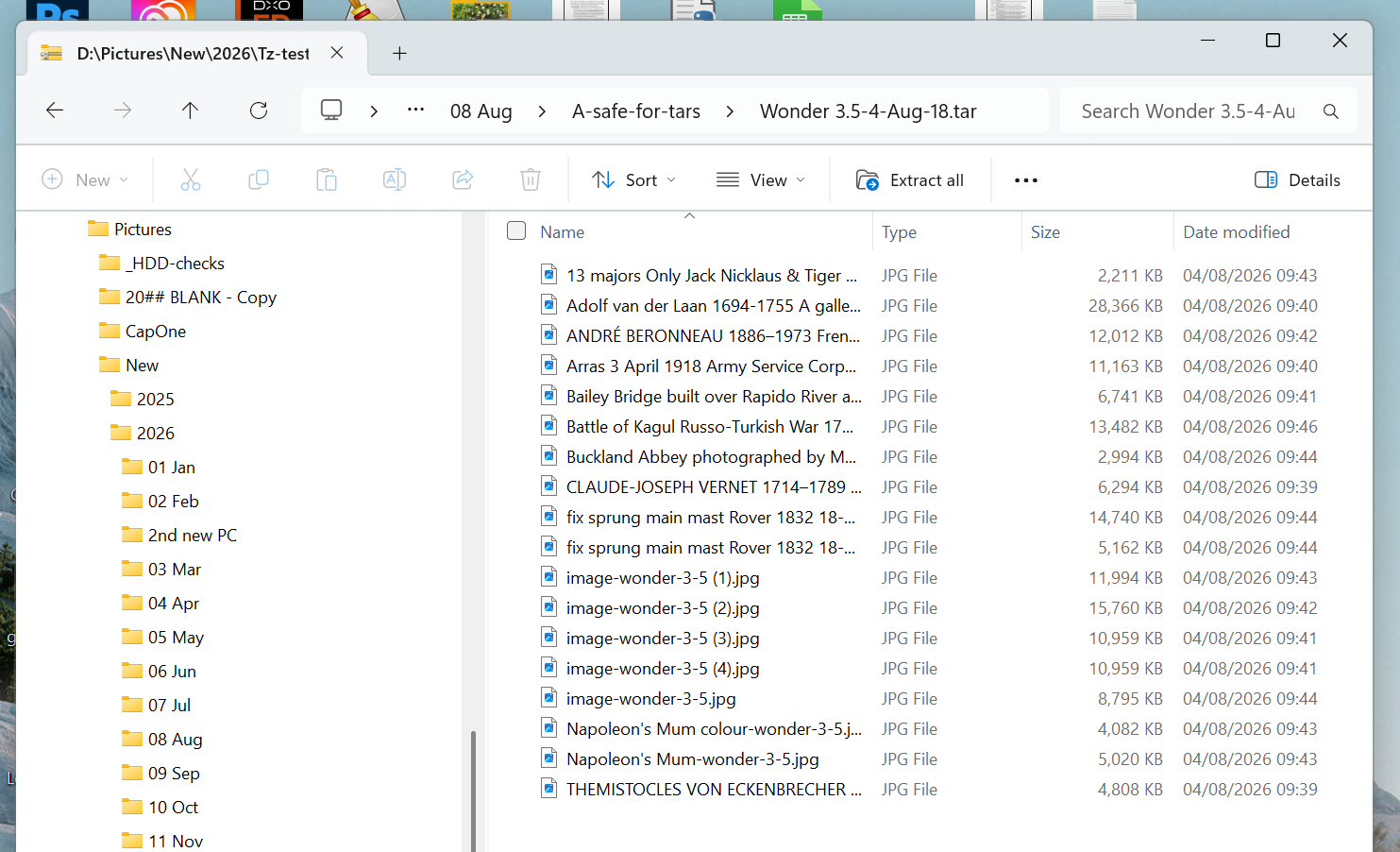
My uploaded source image files seem to reach the server intact - but some get changed to ***image-***wonder 3.5 etc when I download them. At first I thought it might be a MSoft 260 character limit on pathlength but it’s not cos it happens with very short pathlengths too.
Anybody else seen this and or does it need to be a Support report?
Thanks for reporting this. This is a known issue, and our development team is already working on a fix. Your report has been forwarded to the team for investigation.
3 Likes
TYVM johnrei
This issue has now been resolved. Thanks again for reporting it and for your patience while our team worked on the fix.
3 Likes
Sorry, you’re still running into this issue. Please contact us at support@topazlabs.com so we can take a closer look and help investigate the corrupted files.
1 Like
Sorry to be slow answering but I have been away and only back home today. The 5 image renames occurred at 09:43 on 04/08/2026 and since then the problem has not reappeared. This evening I have retested in Wonder 3.5 , Bloom 2, Autopilot and Generative-Restore and all run perfectly.
So today I cannot repeat the problem. And I’m really happy with the speed and quality of the results. If the image rename comes up again I will be sure to get in touch but let us hope it has gone for good !
TYVM
Zed1
Thanks for the update! Glad to hear the issue hasn’t reappeared and that Wonder 3.5, Bloom 2, Autopilot, and Generative-Restore are all working properly now.
The fix for the image renaming issue has already been pushed, so hopefully this is resolved for good. Thanks again for testing and for letting us know!
1 Like
