Loaded a ProRes 422 HQ video (broadcast master of an SD 16mm film documentary). Selected a 4K preset, Proteus, for upscaling. All Proteus settings are default. Selected a frame to begin a 5 sec preview, after processing was completed, selected the playback icon to view the results. Selected playback again to preview the output once more…
However… each time playback is selected, Topaz Video begins processing another 5 sec preview, adding it to the end of the first preview and so on, ad infinitum. It makes the entire task completely unmanageable and the app functionally unusable. Furthermore the playback is glitchy and it’s difficult to assess the results anyway, probably as a result of Topaz Video carrying out the additional preview process simultaneously.
What is going on here? I have no choice but to revert to using the perpetual version of Topaz Video AI.
macOS Sequioa 15.7.1, Mac Studio M2 Ultra, Topaz Video 1.0.2
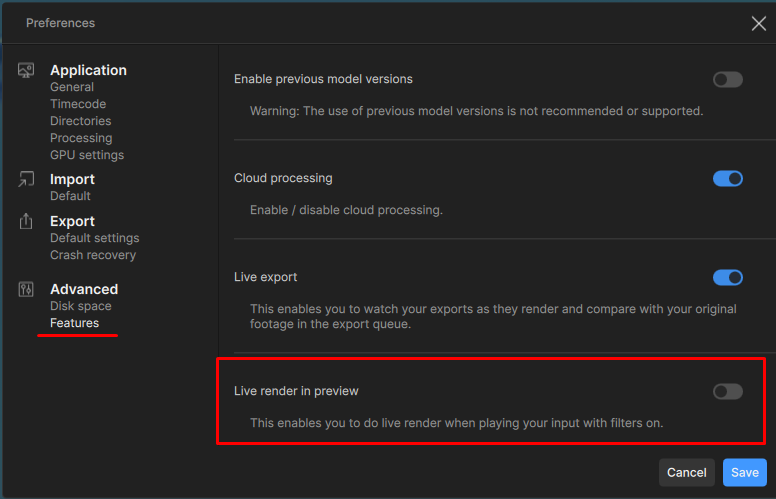
It sounds like you have the live preview option turned on and the app is trying to continue previewing further so that the playback can continue.
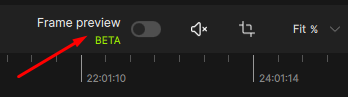
Go the Preferences Panel and turn off that feature, and ensure that the frame preview beta feature is turned off as well and that will keep the app from doing this.
Appreciate the explanation. It seems the problem I described was indeed caused by the preference setting “Live Render In Preview”. The next question is, why was this option enabled by default in the first place? (I had not adjusted any preference settings since first launching Topaz Video.) Anyway, I’m relieved it is resolved, thanks.
That is one of the newer features that was added back in by the devs based on user feedback requesting an option to view their exports while they were processing out for spot checking. Some users find it helpful.