Ok, I see
Unfortunately, 3.5.1 does not work on my new i7-12650, 64GB RAM, GF RTX4060 8GB computer. It returns an error with every processing attempt… However, version 3.3.9, which I use, uses only 15% of RAM, because Topaz cannot use 64GB of RAM…
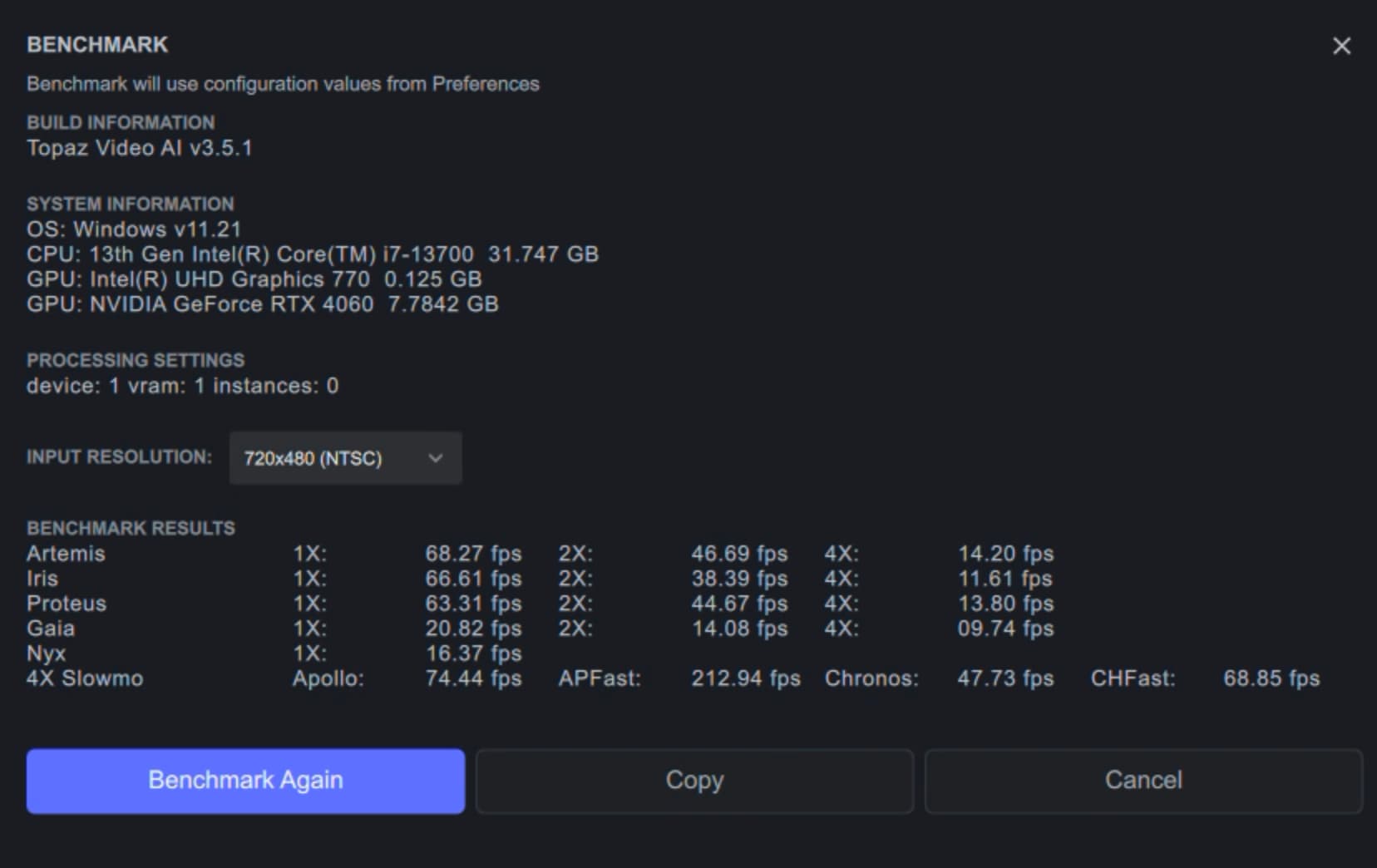
Hmmm, it does work here on a not so different configuration:
i7-13700, 32GB RAM, GF RTX 4600 8GB, Windows 11.
Thanks Harald.
A week ago I bought a new computer specifically to be able to use the Topaz Video AI program. And unfortunately, the program does not work properly - in the latest version it returns an error every time, and in version 3.3.9 only 15% of RAM is used for processing… I invested PLN 10,000 in a new computer and your program… I stress tested this computer and it passed, so my new laptop is ok. Topaz Video AI is a problem…
Did you try a different gfx card driver?
Post the logs, otherwise we are all just guessing.
2 Likes
Wróć do poprzedniej wersji, albo poczekaj do środy na nową wersję. Będzie dobrze, nie denerwuj się.
You’re welcome 
1 Like
First, I installed the gaming version of the driver. After a few days, I changed the graphics card driver to STUDIO. Unfortunately it didn’t help…
I sent the chat logs to technical support and I’m still waiting for a solution to this problem.
1 Like
Sprawdziłem, że najwyższa wersja, która nie generuje błędów to 3.3.9. Tylko, że nawet ta wersja wykorzystuje tylko 15% RAM… Coś jest bardzo nie tak…
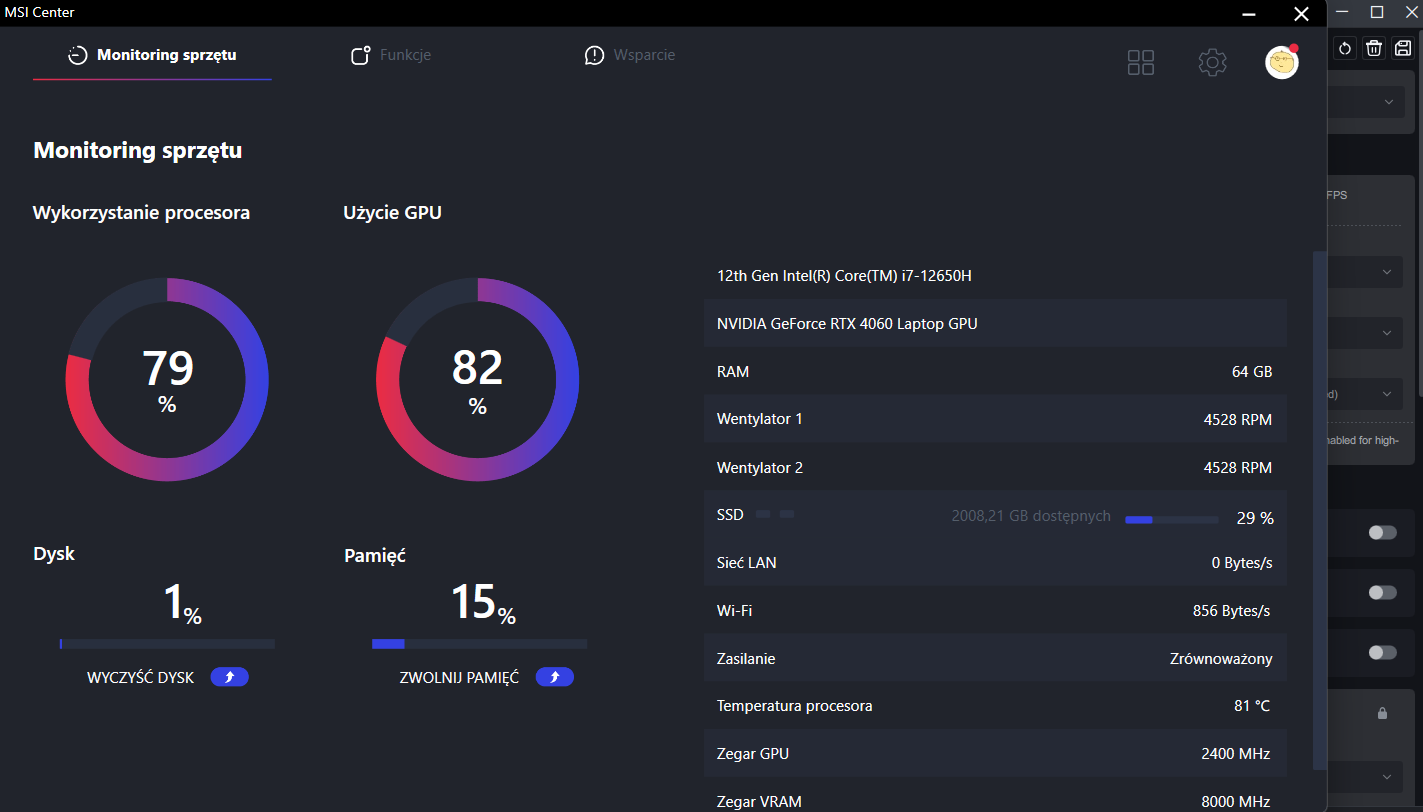
Wykorzystanie (Video) RAM zależy od zadań, jakie mu zadajesz. U mnie przy oczyszczaniu filmików FHD Proteusem Video-RAM bierze w okolicach 2 GB, zwykłego RAMu też mało. Ale już skalowanie do 4K z wykorzystaniem kilku modeli daje mocniej w kość 
Szkoda, że musisz się aż cofać do 3.3.9. Ja po przeczytaniu komentarzy zostałem przy 3.5.0 i na mojej 3050 wszystko ładnie śmiga.
Miałem kupić 3050 4GB, ale zdecydowałem się na mocniejszy komputer z grafiką 4060 8GB, aby liczył szybciej. A tu takie problemy…
Same experience here. Image stabilization + frame generation is just completely broken. Like no one bothered to test it.
1 Like
The details of the screen ventilation grid have been smoothed out as if they were noise.
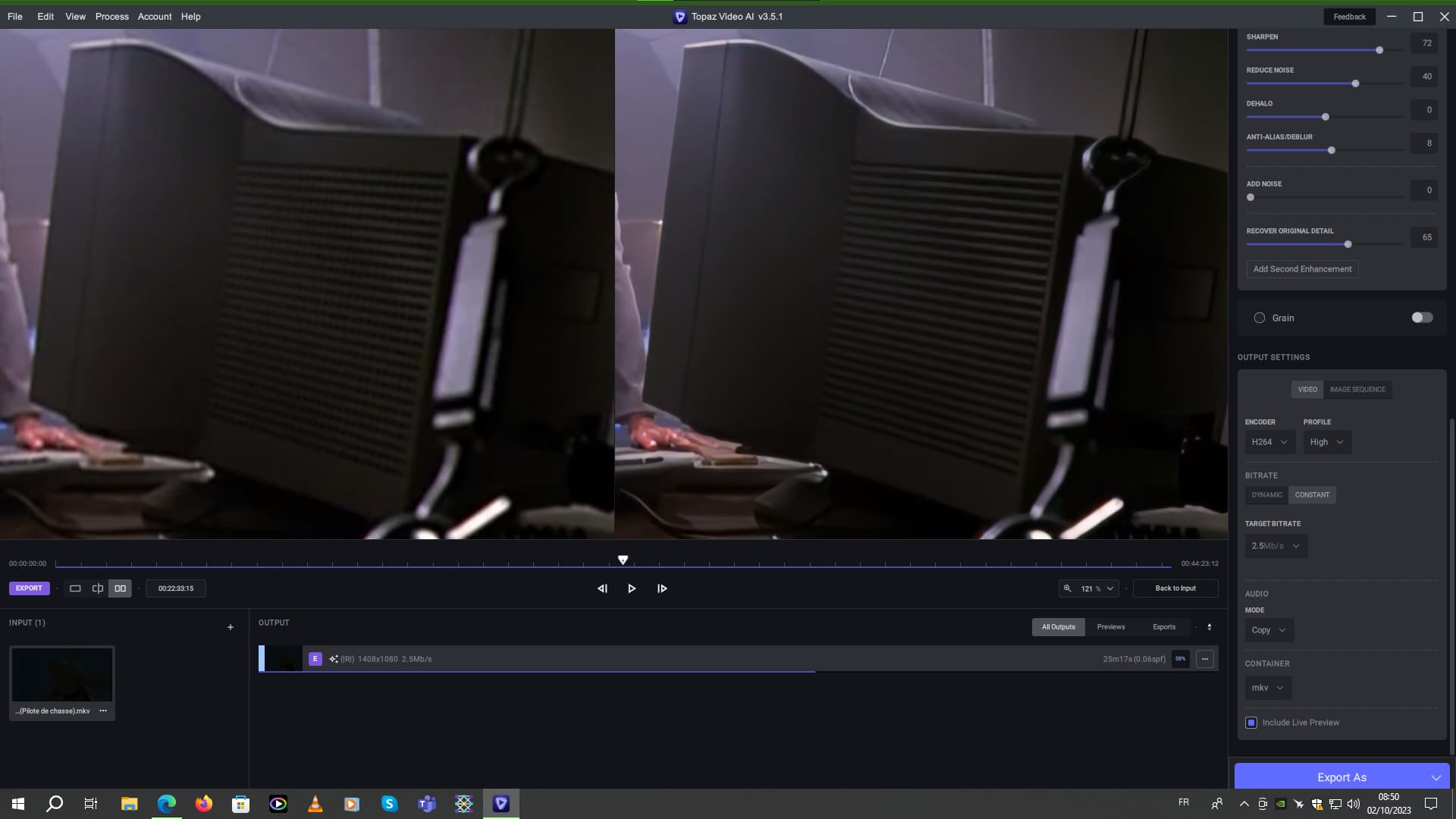
I hope the next version of Iris will be better.
2 Likes
Video card drivers are a pain to completely remove, often leaving orphaned files behind causing problems. I’ve been using DDU for a long time when I need to update NVIDIA drivers. You should try complete uninstall using DDU, before changing drivers. It’s a free utility.
I think it’s the changes in the frame interpolation/generation engine might be the culprit - developers were fighting that ‘repeated frame’ issue. I’ll patiently wait, it’s going to be solved for sure.
1 Like
I used the DDU utility to remove the NVIDIA driver. I had previously disconnected the Internet from my computer. After restarting my computer, I installed the new NVIDIA STUDIO driver from a file I had on my computer. Unfortunately, it didn’t help… Version 3.5.0 still generates an error every time it is processed.
Glad to see I’m not the only one getting an error every single time I try to export. I’ve had relatively few problems with Topaz up until this new update but now it’s completely broken. No point in posting “error logs” when everyone is saying the same thing: “Make your product work.”
1 Like
