@ida.topazlabs Me too, when in taskbar hide mode. In 3.3.4 and 3.3.5 (haven’t checked before that), in TVAI full screen mode when the taskbar setting is to ‘hide’, the taskbar is not un-hidden (cannot be made to pop up) until TVAI is minimised or the window moved (which takes it out of full screen mode). That is not normal behaviour for desktop programs in Windows 10, you should be able to gain access to the taskbar at all times with the mouse pointer when in ‘hide’ mode on a desktop. I have no other programs that cause this behaviour when in full screen mode.
When the taskbar is in permanent ‘visible’ mode, full screen TVAI does not hide the taskbar on my system, and that is normal behaviour.**
**EDIT: Today, this errant behaviour is also occurring when the taskbar is set to be permanently visible - not only when it is in ‘hide’ mode. Definitely not normal program behaviour in Windows 10 (though it’s more an irritant than a major issue).
What setting I need to do adjust when my PC go BSOD during converting? I just turn on motion deblur and use IRIS model. For encoder is H264…sometime I use H265 it become error…
My PC spec is CPU: i9-13900K, GPU: RTX 4090
Hi, do you have “game mode” enabled in your UEFI? For example, on my config, if I enable it I can get BSOD when using resource intensive applications. Software like VAI or some Adobe software and many others. If game mode is disabled, everything’s fine. No more BSOD.
MONSTER FACES making Facial Recovery feature, a feature that never worked inside topaz before, is still turned on in the background, and this without an option to yank that non functioning feature out,… by turning it off in a button option. below find some samples of what it does to faces, eyes mouths noses…its simply frightening…
From what I can see, you’re not on the Iris model. So it’s normal that for this type of image, VEAI has a lot of trouble with just the Proteus model. In your case, try Iris, which uses the same settings as Proteus. The only difference is that it adds facial recovery.
The version 3.3.3. didn’t have the preview error. Apparently one has in 3.3.4. changed anything in the code in that area. So you should from 3.3.3. Code branch out, develop again.
This is how I would do it as a developer if I can’t remove the error.
@mikmod1 : Yes, but if there is nothing there except pixel mush or a black area, Iris only ever creates a nice smooth area.
Or new versions are creative and create completely new content
That beta finished on 9 June and there have been several beta versions since, as well as six regular releases. So yes, once the regular version is released you should stop using the beta.
Why so much difference in time between v3.1.11 and v3.3.5? With version v3.1.11 I convert a 1280x720 clip of 25 seconds to 4K using Proteus auto and it take 13 minutes and doing the same with v3.3.5 is 50 minutes. Everything is exactly the same preference and preset.

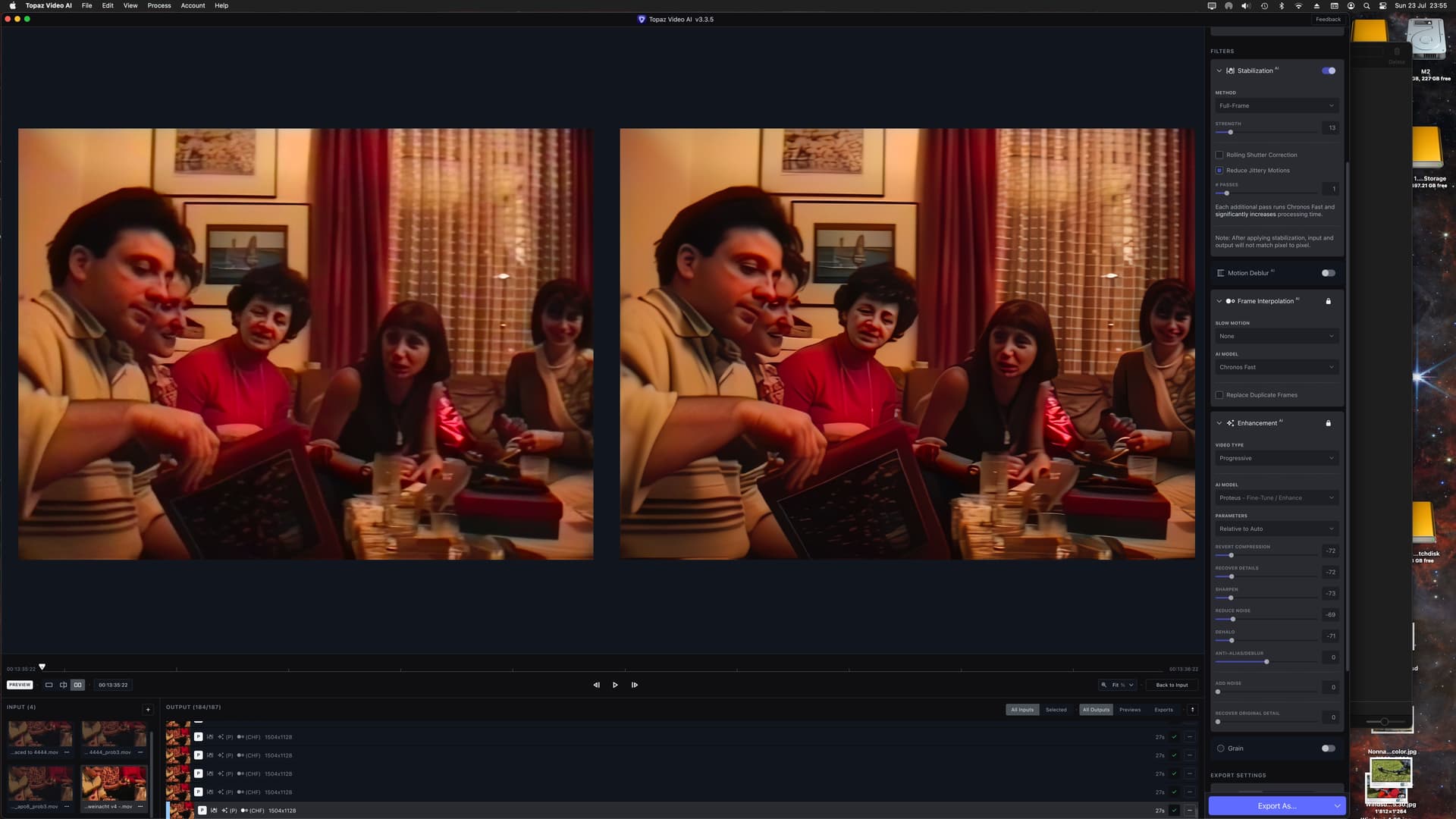
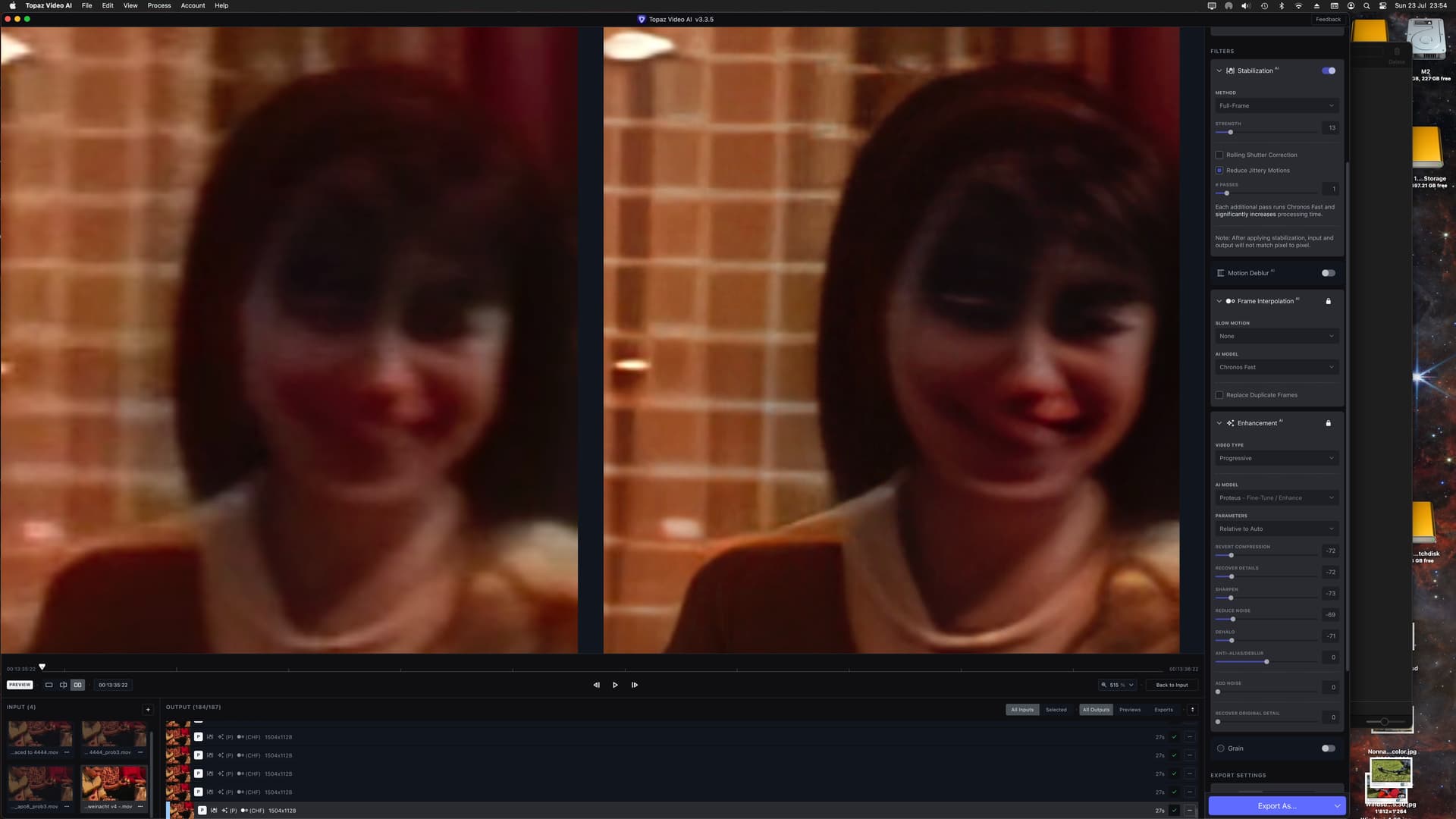
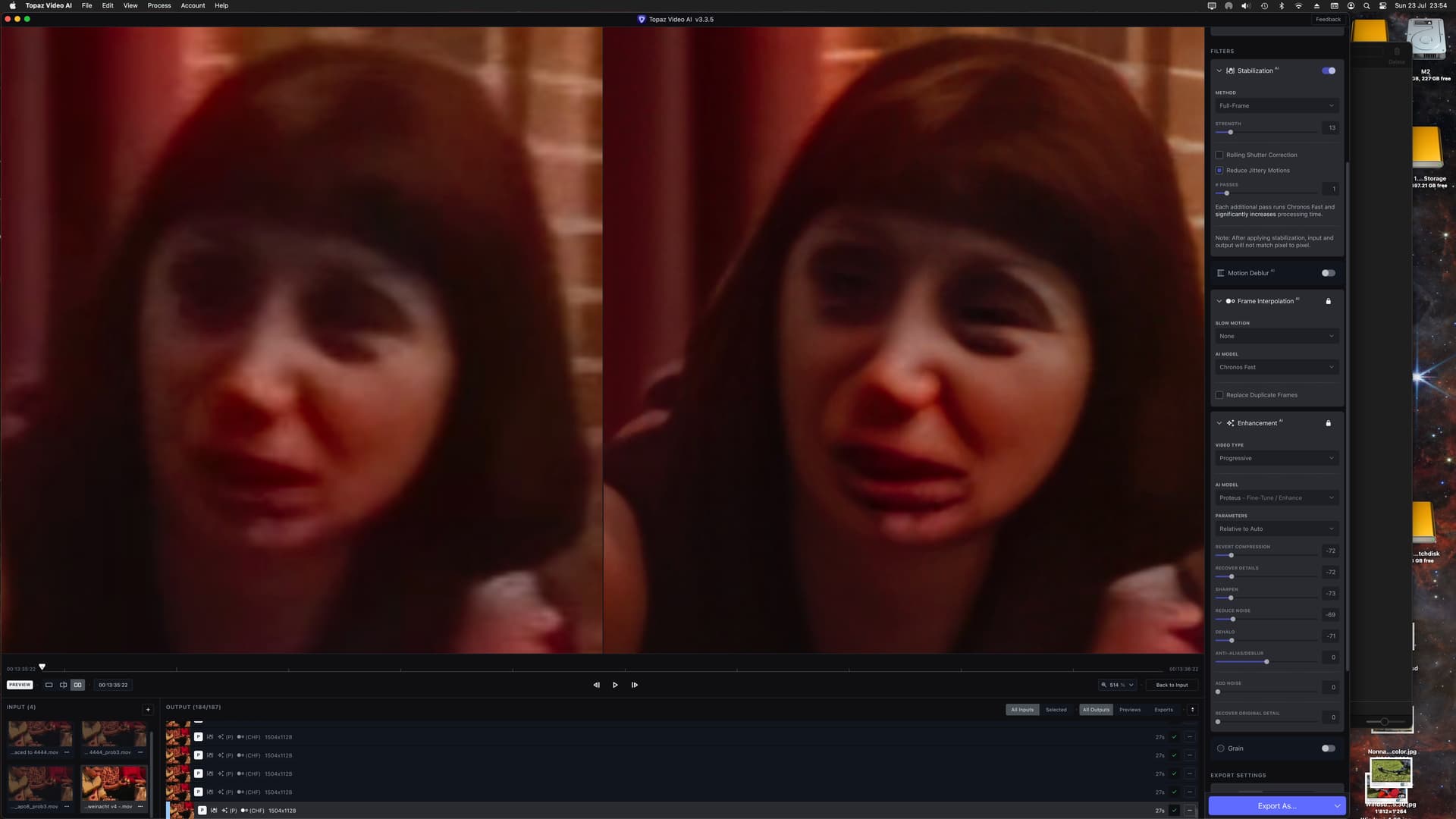
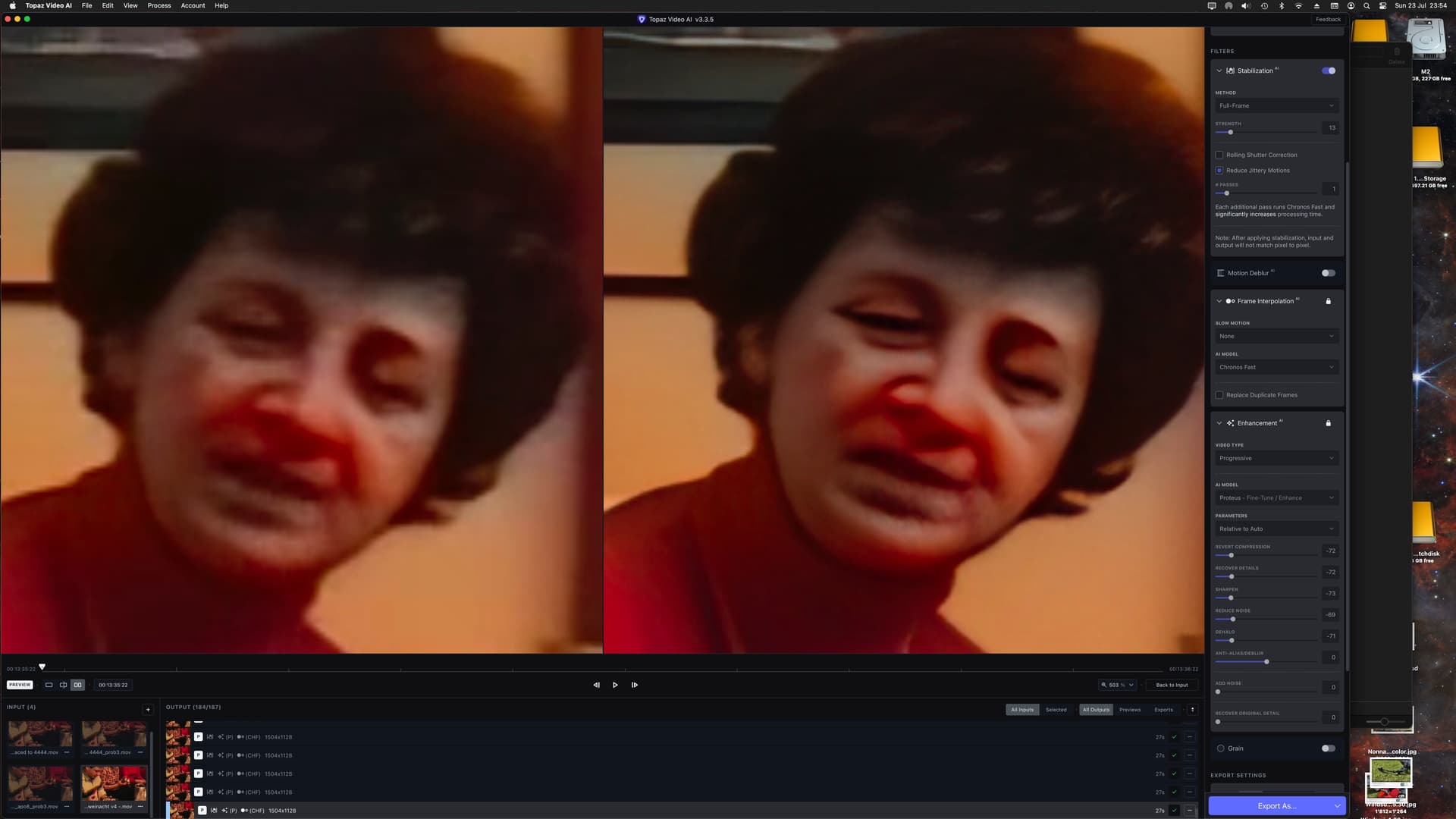
 We are aware of this issue and are looking into it, thank you!
