@gregory.maddra Is the application designed to not retain downloaded models locally on Linux? It seems odd that a fully licensed tool cannot operate offline because it seemingly has to go and download the models each time. That’s a waste of bandwidth and also quite irritating if your internet is down.
Ideally, given an activated installation, it should be usable offline for most purposes, to be as useful as possible.
The models should be being retained. If you’re seeing it attempt to redownload each time you run, it may be checking if TensorRT models for a model where it was not previously available is now available. This can take a bit of time at the start of each run, where it may appear to be redownloading.
Is there a way to tell from the GUI or other inspection whether a model is running using CUDA or the tensor cores? I’m seeing 30 series running Nyx at ~ 8 fps with heavy GPU and moderate CPU usage. (4 cores of a 5800X and the 3070 Ti at 93% usage). I’m not sure if it should be doing better than that, all things considered. Footage is 960x720.
Unfortunately we’re not able to distribute builds with GPL encoders enabled. You can compile a custom build of our fork of FFmpeg with your own choice of encoders however; the required header files to use --enable-tvai are included in the deb package.
I suspect this is related to the version of Qt that KDE is using. If you’re able to check, does the file chooser work for you if the app is run under GNOME?
I recently switched from Windows 11 to Ubuntu 24.04 and have been using the Topaz VEAI 2.6 setup through Wine, which has been working surprisingly well, not knowing Topaz Video AI Linux Beta existed since ~4.0. I’ve encountered an issue with the Topaz Video AI Linux Beta v5.0.3.0.b.
When I enable Frame Interpolation using any Apollo V8 through to Aion AI models, the resultant mp4 output is a blank screen, a black video at the given fps. If I disable Frame Interpolation, the video output is good. I’m trying to use Frame Interpolation to fix duplicate frames caused by NTSC PAL standard conversions and the like.
Here are my system details:
Hardware Information:
Hardware Model: ASUSTeK COMPUTER INC. ROG Zephyrus M16 GU603ZW_GU603ZW
Memory: 32.0 GiB
Processor: 12th Gen Intel® Core™ i9-12900H × 20
Graphics: NVIDIA GeForce RTX™ 3070 Ti Laptop GPU
Disk Capacity: 2.0 TB
Software Information:
Firmware Version: GU603ZW.311
OS Name: Ubuntu 24.04 LTS
OS Type: 64-bit
GNOME Version: 46
Windowing System: X11
Kernel Version: Linux 6.8.0-31-generic
I’ve previously posted a bug report via the VEAI Help report, including a screenshot and logs, but I can’t find the message in my profile or this forum. I’m posting some of the details here so you are aware.
Topaz VEAI on Linux is an awesome development. I was unaware of this, I must of missed an email somewhere from the beta testers group. I switched to Ubuntu for performance, ML, LLMs, Stable Diffusion and so on. Cheers.
The bug / behavior you have encountered
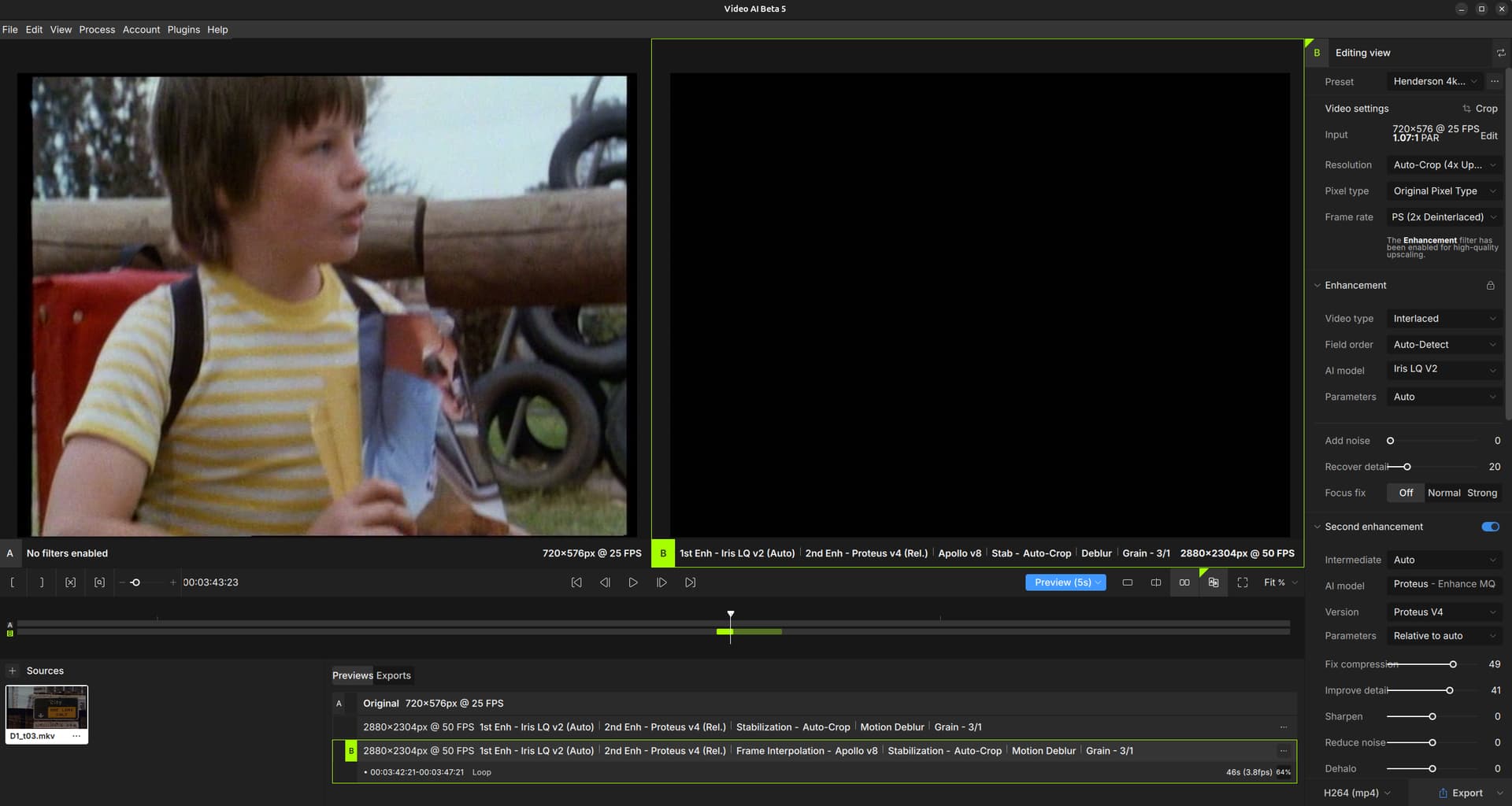
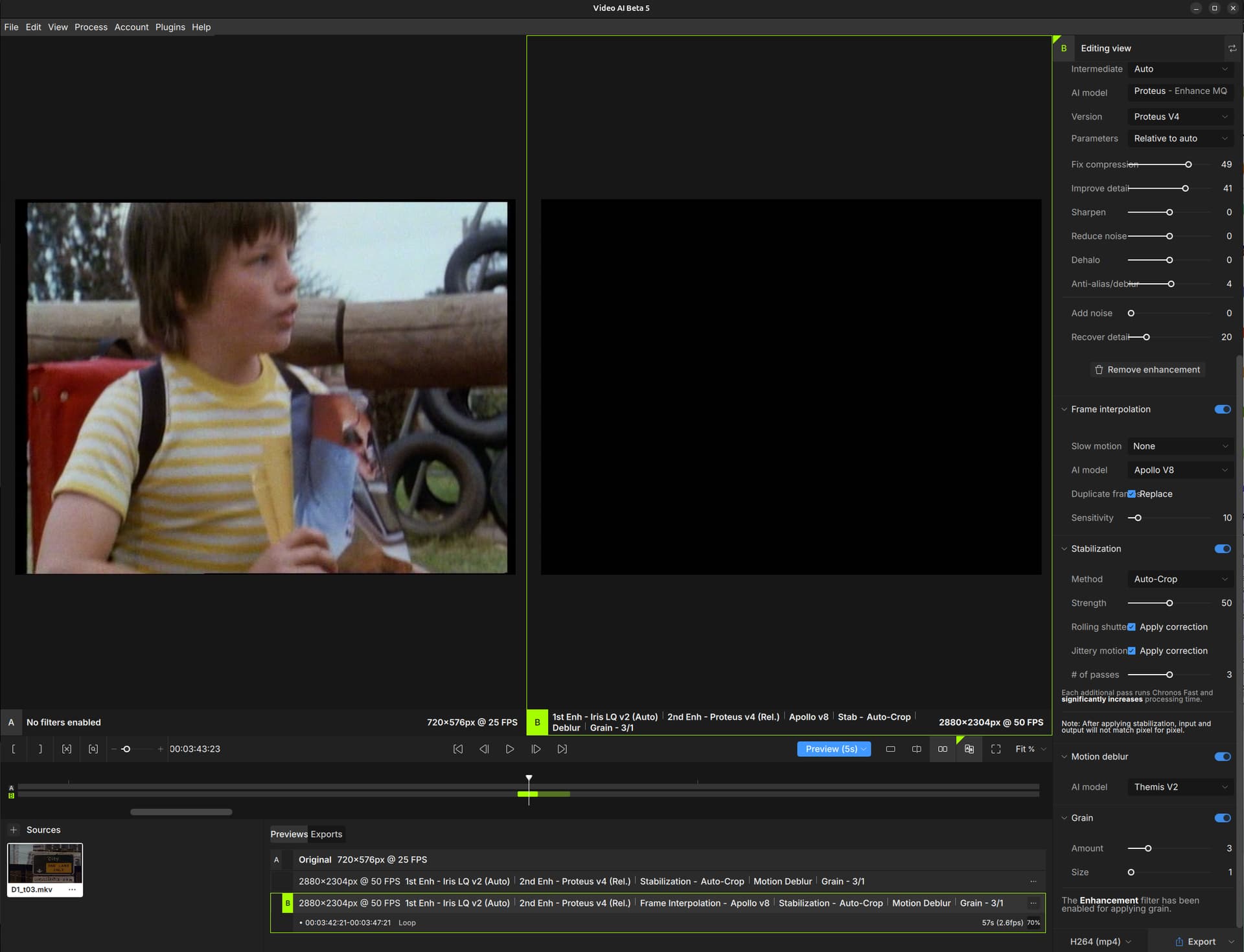
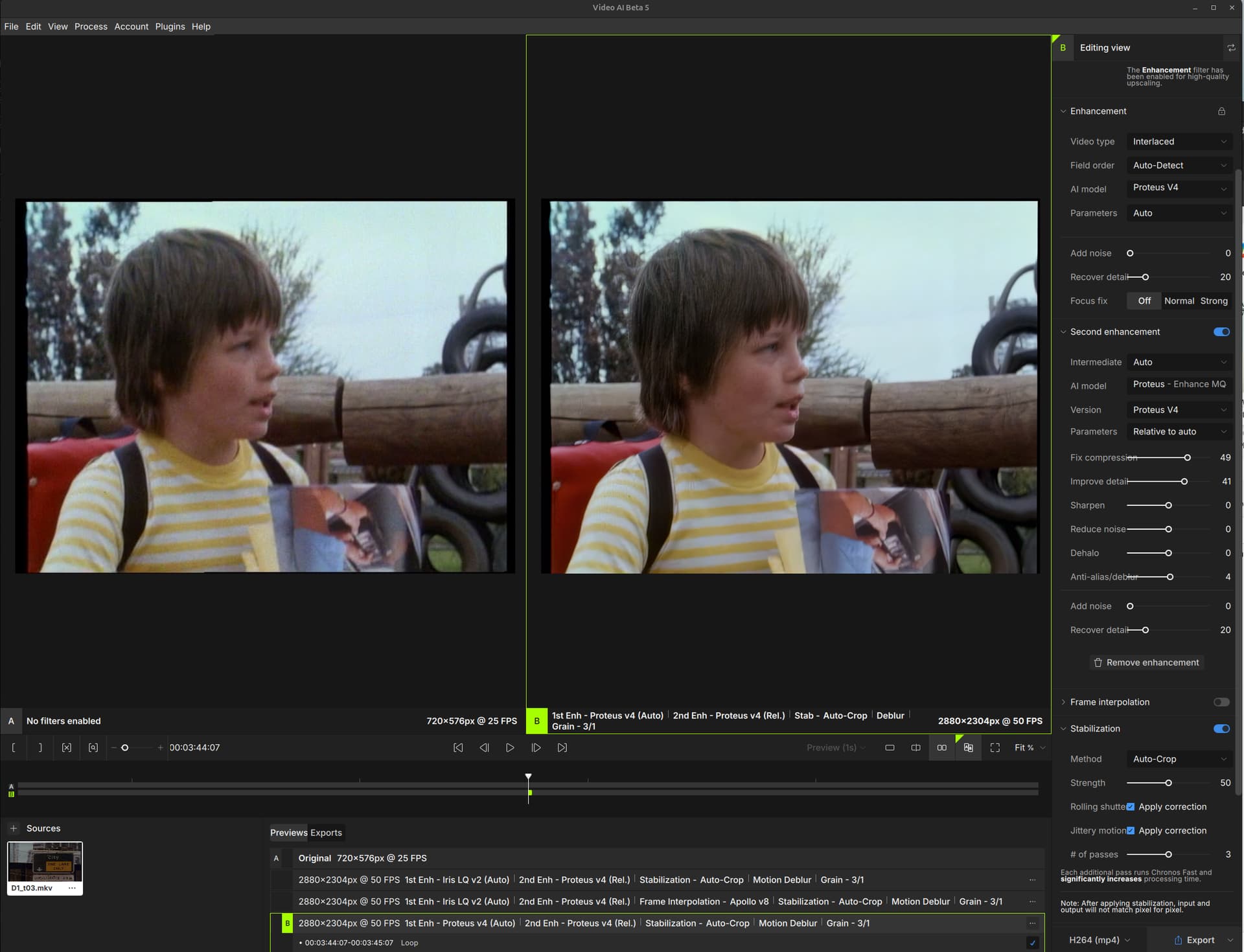
Topaz Video AI Linux Beta v5.0.3.0.b - Enabling Frame Interpolation produces blank video output. I am not sure if it is related but I see a model downloading at the beginning of every run. I have included 3 screenshots (2 pics for the editing view is big due to fonts display big and editing view window is not re-sizable in width, on pic with Frame Interpolation disabled) and logs.
Hi Gregory and Topaz team, thank you for this beta and to all the customers posting requests for a Linux version. I recently switch from Windows 11 to Ubuntu 24.04, and I was happy to read a post somewhere that mentioned Topaz Linux beta is available; happy days.
The reason for my bug report is for the " Topaz Video AI Linux Beta v5.0.3.0.b" version, the Frame Interpolation section produces a blank video output when using any Apollo V8 through to Aion AI models. When enabled the video output is a black video/frames at the giving fps. If I disable Frame Interpolation the video out is good (awesome even) thanks to the new Iris, Proteus… models. I want to use Frame Interpolation to fix duplicate frames caused by NTSC PAL standard conversions and the like.
Your system profile
System Details Report
Report details
Date generated: 2024-06-02 22:32:43
Hardware Information:
Hardware Model: ASUSTeK COMPUTER INC. ROG Zephyrus M16 GU603ZW_GU603ZW
Memory: 32.0 GiB
Processor: 12th Gen Intel® Core™ i9-12900H × 20
Graphics: NVIDIA GeForce RTX™ 3070 Ti Laptop GPU
Graphics 1: NVIDIA GeForce RTX™ 3070 Ti Laptop GPU
Disk Capacity: 2.0 TB
Software Information:
Firmware Version: GU603ZW.311
OS Name: Ubuntu 24.04 LTS
OS Build: (null)
OS Type: 64-bit
GNOME Version: 46
Windowing System: X11
Kernel Version: Linux 6.8.0-31-generic
Your log files (Help > Logging > Get Logs for Support) logsForSupport.zip (16.3 KB)
Any screenshots as necessary
Frame Interpolation enabled
[Please be sure to have searched for your bug before posting. Duplicate posts will be removed.]
I have checked the Topaz Video AI Linux Beta v5.0.3.0.b group, and there are no posts about this issue in Topaz Video AI Linux Beta v5.0.3.0.b .
We’re hoping to be able to do a larger scale conversion for Linux after the next time we update TensorRT in the Windows release. At the moment 20 series cards are likely the consumer option with the best support.
To answer your previous question as well, you can check the file name of the model files that are actually downloaded. TensorRT files will usually end with something along the lines of rt###-8517.tz while you’ll see -ox.tx or -ov.tz if you’re running with onnxruntime+CUDA or OpenVINO respectively.
Hi Gregory, thanks for all of your hard work on the linux version.
On Arch Linux (Gnome), I am able to launch the GUI and it correctly launches my web browser and allows me to log in.
I installed TVAI the “Arch way” of creating a simple Arch PKGBUILD. I used dpkg to extract the .deb file and then just copied /opt and /usr files (Hopefully, I didn’t miss a directory!)
However, after logging in, it appears the auth token is not saved. I am unable to download any models, and when I quit the GUI, the next time it launches I have to log in via the web browser once again, and still cannot download any models due to lack of token
I tried with the beta and alpha releases
5.0.3.0b
5.0.3.2a
Any ideas on how I can log the problem with more helpful details to troubleshoot?
[EDIT] - leaving this here in case it helps someone else who is dense like me:
On my Arch system, the PKGBUILD installed TVAI into /opt with owner root group root and permissions 755.
To fix the authentication I changed the group to something else and made sure my user was a member of that group, with write permissions.
Just curious if you might have a forecast for this, and an updated build. The current one has some flaky UI still under Wayland (elements go missing under the mouse, etc.)
I did some new tests with the latest v4 and v5 versions of VAI to assess what progress has been made since the initial beta versions. Below are the tests performed, results and an assessment where priority should be focused regarding Linux.
The issue with the GPU memory ballooning at the start of onnx16 processing is finally gone in v5
Performance is identical between v4 and v5 for TRT version on Linux, but noticeably better in v5 for onnx16 versions (likely due to the above memory fix).
Linux and Windows TRT performance seems to be about on-par now (precondition to seriously consider Linux as a target platform for real workloads).
Conclusion
TensorRT version of prob4 is sorely needed for Linux.
Massive improvement on the Linux side has been done to the VAI engine. With a 24GB graphics card prob-3 and 4 could reliably be used on the latest v4. v5 makes prob-4 a realistic option even on lesser graphics cards.
Remaining high priority issues
The Iris models still do not work on Linux (neither iris-2 nor iris-3). Please look into that since prob4 and iris3 are the go-to models for VAI, and the reason most people buy the software.
Lack of Tensor-RT version of prob-4 for Linux massively limits its usefulness. A TRT version would yield about 3x speed improvement!
Note: the CPU utilization numbers are a bit different for Linux vs Windows. Windows calculates usage as a fraction of total logical cores (which is incorrect, :shrug:). Linux calculates it as number of cores saturated. So on a 16 core machine like the Ryzen [5/6]950x with only 16 physical cores, 1600% means the machine is saturated and anything above means work is waiting in queue to be executed, like for the “v4/v5 prob-3 @ 1280x720” benchmark runs.
(EDIT) PS.
Provide a working TRT model of iris-3 and of prob-4, plus a hefty renewal discount. Then I may consider renewing my VAI license that expired 3 months ago. For now I’m content alternating between v4 and other tools that do similar things on Linux and actually work, so until I can use linux as an alternative to windows, there’s no point in renewing the license.
Gregory, perhaps you should have added the workaround for users who don’t want that annoying delay every time a preview is requested or a render starts.
The workaround is to edit the metadata json file for the model(s) you are using, and that VAI keeps trying to “re-download”. Just remove the ID for your graphics card (or all of the IDs) from the tensor-rt section in the model’s (metadata) json file, and VAI won’t try to download those non-existent files over and over again.
E.g. I’ve removed ALL graphics card identifiers from the Proteus 4 configuration file, since there’s no TensorRT version available for it. Speeds up start of processing significantly.
Are you able to give a 3 sentence superficial summary of the challenge of adding a TensorRT model in Linux vs Windows? Are NVIDIA APIs a lot different between the 2?
The difference between Windows and Linux processing for those models is two to three times faster using TensorRT models – IMHO, it should be the #1 priority for development on the linux side.
Linux