Topaz Video AI Beta v4.1.0.0.b - v4.1.0.5b

I have the same since 2 versions so I do a snippet of manual then set it relative to auto then save it as a new template. I am afraid this is intended since some users do not like if manual is kept when set relative to auto. very very very annoying indeed and I agree this means topaz does not understand how customers use the estimate button since it is hidden and set to manual and do NOT understand why this estimate button is missing in relative to auto.

He topaz we track the worst part of a mp4 and we know that the rest of the mp4 is just a bit better then we set relative to auto

so what topaz has to do add the estimate button to relative to auto am I so smart or are you that stupid Topaz a famous sentence from the great couch Louis van gaal.

Having said this I am very please with the new IRIS LQ v2 and very pleased with Protheus 4.0 I have not seen any such clean postage stamped videos and faces as in the latest and greatest 4.1.05b and the missing estimation button in relative to auto is a small annoyance

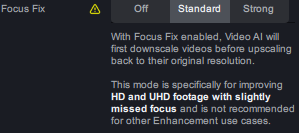
Why is Proteus v4 with Focus Fix Standard two times faster compared to normal Proteus v4 (Recover Detail is off, otherwise the difference would even be much greater)? Tested with 1080p and 2160p sources.

I hope it’s not a bug lol since I am in love with that speed and I can’t really see any visual problems. Proteus v4 with Focus Fix Standard can do wonders on some 4K movies from the 80s/90s if the source contains enough details behind the film noise.

Edit: I am using v4.1.0.2.b and not the latest version because it works great for me atm.

Btw, it would be nice to have mouse wheel control for the value sliders when the mouse is over them.

System: AMD. 7950X, RTX 4090, 32GB RAM, Win10

There is a note in 4.1.0.5b
image

1 Like

Thanks! That certainly explains the speed difference. So far I have tested it only with quite noisy source material, which is probably why I didn’t see any obvious loss in detail from that down- and upscaling in ā€˜Focus Fix mode’, since there are probably not many fine details in the first place due to the heavy noise.

Will do more side by side comparisons with- and without Focus Fix. ā€˜Focus Fix’ might still be a valid faster alternative if there is not much risk of detail loss due to the nature of the source material.

Update:
Checked some HQ 4K source and there I can see the loss of detail from the scaling in ā€˜Focus mode’ (tested it on a face closeup with visible pores, etc). But ā€˜Focus mode’ sometimes actually looks more natural because Proteus v4 seems to have the tendency to overdo some detail enhancement/sharpening and the softer ā€˜Focus mode’ version actually looks more natural (it was with a fabric pattern).

Hi, I agree that focus mode standard or strong is a good strategy to deal with videos with a lot of noise, not only defocused ones. If the video is in high res >= 4K, the strong mode could do a good job. In some cases for high res video with very strong noise, standard mode can compete with nyx models.

I will be a good idea that in this mode apply frame interpolation over the downscaled video, to avoid tiling artifacts that arise in interpolated >= 1080p videos. I think that now interpolation doesn’t work at all in focus modes.

Also stabilization should be done with over the downscaled video if possible.

just installed the beta 4.105
A restart is required to allow shortcuts to be added to the taskbar. before restart left click of mouse only reveals add to start up or under more it takes you to the file location.

V4.1.0.5b
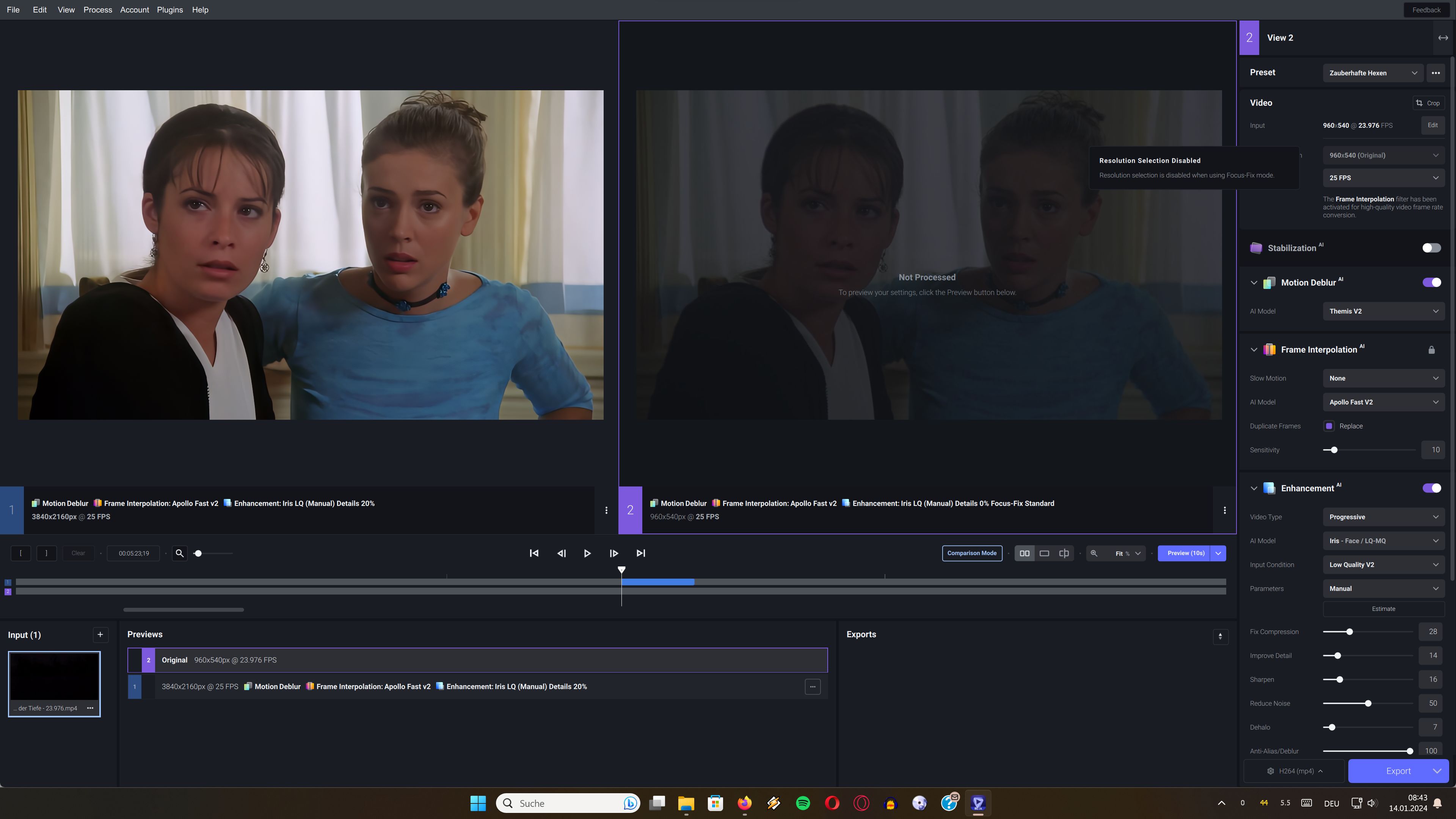
Why is Resolution Selection disabled when i use Fix Focus ?!

And where are the buttons in the top right corner…like close

TVAI needs a better Interpolation when converting from 23.976 to 25 or 50 or 60 Frames.
I notice when there should be more smooth movement due to the higher framerate it“s not there.
Instead there is showing up a stuttering making those Interpolation unusable.
Going from 25 to 50 would be never a problem because it“s just another frame that would be perfect timed set.
But going from 23.976 to anything else would make it neccessary to render ALL images when you make a timeline for a second with 23.976 and 25 frames. The timecode of each frame is slightly different now…and it doesĀ“nt help just to render in betweens of two frames…

So not making Frame 1 - 2 - 3 - 4 to 1 - 1.5 - 2 - 2.5 - 3 - 3.5 - 4 = normal way just render in between 2 frames…50% of frame 1 and 50% of frame 2.
Going from 23.976 or just say 24 to 25 frames it creates stuttering when you just add one frame every 24 frames…and the timecode of each frame is now wrong…the first 24frames are pressed together making them play a little bit faster(earlier) and then an additional frame is added.
Each frame when converting from 23.976 to anything else needs to be rendered in a different way so that the time the frame is played is matching the thing you should see.

If you press 23.976 frames together in order to add more frames into the same second you need something different than rendering an exactly in between of two frames…like 50% of frame1 and 50% of frame2.
It should be more like maybe we start with frame 1 and then we render frame 2(at this point without adding a frame but correcting the timecode…frame 2 is no longer at the timecode where it was…itĀ“s more towards frame 1…so frame 2 should be more like maybe 4,0997% of frame 1 and 95,90% of frame 2.
23.976 frames means that there will be every 0,04171s another frame
25 frames means that there will be every 0,04s another frame
Frame 1 will be taken unchanged…Frame 2 should be 4,0997% of frame1 and 95,90% of frame 2 as example

At a special point of rendering it“s time to add a frame in order to reach the wanted framerate.

A workaround using the present programs could be renders a really high framerate like 120frames…
So from 23.976 to 120 frames…in this way there will be a lot of frames created between frame 1 and 2.
When you now reduce the framerate from 120 frames to maybe 25 or 50-60…the timecode of the frames could be less or no stuttering.

Trying that out:
What happens when converting from 23.976 to 120 frames…what do you expect to get ?!
YES: A lot of non moving frames that have been inserted…is this really interpolating ?!
Frame order: F=frozen M=moving
F-M-M-F-F-M-M-M-F-F-M-M-M

The sad thing is i am telling here how to code this shit…but i am not paid for it after all.

So the normal interpolating is failing here a lot but converting from 23.976 to 120 looks a lot smoother but has a lot of still frames in it…some times 2 still frames after another(no itĀ“s really mostly…almost?!).
So removing duplicate frames afterwards would not help here a lot because there“s not only 1 frozen frame there are 2 and removing duplicate frames maybe can“t handle those correclty.

How much frames do we need to convert from 23.976 to 25 using this software ?
The 2nd frame needs to be shifted 0,00171s more towards frame 1.
In one second 1/0,00171s=584,8…so about 584,8 frames per second to match perfectly.
Normal frame interpolation sucks so we try another thing that works(i hope) itĀ“s slow motion…and the max is here 16x…what does this do it converts from 23.976 to 383,616 frames but plays still at 23.976
But that would be the most best way to get a smooth moving version to come closely to 25 or 50 or 60 frames/sec. when ripping of the unwanted frames afterwards.

So what does TVAI do when we choose slow motion x16 of 23.976 frames ?!
What do you expect ?..super slow smoothing movements ?!
NOOOO !
You get instead a lot of non moving frames added instead:
Frame order: F=frozen M=moving
M-F-F-F-M-F-F-F-M-F-F-F-F-F-F-F-M-F-F-F-M-F-F-F-M-F-F-F

ItĀ“s defenitely not what i expected spending so much money for this software…
I am spechless…

Hmmm 23.976 frames converting to something else always sucks with TVAI.
Why ?..The software seems to search for places where it can put in 50% in between frames.
But this strange framerate makes it impossible…so it works always this way:
A 50% in between frame connot be placed so we fill in with a still frame.
After all no interpolated frame is there just a lot frozen frames added to reach the amount of frames wanted.
But in my mind i would think render x16 frame should be no problem.
But here it is reality.

Next Try saving the 23.976 Frames Video in a way TVAI thinks it is 25fps.
The same shit comes out doing slow motion x16 with Apollo fast v2

Can it be that those interpolation/slow motion is totally broken in the official release just adding still frames ?!

To the devs:
To which version is it needed to revert back when those frame interpolation/slow motion worked you used to show these example videos on the web page ?!
And is it still possible to get money back when i realise that this software is a bulk of SHIT ???

Is there any chance to get those old devs back that left before all this shit came up ?
Or tell me where they go so i can buy in the future a software from them instead.
Something is really getting worse here…

Next try what happens interpolation 25 to 50 frames.
It is working the right way…no dupes…adding after each frame a frame.
But looking at frame by frame i see…
FM=Fast Movement SM=Slow Movement
FM-SM-FM-SM-FM-SM-FM-SM

Again speechless i have to search for another software for interpolation TVAI sucks always.
1 Like

Focus Fix is a downscale and upscale back to the original resolution, intended for higher resolution but soft video sources (due to a previous poor upscale, for example).

The TVAI window now has a separate title bar, so the buttons are offscreen at the top of your monitor. Just resize the window, and they should appear.

Thank you :slight_smile:

*Sigh, I thought they had fixed the dupe bug once and for all… Hopefully your suggestion will finally be the solution to this dilemma, I have been multiplying the frame rate by either 2 or 3, never by 4 and above…

Let’s try the frame rate 16fps for example 16Ɨ3=48fps 48Ɨ2=96fps and so on, until you get the number that you want.

It’s not me, windows likes to keep programdata on the windows installation drive.
@ForSerious since you are working from the command line, you can move the tvai_model_dir to anywhere you want. Just copy the content from the programdata directory. The programdata directory only changes when a new model is added or modified.

1 Like

Oh I know, I was being silly, don’t mind me sometimes, I’m pretty eccentric! :crazy_face: :wink:

@ForSerious What I usually do is just create a Symbolic link into %ProgramData%\Topaz Labs LLC\Topaz Video AI BETA pointing to where my Models are on a different drive. that way you don’t need to fool around with system variables. and it is future proof to all updates as it will always point to your external location when attempted to copy files to those Directories by the Installer.
And your scripts could work with default settings without worrying about variables and no tweaking is needed.

Example of How I did it:

mklink /d "C:\ProgramData\Topaz Labs LLC\Topaz Video AI" "D:\Temp\Topaz\Video AI"
mklink /d "C:\ProgramData\Topaz Labs LLC\Topaz Video AI ALPHA" "D:\Temp\Topaz\Video AI ALPHA"
mklink /d "C:\ProgramData\Topaz Labs LLC\Topaz Video AI BETA" "D:\Temp\Topaz\Video AI BETA"
1 Like

@luke.roche @tony.topazlabs Please update the post to say 4.1.0.5.b. It took me ages to figure out why vxxx5 wasn’t posted and now I see the link is there but you have it listed as vxxx4!

5 Likes

I really like the new Aion!
4K resolution video slow motion is much better than previous models
There are no more obvious squares in fast movement, which is a joy to use :hugs:
Looking forward to the official version!
*google translate

2 Likes

And a date when added would be nice.

2 Likes

Hi, I’m very happy to hear that. Please developers, get it working on macos!. I don’t care that it’s slower than Apollo. I was only able to test Aion in 1080p in the latest alpha, but at that resolution I don’t usually have problems with Apollo.

1 Like

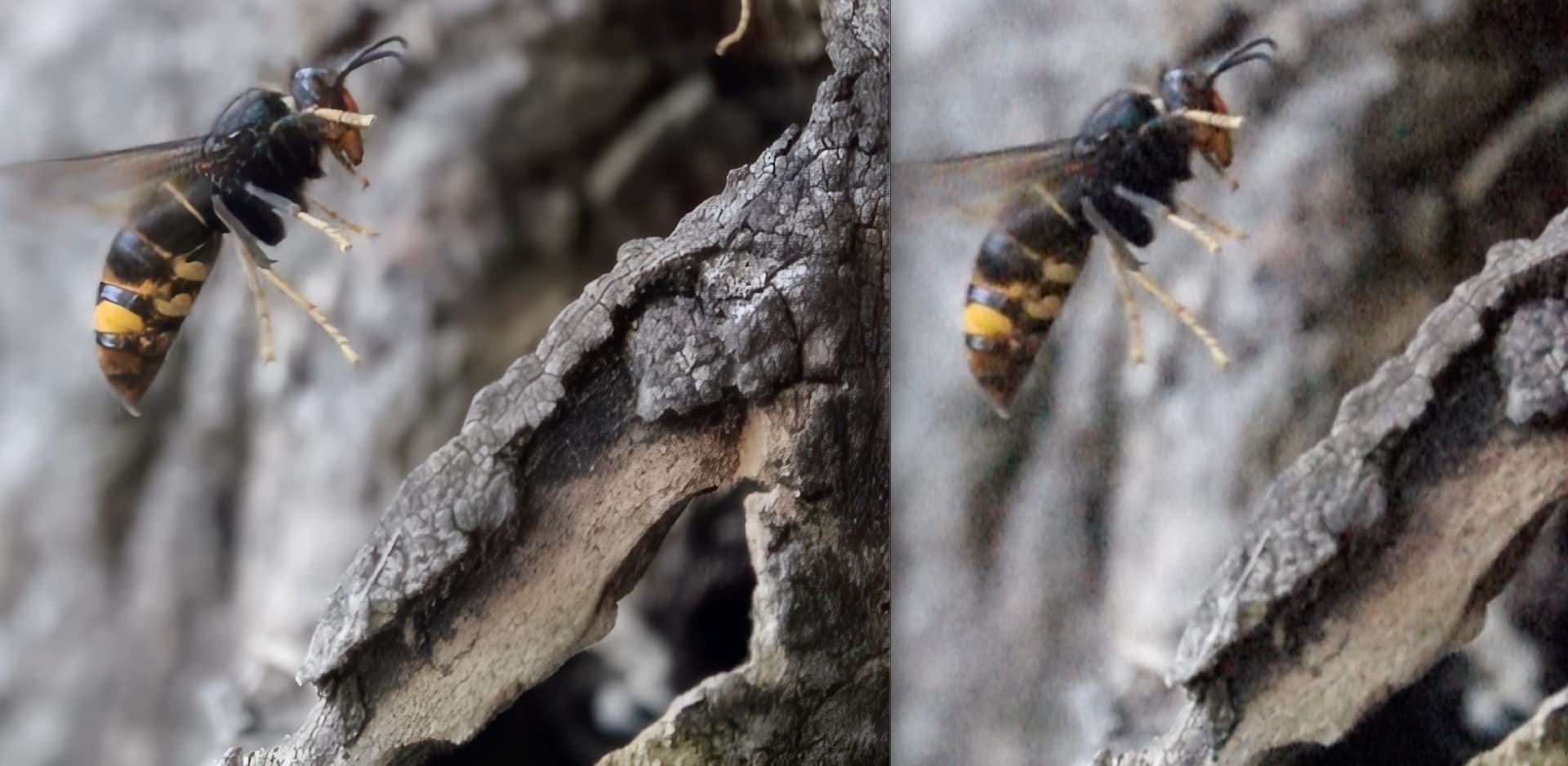
Another test that combine a first pass with proteus v4 with focus standard and a second pass with theia (to scale) over a very noisy video in bad ligth and slow motion in sony RX10 mark3 (240fps or 480fps, don’t remember), 1080p natively but really the cam skips pixels.

The improvement is impresive. It’s slow on my macos air, but it’s worth waiting:

3 Likes

what Thaia settings have you used?