Totally! These types of updates take longer and with models specifically we have to create and train new models to fix previous major issues
2 Likes
Hey, is there a Mac list of Terminal commands or even a nice and easy .command file that will delete ANY TVAI file including all private/var/tmp and caches etc etc etc? This is so I can have a 100% clean and fresh Topaz instance running as these Out of Memory errors are driving me insane in this beta!! Thanks in advance.
How long does it normally take until the Out of memory error occurs?
I’m currently testing an Iris upscale SD interlaced → FHD with Chronos 4x slomo and even run PhotoAI at the same time. Still not able to get this error - although RAM (64GB) is used to 75%.

Do you have a tool that tells RAM consumption?
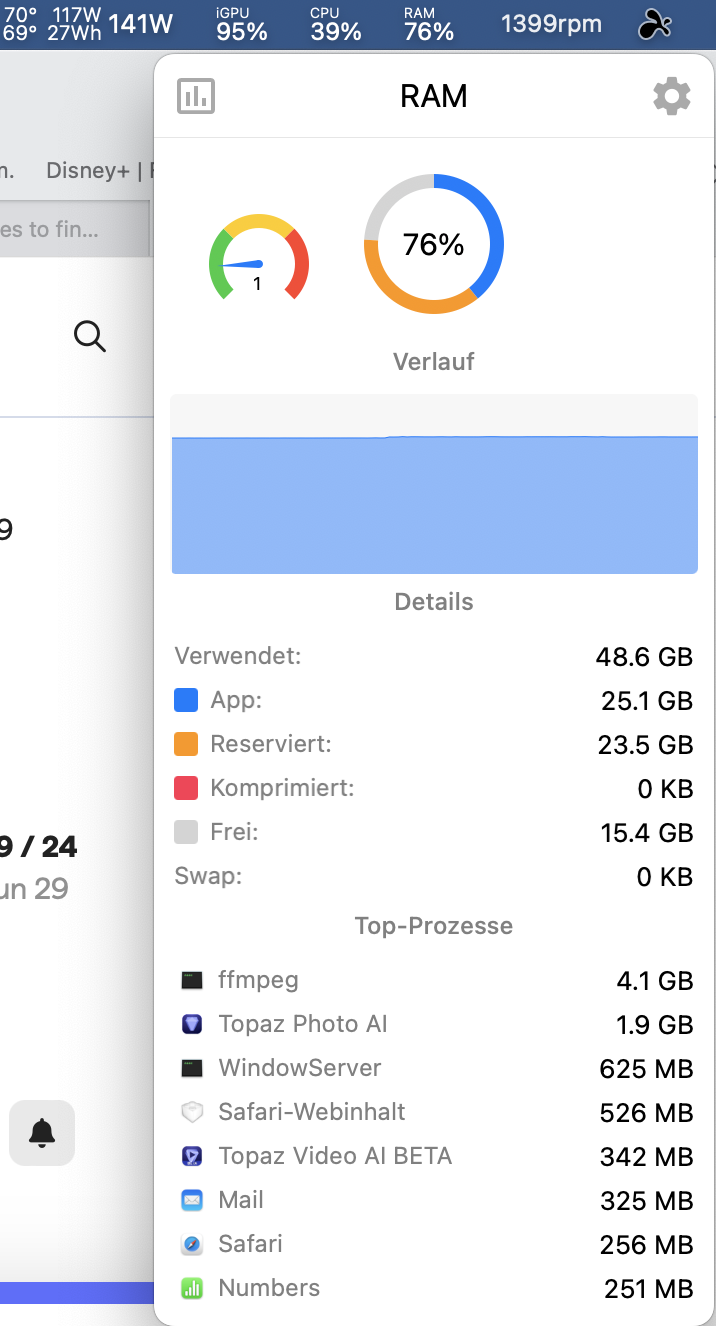
EDIT: Now even simultaneously ran two Handbrake conversion jobs (one GPU/HW, one CPU) together with TVAI and TPAI, plus a Windows 11 VM in Parallels. The rig is really maxing out with GPU and CPU at nearly 100% with a power consumption of up to 200 Watts and RAM reaches about 80%. Parallels really crawls, still no OOM.
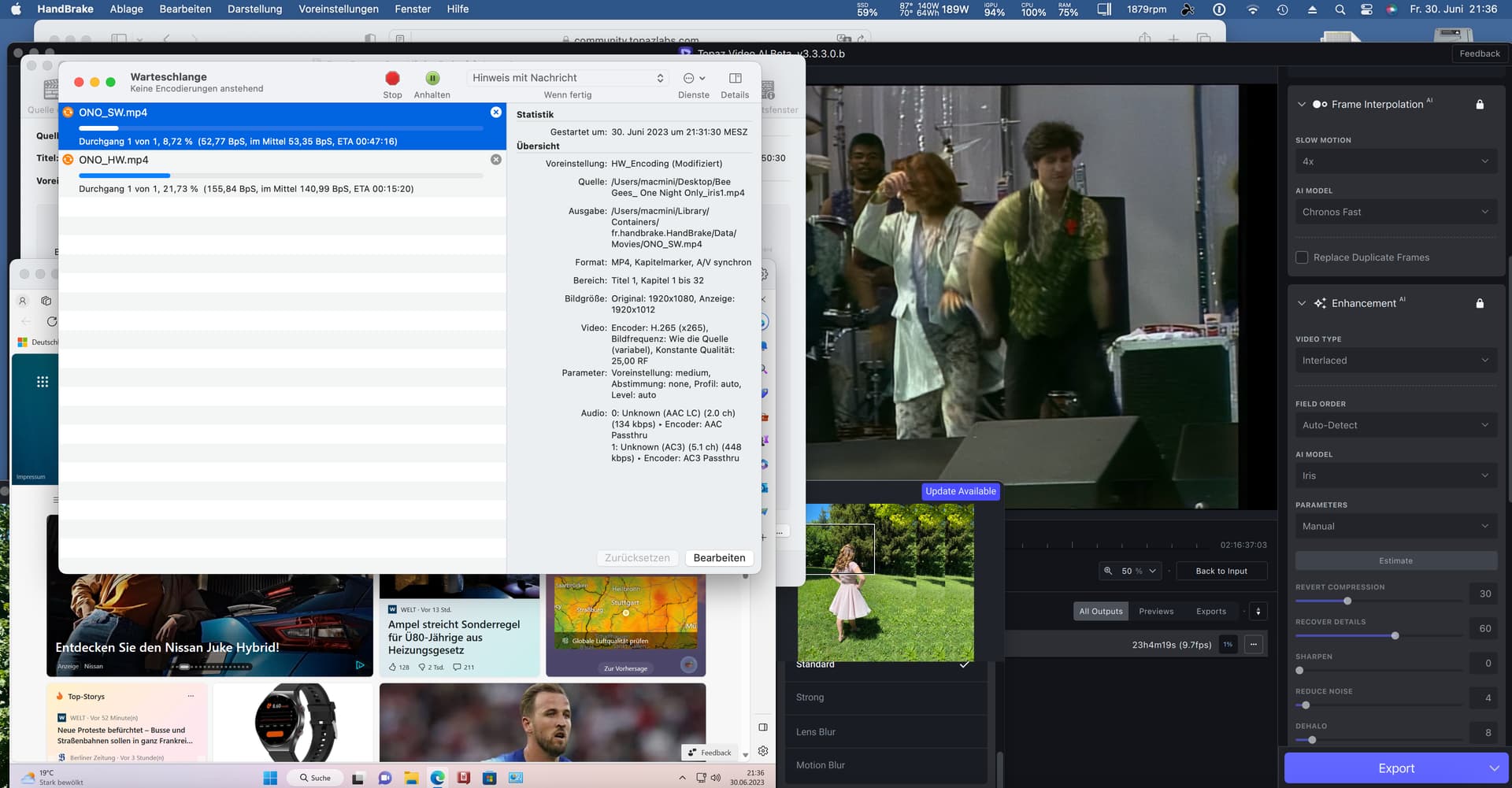
Besides, even if physical RAM is filled up it should use swap?
OOM how long? Anywhere between instantly to almost the very end of the render, it’s random! The only difference I saw with your screenshot and my settings is my Iris is on Auto and yours is manual, so I’ve set a new render to manual instead. RAM usage wise, Activity Monitor is telling me it’s using 39GB out of 64GB, ffmpeg process is 2.85GB using 791% CPU & 91% GPU
I’ve uploaded my log files via the Dropbox link at the very top of this post with the prefix TR so @suraj can see what’s potentially causing this Out Of Memory error. Thanks.
I hope v1 of Iris is either being adjusted or v2 is in the works due to the issues reported, and hopefully noticed by the dev team:
3 Likes
Please train the iris model on mics as well, since many people upscale live performances, mics and other equipments are always part of the video. I tried to upscale a Whitney Houston live performance, but the mic had crazy temporal artifacts.
2 Likes
Agreed, I’m hoping it’s next on their schedule, as there’s usually a low, to high priority list for different issues that need to be targeted, yet I am hoping it’s high on that list, I’m naming it the “duplipolation” bug and I hope it’s just a hiccup with the code, and not an issue that demands an overhaul of the interpolation system itself!
Also kind want to know what the difference is between Chronos and Apollo in terms of generating frames…
Yes, I’m curious as well, as apollo says it generates 8 interpolated frames, but how does that translate to the total frame rate as I usually interpolate 120 frames, so it’s a bit confusing as we lack enough comparative info.
My 3.3.0.1.b beta version when I check if it is the latest incorrectly states it is the latest… had to check the forum…
These problems are also seen in Proteus, although not as much as in Iris.
If improvements can be made in Iris v2, Proteus v4 should be developed.
(Iris was developed as Proteus v4 in the first place  )
)
3 Likes
UPDATE: Quit the application, started again and problem now gone.
I was trying Iris with a 4k video to output at 1080p. I’m not sure Iris is the best choice for a downscale of a high quality input but I thought worth playing with.
During processing of the preview all looked okay. When preview was completed the output looks distorted. The first few seconds of the 5 seconds preview are distorted, gradually becoming normal.
Looks okay while processing preview
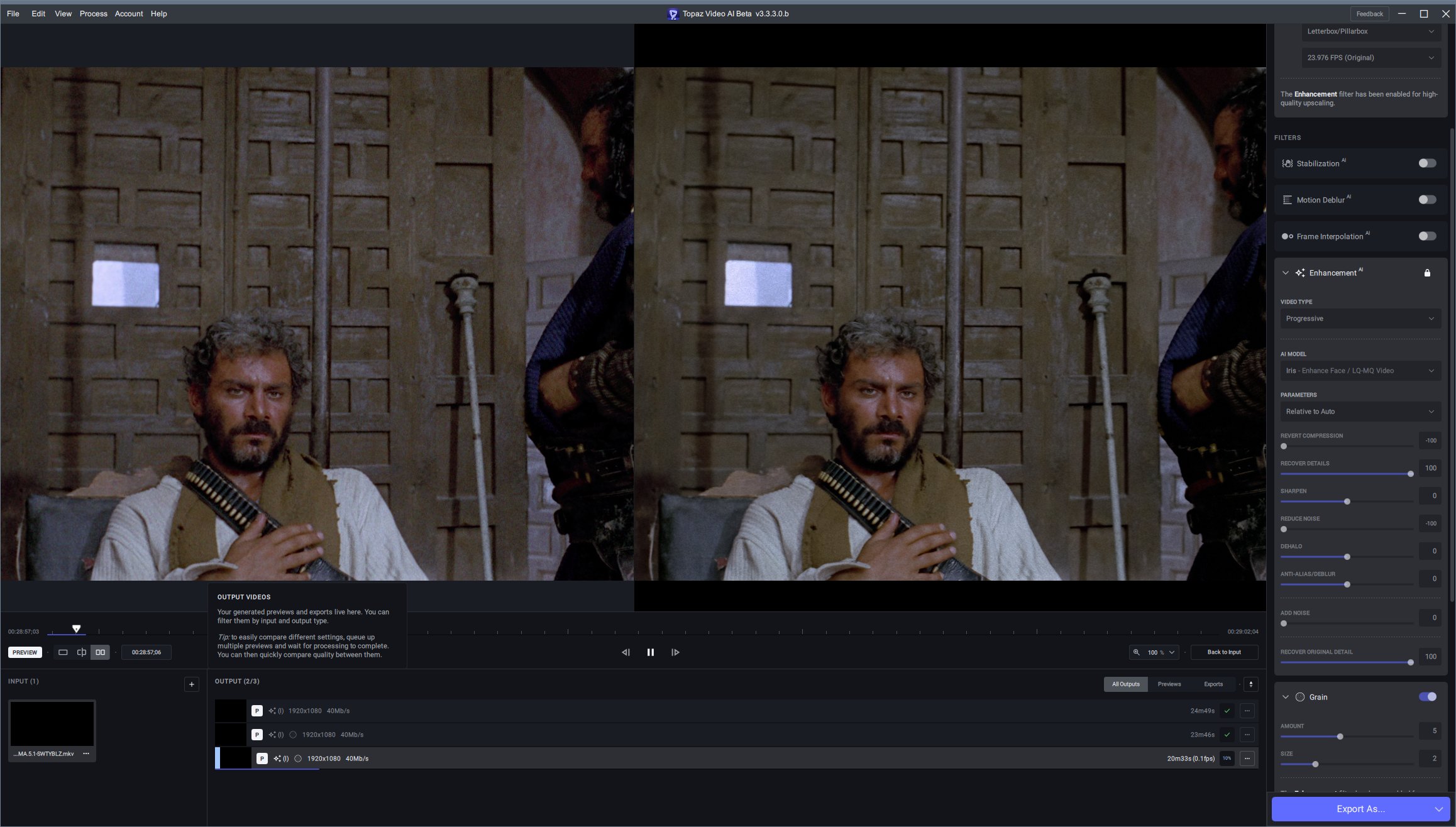
First part of 5 seconds preview corrupted when completed
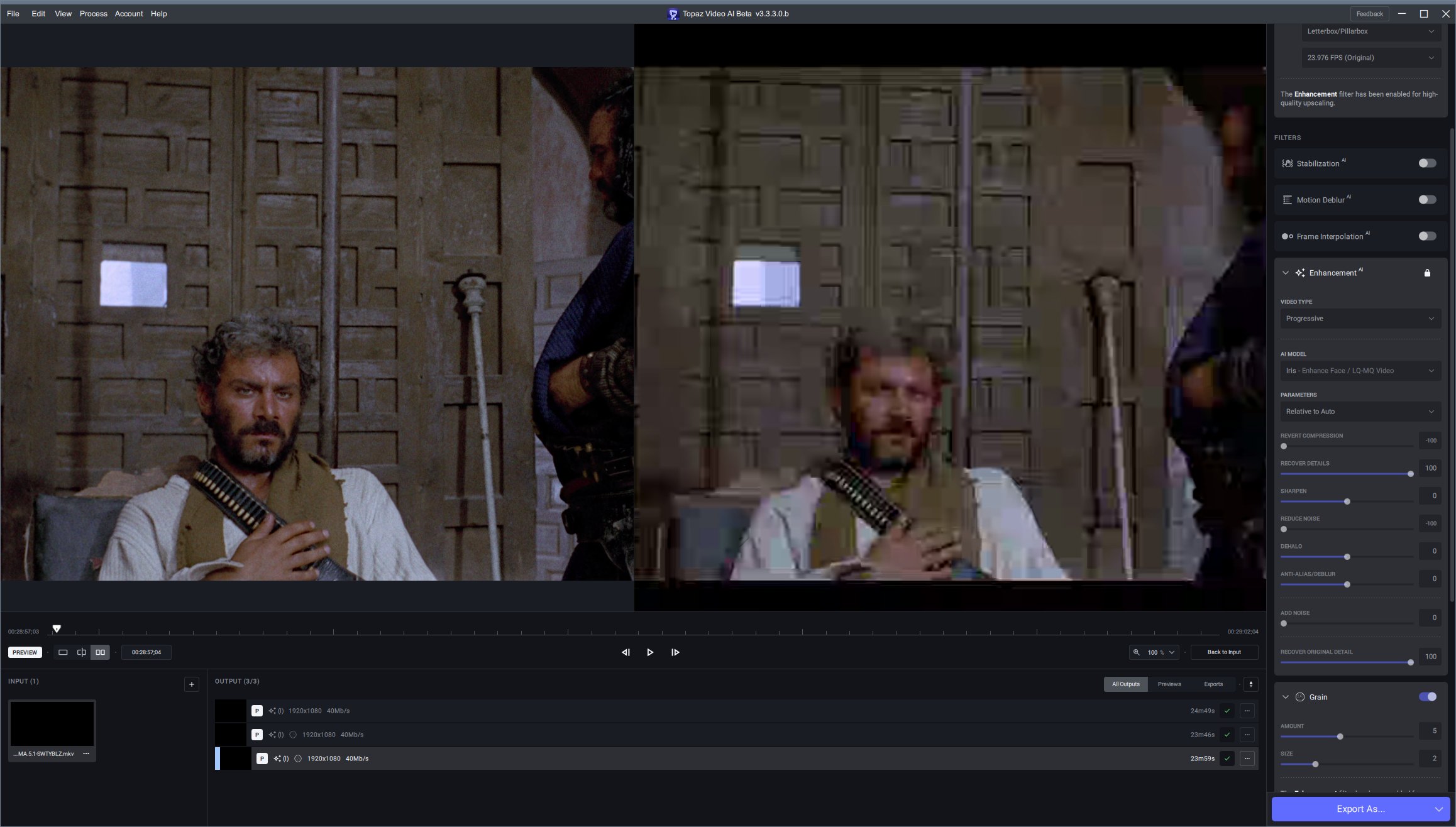
Completed preview okay at the end and it starts getting better after around half way through

Same thing going on with Proteus

Input is 2160P but not HDR and it is 8bit.
Format : AVC
Format/Info : Advanced Video Codec
Format profile : High@L5.1
Format settings : CABAC / 5 Ref Frames
Format settings, CABAC : Yes
Format settings, Reference frames : 5 frames
Codec ID : V_MPEG4/ISO/AVC
Duration : 2 h 12 min
Bit rate : 73.3 Mb/s
Width : 3 840 pixels
Height : 1 634 pixels
Display aspect ratio : 2.35:1
Frame rate mode : Constant
Frame rate : 23.976 (24000/1001) FPS
Color space : YUV
Chroma subsampling : 4:2:0
Bit depth : 8 bits
Scan type : Progressive
Bits/(Pixel*Frame) : 0.487
UPDATE: Quit the application, started again and problem now gone.
Highly unimpressed. Auto-updated 3.3.0.0b last week and it stopped rendering anything (the red X button) and I found no obvious culprits.
So to start with a clean Beta slate, today I uninstalled the Beta and all its settings, and downloaded 3.3.3.0b and installed it.
Now the Beta won’t run at all because it says my “license” expired four days ago. It demands I pay Topaz $149 (that’s $224 in my money) to do Beta testing for you.
Really!? On top of the countless hours of free testing? Thanks but no thanks.
what about your production version (non BETA), had that expired too?
On real projects I use the last stable version, 2.6.4, and that’s fine. V3.x is too unstable and variable to risk on production flows.
Did you not know you were buying a license for just 1 year of upgrades?
I don’t understand the entitlement outrage. None of us are “paying to beta test,” it’s just an option that comes with a full license if you want to experiment with the latest updates and models. I don’t think it’s even mentioned anywhere in the license agreement.
Are you suggesting they should let just anyone run the latest beta with no license? No one would buy anything because for every beta release with major issues there’s another that works fine. If I’m trying to do my “production flows” on the cheap and there’s a recent working beta that I can use for free then there’s no reason to buy a license. No one buys a license, Topaz stops developing, no more software. It’s not rocket science.
1 Like
t9000, it’s not called “play” or “experiment” version: this whole stream is BETA TESTING. I don’t use ANY v3.x in ANY production system. V2.6.4 is the last version that is stable and produces reliable and repeatable results, which is mandatory for a production system.
Others may well have spent more time, but I’ve personally spent over 80 hours fighting bugs, reinstalling, running structured and repeated tests in both v3 and v3b. Both are massively unreliable (especially from week to week). That includes that what you see in Export is almost never as good as what you see in Preview. (It is in v2.6.4)
So, I get a request from Topaz to test Iris and provide feedback, which I was willing to do. But then it asked me to pay to be on testing staff. I ran it in Free mode and it seems to do a potentially good job (especially compared with other models) but with some artefacts worth reporting. But I can’t be sure because there’s a whopping great flickering watermark over the very face I’m trying to see. So I’m not reporting.
Oh, and the one thing I was most hoping for in v3, stabilization, still doesn’t work well despite a truck-load of betas. I recently migrated from Premiere Pro to DaVinci Resolve Studio (plus an RTX4090, yay). Super steep learning curve but so worth it. Its AI stabilization alone immediately produced amazing results with some quite challenging (interlaced) clips right on the first try. So I no longer need or want VEAI v3 for that. And not once since I migrated has Resolve crashed or given me an error of any kind.
So, I’m happy to put in some hours testing and providing beta feedback. But I’m not paying to do so. That’s not “entitlement” as you put it. It’s called “reciprocity”.
Entitlement looks like this: you put out necessarily flaky software and expect those people fighting bugs, furnishing crash log reports, running a range of repeated tests and reporting flaws and artefacts TO PAY YOU to provide that testing service to your company.
That is your choice, but you can’t expect Topaz to change their entire licensing scheme and risking their business for few individuals that are still at v2.x, as most users moved up to v3.x way long time ago leaving v2.x behind.
If Topaz would have delivered Beta versions for free for their Beta testers, they would have to cherry pick very limited amount of people to do beta testing to avoid the situation @t9000 raised. and that would be counterproductive for Topaz as they won’t have sufficient testers available.
As @t9000 said, Beta is an option for licensed risk takers that want to get the latest features before everyone else by “paying” with contribution in the form of tests, feedback, etc…
That is the give & take relationship between Topaz and the End user for the Beta program…
Multiple curious propositions, Akila. 1: Topaz don’t have to “change their entire licensing system”. They USED to extend the license of those who provide useful beta testing feedback. And indeed several of my beta suggestions are now baked into v3. 2. A lot of people (me included) DON’T see beta testing as “risk-taking” as you do. We are more like to see it as exploration and an opportunity to help make things better. 3. Nor are many driven by the ego-need to have “features” “before anyone else”. 4. They’re not “features” until they work properly, which takes quite some time. Until then, they’re ideas or propositions. Some are even dropped or changed before production. 5. You acknowledge beta testers do work for Topaz, in that Topaz would suffer if there weren’t enough of us.
