This could just be me reading into this the wrong way. But my interpretation of this statement makes me believe that Starlight mini will only be avaliable on NVIDIA GPUs when TVAI 7.0 launches.
Is that correct? If so, then could the TVAI team explain why Starlight mini will be limited to NVIDIA GPUs at launch? And is there a rough timeline for when other platforms might get support?
Sorry if I’ve missed something obvious, misunderstood a statement, or missed a previous comment explaining things.
I read as probably meaning that anyone who doesn’t have the necessary system memory, VRAM or Nvidia GPU will need to run it as a cloud model. Which still begs the question of why there’s a GPU requirement to run it on the cloud.
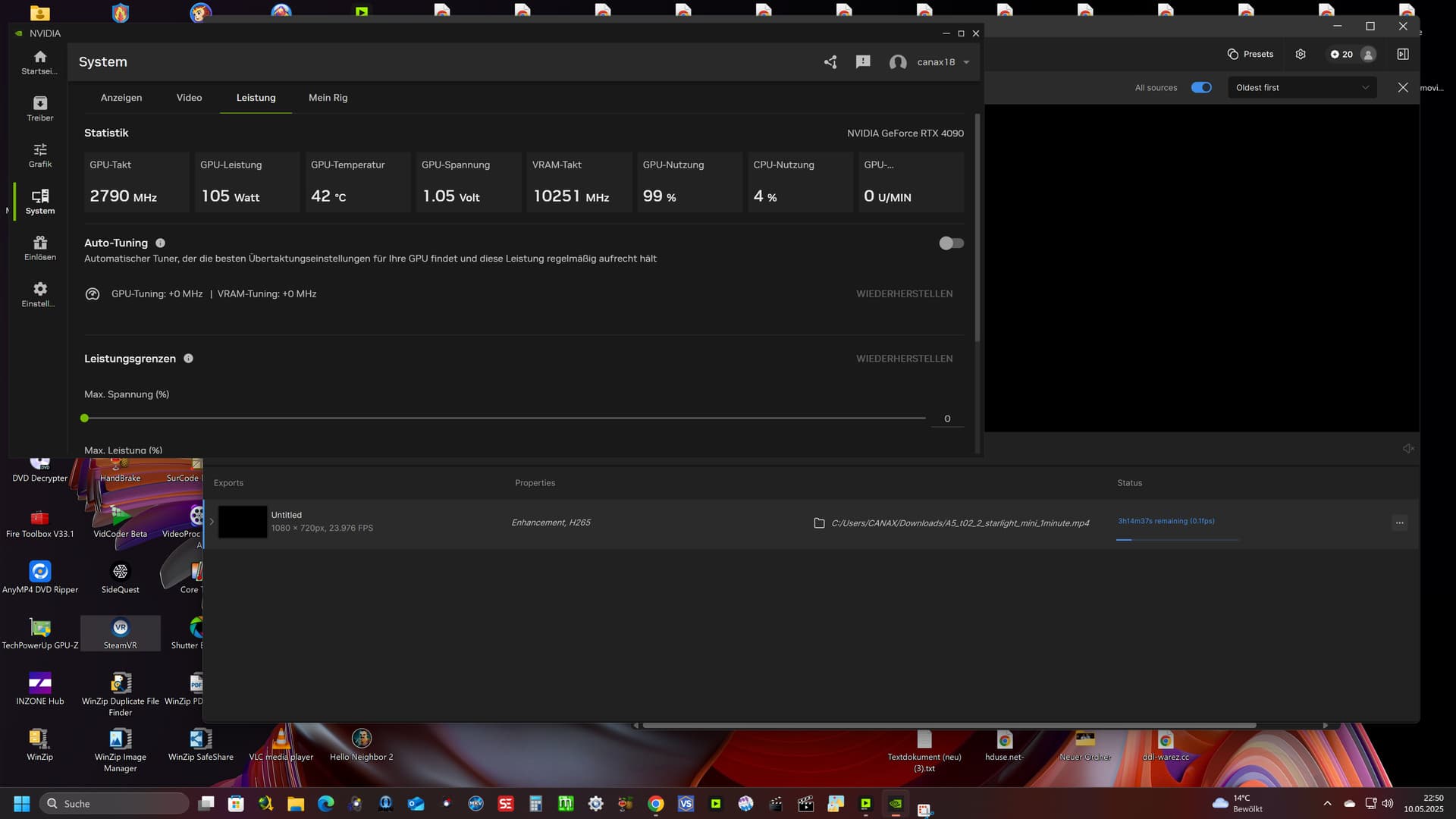
I’ve now run several tests with different VRAM settings, and version 0.4b still uses the maximum memory of my RTX 4090.
Is this a bug, or are there scenarios—like very low-resolution videos—where a VRAM reduction simply can’t be applied?
Accordingly, I unfortunately don’t see any real performance difference compared to previous versions.
However, I do notice a difference in image quality compared to earlier versions. This version “hallucinates” less and stays closer to the source material. I like that.
Desperately needed feature: Slider or checkbox for all AI models that use the “Face F***around Feature”.
Is it possible to make slider to tell the model to tone down or completely disable the attempted facial improvements? Treat faces more like objects in general and don’t try to explicitly enhance eyes mouths chins etc.
In some cases it works fine, but is all cases with small or blurry faces they all create horrible results.
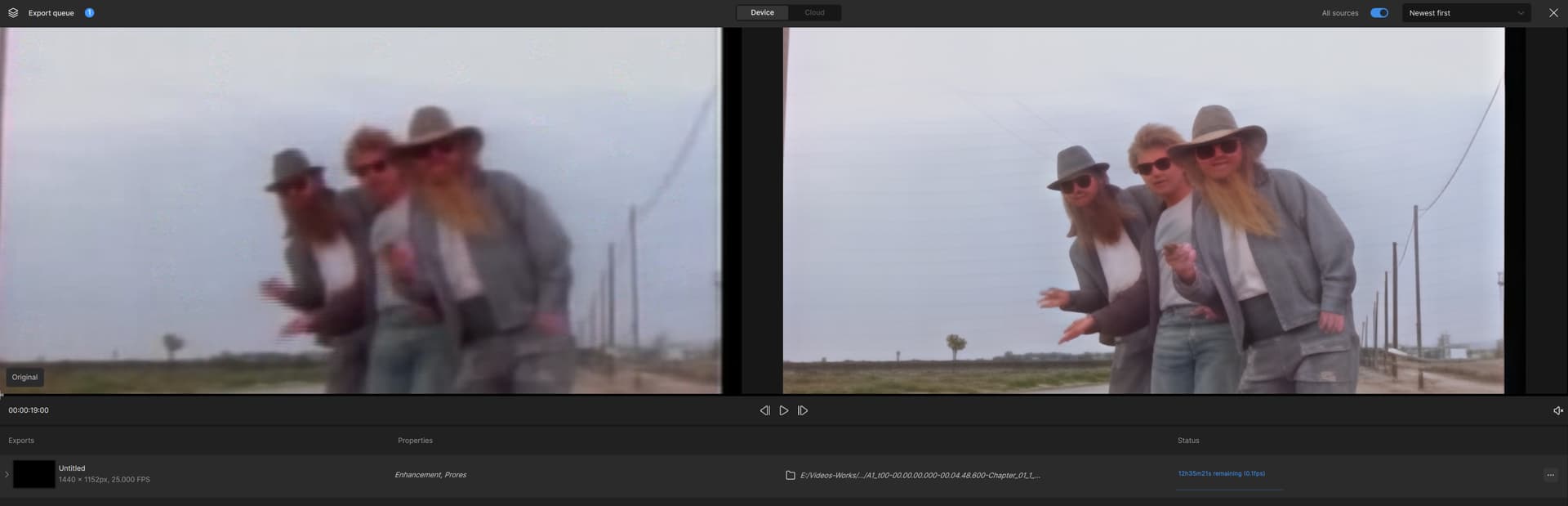
Here is an example of 2x upscaling from PAL DVD source using Starlight mini.
It removed ZZ Tops beards! This will give me nightmares for weeks to come…
And there is no way to work around it.
there are spaces in the name even after the name before the file extension .mp4 is a space, which can lead to problems. I would rename the file as a test, no spaces no special characters
Never had an issue with lower resolution DV Interlaced footage 720x576 until b3
In b4 with (normal) it fails. If I set it to (2x Upscale) it renders. I am using the trial version, as I am testing it out before I decide to buy it and re-invest into it. logsForSupport.zip (4.8 MB)
With my RTX 2070 Super and 32GB of DDR4 RAM, rendering a 32-second video takes an hour and a half. When I try to render a full hour and a half concert, I think I’ll die before I can see the result.
On the other hand, Starlight Mini won’t let me render it if I export it at the same resolution. I’ve tried several times, and I get an error. It only renders if I scale the resolution at least x2, but it won’t let me render and export it at the original resolution.
After some testing, I unfortunately have to say that the beta version 7.0.0.4.b has quite a few bugs. I’m currently encountering the following issues:
For some videos, upscaling is no longer possible in this version. An error occurs immediately. I suspect this is related to the new Resolution Control feature.
For some videos, the resolution 960x720p is shown as the target, but the rendered video ends up being 1280x960.
The final video is missing audio. At least for my test clips marked with “Mark in” and “Mark out”, the audio is almost always missing in this version. However, this doesn’t happen in all cases, and whether audio is set to “copy” or “convert” makes no difference.
Starlight Mini only recognizes the max GPU memory settings after restarting the program.
That last point is good to know. I set the setting, then tried to run the model and it used up all my memory. I had set it to 90%. I’ll try restarting the program to see if that fixes it.
(I restarted the program and it doesn’t respect the setting. Still seeing completely full memory usage even though I set it to 75%)
Another bug that I’ve had I think ever since the second update, is that the progress bar, time remaining and speed do not show. Since these videos take a really long time, this is especially painful because I don’t know if I have an hour left or 16 hours left. I did not have this issue with the first release.
Does anyone else have this issue or is it just me? This is the one bug that makes the program unusable.
Update: After I posted this, the time DID finally show up. 58m remaining. When I ran a very short clip, it did not update the time remaining. But it looks like if I run a longer clip, eventually it will show after 3-5 minutes. Odd…I will do more testing.
Another bug: Original resolution seems to error out. 2x works fine.
Thanks, that solved it for me. I wonder how this basic export issue using the new Starlight Mini model (essentially the only feature upgrade for V7) slipped passed QA. Did they not try to export a single video using Starlight with default settings?
Users gets confused because 960p is the minimum resolution Starlight-Mini can do, but 720p is the minimum that gets shown in the resolution select section. When you have for example a 480x360 pixels source and select “Orig” then 960x720 is shown (why?) and you get 1280x960, so it is double wrong this has to be corrected.
Orig-Resolution none upscale with Starlight mini never worked, but would be nice when Topaz Labs can give us also 1x model
Success with this latest version! Previous Beta failed Starlight Mini downloading. This version fully installs and functions for me. I made sure that I had updated to the latest NVidia driver and even installed models directory to my D: drive, and that worked. Windows with RTX 3080.
640x360 video clip enhanced to 2560x1440 which takes 3.5 minutes with Rhea took 13 hours with Starlight Mini, and appears only very slightly better with Starlight, but I understand that focus may be on temporal improvements and handling of de-interlacing and rough edges. I’m very happy that you chose to make Starlight Mini available for local processing since I will never expect to use cloud rendering.
I’m hopeful to see continuing improvements in speed to Starlight Mini and all of your enhancement models. I continue to subscribe to updates on all Topaz products.
If I understand correctly, more memory usage means better temporal consistency and slower speed. You are most likely using up 24gb of memory which is slowing it down. I get .1fps too when I’m using 31.5gb of memory. They added a setting to limit the memory usage, but it doesn’t seem to be working. Someone said if you lower the amount, then restart the program, it will work. But that didn’t fix the issue for me. My card still uses the full amount.
 this has to be corrected.