Hi, “add noise” should not be used to add a final grain huh, if you combine it with a model, in fact it injects a noise before applying the model, it is to remove some artifacts that it will remain, but I noticed that for example with artemis medium that blurs certain parts of an image, the more we push the addition of noise, the more detail you lose, the blurred the image becomes.
I totally agree with you. It’s time for Proteus 4 already (you know, the version where they’re finally addressing not ruining small faces).
I know the devs have said the latest releases have more focussed on performance improvement. Great! And it has been achieved. Now it’s time to update the rest!
2 Likes
Wow, speed on my 1660ti build is about 4x faster using Proteus. Apollo doesn’t seem to saturate the GPU in the same way, not sure if it’s my hard disk, CPU or something else bottlenecking TVAI or the model itself isn’t full optimized just yet. Still, a major improvement over just the last version.
2 Likes
What did you use to do this ?
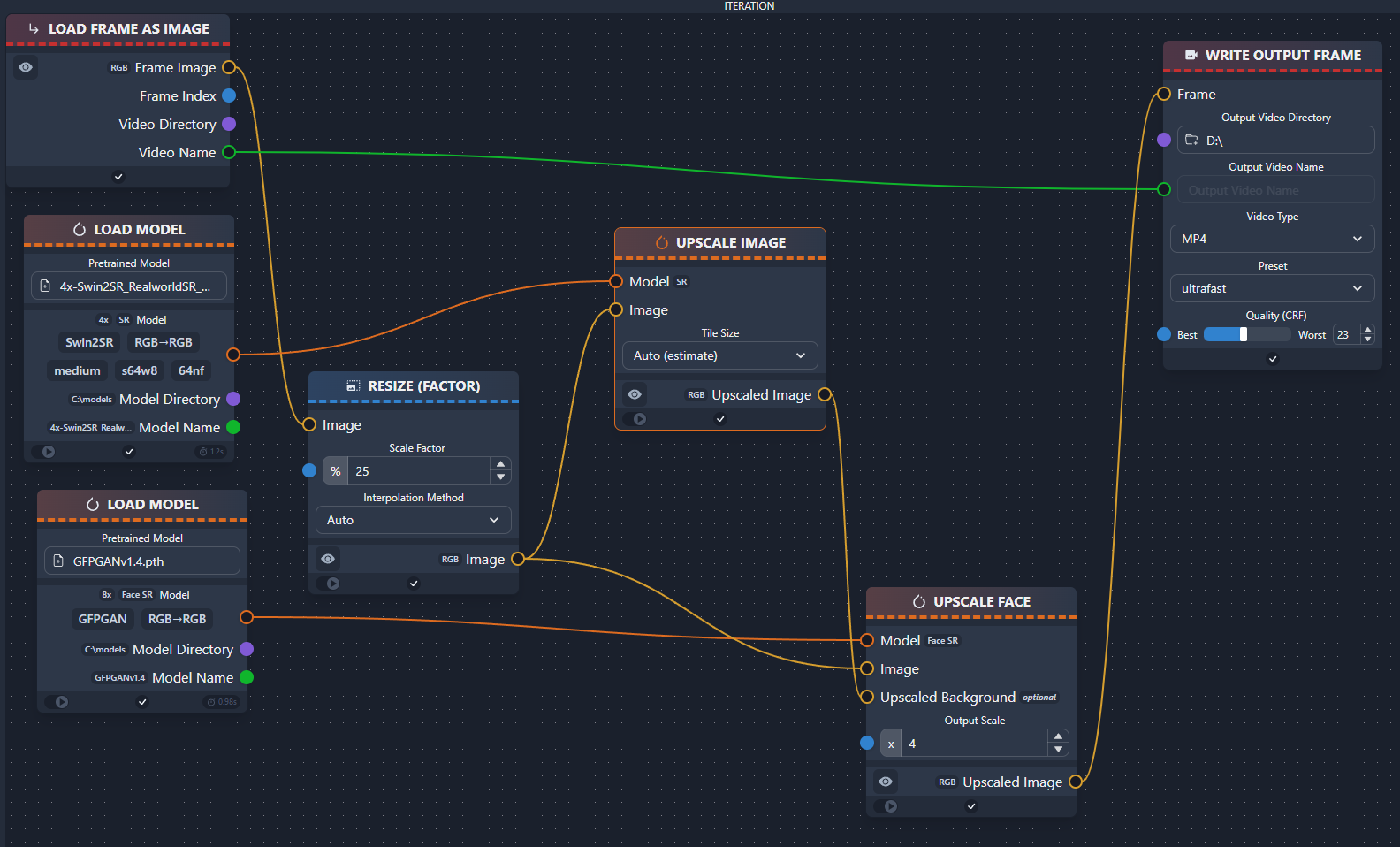
I’ve tested with chainner using
4x-Swin2SR_RealworldSR_BSRGAN_PSNR and GFPGANv1.4
Like below but using a video itterator node.
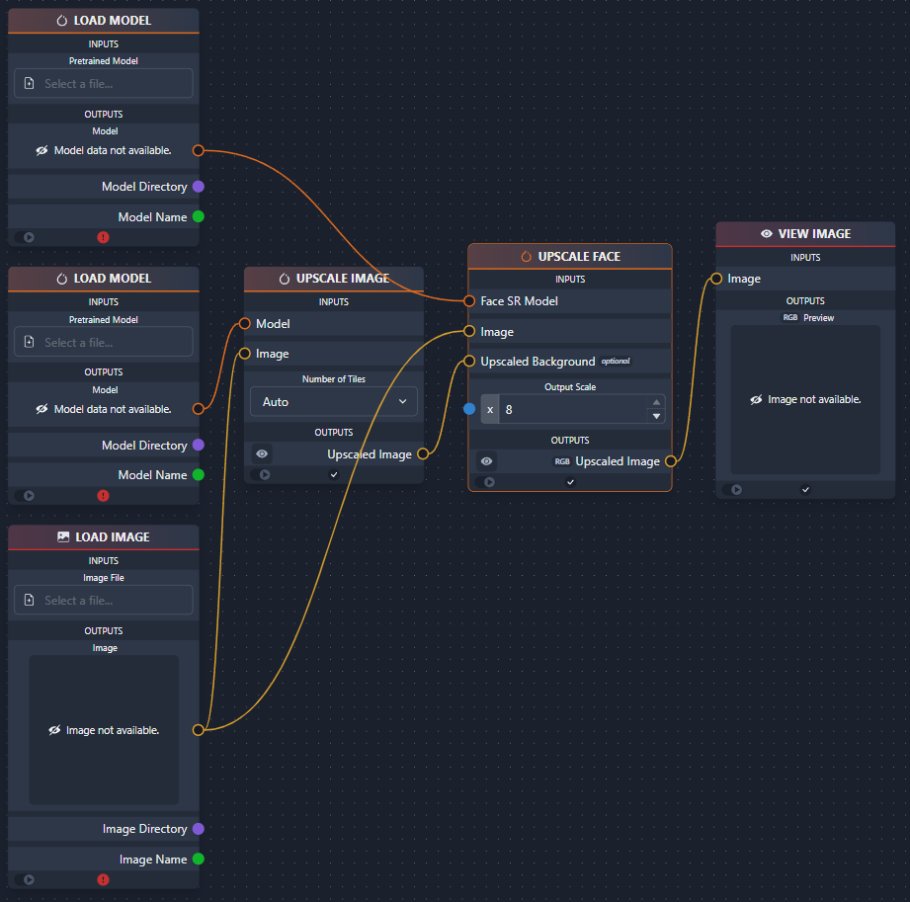
when i used GFPGANv1.4 with video i got negative video, so i think it has problem with video itterator “bug”, so you should extract video frames with ffmpeg and use GFPGANv1.4 with image itterator, and convert upscaled frames to video with ffmpeg.
How are you using vapoursynth in conjuction to TVAI? Or are you encoding beforehand then inputting to TVAI
You can read all about it here:
How to load Avisynth scripts into TVEAI
Was written for AviSynth, but it has my earlier post for VapourSynth linked in it as well.
I just was testing it and it did insert no noise but colored blocks.
I have been using avfs the whole time but it’s suddenly not working for me on 3.x versions
Instant crash
For me it loads and I can see the thumbnail of the source for a blip second and it abruptly closes itself which is weird
That is peculiar, as AVFS should operate fully transparently, independent of TVAI or any other program. Could there have been an error in the mounted script? Here 3.1.2.0.b. works still fine with it.
I think I resolved it
I cant use vs.RGB24 output anymore
Nor can I use yuv420p10
Seems to be limited to yuv420p8 only so I had to modify my scripts a bit but they’re working now
Is it the same on your end?
Seems like a user in the forum said that this problem is maybe related to the nvidia encoder.
Can test it in 7 hrs.
Strange. I am in the middle of a TVAI process right now, but will run a test as soon as it’s done.
hi how’s doing video AI beta and M2 Mac any users tested it ? pls share ur results any speed up… thx
I also have this type of noise, which wasn’t present in 3.1.1.x beta. It disperses itself after 3 frames.
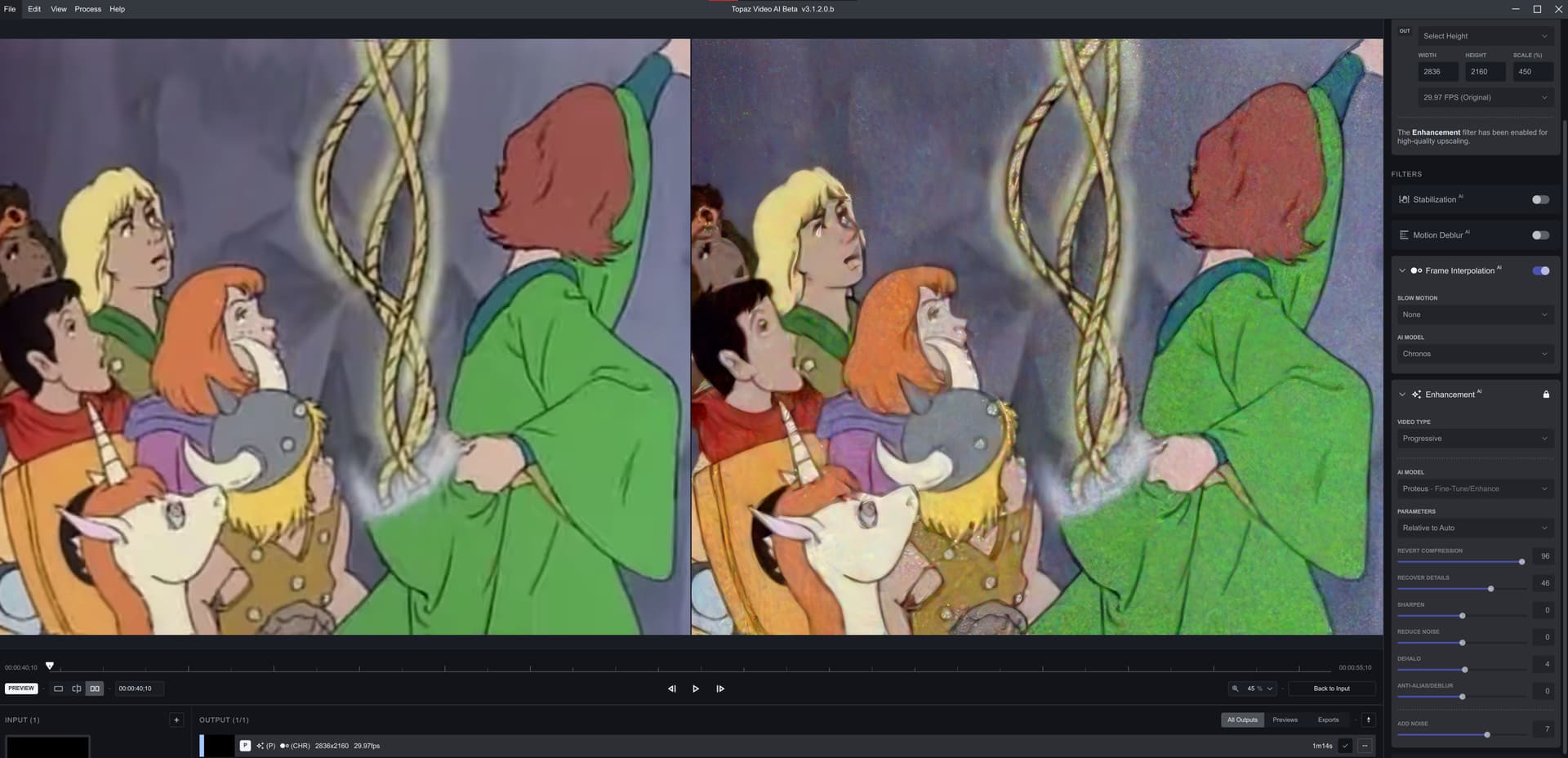
I’m testing this animation at 480p → 2160p with those parameters. I can’t complain about the performance - it’s crazy fast (9.1 fps with Proteus Semi-Auto, excluding Chronos, which is ON here by accident) compared to pre-3.1.1.x on 3090.
This noise severity seems to be dependent on the “ADD NOISE” setting - on 7 it’s very visible at the beginning, then makes itself subtle, like it should be. Artemis model as well.
Gaia model though - that’s a bit excessive noise for “3” setting:
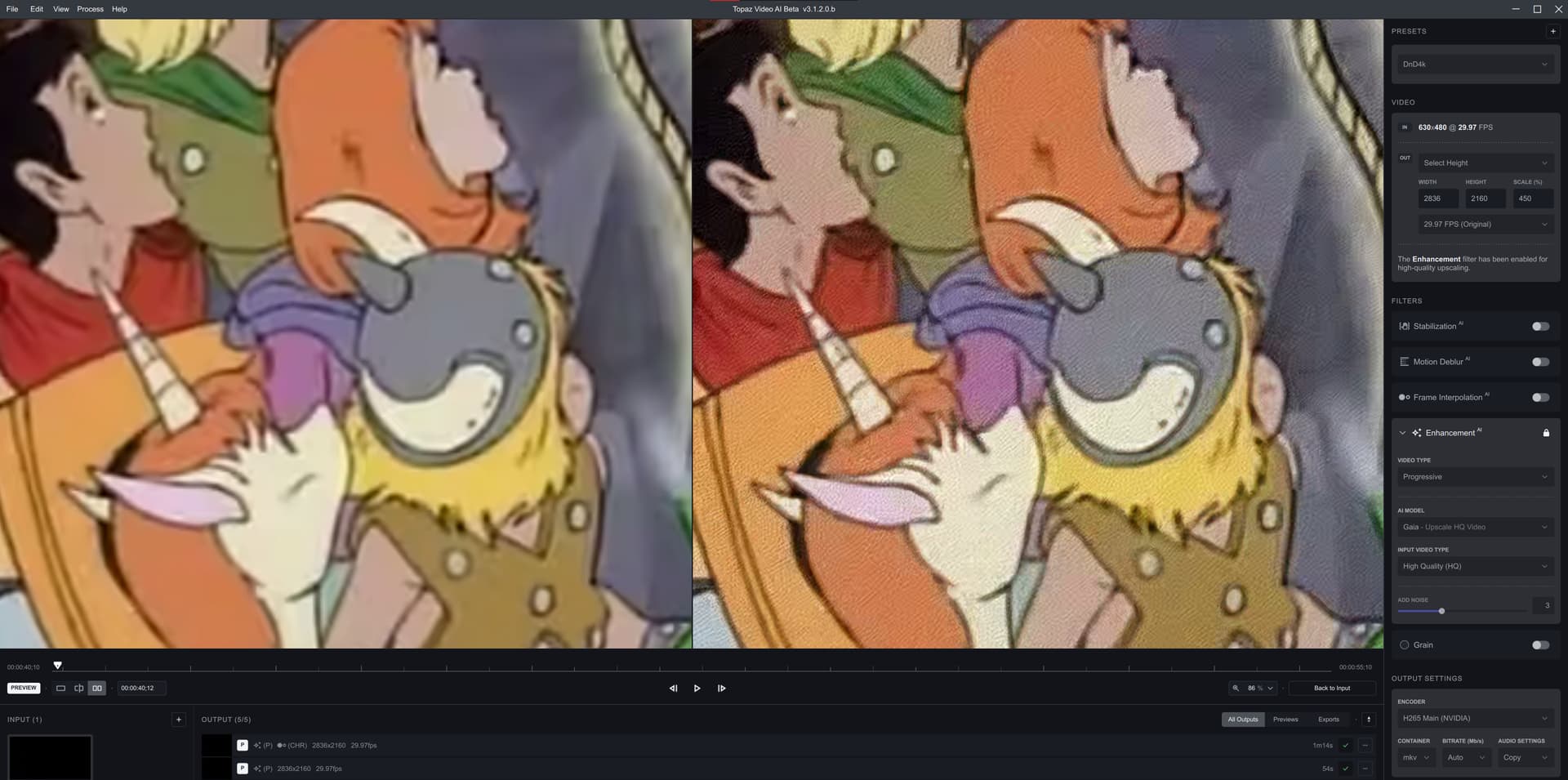
GRAIN option doesn’t seem to have this issue.
1 Like
It’s a bug from latest releases that makes the app crash on uncompressed RGB32 inputs.
2 Likes
Thanks for clarifying this.
What are you trying to achieve with “Add Noise”? To be clear, “Add Noise” is a pre-processing noise addition, and “Grain” is a post-processing effect.
1 Like
