First try what the devs suggested: open the GUI, apply your desired settings, then just copy the command line, with the GUI still open (as the GUI itself takes care of all variables).
All the suggestions I get here can explain why tvai itself doesn’t work. I want a reasonable explanation why the “ffmpeg …” command I copied in tvai itself doesn’t work when run in dos window.
I don’t want to keep the gui open to run a command line program.
In all versions 3.0 the command taken from the gui worked fine by itself in the dos window.
The ffmpeg that comes with TVAI doesn’t have any AI models built into it. So, we, the user, need to tell it where to get the AI models from.
By default, the TVAI GUI does this automatically. But if you run TVAI ffmpeg through the command line you need to tell it where the models are yourself because it doesn’t know. This is done by setting the TVAI_MODEL_DIR and TVAI_MODEL_DATA_DIR environment variables.
Once again, the TVAI GUI handles that automatically when you run a a process through the GUI. But we, the user, need to do it when we run ffmpeg through the command line.
If you are using old TVAI ffmpeg commands in the command line, then it will likely be using the veai_up and veai_fi settings for picking models. The 3.1.X version of TVAI ffmpeg doesn’t recognize these and will exit if you try to use them. You will need to shift to tvai_up and tvai_fi if you are using the old versions.
TVAI ffmpeg needs certain permissions at access the models folder. The permissions it has changes depending on if it is run from the GUI, or run from the command line. So in some cases you may need to adjust the permissions on the models folder to allow the command line ffmpeg access to the models folder.
This is just an explanation for why the things I suggested could lead to the command line version not working but the GUI version working.
Finally!
The previous version did not need an explicit definition of variables TVAI_MODEL_DATA_DIR and TVAI_MODEL_DIR in global Windows environment.
Inserted the corresponding “set …” into my command file and all is ok!
The previous version used VEAI_MODEL_DATA_DIR and VEAI_MODEL_DIR
These were changed to TVAI_MODEL_DATA_DIR and TVAI_MODEL_DIR in the 3.1.X release.
Anyway, I’m glad we were able to sort it.
1 Like
I know this.  The point of the exercise, however, is: if the command line works while the GUI is open, then it MUST be your environment variables that are set wrong (or the data therein, like a path to beta models, when you need release location, etc).
I’m currently experimenting with the bios of my Threadripper.
By disabling L1 prefetch and SMT I get better times.
The tuning guide for CPU (AMD Ryzen) combined with a GPU accelerator says that disabling SMT increases performance per core.
I have set the Numanodes per socket to “NPS2”.
These optimisations has increased performance by one frame per second.

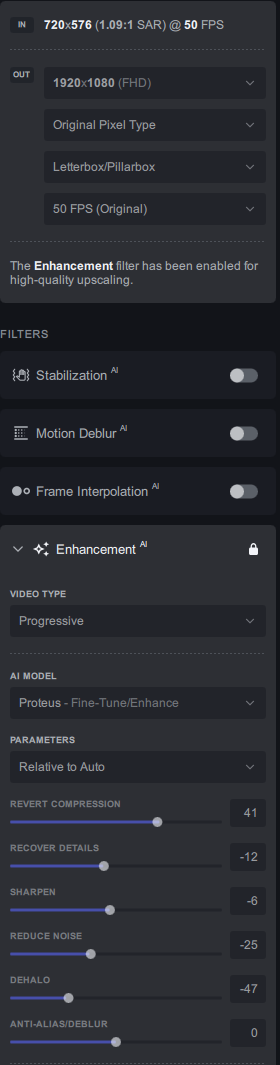
1 Like
Hi Thomas, where in BIOS to look for this tuning? I’ve an AMD Ryzen 5800X.
Which board do you have?
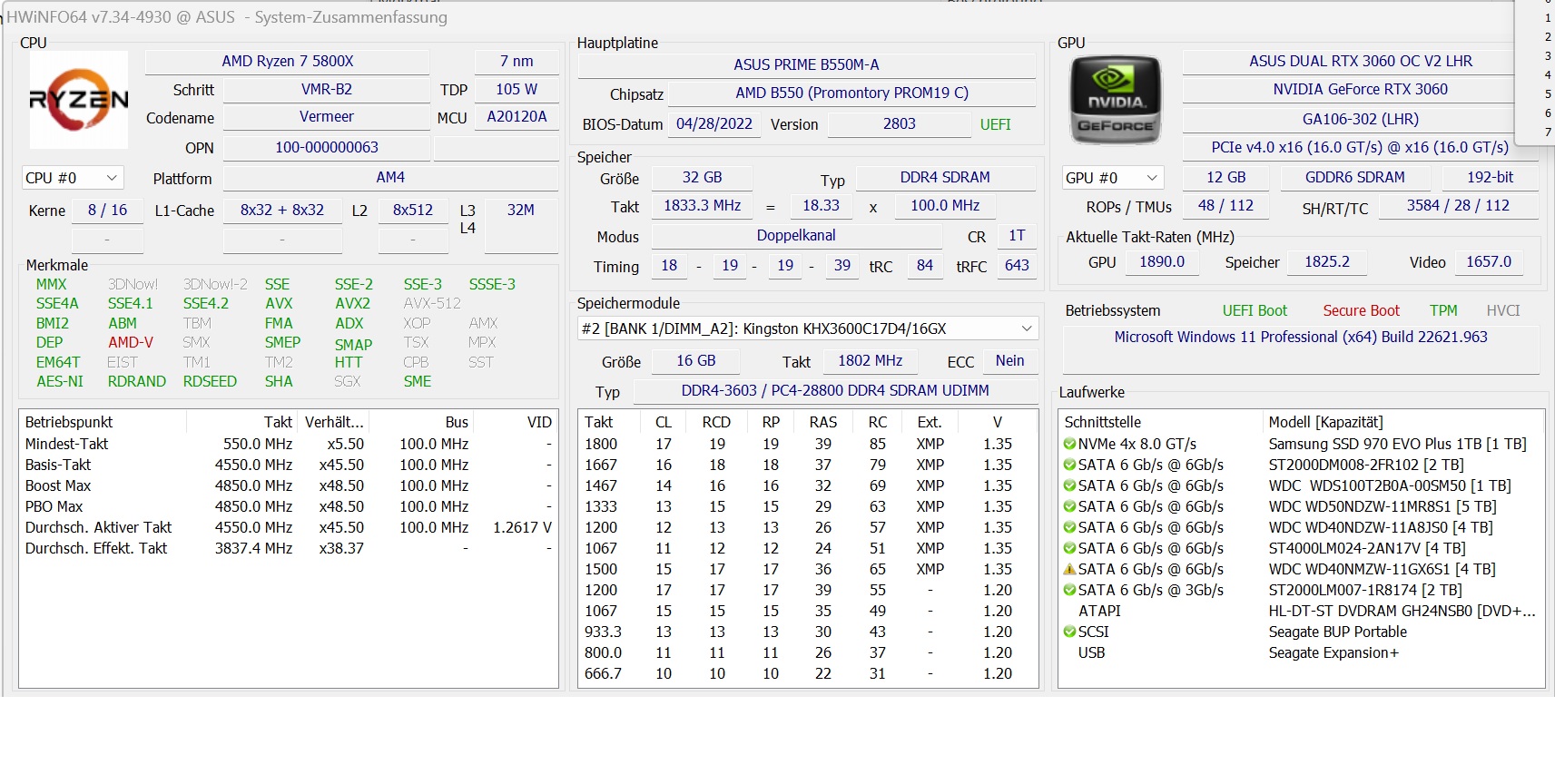
How curious. Simultaneous Multithreading is like Hyperthreading, I reckon. So, you’d think it would be faster.
1 frame per second is quite a lot.
When you in the Bios press F7 then switch to the advanced tab.
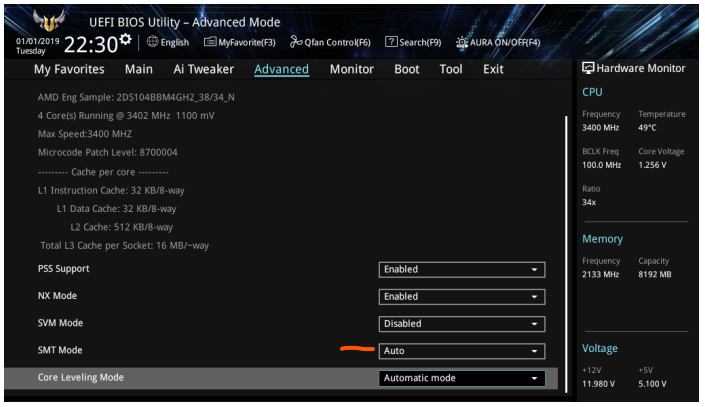
SMT can be found in the CPU configuration.
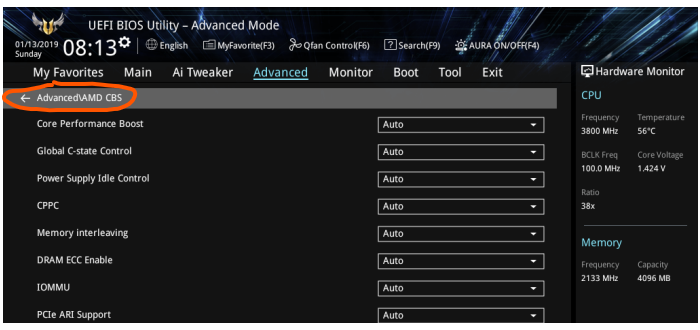
In the Advaced tab you will find AMD CBS and at the bottom is the PCIe ten bit tag support.

"PCI express Gen 4 implementation is marching towards the Gen 4 0.7 release. It’s important that not only physical layer delivers the 16 GT/s rate but the entire protocol stack should be capable of optimizing the full allocated bandwidth.
To utilize the full bandwidth, following two key features are gaining traction:
“10-bit extended tag support”
If you have problems booting, deactivate the ten bit tag again.
It may be that some apps are slower with deactivated SMT.
I can’t find the other settings in the Bios manual, but they might be there.
You have a 8 core CPU so you have a single numa node and you don’t need to change that. (realted to Ryzen)
The ten bit tag is for every system AMD and Intel.
@joachim.ehrhardt
You may find some settings inside your bios (for 5XXX Ryzen CPUs/EPYC/Threadripper) that are in the tuning guide too.
https://www.amd.com/system/files/documents/amd-epyc-7003-tg-workload-57011.pdf
1 Like
It has increased over time.

before
Without optimising and without deactivated SMT, It was running at 7.7fps.
Driver Timeout (after some processing time) only 38 min left.
2023-01-20-15-22-28-Main.txt (3.9 MB)
Thx a lot!
1 Like
did it increase the performance?
The Intel Nvidia system (Skylake X 7820X + Quadro RTX 5000) does the same work of the Threadripper + W6800 @ 8 frames faster.

I will take the Quadro RTX 5000 to the studio tomorrow and check how the combination of Nvidia and AMD performs.
I’m curious if the W6800 has died, a driver update could not be performed after uninstalling the driver.
will take some time to finish actual processing, but I’ll check it and report
1 Like
