No, it doesn’t, yet I would not doubt that a new model would be in the works eventually!
@suraj Still having issues on my end with GPU utilization. Are we going to see an update soon to address RTX 4090 optimization?
My 7950X CPU is getting slammed with usage when I start rendering and I think it’s bottlenecking the 4090.
Hey Mike, closed everything, rebooted. So, specs here are: input ripped from DVD to MP4, 720x404p square pixels (PAL 25fps). Up-sampled in VEAI to 1280x720 square pixels, H264 High/MOV/8Mbps out (even though testing limited to 15s Previews). All processing ONLY Proteus/Auto.
v264: reliable 10fps processing, 50-60% GPU, 50% CPU, quiet (unknown # processes).
v307: reliable 10fps processing, 50-60% GPU, 50% CPU, quiet (6 processes).
b3101: reliable 12fps processing, 70% GPU and 95%+ CPU, max twin tower air cooler CPU fans, noisy, (4 processes: BUT I got exactly the same results when I set max processes in Prefs to 3, 2 and 1, so don’t believe this feature is working at present).
So, for the extra 20% throughput, VEAI is now running the CPU at massive total capacity. There were a couple of instances where b3101 processing started at around 27-35fps, then RAPIDLY dropped to 12fps (say, over a second). Other times started and stayed around 12fps (CPU already hot?).
So, for now I’m sticking to v264 (better output quality for a start), and using v307 for stabilization only. Not using b31x for anything.
My rig is a 65W i7/9700. Perhaps yours is a 95W or 125W later gen i7 or equivalent?
Guru/devs comments welcome re good balancing of CPU/GPU specs (obviously user $$ effects).
1 Like
- Manual settings for Proteus and Theia not getting applied
Wut? This instantly disqualifies this build for me.
2 Likes
Reporting a bug that happens if you select grain size anything greater that 0. I get what is displayed in the attached picture. Please let me know if you have a fix.
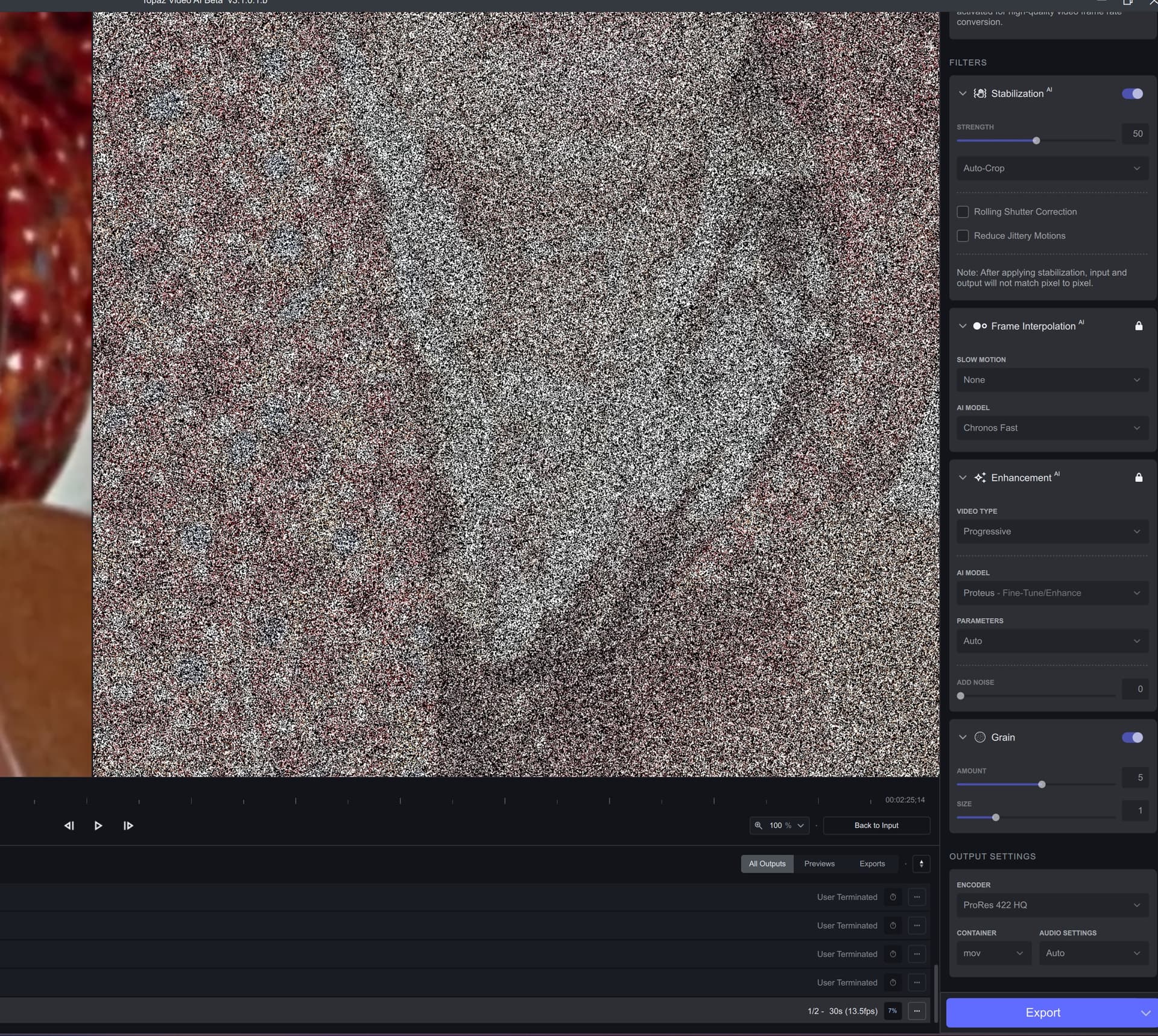
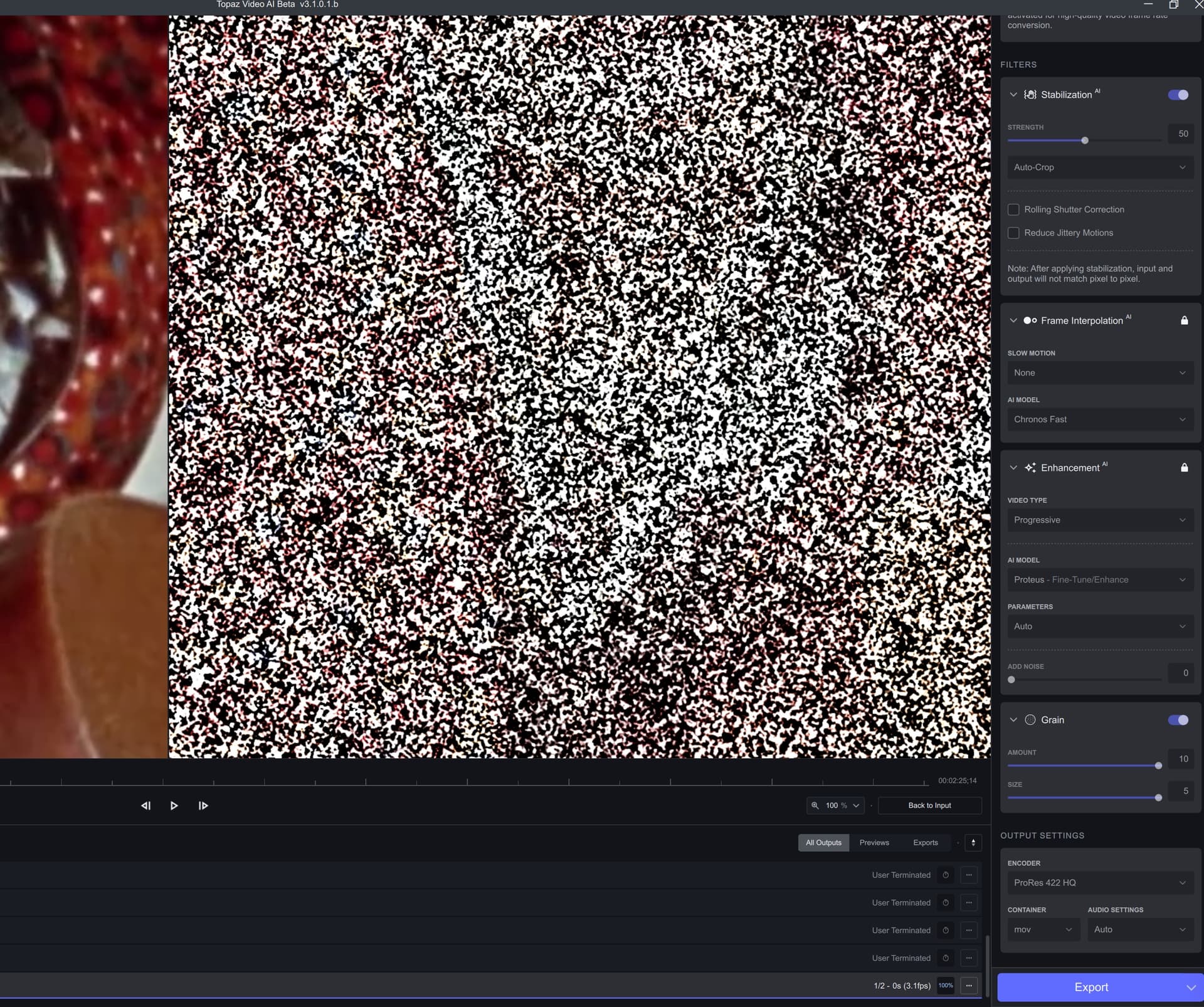
Also my previews are getting hung-up at 100% rendered. The program will keep reporting that the previews are still rendering, except they are stuck at 100%. I need to manually terminate the process.
4 Likes
Weird. Looks like the Preview only shows the grain mask. Might be worth checking whether it’s also in the output.
then its broken since it never uses more than 1.5 gbs of ram and my system has 24 gbs of ram. no wonder it crawls to process anything its like running the software on a core 2 duo computer if it uses less than 70% of my processor and like 5% of all the ram…
Fantastic update. Went from 8.5fps on Proteus to 20fps on my 3070. Same thing with the other models, HUGE speed improvements. Great stuff, the update I’ve been waiting for!
1 Like
Confirmed here too.
Mac Studio user here. I ran three files in parallel, left them running whilst I went to bed! App crashed BUT it did finish the output of the files, it didn’t move them to where I asked to save them but it did finish them. Having read some of the comments above, I’ll try again but only with two parallel renders not three and report back.
@suraj
bravo, you got it!
On my AMD Ryzen 7 5800X with RTX 3600 12GB it performs with all AI Models:
Proteus 0.30spf; 64% CPU load; 97% GPU load 2,9/12GB
Artemis 0.28spf; 56% CPU load; 80-100% GPU load 2.9/12GB
Gaia 0.33spf; 33% CPU load; 99% GPU load 3.8/12GB
Theia 0.47spf; 24% CPU load; 72% GPU load 7.1/12GB
24 Core TR 3960X + Radeon Pro W6800
Beta is 28% faster compared to 3.0.12 but output has stronger Compression artefacts.
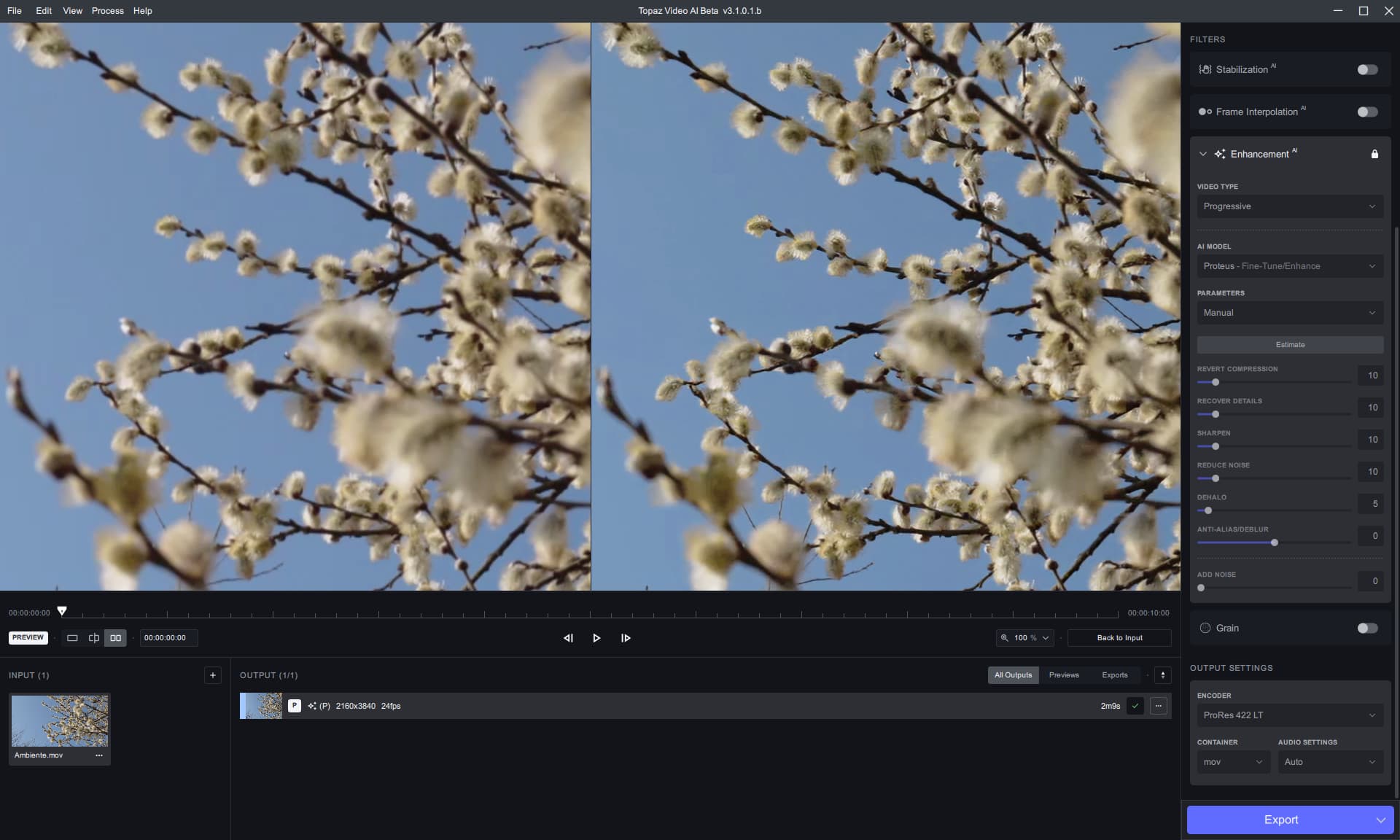
Beta - see compression at the output side.
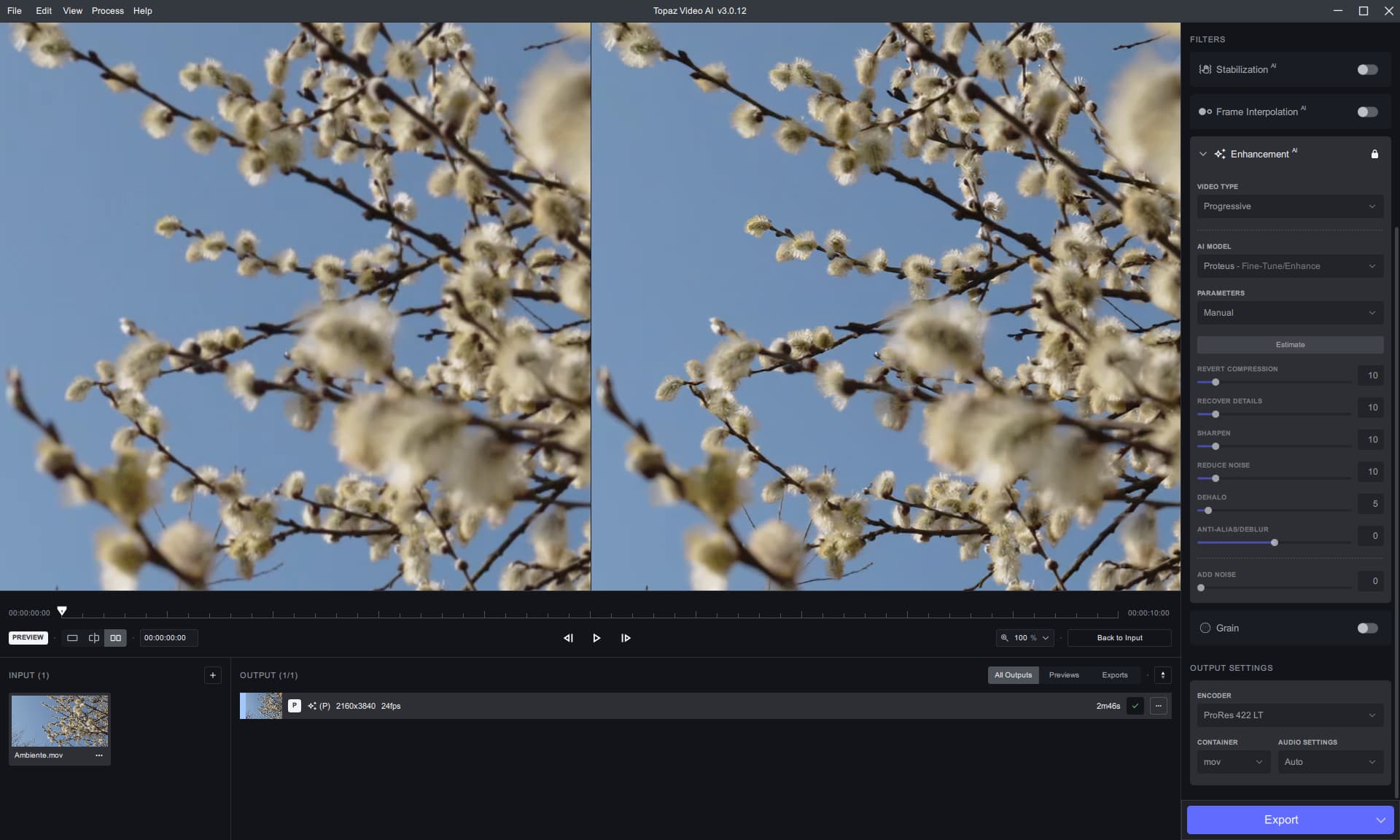
Stable
2 Likes
Not an Intel person so can’t comment but here are my different computer setups and processing speeds.
input file 720x400 23.976fp/s
TVAI settings
Output H264 High (Nvidia) mkv 2Mb/s Audio copy
Enhancement Proteus Auto
Video Select ‘Width’ 1280 Height 712 Scale 177.778 Original Pixel Type 23. 976
Ryzen 9 3900x/RTX 3060 Ti, 64GB ram, PCIe3 bus.
Processing Speed ~22.6 fps
Ryzen 5 5600x/RTX 3060(12Gb), 32GB ram, PCIe4 Bus
Processing Speed ~22.3 fps
Ryzen 7 5700g/AMD PowerColor RX 6600, 64GB ram, PCIe3 bus(CPU limited)
Processing Speed ~11.2 fps
Tested this beta on non GPU machine for OpenVINO (as usual for me).
It appears to now be downloading optimized OpenVINO models. That’s great!
Still no frame number option for the timeline. Really need this.
Previewing only works when the preview process is complete. Until then, it just says “Generating Preview”.
Previewing doesn’t work for the 0.1 option. It just says “Generating Preview” and stays stuck there. No CPU being used.
For export, previewing does not work in any kind of usable way. It does export (I do 8 bit PNG files), but the preview for the export seems to only move ahead about one frame every 30 - 90 seconds or so. The timeline marker doesn’t move. If I try to move it I can seem to get it to display frames further along in the export processing. But it’s mostly unresponsive and unusable.
Can’t use it like this, still staying with 2.6.4.
Edit - If I move the timeline marker *backwards*, then the preview is responsive. It doesn’t seem to want to preview the export “as it happens” the way 2.6.4 does. So it’s not *completely* unusable.
Seems like it is applying 100x the grain. Should be fixed in the next beta.
4 Likes
Can u compare 3.0.12 to the beta and load up some short comparison screenshots as i did?
In win 10/11 you type “snip” into the search area and use its integrated screenshot tool to make a screenshot, you can select “window” for windowed software.
I’m interessed into the performance of 4090 an 7950X.
How much load can you still put on the CPU in the next beta?
Does it scale independently or do you use a fixed value because of weaker systems?
It would be cool if the software could adjust to the system when installing.
The large systems should be allowed to really sweat.
Another thing to be fixed for the next stable beta/release:
GPU utilization of Proteus and Artemis models seems to have improved, but is still suboptimal:
with my 3070, using the Gaia HQ and CG model, the GPU is exploited practically 96-99 percent consistently… instead if you select the Proteus AUTO and Artemis medium quality models (with the others I haven’t tried but I think nothing changes), then the GPU is not fruited properly, remaining underutilized!
Currently everything is throttled up, so weaker systems are in some cases going to be slower. Unfortunately, almost all our machines are newer with lots of cores. So tuning for older/weaker machines is going to be very challenging and lots of trial n error.
1 Like
Some of the utilization depends on the model architecture itself, Proteus, Artemis & Dione should have similar utilization. Theia will have the least utilization.
We are working on a full GPU processing pipeline for Nvidia GPUs (RTX and above), once that is in place you should see peak utilization if you use Nvidia encoders for output.
4 Likes
