Manually setting Environment variables did not do anything. Installing latest Nvidia Studio driver from yesterday did not help. Again this is 2 Nvidia systems, 3900x, 64Gb ram and RTX 3060 Ti. The other 5600x, 32Gb ram and RTX 3060. Neither working with Proteus and Artemis. The AMD system, 5700g, 64Gb ram and RX 6600 is working fine and is 25 percent faster with Proteus.
Same issue as everyone else. It just hangs on model loading and does nothing. I have windows 11 22H2, Ryzen 5950x and Nvidia RTX 3090
1 Like
I personally had no issues with the model loading. Although I have only test Proteus.
Windows 11 21H2 (22000.1335 from winver)
RTX 4090 (GPU driver 528.02)
Although this is the first time installing a beta version of TVAI on this computer. Maybe people updating from older versions of TVAI Beta are having issues? Maybe deleting C:\ProgramData\Topaz Labs LLC\Topaz Video AI BETA\ and re-opening TVAI could help?
EDIT: Actually in comparing the EXACT same settings between 3.0.11 and 3.1.0.0b - it seems like 3.1.0.0.b is not applying the settings??? The output image is drastically different - i.e. still has noise and is not sharp.
Settings were 30/20/30/50/10/15 for Proteus Manual on both…
Working fine here with Proteus and RTX A4000 - set the environment variables and launched the program and all-good.
1280x720 29.97fps to 2560x1440 29.97fps…
v3.1.0.0b - 0.09 to 0.10spf
v3.0.11 - 0.15 to 0.16spf
So about a 40% reduction in time there - pretty good!  Looking forward to having the interpolation models working!
1 Like
Some test results vs 3.0.11:
Artemis HQ:
720p source, 2x upscale to 1440p, 0.37spf to 0.34spf, ~8% improvement
1080p source, 2x upscale to 2160p, 0.81spf to 0.75spf, ~7% improvement
Not seeing anywhere near a 2x increase, but something is better than nothing!
Setup: GTX 1070, Windows 11, Nvidia studio driver 528.02
Have not had any issues with operation so far.
Thanks
EDIT: Happy New Year!
Dione Robust: Windows 11 - 3090ti Nuc 12 Extreme and 4090 Nuc 13 Extreme. Stuck at Loading model.
I just have to ask. Are you willing to share aome technical details, how were you able to achieve these performance improvements?
I’m Stuck at “Loading model”.
W11, new NV Studio Driver.
R7950X+RTX4090.
Reinstalling did nothing.
1 Like
I had this same feeling, good to know I’m not the only one who noticed that!
I’m pretty sure it’s not applying the settings, I’ve also used Proteus…
Models load but do not run. I’ve uninstalled everything, updated RTX drivers - nothing works.
i9 with NVidia RTX 3080 - studio driver 528.02
back to 3.0.0.11.b for me.
1 Like
I tried using the Artemis Medium model this new beta downloaded with the last stable version. It worked and it’s faster. I’m getting .20 spf on a 1080 to 4k conversion. Looks nice too! I did have to rename the new model to the older model’s name.
Here is says ‘Loading model’ (Proteus), but then does nothing at all, and stays stuck at 0s (0.0fps).
1 Like
Same here. Wiped entire Topaz model folder, fully uninstalled, but stuck on loading nothing at all (and fully logged in).
Only upscale 4k with Gaia and/or Theia works as expected: 40% faster than with 3.0.11.
(AMD7 5800X; RTX3060:
GAIA: 28% CPU, 100% GPU 6/12GB
Theia: 12% CPU, 60GPU 11/12GB)
All other AI models load but don’t process
Complete desinstall with REVO uninstaller, system reboot, and VEAI 3.1.0.b reinstall did not solve the issue
1 Like
Thank you Suraj, I’ve problems downloading any interlaced model the progressive models are downloaded properly.
Recently tried the new version, but I immediately encountered a “big” problem:
downloaded a video from YT (and converted without any problem with the latest stable version), as soon as I start the conversion, in the process I see it says “Loading model” but it stays there and doesn’t go on, it’s like it’s stuck there (but it doesn’t return any error message, I have to force close the conversion myself)
These are the FFMpeg values:
ffmpeg “-hide_banner” “-nostdin” “-y” “-loglevel” “debug” “-nostats” “-i” “C:/Users/”“”“”“/Videos/Trailers/Need for Speed Hot Pursuit - E3 Reveal Trailer. mp4” “-sws_flags” “spline+accurate_rnd+full_chroma_int” “-color_trc” “1” “-colorspace” “1” “-color_primaries” “1” “-filter_complex” “tvai_up=model=ahq-12: scale=0:w=1920:h=1080:device=0:vram=1:instances=1,scale=w=1920:h=1080:flags=lanczos:threads=0,scale=out_color_matrix=bt709” “-c:v” “hevc_nvenc” “-profile: v” “main” “-preset” “medium” “-pix_fmt” “yuv420p” “-b_ref_mode” “disabled” “-b:v” “0” “-map_metadata” “0” “-movflags” “frag_keyframe+empty_moov+delay_moov+use_metadata_tags+write_colr " “-map_metadata: s:v” “0:s:v” “-map_metadata:s:a” “0:s:a” “-c:a” “aac” “-b:a” “192k” “-ac” “2” “-metadata” “videoai=Enhanced using ahq-12. Changed resolution to 1920x1080” “C:/Users/””“”/Videos/Trailers/Need for Speed Hot Pursuit - E3 Reveal Trailer_175759077.mp4"
I attach my DxDiag for all the details on the PC, and also the program log!
PC: CPU Intel Core i7 10700
RAM: 32 GB DDR4 (16x2 dual channel)
GPU: RTX 3070
Windows 11 22H2
2023-01-07-10-49-7-Main.tzlog (137.1 KB)
2023-01-07-11-47-22-Main.tzlog (118.0 KB)
DxDiag_JakSpoon.txt (96.6 KB)
I can confirm the x2 (almost) performance for Gaia HQ upscaling compared to v3.0.11:
720p to 1440p 30fps movie: 22fps (105 seconds, v3.1b) vs 12fps (198 seconds, v3.0.11) (“Black Desert Online Wheel.mp4” file)
1920p to 3840p 23.98fps move: 9.7fps (v3.1b) vs 5.5fps (v3.0.11)
Audio processing was disabled and output format is NVENC H265 (NVIDIA GPU accelerated)
GPU utilization is now about 90%. Before it was much lower.
I couldnt get Proteus and Artemis models to work. They seem to be endlessly stuck in “Loading Model…”
Update: Even when I replace the whole model folder with v3.0.11, it’s still stuck loading the model.
Also, it would be great to have a special preset which just uses the last settings. Especially when beta testing, starting with the same settings as last session would be a great time (and error) saver.
Windows 10, 7950 (CPU affinity for Topaz on first 16 cores only), 32GB DDR5 @ 6000CL30, RTX 4090@2800 Mhz.
2023-01-07 13-25-24 Thread: 15172 Info Opening log folder: C:\Users\TPX\AppData\Roaming\Topaz Labs LLC\Topaz Video AI Beta\logs
2023-01-07 13-25-31 Thread: 12860 Debug Open Called “” 0x323c
2023-01-07 13-25-31 Thread: 15172 Info Removing video “C:/Users/TPX/Videos/Radln.mp4” 0
2023-01-07 13-25-31 Thread: 15172 Info Cleanup directories C:/Users/TPX/AppData/Local/Temp/304276306/temp C:/Users/TPX/AppData/Local/Temp/304276306
2023-01-07 13-25-31 Thread: 12860 Debug Open Called “” 0x323c
2023-01-07 13-25-31 Thread: 12860 Debug Open Called “” 0x323c
2023-01-07 13-25-31 Thread: 15172 Info Cleanup directories C:/Users/TPX/AppData/Local/Temp/304276306/temp C:/Users/TPX/AppData/Local/Temp/304276306
2023-01-07 13-25-31 Thread: 15172 Info ~TProcess(): destroyed
2023-01-07 13-25-31 Thread: 15172 Info ~TProcess(): destroyed
2023-01-07 13-25-31 Thread: 15172 Info ~TProcess(): destroyed
2023-01-07 13-25-31 Thread: 15172 Info ~TProcess(): destroyed
2023-01-07 13-25-31 Thread: 15172 Warning QProcess: Destroyed while process (“C:\Program Files\Topaz Labs LLC\Topaz Video AI BETA\ffmpeg”) is still running.
2023-01-07 13-25-32 Thread: 15172 Info ~TProcess(): destroyed
Same here, Gaia & Theija do work.
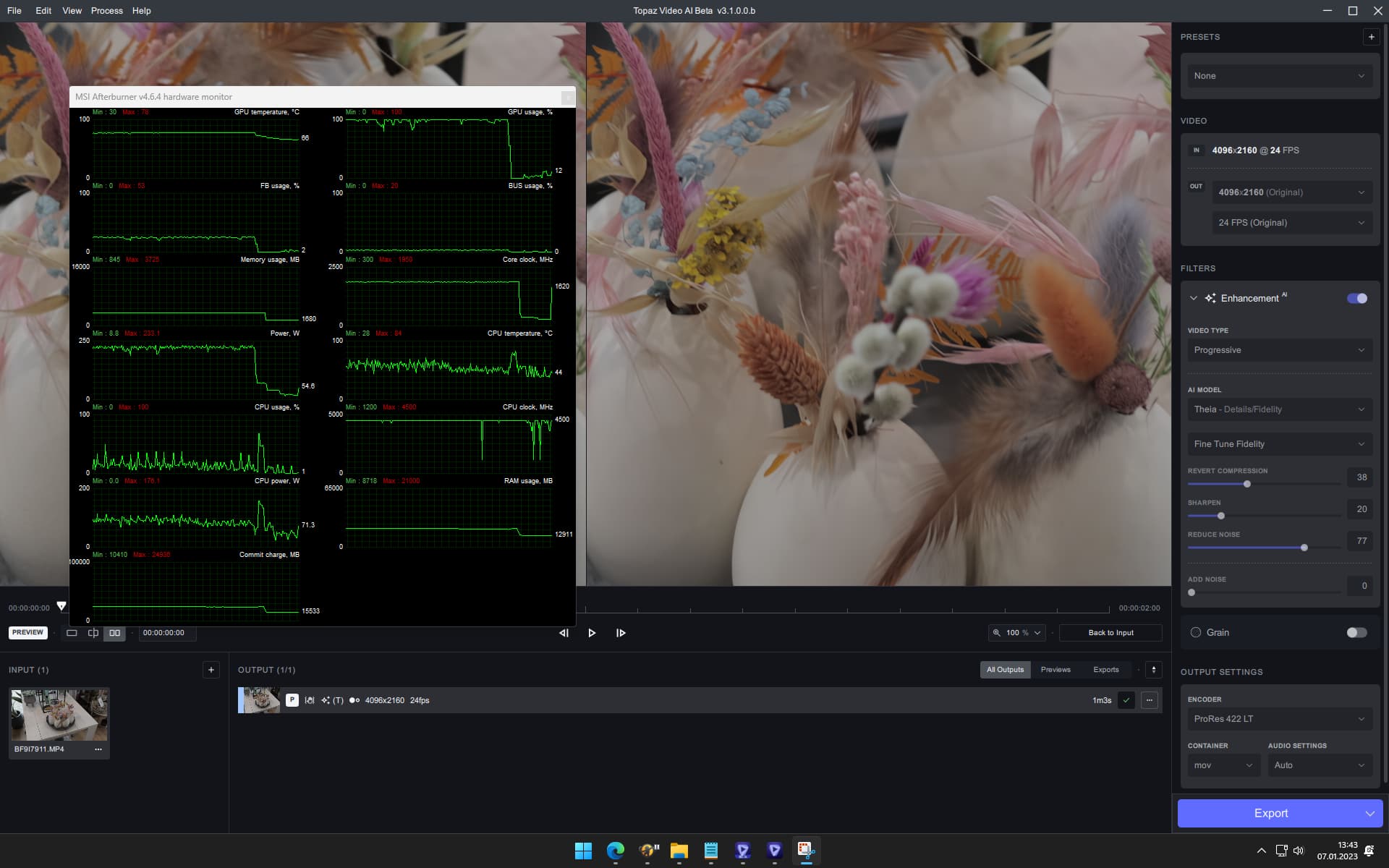
Beta — > 35% faster ← More GPU load, less CPU load.
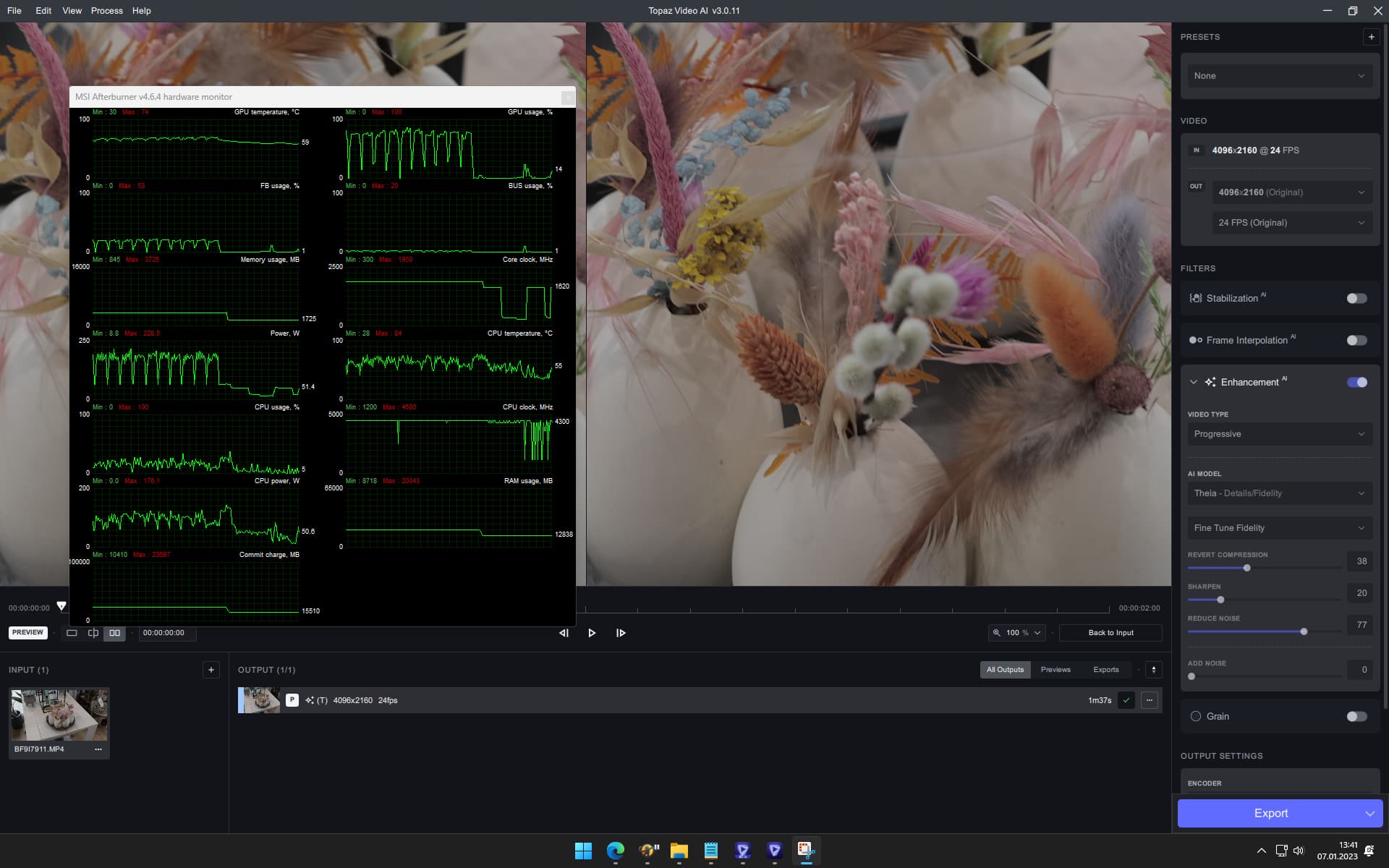
Stable
I think I need coffee. I read the known issues, and still spent around 15 minutes troubleshooting why I could not convert to 60 fps. Just did not connect that with Frame Interpolation being disabled.
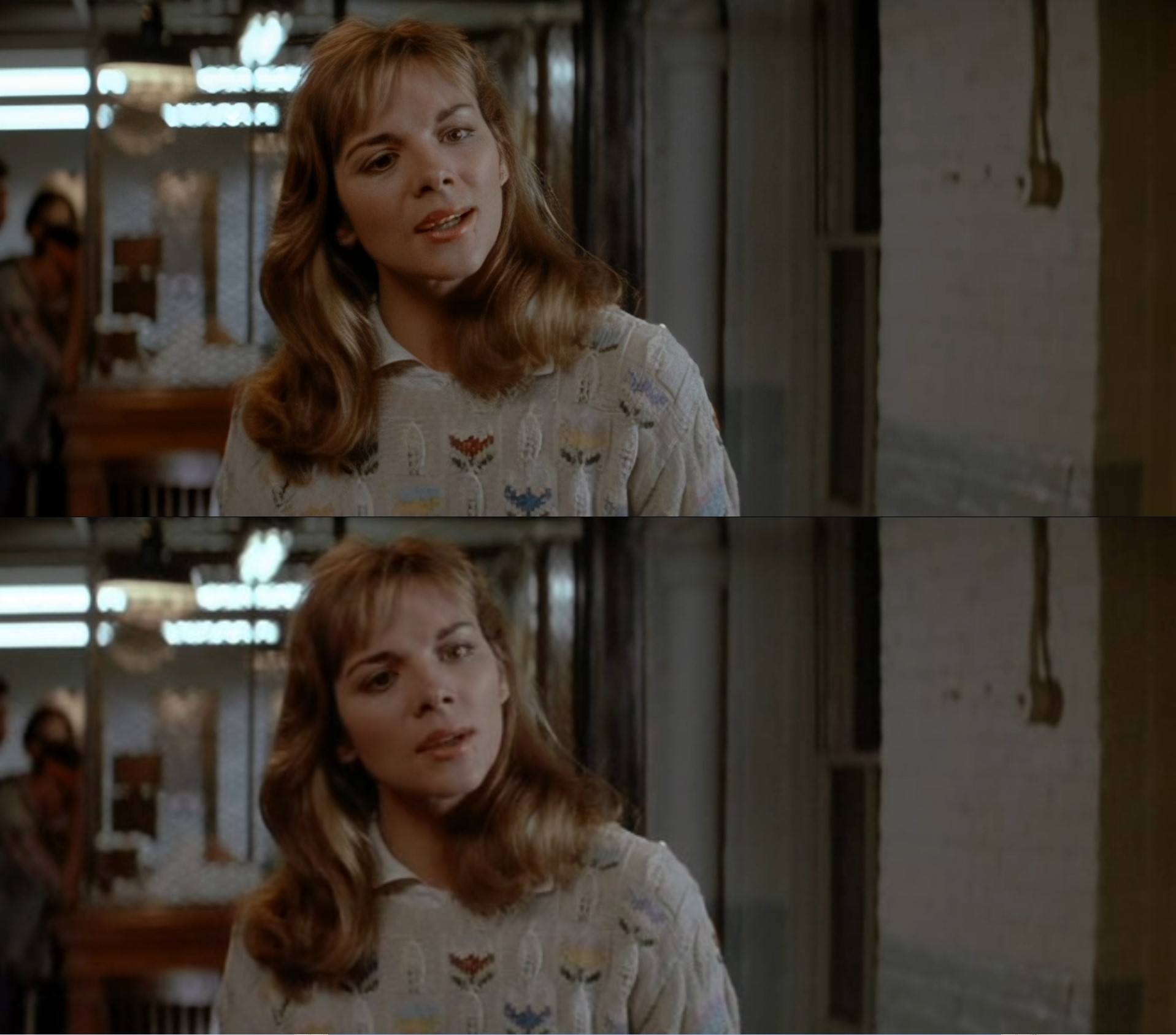
While I can’t wait to use 3.1.0.0b with my Nvidia RTX cards I must say on the RX 6600 I am getting some of my best Proteus Auto results to date. About 25 percent faster and the AMD mp4 encoding at 4 Mb/s is not bad either. One test was an older AVI capture I did in the early 2000’s. 636x288. I pre processed it 854x386 18Mb/s and then used VAI Proteus Auto to go to 1920x868 AMD High Mp4 at 4Mb/s.
The bottom is the original AVI. Back when I captured this I had a 800x600 monitor only.
5 Likes
