is Rhea XL related to Rhea v2 on roadmap or something else totally?
1 Like
Rhea XL is the release name for Rhea v2, yes!
3 Likes
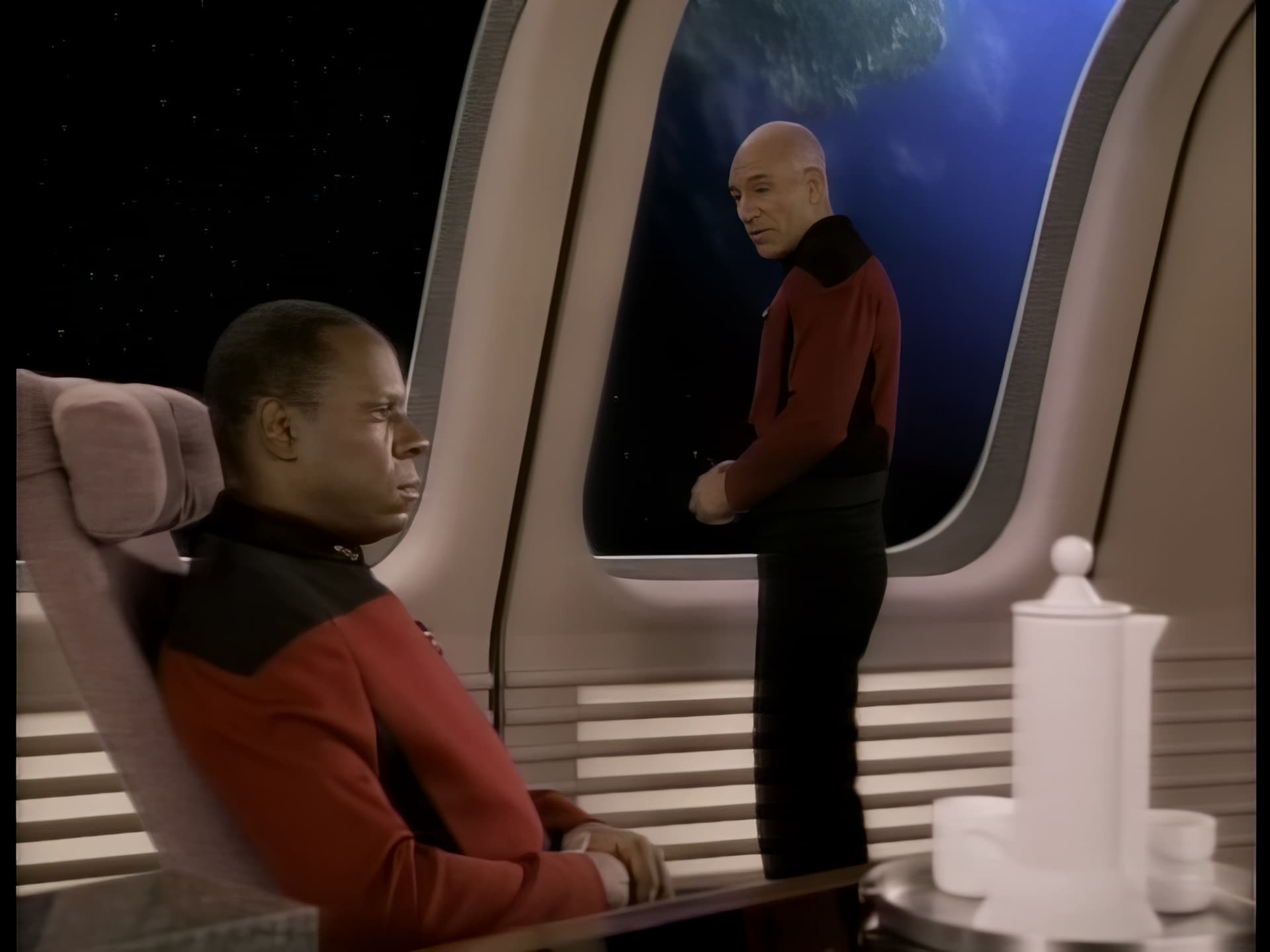
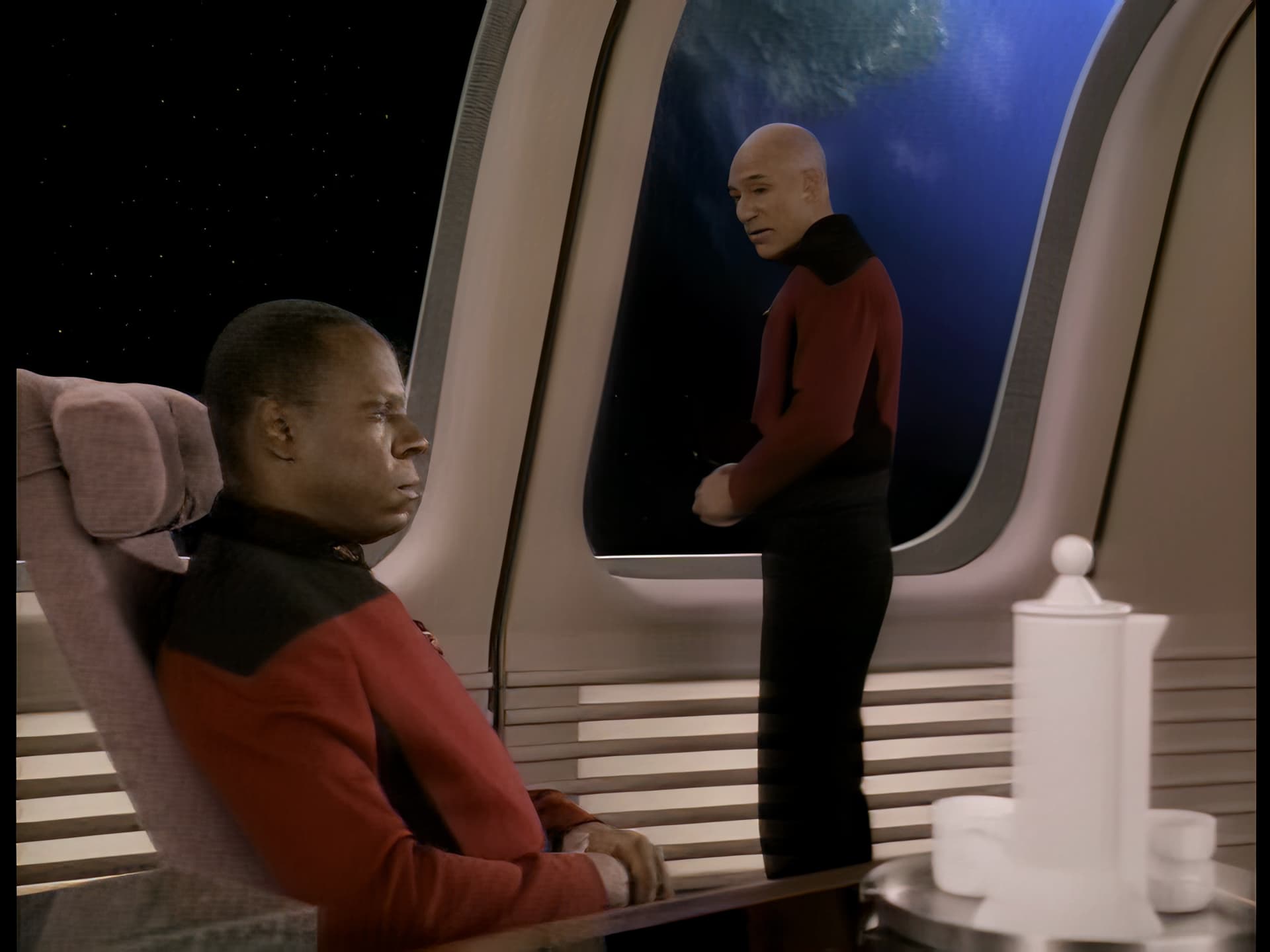
No matter what I do or edit the video file beforehand, e.g. with staxrip qtgmc, the result with Rheaxl looks really bad, especially on people with dark skin color, the picture above is enlarged 4x with Rhea and the picture below is with Rheaxl, both in the automatic setting
3 Likes
not getting sdr to hdr processing time estimation, and really lack of preview in app is holding it back
Edited
Hyperion Alpha #5, unsuable model with 4K original stream on single GPU
0.5 fps on 9950X + RTX4090, 1900MB of VRAM used
4.7 fps on 3990WX + 4x RTX3070, 19000MB of VRAM used (each)
Are u sure that only Hyperion is active? I get about 13.5fps with 7950X + 4090 with about 5 GB VRAM usage:
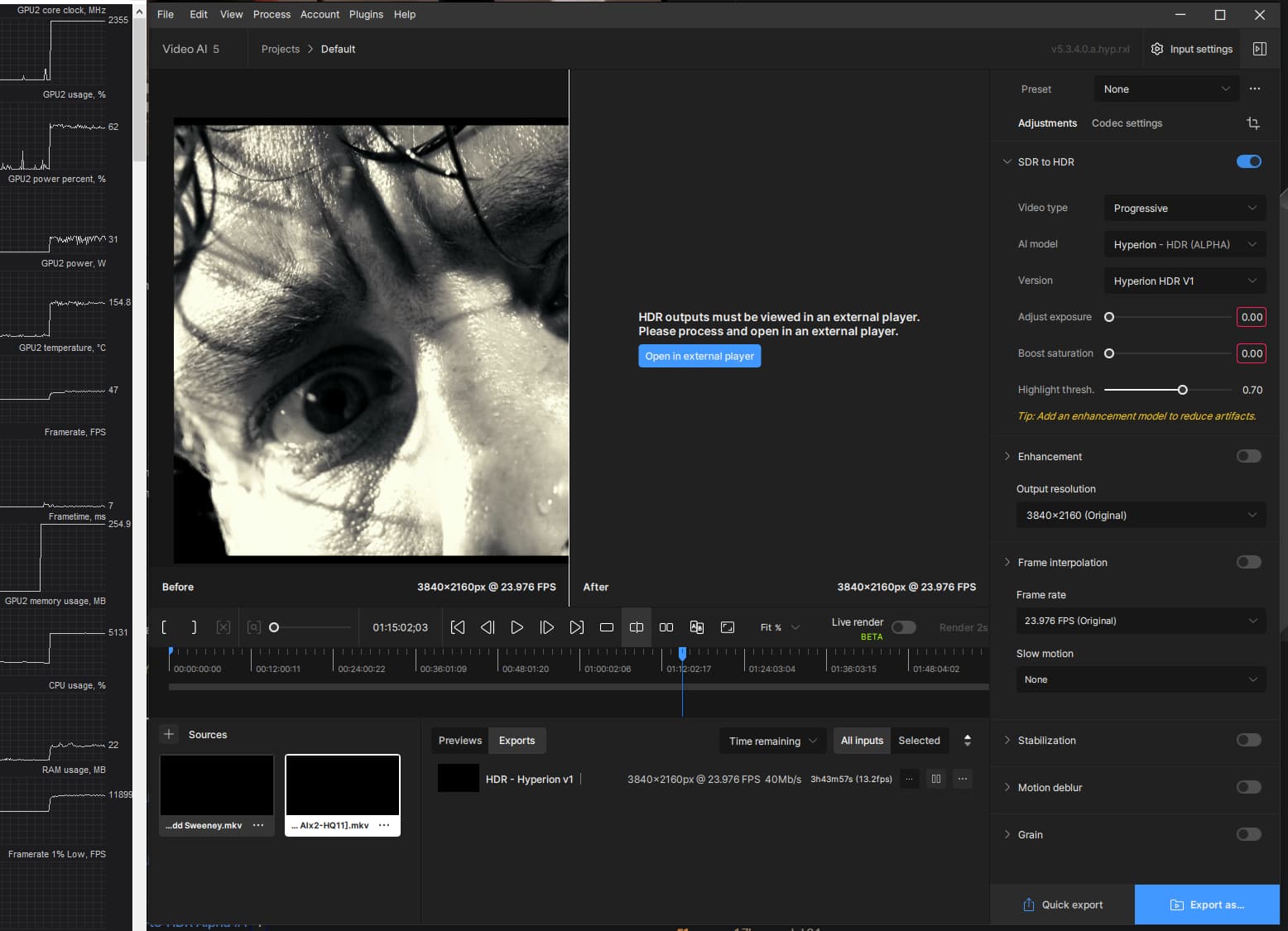
1 Like
I’m not sure about anything with these crappy cursors and input fields where you don’t even know what to do properly.
The problem is that I did the same thing on both PCs with the same version, same drivers too, aso
To be honest, I’m sick of digging into problems, I gave up and sent the job to the workstation that would do the job faster. I had no problems with the previous alpha.
At least my multi-GPU license makes me feel useful
But I appreciate your feedback, I’ll investigate if I have time
I gaved my RTX4090 some Rhea + iris and suddenly works again like a charm
EDIT: So for Hyperion to work properly, you have to leave these boxes in red? Which “normally” means a bad input? What implacable logic and really disgusting code…
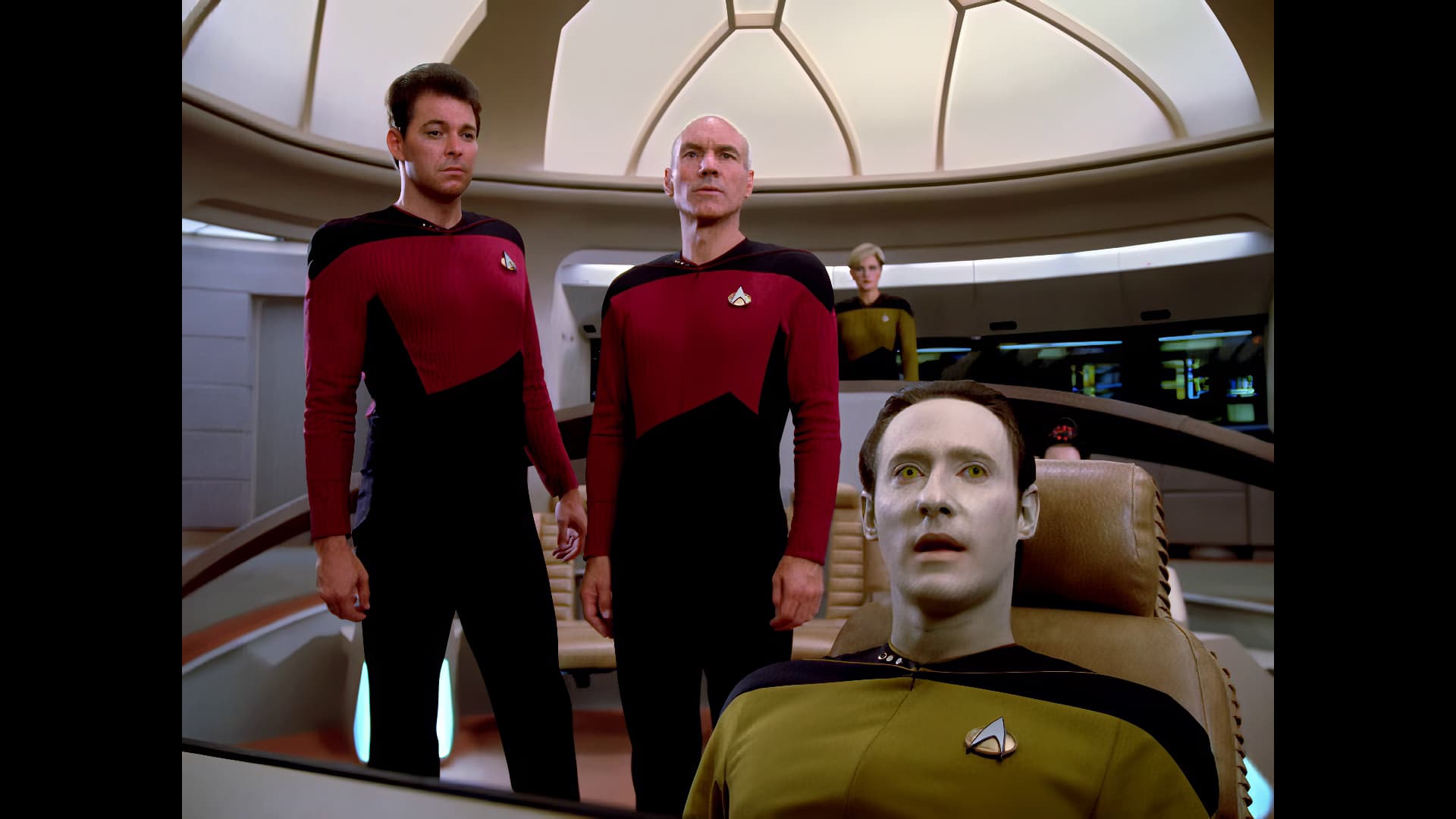
EDIT2 : I fully removed a5, killed manually ALL the directories where that “thing” writes, and getting now 13 fps for a 4096x1716, ProRes 422HQ
4090 @ 2760 MHz 8 GBVRAM used
1 Like
logsForSupport.zip (279.8 KB)
Macos M3 max 48 gb. When trying to do sdr to hdr getting error Out of memory. Setting - Max processes -1. Max memory 10%
on this example also noticeable on faces
1 Like
NGL, after the dismal 5.3.4 release, this is actually a feature that could well renew my interest in this product! I have been wanting this for ages, and even requested the feature at some point (me and many others, no doubt). Kudos for finally implementing it!
Wait, does Veai support Vapoursynth now? That would be great.
1 Like
We’re 5 alphas into Hyperion now - try and keep up 
1 Like
no, we were talking about addons plugins for Hybrid.
2 Likes
Latest release version (5.3.4) has the same problem (currently flagged as “under investigation”).
3 Likes
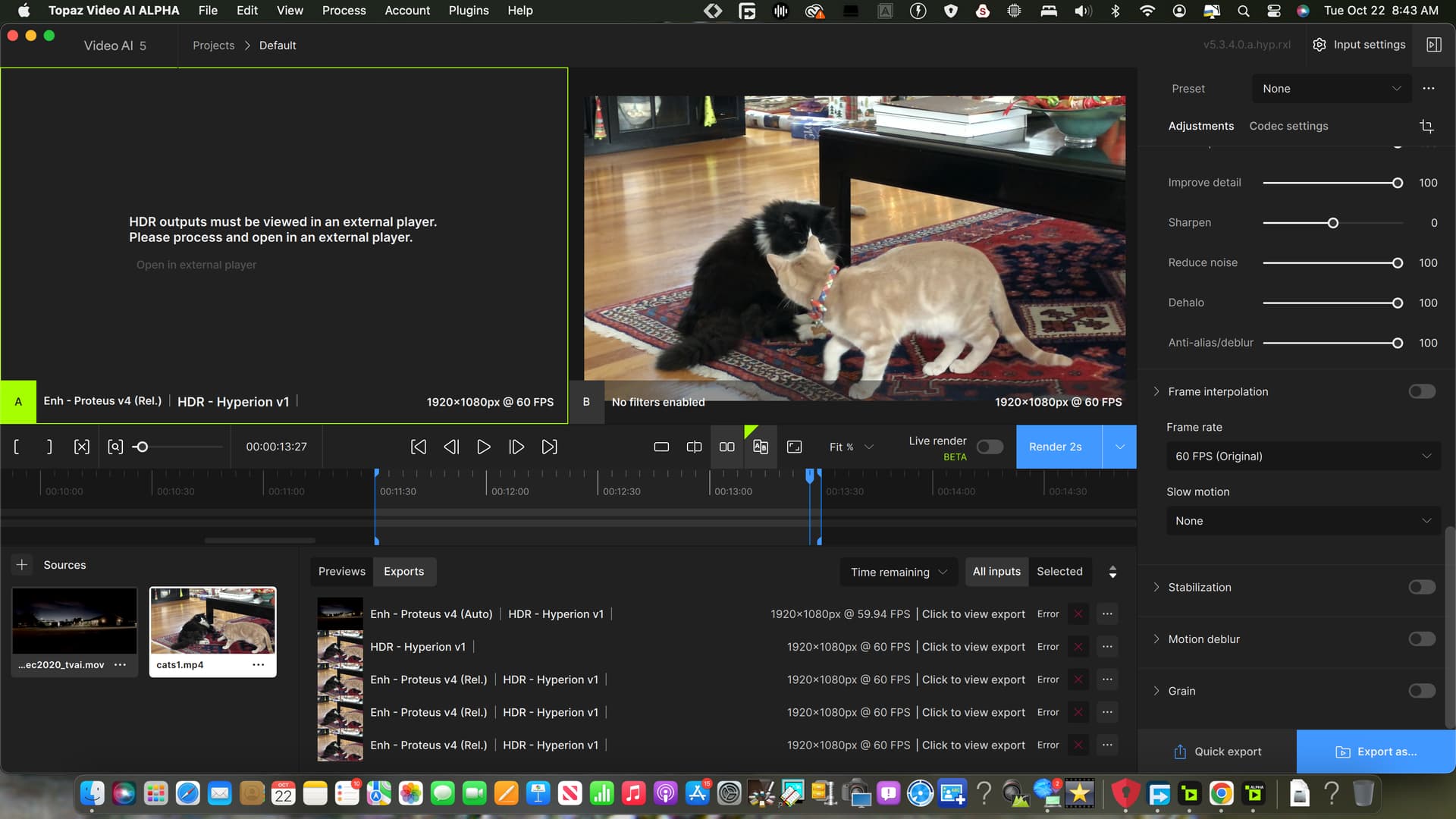
1 Like
First off, my feedback once again only concerns the Hyperion model. I just can’t get used to Rhea and Rhea XL (previously RXL) Alpha 3, but that’s a topic for another time.
After being massively disappointed by Hyperion Alpha 4, Alpha 5 delivers the best results I’ve seen from this model so far. At this point, it no longer feels appropriate to call it an alpha. The SDR-to-HDR conversion now produces such high-quality results that I’m consistently satisfied, even with previously challenging videos and scenes.
The new sliders are also a welcome addition and serve a useful purpose. I especially like the saturation boost slider, though I would appreciate an even stronger boost. Naturally, this would result in more color shifting, which is probably unavoidable, but I’d still love to see more flexibility here.
I’m particularly grateful for the explanation of how the exposure slider in Hyperion affects the HDR output’s brightness. This finally gives me a clear understanding of how the model operates and what the peak brightness levels are.
However, my main criticism lies with the explanations provided within the software itself. For example, the description of the adjust exposure slider still mentions negative values, even though these no longer exist—0 is now the lowest value. Was this intentional? In any case, I never managed to achieve satisfactory results using negative values before, but this is just one instance of where the in-program explanations feel insufficient overall.
3 Likes
I have the same problem
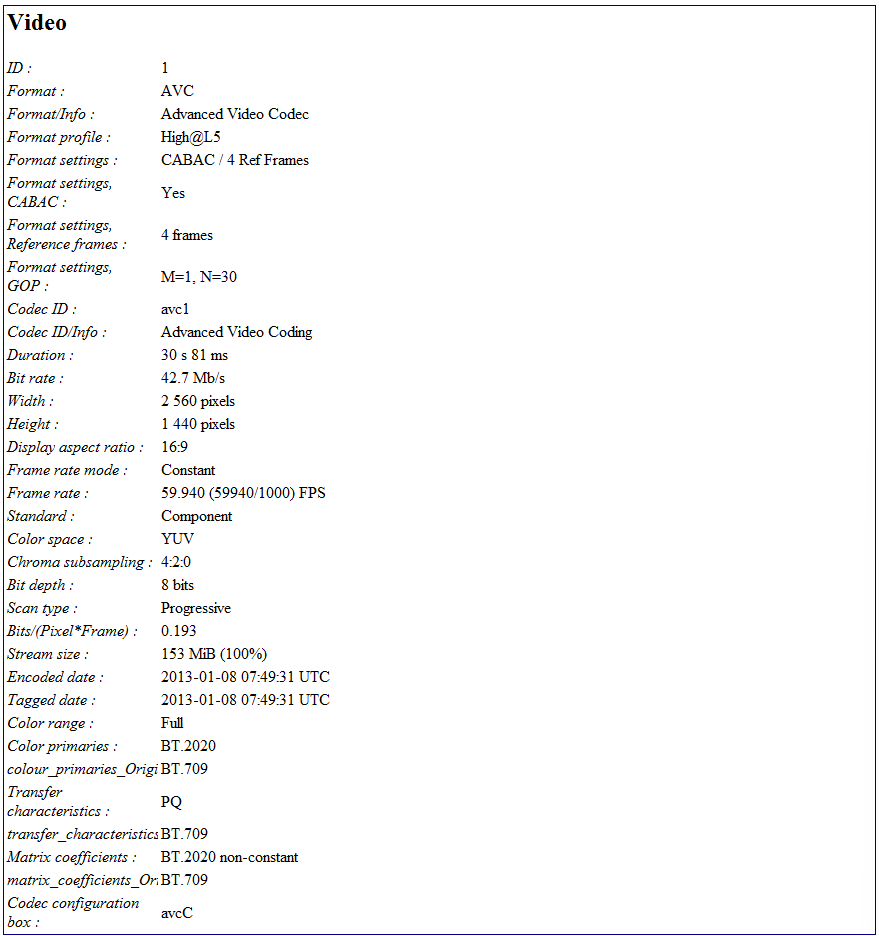
There seems to be serious discrepancies with the metadata being written (or not) to HDR files. @Alpheratz is the expert here, but in this release there is metadata missing that was present from earlier versions, and the result is the files look washed out and terrible on playback.
Previous version file metadata:
This version, note the missing and different entries:
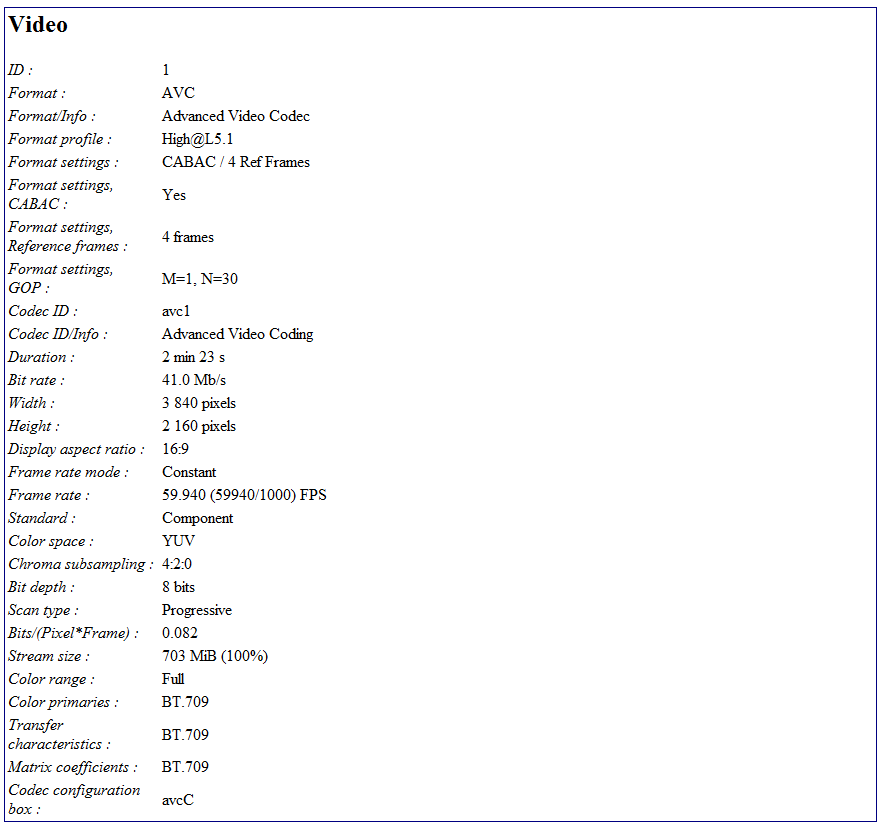
2 Likes
Dear all
Thanks for quoting me as an expert David
First good pratice : DO NOT let TVAI set chromacity settings in full auto mode. If it is unable to discover a parameter, it will leave it blank, and can be dramatic for output result.
So do check “Input settings” and get sure all fields are filled.
→ If color range is left blank (which happens VERY often because ffprobe does not detect color range intra frame but in container only), you will have to fill it manually.
→ You can discover it with MediaInfo, this tool, like the tool I am developing does multiple crosschecks to determine it. In MANY cases (DVD, TV streams, FHD footage) it is Limited. On others very recent footage (BR, On screen games caption) it is Full.
For very old footage it does not even exist (BT.470BG/M,BT.601), but do set it as limited, it will be extended with the HDR Process through BT.2020 PQ
So if you don’t set it properly at this moment, you will need a FULL reencode later to patch this, you won’t be able to just fine tune the metadatas in headers
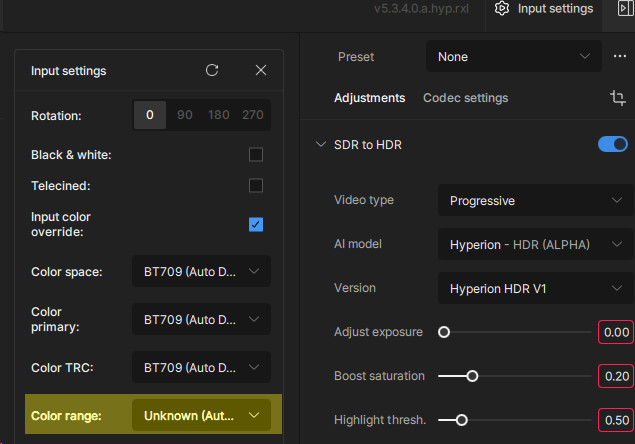
If you got a washed out colors, color tone shift, darker or brighter image than expected with Hyperion, set that exact settings through MKVToolnix (just tune the resolution as an evidence)
I did a lot of cross-checking to find that it is impossible to get a perfect encoding from the first run.
The simplest solution to achieve this is described below and is only valid for encoding with Hyperion
If all these things have been done properly you will get a
- SMPTE 2086 / HDR10 compatible file
When we’ll got MaxFALL, MinFALL, we will get a
- SMPTE 2094-40 / HDR10+ compatible file
Otherwise:
- Do not use XML metadata injection via MKVtoolnix, this will overwrite the uncaptured data with white space
- If you re-encode your video, you will need to overwrite the TVAI metadata and then re-inject the correct metadata
- Technically, the result of Hyperion’s work can be at the level of HDR10+, but for that you need to recover MaxFALL and MinFALL, otherwise everything else can be re-injected. (I am working on it)
If it is possible to inject MaxFALL and MinFALL, I do not recommend it, because arbitrary values can force you to play on the brightness and contrast so excessively that the HDR becomes rotten
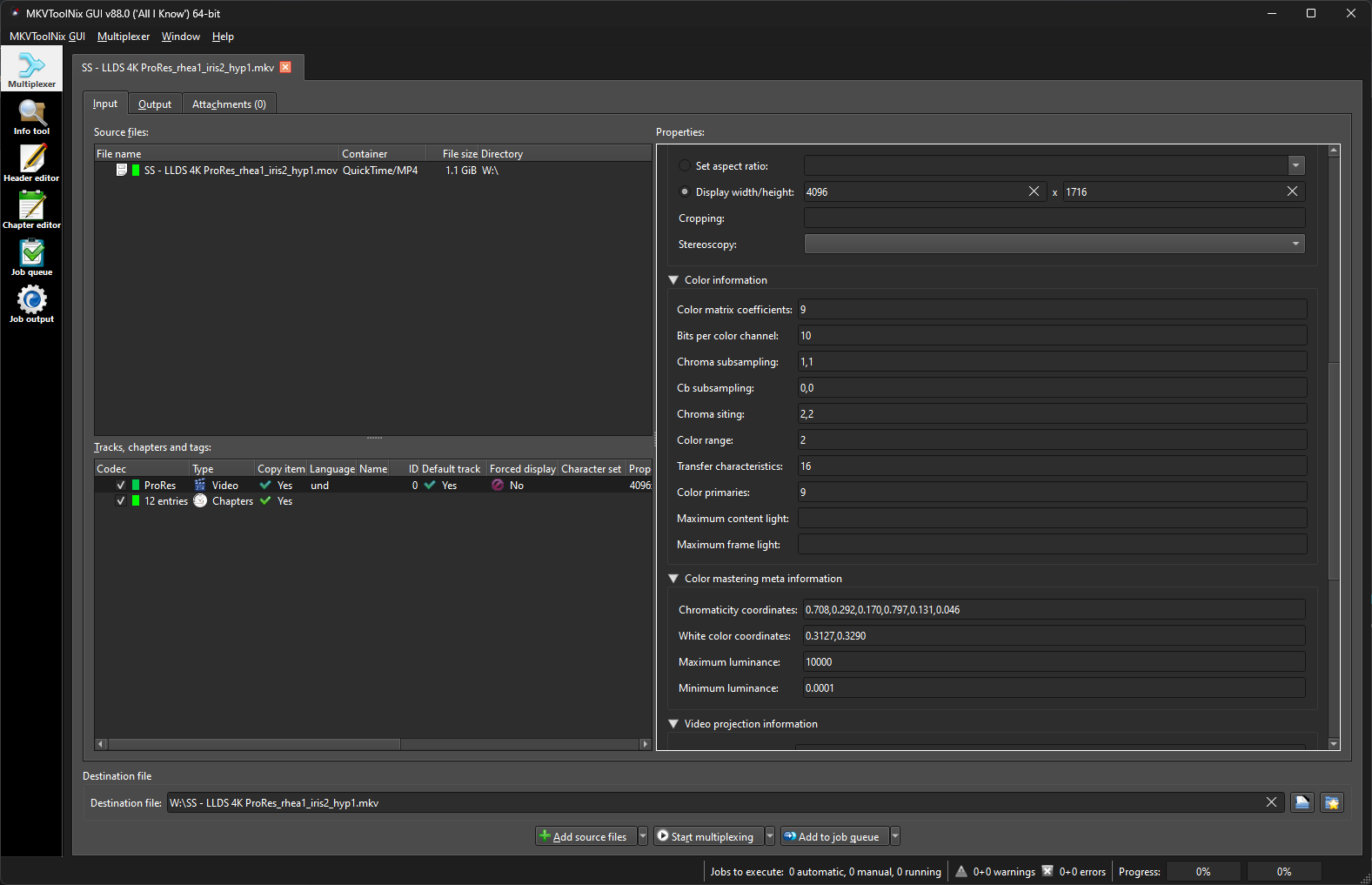
With these manoeuvres you will get a very good HDR, because Boost Sat and Highlight Threshold deal a very good job in this alpha.
Only Adjust exposure is not clear because of mismatch between cursor and toolip, I left it to 0, no problem with that
Suggestions
Boost sat 0.10 to 0.20
Highli thres. 0.30 to 0.60
6 Likes
