Also testing on my Windows computer with AMD 5700XT and keep getting errors with rendering failing.
Nope. I installed it on one of my computers because someone erroneously claimed it made TVAI run faster. I never bothered on my main TVAI computer and it’s able to run everything.
1 Like
Are you sure ?
The whole open source video AI community runs locally models which can be as large as 60-80 GB, all on CUDA and certainly not on TRT. And each model has distilled/quantized versions fitting their amount of VRAM, usually ranging from 16 GB to 96 GB. Some quantized gguf_Q4 or Q2 versions even run on 6-8 GB cards (Wan2GP anyone ?).
Beside, the first version of Starlight_Mini consumed 42-44 GB of VRAM if you were able to load it all into your GPU, just for your info. And it worked with middle tier GPUs, I guess with heavy offloading.
I didn’t see a single one open source model running on cuda, they are all phyton.
Version Beta 7.2.0.3:
System: Windows 11, AMD Ryzen 9 7950X3D, RTX 4090, 64GB RAM (DDR 5)
- Tests with Starlight (this Version and Version 7.1.4):
(it the preferences Memory usage is set to 100% VRAM)
upscale 640x400 > 1280x800 (TIFF) (750 frames)
(I calculated the speed by looking at the timestamps (time created) of the output frame.) - Starlight (using about 12GB VRAM):
Speed: 9 min 34 s (showing 1.3 FPS) / calculated: 1.3 FPS
Image Quality: like StarlightMini (good!) - Starlight Mini (Version 7.1.4) (using about 11 GB VRAM):
Speed: 15min 5 s (showing 0.8 FPS) / calculated: 0.83 FPS
Upscaling 160x120 => 640x480 (554 frames)
- Starlight: 4min 58 => 1.86 FPS
(old starlight Mini could not upscale to 640x480, minimum was 1280x960)
Upscaling 160x120 => 1280x960 (using 12.8GB VRAM)
7 min 50 (470s) (1.2 FPS)
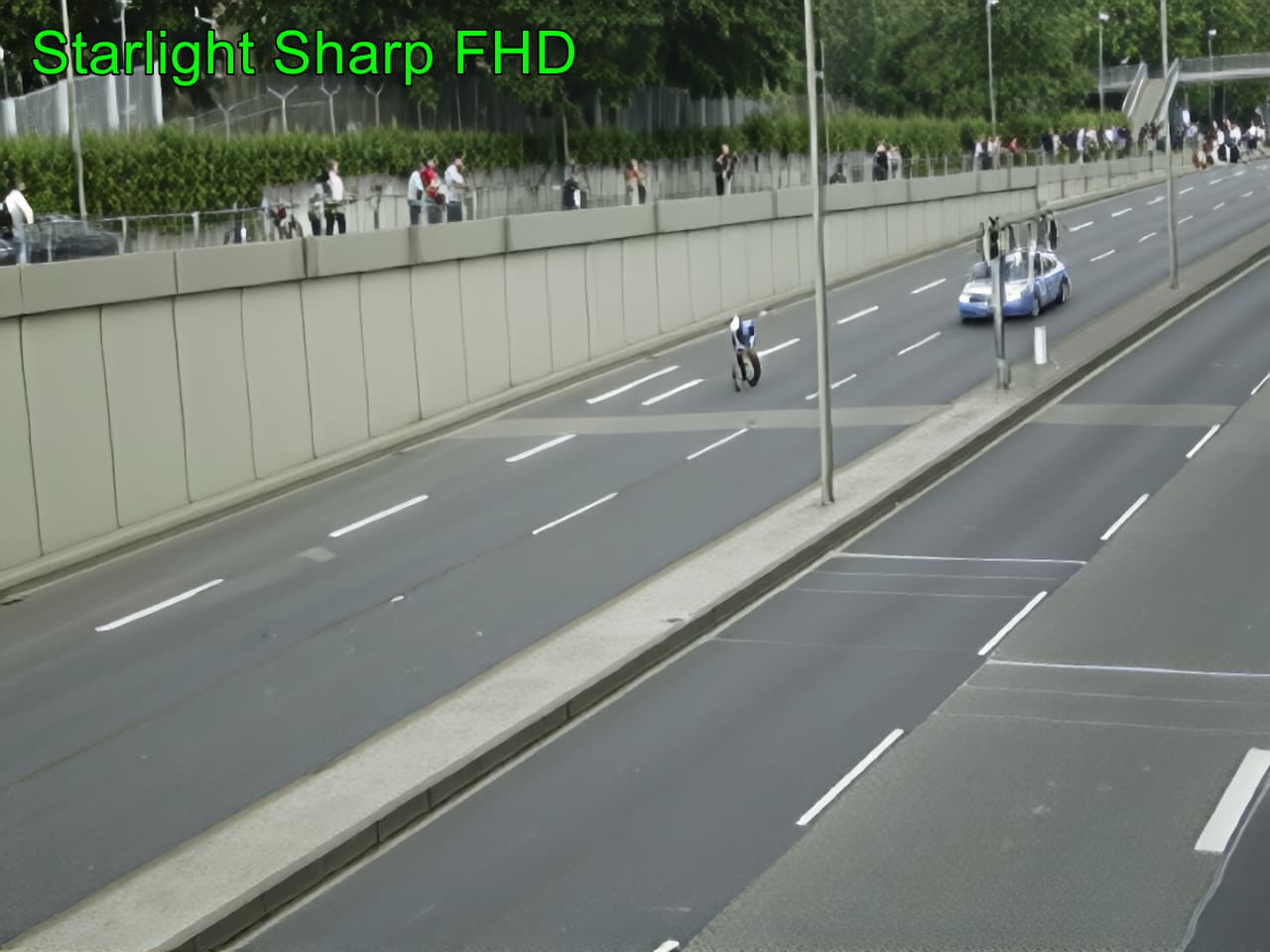
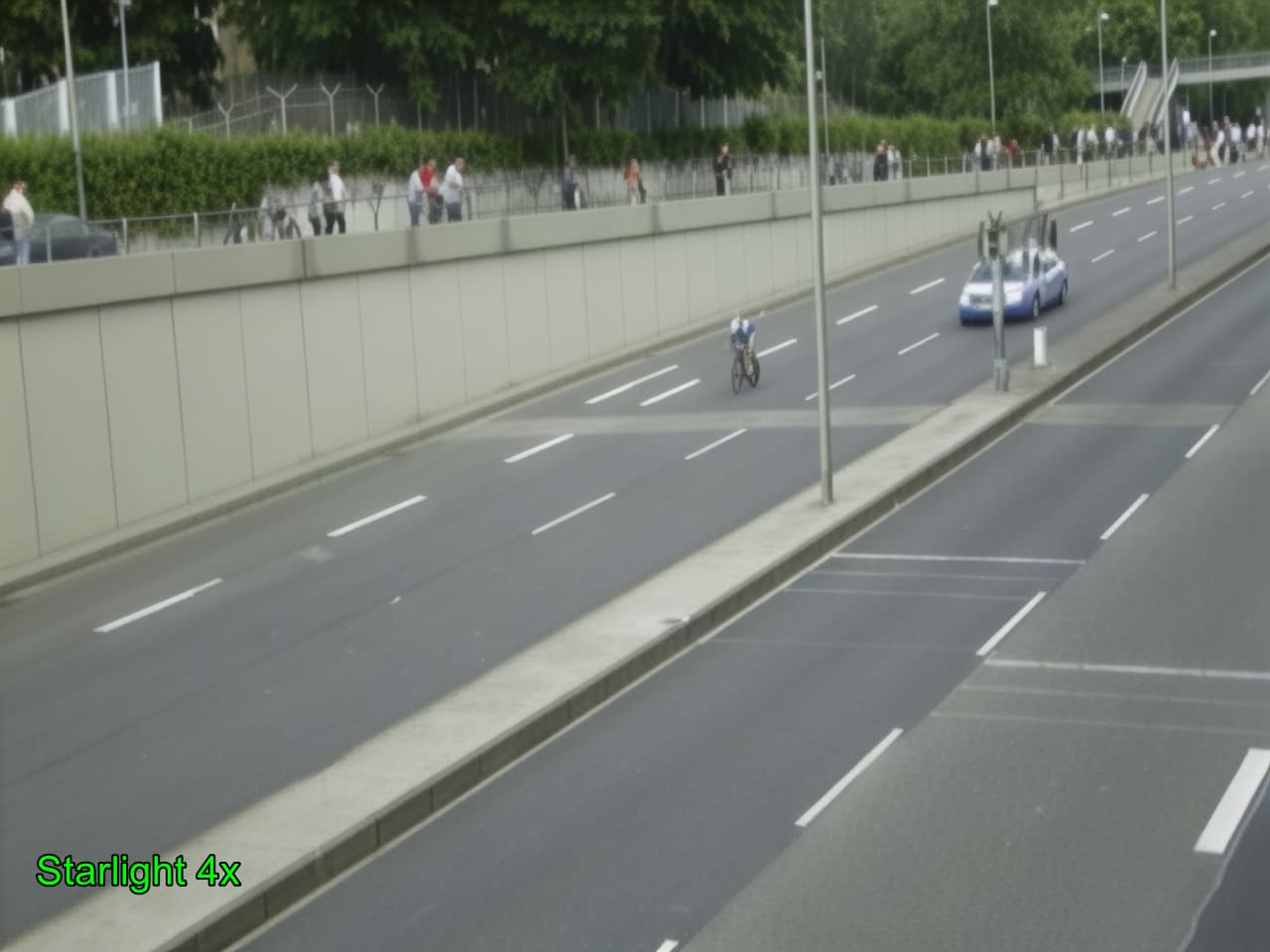
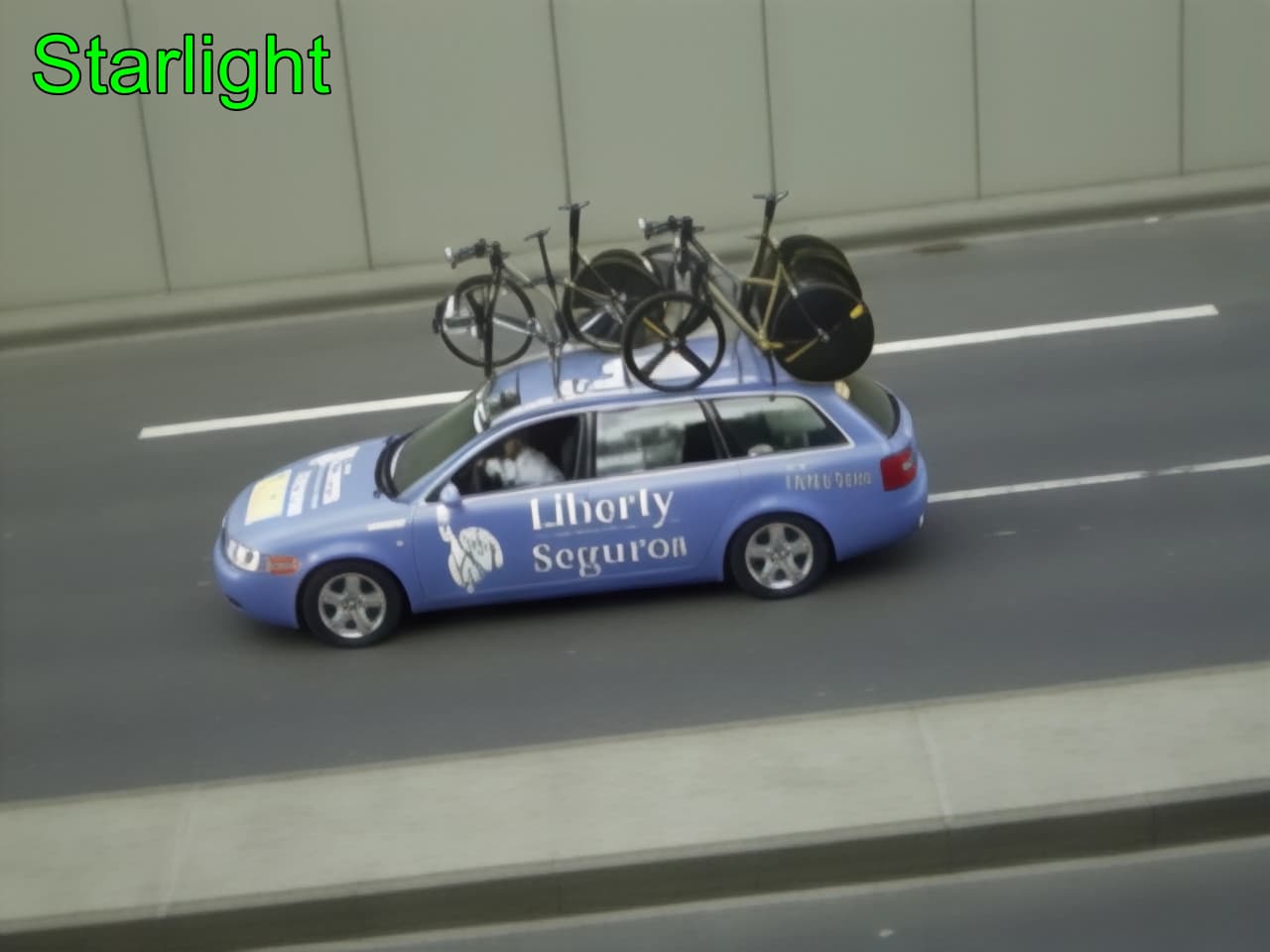
TV-Footage (375 frames, interlaced, 720x576, mpeg2) (=> Deinterlaced, resized to 960x540)
Starlight Sharp (upscale to FHD) (whole 24GB VRAM used) : 11min40s
Starlight (upscale 2x to FHD): 11min48s
Starlight (upscale 3x, FFV1 MKV): error
Starlight (upscale 4x =4K, TIFF): 0.1fps
Should be fixed:
- StarlightSharp: Exporting .avi to 1920x1080 FHD (TIFF images) => creates empty .mp4 file (video!) (so images output)
- StarlightSharp: Exporting .avi to 1920x1080 FHD (MKV video) => first creates a .mp4 temporary file, the the .mkv-video.
- CPU: 1 Thread running at 100% (without doing something) at startup and the whole time (CPU-fan blowing up)
- When using “Aion” framerate upscale, it chooses the wrong model (Apollo) (you have to click again on Version Aion)
- Program hangs on exit, need to force close with task-manager
- Starlight upscaling 768x432 4x to 3072x1728 stops after some some frames (no error message, no problems with memory)
- The large progress bar in the live export is showing the wrong position when using unusual FPS in the input video (in this case, the input Video is 15FPS)
- Programm freeze at exit should be fixed, and the issue that one CPU core uses 100% for nothing (CPU-fan gets noisy)
Overall:
- A good improvement of the Starlight model (Speed about 1.5x faster and quality like in 7.1.4 !)
- Starlight: Chosen output resolutions work.
- Starlight: GPU is used 100% whole time (Version StarlightMini in 7.1.4 is using less GPU)
- The problem with the 1st frame lost in StarLightMini (leads also to a frame-offset in the preview) is fixed in this version.
- StarlightSharp: it is to sharp and often introduces strange artifacts. Motion/Details sometimes flickering/“wobbling”
- Presets should be collapsed by default
- Seek render: should be possible to turn in off in the preferences.
- live export: it seems to be reacting faster and the playback is smooth. => Maybe it should be integrated into the “normal” view (no seek render etc…)
- seek render: this feature was in an older Version (with an other name?) , but i did not like it, the playback was choppy and not smooth.
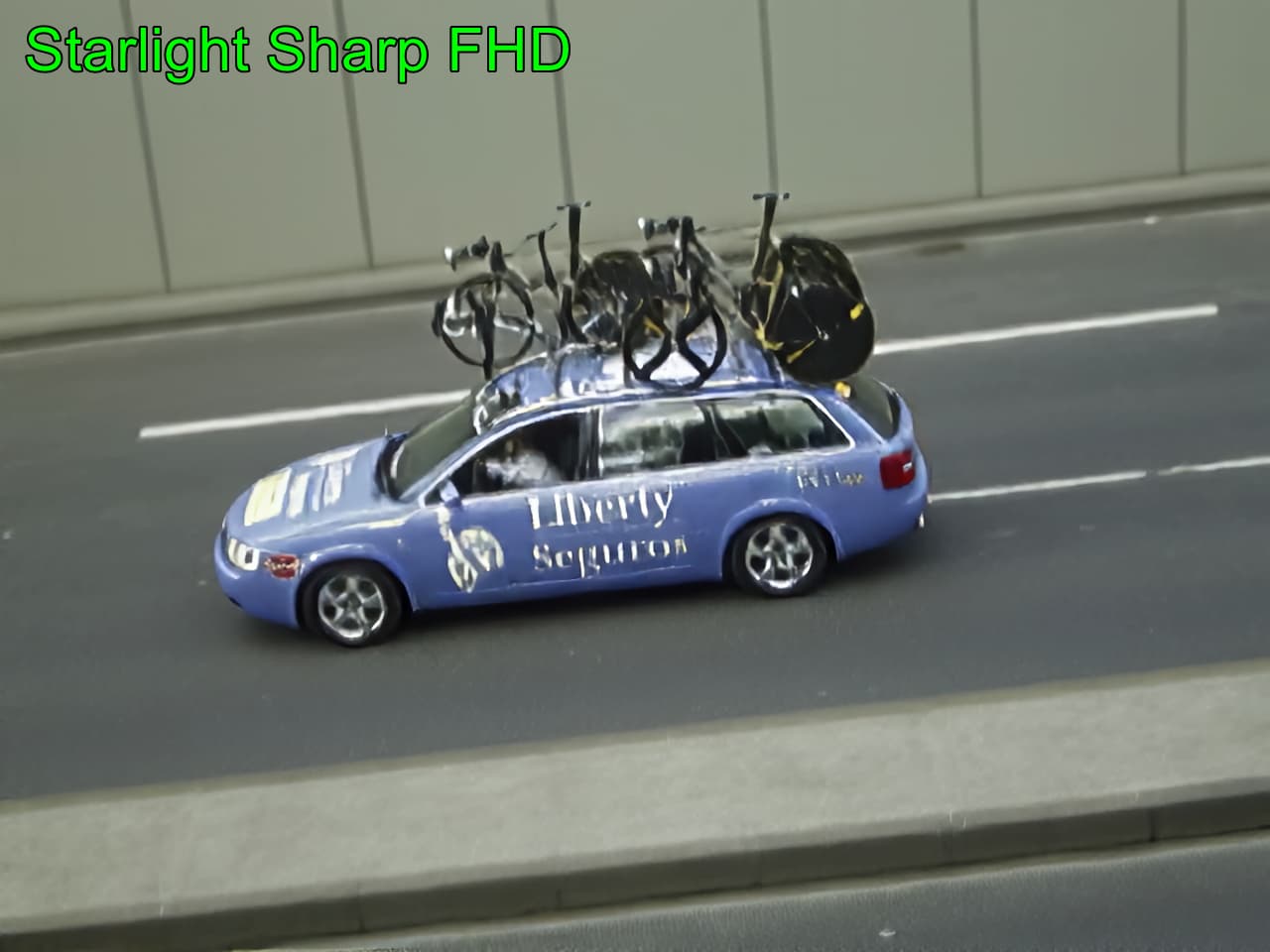

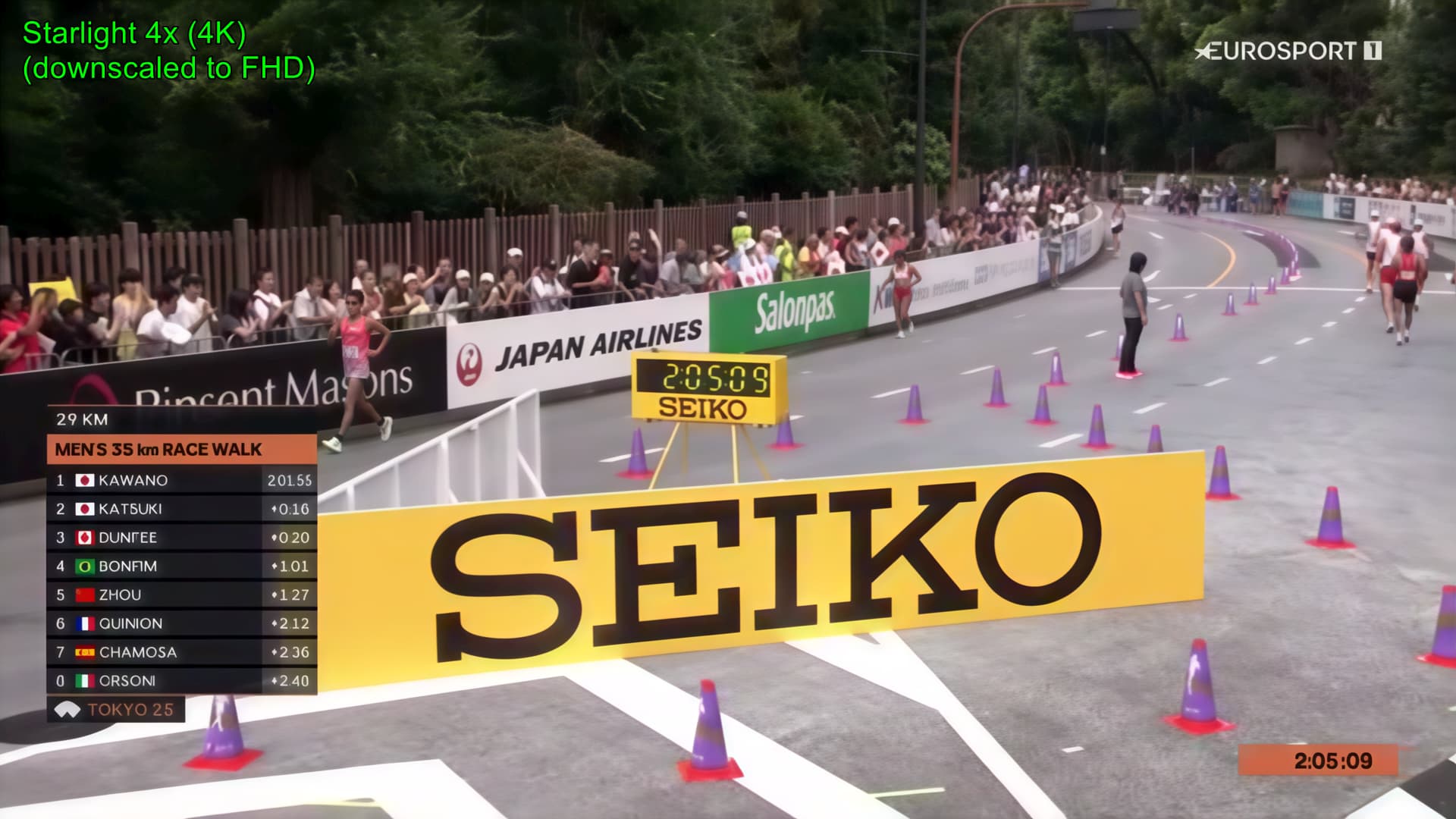
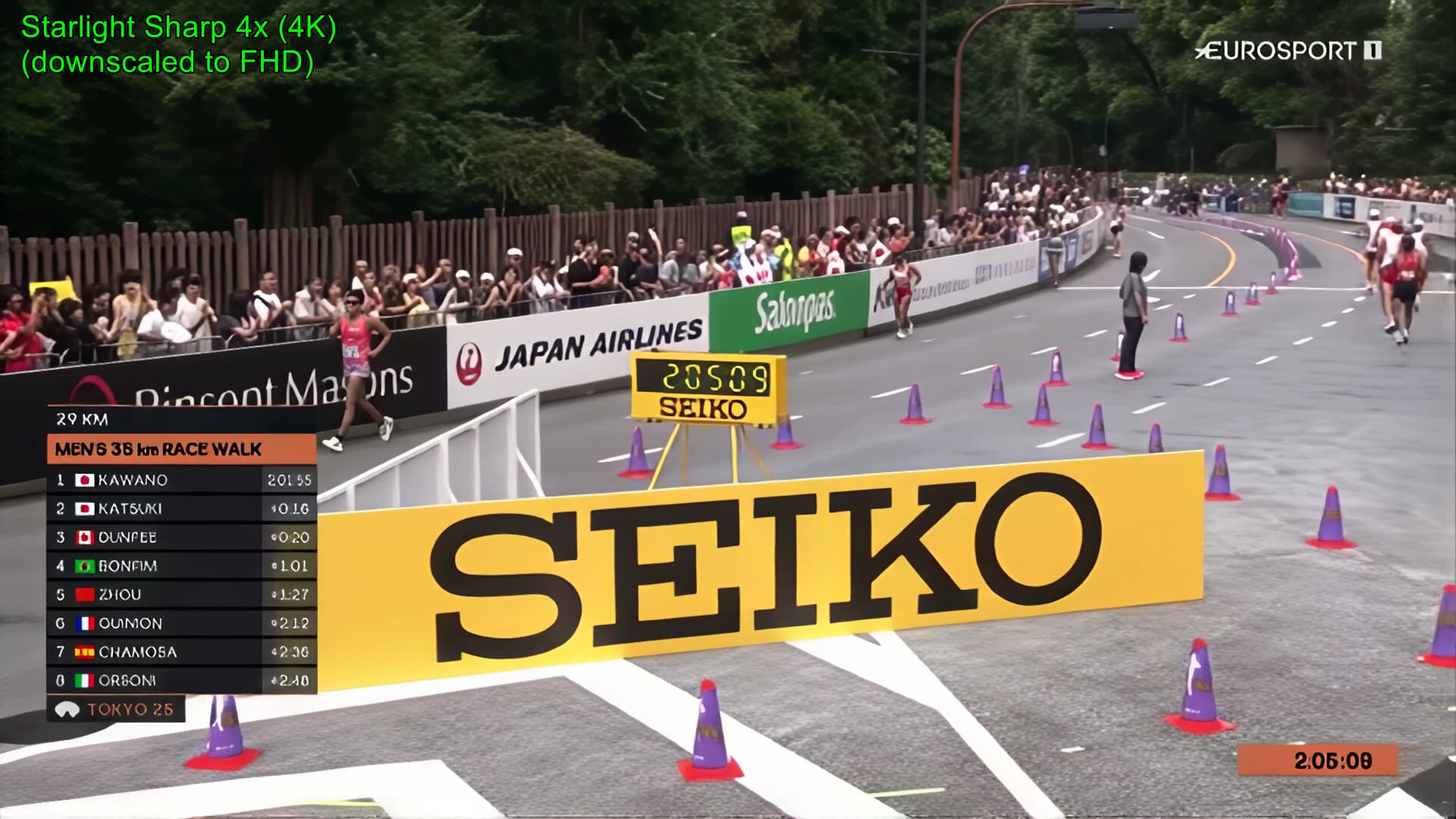
6 Likes
Am I missing anything or should I just stick with what I’m using at the moment. I don’t think I want to be disappointed at this point in time. 
By the way, Thanks for the reply. I’ve been waiting for an answer for a good while!
As reluctant as I am testing this Beta (knowing that we’ve been told by Topaz that Apple Silicon support is of low priority in the future or even has been put on hold), still here are some findings - Mac Studio M2 Ultra with 60cores and 64GB RAM, MacOS Sequoia 15.5:
There are quite some improvements to the previous beta:
- The video now is correctly shown in the original and processed window even after a fresh start / loading of the source (those were black in the previous beta).
- Seek render does work well and for the traditional models - Proteus/Iris - quite fast (instantaneous at 1x, at 2x with only little delay).
- speed seems to be generally a bit lower than 7.0.2 (or even 4.x versions).
- no crash on exit as in many previous betas
I did not try SL mini neither locally nor in the cloud. And generally I didn’t test cloud rendering at all. To be continued…
Cant even find my other posts right now but i can only get this running at “1x” on any given sl mini or sl sharp render and the output is … not worth the time at all.
I’m not sur ewhy it’s erroring out on any upscale.
but the output at 1x is worse than just using something like proteus or .. literally any of the other models even if they’re not designed for the footage i’m using… it’s bad.
1 Like
So, started a SL mini local rendering and a cloud one, both at 2x with a 524x360@25fps source.
Cloud: Still hanging in the queue (which does render this of very limited use..)
Local: just preliminary as it’s not yet finished, but: looks promising. Quality seems quite a bit up from the first Beta (which wasn’t hard to do). Rendering at 0.3 fps (which is about what I’d expected, maybe even less)

and using quite considerable amounts of RAM (32-62GB)
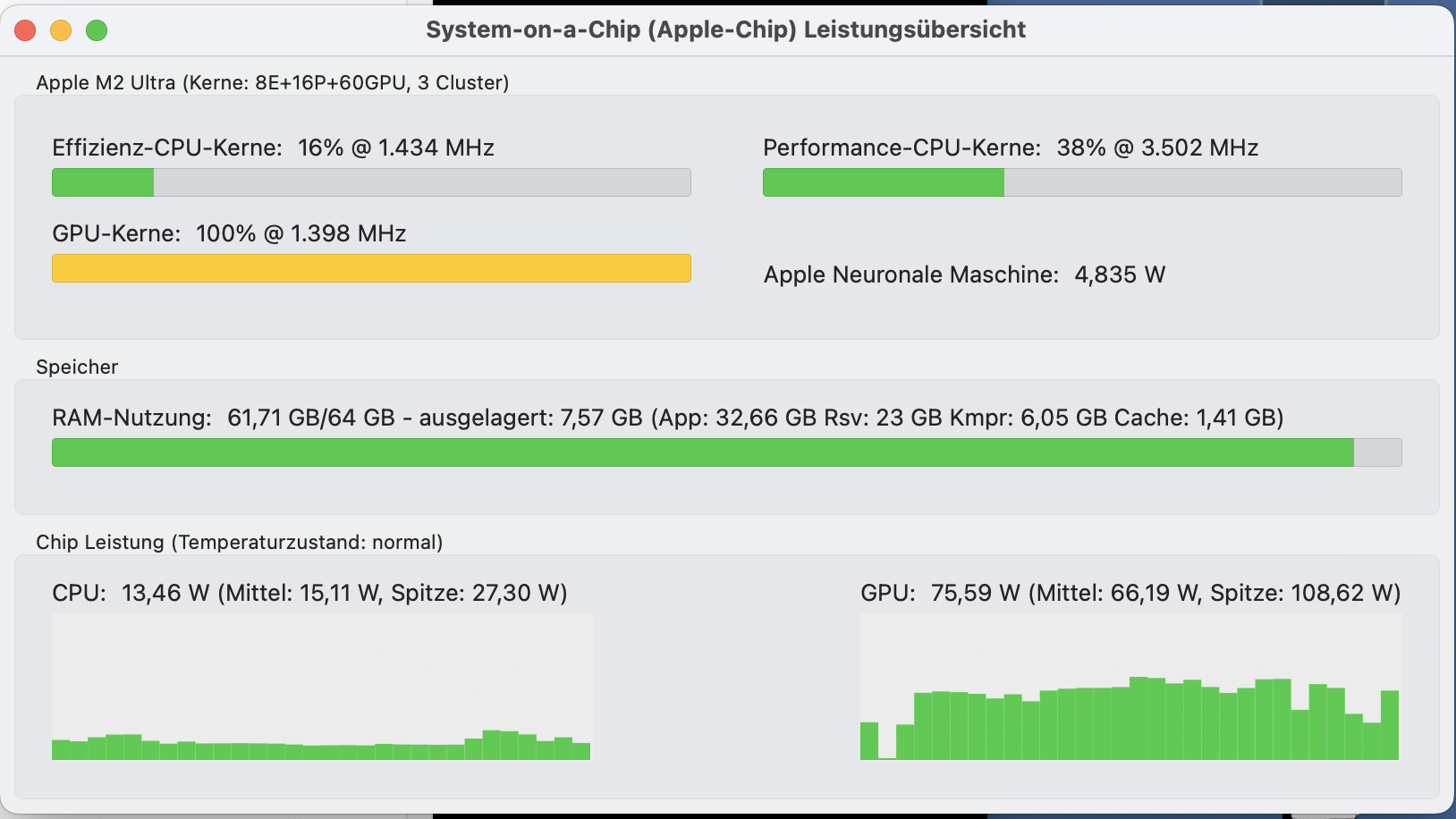
, also heating up the rig quite a bit
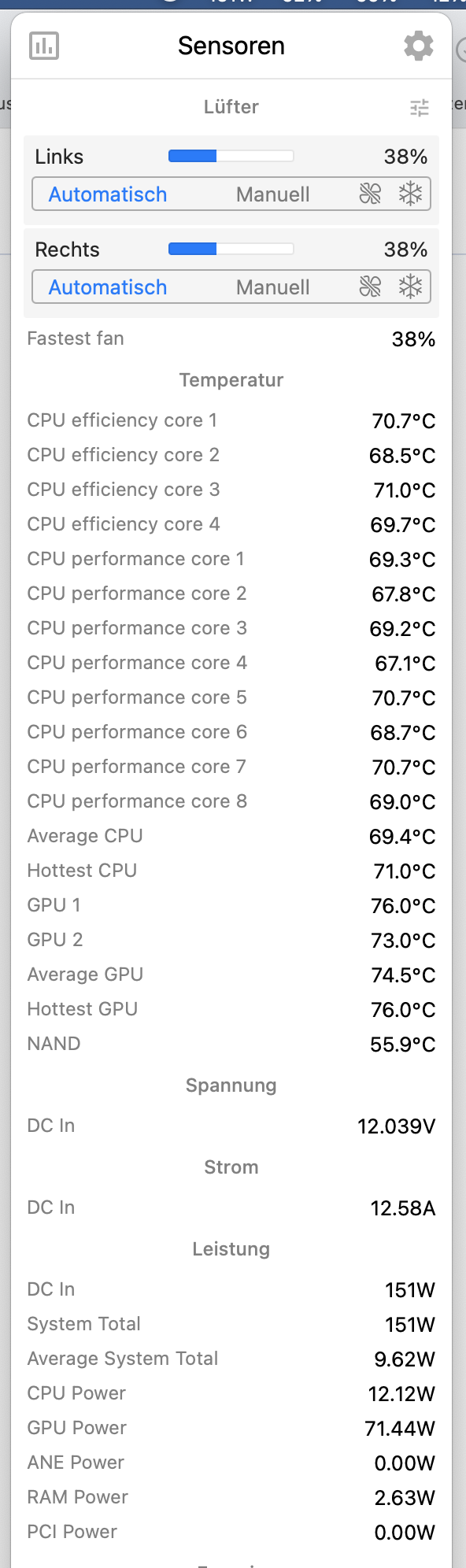
But seems to run stable.
1 Like
BUG REPORT:
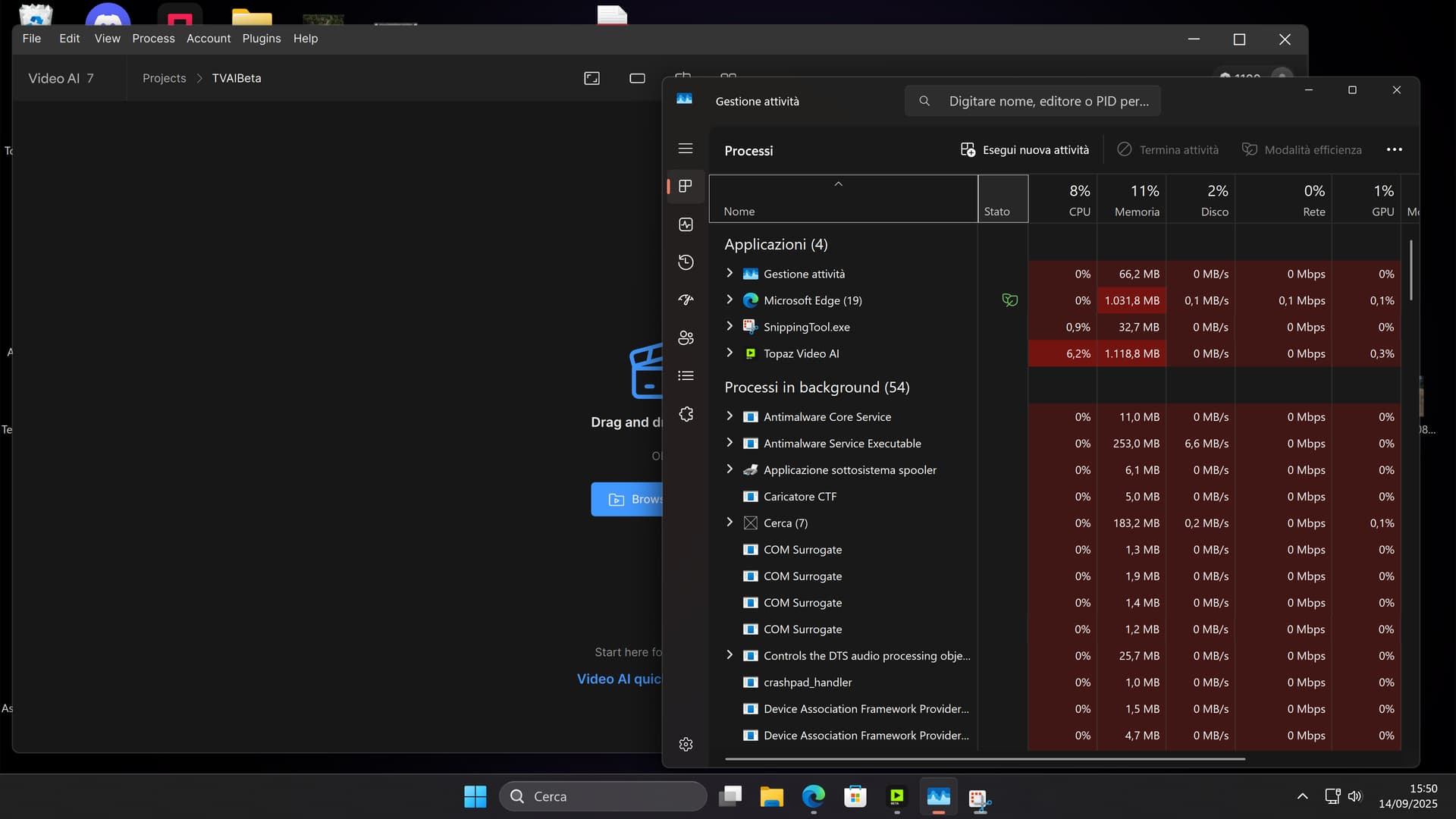
I have the SAME CPU idle utilization BUG that i found in the previous BETA release: on my Gaming PC (AMD Ryzen 7 7800X3D + RTX 5080 FE + ASUS TUF X670E Plus WiFi w/BIOS 3222 + SAMSUNG SSD 990 Pro NVMe 2TB + Windows 11 24H2 updated), when i open the BETA Version of the program, also in i do nothing and i don’t select any video, the program CPU utilization jump imidietly on 6-7% of usage, that’s very HIGH for a CPU like 7800X3D… infact, if i open the latest Stable 7.1.4 version of the TVAI, the CPU utilization stay at 0% in the same condition… you can see with this two new screenshots:
With latest BETA =
With latest Stable version:
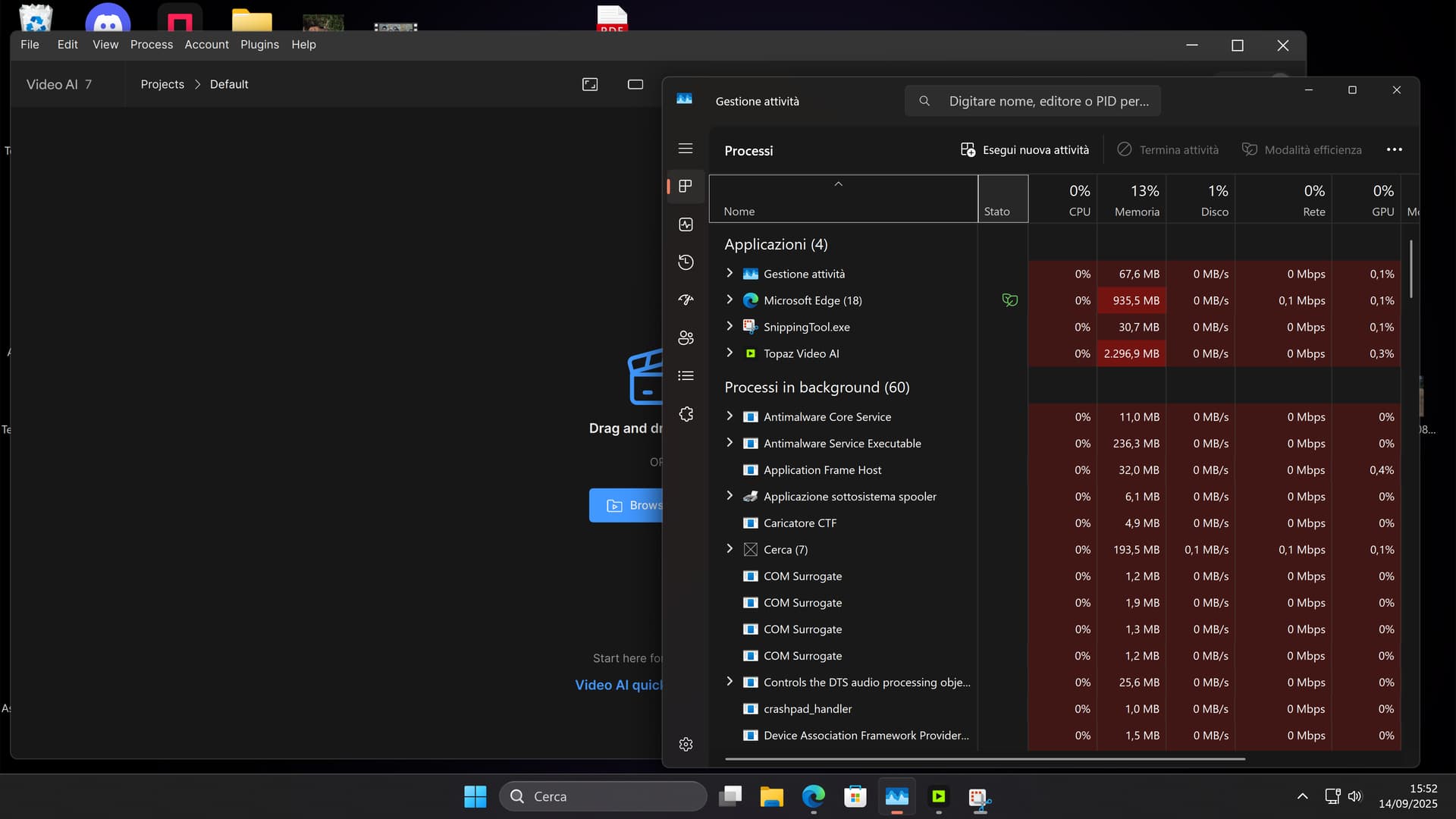
PLEASE investigate in this strange behavior and fix it for the upcoming STUDIO version!
2 Likes
I just installed the new beta. As with previous versions, I can not try Starlight Sharp because of my tiny VRAM - it’s only 12 GB on a RTX 5070.
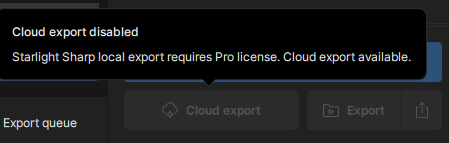
I can’t try it with cloud export because the Beta version does not recognize my active Pro license (the non-beta shows “Pro” but does not have the SL sharp model).
edit: Also just noticed..your generous “free unlimited cloud rendering” offering only goes for Gigapixel and Photo AI - which in these two, I don’t need. My system does still images quite well and fast, but videos on the other hand…especially if you try to get your old mobile videos from sub-HD to 2K … I could use free cloud rendering for those, but images not so much.
You’re not missing anything.
1 Like
If they’re going to fix all of this in a few days, they would have to be miracle workers. 
2 Likes
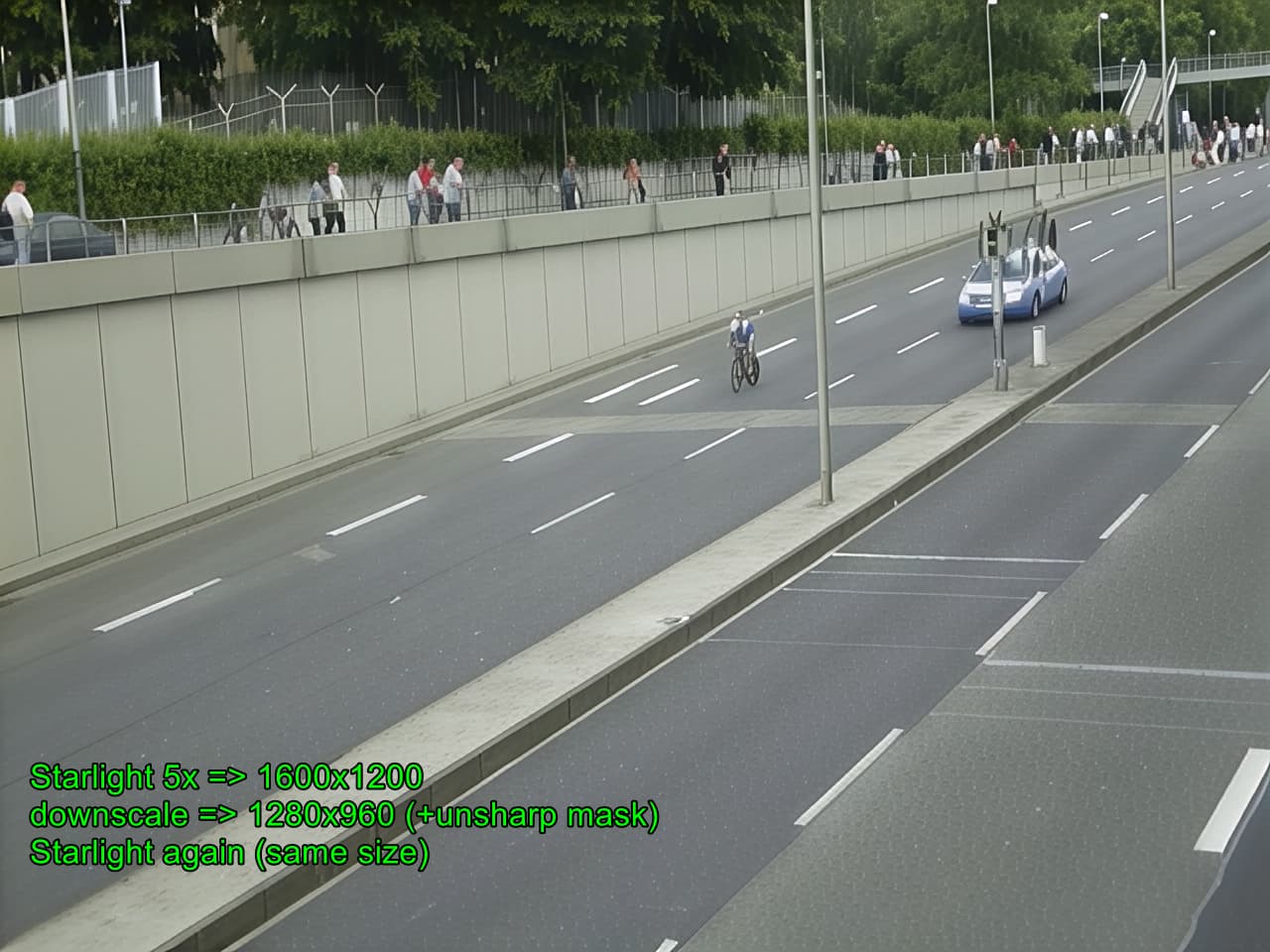
I did a comparison. First downscaled the original clip to 480x480 (seems to be the correct resolution and the correct aspect ratio).
All done with StarlightMini (Versions 7.1.4 and this Beta).
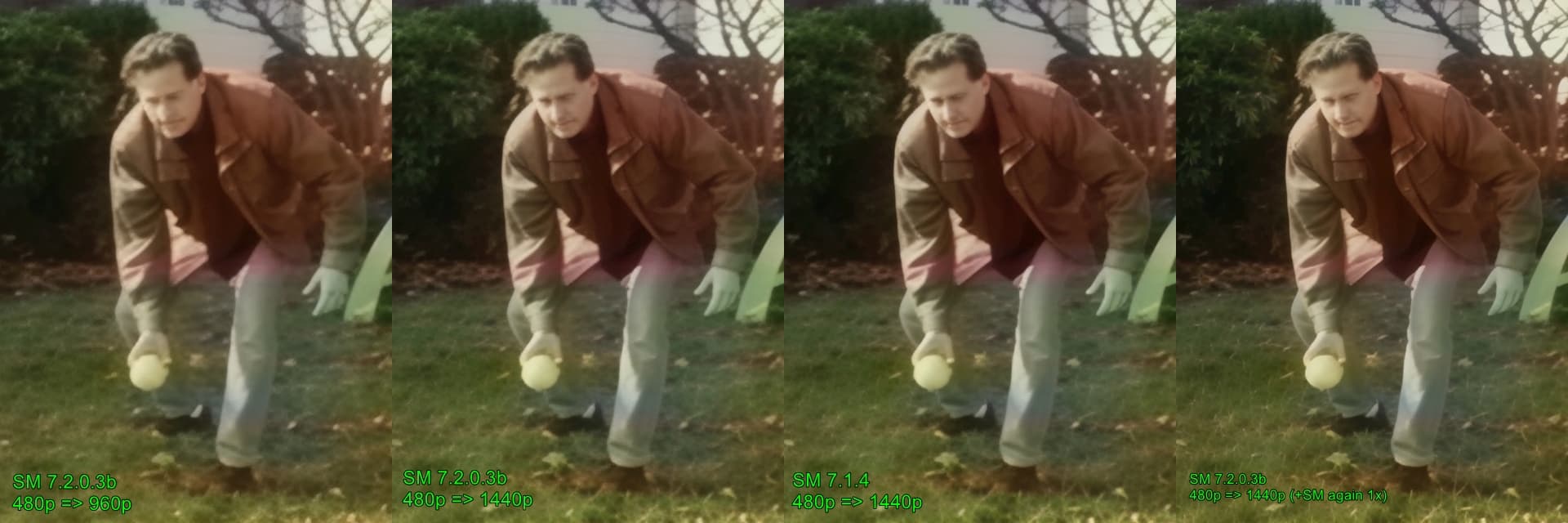
When you chose 2x upscale, the 7.1.4 StarlightMini goes to a minimum of 1280 width, the new StarlightMini will do 2x and in this case 960x960, which looks ugly compared to the older Version. I have chosen 1440 in both Versions to have a better comparison. I think, they are nearly identical, but the new Version is about 1.6x faster.
4 Likes
Maybe it’s something else entirely, maybe the TVAI UI isn’t needed anymore.
Don’t think I know anything.
A year ago, I had a better connection to Topaz Labs, but that hasn’t been the case for the past nine months.
1 Like
Starlight Sharp worked on the cloud in the previous beta, but doesn’t seem to in this build. Not sure why. I posted that earlier but didn’t get an explanation for it.
I saw a post earlier where you showed this image and it showed that this current starlight mini version created a more distorted looking video than 7.1.3. What is the objectively best version we’ve had of starlight mini so far? 7.1.3 or 7.1.4?
In this new test you used the same upscale resolution and they do look very similar. Though why did you need to run starlight mini twice in the last photo? If this current version of starlight mini is faster, but you have to run it twice for good results, then the speed advantage of this new version is kind of lost. I’m trying to understand what’s happening here. I really do hope this latest version is the best quality we’ve had but how can that be the case if it uses less VRAM? I thought more VRAM helped with the temporal consistency? I would prefer that the model use up most of my VRAM if it will improve the temporal consistency.
This is quite strange, the image quality that 7203b gives you is much better than what I got.
I suspect that either they changed the 7203b between your download and mine, or (more likely) they changed the slm-1 model that your 7203b downloaded.
Do you remember whether it stated during downloading somehting like “..simu … 1_1” ? That was part of the name of the model that it downloaded after the system test for the starlight model on my system.
Like you I have also downscaled the input file to see how it impacts the quality, it’s an old trick, I used 0.5 and 0.75, But at my end the original file gave me the ‘best’ quality which is objectively a far cry from 7.1.3, and is nowhere near what you get from your 7203b.
Another strange thing is that you report that 7203b is 1.5 times faster, while for me it is 1.5 times slower.
Perhaps I am going to uninstall and download the whole thing again.
If I am right, how are we supposed to test this reliably and compare results consistently?
i did nnot post the image before, it was “Lord_Basstard” who posted this, the video is from a thread about SeedVR2 (the original Video was/is uploaded to Googledrive).
I was surprised about the worse quality in his post, because im testing around with the new StarlightMini a lot in the past days.
Using Starlight twice: this gives a bit better quality, i did it also with the old Version. Yes, you need the double time, but for short Videos it is okay.
The new starlight can upscale to any resolution, and when you choose 2x you sometimes get much worse results than 3x for example. And there is a effect with overlapping tiles (when using 4x in large videos what i have observed.)
1 Like
You have 4090, I have 5090s and 3090s, could it be that the model malfunctions using the 5090? I am curious to see what will happen if I use the 3090 with 7203b. Will I then get the image quality you got? I am happy with the outcome of your tests! It paints a much more hopeful picture. Thanks!
