Hi everyone,
Today we have a new Beta release with some great new updates!
Once you’ve had a chance to try out the Beta, please make sure to fill out the feedback survey here.
We’ve also heard your feedback about testing Pro models. We will be granting Pro access to Beta users who hold a valid Video AI license on launch day and who have filled out the feedback form above with useful feedback for our team. Please see the details below.
NOTE: We will be granting Video AI Pro access to a select group of users who complete the survey with useful feedback by Sunday August 31st at 11:59PM CST. Please make sure you had a chance to test the Beta features before filling this out. Pro access will be granted to selected respondents prior to the next major production release as long as you still hold a valid Video AI ACTIVE license at that time.
See more details below:
7.2.0.1b Downloads
Improvements and Fixes
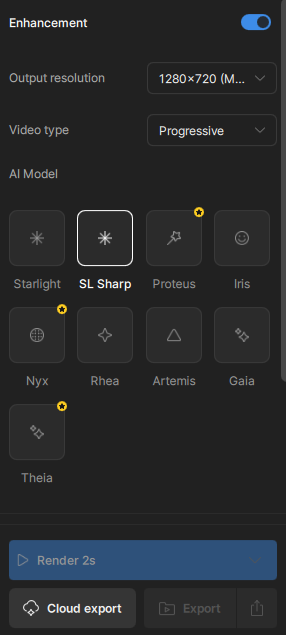
- [PRO] Starlight Sharp model refinements
- Seek Render
- Right Panel UI improvements: Toggle
Pro: Starlight Sharp improvements!

Starlight Sharp, has had some additional improvements from the previous beta iteration:
- The model has been tuned to greatly reduce “lattice-like” sharpening pattern.
- Bring more detail than what Starlight mini can produce.
- Eliminate flickering from the previous model iteration.
- Produce a more realistic render with an approach to minimize the “rubber-like” output.
- Please note, that Beta users have access to this model. The only requirement is to enable anonymous collection within the Preferences to render locally.

Key Features
Starlight Sharp excels at processing low-resolution footage, delivering superior results for challenging content. The model provides improved handling of smaller faces and facial details for enhanced clarity, while producing noticeably sharper and more detailed enhancement results compared to previous offerings.
- Dual Deployment Options: Available on both cloud and local platforms for maximum flexibility
- Multi-GPU Support: Leverages multiple NVIDIA GPUs in parallel for enhanced processing capabilities
Starlight Sharp Notes
- Due to the model complexity, this is a large resource intensive AI Model, so long render times are expected when rendering locally.
- 16GB VRAM required
- Recommended to use square-pixel video footage at or under 1920x1080 to avoid any aspect ratio shifts
- Ensure that you are using the latest driver for your graphics card.
- Currently capped at 1080p resolution. We plan to improve this in future releases.
- Starlight Sharp is a standalone enhancement and can’t be combined with other filters.
- Please note that if you have text that is too small, blurry or inconsistent, the result may not be processed correctly. The AI model may interpret unclear text as a texture or pattern.
- If you have interlaced videos, it is recommended that you deinterlace first before enhancing with with this model.
- Starlight Sharp will offer limited access for local rendering for non-Pro users during this Beta! Cloud rendering will be available for all users.
Seek Render
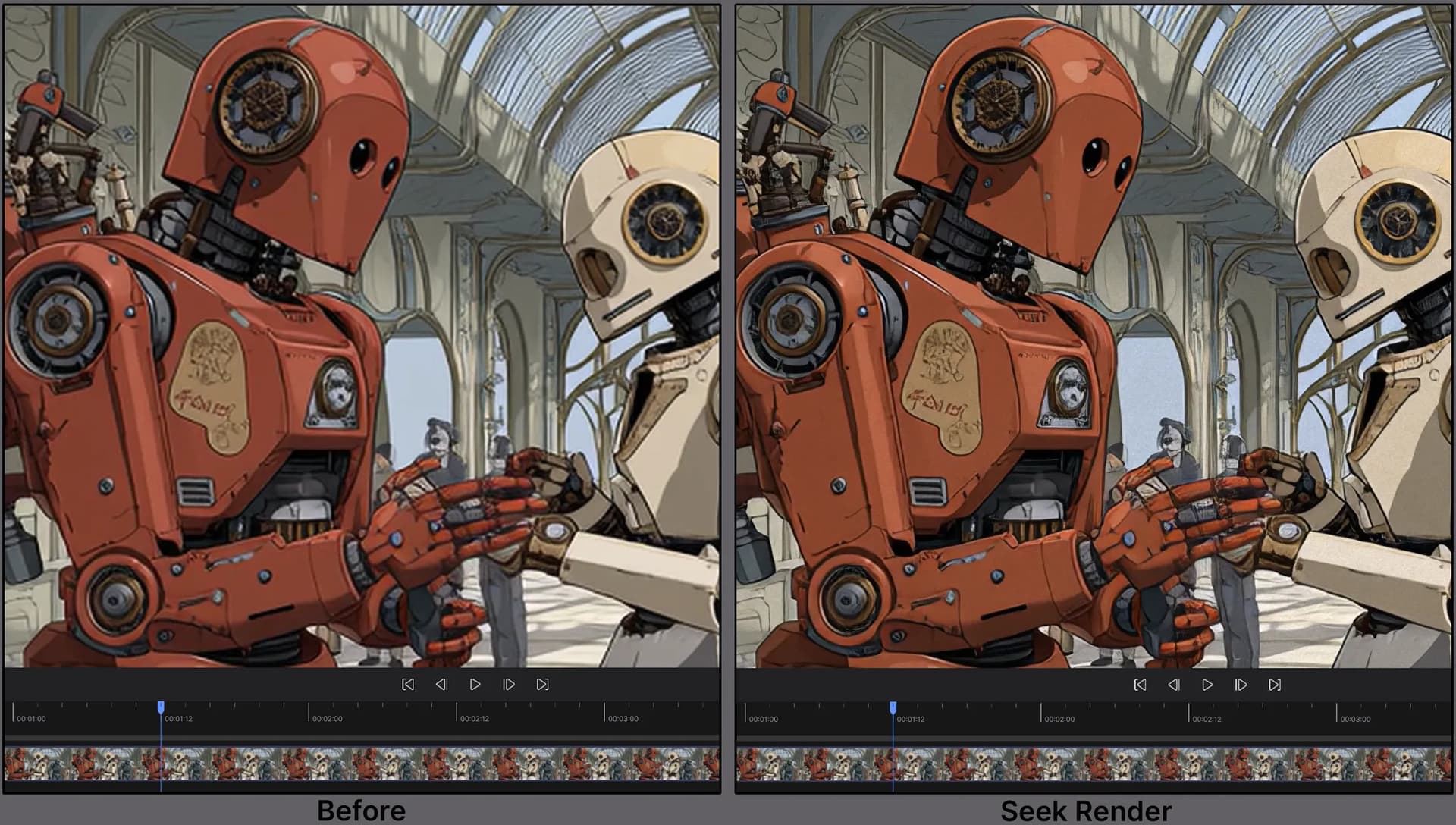
The long awaited Seek Render is finally a reality!
Essentially, when you stop on any frame with an enhancement, the frame you are on will automatically load with an instant preview of said enhancement. Note, that this will not pre-render a range, just the single frame. The purpose for this is to get immediate feedback as you modify settings to find the results you are looking for.
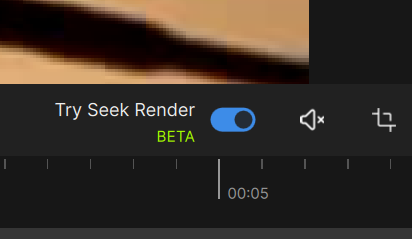
You have the option to disable this feature by switching the toggle “on” or “off” above the screen right side of the timeline. Currently, this is disabled by default.
Things to note
- This will still function if you have live render in preview enabled. If enabled, the live render will update if the video is played.
- Seek render supports one or two enhancements, motion deblur and frame interpolation at this time.
UI Refresh for the Right Panel: Continued improvements!
Toggle to Enable
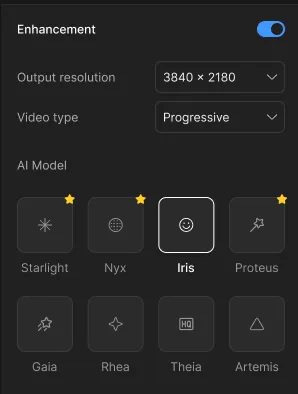
We have reintroduced the toggle function to show that filters are being enabled. This minimizes confusion with the “+” or “-” icons. This previously gave the impression of opening a menu rather than indicating that a function is being enabled.
Just In case you missed it! Right panel update!
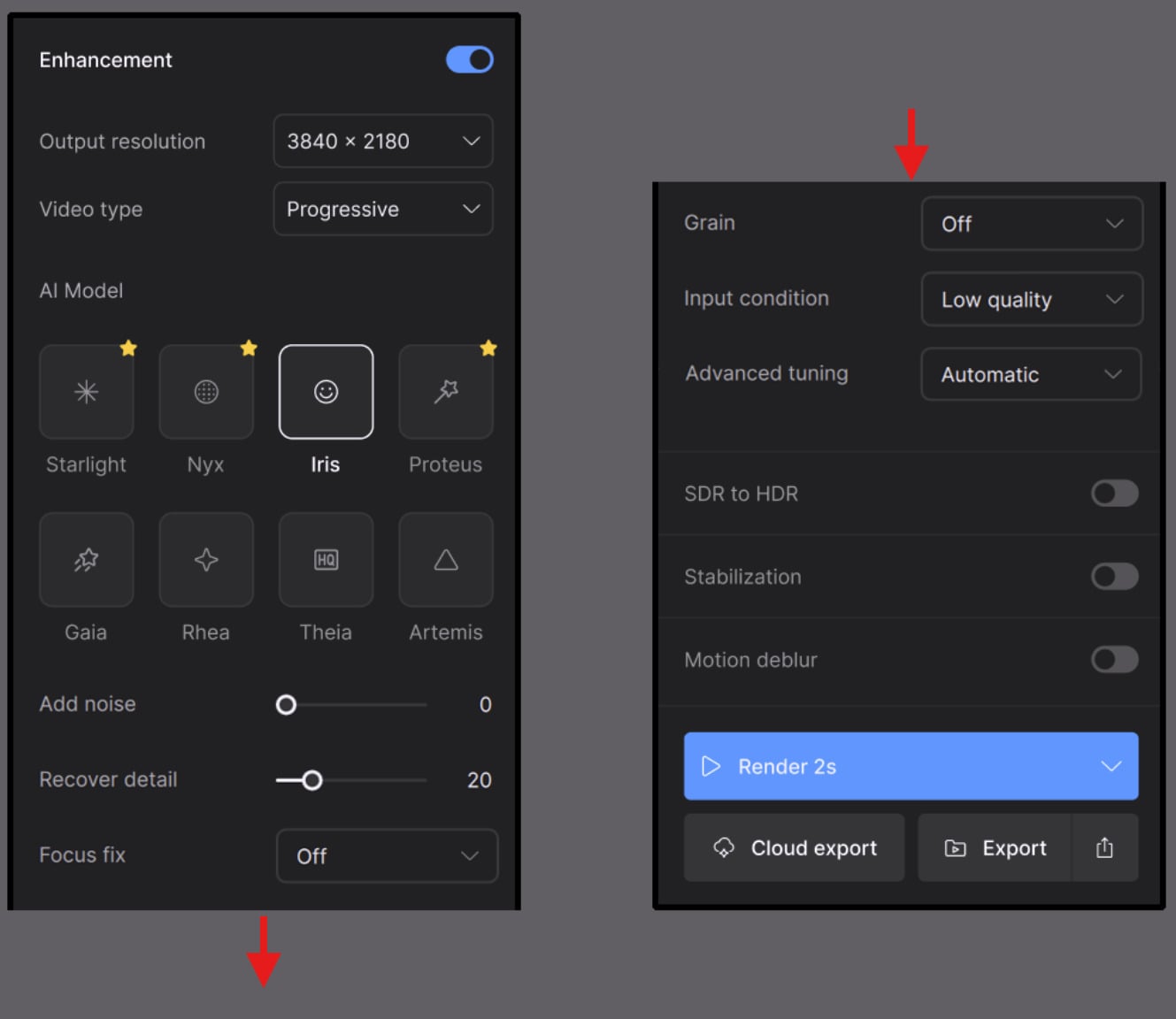
In user interviews, we found that many users had difficulty finding essential tools like Starlight Mini, de-interlacing models, or presets. Others mentioned that the UI felt inconsistent and hard to navigate, especially when trying to understand how different enhancement settings worked together.
We’ve taken time to do a refresh of the right panel to make powerful tools more accessible, and ensure a better first-time experience that increases success with the application.
- Clearer organization of enhancement options, with more intuitive grouping and consistent naming.
- Improved discoverability for models like Starlight Mini and de-interlacing.
- Presets are now easier to find and manage, making it faster to get back to your favorite workflows.
- Refined parameter labels and controls, helping reduce confusion on usage and prevent mistakes.
- Advanced Tuning is where you can chose your mode for the enhancement and modify accordingly.
Known Issues
Starlight Sharp
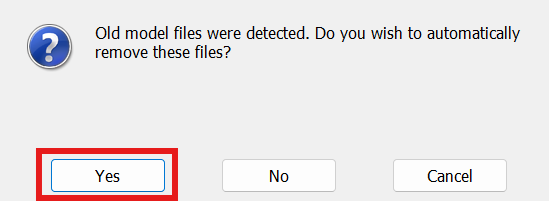
- In order to test out Starlight Sharp, you may need to ensure that you remove the old model files upon beta install.
Seek Render
- Videos that are non square pixels may have a slight resolution distortion in the viewer.
- EXRs and Tiffs are not supported at this time.
- Though SDR to HDR is supported, there is a little color discrepancy at this time.
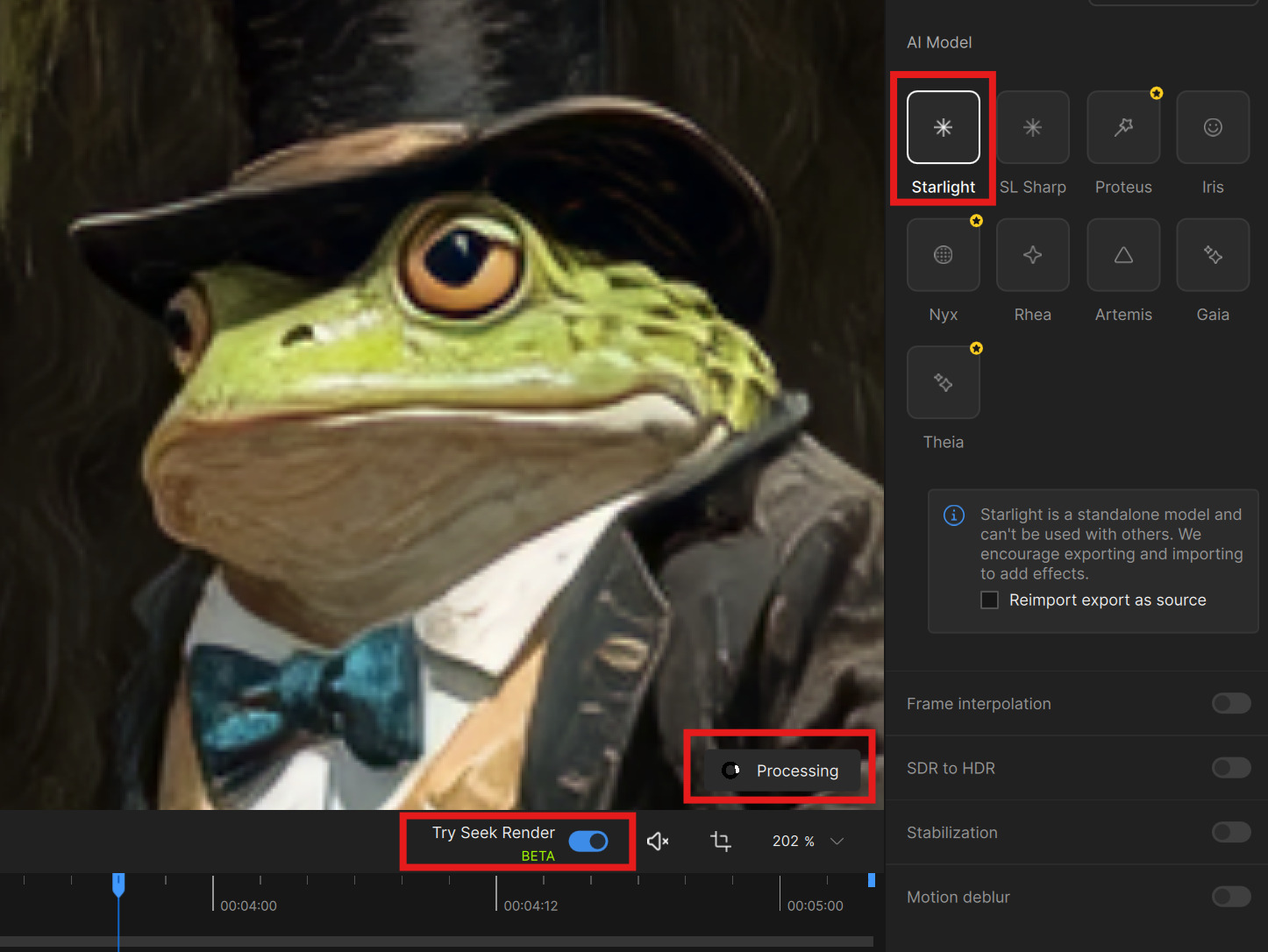
- Seek render does not support the Starlight models. If you have seek render enabled with a Starlight model, this will currently display “Processing” with nothing actually occurring.
Enjoy the updates with 7.2.0.1b!