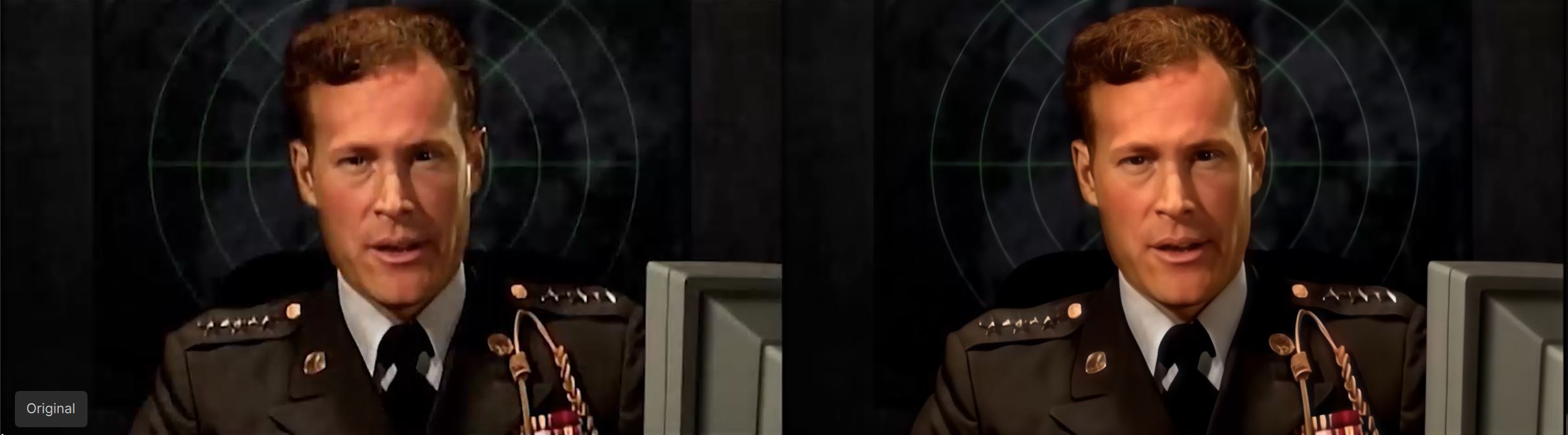
I’m seeing a weird issue.
My original video resolution is 854x480 with an aspect ratio of 1.78:1
If I choose the 2x or original options, the video get squished a bit. The resolution becomes 1704x960 which is a 1.77:1 aspect ratio.
If I choose the 3x option, the video is not squished. The resolution is 2560x1440 with an aspect ratio of 1.78:1 which matches the original input video.
I’ll have to test more videos to see if this is an issue. I’d rather obviously do the 1x/2x because it’s so much faster. I cropped this video myself from an ultrawide video on youtube, so maybe it’s an issue with this specific video and the resolution I chose.
I can’t see any improvement on my 4090 either. 480p to 960p (2x) still has a speed of 0.4fps.
It does start at 0.7fps, but then drops back to 0.4fps after a few seconds.
I wonder what’s going on with the speed boost in the beginning. Hopefully it’s a bug and we can have it just stay at the boosted level throughout the whole video.
I don’t think the memory changes from there it is. Once it gets going it stays around 26gb. I’ll have to check the usage but once the export starts the usage is around 100%.
You get nearby 32GB Vram usage with a 5090? This point I don’t understand, assuming the models are made to fit into 8GB or 16GB or 32GB Vram, why my 4070Ti-16GB gets loaded with max. 12.7GB? What is would expect is nearby 16GB Vram (minus win display) and the rest should be shared to reach the 16GB. Would be nice when Topaz Labs could say something about how this works and where the quality thresholds are
I follow the interesting discussions belongs to the RTX graphic cards since first release of Starlight Mini.
I have a RTX 4070 card with 12GB RAM on a Windows 11 system with 64GB RAM and Intel Core i9-13900KF.
I think since months about upgrading to a RTX 5090. I know, that it brings a lot more render speed in TVAI for the “normal” models like Proteus and Iris.
Using Starlight Mini the different graphic cards obviously don’t play such important role.
I render with my RTX 4070 Starlight Mini with in average 0,2 fps. Input footage = 420p or 720x576. Output resolution factor 2x.
If I summary the postings it seems, that the RTX 4090 and/or RTX 5090 doesn’t add better/faster render speed using Starlight Mini.
Perhaps, it is not possible to increase the render speed in Starlight Mini; independend from which graphic card is used.
The results of Starlight Mini are always impressive and still outstanding for me. In never thought, that I could improve my old “bad” VHS, S-VHS, Hi-Footage (also Super 8) in that way.
The “price for that” might be to deal with the very slow render times.
Do you know when GPU selection for starlight mini will be available? As far as I can tell it always runs on the 1st GPU irrespective of what has been selected in preferences.
Model files themselves didn’t change, just the “runner” and its dependencies (Python site-packages are unchanged). Also, FFMPEG issue was resolved - now TVAI gets it from its own directory, so no more ‘p7’ error messages some users encountered.
Many video editors will delegate the separate PC just for this processing, I bet! That’s why I’d love to see the development for Linux version to take off, too.
same here with 5090. initial speed bump but drops off after ca 30 seconds, to about same as last version.
starlight startup is faster and i dont need to limit vram to 70% anymore .
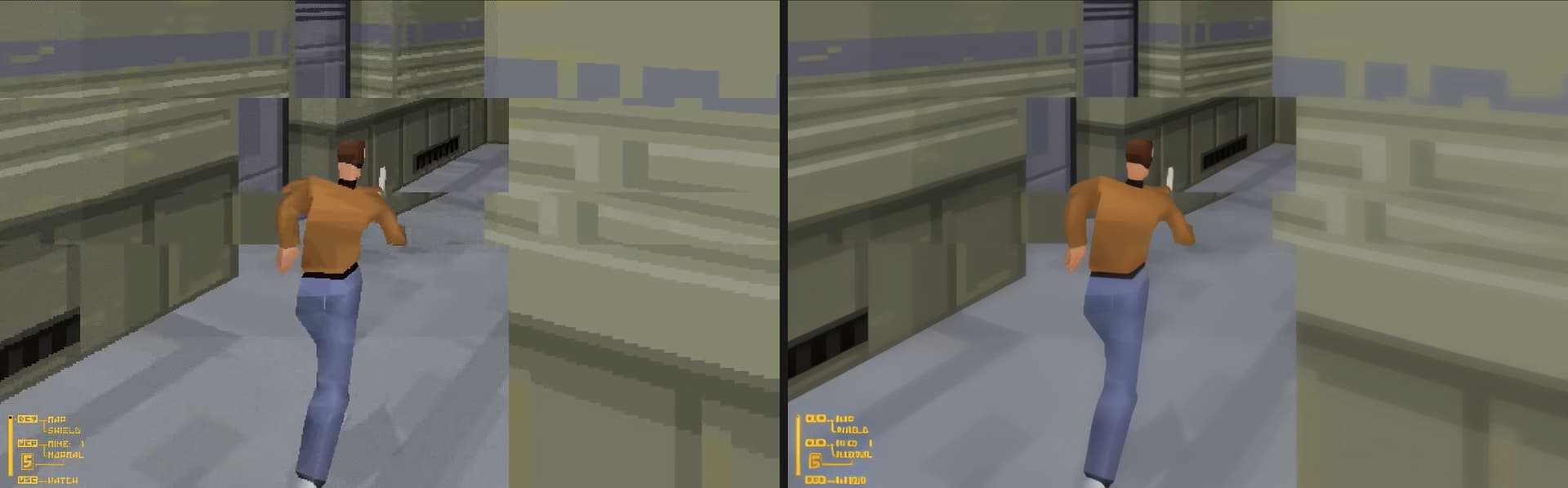
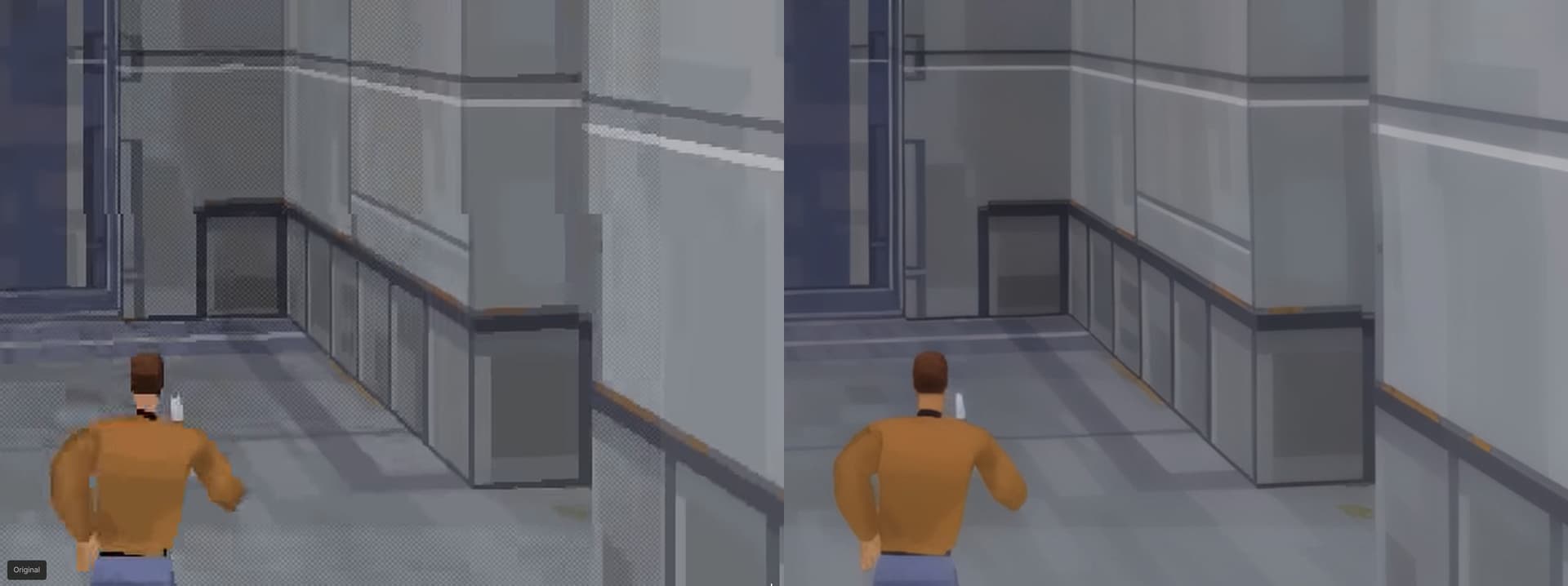
This frame tearing is an inherent Fade to Black game issue - it was using around 15fps software 3D rendering for the game itself, IRRC. The game renders the frames from the bottom to the top for some reason, and when there’s a bottleneck, player can see the frame being drawn like in old POVRay rendering.
I like the fact SL Mini is trying its best to mitigate the tearing:
Seems to be the start -speed-boost is in generell, I have it also with my 4070Ti Super, then it drops back to the speed as it was in the previous version
No change with my 4090. Still at 1.1 fps. I maxed out my memory percentage to see if that would effect things. At least now, it doesn’t make TVAI run slower. But it doesn’t make it run faster either. So I put it back to 70%.
The results continue to be impressive. If only we could upscale a 30 min clip in less than an hour (like we can with Rhea & Proteus), this would be a complete game changer. Keep improving TL. You’re getting there.
I can also confirm the speed drops after a few seconds. I’m using a 4070 Ti SUPER, trying to 2x upscale a 21-second, 20 FPS 1080x1920 portrait video with Starlight Mini.
It started at 0.1 FPS with less than 2 hours remaining, then slowed down to 0.0 FPS and jumped to 3 hours remaining.
The biggest downside to this model is the speed, but given that it is apparently running a diffusion model I don’t expect it to ever get anywhere near the speed of Proteus.
I’ve played around a little with text to image diffusion models using stable-diffusion-3.5-large since I got my 5090 and it takes me 13 seconds to generate a 1368x732 image once the model has been loaded into memory and using 28 steps. That’s effectively < 0.1 fps.
I’ve not tried img2img much yet so I’m not 100% sure if my interpretation of how it works is right, but I guess that Starlight Mini model is effectively running in img2img mode on each frame, and given that it has an existing image to start with it should be quicker. Whatever they’re doing though, I’ve not been able to come close on my own yet, either in terms of speed or quality of results so it’s definitely cool that they’ve got this working in such an easy to use way.