What about human faces? Starligt can prove what it can do! Please give us some examples! Thank you!
Does the individual face always remain the same or does it look slightly different at each location? Do you always recognize the same person?
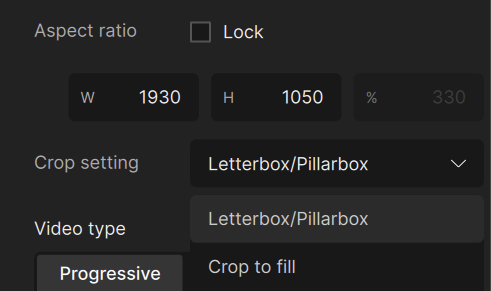
I’ve noticed a possible bug in this version - when I apply a crop (to eliminate the black upper and lower bar) after just dropping the video file (no processing yet, but my preset is selected at start of the app), and then press ‘traditional’ Render preview, the result gets squashed to the original aspect ratio, before the crop. Subsequent previews, after changing a parameter, be it real-time one or ‘Render’ one, are of the correct aspect ratio already.
While checking that, could you implement aspect ratio option, so the user can render a file with non-square pixel ratio? Some videos are hardcoded with bad proportions (old anime rips or shows), and these
options offer additional black bars or crop the frame outright only… Autocrop option would be nice, too!
And pretty please, return the Gaia v6 model to us! Or at least allow using the modified Gaia v5 JSON file, so we could add v6 manually…
We proudly present “Starnight” a P2P platform for sharing hardware power to do AI video enhacements.
The Starnight client is free and can be installed on every and several computers. Set the ammount of Memory, GPU and CPU power the program max can use. On this way you earn more and more credits over time, for upscaling your own videos, running on the Starnight network with millions of computers and world best AI model
What is the maximum resolution input Starlight can do? I’m assuming it’s 1080p as that’s the maximum output resolution.
I thought I’d ask as it’s intended on low res footage, but I got some 720p footage that looks no better than 360p-480p.
It’s probably because of sigle-digit ‘population’ of these cards - the premiere was mostly on paper, to only appeal to the shareholders, probably…
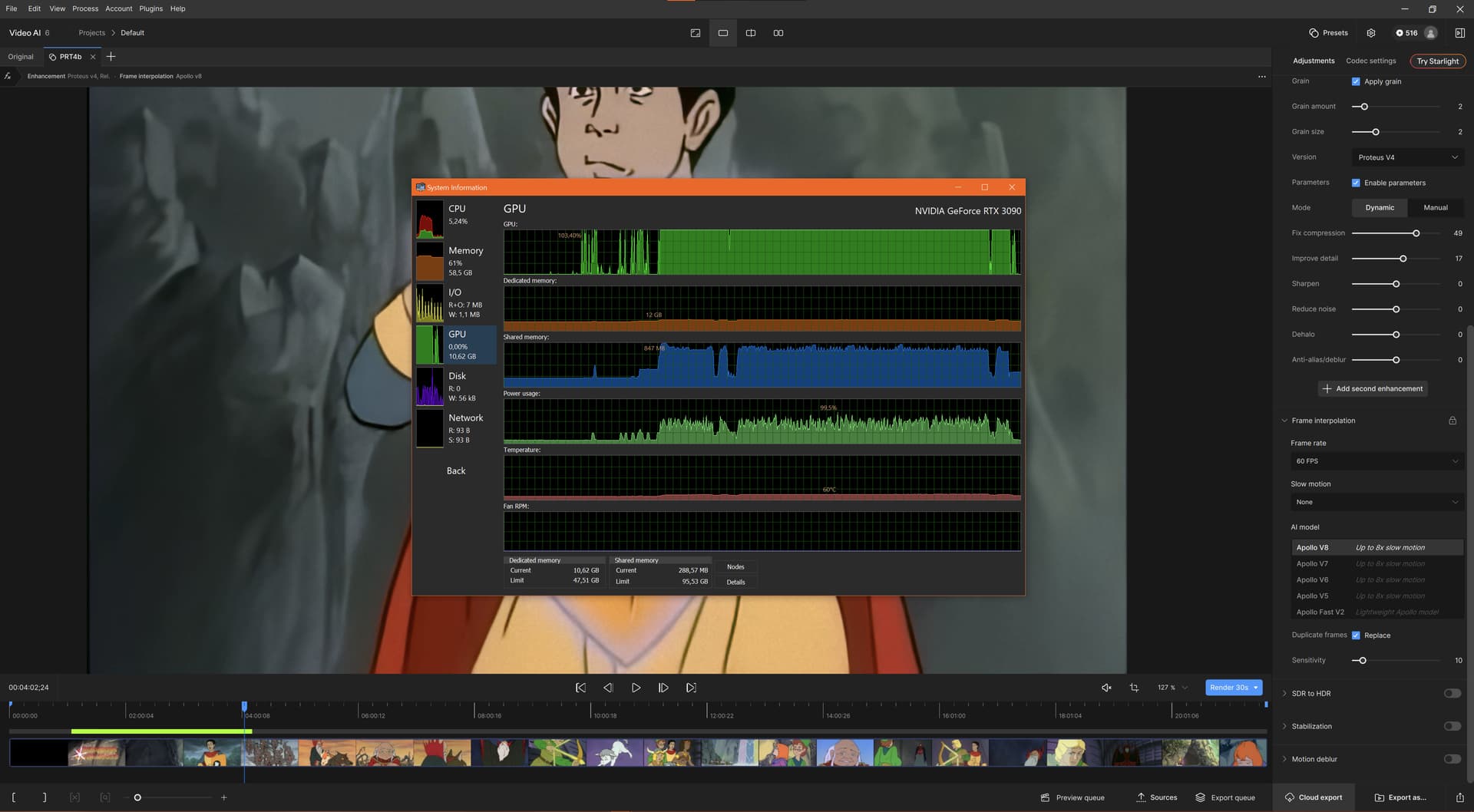
And seeing how the 3090 behaves while processing the video in VEAI - I wouldn’t risk using 5090 for that - despite me having set 70% power limit, the GPU power usage jumps to even 120%, intermittently.
This is while using SDXL image generation:
That power draw ‘saw’ is VEAI’s work. It’s just 95.5% max at that time, but it can go over 120%, depending on the case. I set the 70% power limit in the Afterburner application. I think it might be the driver’s ‘decision’ to provide a stable processing for the VEAI, but it’s dangerous for the 5090 owners, I’d wager. Especially Founder’s Edition version of the card.
I have a 5090 and a 4090 which I would like to sell. Can’t do that before TVAI has proper RTX 5000 support. Atm, 5090 is slower than 4090.
I use a voltage curve on the 4090 which is optimized for efficiency and never exceeds 300W, monitored by MSI Afterburner.
Windows monitor can be wonky at times, imho.
Starlight will never be an option for me because the cost for hours and hours of video processing on that scale (even with x10 better efficiency) will be completely prohibitive for my use case.