Thanks Thomas! I just downloaded FilmConvert Nitrate and you’re right! It’s actually a lot better than just layering a film stock on top of footage. This will be my go to now for film grain as the film grain can be customizable in different parts of the image (highlights, midtones, shadows).
Can you write briefly why 5.3.6 is the best? I’m tired of bugs in subsequent versions.
1 Like
V5.3.6 is the last one before they implement mplayer, it is VFR free and has the old UI, it has Rhea but no RheaXL. I do everything with V5.3.6, there are some little bugs, but overall good it’s stable, for example encode pause/resuming works fine (but this is always not risk free)
The preview playback will loop when using the In/Out markers and rendering the full section.
And why is this better than just selecting loop in the preview queue (now that we have a preview queue again)?
You need to enable cloud processing:
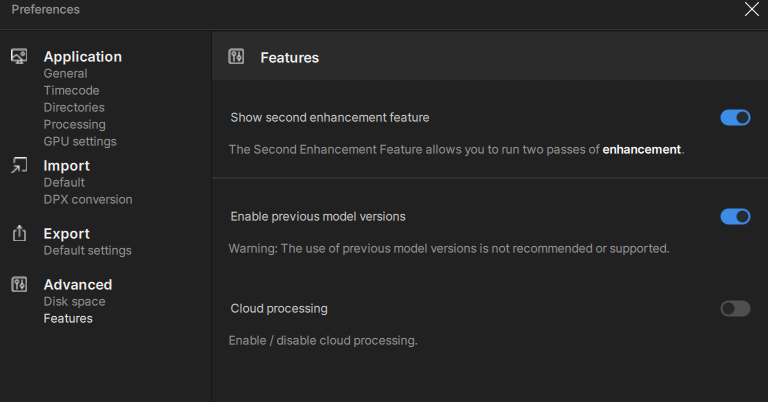
I have it off and I don’t see the Try Starlight option.
Have you tried using the web app?
Yes. That’s the only way it works for me. I have to convert to mp4 to upload them though.
I tried a bunch of times in the beta with mkv files. I even made them 10 seconds or less. They all had the same error of ‘invalid input’. Even the same mp4s that work in the web app didn’t work.
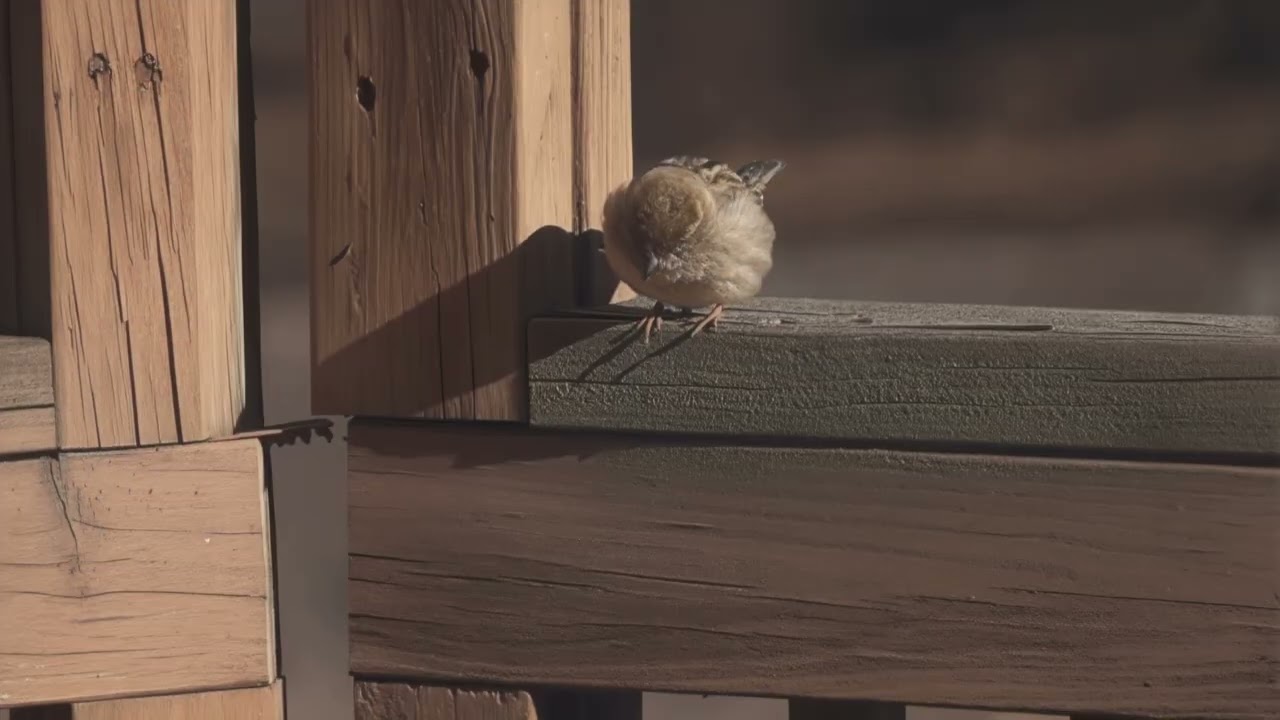
I’m still amazed at how well Starlight dramatically reduces aliasing/moire. Straight lines and very fine detail are your worst enemy when recording in lineskipped mode and Starlight handled it very well! That’s really one of the main consistent points about the model. If it can just work on not oversharpening, overestoring, not changing the color and contrast it will be the “almost perfect” model for my shooting use cases (telephoto super slowmo wildlife). Still have to do a Proteux 2X pass with Dehalo at 60 to soften the image a bit more. Obviously, I echo most peoples’ request that a local model of this gets to our hands eventually.
1 Like
This is definitely a really “tough” test because of the really low quality footage… but I must say that although it does a great job compared to the “standard” AI models now on TVAI, the end result is still “far” from being great!
Did you try asking support chat?
Nah. I have no intention of ever using it seriously.
From the three mp4s I did get to work in the web app, I have determined that it’s not something I will use even if it was a local model.
For normal DVDs, it changes the expressions of people.
For VHS, it was not better than what I can get with Proteus. Too may spot patterns erroneously added.
2 Likes
Yeah, I don’t do VHS or very low quality stuff with people in it so I don’t find it surprising it doesn’t do well for others. For me and my type of wildlife shooting, it’s a model that get’s closer for me because of it’s aliasing/moire reduction ability. No other model has come close in terms of anti-aliasing/moire with the exception of Artemis LQ. But then Artemis LQ has it’s own problems as well that Starlight doesn’t.
Anynody tried starlight for 1080 to 4k?
You mean Starlight 1080P to Starlight 4K? I haven’t. But I’ve done a 4K upscale with Starlight using Proteus. Starlight right now only does 1080P as it’s max.
It’s like offering a desktop computer the size of a large refrigerator to consumers who want a high-performance laptop.
No matter how high-performance it is, it’s meaningless.
You say you will make it the size of a laptop in the future, but how many years will we have to wait until then?
I want you to understand that what is required is a bug-free, more powerful laptop.
1 Like
I have been using v 5.5 for quite a while on my mac studio M2 Ultra, not having any issues. I am wondering if I should upgrade to 6.1. Would it be worth it? I just don’t want to lose my presets.
You can copy your presets just in case.
I don’t know where they are on mac. But on windows they are in the same folder as the models folder.
Software is in C:\Program Files\Topaz Labs LLC\Topaz Video AI\
Presets and models folder are in C:\ProgramData\Topaz Labs LLC\Topaz Video AI\
They are simple .json files and have the same name that you have given them in the software.
Can test with the beta version first as well, as it installs a BETA version separate from release. But backup your presets first either way.
Here’s direct link to the latest beta download for MAC: DMG
See if you can download it without beta access.
yup, this is the straw that broke the camel’s back for me. just canceled my sub, best of luck Topaz!
1 Like
I posted about FilmConvert Nitrate several years ago. No one here or on Reddit confirmed my findings. FCN can be awesome, however the levels and color shifts take some skill to correct. A simpler natural looking grain generator is in Resolve Studio- the FilmGrain effect. It doesn’t mess with your levels or colors at all. Be sure to set Softness and Texture at zero, or else you’ll lose a lot of detail.
