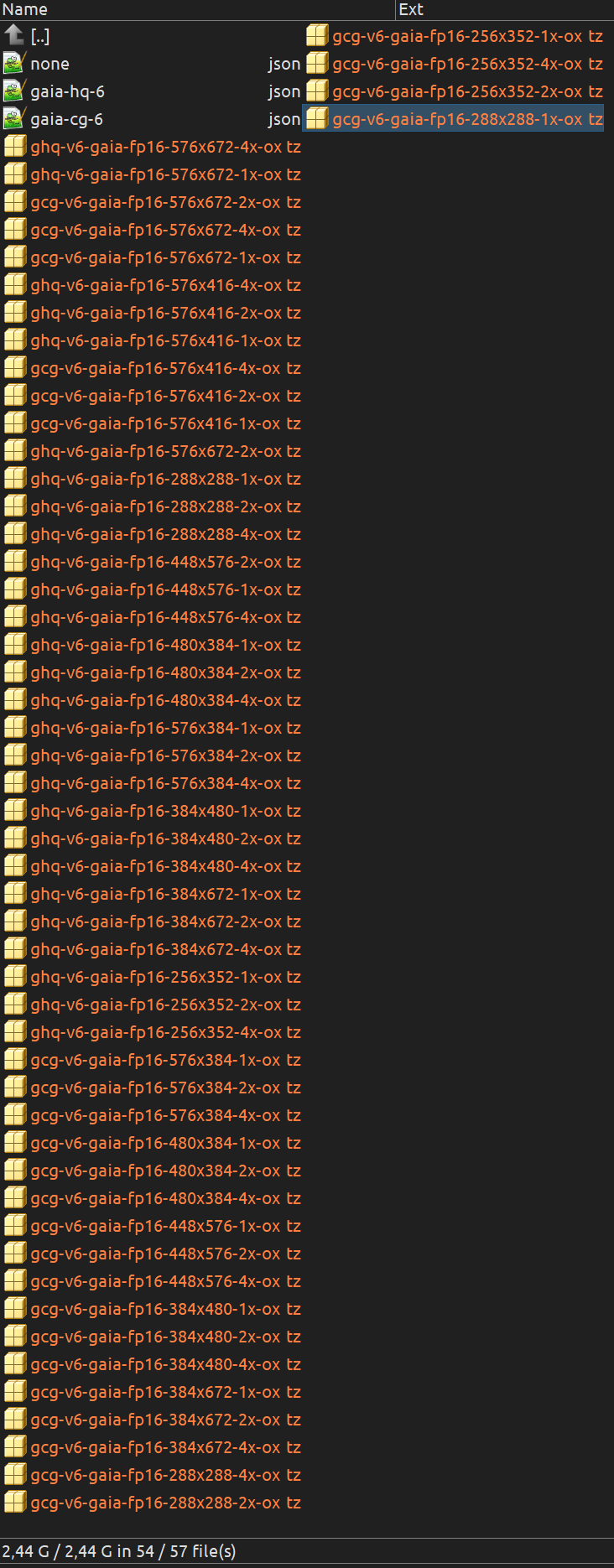
Is it possible to ‘import’ Rhea model to stable VEAI v5.0.4? I’m curious, because I can download it there with Model Manager, but it won’t then appear on the model list - is the list hardcoded in the app?
I’ve tried to manually add Gaia v6 model files as well (I saved them from the time they were a thing), but VEAI doesn’t seem to parse the edited/renamed JSON files, adapted to Gaia v6.
The sequence actually does load, but now you have to wait up to a minute for it to load.
If i try to do anything in that minute - and you can because nothing is indicating it is loading and everything is interactable, you get various issues. Freezing, Crashing to desktop etc.
I checked the live version - first time trying V5 and almost the same issues exist, meaning that at least part of this is broken for V5 as a whole, not just this Beta.
The sequence shows the correct frame numbers on load, but scrubbing shows the preview stops several thousand frames from the actual last frame. Anything past that point just shows black frames (which does not match the input).
Attempting to process any black frames to see if there is a preview issue, shows a result of just black frames, meaning that the sequence is losing thousands of frames. Exactly how or why I have no idea.
This is a screenshot of a frame at end where the blackness starts, processed next to teh actual input frame in folder showing it is not black: Imgur: The magic of the Internet
Note that if I select a sequence and actually export it - that is save to files - the output is normal and as expected, meaning on the back end the process appears to work, but the preview is completely broken. I wouldn’t be surprised if its related to now having to wait a minute to import (something that has not happened ever in this program).
The preview pane on the right is just plain broken. I have tried several times, and during and after processing, scrubbing the preview shows the original on the right processed side always, so preview in the app is broken entirely.
Whilst trying to switch preview outputs to make sure that the preview is definitely not changed - hard crash to desktop.
Note the end of the logs when this happened had the following:
Invalid strip size/offset
2024-07-02 23-00-48.572 Thread: 102880 Critical IRIR Error sending packet to decode Invalid data found when processing input
2024-07-02 23-00-48.572 Thread: 102880 Info Inside
2024-07-02 23-00-48.572 Thread: 102880 Critical Seek failed to location 66168 on stream 0
2024-07-02 23-00-48.572 Thread: 95924 Info Inside
As I can’t get past the Loading Boss, I will have to wait until the application is usable to test any new model. Note - many of these issues are in the live version as well. This is a screenshot of live, showing Topaz is trying to finish the sequence at around 62k frames and has “automatically” put a mark out position after that. The frame shown is not even close to the actual frame number of this specific frame and the blocked out portion is the missing number of frames topaz is dropping from the sequence.
Clicking in the marked out area that I didn’t make, will still process, but preview is stuck on teh same image.
I’d like to know that as well, since I feel ‘allowed’ models are hardcoded into the application, and editing ghq-5.json and gcg-5.json files into their v6 counterparts (and changing the names to -6 respectively) won’t help. Even if I put the model files into the models folder.
Those are the files I have saved in December 2020 - ready to be put to work again, once VEAI supports that model again.
The JSON files were of different name and format back then, and just editing them for Gaia v6, and putting the model files into the folder was enough to use them.