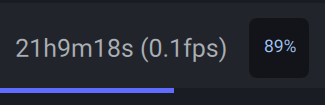
Actually it is still available but in a weird way. In the exports tab, where you have the option to see “Time Remaining” or “Time elapsed”, the default value is “Time remaining”. If you change that to “Time elapsed” it will show it for previews as well.
I was bothered by this as well until I stumbled across the “solution” accidentally.
That’s what happens most times I try the Iris models on anything. Though from those screenshots, it’s obvious they have a few of the sliders up way to far.
Firstly looking at your logs you have just 16gb of system memory with just 10gb avail.
Secondly jumping from a 2070 to a 3070ti and not upgrading your 500w power supply to the recomended 750w.
Thirdly default settings on most motherboards are not the best by any means.
Pumping 1.45v thro a 5950X in my case is insanely way too high.
And by the way a motherboard is the most crucial part of any compter. Getting a sub par one can cause nightmares, as I found out after doing this while waiting on RMA to be sorted.
Right you are, it’s the CPU.
There should be no problems with my RAM, and although I really like my VRAM, it’s apparently not enough for the current unoptimized version of Aion.
My power supply almost never has problems with my setup, but when overclocking, VEAI overwhelms either the power supply or the power controller. It’s an excellent supply but given that my motherboard is equipped for powerful cards, I hate to admit that it may be the supply. My motherboard is the one crashing, and no breaker is popping, but I heard the PCIe slot supplies power. So, if the PSU tops out and the motherboard tries and fails to pick up the slack, the controller probably trips.
when are you all getting resume after crash or outage happens, i stopped upgrading because other companies like owl 3d offer a resume in the event a crash/outage happens so i dont lose conversions, topaz doesnt have this and i got tired of losing work, yall come up with all these updates but an important feature like that one, its no excuse , we keep hearing for three years now that it was gonna be worked on but the feature request has not be done
Glad to say the render is finally complete! It took an estimated 86.4 KWh but I think the results were worth it. Also, all of my drivers and OS needed an update, conveniently. Looking forward to that tensorRT model!
You clearly did not read my statement about power outages, which is something that is not in your control. It would be nice to have a resume feature if a power outage happens. sure you could buy a UPS but let’s keep it real. A UPS may only last for an hour and if a power outage ends up lasting for a couple hours because of heavy rain, your conversion is screwed. A much smaller company like owl 3D has the feature and they are a small startup with only two developers. So why can’t a big company like Topaz have it when it’s something that’s been asked for years? That’s a rhetorical question. If you want people to continue upgrading actually give people the features they asked for. Keep changing UI layouts when many people like the previous layout spend time on features that are actually important. And also 3 years later the program is still a snail, I have seen GitHubs that have better use of tensor cores. This is ridiculous especially for how the price is doubled on update fees. And thats my rant which is a valid rant.
You should have access to the beta section since I see you have a beta tester tag. If you looked in there you would have seen that pause and resume functionality is on the current beta v5 which will be released tomorrow.
And @menditsa was not replying to you regarding using an unlicensed/cracked Topaz products, their reply was to ‘VideoEnhancementBruh’
Thanks for these settings. I will test them out. At which step do you upscale to a higher resolution? Is that phase 3 in your process? Can you please post your iris settings? They are cut off in your screenshots.
Hi. in fact, phase 1 allows you to denoise and improve sharpness a little without changing the image resolution. (The sequence must already be deinterlaced, as Topaz’s deinterlacing models are not very good. That’s why I use HandBrake). In phase 2, I scale by x2. Phase 3 consists of a small overall improvement (sharpening and skin texture recovery, notably with fixed focus in standard mod).