You mean M4 Max.. There is no M3 Max in a Studio  they skipped it. But 2200 CHF is a good price
Are usage of AI agents is forbidden in company? With claude fable 5 it can be done with 1 day, even just “working” demo
Yes sorry M4 Max
I recently had to restart the mac during processing (not Video AI’s fault) and was able to continue processing as I use TIFF files. The key is to look where the last frame is in the video. A good trick is to use LosslessCut to see frame numbers… Topaz is aware of the request to display them in a future version.
I have also updated my TIFF → MP4 to accommodate frame rates that are not integer 
- added decimal point in regular expression
- switched to zsh to allow comparison with floating point values
#!/bin/zsh
if [[ "$#" -ne 1 ]]; then
	echo "Usage: ffslp <video without extension>"
	exit 1
fi
if [ -f "$1.mp4" ]; then
	VIDEO=$1.mp4
elif [ -f "$1.m4v" ]; then
	VIDEO=$1.m4v
else
	echo "ffslp: cannot find $1.mp4 or $1.m4v"
	exit 1
fi
if [ -f "$1_slp.mp4" ]; then
	echo "ffslp: file $1_slp.mp4 already present"
	exit 1
fi
echo "Processing $VIDEO"
if [ -d "$1_slp" ]; then
	FRAMERATE=`ffprobe $VIDEO 2>&1 | grep fps | grep -oE '[0-9.]+ fps' | grep -oE '[0-9.]+'`
	if [[ $FRAMERATE -gt 0 ]]; then
		echo "Framerate for $VIDEO is $FRAMERATE"
		cd $1_slp
		ffmpeg -framerate $FRAMERATE -i %06d.tiff -i ../$VIDEO -map 0:v -map 1:a -vcodec hevc_videotoolbox -q:v 75 ../$1_slp.mp4
	else
		echo "ffslp: cannot find framerate"
		exit 1
	fi
else
	echo "ffslp: cannot find folder $1_slp"
	exit 1
fi
echo "$1_slp.mp4 created"
1 Like
1 Like
I dream of the day when the full power of neuroserver is unleashed on topaz video.
2 Likes
…and once again, a Topaz video patch is complaining that it is hosed, with a vague reference to failure to install neuroserver - exactly like the last patch. Perhaps a tiny bit of QA testing is called for since that apparently is not a part of the current update preparation process. Just a hint from someone with a clue. I guess I’m back to downloading a 1.61 installer if it exists, like I had to do when the last update also failed exactly the same way; uninstalling again, deleting all Topaz directories again, running that installer in an elevated command window again, and wondering if it’s worth running the next amateur update that I now have every reason to believe will also fail.
So I did a 2x SLP run on the Mac here:
67_apo8_slp.mp4.zip (16.8 MB)
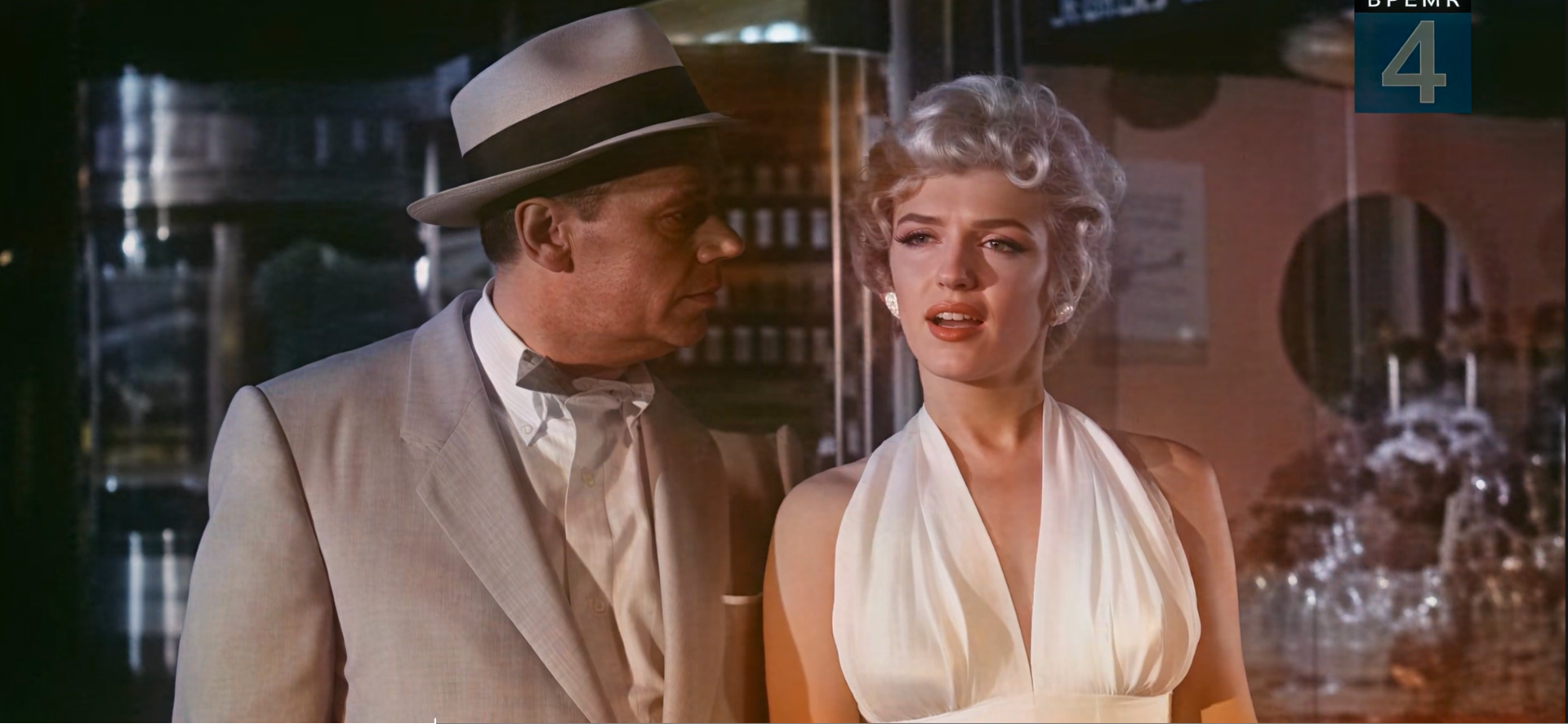
Still some flaws with temporal consistency and not fully smooth motion, but better than your example.
SLP is sometimes quite “blocky” with movements when the source is as bad as the one you provided here. You’d need a second finisher run, best with SLM to cure this.
P.S.: The source resolution is much too high for the actual image information contained in that video (which would be more 360p or something). So I guess it’d be better to first downscale the source.
P.P.S: Apart from above mentioned issues it’s still amazing what SLP is able to do.
From this:

to this:
5 Likes
But you can use the option in TopazVideos settings to display frame numbers instead of timecode..
Just some ‘tips’ if you would like to render with SLP with cut in/out tools.
The ‘loading model - estimating’ phase will took 10 minutes before it start. It will start eventually, so no worry and don’t terminate it, just wait patiently. You can guess the progress by monitoring the ffprobe in task manager, it will read your disk at around 70MB/s for almost 10 minutes, after that the neuroserver CPU usage will spike up, then the render will start.
Also the System RAM fully occupied with cut in/out video is no longer observed in 1.6.1.
SLP Render with PNG sequence input work as well.
So basically Topaz fix more that what they said, just that they didn’t publish their release note well.
Thanks for the tests. The results are good. Could you tell me how you achieved this result? I tried downsampling the original to 360p and running SLP twice, but it still shakes.
I did nothing special - just took your source and did a SLP 2x run on it.
Apparently SLP gives better results on AppleSilicon than on NVidia regarding temporal consistency.
Odd little problem has cropped up. A ‘.nuke’ folder is being installed on the root of D: drive containing a ‘menu.py’ file. Problem is, depending on system setup, anything that isn’t on C: drive isn’t guaranteed to be mounted during runtime.
An additional SLM pass does effectively remove the blockiness and also the remaining especially chroma noise very well.
But, unfortunately, it’s a bit overly smooth so you’d need to add some grain I guess afterwards for a “perfect” (as much as it gets with nowadays models) result.
SLP:
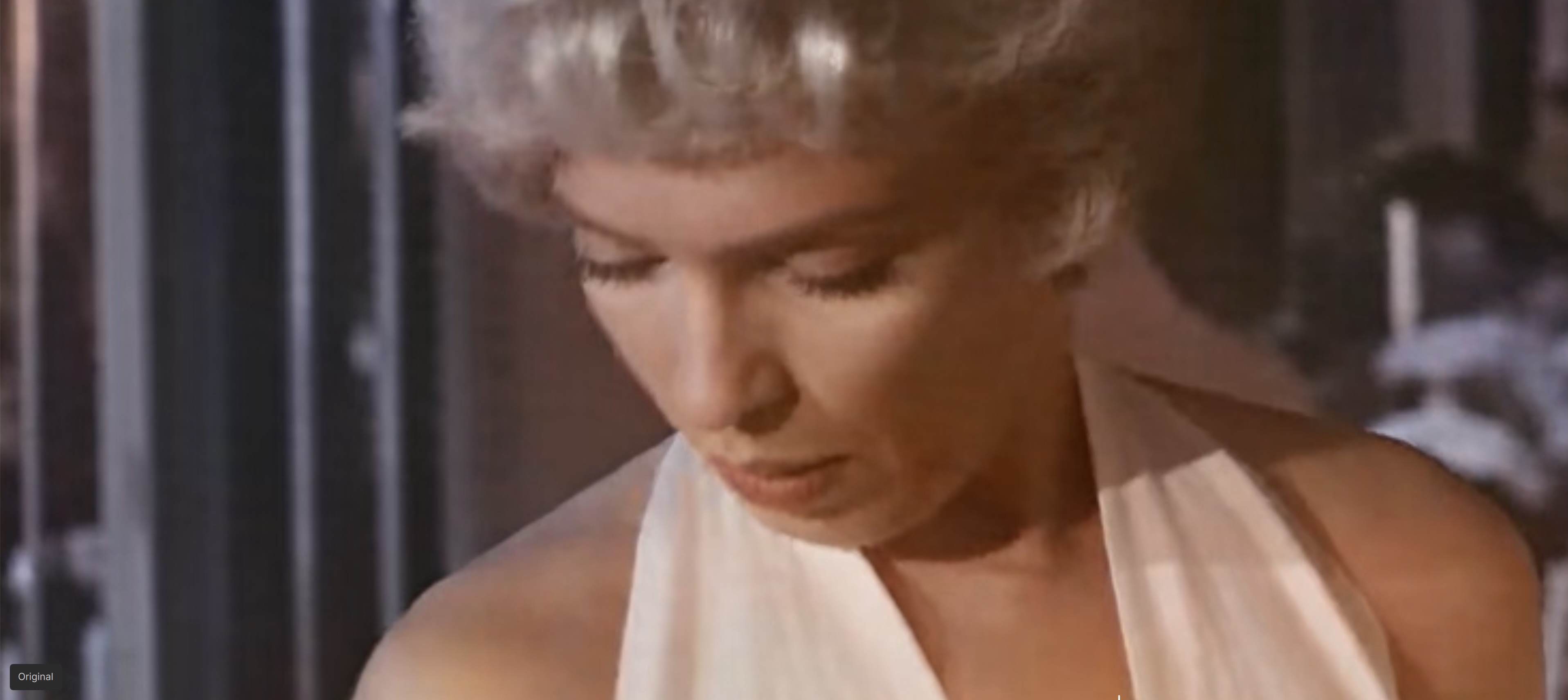
SLP+SLM:

Are you referring to the effect where the quality drops significantly on 1-3 frames before or after a sharp camera cut in the video, or during fast movements?
Regarding the additional SLM pass? Basically, all of them.
Regarding the better quality on AppleSilicon: on the Mac the issue that SLP has those “jumps” in e.g. steady backgrounds (or, in that case even in Marilyns face, look at the original post, eyebrows,…) every 25-30 frames is vastly diminished compared to SLP run on Nvidia chips.
Thanks! I missed that in the settings !
Why run SLP twice? I don’t see the point. A single pass is enough. On the second pass, the image becomes overly sharp and looks artificial—like silicone.
That’s how it is on Nvidia. I also thought hair would be a tricky case for upscaling, but the man’s jacket flickers too—as does the floor, and so on.
Obviously, the original quality isn’t great; that’s the root of the problem. SLP has to fill in a lot of details, which leads to a lack of consistency between the frame batches (every 25 frames). The better the video quality, the better the consistency between batches!
If batch consistency works better on Mac, hit “like”—and do the same if you want it to work that way on Nvidia too!
1 Like
ok speaking from a position of ignorance, desktop starlight precise is… astounding.
But you praised jo.vo’s result (his first test), and he did exactly 2 passes. Now you’re saying that you don’t like the 2-pass image. Unfortunately, jo.vo didn’t provide a 1-pass test, so I think it’s too early to judge that Mac is better than NVIDIA
