With SLP  Sry, i forgot to explain what Model i mean. I edit my post.
I appreciate that you make these awesome models available locally to your Pro (and ahem Legacy) subscribers and would be mortified if you stopped just to stop piracy. I have no intention of upscaling in any lengthy form via the “cloud”. Using Iris I have been able to upscale digital TV shows and not yet 4k films that are otherwise stuck in 1080p… and it is extraordinarily believable and amazing on my 4k projector. Not to mention the restorations I have been able to do with SLM and SLP. It would be a terrible business decision to limit paying users to stop pirates so just IMO I am not really clear on the complaint here.
2 Likes
As near as I can tell, the original complaint is based on the premise that Topaz is making their best efforts too affordable for non-professional users and undermining the “advantage” the pros with deeper pockets would have if Topaz apps all cost too much for commoners to be able to afford.
Or maybe someone out there owns stock in a company that manufactures copy protection dongles…
1 Like
Terrible mindset. Only rich people should have advantages? 
I don’t think he’s really a „pro" - seeing that claim about a 20k software. More like a small few persons business. Real professional studios would laugh about such a sum.
Hell, 2 of our monitors here cost that amount..
Any ideas on how can i make my video appear down there as it does in all versions before 1.3.0?
Right now im in 1.6.0 and the issue still insists
I ve asked again for this

SLP2.5: I tried to process FFV1 input in MKV container, got an error.
Is it because of FFV1 codec?
No it’s because of MKV. Try AVI.
1 Like
I honestly had not seen that!
Yes, now working for me as well. I accidentally started a run using a MKV source and it is happily chugging away.
Up-scaled 3 videos ~360-392p 2x using Starlight Precise 2.5… On MacStudio base model (Mac Studio 14 CPU 32 GPU 36GB RAM. MacOS 26.5), it takes ~2h for each minute of video. Very comfortable with memory utilization, GPU maxed out.
Very pleased with the results, getting to the point where I almost don’t want to see videos of that resolution converted by an old model…
Will Mac ever go faster than a 5090? Need M5 extreme
From Topaz Video 1.5 to the current 1.6 version, there is a severe bug that, under certain conditions, can be triggered to erase other software and files on the disk where it resides. This issue has been reproduced on multiple devices. Examples include deleting a project, shutting down while downloading the Starlight model, or force-quitting from Task Manager when the software freezes.
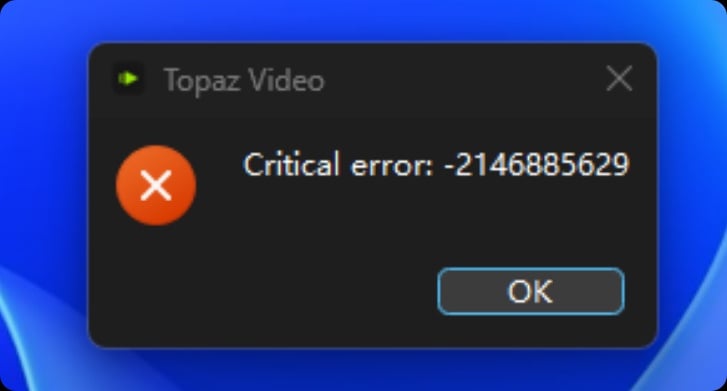
Yes, I already wrote something about that but no one reacted. By closing Topaz, the application froze and then Topaz deleted my folder C:\TEMP. I lost several days of work, and this happened twice. The first time, I had nothing important in the folder, so I thought I had made a mistake and deleted it myself by accident, but the second time, I could literally watch the folder being wiped, and it didn’t even end up in the recycle bin.
Someone else on the forum wrote as he changed the storage location, the Windows profile data under AppData was apparently moved or deleted, so suddenly the desktop was empty and, of course, many programs does not start up anymore when their settings were basically pulled out from under them.
There is definitely a major bug lurking there that needs to be fixed. However, it only occurs under specific conditions.
1 Like
Since I’m not the only one experiencing this issue, it can be confirmed as a serious bug in the official software. I hope the developers will release an update to fix this bug as soon as possible; otherwise, important files could be inexplicably deleted, leading to significant losses.
2 Likes
This is reported to the team, and they are investigating the situation as to why this is occurring.
This is very serious and was seen by a few users after moving the project file to a different file path and then deleting it from inside the UI, which took with it the root folder.
3 Likes
I just discovered a serious problem with the SLP 2.5 model. When changing a scene, for the next four frames the new scene is cluttered with the last frame of the previous scene. Example below. It is possible that this property of SLP produces a gray smog effect on skin and other stuff on the moving elements.
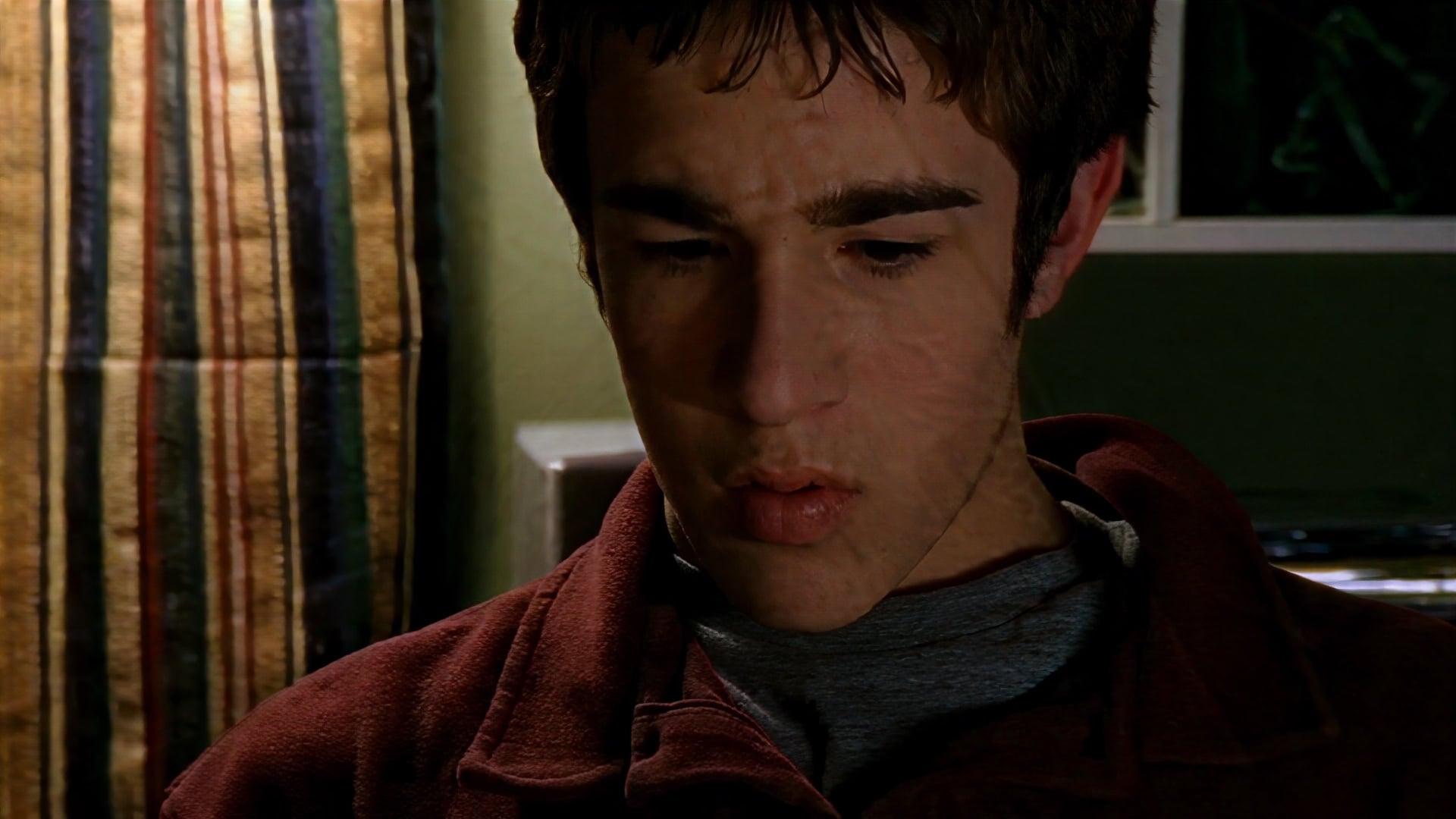
4 Likes
Yeah, the ghosting is an issue for sure. For example I’ve seen credits appearing a number of frames before they’re supposed to fade-in.
Are these issues related specifically to Topaz’s scene detection function, or do they also happen during scene transitions that already exist in source material if scene detection isn’t turned on at all?
Actually I misspoke, I haven’t tried the scene detection feature yet. It’s been some time since I used VAI much. I did push pretty hard for it to be implemented though and had given up on it. Time to fire up some video enhancement projects!
1 Like
That’s another issue different from the „dirty skin" one.
This ghosting has also been reported quite a few times by now. Luckily here the second Starlight mini pass removes most of it.
