Topaz Video 1.3.1

Hi Everyone!
We have an update that addresses a few things from the 1.3.0 release.

See more details below


1.3.1 Downloads


Improvements and Fixes

Features

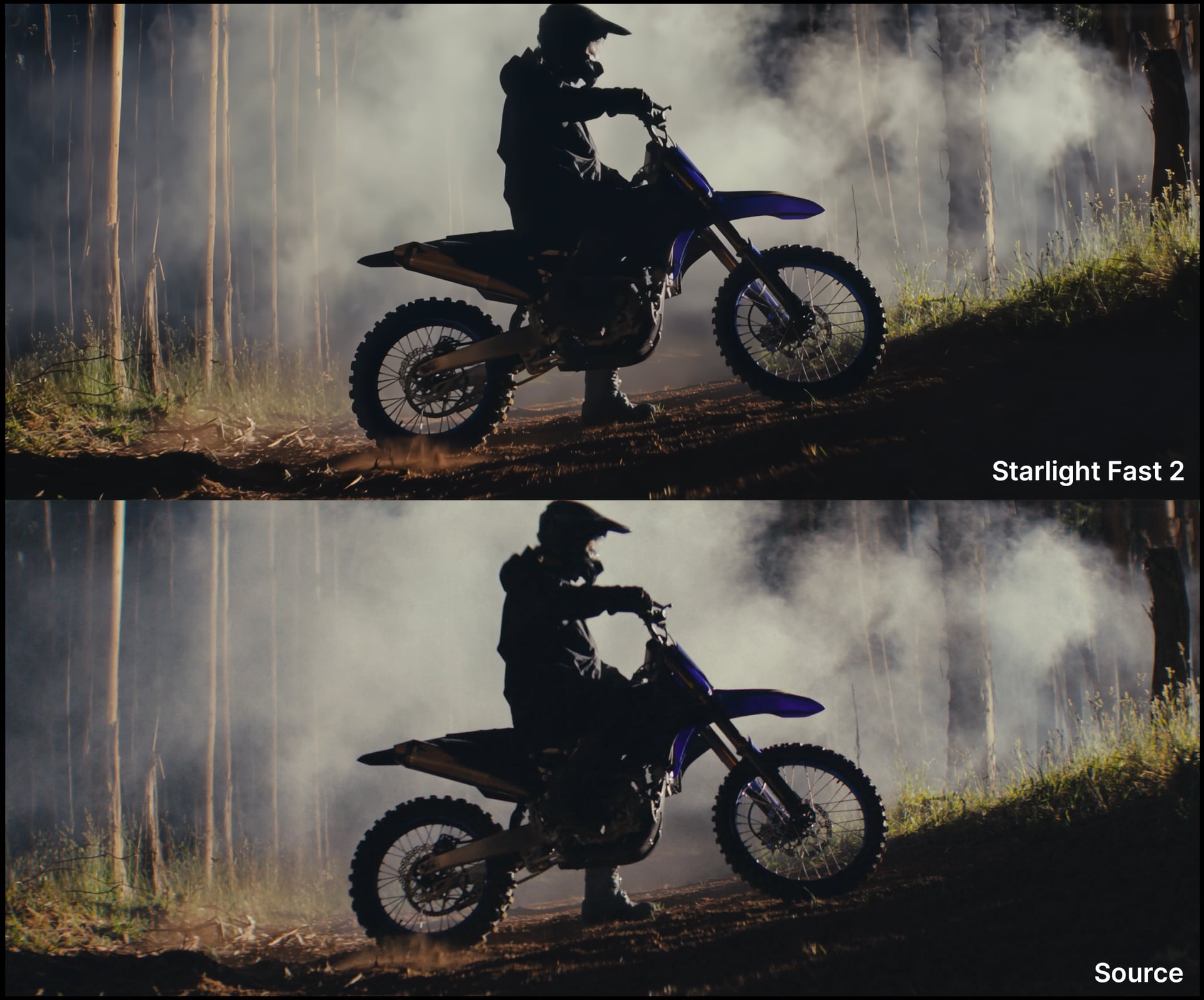
  • Starlight Fast 2 model -Founders access update
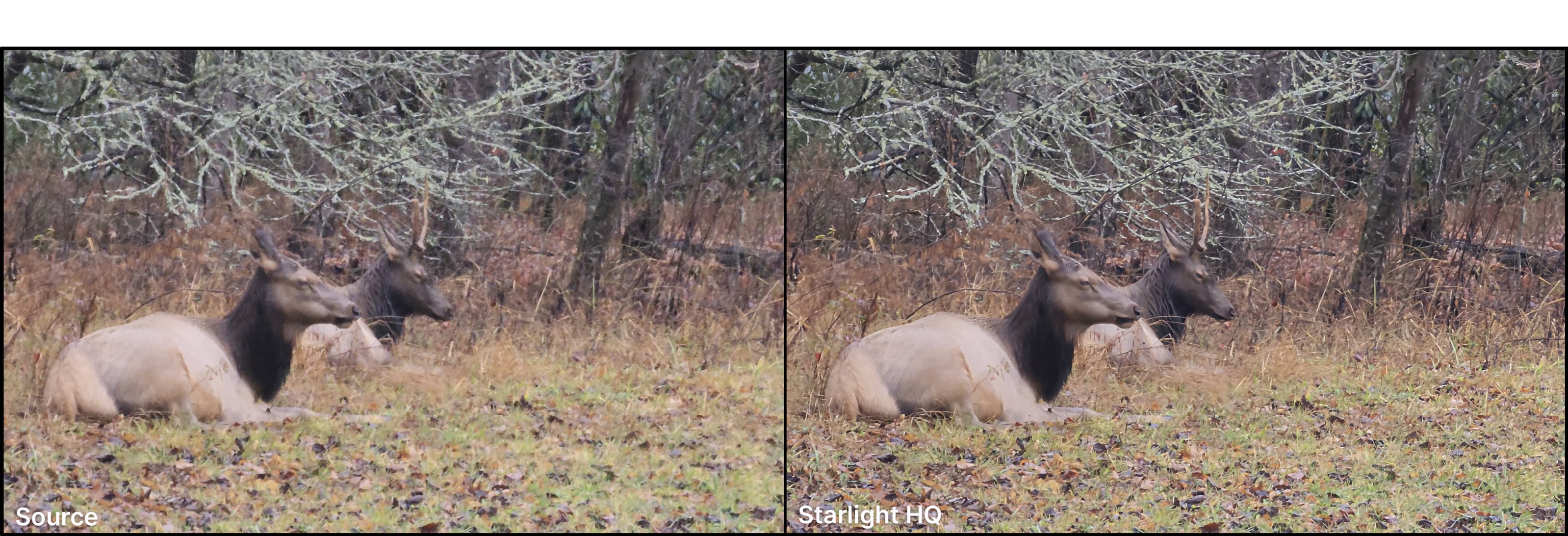
  • Starlight HQ model -Founders access update

Bug fixes:

  • AMD/Mac Starlight Mini issue fix
  • Fixed “Update Installation” pop up issues
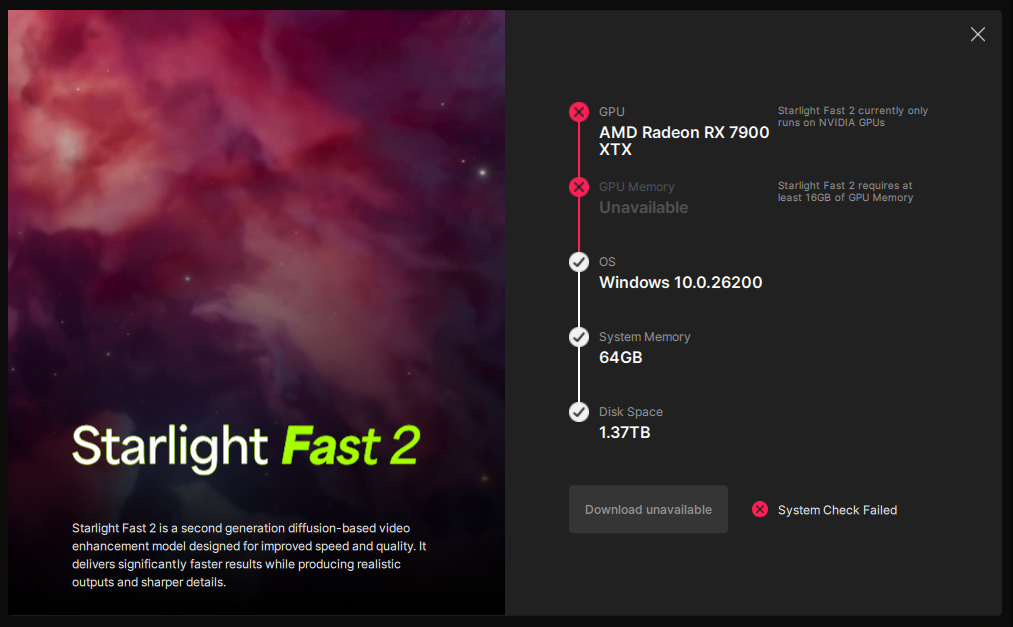
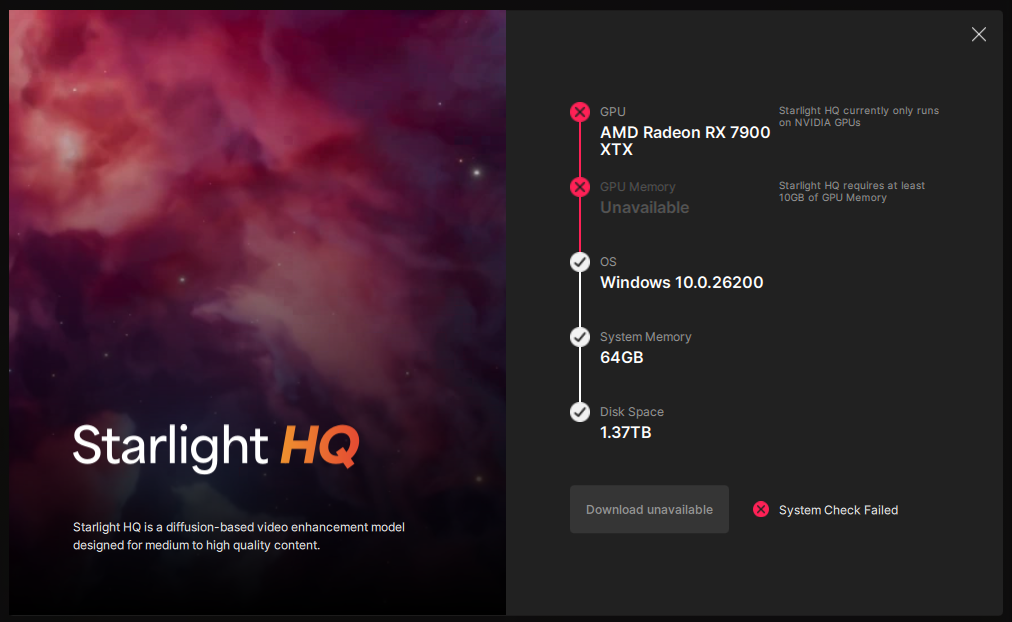
  • Fixed compatibility check for Starlight Fast 2

Starlight Fast 2 Local
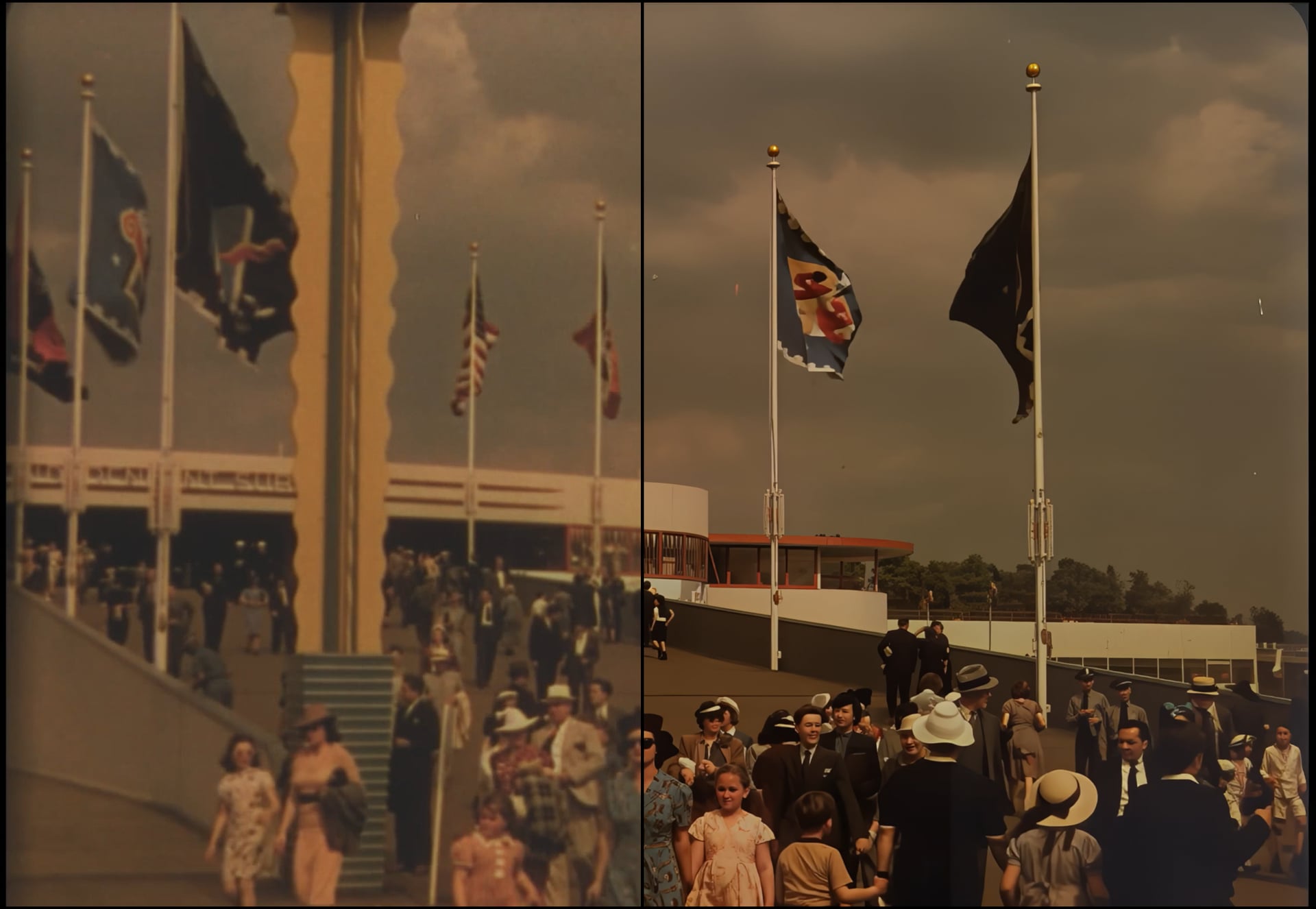

Updated for Pro and Founders.

Recap about the model:
Introducing the new Starlight Fast 2, for local desktop rendering! Starlight Fast 2 is the third variant to the desktop Starlight Model Family. Note that Starlight Fast exists on Astra. This model is great to get good diffusion results at a much faster processing time. Note that in order to make this model both available locally and still be speedy (for a diffusion model) there is a slight difference in quality for local renders.
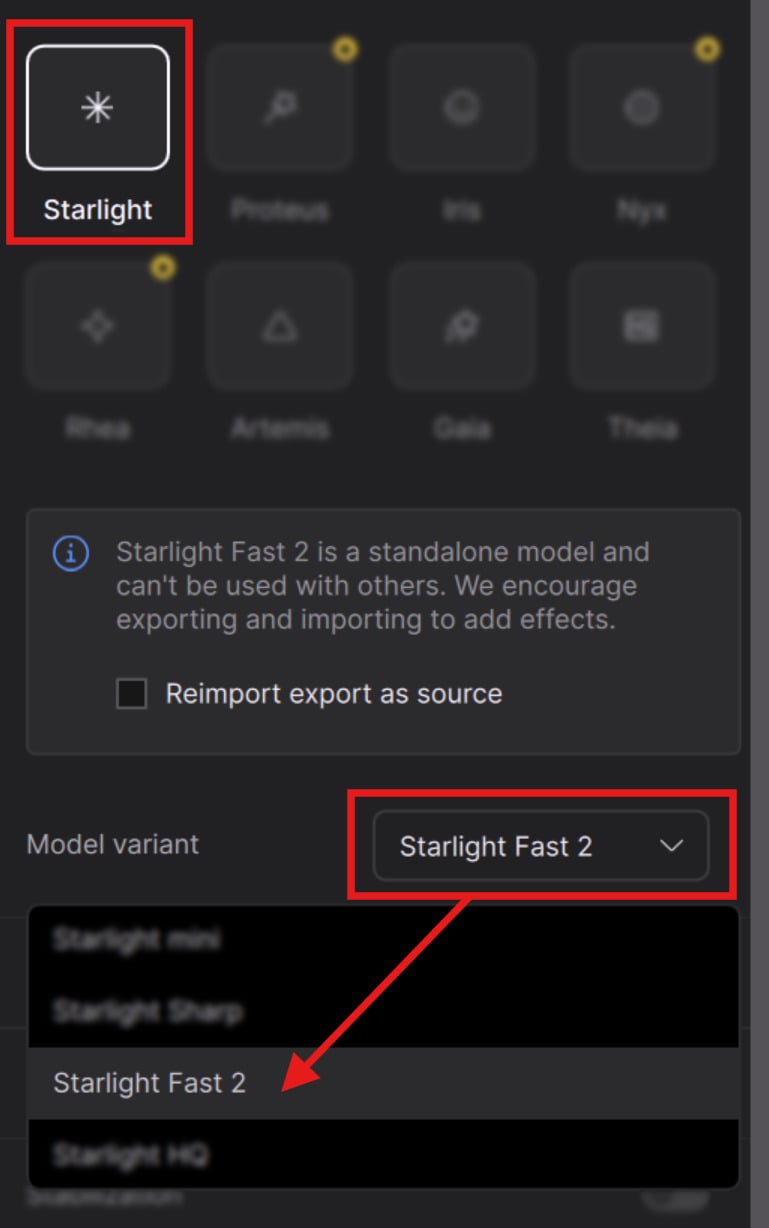
Things to know:

  • Nvidia Only
  • Requires a Pro or Founders license to run locally.
  • Best results come from 2x and above upscaling.
  • Great option for faster local diffusion based rendering.
  • Recommended to use video inputs at or under 4K.
  • Outputs between HD - 4K.
  • This model works for Medium to High Quality content whether this is generative or live action plates/videos
  • speed can be 3-5x faster than Starlight Mini pending on your GPU and available VRAM.
  • Provides better treatment for flickering/stuttering frames (especially when camera moves)
  • Requires a minimum of 16GB VRAM though 32GB VRAM is recommended.
  • There is a slight quality difference between the renders with 16GB vs 32GB VRAM. The latter being a tad more detailed.
  • Model access via the cloud for all subscription models.
  • Cloud Export supported

Starlight HQ Local
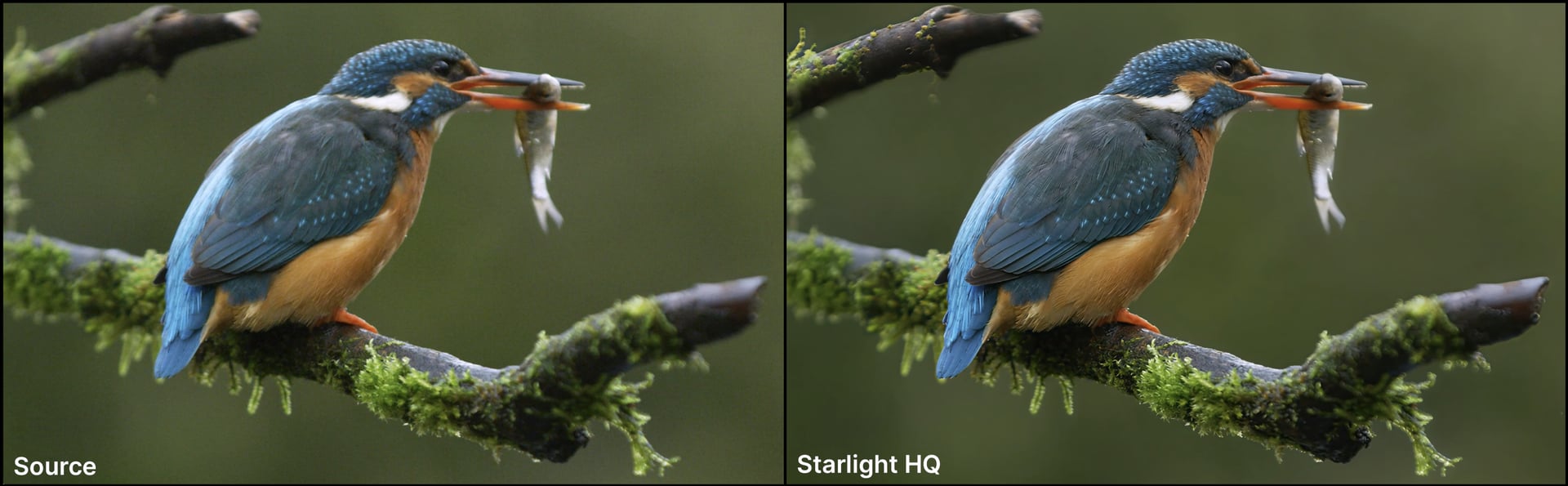

Updated for Pro and Founders.

Recap about the model:
Introducing Starlight HQ, for local desktop rendering! Starlight HQ is the fourth variant to the desktop Starlight Model Family. This diffusion model has a great balance of detail and sharpness while keeping the intent of the original video source. Provides higher quality outputs for a wide range of videos, though not necessarily intended for archival content it can still provide good results. Though addressing similar intentions as Starlight Fast2, outputs have generally been higher quality and consistent with this model’s longer processing time.

Things to know:

  • Nvidia Only
  • Requires a Pro or Founders license to run locally.
  • Processing speed is very similar to Starlight Mini.
  • Supports 480p to 4k inputs.
  • Outputs between HD - 4K.
  • This model works for Medium to High Quality content whether this is generative or live action plates/videos
  • Requires a minimum of 10GB VRAM though 12GB VRAM and up is recommended.
  • Model access via the cloud for all subscription models.
  • Cloud Export supported

This model is less ideal for content with:

  • haloing issues common with vintage digital videos
  • hair quality can vary in detail when content is on the lower medium spectrum.
  • Not intended for very low/poor condition quality media.
  • Interlaced content needs to be de-interlaced first.
  • Small repeated patterns can flicker

Bug fixes

  • AMD/Mac Starlight Mini issue with notification of “export disabled …requiring model download before local export.”
  • Fixed “Install now” update installation from app closing.
  • Fixed the cancel, close or install buttons (from the “Update Installation” floating window) from being unresponsive when there is active exports.
  • Fixed compatibility check for GPU minimum values to prevent failures for machines that can not run Starlight Fast 2.

Don’t Forget

Is your system compatible?
Click Here

Documentation
Click Here

Encountered an Issue?

  • If you experience any issues, please ensure that your drivers are up to date. Next to a proper restart or an app reinstall, this is usually the first step to ensure you have the correct drivers running for this application.
  • Sometimes a firewall can prevent the app from starting. If this occurs, be sure to add Topaz on the exception list.

Otherwise, you can easily reach out to our fantastic Support Team: Click Here


Enjoy the Update!

8 Likes

Put log in Deepseek, Trying to use starlight fast 2 This is a detailed log file from Topaz Video AI (version 1.3.1) running on a high-end Windows 11 PC. The log shows a user attempting to enhance a video file, but the process fails with critical errors. Here’s a breakdown of what happened.

System Overview (High-End Hardware)

  • Software: Topaz Video AI v1.3.1

  • OS: Windows 11 (Version 25H2)

  • CPU: AMD Ryzen 9 9950X3D (32 threads) - A very powerful, modern CPU.

  • GPU 1 (Primary): NVIDIA GeForce RTX 5070 Ti with 16GB VRAM - A brand new, top-tier graphics card.

  • GPU 2 (Integrated): AMD Radeon™ Graphics

  • RAM: 64 GB total (61.6 GB usable).

User Action

The user is trying to process a file named Test.mp4. They first attempted to use the “Astra” model and then the “Starlight Flash” (slf-2) model to enhance the video.

The Critical Errors: Why the Processing Failed

The core of the problem is that the video processing engine (runner.exe) failed both times it was run. The final output files were never created.

1. First Attempt (Astra Model - slm-1)

  • Process ID: 21

  • Status: The process ran for a while but eventually failed.

  • The Error: The final log entry for this attempt shows process exited error occurred: 21 1. The runner.exe process crashed or returned an error code (1). The specific reason isn’t detailed in the log, but it was an internal failure of the AI processing engine.

2. Second Attempt (Starlight Flash Model - slf-2)

  • Process ID: 23, then 27 (The second attempt created two processes).

  • The Error (Explicit and Clear):

    log

    [AVFilterGraph @ 000002503bfc6c00] No such filter: 'tvai_up'
    Error : Filter not found
    

    This is the key error. The AI pipeline attempted to use a second stage of upscaling with a command that included a custom filter called tvai_up. The version of ffmpeg being used by Topaz Video AI does not have this filter. This is likely a bug or a missing component in this specific version (1.3.1).

Summary of User’s Video File

The source file test.mp4 has the following properties:

  • Resolution: 1186x1080 (an unusual, vertically-oriented aspect ratio)

  • Frame Rate: 30 fps

  • Duration: ~18.5 seconds

  • Video Codec: H.264 (AMD encoder h264_amf)

Other Notable Log Entries (Non-Fatal Warnings)

The log is full of warnings, but most are related to the application’s user interface (built with Qt/QML) and are not the cause of the processing failure. These include:

  • Warning QVariant::load: unable to load type 39. - A minor internal data issue.

  • Warning WonderStyle.pointSize() is deprecated... - A cosmetic warning about text styling.

  • Warning qrc:/... TypeError: Cannot read property '...' of undefined - These are common when a UI element tries to access data that isn’t ready yet.

Conclusion

The video enhancement failed because the Topaz Video AI software (version 1.3.1) is missing a required video filter component (tvai_up), causing the AI processing engine to crash.

Recommendations:

  1. Update Topaz Video AI to the latest version. This is the most likely fix, as the missing filter may have been added or corrected in a newer release.

  2. Check for a Clean Installation. If updating doesn’t work, uninstall Topaz Video AI, reboot, and then install the latest version fresh.

  3. Report the Bug. If the problem persists on the latest version, you should send this log file to Topaz Labs support, as it clearly shows a missing internal component.

i own a RTX5090 and 9950x3D, Starlight Mini is the only model i will go for after tried all the new starlight model. It is slowest, it is less sharp, but the result is much consistent and not overfilled with ‘fake’ details especially for human footage, which can be sharpen 2nd pass with Proteus. For text distortion free with 480p footage, upscale 3x for best result, whereas 720p, 2x and above is enough to remove all those blocky compression artifact and jaggy edge.

I have tried SeedVR2 for extensive time, sorry just no match although the result is sharper and render faster, the deal breaker is due to inconsistent colors and artifact between frames, i can see a clouded face in this frame but completely clear up in next frame, regardless the tiled and batch settings.

5 Likes

Please fix the crash/program hang when trying to close the program when using files from a network. Its been like this for like the last 4 updates.

5 Likes

Agreed, it’s maddening to have the program hang every time I try and open or close it simply because there are sources pointing to networked drives.

2 Likes

Yes, it’s extremely frustrating as it takes so many clicks to actually shut it down - or have to go into task manager to force it it quit. Totally wrecks my workflow.

1 Like
  1. It also hang on exit when using local file, not only from network drive. One symptom spotted when the hang anticipated was the hard drive (SSD) is keep on reading by Topaz video (can see from the task manager SSD read at highest constant speed) although the rendering is completed and file was closed, if i exit in this stage, confirmed will hang.
  2. When using starlight mini, will get ‘error’ when try to render file from network drive, only happen in starlight mini but not other like Proteus, issue starting 3 updates ago.
1 Like

Agree, SLM needs some finishing then it’s great, for this I often use “Iris MQ” instead of “Proteus Natural,” especially when the original image is of rather low or mediocre quality. Proteus Natural is great, but there’s something I don’t like about it; pay attention to corners/edges, dark/light “lines,” and contours in general. Proteus makes these too hard, too sharp, lines drawn like a ruler not frayed at all; it denoise them too much, as if a little bit of NYX is at work. Iris MQ doesn’t do that. Proteus natural is, however, a touch more precise when it comes to fidelity to the original than Iris MQ.

P.S.
When fidelity to the original isn’t important, when you have noisy source, try SLM 3x, then downscale 1440 to 1080 and do SLS 2x (to 4k) with it. The result is a poser :grinning_face_with_smiling_eyes: oversharpen and Halo effects, afterwards I do dehalo and I add blur. But I can’t recommend this for film :wink:

2 Likes

Couple notes so far.

No crashes. I uninstalled everything and reinstalled. Starlight mini seems slower, but maybe it was just my source. I typically would get around .6 fps on a 5090 going from 480p to 3x. Today it was around .5. Haven’t done a lot of testing, so we’ll see how it goes.

In previous versions, in the export queue, it would save your zoom amount when switching from exported video to another exported video. Can this be added back? This was an easy way to compare different videos. For example, if I upscale a video with a face, and I want to compare different models, it really helped to be able to zoom in as far as I need to go (especially for teeth) and then to click on different exports to see how they compare to each other. Currently, if you click on a video it zooms out to the “fit” magnification and so it is extremely difficult to compare different starlight models.

Regarding the new starlight models, my main goal is to upscale 480p to 4k. Starlight appears to be the best way to upscale low resolution footage, so I use that as a base and then try to use another model to sharpen it up a bit. Starlight mini is slightly too soft for me, but I love how it accurately upscales the video. It seems to add details that make sense and not change faces in an incorrect way.

To me, so far, nothing beats starlight mini 3x, then iris mq to 4k. Finishing with proteus natural to 4k instead of iris mq is a close second, but to me, the faces look better with iris. Starlight sharp is the 2nd best model when used alone if I’m not using mini.

For 3x to 4k
Starlight mini 3x → Iris MQ to 4k (I think this looks best)
Starlight mini 3x → Proteus Natural to 4k (Faces look slightly worse than above but overall image is pretty good)

Starlight Mini 3x → Starlight Fast 2x = Very fast and fairly decent results other than the face. Facial details can look unlike the source. There is some flickering as mentioned in the notes that can occur and I’ve seen the model create things that shouldn’t be there.
Starlight Mini 3x → Starlight Fast 3x = Did not look good.

DOESNT WORK WELL
Starlight Mini 3x → Starlight HQ 1x = Terrible quality. Instead of sharpening the image, it changed the image too much.
Starlight Mini 3x → Starlight HQ 2x = Super slow. Run out of memory and .1fps, had to cancel.

I think if starlight mini didn’t exist, these models would be way more exciting. The fast model is definitely fast and the output looks decent, it just doesn’t beat starlight mini. I did also try the models standalone without starting with starlight mini 3x, but none of them could beat starlight mini in terms of the accurate details being upscaled.

Overall it seems like using two starlight models after each other doesn’t work that well. If anyone has a combination that can beat the quality of starlight mini 3x to iris mq to 4k let me know.

3 Likes

That fps counter isn’t accurate to begin with. In both my 5090 and 3090 system, the 1st reported fps will be around 0.1 higher than long run although no speed throttling by the GPU. So i will take that reading with a grain of salt as long as the elapsed time remained the same. Also i didn’t think the starlight mini got any update/changes compare to when it 1st come out, but i hope they just leave it as it is (don’t fix if ain’t broken applicable here)

Normally i’m doing 480p SLM 3x → Proteus manual, mess with the slider , do the preview to find out the best setting per video, rarely use auto setting.

1 Like

That’s what it was! I thought I was the only one affected.

1 Like

Thank you for your experiments.

My observations are the same - Starlight Mini and Iris MQ afterwards yield best results.

I switched Frame per second to Seconds per frame, it’s more convenient :slight_smile:

1 Like

Unfortunately, it seems that even with Iris, odd scaling factors are worse than, for example, 2x. At 480p and 3x SLM, I end up with 1920p. Downscaling to 1080p just for Iris MQ 2x isn’t ideal either., but from 1440p maybe. How do you handle this? Do you upscale from 1440p or 1920p to 4k with Iris without downscale?

Hello.
Any ETA for the Apple Silicon (metal) version of Starlight 2 Local?
I have 20 cores and 128GB of memory I’d like to take advantage of (I’m a founder).
Thanks.

I’m on a Mac Studio M1 Ultra 128GB

3 Likes

I don’t know if this is relevant: I’ve encountered that a few times (on Mac) when I’ve been using the CLI but accidentally run the standard FFmpeg rather than the Topaz modified version.

Starlight Mini V2 - minimum requirements

  • AMD Ryzen Threadripper PRO 9995WX, 96-Cores
  • NVIDIA DGX H200, 4.224 Tensor cores, 1128GB HBM3e RAM
  • 2048GB DDR6 RAM

:laughing:

2 Likes

Can you send the logs to the support team at help@topazlabs.com for the devs to review?


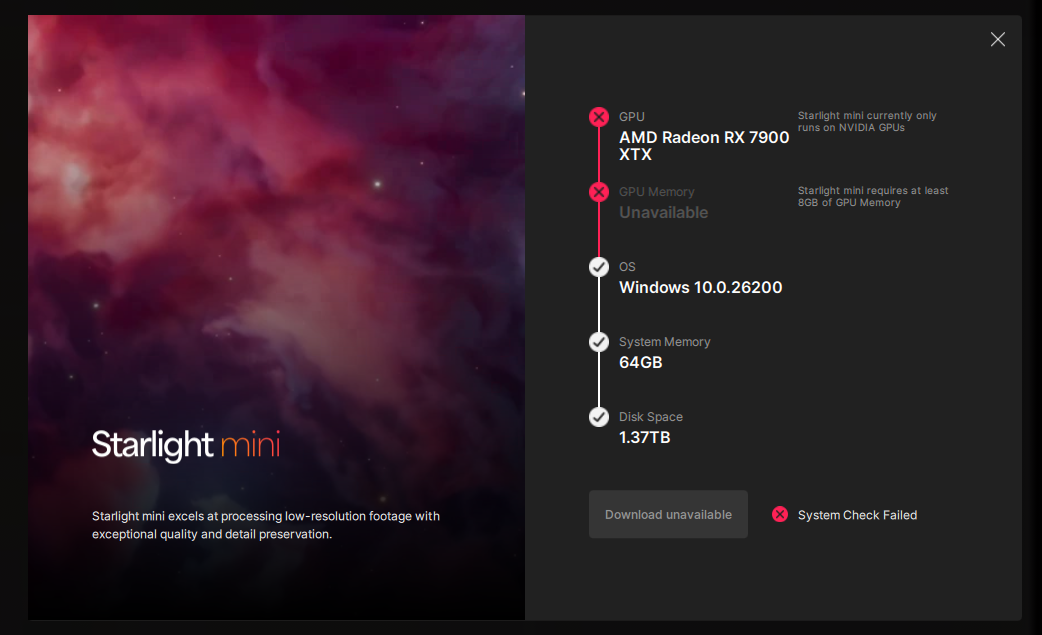
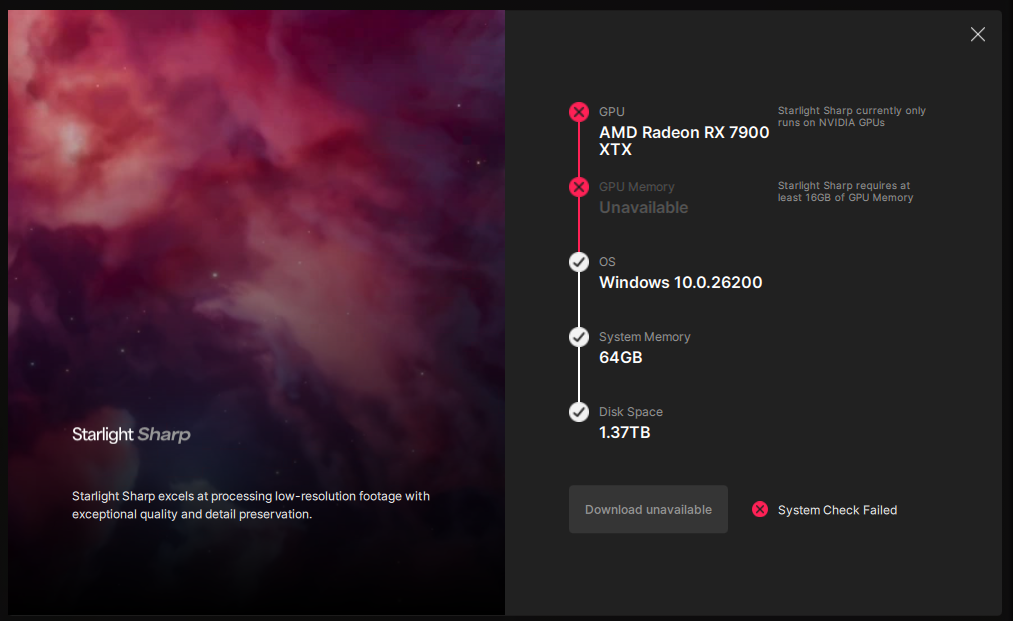
None of the Starlight variants work on 1.3.1 with Radeon RX 7900 XTX.
On 1.2.0 I was able to use mini.

1 Like

Has anyone tested starlight mini vs starlight hq starting from a 720p video? I’m wondering what HQ is supposed to be used for. Starlight mini and starlight sharp are really good at upscaling 480p content.

But what about upscaling a 720p/1080p video. Is starlight mini/sharp still the winner?

Can you pull the logs and share to the support team at help@topazlabs.com?