Hi Mikmod1, I’m glad you’re happy with the Wonder3 results! Just to clarify—is this result from before or after the latest patch was installed?
2 Likes
I started testing with TPv1.4.1 → TP v1.5.1 (manual install). Unless the model changed since yesterday and I should delete the Wonder v3 blobs and re-download them with another ‘repair install’?
That’s how I’ve got back Wonder v2, too. 
If you’re happy with the current results, feel free to keep your current settings for now. I’ll get back to you once I’ve completed a thorough round of testing.
2 Likes
Would you like SHA256 checksums for the Wonder v3 blobs I currently have? Here you are.
8d4b237007ab5051254f588e8235d8a9348a678329419d4d4983c8fcd9c6d67b *blob.4ef94ad955764bf9a5aab3d51943cf3d
56ac631e4a0926f0af9a31649618a38970b0dd7a8f9b2a399bb8fbd21002c381 *blob.aebe86488d3741ffbcedd00ba649f8dd
01cb3fdbbf6fca9dc3486c75b20e4b08032bf30d759972c9fcbd328663f90b65 *blob.7b5b0d887b1f4dfa846bea32fade2909
0ef328eb09372cdb248bd1a71dbbe6436401f1fce8a2620be80579c3d92c7496 *blob.ae3199cdbecb4f6ebe3c5fa2e65a6cd1
3cd51714cf6707acee1fe21eb453a6510a129183af459595c881232faa1e95d7 *blob.f7e0a3a0097f4123a98f0bbea8f6ec16
6add85d91f5e799671e5fd62eb5fe954261ae60be0b625916ce02b413b44023a *blob.20c67bf893ed47678a721556b9bf6bb6
3dfa2b657e3c4a2909496e5db1d9dff1fe32c6c6757e00e36bf3bc4ac092dbab *blob.8500f9709c484bc8a5896801e92eaf2e
Hi Mikmod1, I believe you’re still using the version from before the patch. In the initial release, Wonder3 tended to oversmooth very small real-world images—an issue we’ve since fixed. Interestingly, that specific behavior actually seems to benefit manga enhancement, creating a look that works surprisingly well for that style.
I’m currently figuring out how to best balance these different use cases. In the meantime, you might find that using 3x upscaling combined with a high enhancement level yields even better results for your workflow.
2 Likes
Ohh. So that’s the version Wonder v3, which I’ve got installed yesterday. Of course, I was using local model version and non-integer scale.
Maybe it would be worth having something like Wonder v3 Manga and Wonder v3 Real separately? I’ve backed the model blobs up. 
If only by renaming the Wonder v3 blobs folder to ‘wonder-3a’ would allow me to have both older and newer model…
Hello, @Lingyu . I’ve just installed the latest update, but Wonder 2 still doesn’t work for me. It gets to the “Upscaling” stage and then at the bottom of the window a message appears that says “Error running model” with a yellow warning symbol/icon.
John is handling my support case and I’ve just sent him new logs to look at. Let me know if you need anything else from me that would help fix this.
By the way, Superfocus V2 is working now, so that’s good.
Thanks!
1 Like
A post was merged into an existing topic: UPSCALE BUG | Preferences settings not holding, also affects Preset or Longest edge
@renar_visuals - Thanks. We replied on your email thread. Lingyu had a look at your logs this morning and identified errors in them that were relayed to the development team. We will circle back on the email thread you have when a fix is released!
4 Likes
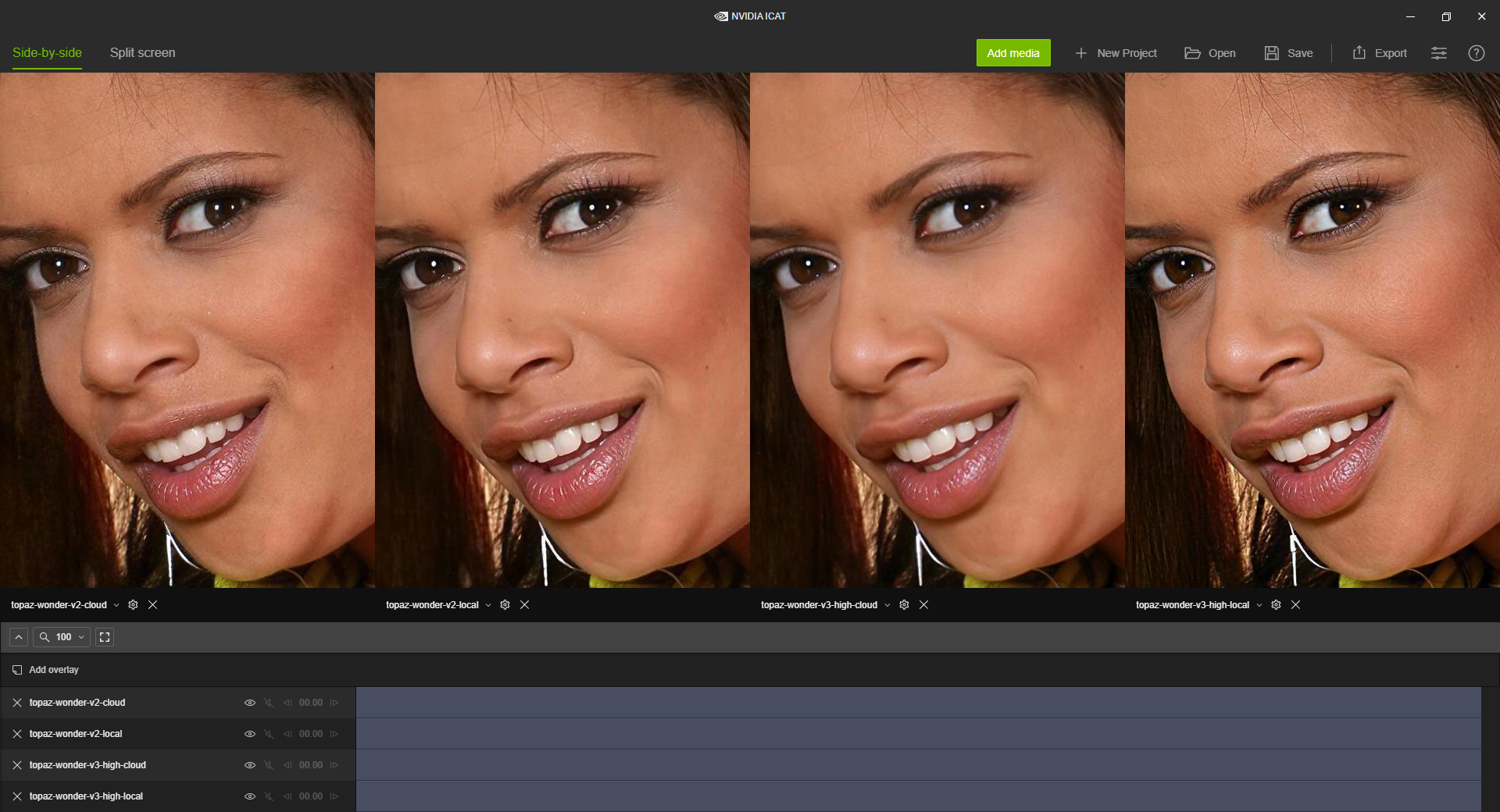
Please look at the comparison here.
For enhancing smaller older photos (not 384 MP ones shot on modern cameras, like @TPX lol) the cloud v2 model is still hands down the best model. v3 local perhaps a second place but does not look as natural as v2 cloud. Please never remove v2 cloud! One day I hope we can run it fully locally and get the same results.
I think v3 needs some major tweaking before it can be considered a worthy successor to v2.
4 Likes
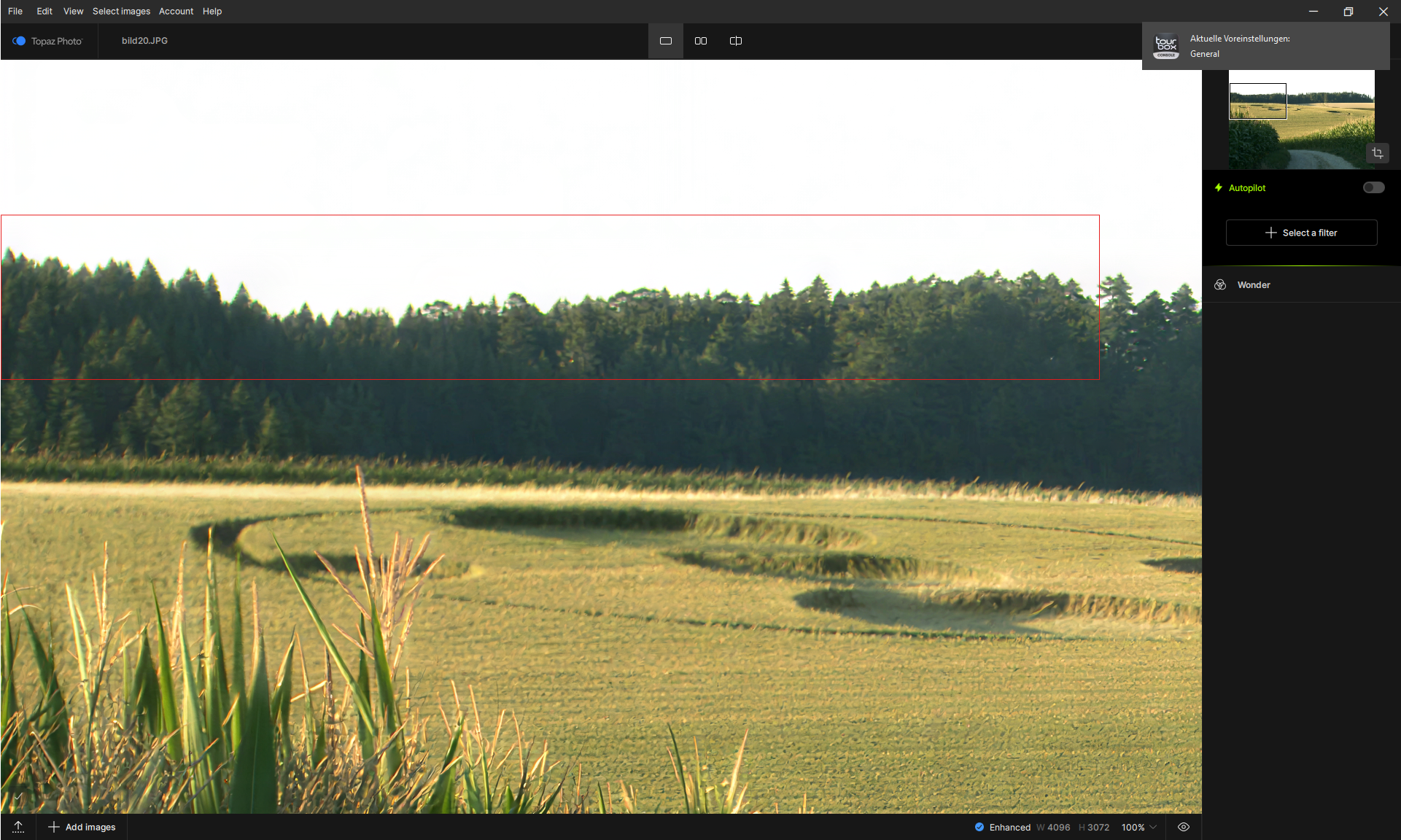
I’m getting the same artifacts around the top edge in Photo v1.5.1 with the Standard V2 model. 
Hi david, can you try v3 medium on cloud as well?
1 Like
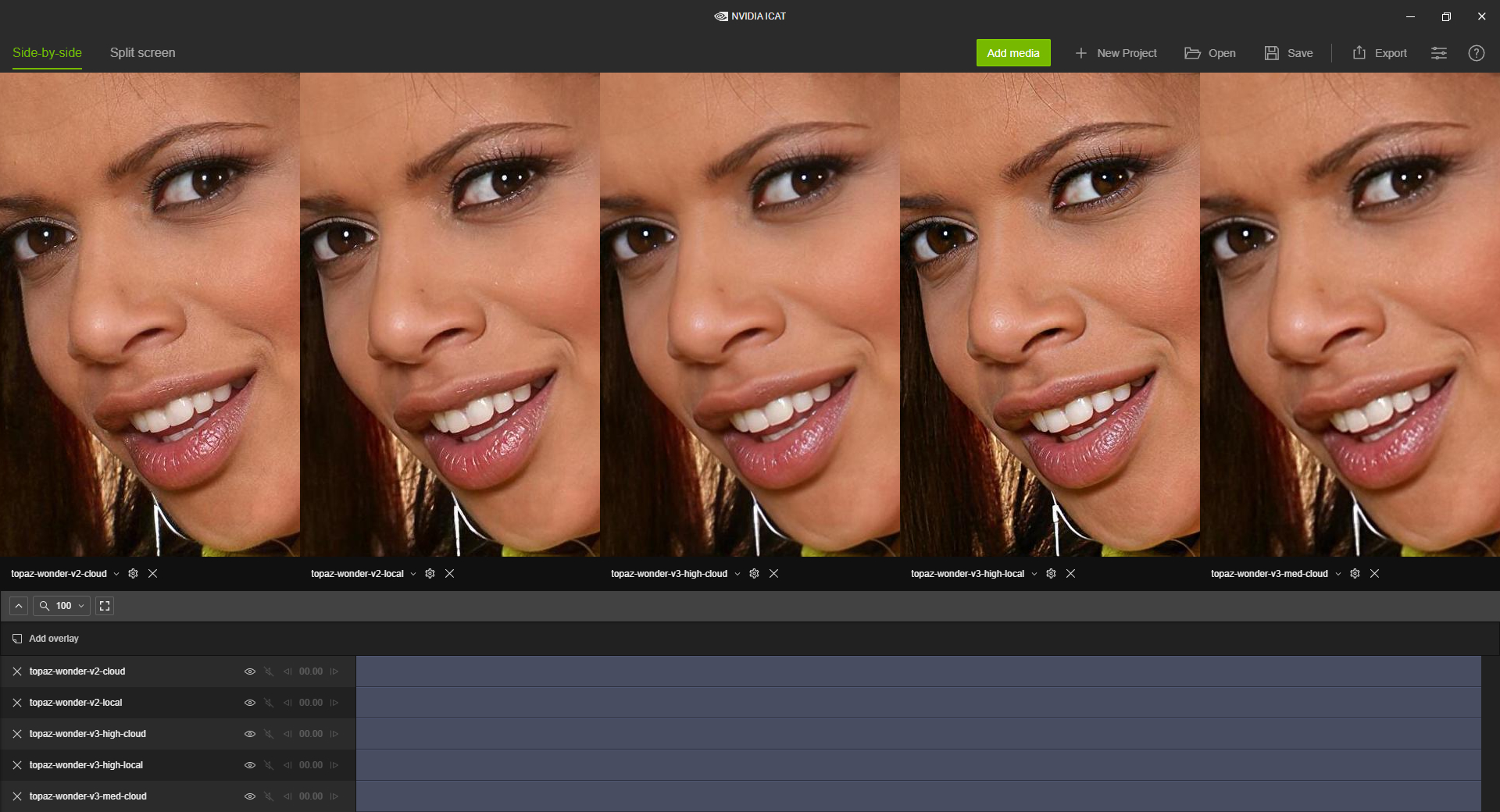
Could you please explain what you are able to change?
Maybe we could find a solution together?
To me it seems like with the stages High, Low and Medium you change the downscaling.
Hi, Bin. This was a false alarm. Sorry about that! The problem stemmed from the image itself which had a really faint line at the top, almost imperceptible, but the AI model seems to pick it up very strongly and revealed it in a very clear way. Once I fixed the image, the problem went away. Again, sorry for the alarm.
2 Likes
Something I’m particularly appreciating in Wonder 3 is it seems to cope well with rimless glasses, which I’ve found the standalone Face Recovery models to struggle severely with.
2 Likes



Agreed, Wonder 2 cloud is the best one here. Wonder 3 High local is also great, although a bit too sharp and with a “processed look”. It’s a bit exagerrated but looks great.
That said, I don’t understand why the Wonder 3 High cloud looks so “meh” in comparison. I thought that the cloud and local were suppose to look almost the same. Here the difference is too big.
2 Likes
We need a Face Recovery V3. 
3 Likes
A bit more focus on improvements to the Face Recovery models would be good to see, yes.
2 Likes
