Hello everyone!
Here is v1.5.1, a hotfix for issues reported in the previous release.
v1.5.1
Released April 27th, 2026
Windows: Download
Snapdragon: Download
Apple Silicon Mac: Download
Intel Mac: Download
Known Issues
- Black padding on cloud renders with Wonder 3 when a decimal scale is used. Will be fixed on cloud without requiring update.
- Super Focus v3 not running on Win ARM. Support will be added later.
Changelog
- Improvement to Wonder 3 local quality
- Improvement to Denoise Max local quality
- Improvement to Super Focus v3 local quality
- Fix for Super Focus v2 failing due to a missing file on Windows
- Fix for Wonder 2 failing to run locally on Windows
- Fix for Wonder 3 cloud render failing due to an invalid upscale factor
- Fix for Wonder 3 on Windows always processing at the same strength regardless of the setting
- Fix for Denoise Max throwing an error on Windows due to a log file access issue
- Fix for image analysis stalling on Windows ARM devices
- Fix for image analysis failing on Intel Xeon, AMD Threadripper, and similar CPUs
- Fix for AI models not being downloaded during Wonder 3 installation on Windows
- Fix for the installer getting stuck when extracting Wonder 2 model files
- Disabled the Mac x86 installer option for Apple Silicon devices to prevent incorrect installations
Hello everyone!
A new release for Topaz Photo, with 4 new models that we are very excited for. Each is an improvement on our core functionality: denoise, sharpen, upscaling, and recovery. Three of these models also run on our Neuroserver technology which allows NVIDIA, AMD, and Apple Silicon devices to run large models locally.
- High Fidelity v3 — Better Detail, Fewer Artifacts
- Wonder 3 — Smarter Recovery Across More Images
- Denoise Max — Generative Denoising for Extreme Noise
- Super Focus v3 — Natural Results for Extreme Blur
You can find the installer links and the full changelog below for this version of Topaz Photo. For any issues, make sure to send us an email to support@topazlabs.com
v1.5.0
Released April 25th, 2026
Windows: Download
Snapdragon: Download
Apple Silicon Mac: Download
Intel Mac: Download
High Fidelity v3 — Better Detail, Fewer Artifacts
High Fidelity is designed for images that are already in good shape. Where other models focus on recovery, High Fidelity’s job is to enhance what’s already there: sharper detail, cleaner textures, and upscaled output that holds up at full resolution. v3 raises the bar on all of these, and fixes the cases where v2 fell short.
The core change in v3 is a two-part architecture. Before upscaling begins, an analysis model reads the image, both as a whole and at the block level, to build a detailed understanding of its content. The upscaling model then uses that context to produce output that stays true to the original while generating realistic detail even at larger upscale values. Earlier models would struggle here, as small structures get magnified significantly and realistic detail becomes much harder to maintain.
This approach also meaningfully reduces AI artifacts. Two areas we’re especially happy with: natural scenes and skin. Leaves, grass, and similar patterns used to come out repetitive and visibly generated. v3 produces realistic variation. Skin textures, which previously came out either too smooth or too harsh, now retain their natural softness.
Beyond artifact reduction, v3 is better at preserving and enhancing textures that are already present in the image. Rather than softening fine detail during upscaling, it sharpens it further, producing a crispness that previous High Fidelity models couldn’t match.
High Fidelity v3 is best suited for images that are already high resolution and clearly detailed. Raw files and images above 6MP are ideal candidates. If the source image has strong existing detail, v3 will enhance it further rather than approximate it. For lower resolution or lower quality images, Wonder 3 is the better starting point.
We want to hear how it performs on your images, especially on subjects where v2 produced repetitive textures or visible artifacts. Drop your results and feedback in this thread.
Wonder 3 — Smarter Recovery Across More Images
Wonder 2 set a high bar for general enhancement, but it was not yet at the level we were hoping for recovery. Low detail images, whether blurry, soft focus, or false resolution, saw limited improvements after processing, hitting the limits of what Wonder 2 could handle. Where Wonder 1 may have over-processed images and made them look artificial, it felt like Wonder 2 was not doing enough to improve images. It fell short, so we continued improving it to build the next version.
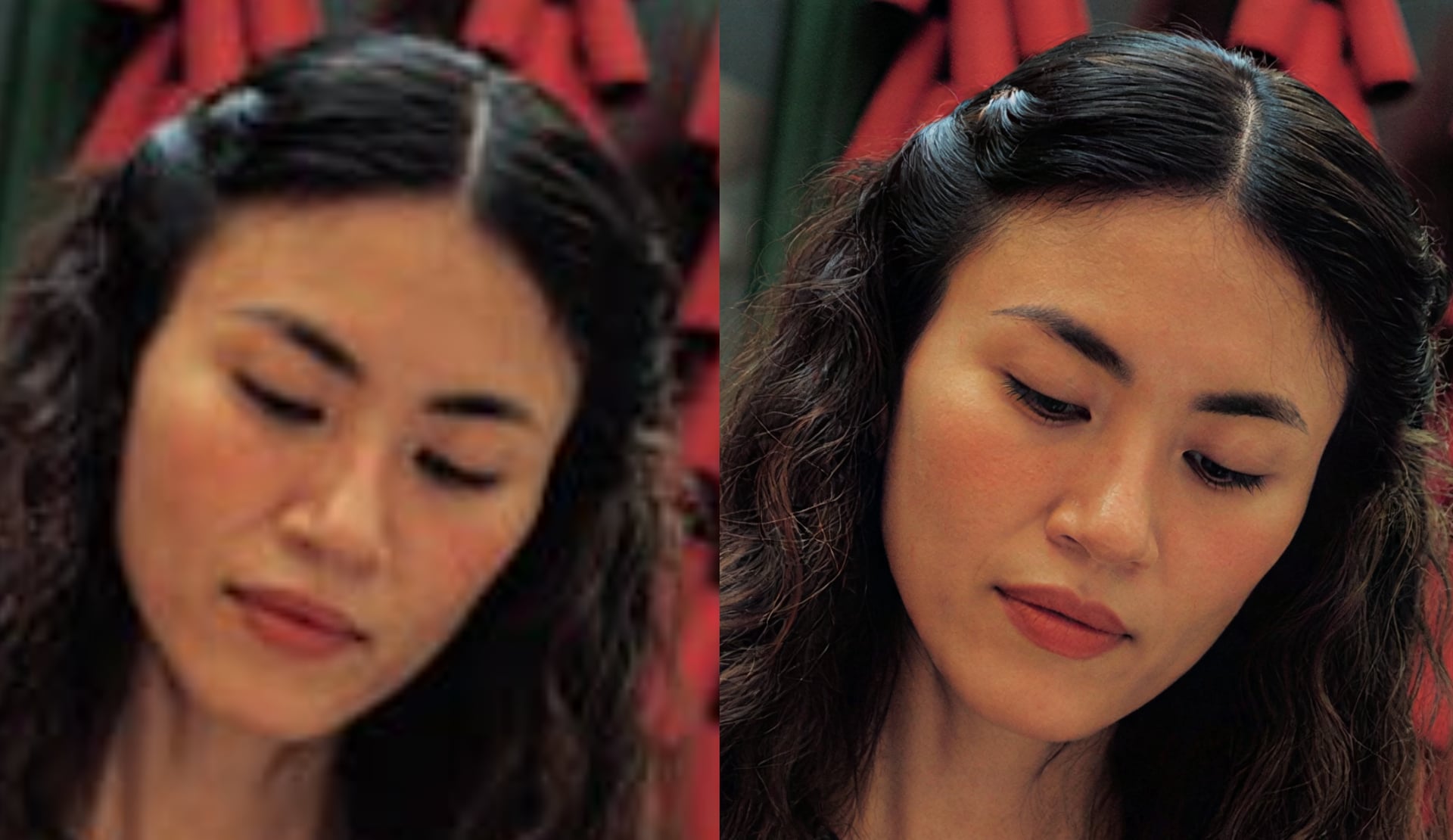
We tested Wonder 3 and quickly found it to be an extremely capable model. It handles images of all sizes and quality. The low quality images that Wonder 2 did not improve enough were easily recovered with Wonder 3, with an emphasis on realism. The new model produces high quality details that previous Wonder models struggled with. Wonder 3 handles difficult false resolution cases extremely well with no extra controls needed. You get better results on a wider range of images without having to intervene.
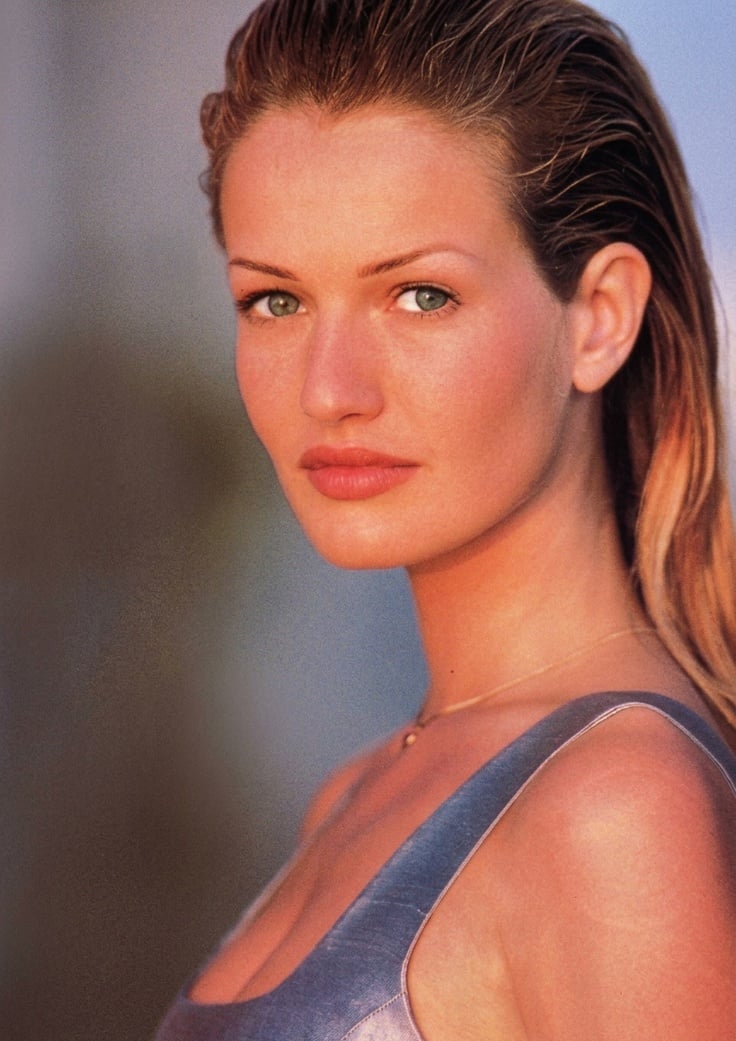
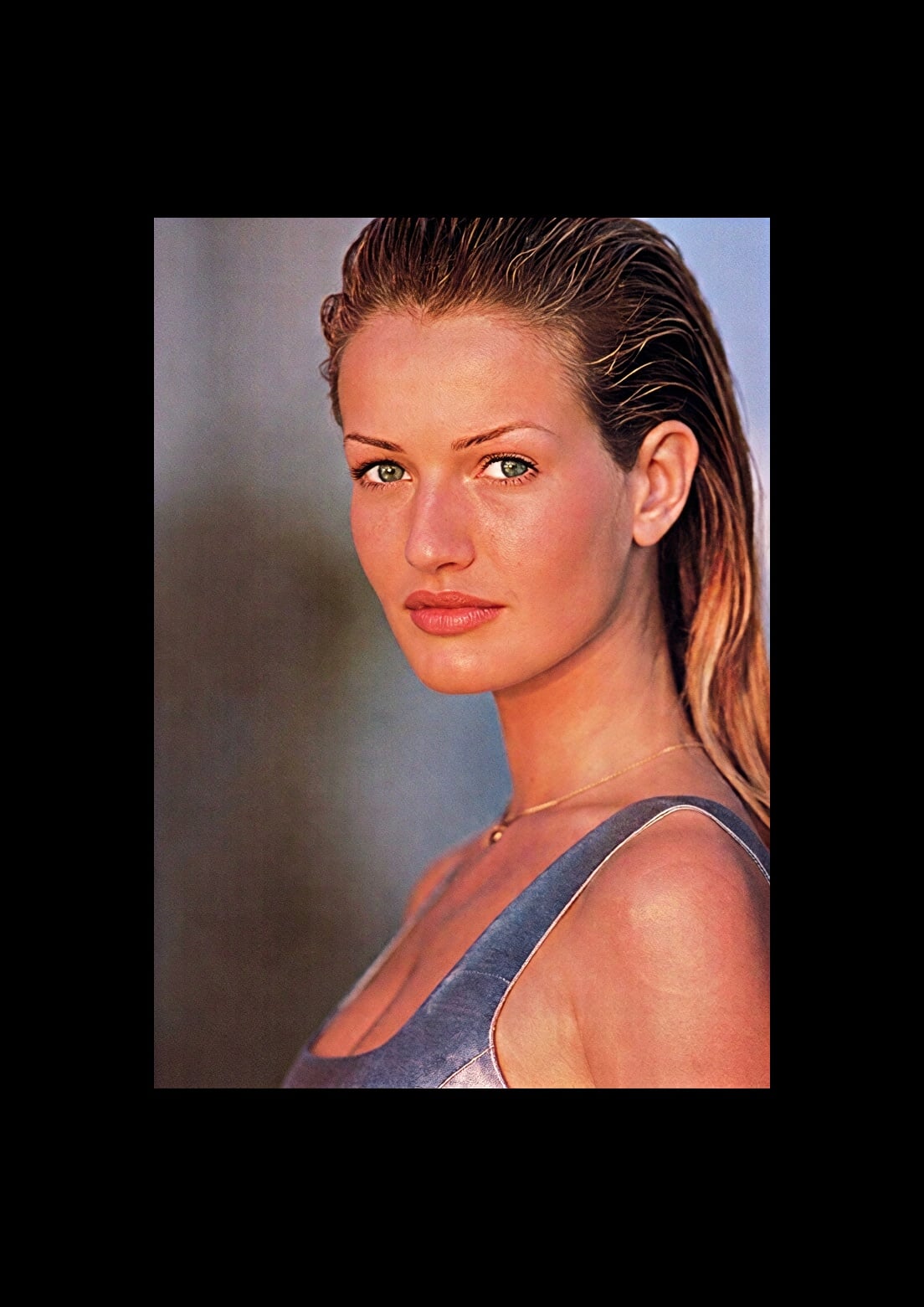
On this portrait, the skin and hair textures are photorealistic. Usually, AI models create smooth skin and hair with repetitive structure. Here, the hair seems to weave naturally around itself and fall down as expected. The skin textures are also imperfect as you would expect.
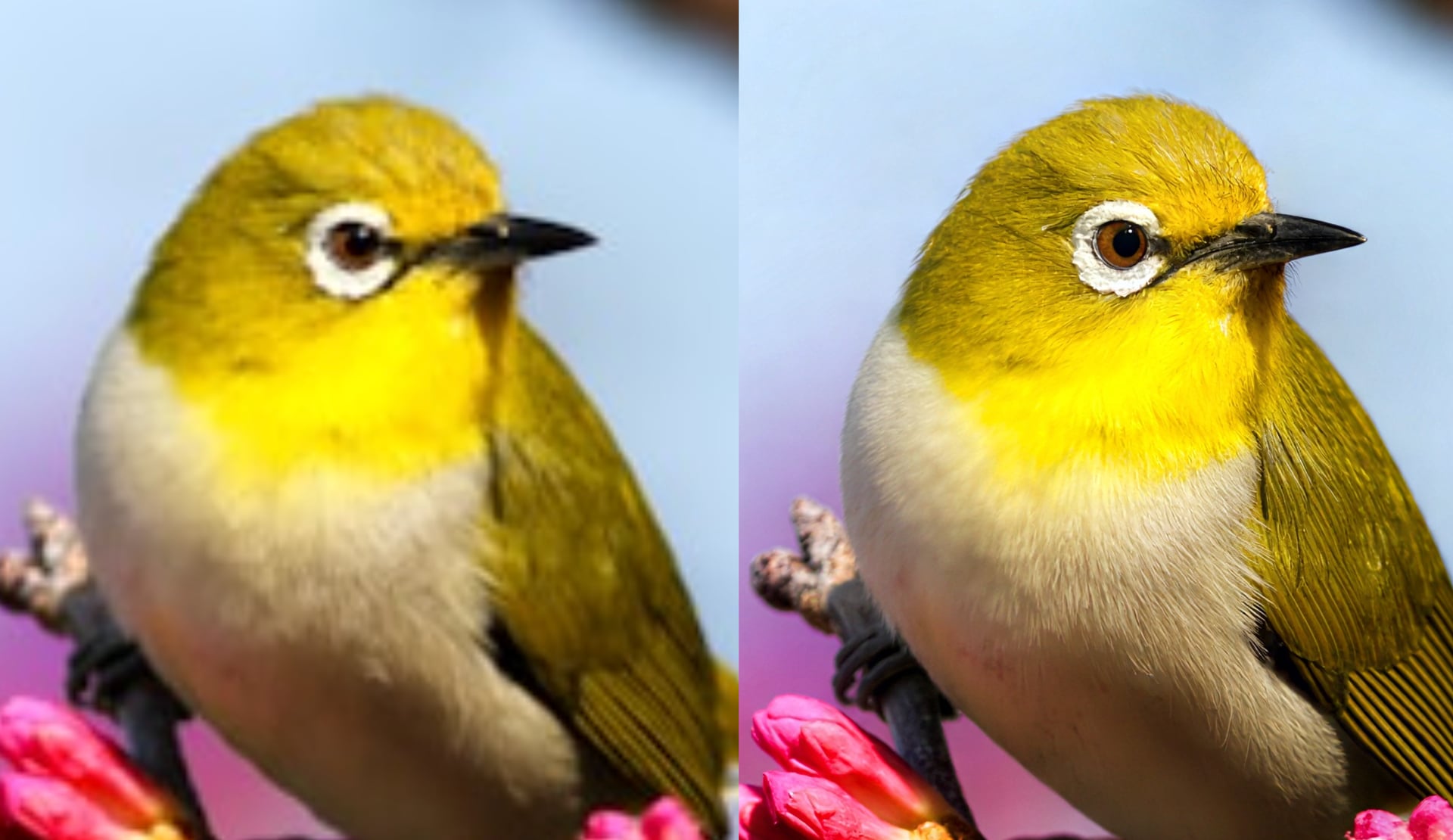
Here’s another example with wildlife imagery. The eyes and feathers where we focus our attention is sharp. The feathers have a blend of softness and detail for a convincing result.
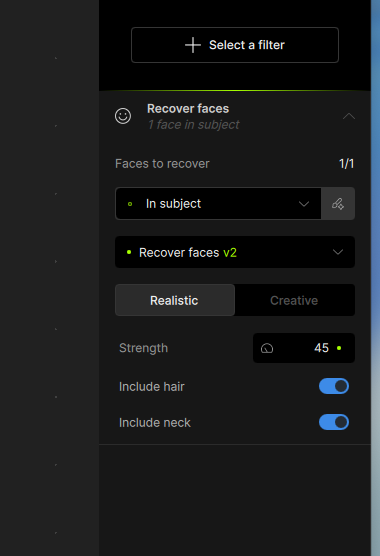
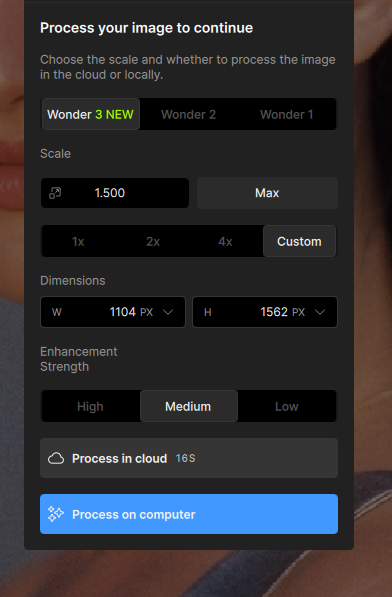
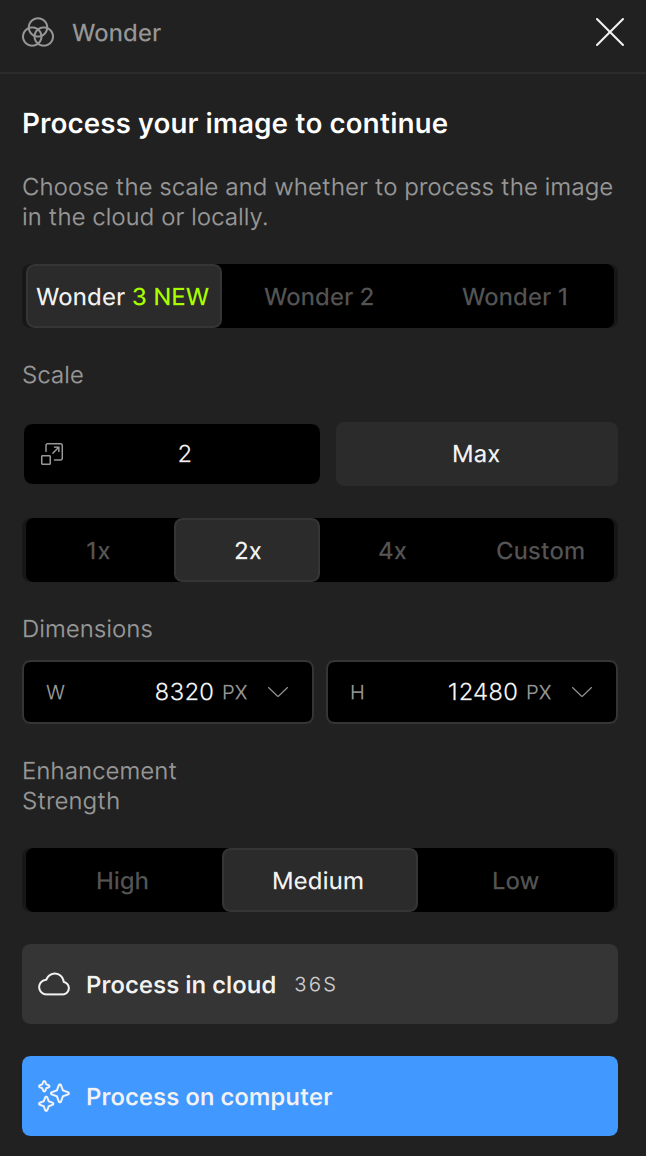
The model has two controls. Scale sets your target output size. Enhancement strength controls how generative the model is, giving you more powerful recovery when the image calls for it. Strength is paired with our image detail auto detection: when a low detail image is detected, strength is set automatically to produce the best result. For most images you won’t need to touch it.
Wonder 3 runs on Neuroserver which processes locally for NVIDIA, AMD, and Apple Silicon devices, just like Wonder 2 and other Neuroserver based models. For users with other hardware (Intel Mac, Intel GPU) or slow GPU processing, cloud render is available up to a maximum of 100MP in size.
We want to hear how it performs on your images, especially at 1x and 2x and on images that have given Wonder 2 trouble in the past. Drop your results and feedback in this thread.
Denoise Max — Generative Denoising for Extreme Noise
Our existing denoise models handle low and medium noise well. But at the high end of the noise spectrum, results can get patchy, and even a technically clean image can come out looking soft. That softness isn’t a processing artifact, instead it’s missing information that the model is not able to fill in. Heavy noise is part of the image, and it buries the detail that was there in the original scene. Once that detail is obscured, a standard denoise pass is unable to recover the hidden information hidden.
For this high noise example, the Denoise - Normal model is not powerful enough to remove the noise. The Denoise - Extreme model cleans up noise but is not able to recover the face or clothes at high quality. Only Denoise Max can produce a detailed and clean output.
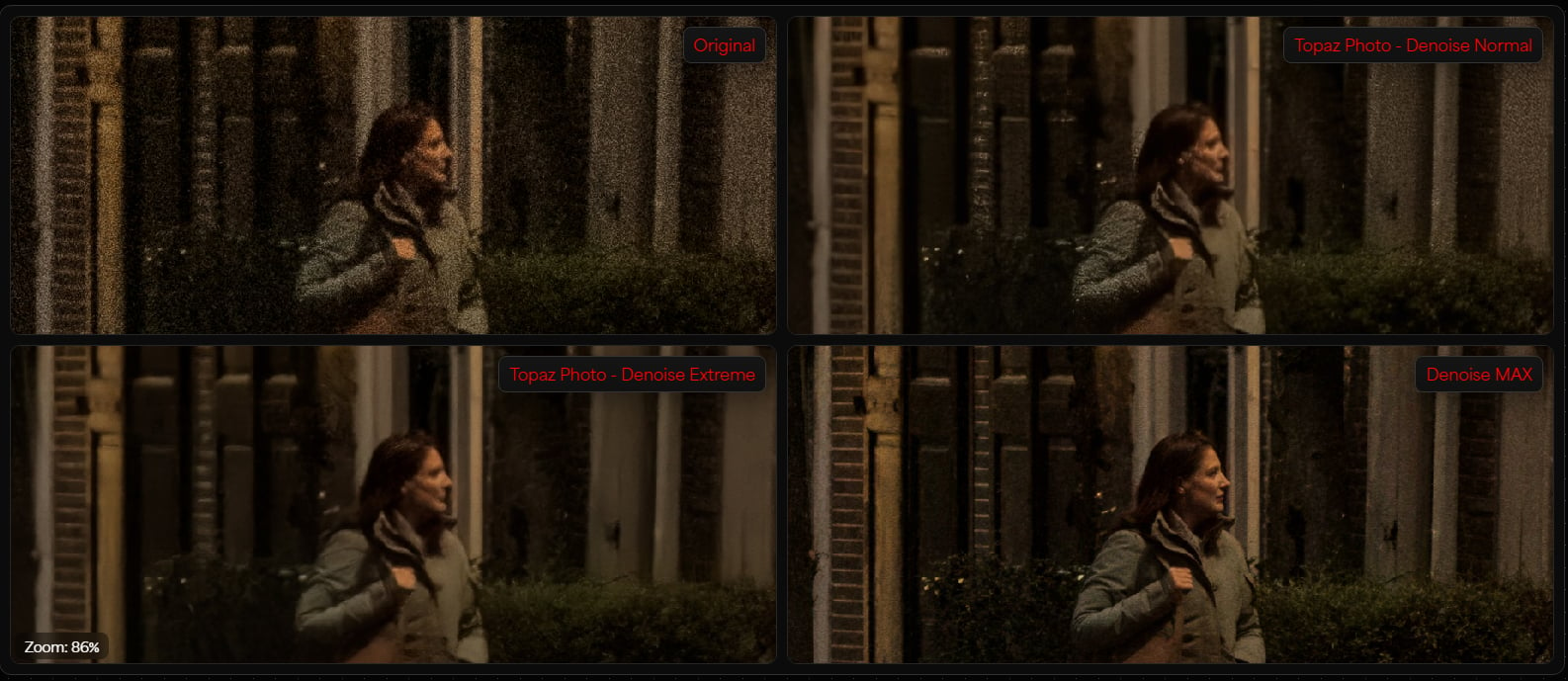
Denoise Max is our first generative denoising model, built for extreme denoising and detail recovery. It uses the full context of the image to reconstruct detail that noise has hidden rather than simply filtering noise away. The result is a clean image with sharpness and texture where noise used to exist, not just a smooth and denoised version of the original image.
It works best on images that are already high resolution, such as Raw files from the camera or converted to non-raw formats. When using Denoise Max with Raw files, simply add another denoise on top of the Raw Denoise
The model is located in the Denoise enhancement control under the AI model selector. Denoise Max can be used instead of Raw Denoise models for Raw files. For high resolution images with high noise, select Denoise Max from the AI model selector to process.
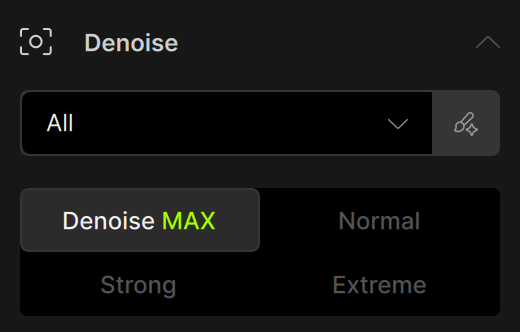
Denoise Max runs on Neuroserver which processes locally for NVIDIA, AMD, and Apple Silicon devices, just like Wonder 2 and other Neuroserver based models. For users with other hardware (Intel Mac, Intel GPU) or slow GPU processing, cloud render is available up to a maximum of 100MP in size.
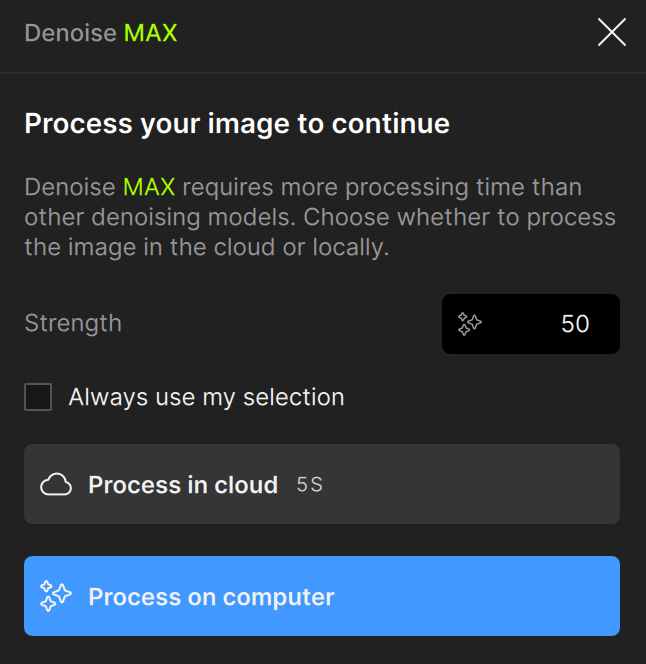
If your images have high ISO noise, were shot in low light, or just haven’t responded well to standard denoise models, Denoise Max is the place to start.
We want to hear how it performs on your images, especially on shots that have given standard denoise models trouble in the past.
Super Focus v3 — Natural Results for Extreme Blur
Super Focus has been one of our most used models for recovering blurry images that other tools can’t fix. For cases where standard sharpening falls short, Super Focus is the go-to solution. Super Focus v1 and v2 were impressive for their sharpening capabilities, but the output wasn’t always convincing. Results could look visibly AI generated and unnatural, with smooth textures. Sharpness comes with harsh lines and missing details.
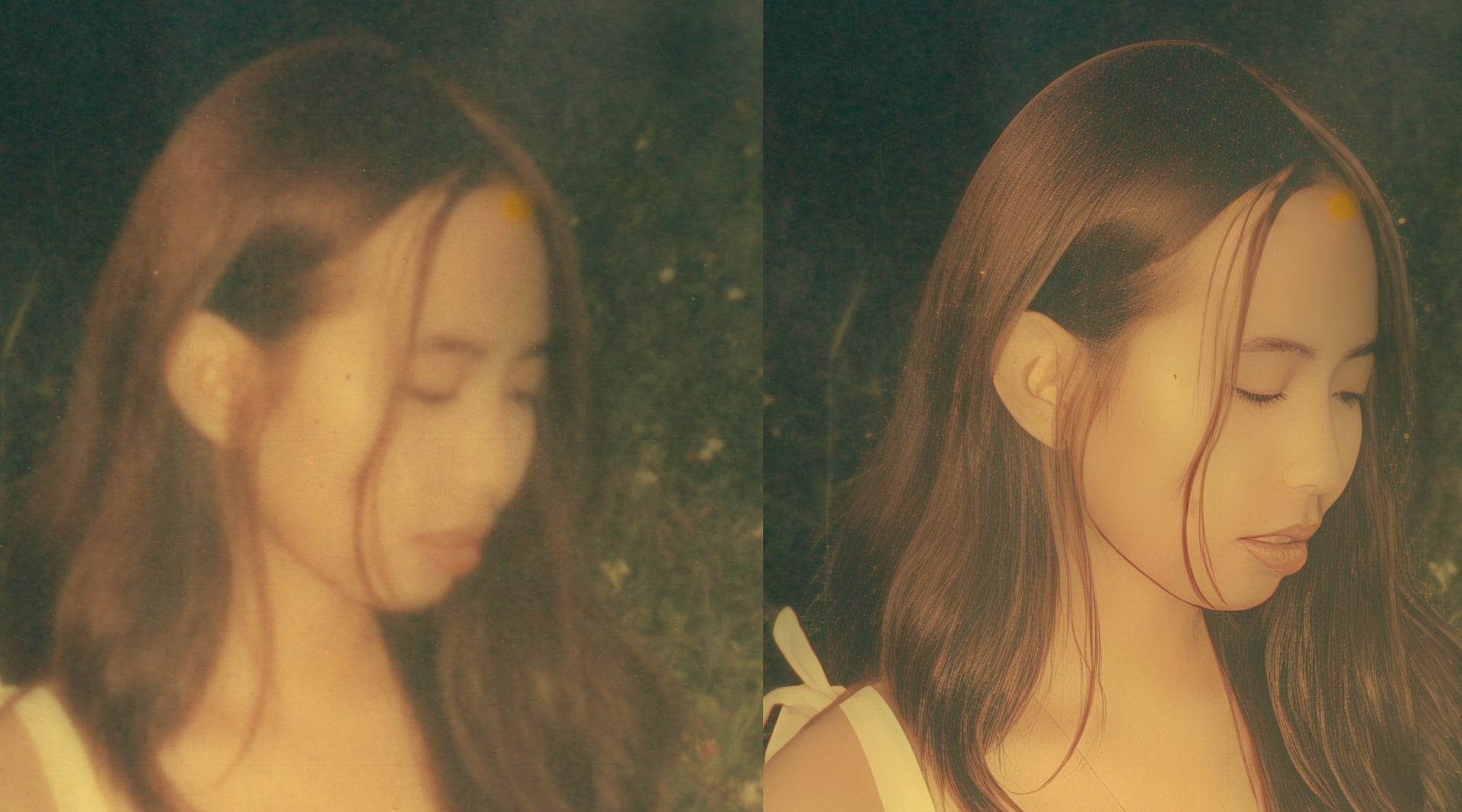
Super Focus v3 is a new generative model built to address the shortcomings of it’s predecessors directly. It is capable of creating realistic sharpness and fill in missing details that you expect in a high quality image. Especially with fine details like hair, skin, or natural textures we find that this model significantly outperforms Super Focus v1 and v2.
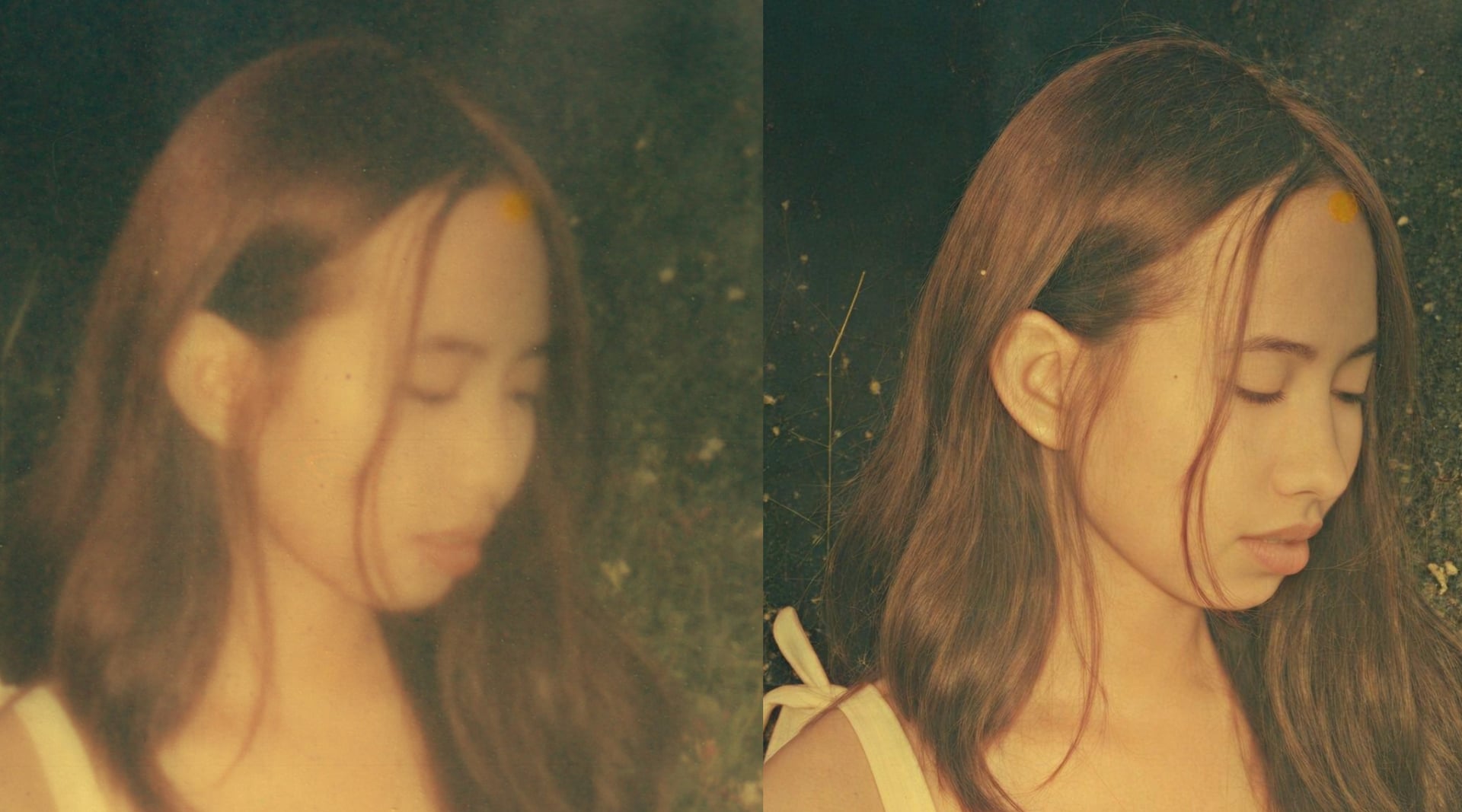
For best results, use Super Focus v3 on images that are blurry or soft and that other sharpening tools have not been able to recover. Because the model is designed not to oversharpen, it is safe to run multiple passes on the same image when a single pass isn’t enough. Each pass recovers additional detail without introducing the harsh edges or halos that would normally be a concern with repeated sharpening.
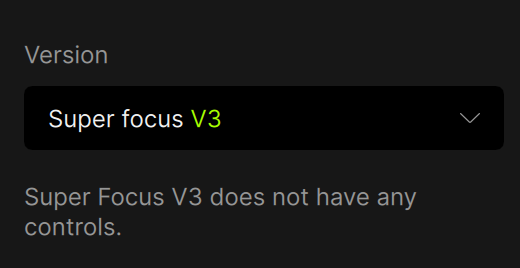
Choose Super Focus v3 from the version dropdown after adding Super Focus to your image.
Super Focus v3 runs on Neuroserver which processes locally for NVIDIA, AMD, and Apple Silicon devices, just like Wonder 2 and other Neuroserver based models. For users with other hardware (Intel Mac, Intel GPU) or slow GPU processing, cloud render is available up to a maximum of 100MP in size.
We want to hear how it performs on your images, especially on shots that have given previous Super Focus versions or other sharpening tools trouble in the past. Drop your results and feedback in this thread.
Known Issues
- Color shift with High Fidelity v3
Changelog
- Add Upscale - High Fidelity v3 model for local render
- Add Wonder 3 model through Neuroserver for NVIDIA, AMD, and Apple Silicon devices
- Add Wonder 3 cloud render
- Add Denoise Max model through Neuroserver for NVIDIA, AMD, and Apple Silicon devices
- Add Denoise Max cloud render
- Add Super Focus v3 model through Neuroserver for NVIDIA, AMD, and Apple Silicon devices
- Add Super Focus v3 cloud render
- Fix image analysis crash when models are incomplete or missing
- Fix face detection crash in image analysis for some images
- Fix image quality detection crash in image analysis
- Fix Wonder 2 error running model in cases where the model file is incomplete or missing
- Fix upscale preference not saving correctly for batch processing
Lingyu Kong
Technical Product Manager
Image AI