I’m suddenly getting the Cow Pox others had in the earlier versions when using the remove function after this update.
Hi,
I downloaded the MSI installer, cleaned up the contents of the TEMP/TMP folders (Windows) and ran the installer “as an administrator”. This time, the installation eventually succeeded.
Beware : trying again to update from the software itself will not work if the system TEMP folders are not cleaned up because Topaz Photo caches the downloaded installer file. So, the installation doesn’t restart from the beginning.
On Windows, the location of your TEMP and TMP folders is retrieved by running the following commands from a system prompt :
c:\>echo %TEMP%
and/or
c:\>echo %TMP%
Trying again this morning, and it’s fine. Go figure. I love it when AI fails to produce reliably predictable results just like a human…
p.s. More experimenting and the difference was that yesterday I was removing hot pixels spots from all across the image. This morning I was doing small areas at a time in batches. Like a real person, you just have to learn what their limitations are before you give them a task to accomplish.
1 Like
In that case, I’ll wait a while longer for them to fix it. It’s strange that it only affects this particular model. There are no problems with the other generative models.
The Pre-Downscaling Feature is great (hope it also come to GigaPixel) 

But there are some Cases where I get better Results without „Auto“
1 Like
The development team is looking into an issue with the installer happening on specific older Windows versions, if you get the issue, links to revert here:
Topaz Photo v1.4.0 - Installer issues on some Windows machines
Other issues flagged, we can confirm are not yet fixed. Once these are fixed, their threads will be closed and will be part of Releases notes. Workarounds are in the links:
1 Like
2 posts were merged into an existing topic: Topaz Photo v1.4.0 - Installer issues on some Windows machines
Trying to do the in-app update, which has been working fine for TP and GP (Mac). Now I get this:
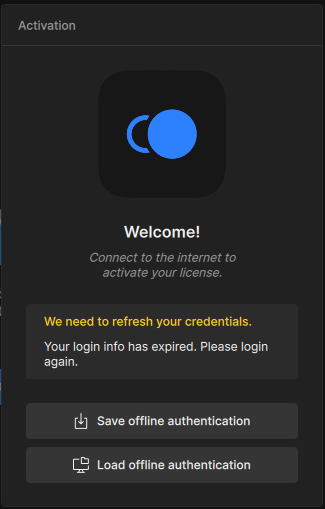
I am logged in here at the forum and to my Topaz account on another browser tab, FWIW.
Neither of these options (or the one under Account in the app) are helpful for solving this problem.
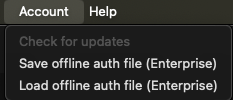
I guess I will try the standalone updater.
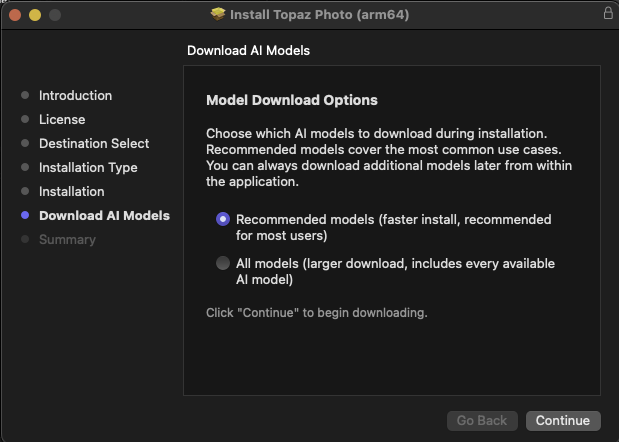
Then I see this, and I wonder how the options relate to cloud processing. Are mutual cloud/local models needed if one intends to lean on the cloud for available cloud models? Let’s find out!