TopazPhoto is clipping extreme highlights in Nikon Z8 raw files:
original NEF on the right. TPAI processing - raw denoise only.
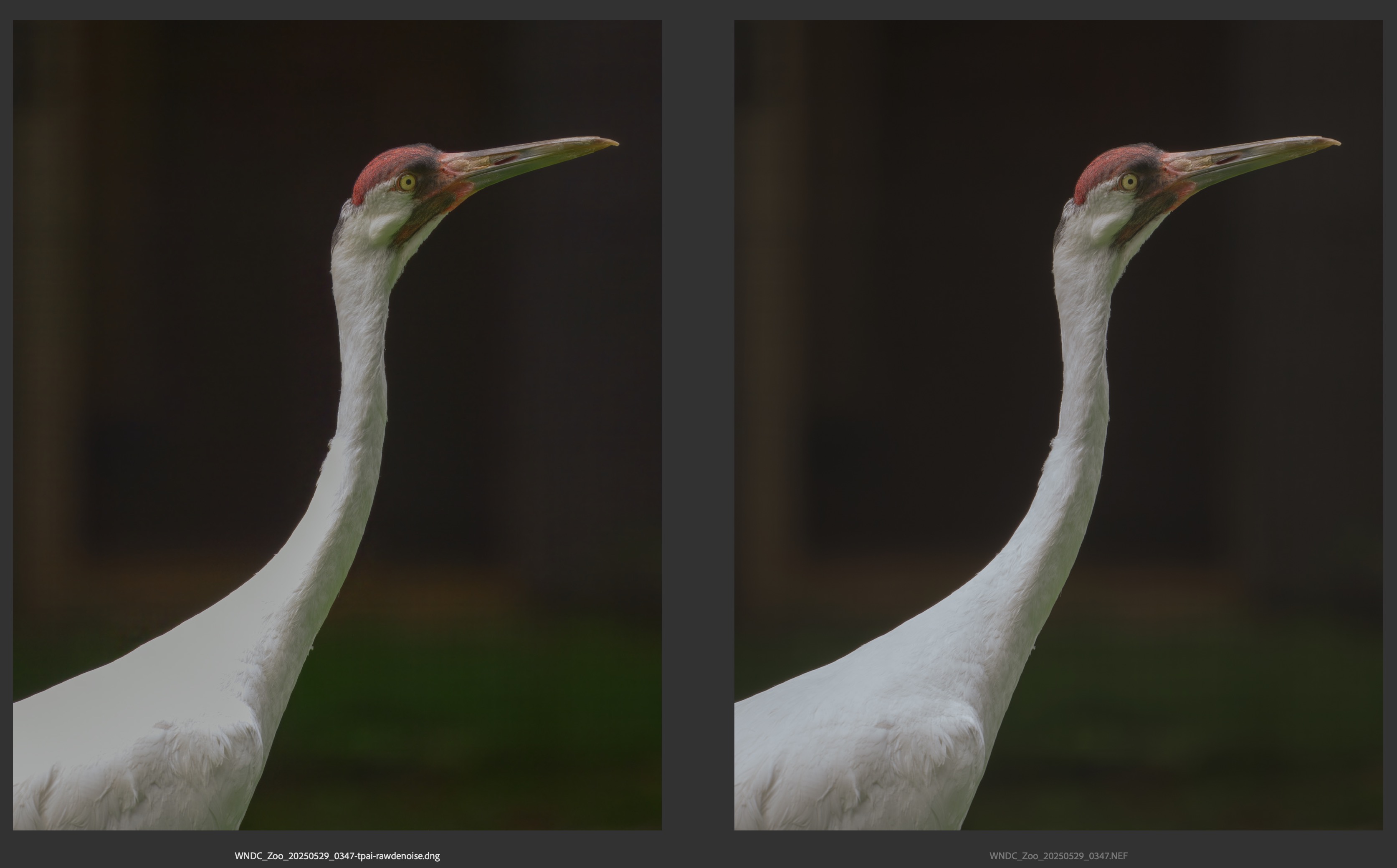
@michaelezra thanks for this. we have reports for this on some specific cameras, and added your contact information on the development team ticket for this, and can contact you if we find a fix. You can use the non-RAW version of this file instead to avoid the clipped highlights.
1 Like
Thanks, but in our private communication you mentioned that noise reduction hasn’t been trained on non-raw images.
You would have to remove RAW Noise in another editor first, yes, or use as is with Topaz’s RAW Denoise and use layers in PS to just keep the clipped of the original, as these don’t have noise.
1 Like
When are you likely to add support for the Canon R6 mark III .CR3 files? as the work around is a pain as I do not use Adobe software. My R6 .CR3 files work fine.
1 Like
@ra.ny We do not have a timeline as there is multiple other new cameras, we will circle back once supported. Can you clarify what is a pain using the free Adobe DNG converter? It can convert all your files at once in a very short amount of time (almost instant).
Just to clarify, here is my workflow where I expect that topaz denoise function should work (but it doesn’t do a good job always).
- Use Adobe Camera Raw to convert from RAW file into JPG - without ANY noise reduction.
- Use TopazPhoto to denoise the JPG from step 1
Can you please confirm that TopazPhoto has been designed/trained to do this?
@michaelezra as we talked - This workflow would not give good results as you are flattening the file to non-RAW, with the RAW noise flattened into that non-RAW as not removed. This revokes access to RAW denoise (non-RAW file now) and will only give access to Denoise, traine dto remove low-light noise, not RAW noise. This will give artifacts. Using this workflow to convert a very important RAW right at the beginning of the workflow to non-RAW defeats the purpose of shooting RAW. Flattening the RAW noise into a non-RAW file will give bad results. You can shoot in JPEG if that is the workflow you want to do, as it would not have RAW noise flattened at least.
For the RAW files: Best to use the RAW file directly in Topaz (or in a plugin that supports RAW processing in Topaz Photo), and benefit RAW denoise. For the clipped highlights on highly exposed areas that you flagged - you can use PS to patch these areas back in and we can contact you if we find a fix.
4 Likes
Questions are welcome.
Standard MAX does produce tile artifacts, the background was denoised via Topaz Photo on a seperate layer, to avoid the artifacts.
While Processing the RAM of my PC was loaded with 55 GB RAM and 18 GB Vram.
For information on how the PC’s memory was used.
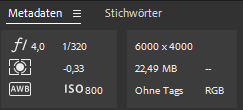
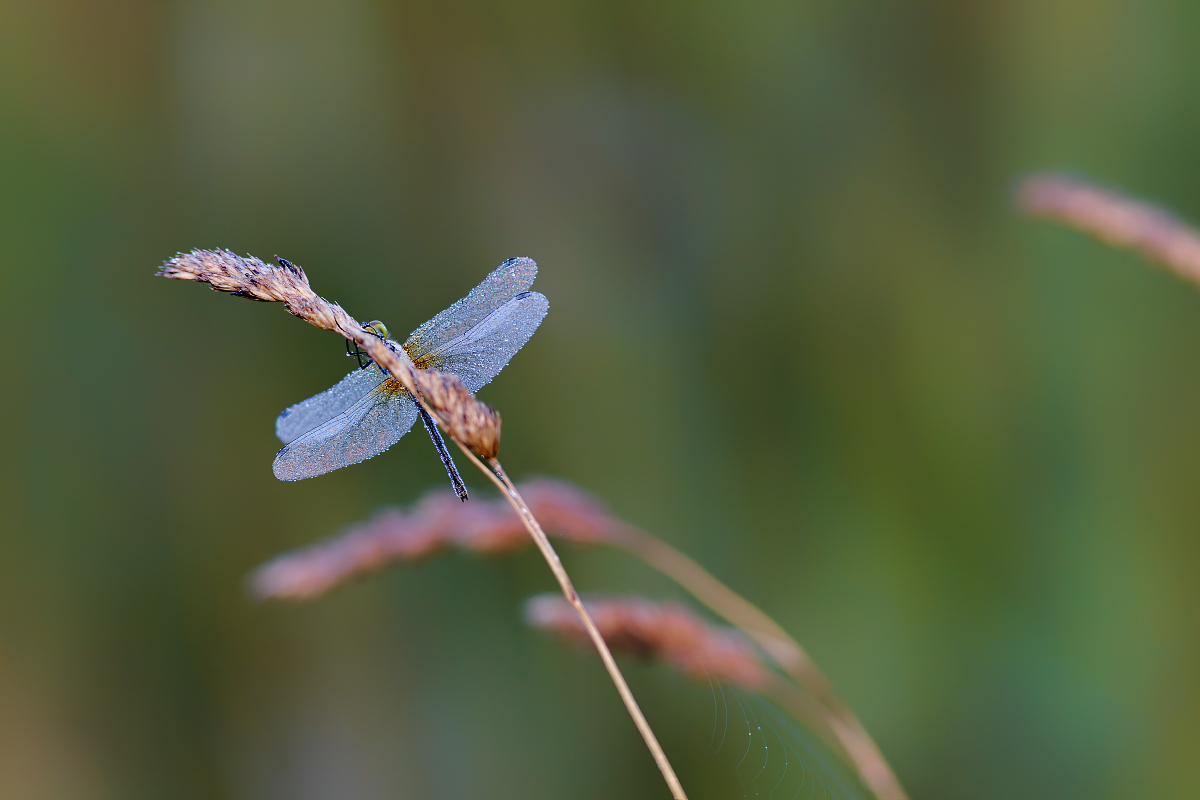
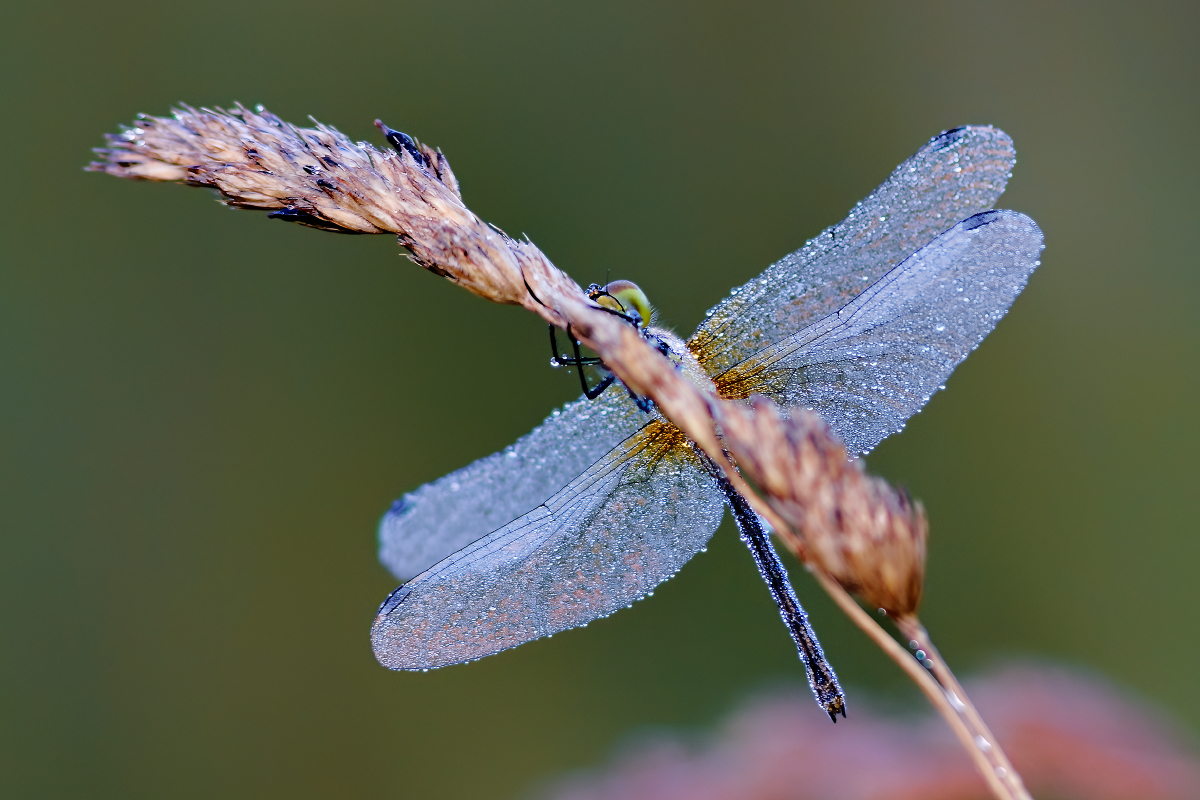
EOS R3 - EF 300 mm f4.0L IS USM.

RAW - Loaded with Adobe Camera RAW
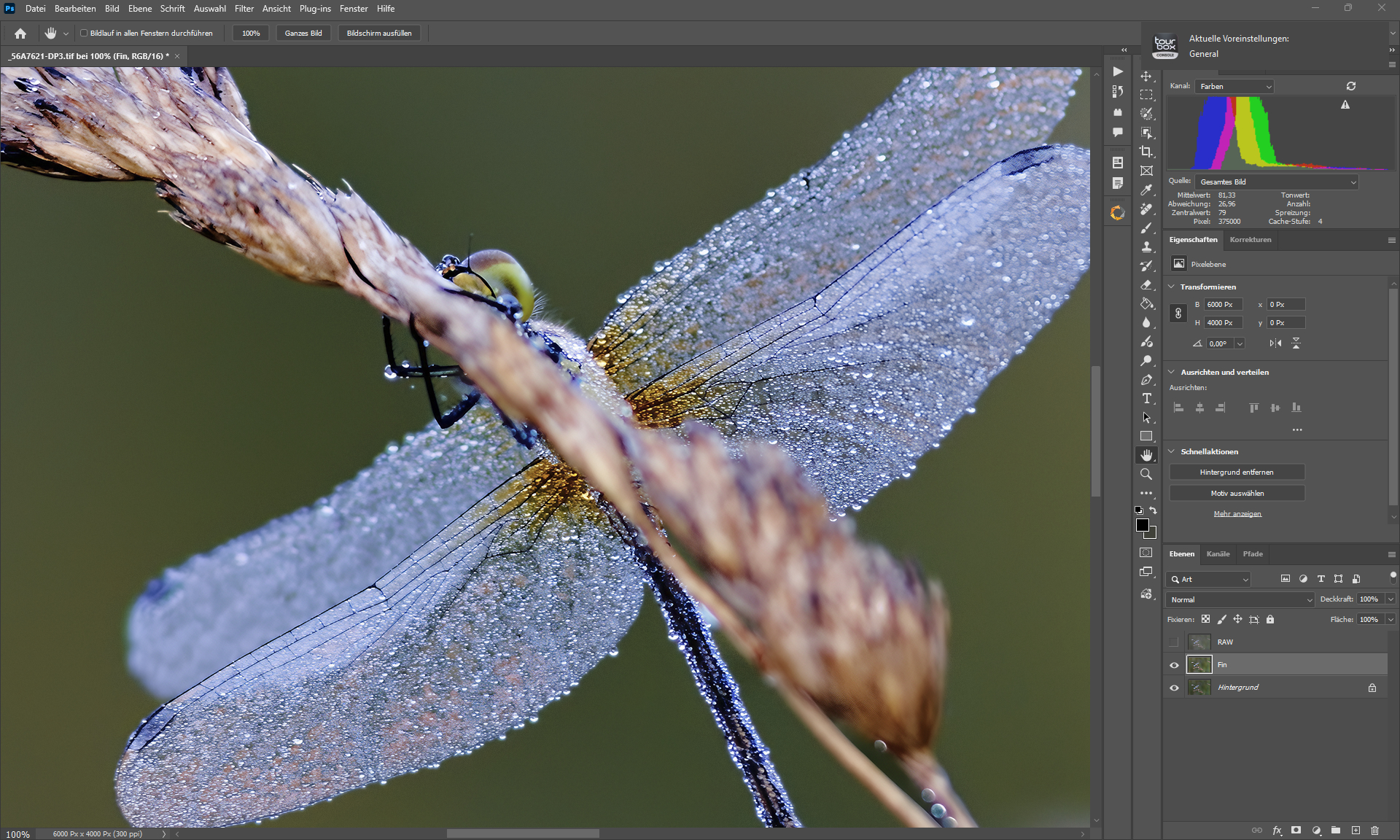
DxO Pure RAW 5 + Capture One Pro + Photoshop+ DxO Silver Efex & Color Efex + Topaz Photo (Standard MAX + Sharpen Wildlife + Denoise).
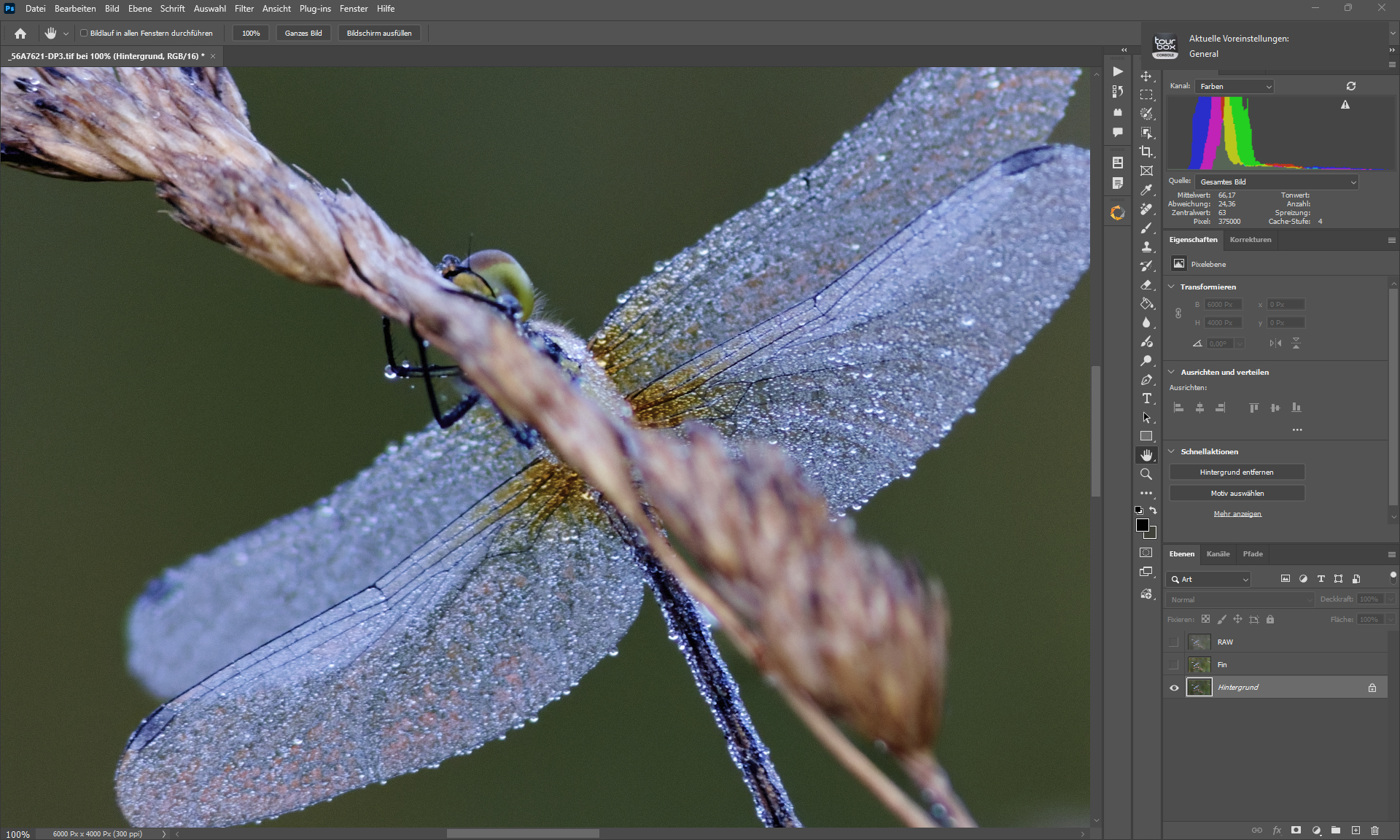
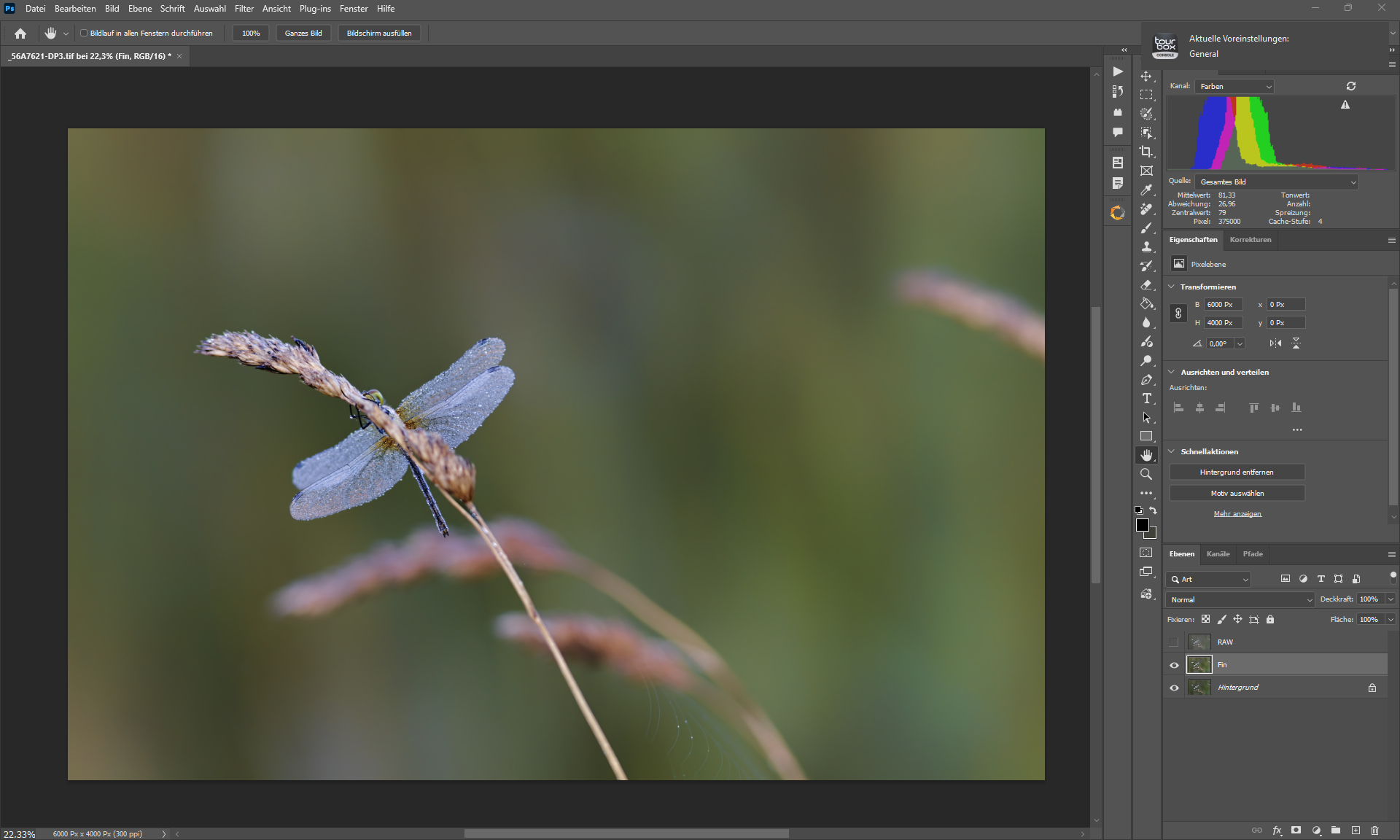
B4 Photoshop Editing
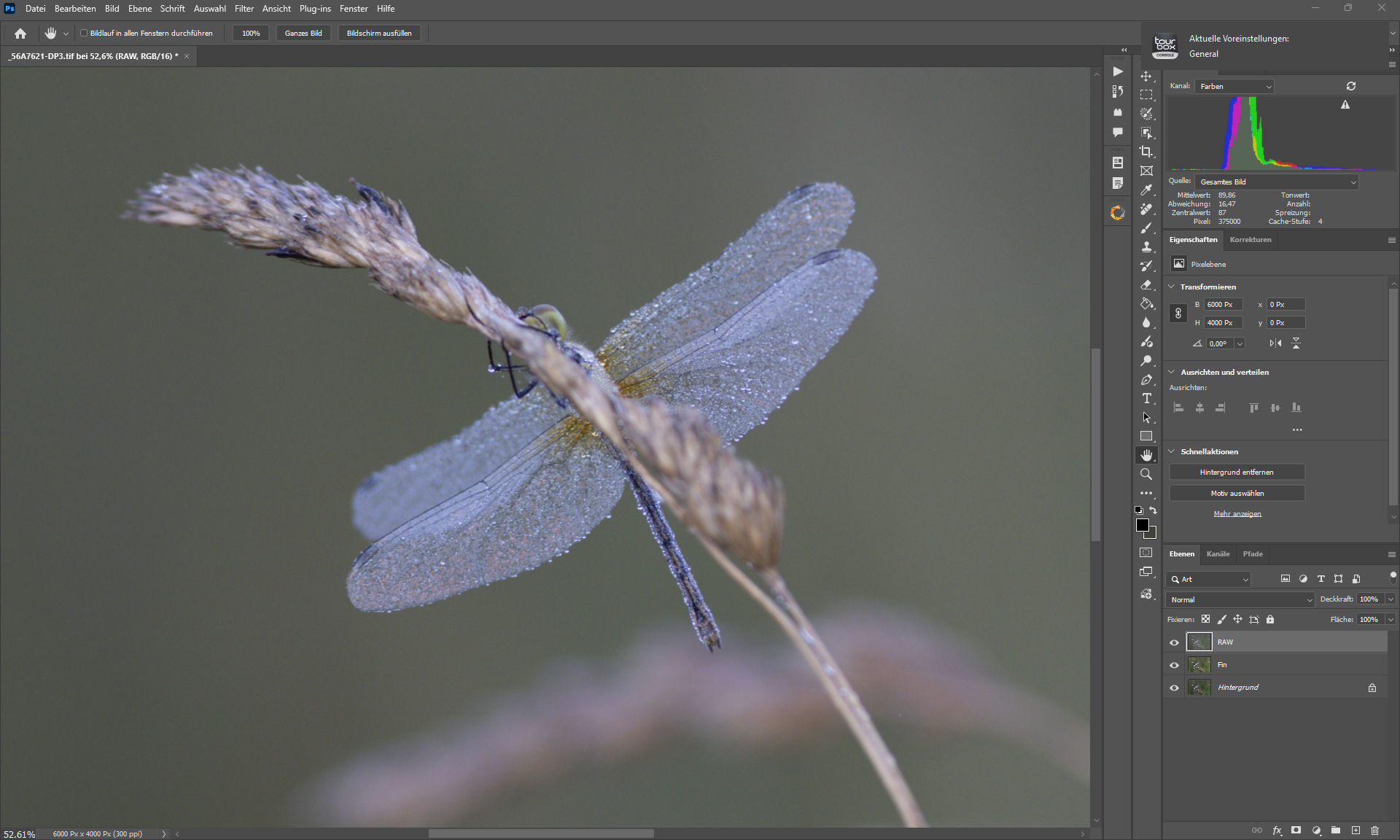
RAW - Loaded with Adobe Camera RAW
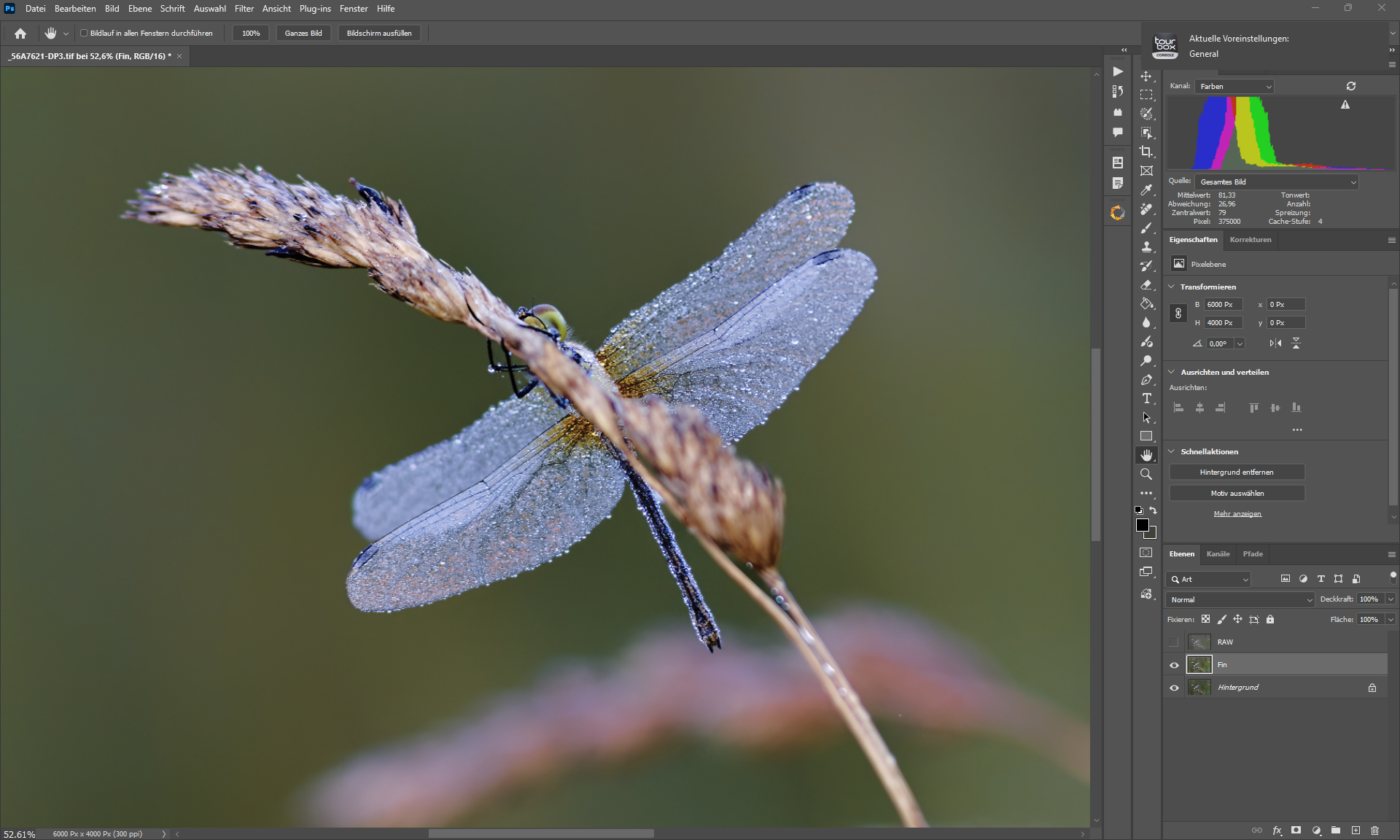
DxO Pure RAW 5 + Capture One Pro + Photoshop+ DxO Silver Efex & Color Efex + Topaz Photo (Standard MAX + Sharpen Wildlife + Denoise).
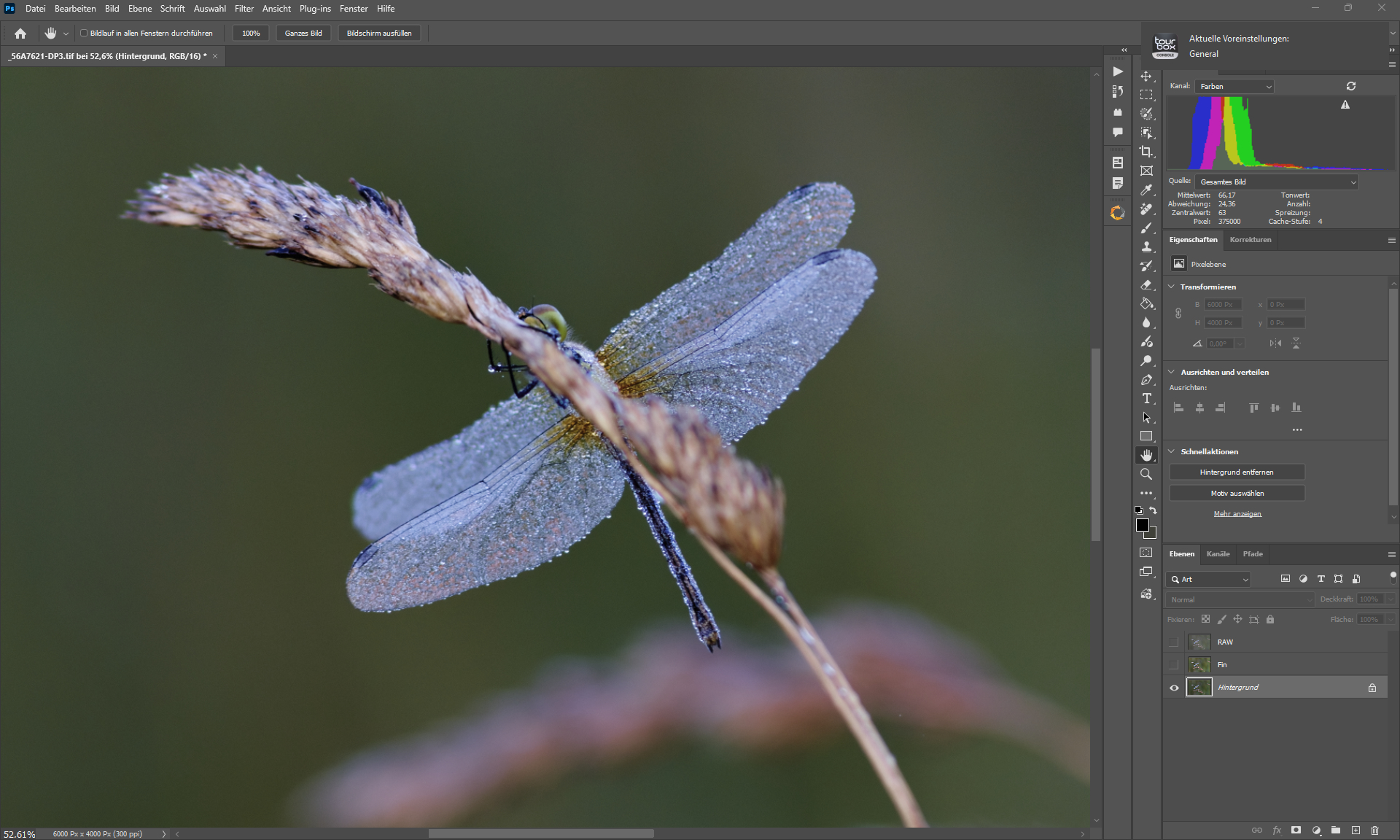
B4 Photoshop Editing
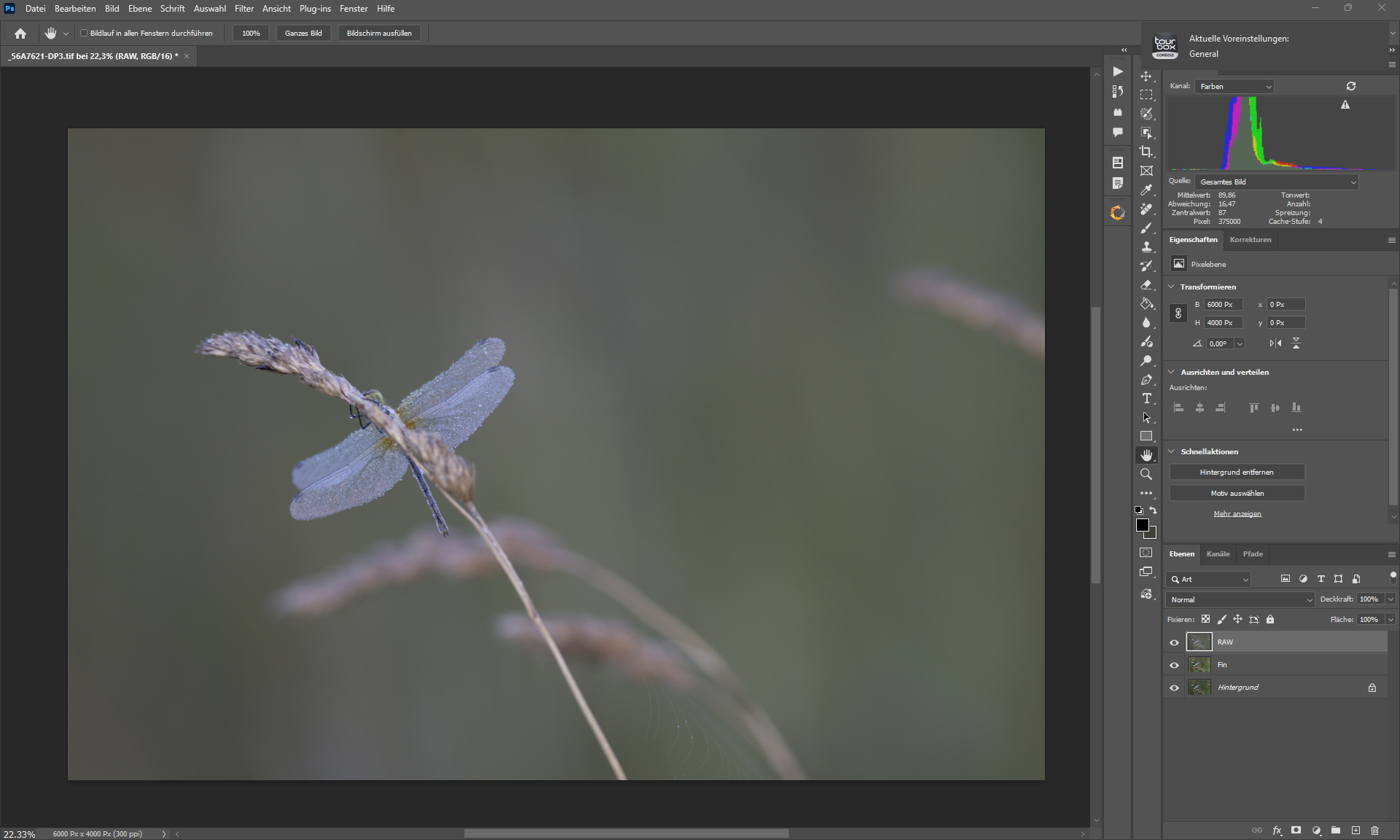
RAW - Loaded with Adobe Camera RAW
DxO Pure RAW 5 + Capture One Pro + Photoshop+ DxO Silver Efex & Color Efex + Topaz Photo (Standard MAX + Sharpen Wildlife + Denoise).
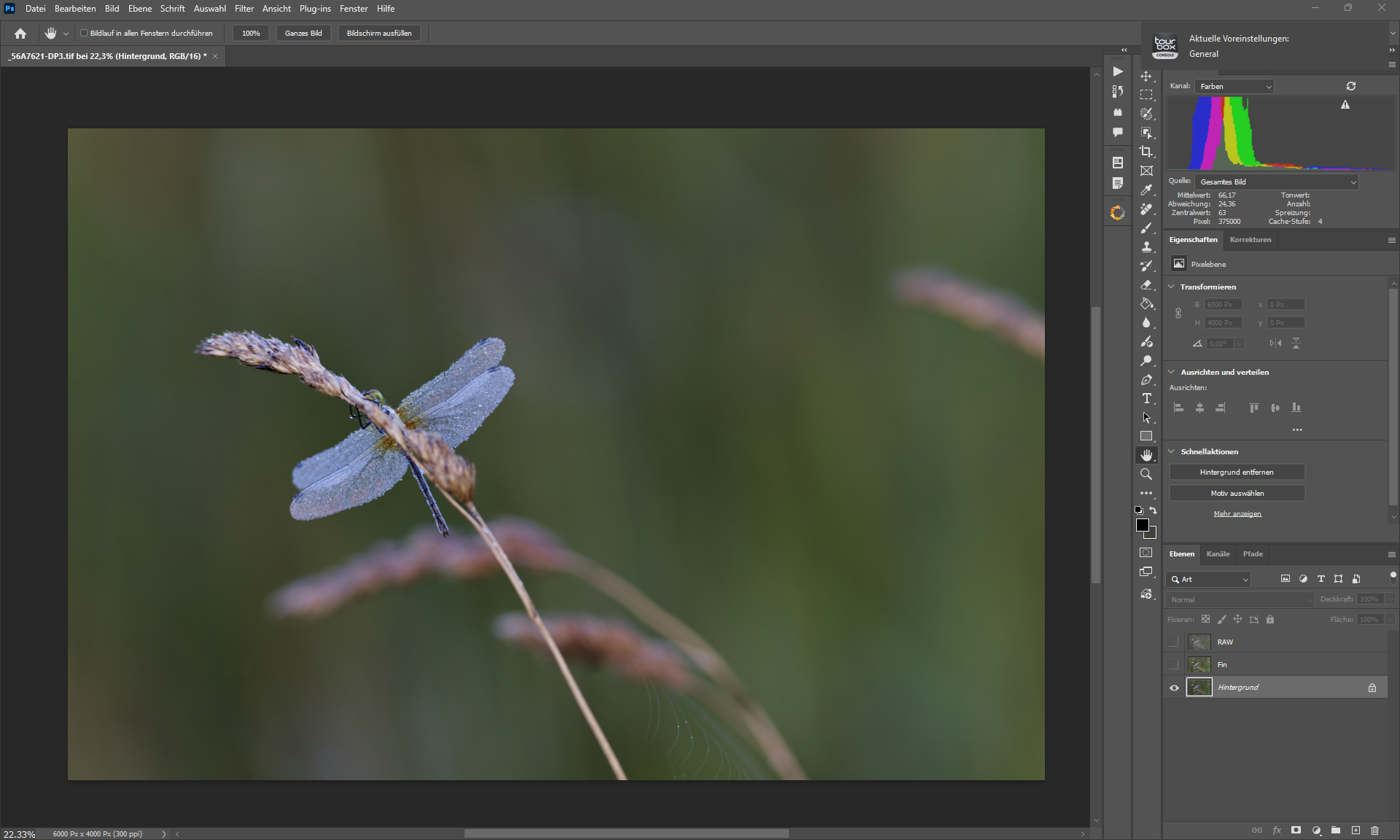
B4 Photoshop Editing
2 Likes
@TPX - Do you have the results of the RAW put in Topaz Photo directly to benefit RAW Denoise, then on its DNG created so all your other edits? That would be the RAW workflow, not to use Denoise, but RAW Denoise.
Hi Thomas,
Your 2nd image in the set above (the one that used the billions of different filters) looks over-sharpened (over-processed) to me. It’s got a lot of ‘snow’ in it. Do you prefer that, or are you not happy with that?
To my eyes it feels like one (or more) facelifts too many. I can certainly understand the desire, but…
2 Likes
The “Snow” is droplets of water on the wings of the dragonfly.
Thousands of drops.
They create this dense, hard structure that looks overprocessed.
I like the detailed result the most.
I understand that it looks overprocessed to you
No, I edited a TIFF in Photo that was denoised with Pure Raw - edited with Photoshop and Capture One.
If that’s how it actually looks then it’s not overprocessed!
I thought all the white around edges were sharpening halos. But it sounds like that’s not the case.
How do you decide which products (of the variety) to use and in what order? I assume order you apply them makes a difference in the final result. Yes/no?
It’s amazing that you can capture that level of detail.
1 Like
Yes it makes a difference.
Topaz Photo is a finalisation filter, afterwards i do no color or contrast editing.
Which filter I use depends on what it does and how good the calculation quality is.
I generally use Pure Raw and Capture One for RAW conversion first, and depending on what I want to achieve (or what the job is) i use Photoshop and other filters too.
The Software/Pluginnames under the images is the order in which i did use it.
1 Like
@TPX - have tested RAW Denoise from Topaz Photo and all Topaz edits by using the RAW file directly in Topaz, then export as DNG, then do the rest of your edits on the clean DNG? I understand you do canon RAW first, but all the exports shown in you example have traces of RAW noise left. It will give better results using that workflow but if this workflow works for you great - Results are already very good!
Wonderful picture Thomas. Thank you for sharing it with us.
Best regards Robert.

2 Likes
The first thing i always do is raw denoising with Pure Raw, export as dng.
Then i edit the DNG in Capture One
Then Photoshop and all the plugin stuff.
Last step is enlarging and or sharpening via Gigapixel or Photo.
Please note that except for the last two images in my post, all the others are screenshots.
And that the forum compresses the images very heavily.
I will link a png tomorrow, so anyone who wants to can take a look at the result at their leisure.
3 Likes
Maybe I shouldn’t ask here…. but what is it about Pure Raw that makes you use it (vs other options) as your initial, Raw denoising step? What is it you value most from it?
2 Likes
it’s a fair question! I am curious too!
2 Likes
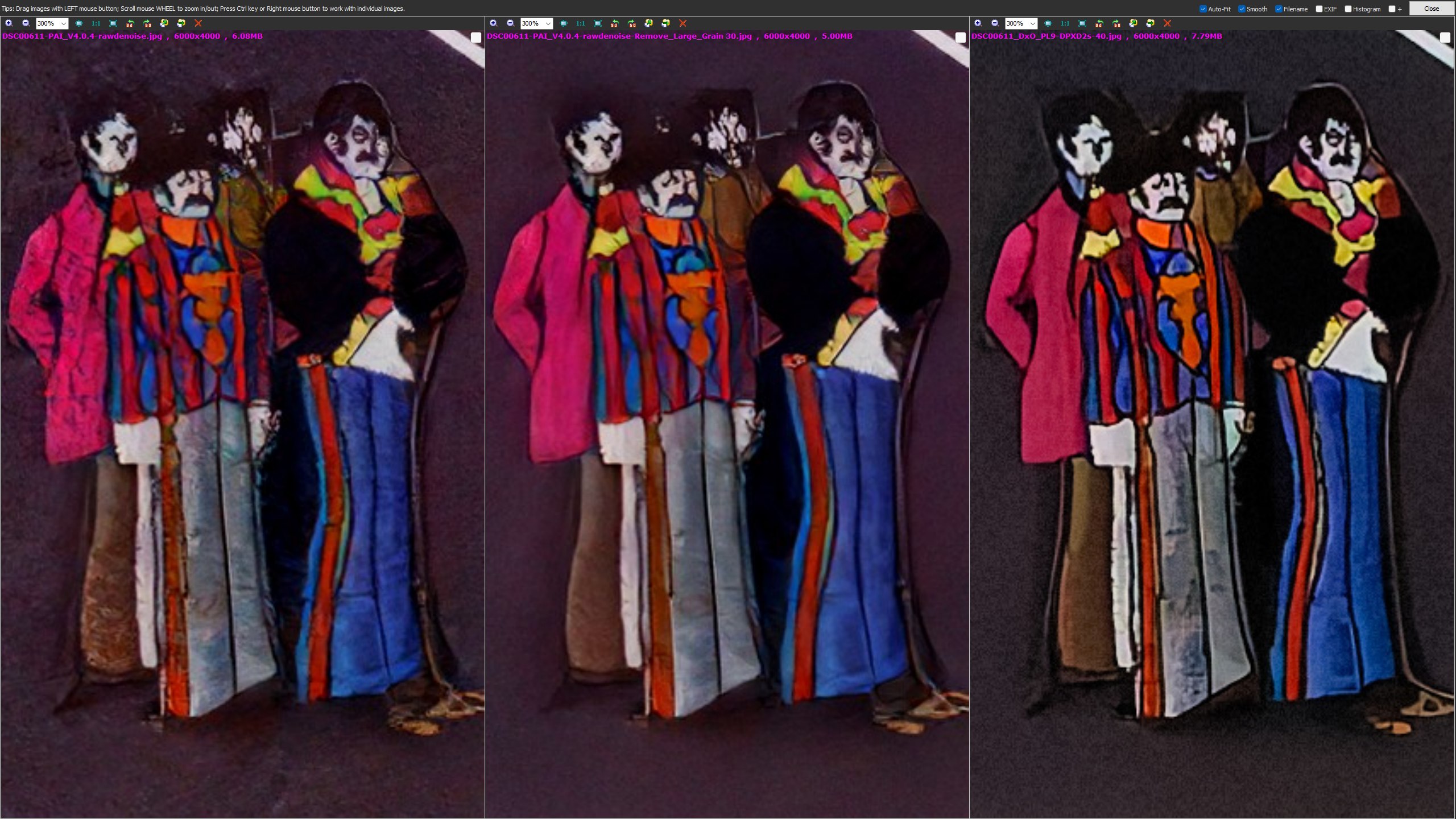
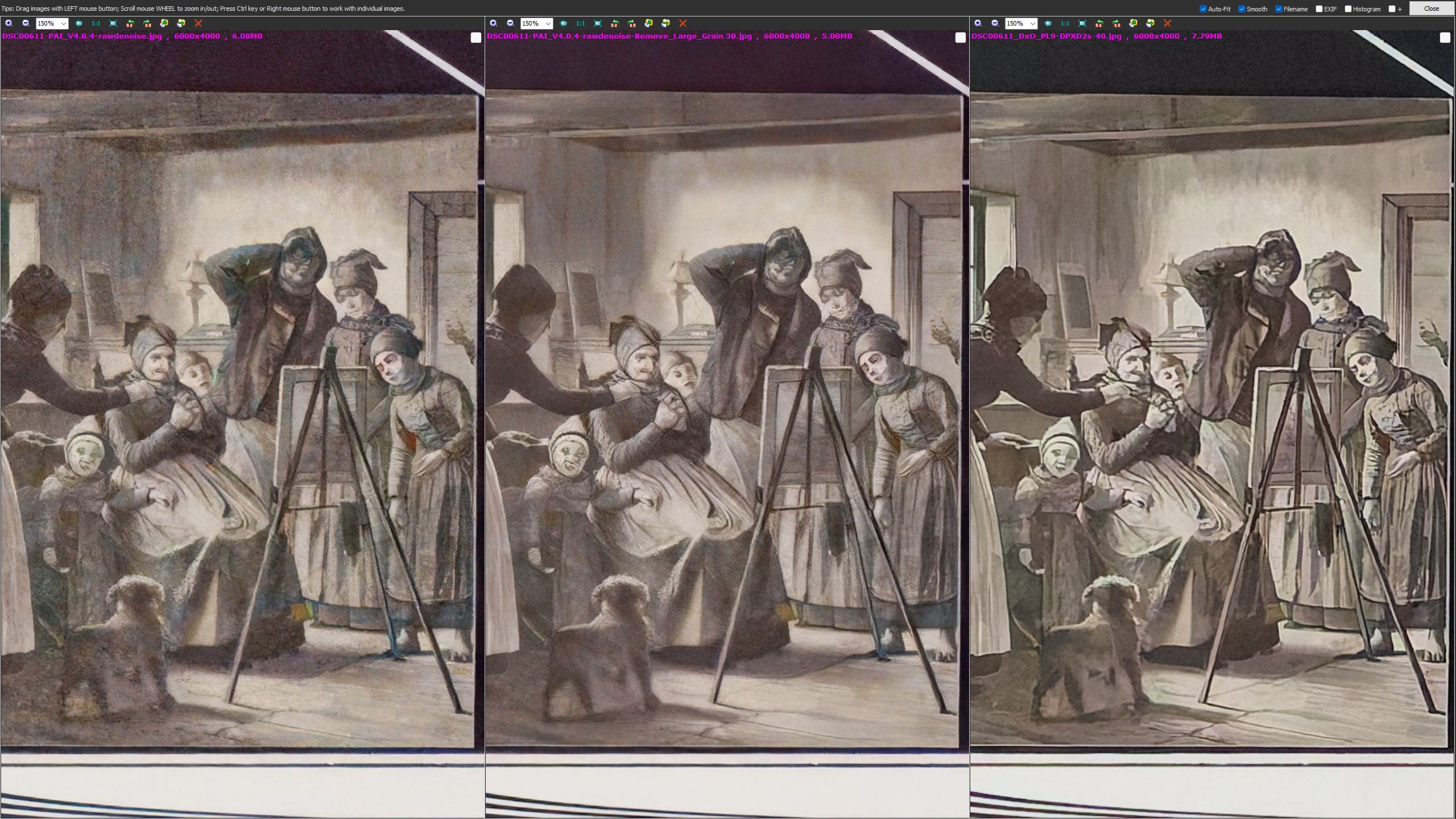
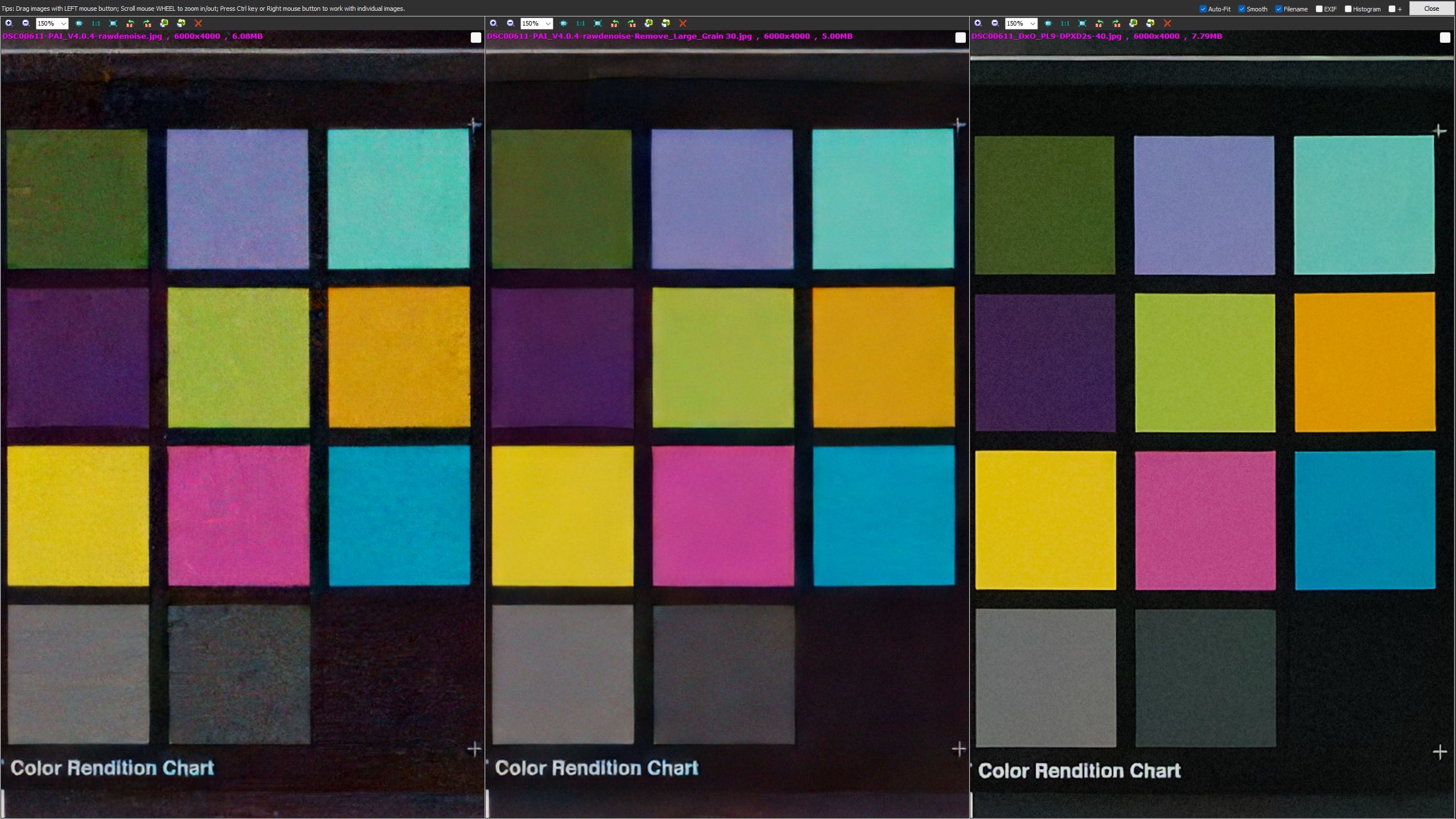
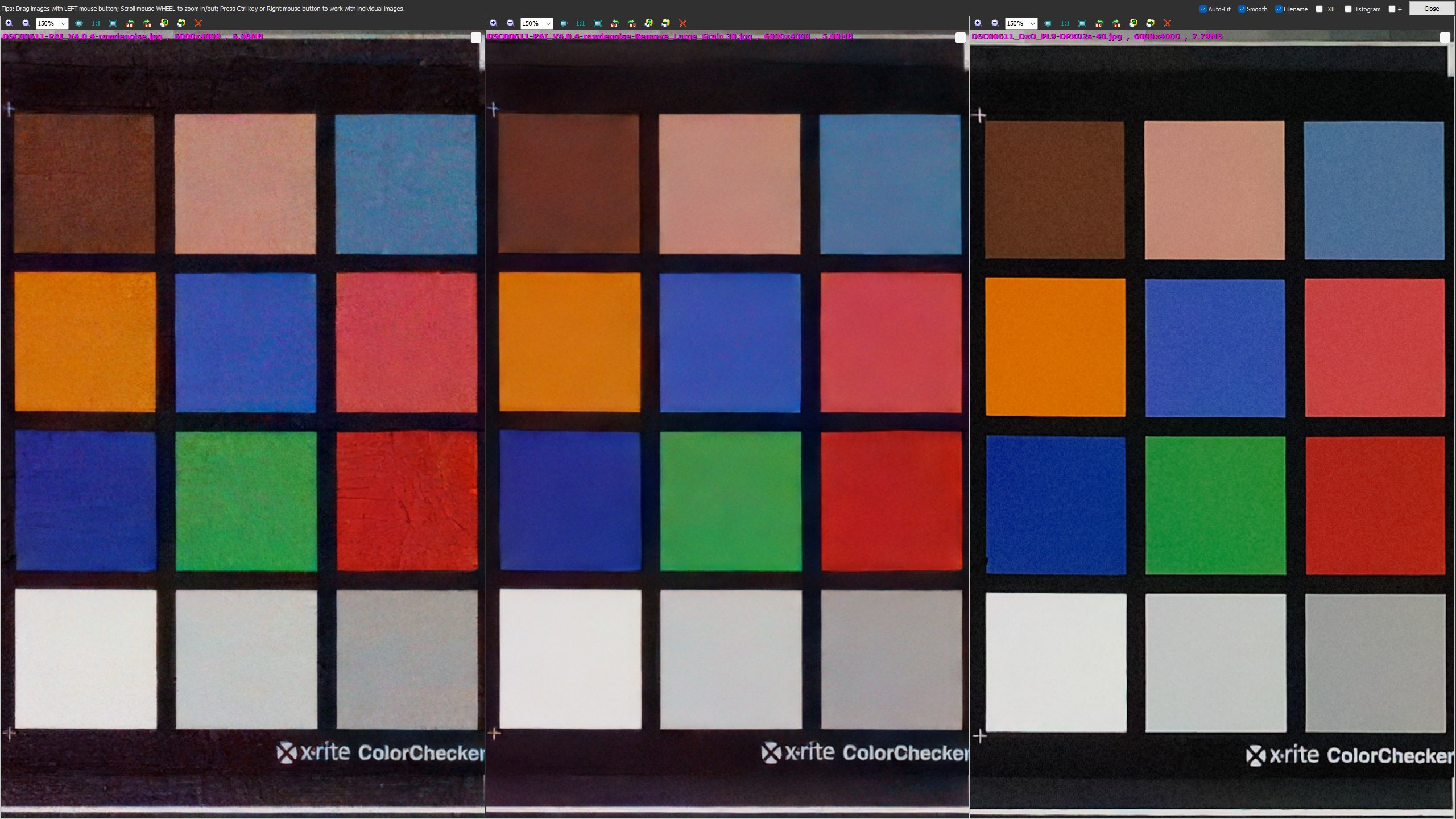
Last time I did the comparison, DeepPRIME XD2 was much better than Topaz Photo AI’s RAW denoising at handling extremely noisy RAW images. I’m not sure how much the latest version of Topaz Photo v1.0.2 has improved. 
TPAI v3.4.3 RAW Denoise vs DXO PhotoLab 8 DeepPRIME XD2
Updated:
TPAI v4.0.4 RAW Denoise vs DXO PhotoLab 9 DeepPRIME XD2s:
TPAI RAW Denoise (Auto Default) vs TPAI RAW Denoise (Remove Large Grain 30) vs DeepPRIME XD2s
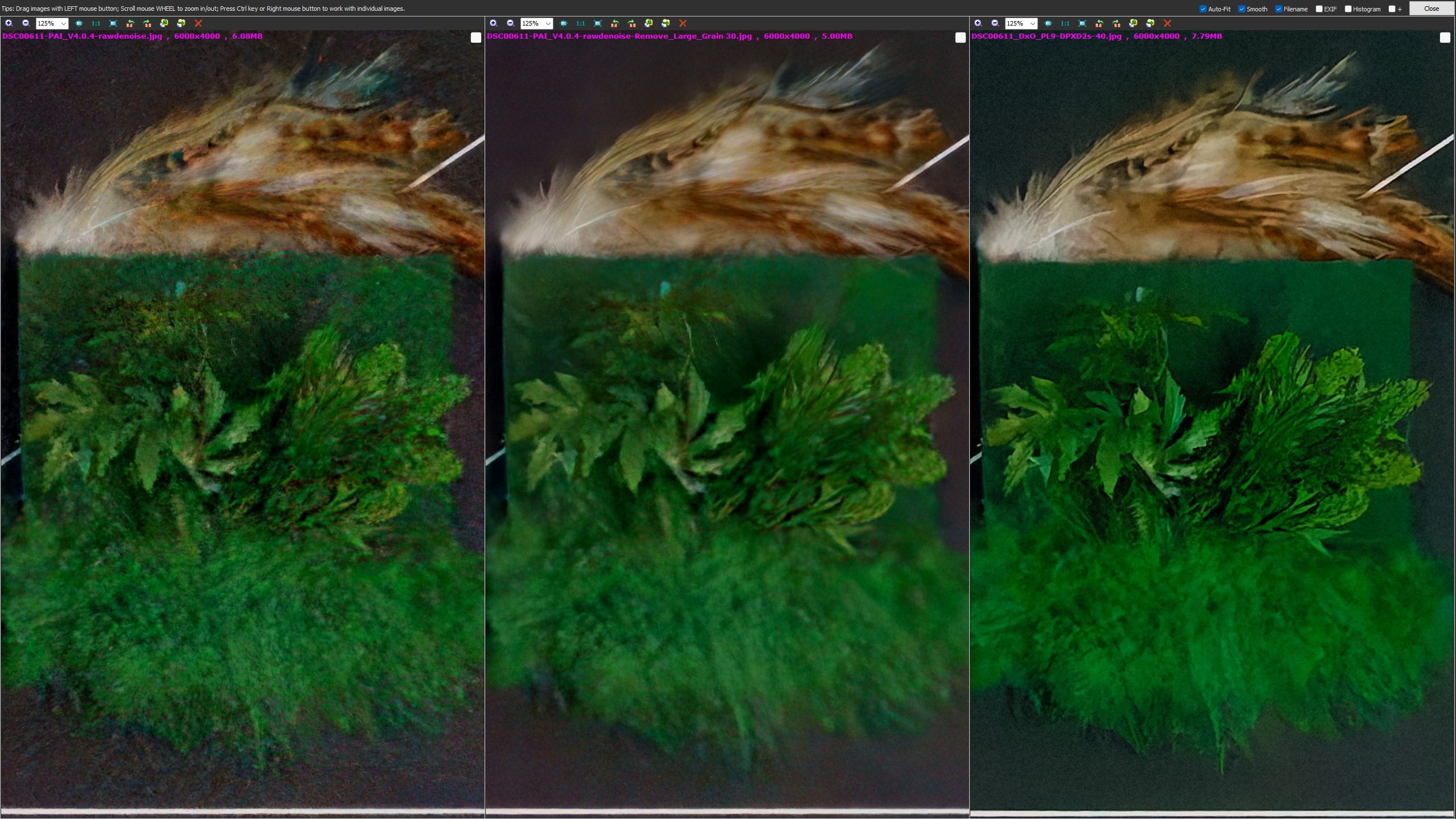
DSC00611.ARW (24.1 MB)
4 Likes
