Thanks Fotomaker!! 
1 Like
You can fix this by going to the log folder through the Help > Open log folder menu and deleting the “Topaz Photo Installer Log.txt” file. Run the installer after this.
The installer can fail if it does not have permission to write to that file, which happens if the application is run as admin.
1 Like
Is Wonder and Standard Max working on AMD Radeon 97XX systems?
Is Gigapixel Redefine working on AMD Radeon R97XX systems?
There is no such file in the logs folder…..
Sent you an email to get more information.
v. 1.0.1 doesn’t seem to address the problem I have had with the v. 1.0.0. That is persisting (orphan/nonfunctioning) sliders that block the view. See the attachment.
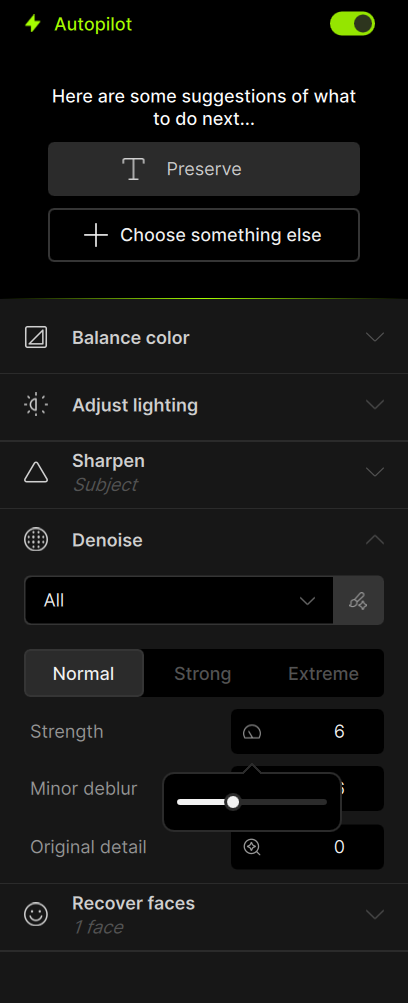
This worked without error message but:
-
I am unable to open the log file via the application (Help/open Lof File), nothing happens when I click on it
-
The feature “Wonder” stalls, there is no movement on the progress bar for about 10 minutes after which I stopped the rendering manually. No matter whether I use local or cloud rendering.
1 Like
seeing you have a mail thread with Alexandre, make sure to reply there!
@jyri.tynkkynen - I added your contact info to be tagged once we have a fix!
2 Likes
FYI. I just tried to run the Win 11 installer for Photo 1.0.1 and it aborted (no error msg) while at the 1/126 install stage. It ran all the preliminary downloading stuff, but failed as soon as it was starting the long install. No other processes running at the time.
Win 11 Laptop. Processor: NVIDIA RTX 4090 (laptop).
B/c the installer didn’t even get past the 1st install stage I ran an uninstall vs repair. And, will try to install again. Wanted to test for compatibility with Ps 2025 (on this system it will be Ps beta - vs the production rel. Ps on my desktop PC) as a plugin.
Yes let us know. Make sure there is no blocker too (firewall, anti-virus, or can test connected to hotspot if the blocker is the router)
Just tried again, Ange. Sigh.
Still same Win 11 laptop using Win (not ARM) installer.
This time it seemed the full install process ran. ~ 22-24 minutes for the 123 components.
I launched Photo 1.0.1 (Standalone to start) & tried several .jpg and .tif image attempts. Before I could do anything I got Models Downloading msg box (I’ve never gotten that as an ongoing issue in past as others have rptd). It took a while for that to complete.
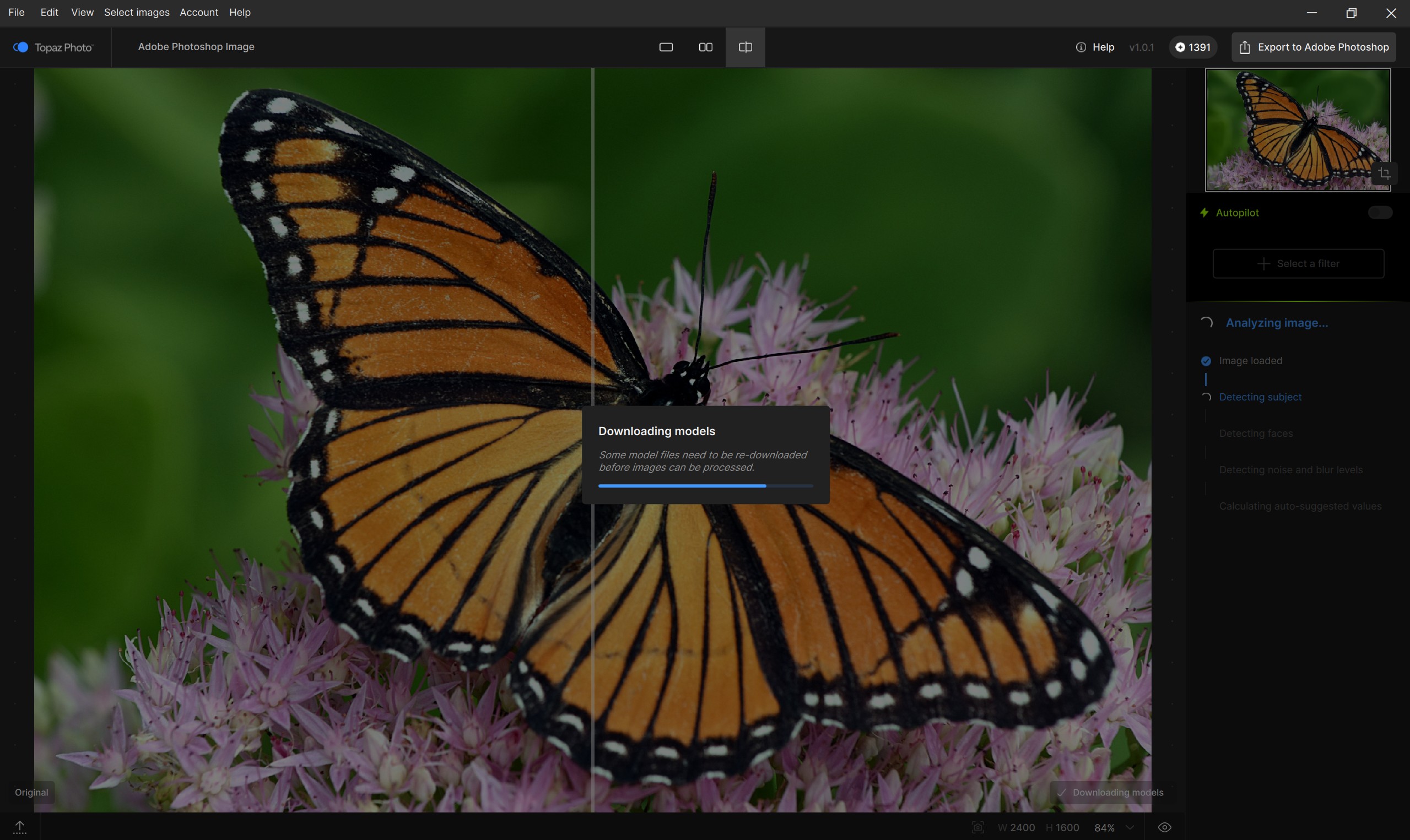
Then, what I see - spinning circles of death under Analyzing Image - repeatedly, it doesn’t progress past “Detect Subject” (ie, doesn’t seem to be detecting subj. and I chose several diff. test images with a prominent subject. At least 3 circles of death spinning:
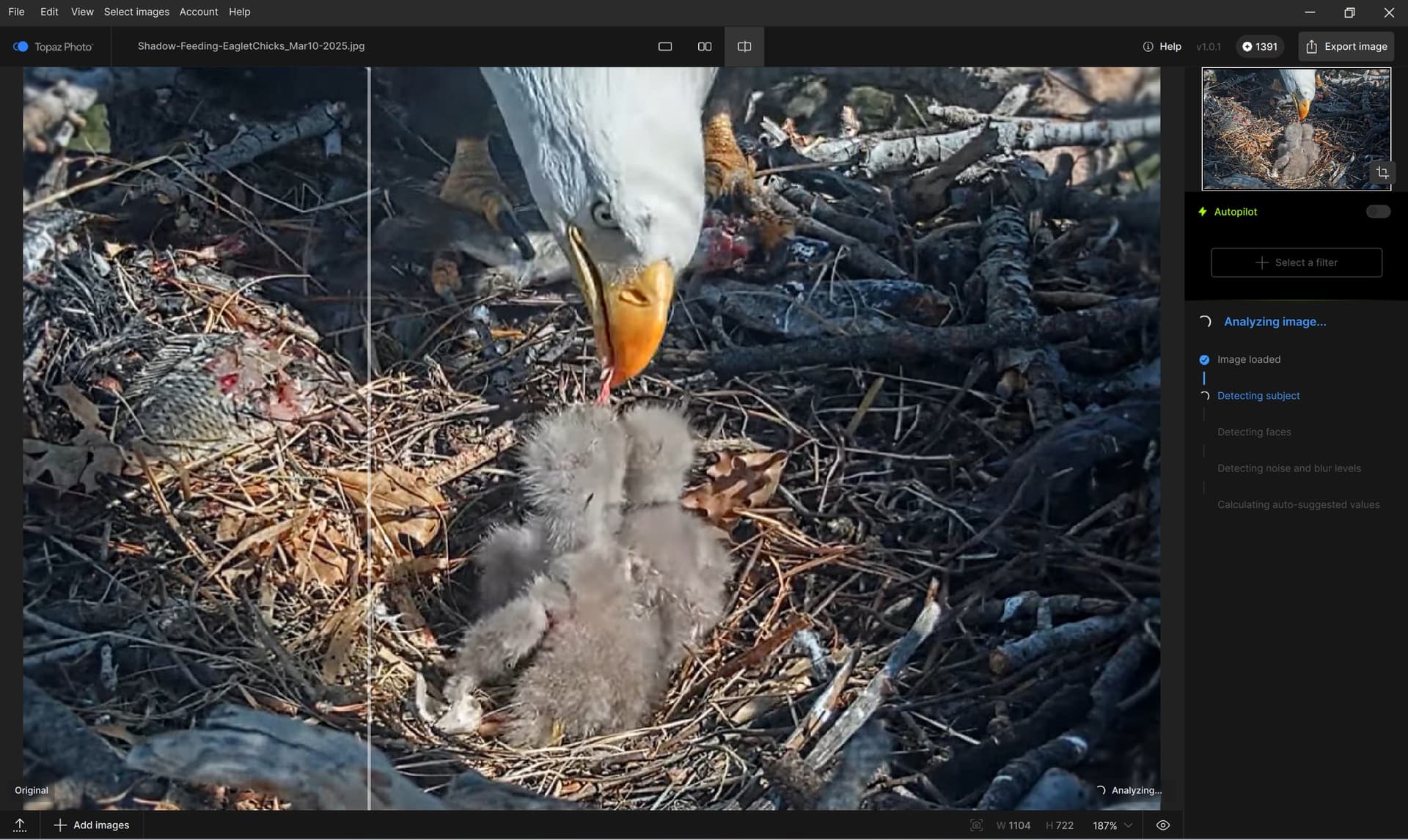
The analyzing never completes. It stalls at trying to Detect Subject. Stalls in the sense of not progressing through that stage. There are still spinning circles of death vs a frozen screen.
I aborted the stall state with a Ctrl + W.
Then checked the Help > Log Files menu. Clicking on that, nothing opens. It doesn’t take me to hierarchy path where Logs should be. Nothing happens.
Next, tried going directly to C: Program Data > Topaz LLC > Topaz Photo - folder opens but there is no Logs folder in that higher level folder:

Restarted the laptop to see if program just needed to catch its breath and settle in. Same exact flow of processes.
Ditto for Ps beta PLUGIN. Opened image into Ps beta, opened into Photo via File > Automate. Image opened. But, same exact bhvrs as noted above for Standalone (redownloading models, not progressing past detecting subject, no Logs, etc.). Aborted. Unable to process images either in Standalone or Ps Plugin. Hmmm. Sadly, can’t send you Logs. None there.
Any suggestions for me to try from my end? I suppose I could record an OBS movie if that would help. Last time I tried that to show what was going wrong the darn thing fixed itself just to prove me wrong! 
THe downloading models confirms there is a blocker and it could be a few models (can wait the progress bar) or hundreds of models. To rerun the installer with firewall and Anti-virus off. and if still occurs, to rerun installer while connected to hotspot. Seeing your logs issue is still not resolved, in Preferences, is Anonymous data on? The logs would only confirm how many models missing you have, you’d still have to find the blocker and rerun the installer.
1 Like
Okay. Let me check re: Firewall or other blocking security. Certainly no VPN or anything that sexy here at home. I always keep anonymous data collection set to Off (unless testing and someone thinks that’s a help).
Being off will prevent logs and when a crash occurs, prevent crash reports to be sent to us.
1 Like
The “Custom” resolution box for “Wonder” still does display commas (recall, German Win 11) for me. I already submitted a report on this.
Moreover, I would prefer “Wonder” to habe vertical/horizontal resolution fields as the normal “Scaling” feature has. Would this be feasible?
Okay. I’ll turn it back on while disabling any firewall, etc. & give it another go. Never had to do that with PAI.
Will I need a full uninstall/reinstall after turning off firewall - or will the app running those models b/c it doesn’t detect them allow them to be added w/out a full uninstall/reinstall?
I tried again after the models redownloaded with same experiences.
I’ll do a full uninstall & reinstall with firewall off next. That will take a while again. 
I keep getting this msg and our network is working fine. Could there be a server issue at the TL end? If I click ok on this msg it just responds immediately that the install completed (and it hadn’t even started…):
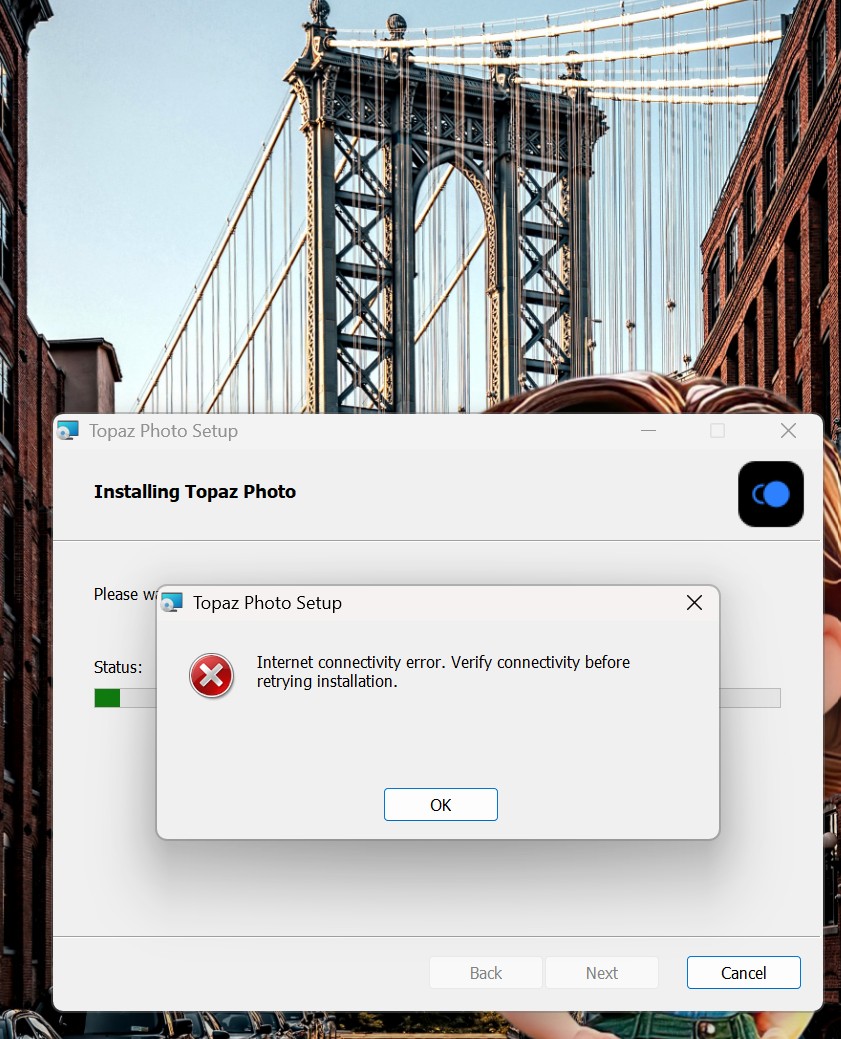
p.s. Just installed Topaz Gigapixel. It installed with no issues. And, works Standalone and as Ps Plugin. No Logs there either, though. Nothing happens if click Help > Open Logs File. Only issues seem to be with Photo.
@pmb2026 - yes, your contact information is on that development team ticket, and we can contact you once a fix is made, It will occur on foreign keyboards.
For the resolution field, make sure to post as a feature request in the Ideas section!
1 Like
Thanks Ange, just opened a feature request.
1 Like
Is there a way to apply the wonder model at 3x to all selected images? I clicked apply but nothing happened. I want to batch process and export multiple images with wonder. How do I do this?
