Win 11 Pro (desktop) PC. PAI 3.6.0Standalone. Processor = AMD6800 XT GPU.
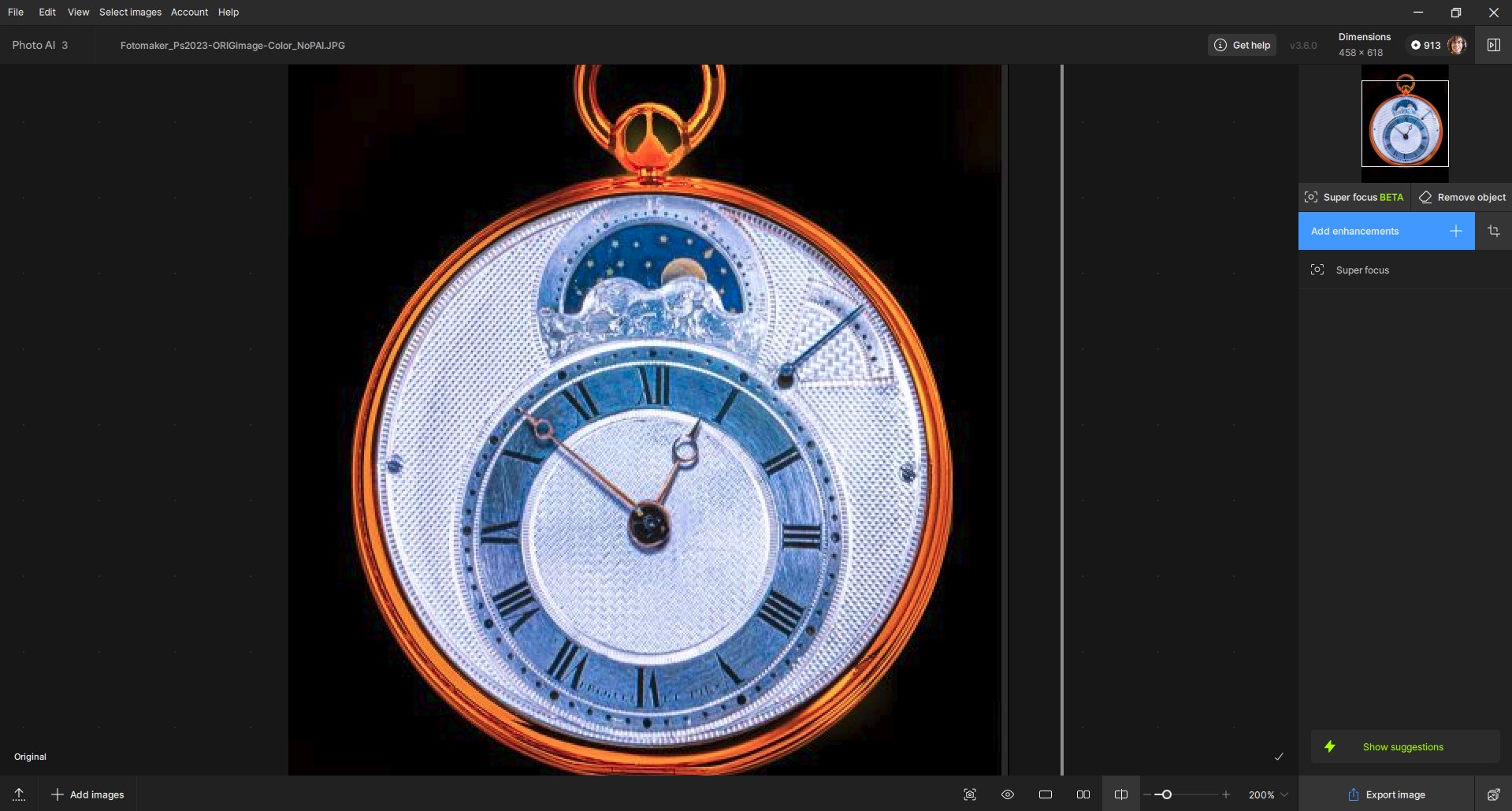
Image 1: Image that I wanted to super Focus, ends up completely blurred and lacking details in a very detailed pocket watch using superFocus v2 and Subject selected.
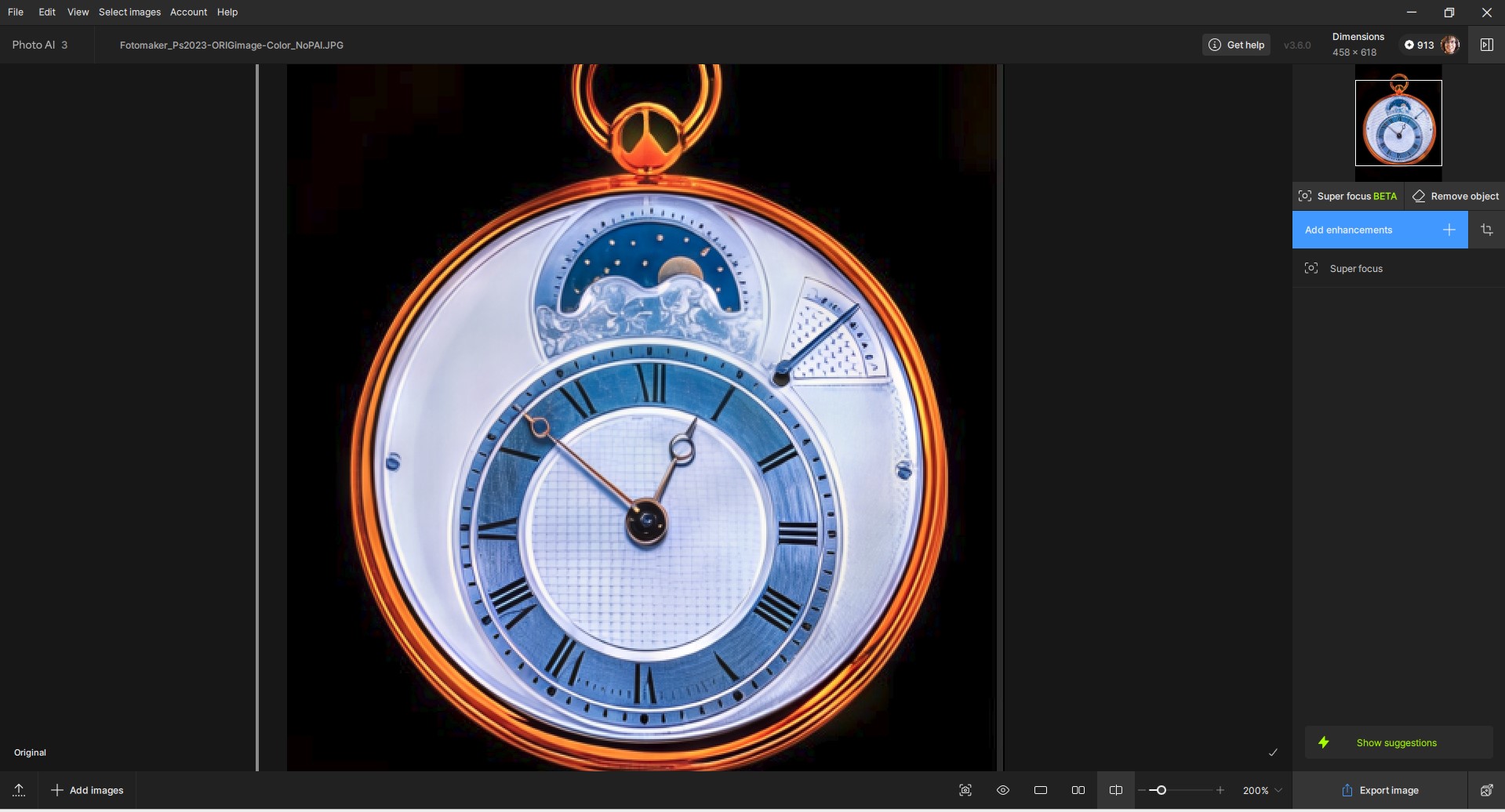
PAI 3.6.0 - Processor set to “Auto” vs my AMD RX6800 XT GPU: @Artisan-West does Not blur the image detail (also set to Subject selec as above with GPU) as when set to my GPU. But details not as crisp and sharp as the comparative Sharpen AI below:
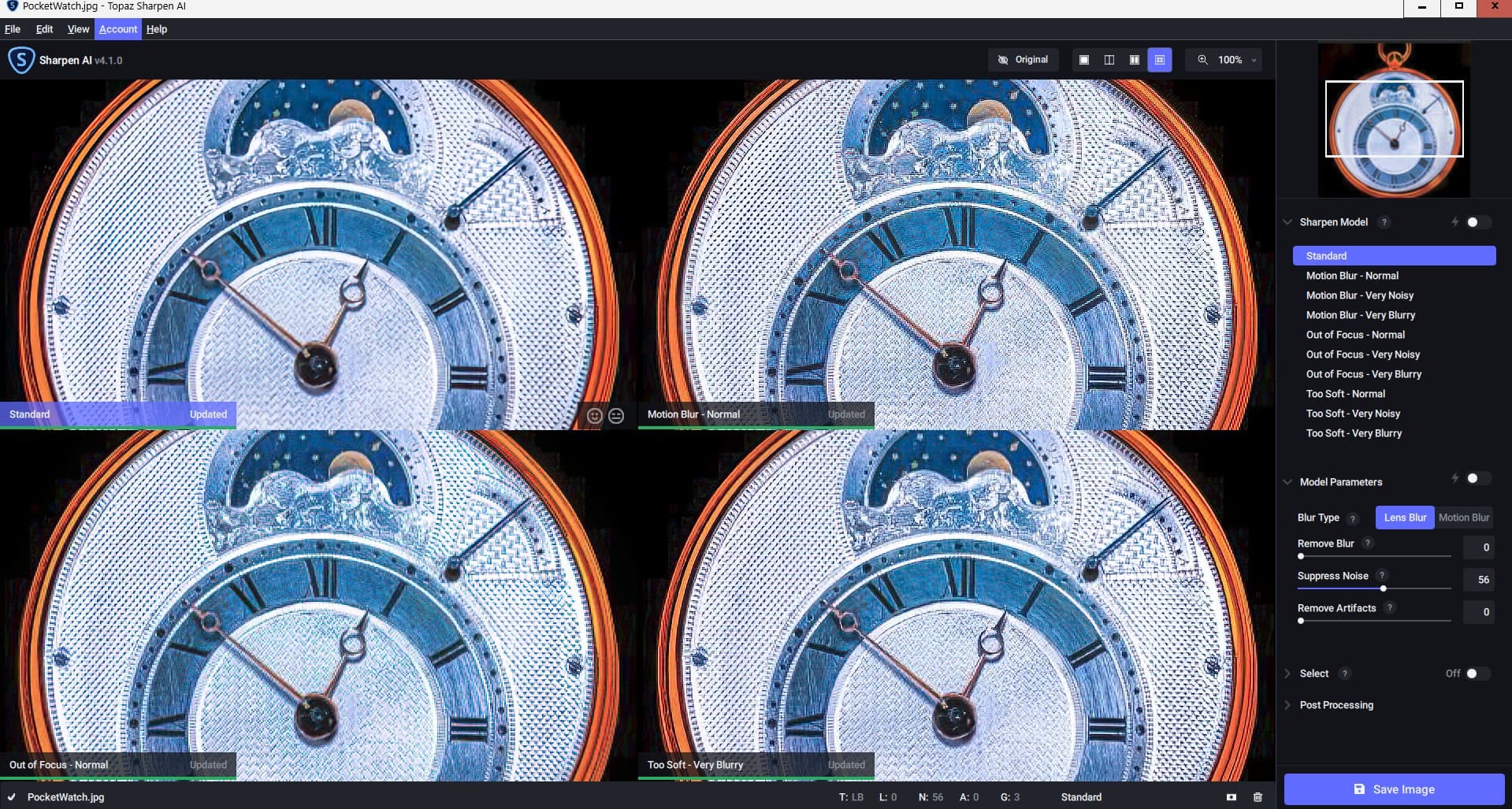
Sharpen AI (4.1.0) - Not only multiple models that improve the Original and some give it a terrific, more dimensional look, but a great Comparison View for Sharpening - that easily lets users see tradeoffs of which sharpening models are most effective for any given image in the UI. And… only one, single Settings Panel at far right of the UI (no pop-outs):
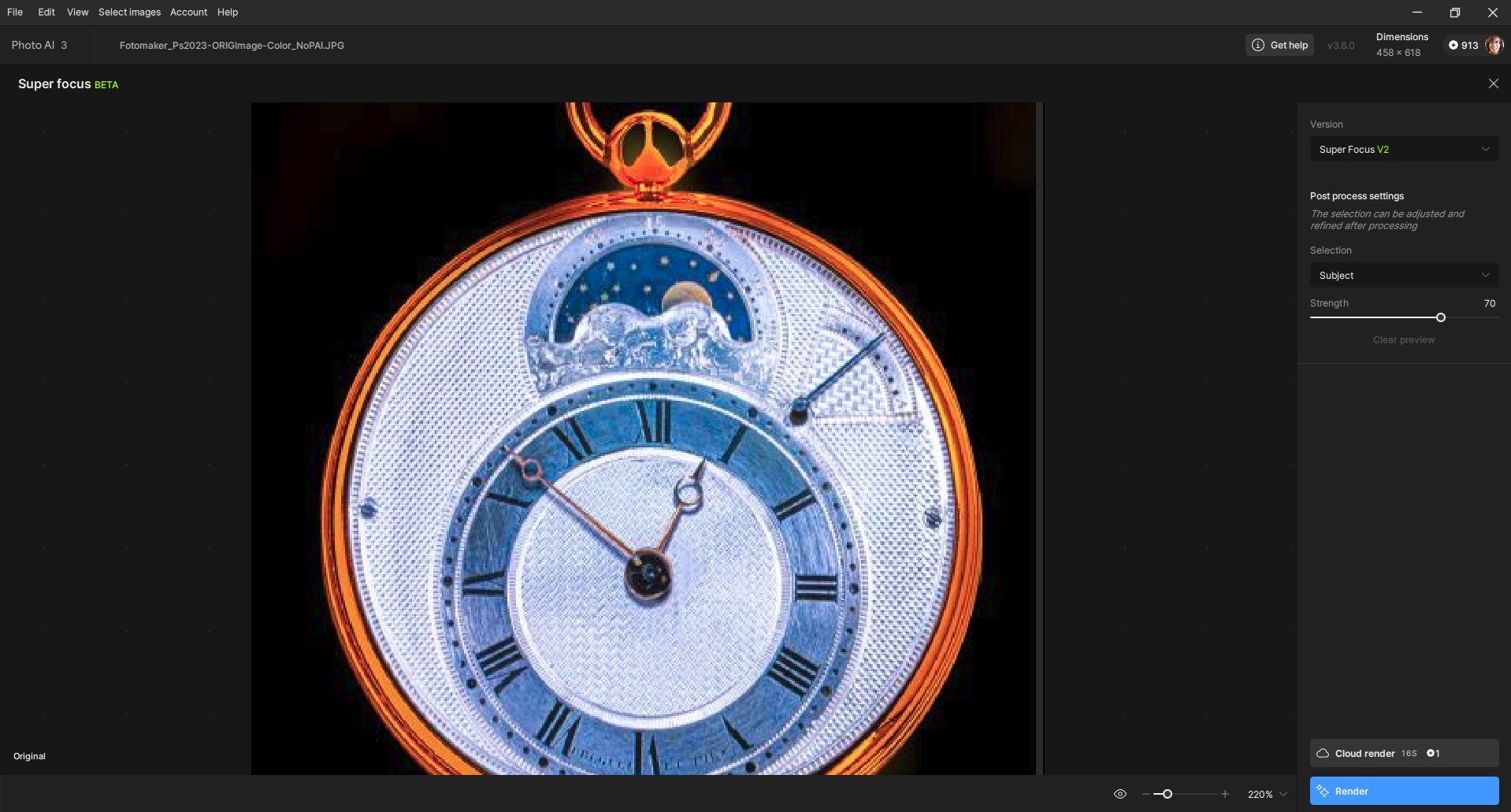
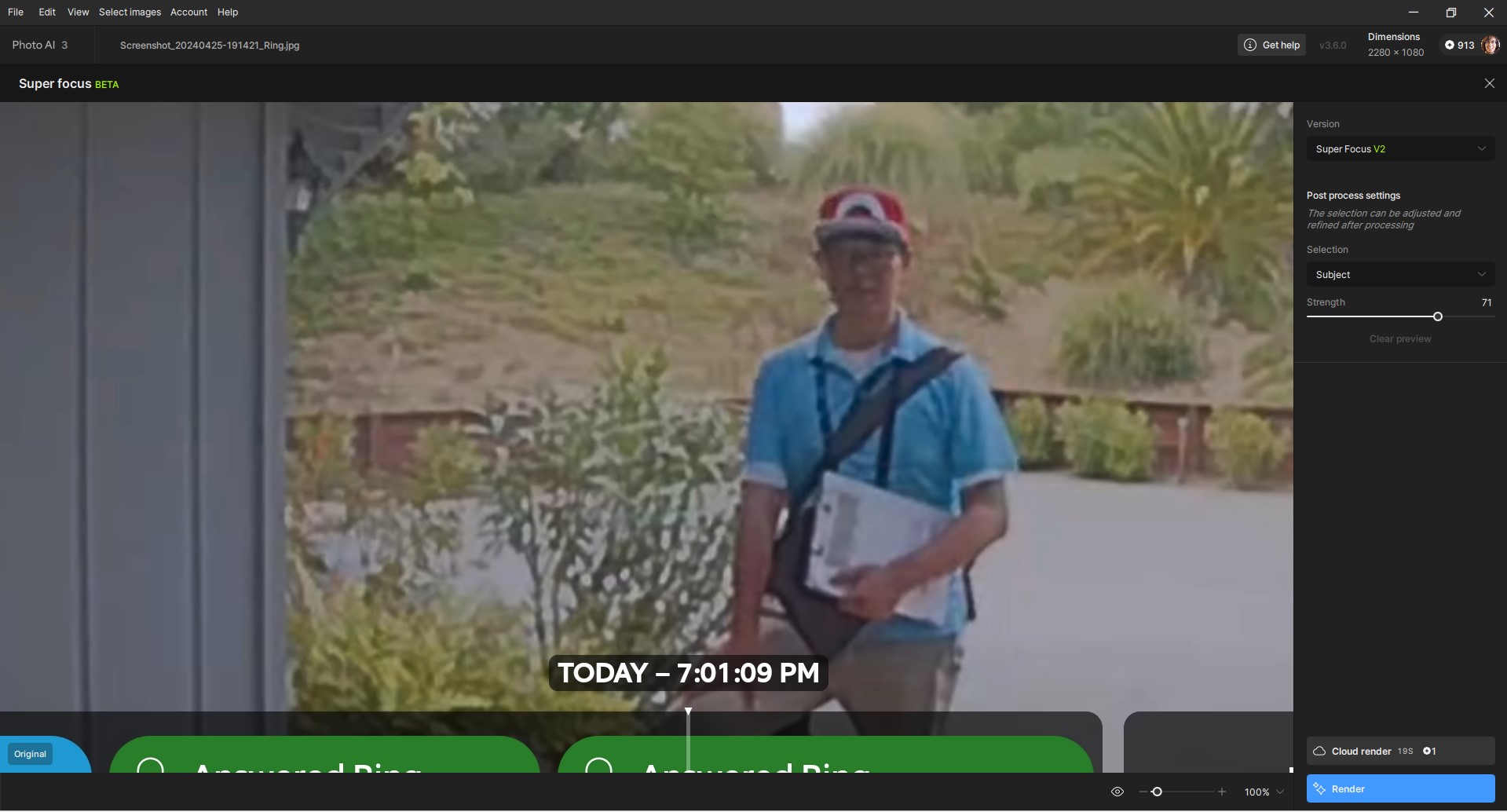
Image 2: Blurry, unwanted solicitor. Trying to use superFocus v. 2 - selection area = All. There is no Preview Boxes feature. Or, should I be seeing sharpening directly in the UI?
Also, in 3.6.0 in both Super Focus 1 and Super Focus 2 you removed the small overall view in the upper right hand corner. That view allowed us to move the portion viewed at 100% and therefore which area to position the preview window. Inexplicably that view is now gone so it seems impossible to move the image around since each time I click on it I can’t move, but instead it selects a preview.
@dakota.wixom
Yes, of course it won’t run on all platforms. As mentioned, it should be offered as an option in the configuration. Perhaps with a warning if the detected graphics card isn’t suitable. As a developer myself, working with larger LLMs, I know that the best results are only achieved with larger models – or models finely trained for the target.
If a user wants the best possible result, they simply can’t avoid the hardware requirements.
And to better replace masked image sections, optional (simple with max. 70 token) prompting with a slider underneath that influences the strength of the prompting would be a good idea. All of this should be optionally deactivated, with a corresponding notice in the settings and an additional download option for the larger inpainting model.
Why does Topaz release half-baked versions of its software every couple of weeks expecting its paying customers to find the bugs and errors?
I’ve just been asked to pay $199 to upgrade to what is, in effect, an ongoing buggy beta.
It should be better than this. OK, there may be a small glitch here or there, but when a new release comes out, it should work properly and as advertised instead of it sometimes being worse than the previous version.
It’s not right to do this.
I think I’d rather have a developer who quickly releases a version that isn’t perfect than have to wait a long time for something new.
Since this depends heavily on the user’s hardware and software, as well as the input data, the developer can’t prevent all possible errors.
Here, the user has to weigh up whether to install a newer version only if the general user response is very positive
First, it’s not about what you would personally rather have. It’s about the responsibility of a company to release paid-for product that is fit for purpose.
Second, if some geeks constantly yearn for ‘something new’ they can play with beta versions to their hearts’ content and let photographers get on with editing images with software that works reliably.
Third, I didn’t say the developer can prevent all possible errors. Errors will happen but it’s the size and frequency that bothers many users.
And last, saying “the user has to weigh up whether to instal a newer version only if the general user response is very positive” is a false/circular argument and brings us back to the original point - that it should not be up to paying customers to do the development and debugging of paid-for software.
@Fotomaker thanks for these, will be useful for the development team working on the Super Focus tool.
This watch isn’t defocused, and would be a better fit for Sharpen. Best to test a file with Soft focus or defocus. This just seems like a small, low-resolution file with compression artifacts, best suited for Sharpen/Upscale, but thanks for the differences/examples!
The 4 way comparison is a popular feature request, yes, and the development team is aware. It may not be possible to implement, but it’s certainly a feature request the development team is aware of.
Since SUper Focus is faster, The preview will be mostly the whole image here, you can click to see the preview in your image or launch the local render and then tweak your selection if needed. Tight now it’s set to Subject, not All in your screenshot. You can change this after the process too.
@Tostanica-fezanamu - Talked to the development team and this is the expected behavior, there was no preview window in past Super Focus versions. You should still be able to click/Drag/move in the file. Write in to support@topazlabs.com if you get any issues doing this!
@richie666 - If you experience any issues make sure to reach out to support@topazlabs.com - Updating versions is up to you, you can check the releases notes to see if the new features can help your workflow, and if you are on a version you like/have no issues with, you can stay on it for as long as you want!
We continue to release new features every 2 weeks or so and yes, in these we also do fixes for things users reach out to us about. We continuously do so, and have a lot of happy users that have no issues as well. If you get any issues, reach out to support@topazlabs.com and we can troubleshoot. If it’s an unresolved issue, we will gather information for our development team and once the issue fixed, if you are expired for your version we provide you access to that version for you when the fix is released.
Make sure to write in if you have any issues and we can troubleshoot!
Yeah, to me that pocket watch was a soft focus & somewhat blurry b/c interior low light, handheld motion, shooting through glass case shot.
The Too Soft, Very Blurry SAI model I think produced my fave result,
But the 2nd pic of the guy and exterior was definitely soft blur. I tried it with “All” which didn’t help. Then “Subject” which looked the same and I snipped to attach. Both selections appeared exactly the same with the processing. My goal is to equal the ‘reality’ shown on NCIS and other such shows wrt correcting blur.
Also, I don’t get smeared content using SF on Auto. But, I’m supposing (phew, auto spell nearly sneaked suppository in there!) PAI is using my Intel CPU to not get smearing. SF, Redefine (C > 3), etc. seem to be allergic to AMD GPUs.
Ah ok for the watch, through a glass, makes sense! Still think Sharpen will be useful here. Super Focus is for cases that Sharpen cannot recover.
NCIS ahah, it’s still a generative model so would still be hard to use in a court of law
For the preview, it’s best to stay in Auto for AI Processor, yes, as Photo AI will choose the best fit. Preview is fast, so it can work on CPU. Then the processing can be done on the AMD card. The development team will continue to look into optimizing the app for these AMD cards as well!
Thanks for all the tests you do, always thourough and very appreciated.
So a local SF Render on my AMD GPU won’t smear, even though the Preview appears smeared with it?
I’ll have to try that (Preview = Auto, Local Render = AMD GPU).
When I saw the unacceptable Previews I aborted b/c I wasn’t going to spend the time to locally Render, assuming I was seeing a simulation of processing output.
I’m no s/w engineer, but it makes me wonder why the same GPU can’t gen a verisimiltudinous Preview, but can gen a sharp Render. Now I’m intrigued to see that happen on my system! Yay. More tests here I come.
I believe yours is a non-argument. Updating is your responsibility, not the company’s. If you feel that there are too many updates, stick with the version that works for you. Only when you feel pretty certain that updating will not compromise your workflow, go ahead and update. Just as @Ange.topazlabs mentioned, check the release notes and the discussions here on the forum to help you decide.
I try to stick with stable versions and if I have an update that’s unfortunately malfunctioning, I can always roll back.
Topaz’ frequent-update cycle is not for the faint of heart nor for those who want maximum predictability. I like what the company is doing – which is pretty much cutting edge – but, as I made clear, I tend to be a bit conservative when I update.
@Fotomaker What I meant that its best to leave at Auto, and Photo AI will choose what is best. No need to force CPU or GPU, just to leave to Auto and flag any issue to Support@topazlabs.com!
Really? Well, there’s a sign of the times. It’s now the customer’s fault for updating his software to take advantage of advertised new features which turn out not to work as advertised. So, it seems Topaz software isn’t for ‘faint-hearted’ photographers who want and need maximum predictability in their editing. It’s for geeks who don’t actually take photographs but instead happily spend their time in an eternal state of beta finding, fixing and writing about bugs and malfunctions in dot releases of software which should already have been tested and proven stable before release. We live in a truly strange world. And if I don’t like it I can use an earlier version which was updated precisely because it was so bug-ridden and annoying. Right. Got it.
I don’t experience any issues in my editing, and so do a lot of users! Of course these multiple thousands of users won’t find themselves here on a Support Community forum to let us know the app works normally.
This is why we recommend to write to support@topazlabs.com so we can troubleshoot any issues you have, and most we can send steps to fix right away. Some are not possible to fix right away, and we then gather information to add to development team tickets, for them to fix, and we give you access to this fix for free.
The key is to reach out to us and explain what issues you do have. Right now, we still do not know what issues you have!