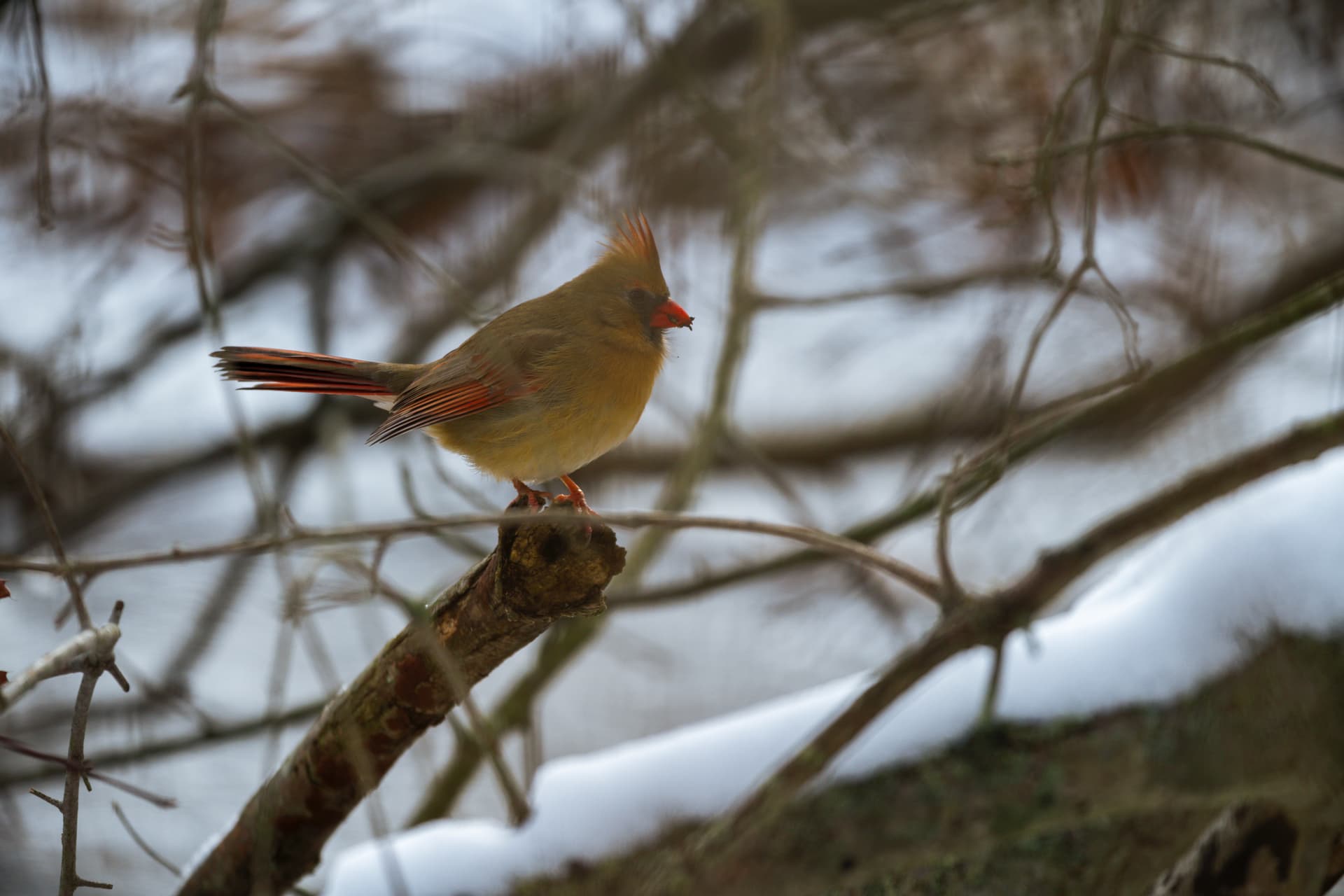
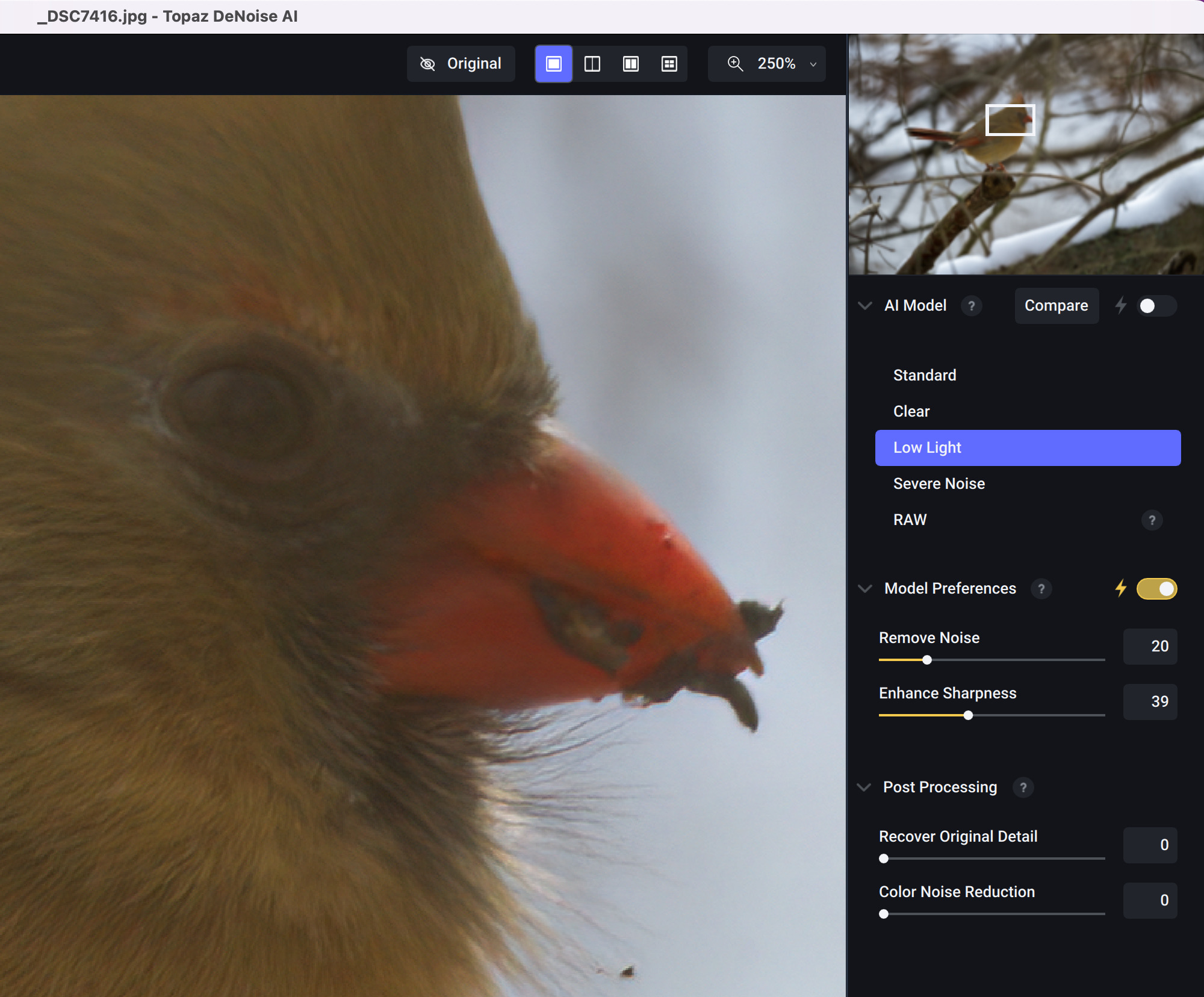
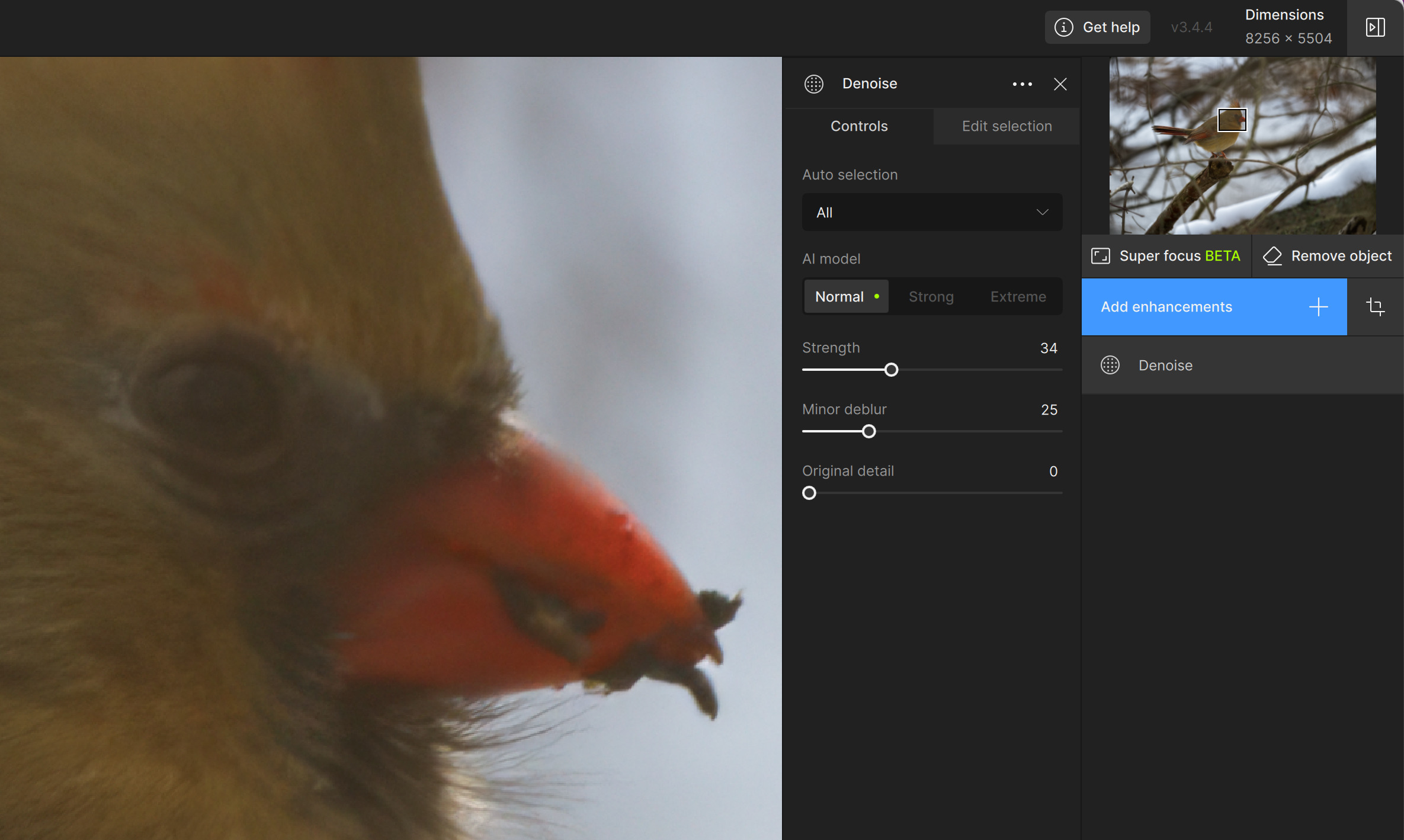
In my case it was about 24 hours after installing 3.4.4 that I did that test run. I did start it up yesterday about 30 minutes after installing just to make sure it started up without error, but I didn’t process anything at that time.
@Tostanica-fezanamu - thanks for the file, I sent a reply with a recording of me testing your same file, and no color shift occurs. Make sure to send me a reply with the info needed and we can get to the bottom of what is causing this shift on your side!
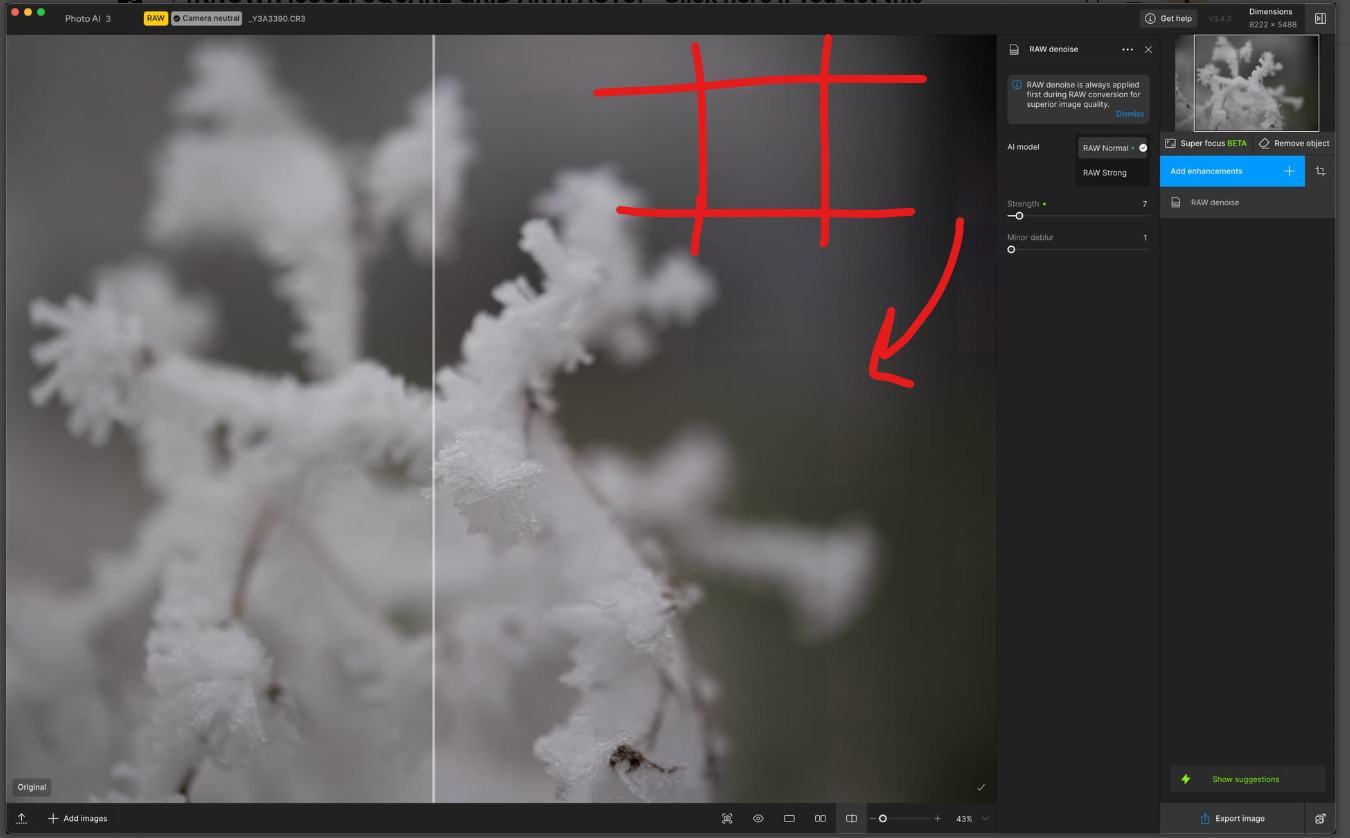
@michaelezra - while there is a Grid issue happening, it is not the same that you have. It happens on skies and backgrounds only. This grid here is a processing error, and we can troubleshoot what is causing this if you send the original file to support@topazlabs.com - Also send us your logs in this email, by opening Photo AI, Help menu, Open Logs folder.
This can be caused by missing or corrupted models, and we can resolve this once you send us the file and the logs to Support.
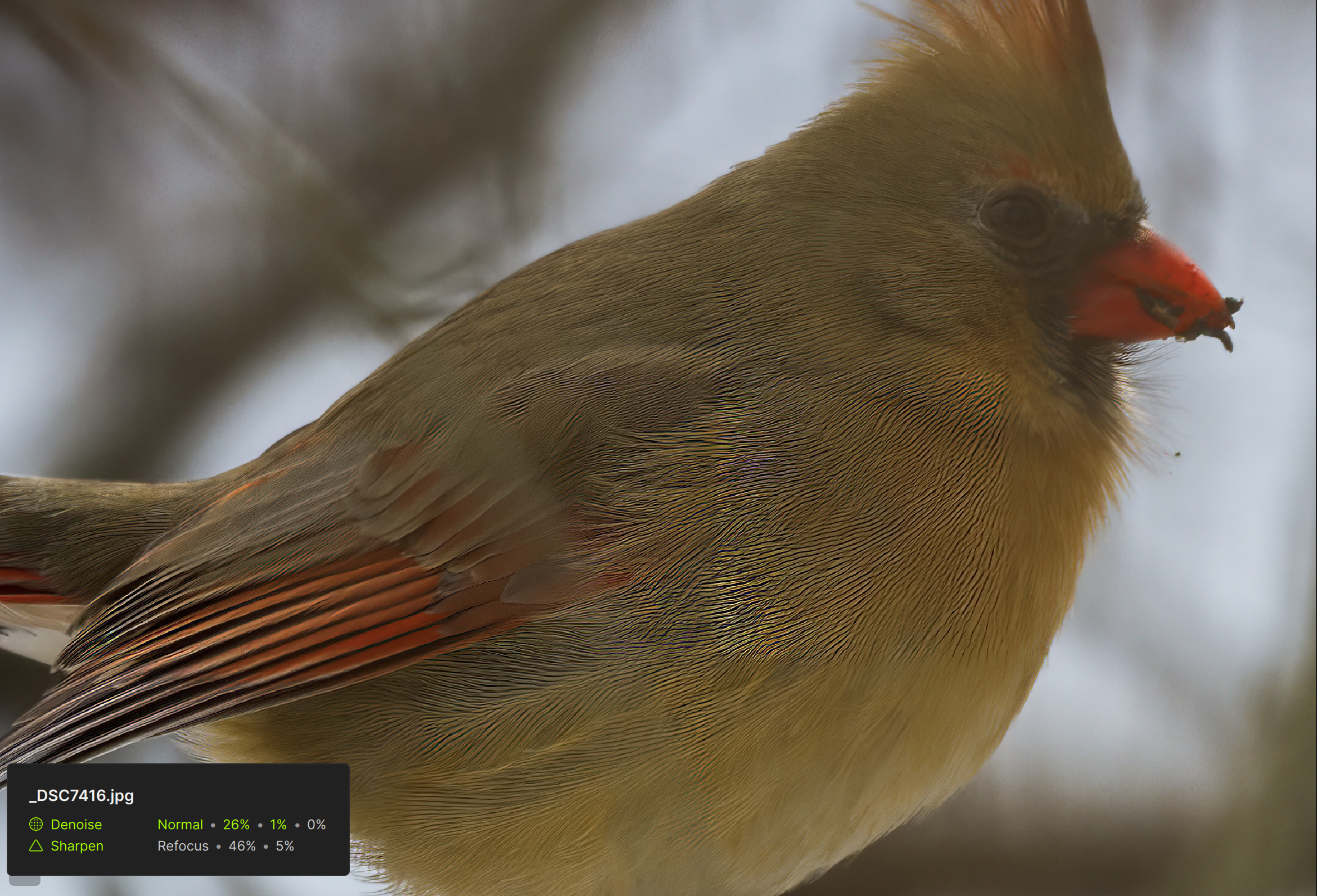
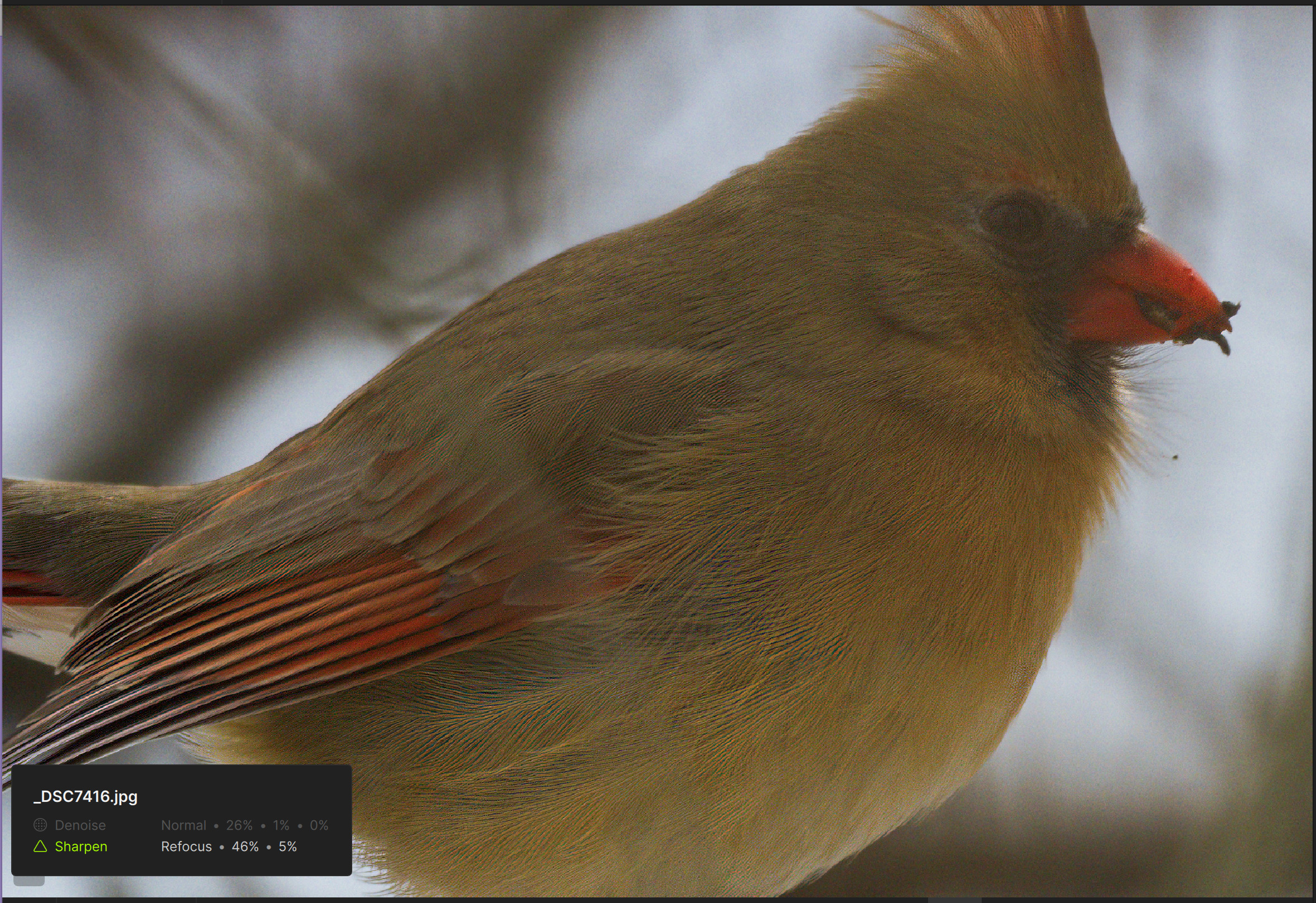
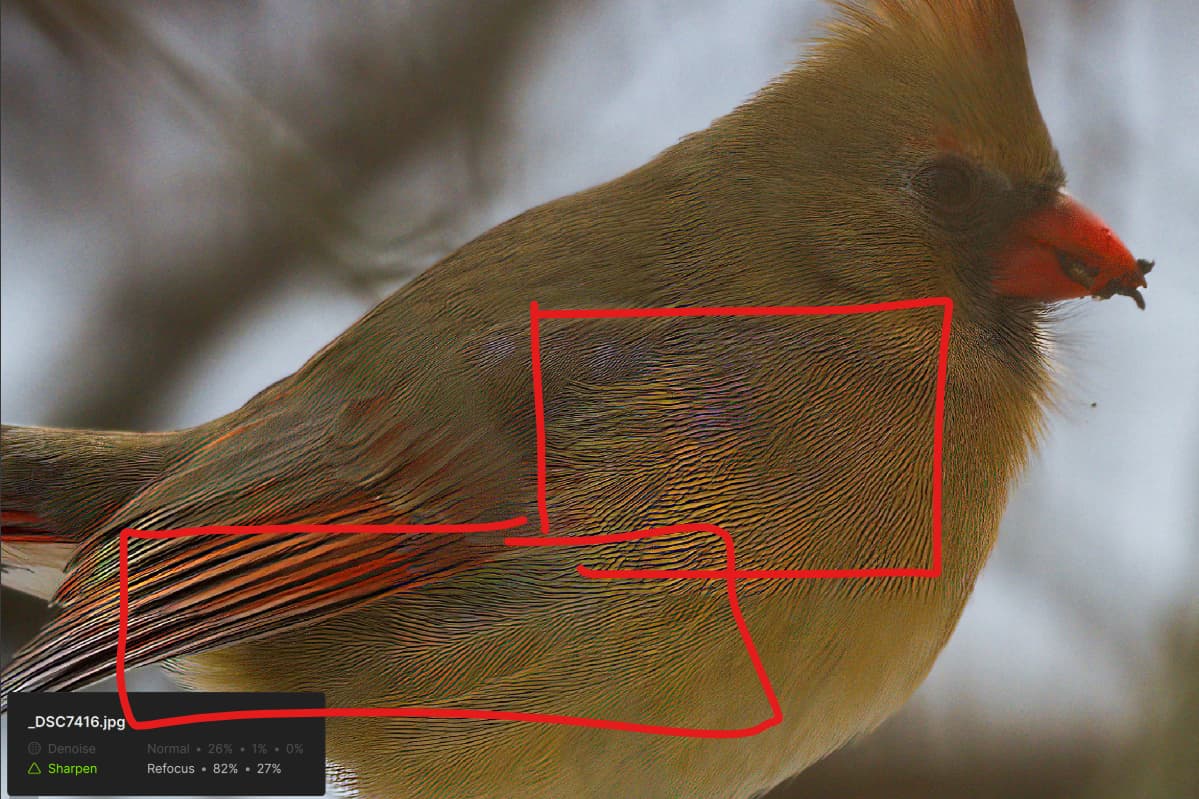
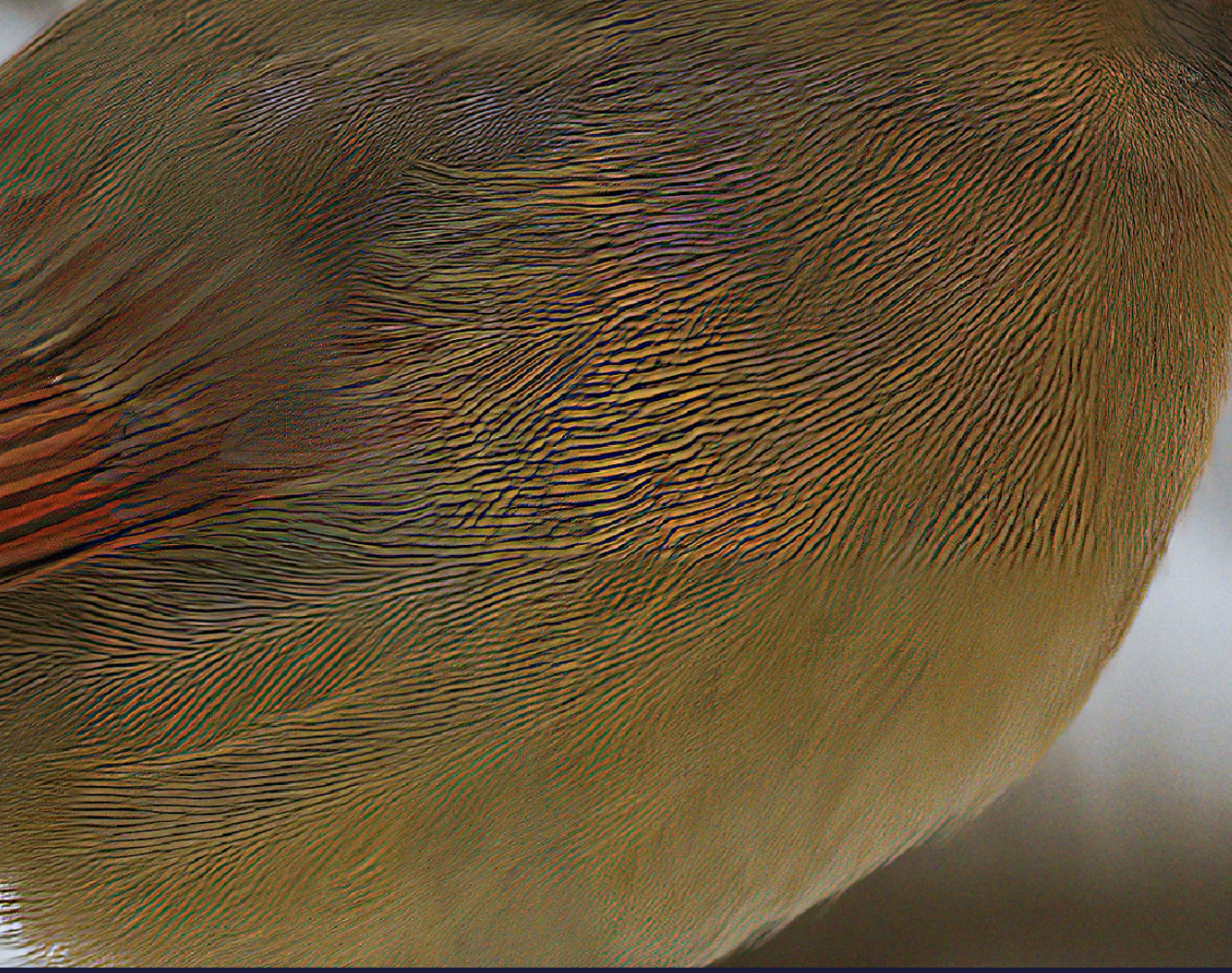
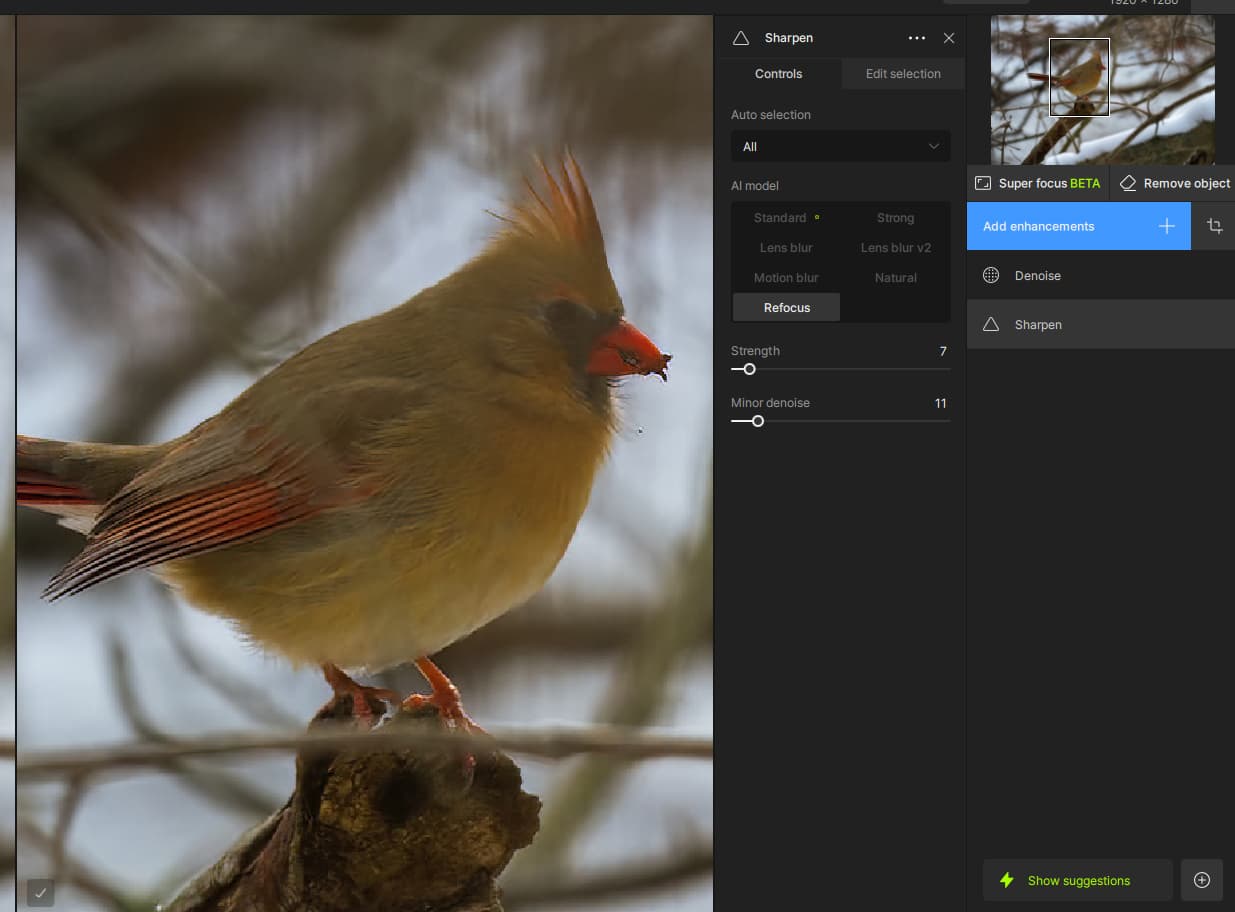
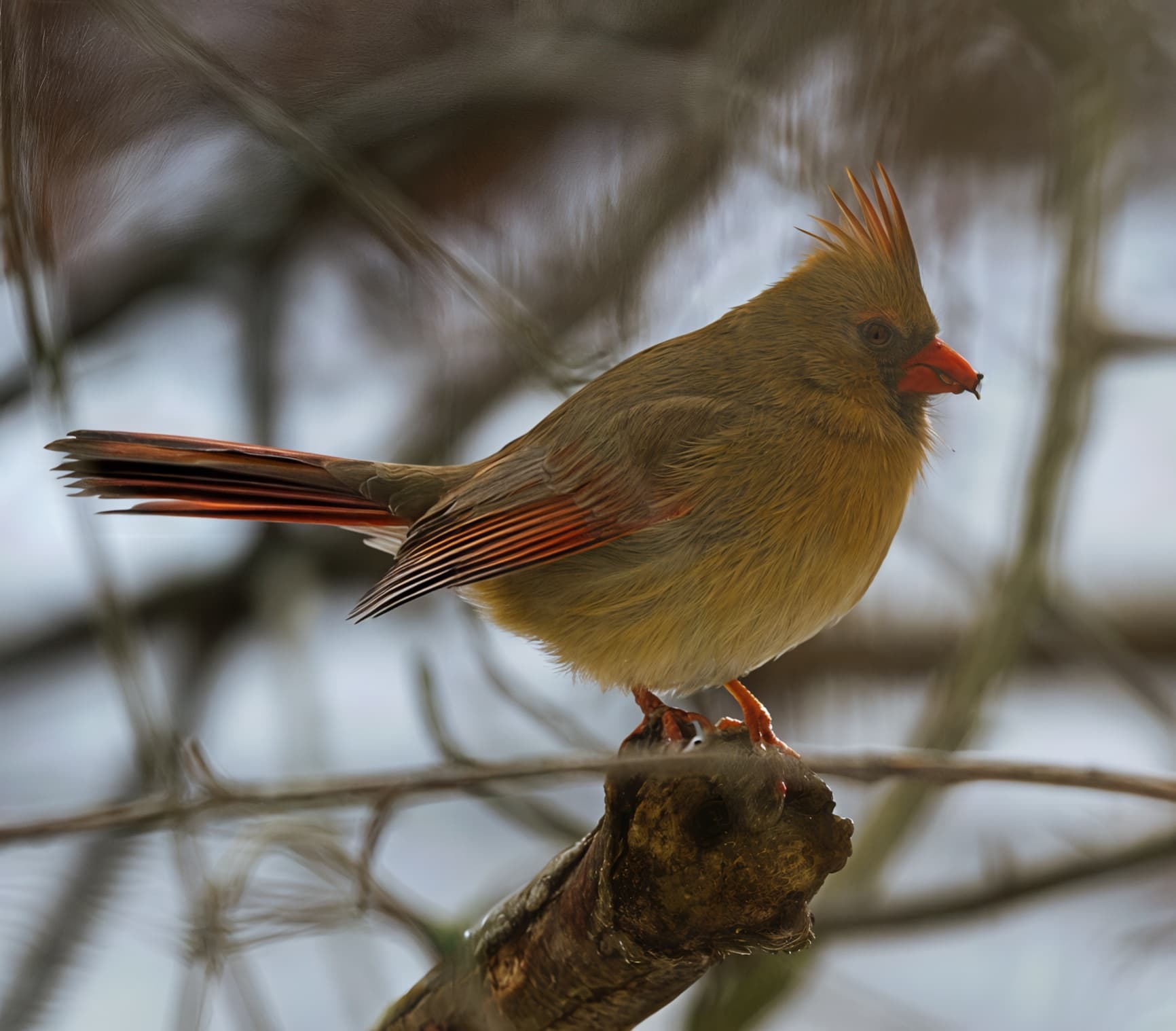
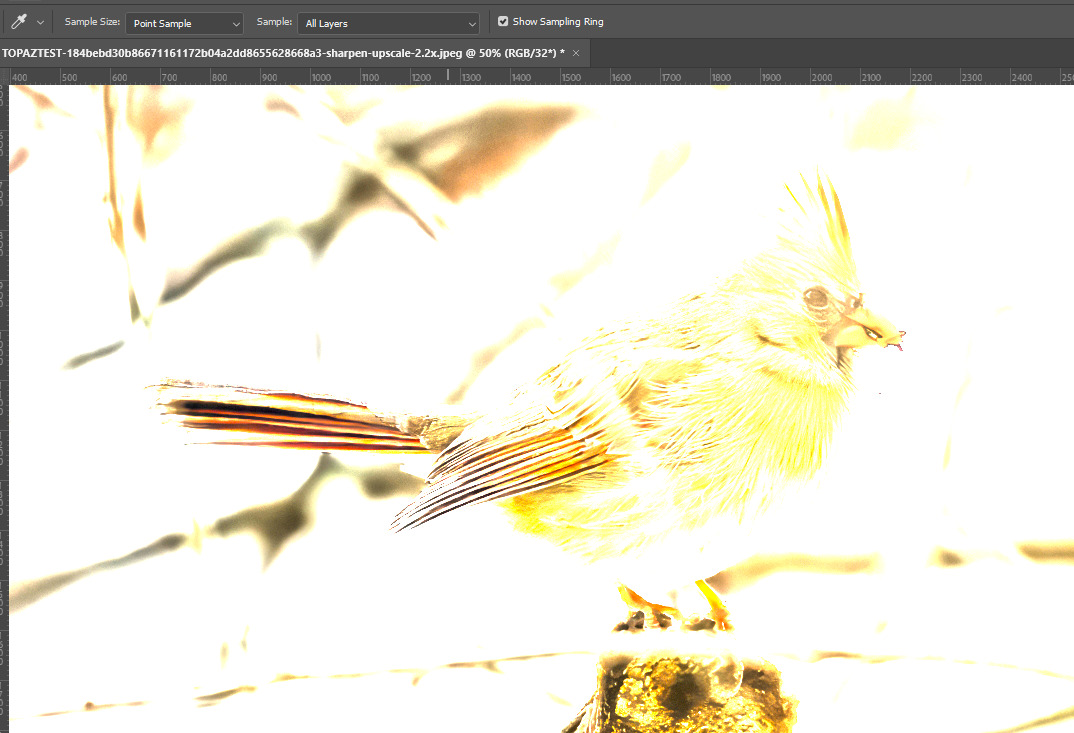
There is 2 tiles, on the feathers, and this is not the Grid issue that happens on Denoise and RAW Denoise on some skies/backgrounds. This is different and a processing error most likely created by a wrong AI Model used (There is no missed focus here, Refocus should not be the model used - There is Denoise used as well, on a JPEG file, curious to see if there is noise in the original), or it could be a missing or corrupted AI model, which we can rsolve. We can test this once we have Michael’s file!
A lot of ppl have posted about tiling issues. I assumed that meant obvious squares in the image (which is usually visible on posted snips with a soft focus background). But I associate halos (&, also ‘snow’) with too much sharpening or the wrong model. I often see it if I use a model like Motion Blur when it doesn’t work for a particular image and a shift of content occurs.
If we cannot replicate on our side with the file = Driver update or correct workflow resolves the issue.
If we can replicate = we add the cases and files to the development team ticket on this, and they are investigating what can cause this on these specific types of backgrounds.
This bird Michael posted is not this issue, neither Denoise, Sharpen or the Grid issue changes colors., and we can investigate what is happening once we have his file and logs!
The Preserve Text suggestion on non-text is being looked into and is an open ticket with the development team. I added this thread to reply to once resolved! Not sure why you don’t get a color shift anymore! No machines on our side, Windows or Mac with your file has a color shift. Might of been a missing model, that has now been downloaded.
As mentioned all the cases for the open development team ticket is for grid lines happening on skies and even colored background. Any square processing errors like you get is not the same issue. Since it is not something we can reproduce on our machines (Windows or Mac) with your exact file, we will need your app’s logs to see what is causing this. It can be outdated driver, a memory peak, a missing model, or a corrupted model. Send us your logs (in app, Help > Open Logs folder to support@topazlabs.com and we can have a look.
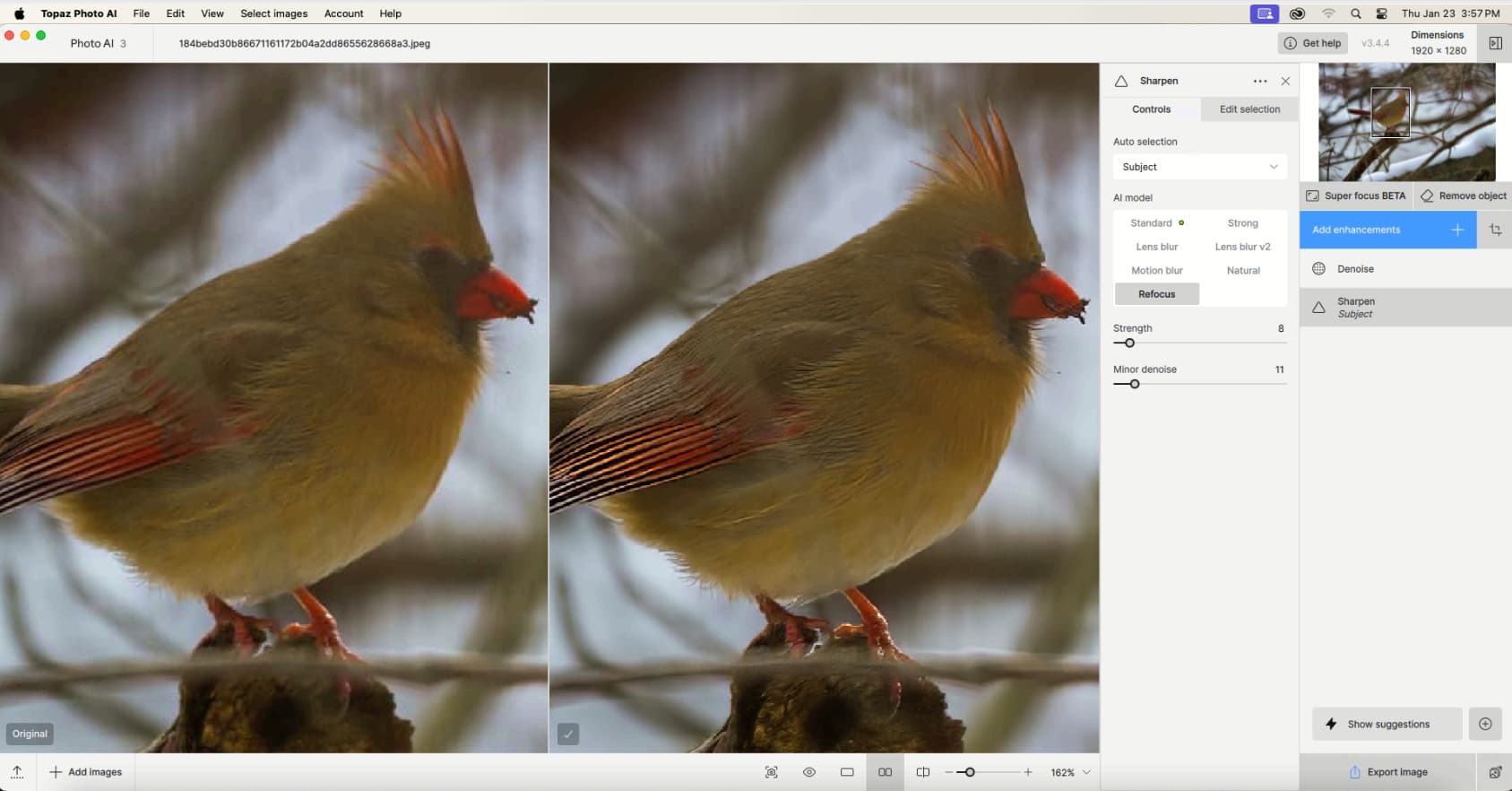
Additionally, I would not recommend Refocus on this, there is no missed focus here, Standard Sharpen AI model will give better results. I use refocus on my example to match what you had used
Yes, the logs show that no denoise AI Model kicked in yesterday, where today they did. In-app model install are enabled by default, I suspect in between the 2 sessions the problematic Denoise AI Model downloaded. Let us know if it reoccurs!
I also ran it through GPAI Recover, and discovered that it had trouble with enlarging a few of the JPEG compression artifact areas resulting in a square edge in the blurry part of the Female Cardinal’s breast.
This is not reproducible on our side - we have no grid, on Windows or Mac, with Michael’s exact file. I posted our results above and mentioned the reasons that could give a different result. We would need to have logs as well to share to the development team to help.
The first example has Sharpness added, can you add a Sharpen enhancement and get similar results? Also make sure to push the Original detail slider up, to retain details.
Ah you used Michael’s export, got it. I do see the squares on his file, however it’s not consistent with the grid behavior we see on skies and blurry backgrounds… the grid in these cases does not go on the Subjects. This is most likely a processing error, caused by an outdated driver, a memory peak, a missing model, or a corrupted model. Since it’s not something we can reproduce on any of out machines, it might be an easy fix that we can do with him.
For all users that are on the grid ticket, we can reproduce the grid on our side, that is the main, and very important difference.