Can you help do one more test? Can you help compare TPAI 2.0.3 and TopazPhotoAIBeta-2.0.5.betafixmactile.pkg, with the three filters on (upscale, denoise, and sharpen) as you did in your first post. Thanks!
You can drop the original file here if you do not mind (Dropbox) so that we can reproduce ourselves to save your time. In this case please let us know the amount of texture, clarity, and contrast you applied for visualization.
You can still use Smart Sharpen to do Local Contrast Enhancement, just select Gaussian Blur from the “Remove:” drop down vs. 'Lens Blur" or “Motion Blur”. My personal preferences for LCE with Smart Sharpen are Amount 20%, Radius 64 on a Smart Object layer or a “Normal” layer using the layer’s “Opacity” slider to control the strength of the effect.
We tried to find a nice compromise between increasing visibility of the option and not over-burdening users. It will only appear 3 times in total, ever. It’s likely you’ve already seen it all 3 times and it will no longer be an issue for you.
This feature exists! Within LrC you can right click and select edit in > Topaz Photo AI, or for RAW images I’d recommend going to File > Plug-In Extras > Topaz Photo AI
They do. That’s different than reinventing the wheel. I use the Topaz Ps plugin almost exclusively. It works well in my Ps host without it trying to replicate a lot of the Ps features. It just complements tools in Ps. And scales better (to my taste).
I did the test, result:
beta version:
Upscale/High Fidelity + Noise (autopilot) = almost no tiles
Upscale/High Fidelity + Noise (autopilot) + Sharpen (autopilot) = almost no tiles
Upscale/High Fidelity = Bad tiles
Upscale/High Fidelity + Sharpen (autopilot) = Bad tiles
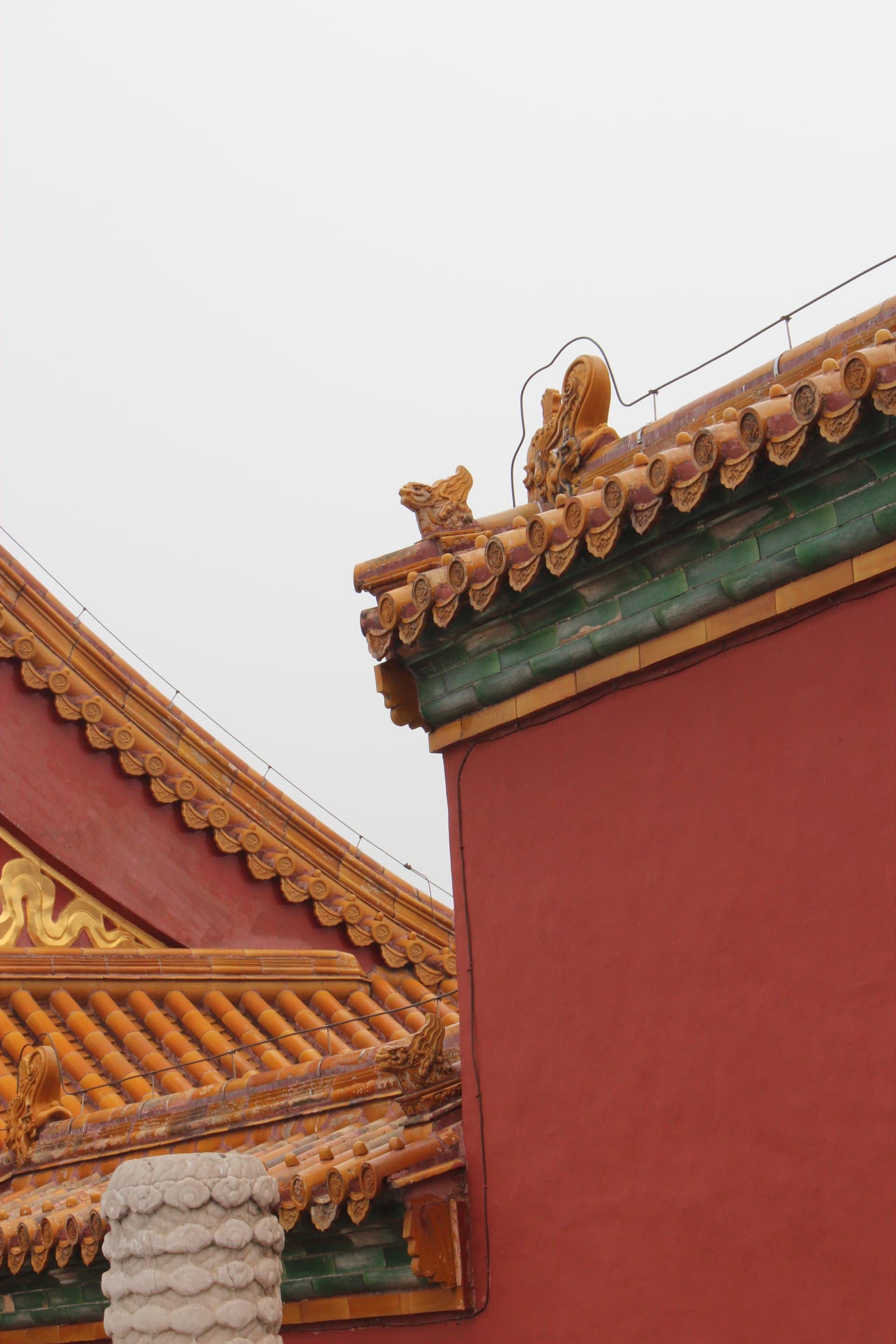
I will upload the test image: WLSI-20230917_277_crop-TestForTiles.jpg
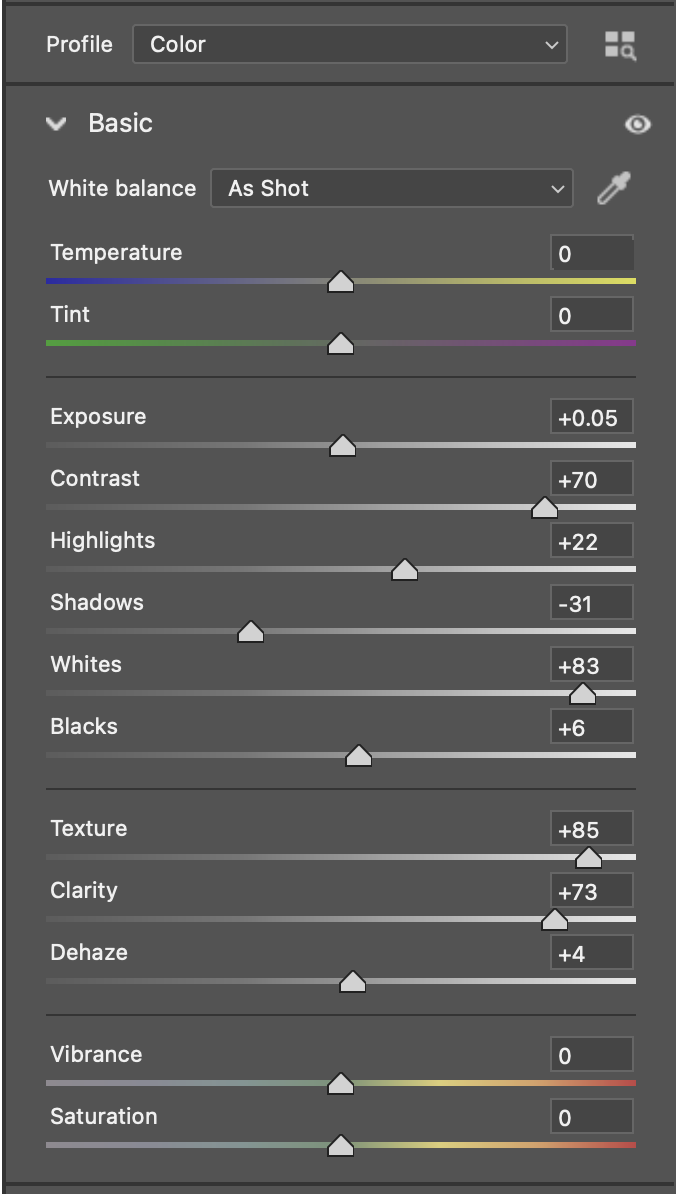
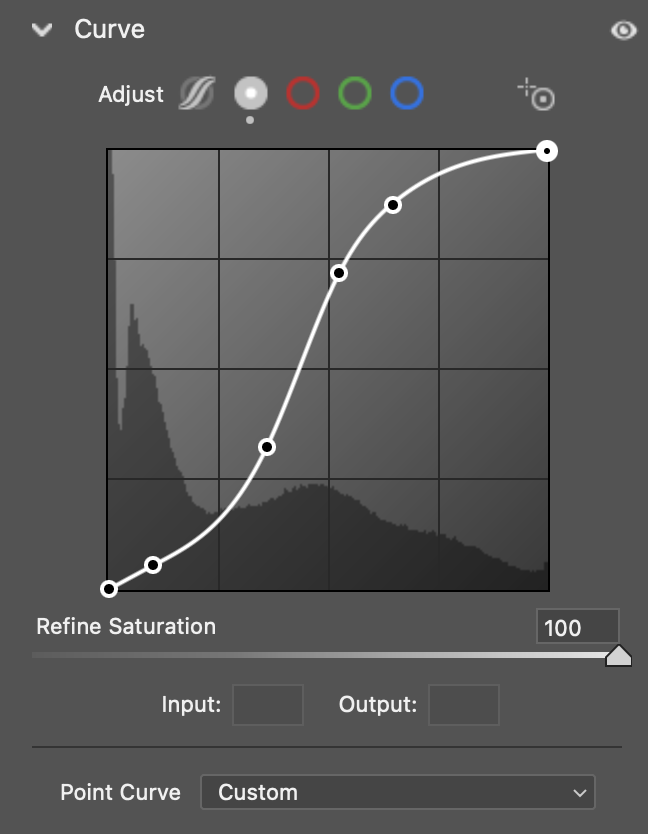
My camera Raw settings for enhanced visualization of tiles:
Thanks for the additional LCE options. I’ve added them to my Photoshop Actions collection. It would be nice if Topaz could find a way to do AI sharpening without creating halos.
Something is not working here. I sent one image to the software and it worked great. The image shows up in Lightroom so I can complete the editing. Then, I go to the next image but Topaz AI NEVER completes removing the noise and hangs in there and waiting and waiting and waiting. Sometimes I have to reboot the machine because it becomes unresponsive. THAT"S NO GOOD!!!
I saw a report of this issue from a different user. How often does this happen to you? Is it getting stuck trying to load a new image? Can you take a screenshot of what the app looks like when it’s stuck?
The update tomorrow has this change! Thank you for the suggestion.
sorry for the nuisance but im still getting the blue tint issue for some exports using autopilot. I have attached one of the photo file thats having this issue if anyone wants to try it or if the developers want it. Anyone found a fix?
We made a note to see if this could be used in other places as losing fine details is always a problem. With some further testing this may be useful for more than text.
Please open Topaz Photo AI, go to the menu bar on the top and click the Help > Open Log Folder menu option. Attach the logs to your reply so I can check the contents and see what the cause may be.
What was the processing time previously compared to now?
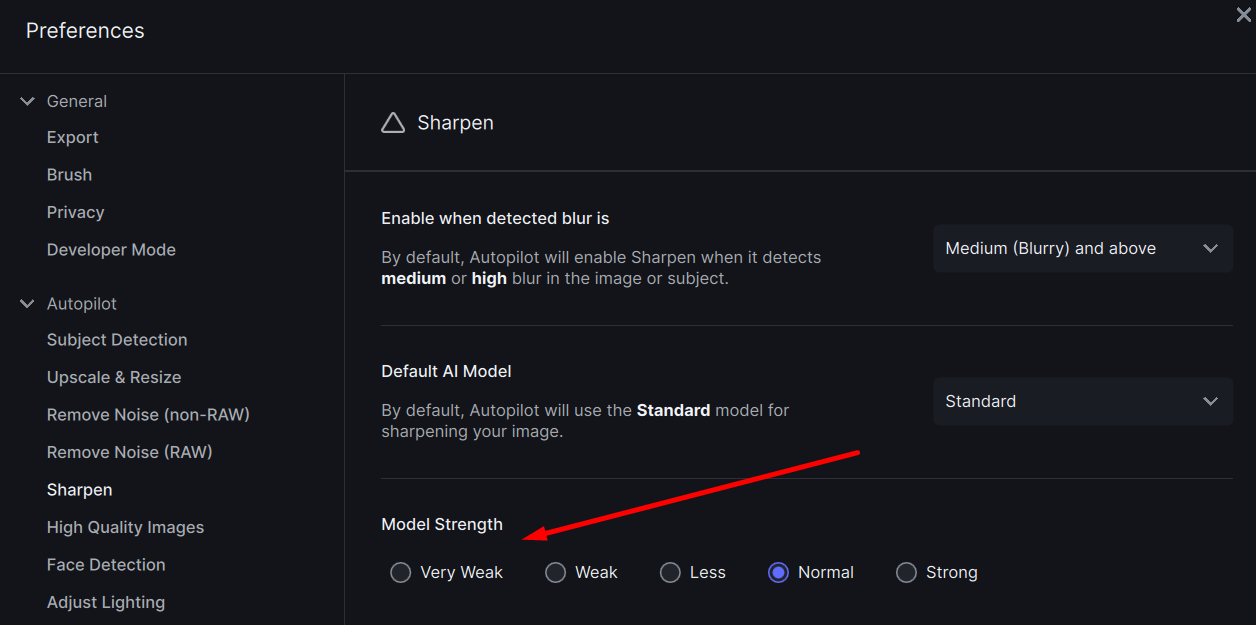
The Preferences > Autopilot > Sharpen menu will let you control the automatic strength and should help with this.
The popup will only appear 3 times, then never again.
Please share the image to my Dropbox and I can take a look. You can securely submit your image(s) to my Dropbox using the link below. Please be sure to send me a note to let me know you sent something. Dropbox File Request
it only hanged 1 time. what i mean is that it didn’t crashed but it was impossible to click anything in the right panel. menu was working and image browser too
Les paramètres d’application à toutes les fonctionnalités vous aideraient.
The apply settings to all feature would help you with this.
I made a task to get this fixed. Thank you!
Does this happen after you use masking or any of the other tools?
Please open Topaz Photo AI, go to the menu bar on the top and click the Help > Open Log Folder menu option. Attach the logs to your reply so I can check the contents.
Please open Topaz Photo AI, go to the menu bar on the top and click the Help > Open Log Folder menu option. Attach the logs to your reply so I can check the contents.
We are working on a fix for this.
Please open Topaz Photo AI, go to the menu bar on the top and click the Help > Open Log Folder menu option. Attach the logs to your reply so I can check the contents.
I actually don’t remember if there was a “pattern” to when it happened (old mind, three days later) but it happened several times during the same “session”. I was working with high ISO photos shot in really dark conditions, so I did a lot of flipping back and forth between models moving sliders to try and get the best out of them. Did not do any manual masking though…
My next “session” isn’t until Sunday (I usually shoot Saturdays, edit Sundays and deliver Mondays) so I won’t be able to look into it until the next version is out, but I’ll make sure to take better notes if it comes back.