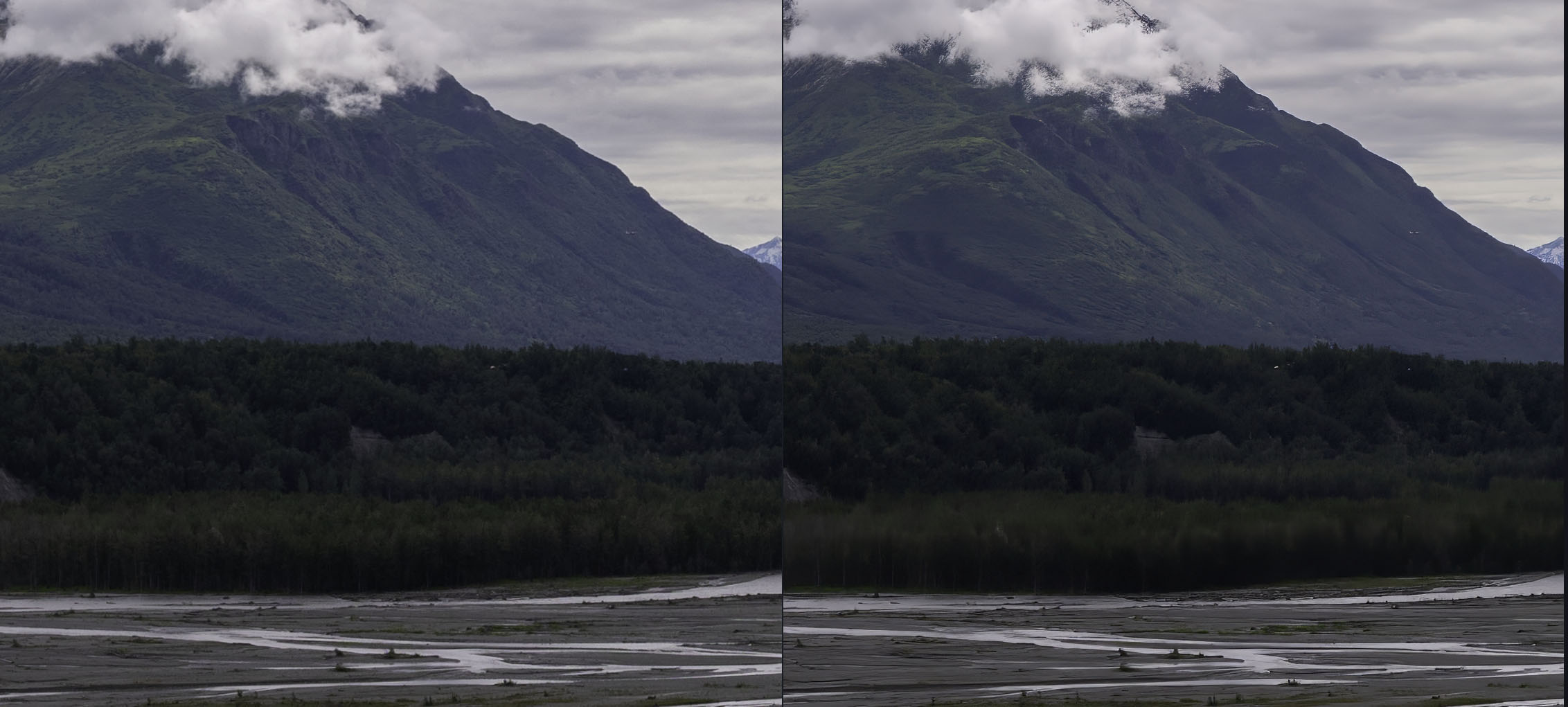
Wow something is bad wrong here. The photo I’m working on is getting just wrecked by PhotoAI via stretching and other odd issues. See the attachment for examples (original on left, busted up AI output on right). I’ve tried running this same image with all the various options on/off (enhance/sharpen/etc). The stretching issue continues.
I hope I’m doing something wrong on my end - but if so, I can’t figure it out, which I guess is its own problem.
I am not sure it is possible to understand “stretching issue” from the picture above.
perhaps use a photo of a circle to demonstrate it being stretched?
hi. Unless you were looking for something different, right click on the image and you can choose ‘close image’ from there. Also, you can click on the vertical ellipsis (three dots) below the image navigator in the top right corner of the window to choose the same option. I would like to see a ‘close’ or ‘cancel’ button near the ‘Save Image’ too, and it has been suggested to the developers.