If you zip the log files, you should be able to attach it to a private message and send it that way!
If you change the extensions on the log files to “.txt” they should be more easily sendable too.
Yes, I hope that the standalone apps continue to be developed — I always use them this way versus via Photoshop. Interesting to hear that the results would be different.
a progress bar would be great
1 Like
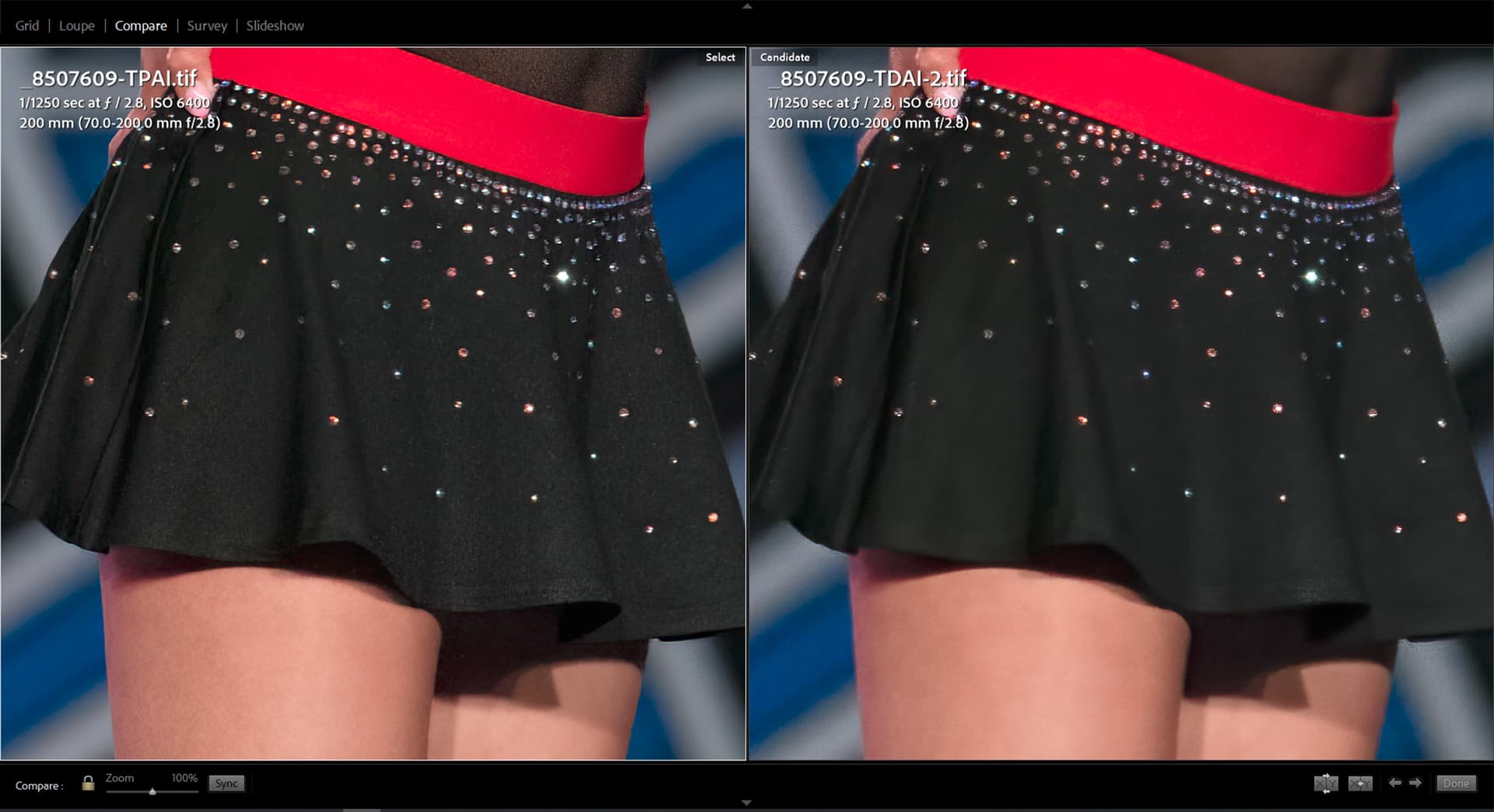
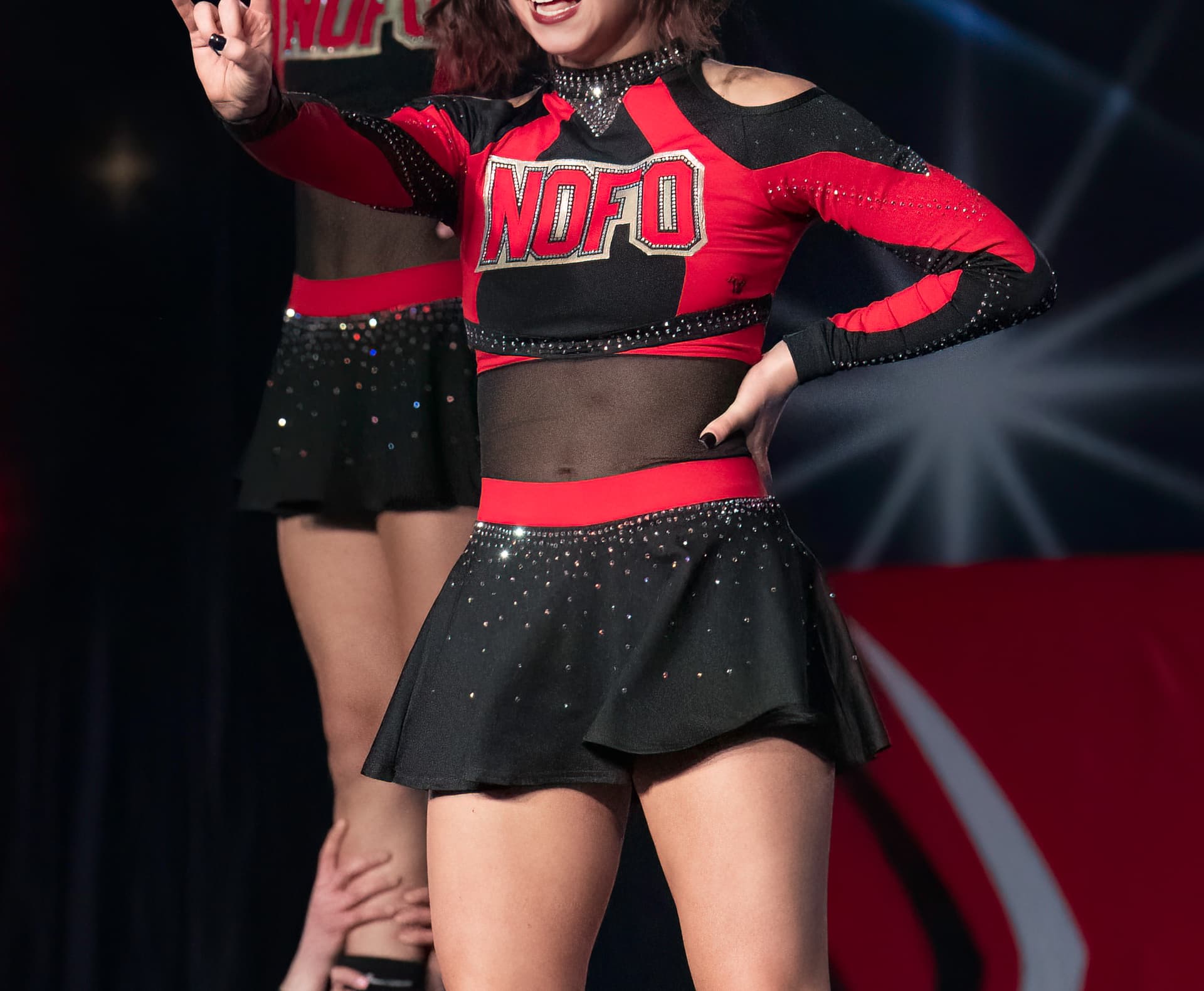
Photo AI fails to evenly remove high ISO noise evenly across parts of image. Nikon D850 ISO 6400
Comparison screen grab of Photo AI vs Denoise AI. Overall image quality is significantly better with PAI vs DAI, however PAI fails to apply reduce noise consistently across parts of black portions of subjects uniforms, as observed across the skirt. While visible in other portions of the image, the inconsistency is most obvious in the skirt where parts (left side) appear to have better noise control than others.
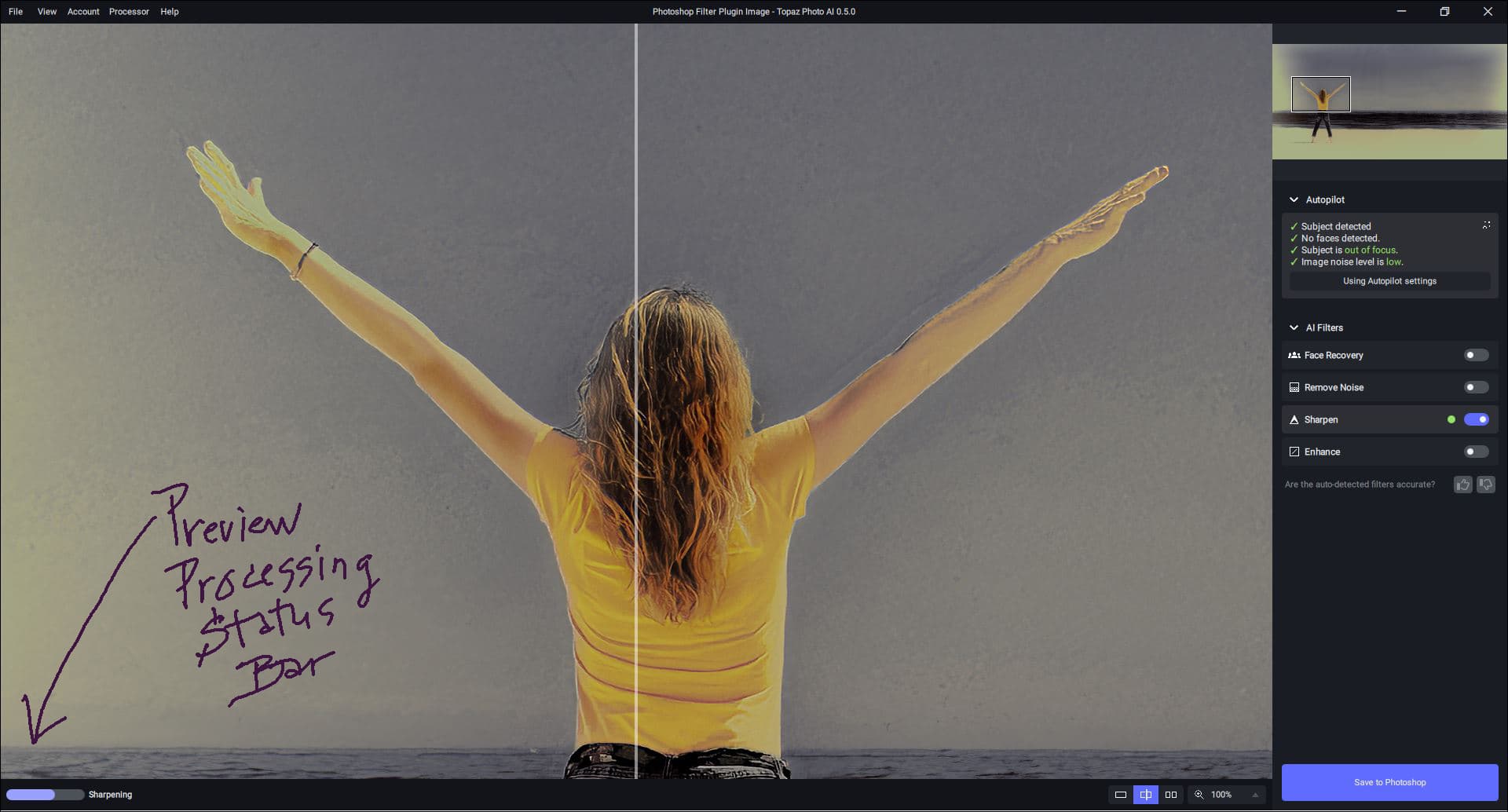
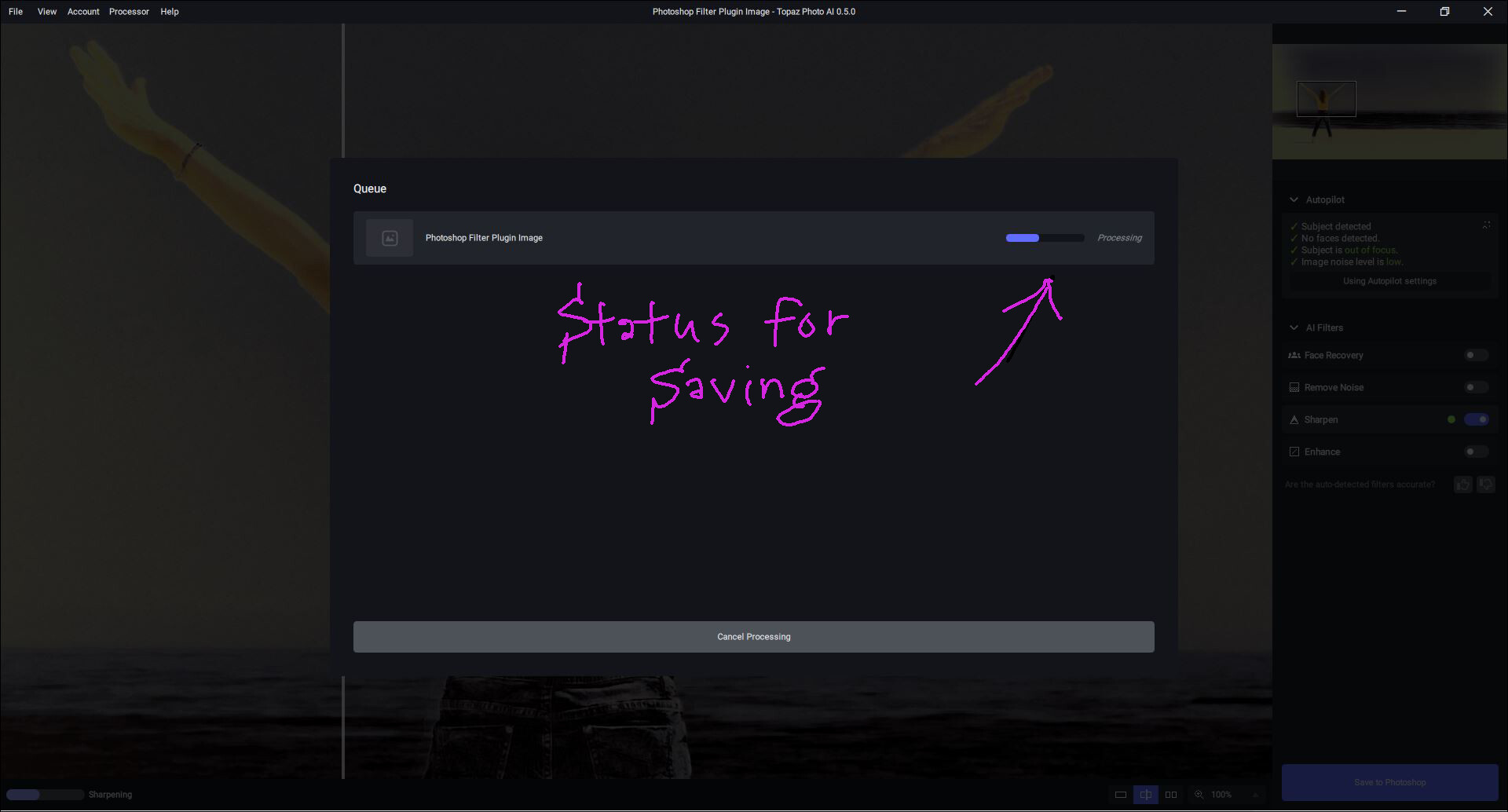
These are the processing indicators I see in PAI for preview processing @ lower left and center of interface for saving (granted I’m not a fan of the lower left location…and I like the countdown versions in the longer-term commercial products; but this is still public beta):
1 Like
i noticed processing RAW images, the RAW corrections don’t follow thru to the saved file. i’ve tried opening both the cr2 and xmp together… no joy. so i’m assuming i MUST process as something else other than RAW
You need to explain further the actual workflow you are using.
What RAW corrections are you talking about? How are you invoking Photo AI?
I have been testing Photo AI today, together with Sharpen AI. And strangely enough, I seem to get better results with Sharpen AI. I do, of course, use “standard” settings - as the programs suggest.
I have compared different pictures, and this seems to be a trend.
I guess that’s some kind of “bug” that will go away later  )
)
Thank you for your great work making some of the best software of it’s kind
Kent - Just out of curiosity: (1) What is it specifically you like better about your results in SAI vs PAI? and, (2) What is your Processor Pref setting for each of those programs (CPU or GPU)? Do your results change if you change preferred processor type?
I can’t use PAI’s sharpening model anywhere either, it looks like the problems we had with sharpening for quite a while (halos and offsets).
Also, the Denoise model (from PAI) is not an option because I have no way to change anything.
As a professional, I need reliability and accuracy.
I do not invest a 5 digit amount in my equipment to then work with it uncontrolled.
That’s why I’m waiting for there to be more options to customize.
1 Like
I’m with you! Too much Auto strips me of all creativity & control that I value & need.
1 Like
Of course, for most people, all the automation has a reason to be there.
The feedback is overwhelmingly positive.
1 Like
I noticed one can not adjust the sliders as it’s currently set up only for Auto mode. I am looking forward to control over the sliders. I am so far impressed with the fact I’m no longer getting the artifacts from Sharpen and DeNoise AI programs I now have. that’s progress. Hopefully they will add the Refiine mask capabilities. That will make this a superb program indeed. Add more control over the sharpen effects and they have it nailed
thanks… i figured out it was how Photo AI works not using image corrections
NEW ISSUE
i’m not sure if it’s Lightroom or Photo AI
When doing a batch in L/R (100 images) and selecting EDIT IN… all my photos get selected, but when Photo AI opens up only 25 are shown for processing
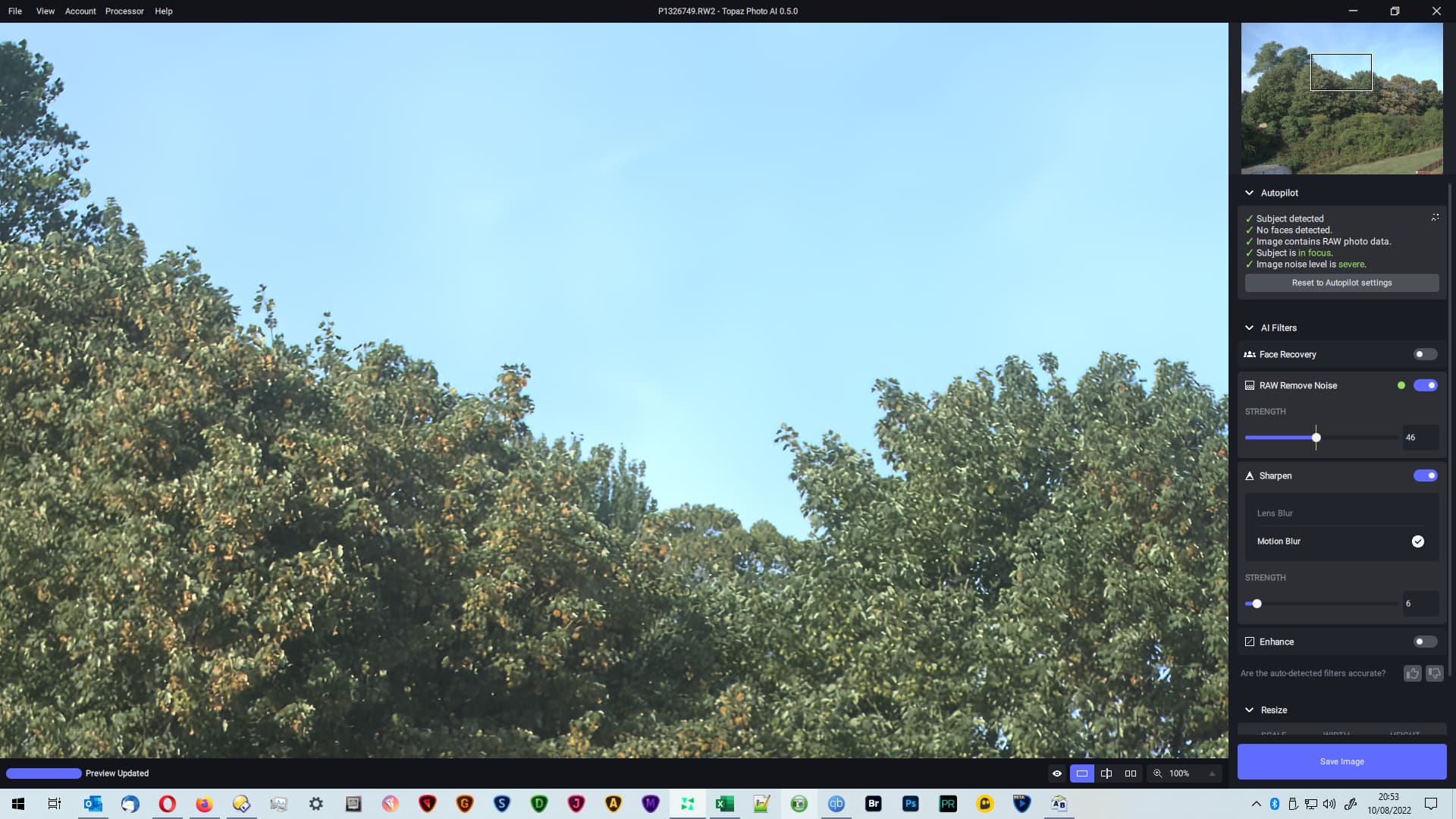
I can’t use this app. When I try to log in, it says that no seats are available.
Autopilot identifies the 2 guys as the subject but says they are in focus .There is clear motion blur
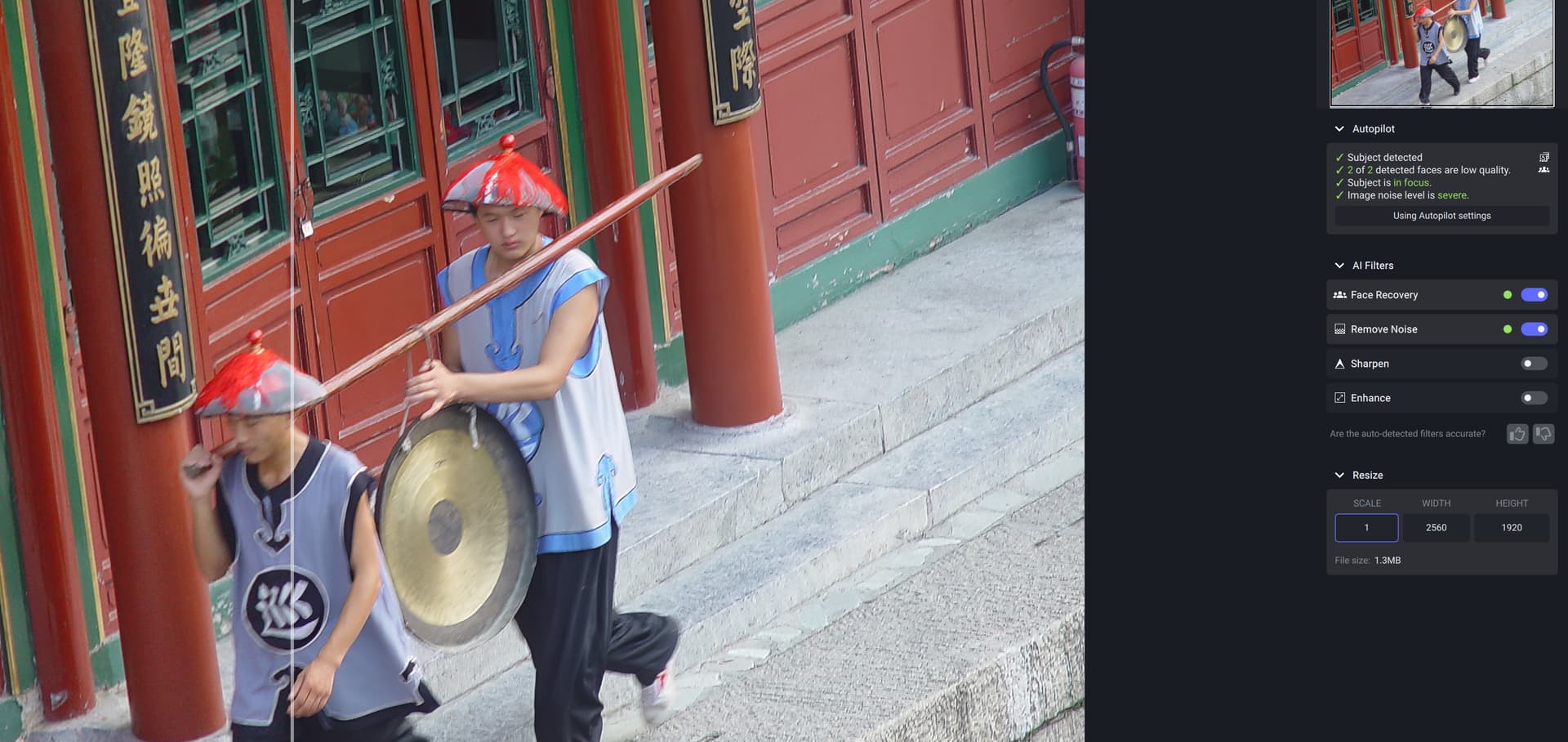
With sharpen turned on
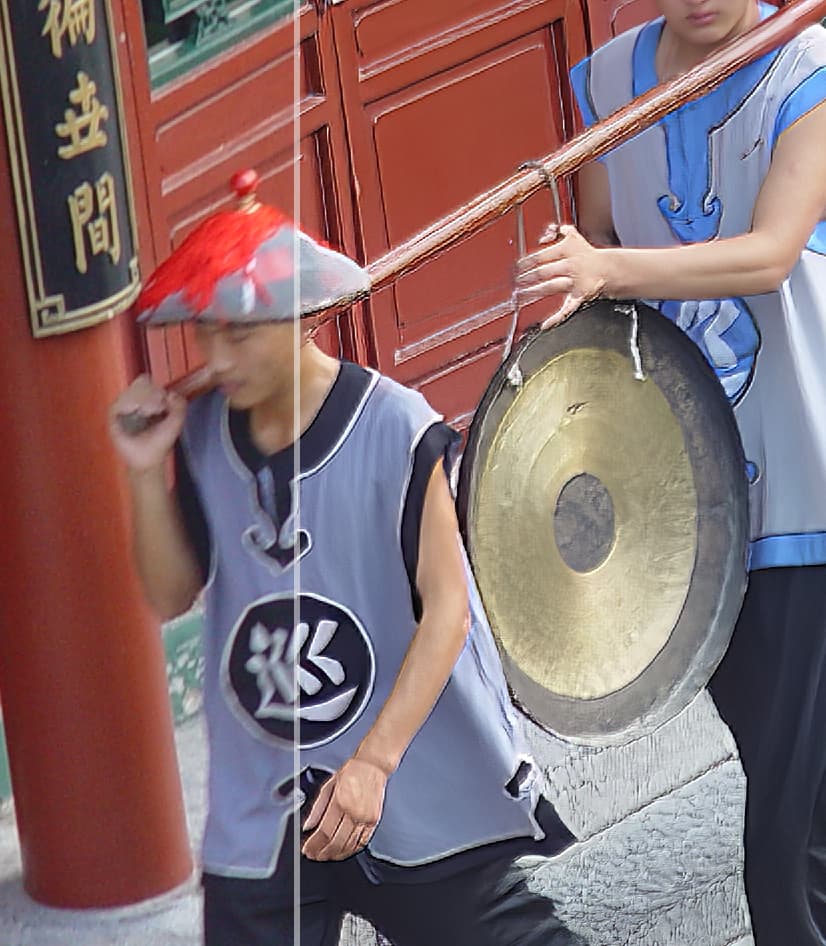
2 Likes
The problem here indeed is that the image has luma noise and it was using the Normal model instead of the Strong one. This will be addressed in the next update so you don’t need to manually select Strong.
