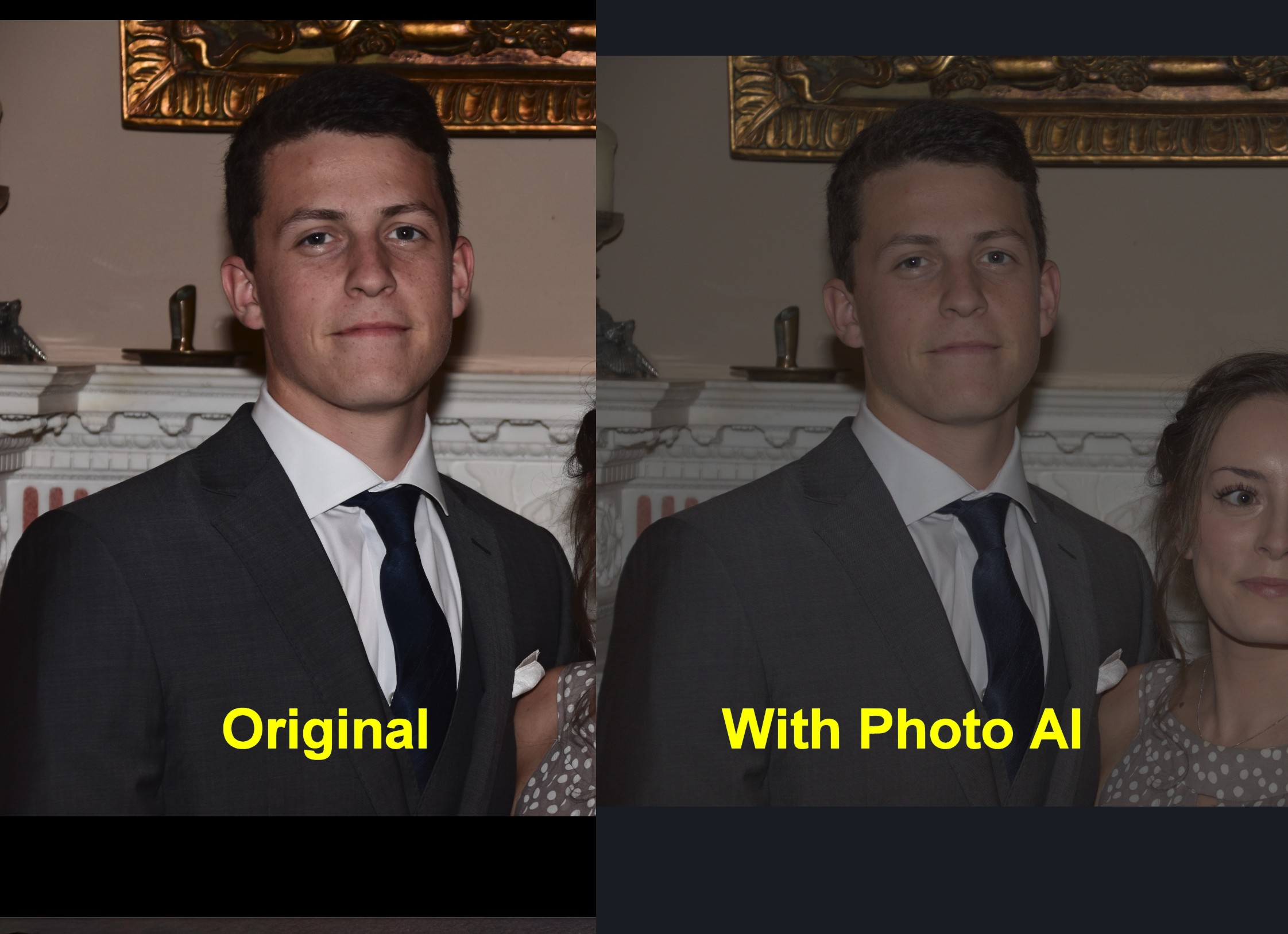
This s a Nikon ‘NEF’ file - I tried an Olympus ‘ORF’ file which was slightly dark and a JPG which was fine.
OK I did more tests, this only happens If I drag a file onto the stand alone editor, if I load from lightroom (edit in) it seems fine (I guess it’ll sort itself)
Hi - do your images where you need to change the model to Strong in Remove Noise have luma noise? If can send me one or some of the noisy images, that’d be very helpful. Autopolit currently only uses the Normal model in Remove Noise which usually suffices except in cases where luma noise is present. We’re working on this to enable Strong in such cases and it’d be helpful if you can send us the image(s) you have. If you can also send me the images where Sharpen in Photo AI doesn’t give the same results as Sharpen AI, that’d be great. Please send me the images through: Dropbox. Thank you!
Hi - can you please send us the image where only two faces were detected and an image where Sharpen was over-sharpening compared to Sharpen AI? You can send them through Dropbox. Thank you.
Hi Michael - do you by chance have the log file from the same timestamp of the crash? You can find the logs in Help menu > Open Log Folder. Otherwise, if you run into this crash again, please get us the log file from the same timestamp of the crash so we can look into it. Thank you.
Hi! Do you know if that’s happening with a specific file format? If you can send the original image to us so we can have a look, that’d be appreciated. You can send it through Dropbox. Thank you.
This issue is currently happening with some grayscale color images where the output comes out skewed. We’re investigating it. Thanks for your feedback.
Hi Andy. Can you please send me the log file from the same session timestamp where it says Filters No Active? You can send me the log file from the Help menu > Open Log Folder. Feel free to send it here or through Dropbox.
Hey Yazan. Uploaded the 10 files so you can do some comparison and to be honest I cant remember exactly which ones has the issue in but I was closing and re trying which fits with the logs… I have also just re created the issue which is in log 2022-08-09-15-08-21
Give me a shout if you need anything else
I’ve tried the latest version of PhotoAI vs Sharpen & DeNoise AI that I use regularly as Photoshop plugins. The end result is better with the standalone products in almost every case. I like the idea and hope that you continue to develop. The issues are no control over the type and level of both denoise and sharpness. What happens a lot on low-light noisy images is that the faces are ‘denoised’ but arms and legs are not. Also no differentiation between motion softness and soft focus.
After further exploration, I find the issue seems to be the AutoPilot setting. If I turn that off, I have more choices (not as many as in the standalone products but sufficient for many images). The side-by-side comparison mode is most helpful, and I am able to process more images successfully in “manual” mode and get satisfactory results.
I shoot Oly (OM Sys) & my ORF images usually remain darkish too…pretty much as from the camera. But once I process them in Ps ACR (after the PAI run) the exposure looks fine. I chalked it up to just needing to process a Raw. Your drag/drop experience sounds diff.
Now I have to try that with tiff & ORF. I only opened jpgs that way so far.
Yes it is. Within LrC when you select Edit In it gives you a few options of how to do so. You selected “Edit a copy with lightroom adjustments”, which immediately creates the tiff before opening TPAI. Even if you cancel editing it within TPAI, that file already exists within LrC.