Since launch we’ve been listening, building, and fixing — and today’s update reflects all of it. New models, new workflows, new features, and meaningful improvements to make Topaz Image Web faster and more reliable.
New Models
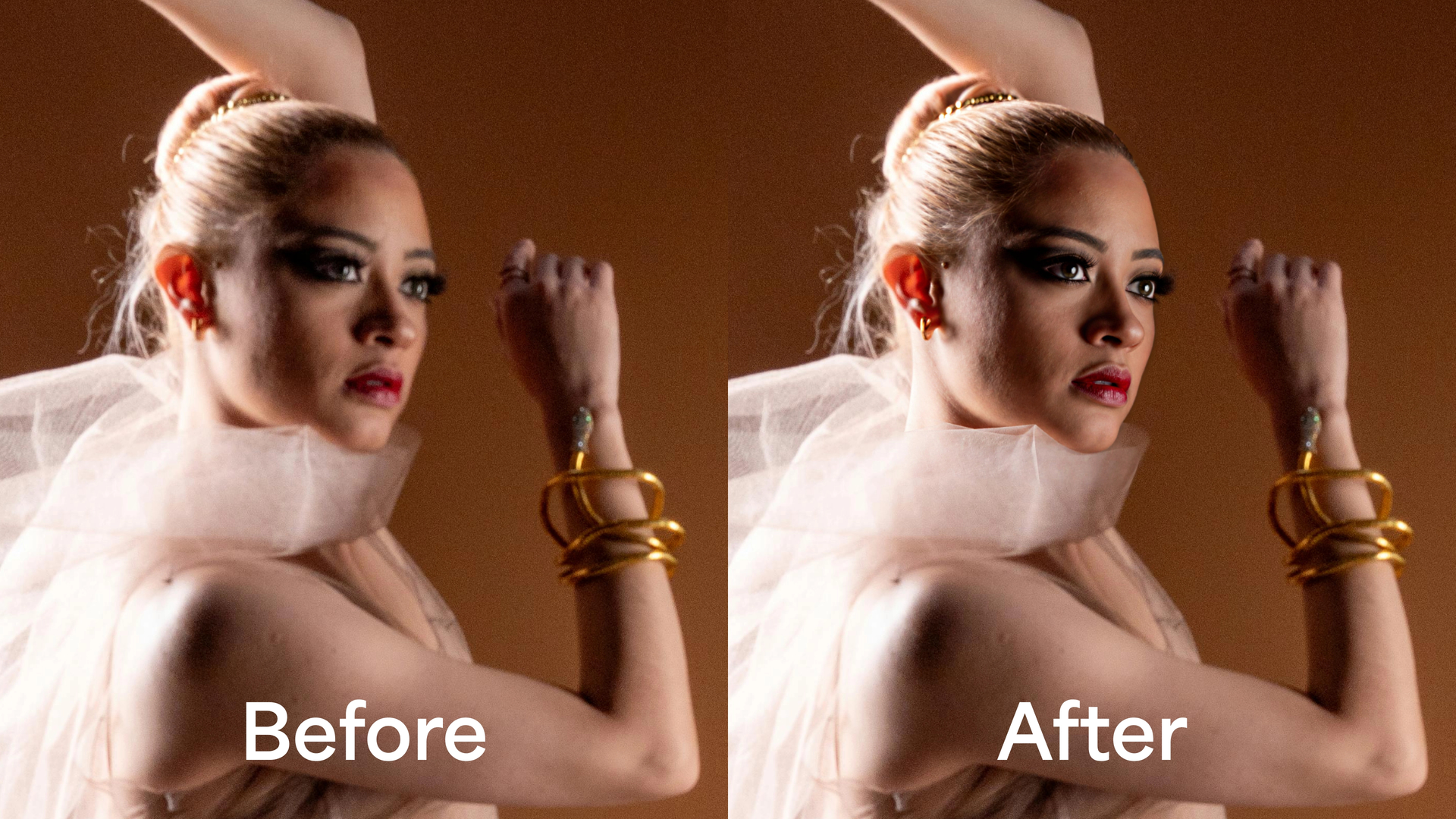
Face Recovery v3 Our most advanced face recovery model yet. Delivers sharper, more natural facial detail with improved realism and stability over previous versions. Available across workflows that include face recovery.
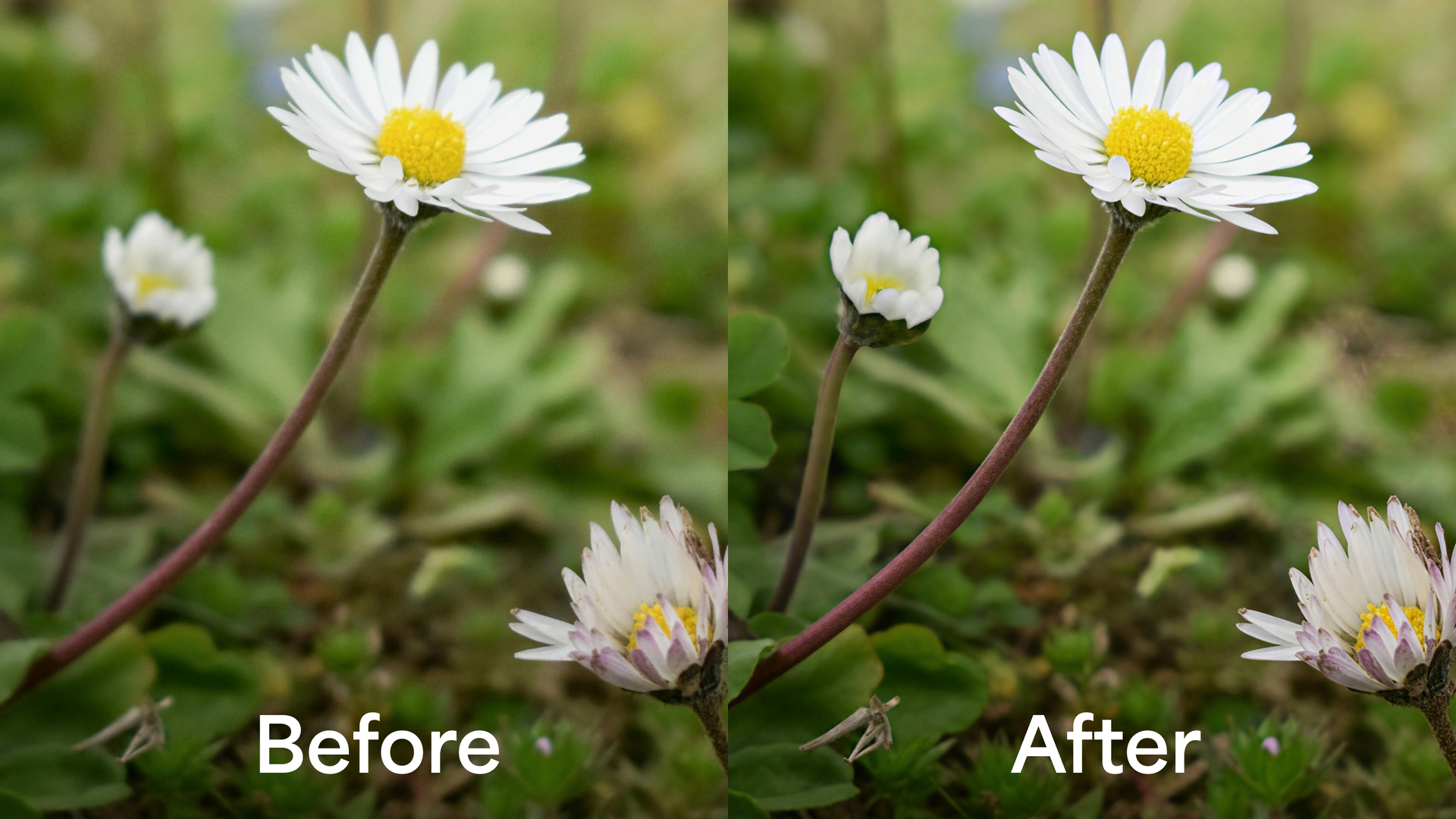
Super Focus v3 A generative model that fixes blur and reconstructs detail in the most stubborn images — providing an alternative solution when traditional sharpening models can’t recover usable results.
New Workflows
Graphic Enhancer Upscale and enhance images containing logos, text, and graphics while preserving clean edges and legibility. Built specifically for assets where text and logo integrity matter.
AI Product Upscaler Designed for product photography and commercial imagery. Upscales and enhances while protecting logos, text, and fine graphic detail throughout the process.

File Type Converter Quickly convert your images between file formats without any enhancement applied. Supports PNG, JPG, TIF, WEBP, and HEIC as inputs and exports as PNG or JPG.
Color Corrector Fixes color balance and relights your image in one workflow. Choose from selectable styles to guide the correction and get natural, consistent results across your images. Replaces the previous Relight Image workflow which has been folded into this one.

Workflow Updates
Photo Restoration v2 Now includes Wonder 3 for upscaling as part of the restoration pipeline, giving you sharper, more detailed results alongside dust and scratch removal, lighting correction, face recovery, and colorization.
New Features
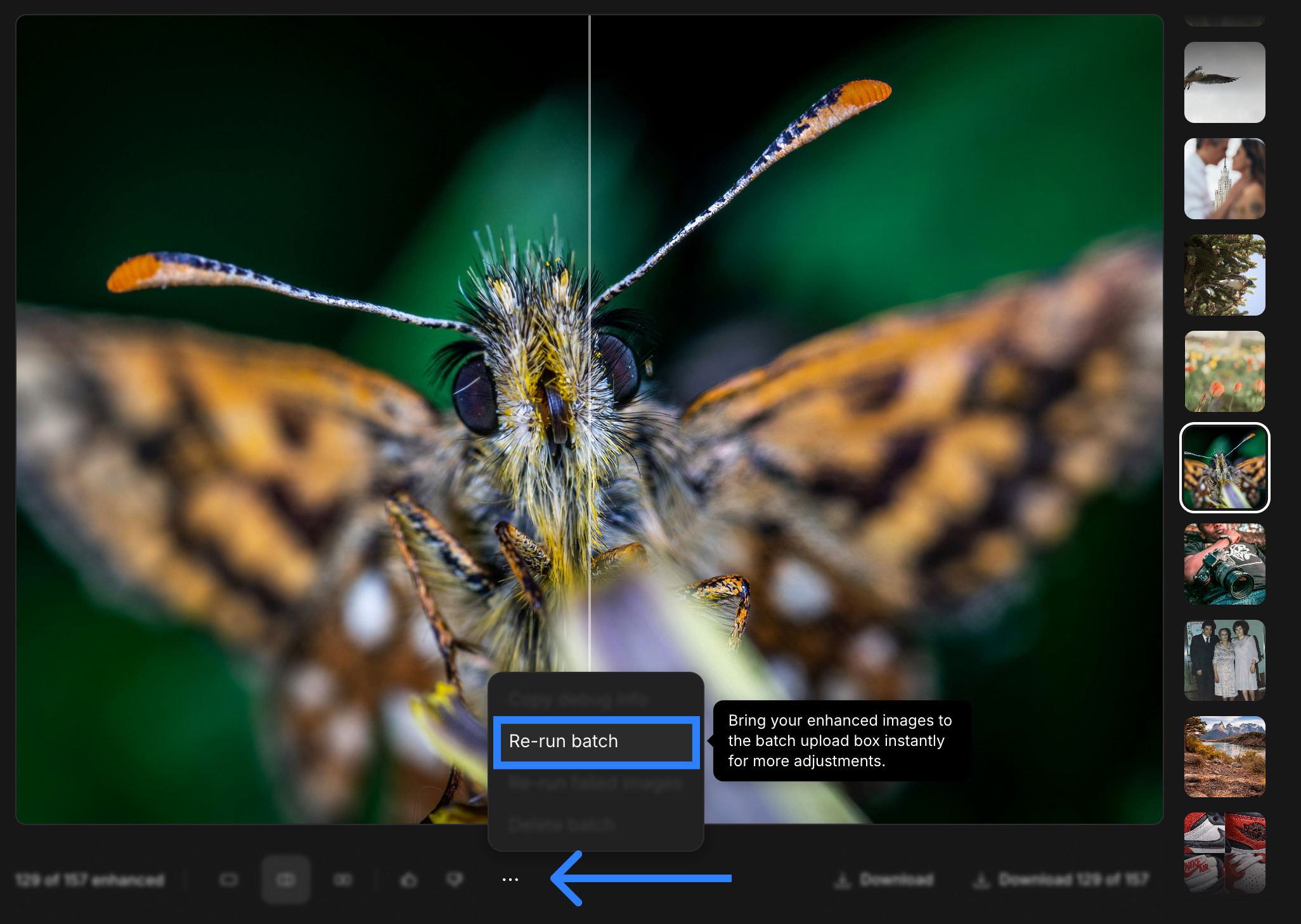
Rerun Batches Finished a batch and want to run those images through a different workflow? From the batch compare screen you can now pull all your enhanced images back in for a quick and easy rerun — no re-uploading needed.
Bug Fixes
Wonder 3 Texturing — Resolved an issue causing texture artifacts in Wonder 3 outputs.
Failure Rate Improvements — We’ve lowered the failure rate across several workflows and we’re still working toward getting this to zero. In the meantime we’ve also added a Rerun Failed Images feature so any image that didn’t make it through can be pulled back in and retried in just a few clicks — no re-uploading needed.
Known Issues
-
ZIP files corrupted when batch contains failures — If any image in a batch failed or was cancelled, the downloaded ZIP file may be corrupted. As a workaround, download images individually until this is resolved.
-
Phone image resolution and rotation errors — Certain models may produce incorrect resolution or rotation results with images taken on mobile devices. We are actively investigating this.
As always, visit app.topazlabs.com to try everything out and docs.topazlabs.com for guides and support.
Thanks for the continued feedback — it goes directly into everything we build.
-– The Topaz Team
