The two most advanced image upscalers are here. Wonder 3.5 for upscaling almost any image, and Bloom 2 for upscaling and adding detail to AI-generated images. Plus, new workflows, features, and updates. All in the Topaz Image Web July Release.
 New Models
Bloom 2
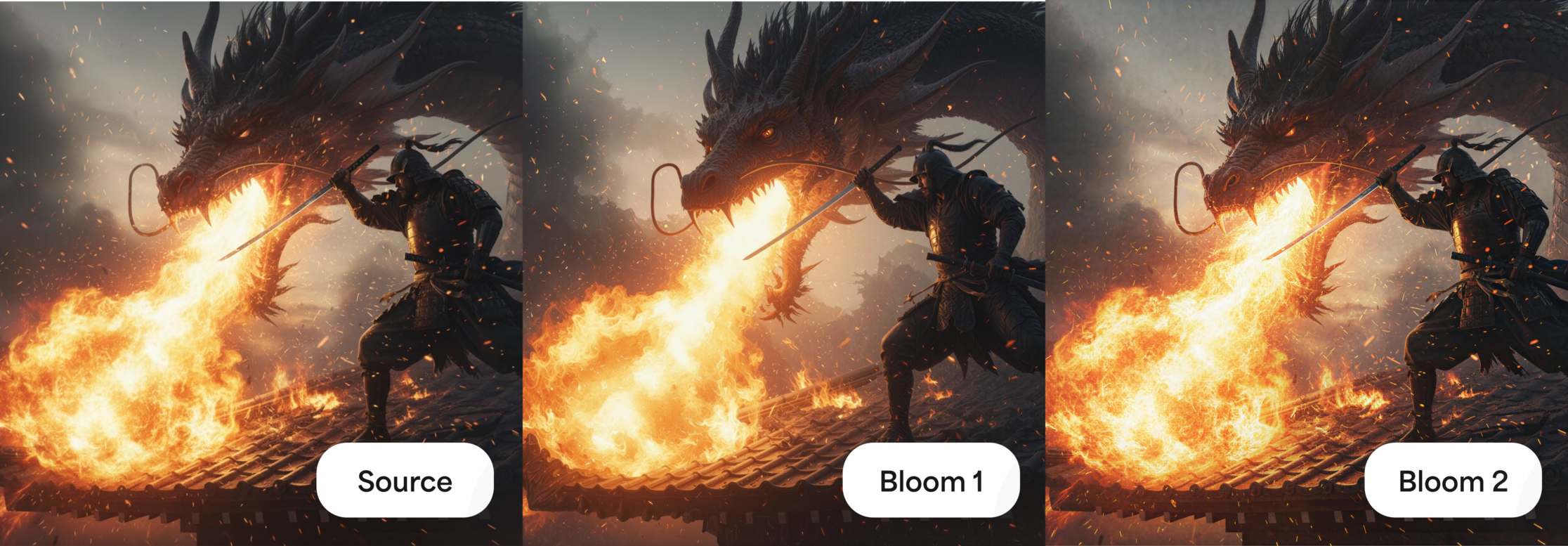
Bloom 2 is our creative upscaler for native GenAI content — AI artwork, illustrations, and CG renders. It enhances image quality while introducing new detail, texture, and visual elements, with the range to either subtly refine your source or substantially reimagine it.
A Creativity control with five levels — Subtle, Low, Medium, High, and Max — determines how strongly Bloom 2 transforms the source, from restrained enhancement all the way to bold reinterpretation with newly generated detail. Keep in mind that the higher the level, the more the model generates — and the more likely it is to introduce hallucinations or artifacts. Subtle and Low stay closer to your source, while High and Max take more creative liberty. It also adds optional Face Recovery to improve facial and skin detail and cut the plastic look common in AI images, plus Color Preservation to hold your source colors while new detail is introduced.
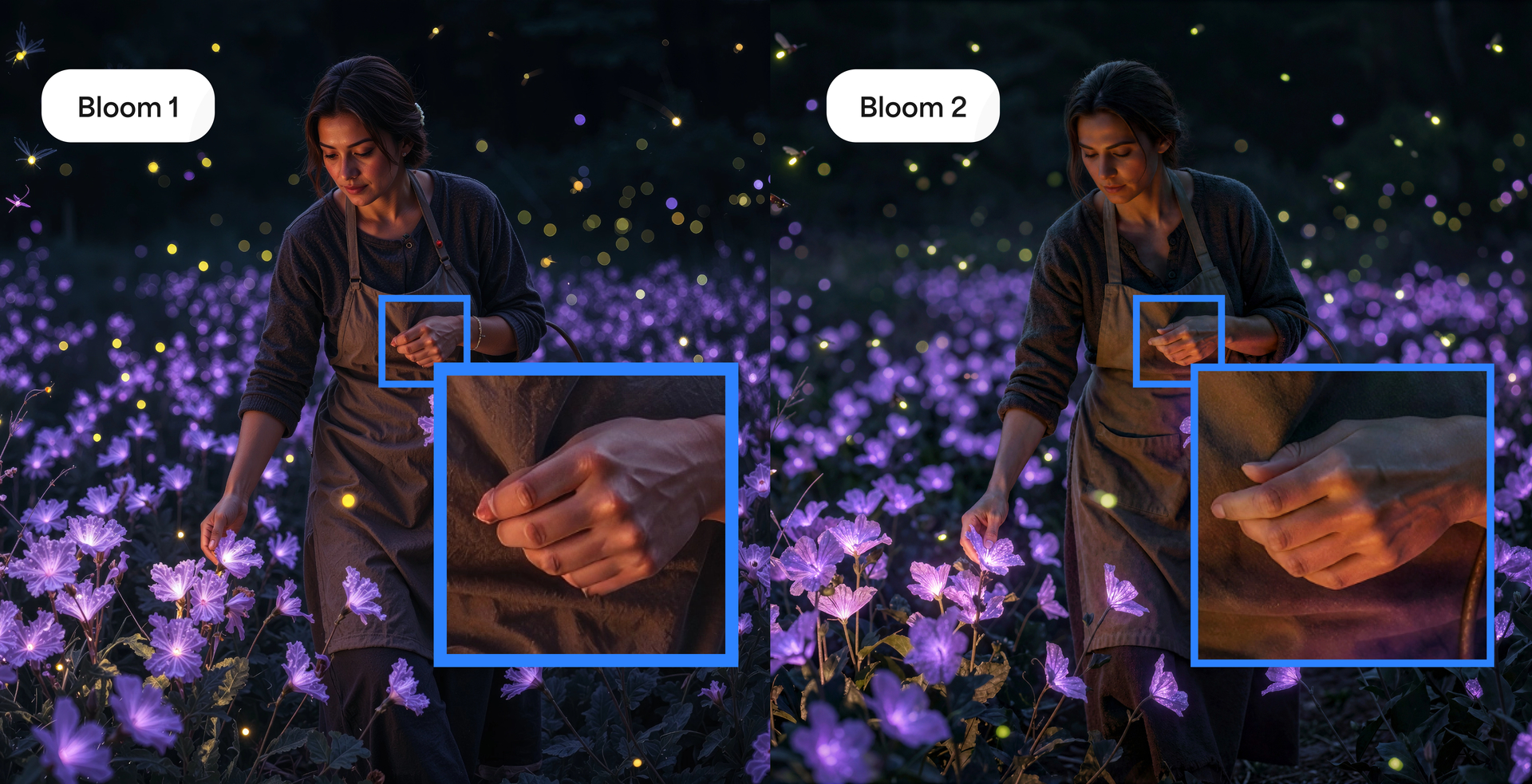
One of the biggest improvements in Bloom 2 is a meaningful reduction in hallucinations. Where earlier creative upscaling could introduce artifacts like extra fingers or distorted anatomy, Bloom 2 handles subjects more reliably — producing cleaner, more coherent results with far fewer of those unsettling mistakes.
What’s new in Bloom 2:
- Improved creative upscaling for GenAI images with new realistic detail and texture
- Fewer hallucinations and anatomical artifacts like extra fingers or body distortion
- Enhanced skin and facial detail for more natural-looking subjects
- Creativity control with Subtle, Low, Medium, High, and Max levels
- Optional Face Recovery and Color Preservation for greater control over final results
We want to see what you create — especially on AI images where earlier models left plastic skin, flat detail, or anatomical glitches.

Wonder 3.5
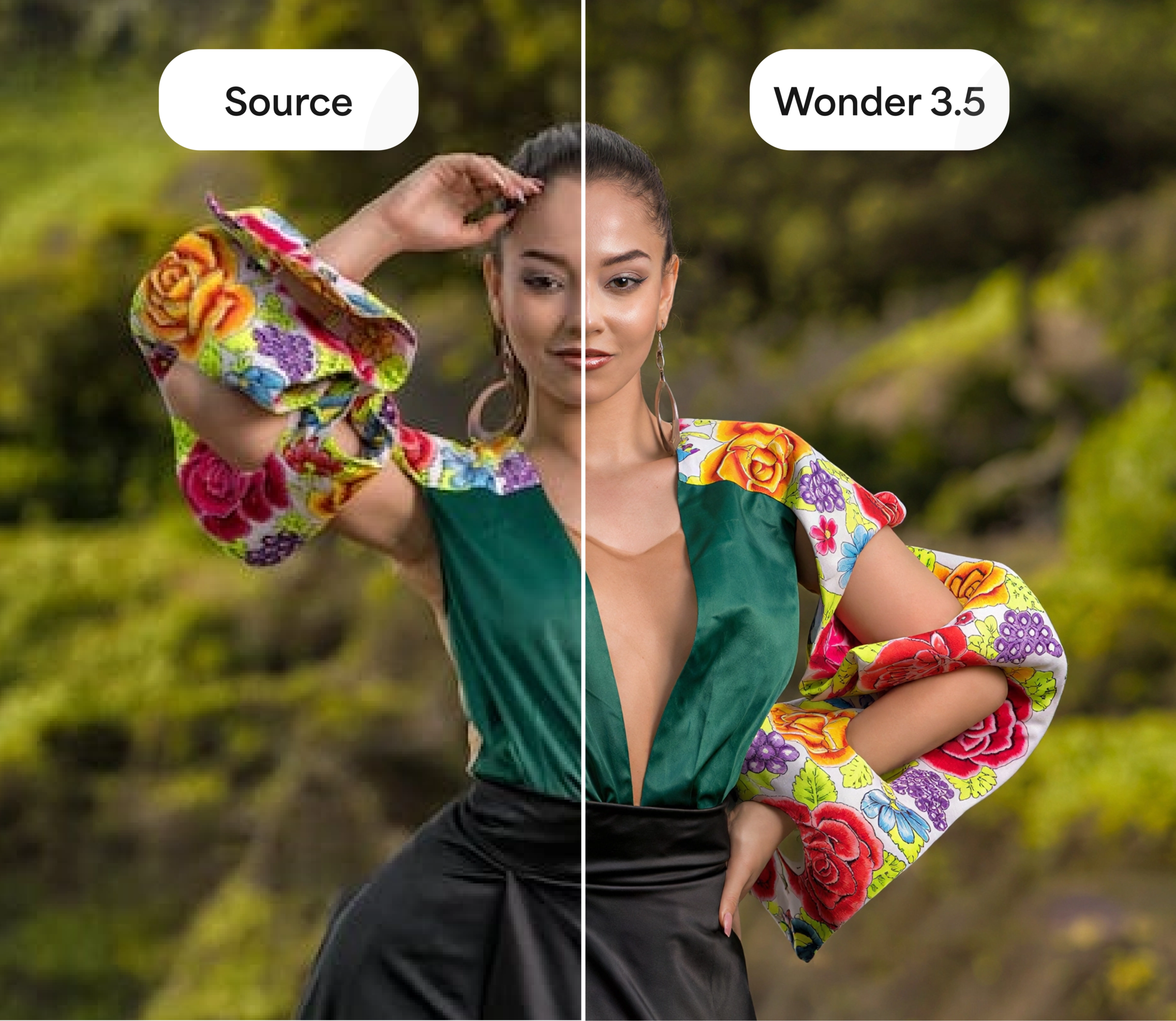
Wonder 3.5 builds on Wonder 3 with higher detail, greater precision, and more natural realism. Same generative upscaling model you already use, improved across the board.
You get finer detail with fewer repetitive patterns, better handling of visual noise, and stronger results on the heavily degraded and compressed images that are hardest to recover. The biggest gains show up on low-resolution and compressed photos — more transformative enhancement with clearer detail and sharper text — and on structured graphics like tables and charts, where it’s noticeably more precise. It still holds strong across portraits, landscapes, wildlife, and complex textures.
What 3.5 improves over Wonder 3:
- Higher-quality results with increased detail and improved realism
- More transformative enhancement for low-resolution and compressed photos, with better detail and text clarity
- Fewer repetitive patterns and improved handling of visual noise

 Workflows
Generative Restore — Brand New
A brand new workflow built to rescue severely low-quality and corrupted images. Generative Restore repairs bad lighting, heavy noise, softness, and damage — reconstructing detail where there was almost none to begin with.
Because this workflow is highly generative, it’s important to set expectations: it rebuilds your image rather than simply cleaning it up. That means results can be dramatic, but they may also introduce hallucinations or stray from the original at times. Think of it as a last resort for images too far gone for traditional restoration — when the goal is bringing something back to life, not pixel-perfect accuracy.
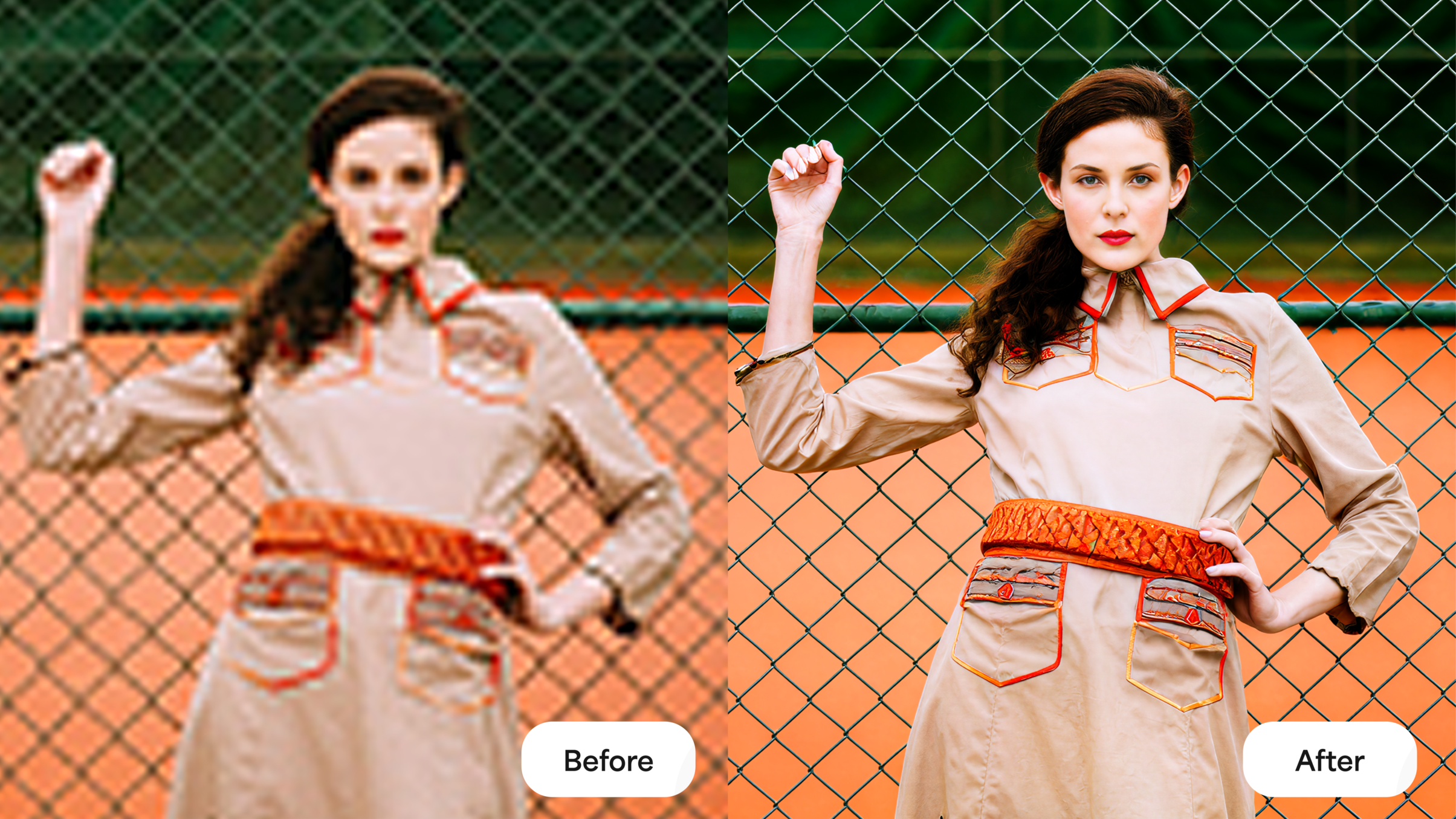
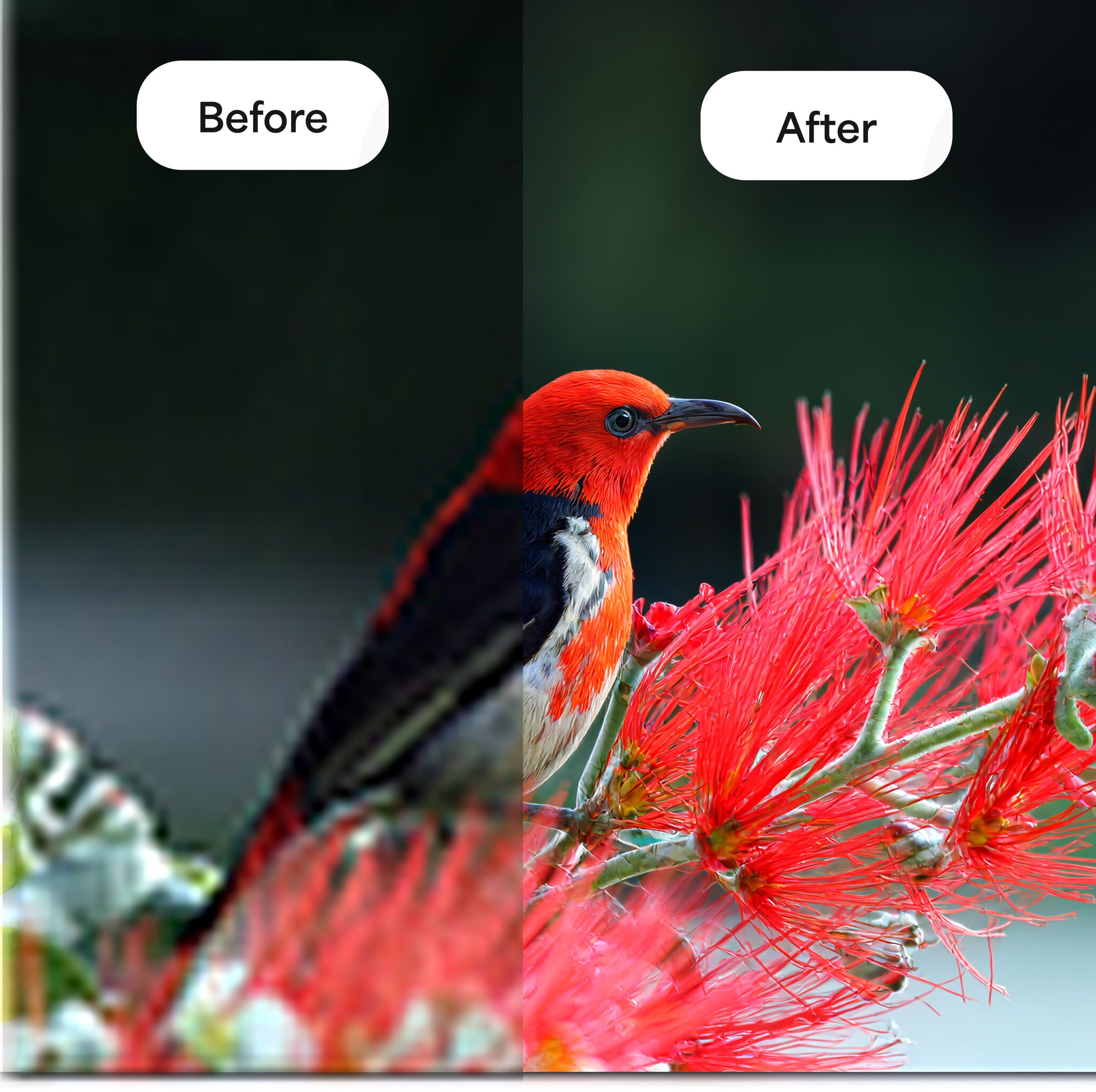
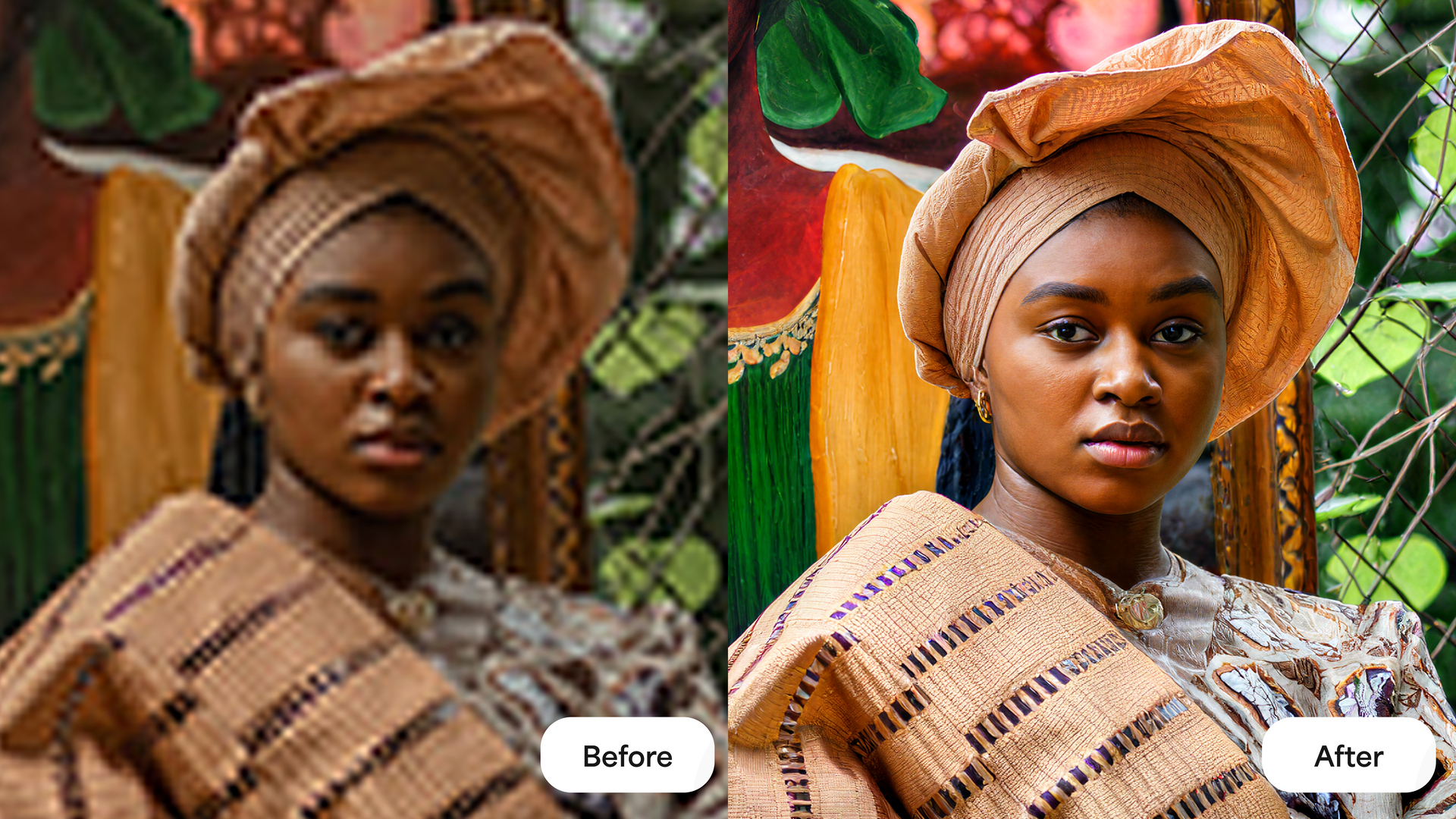
Photo Restoration — Updated
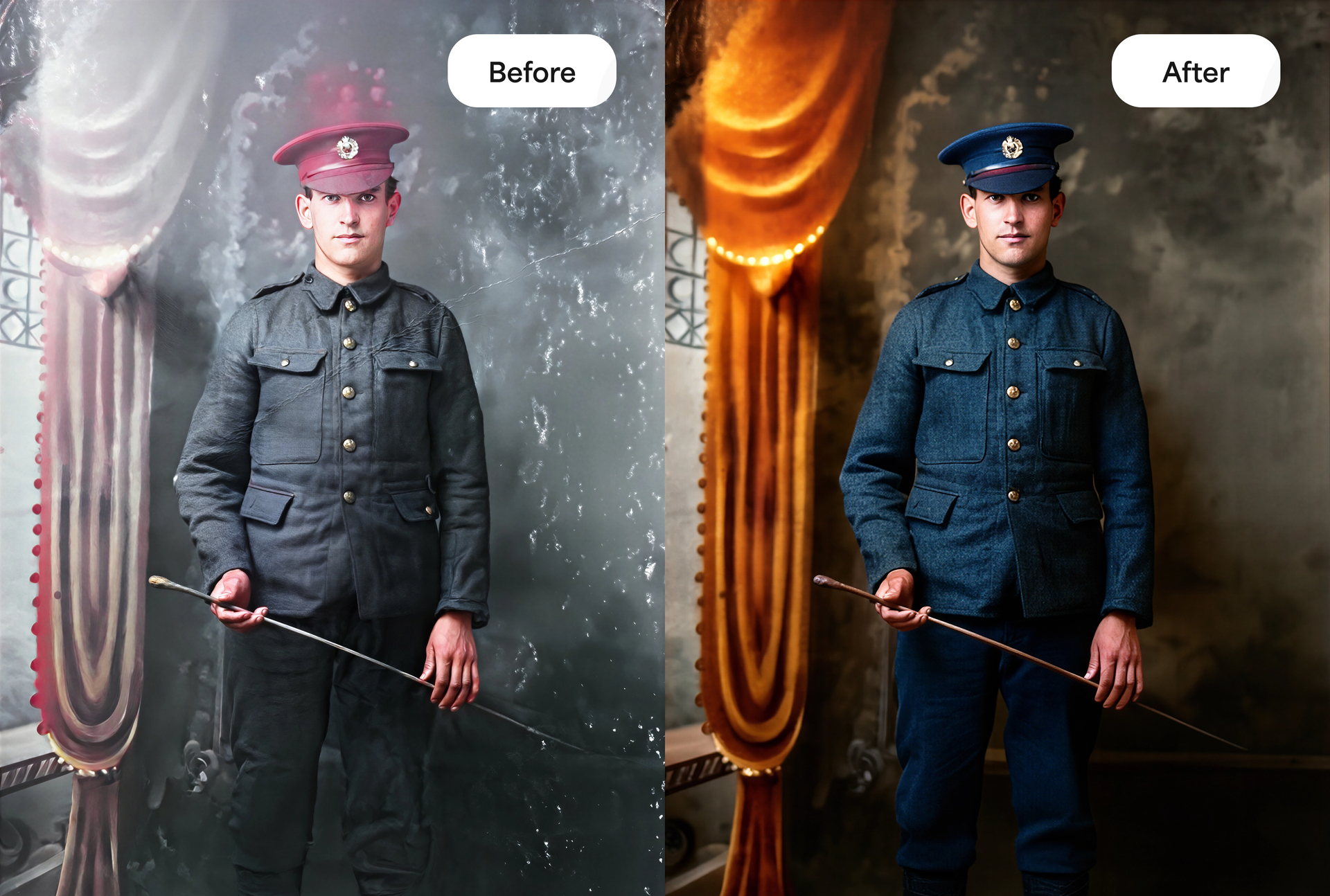
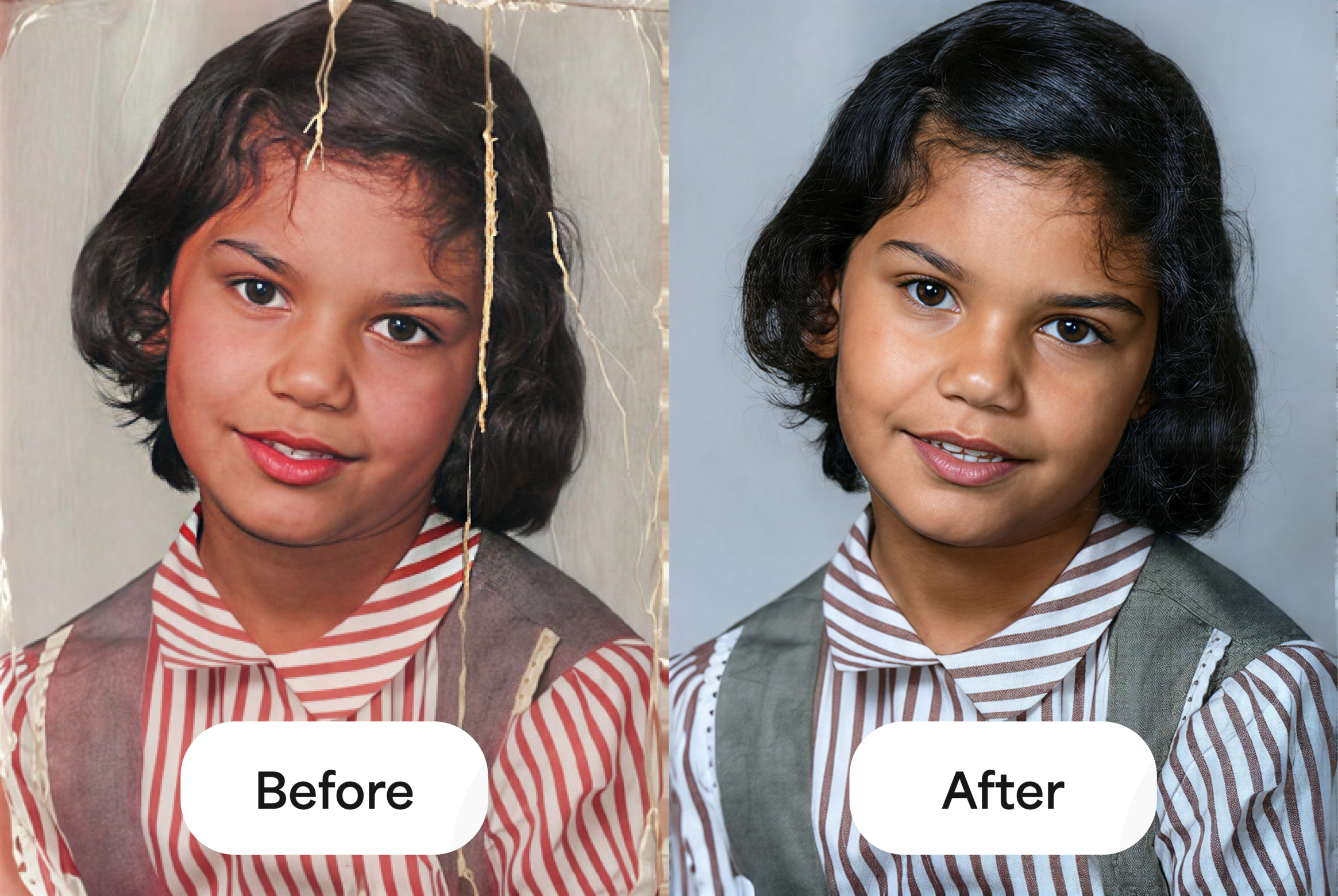
Our Photo Restoration workflow now includes automatic dust & scratch removal and improved colorization, bringing old and damaged photos back to life with less effort and more accurate color.
 Features & Updates
Branching
Branching lets you take an already-enhanced batch and carry it forward into a brand new one — without re-uploading a thing.
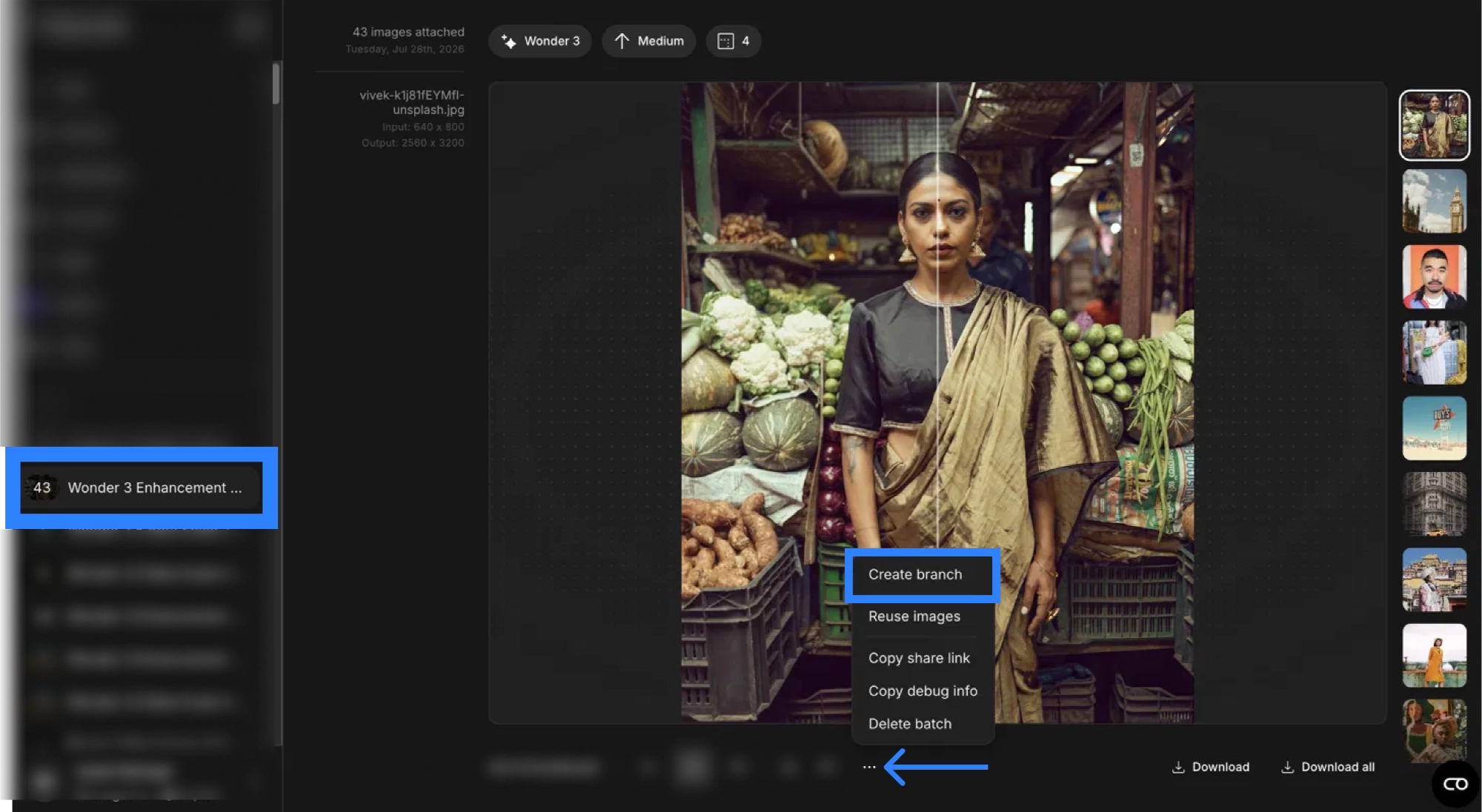
From any batch, open the menu and hit Create branch. Your enhanced images are pulled into a fresh batch where you can run them through another model or workflow — stack Wonder 3 into Wonder 3.5, push a restoration further, chain effects together, whatever you need.
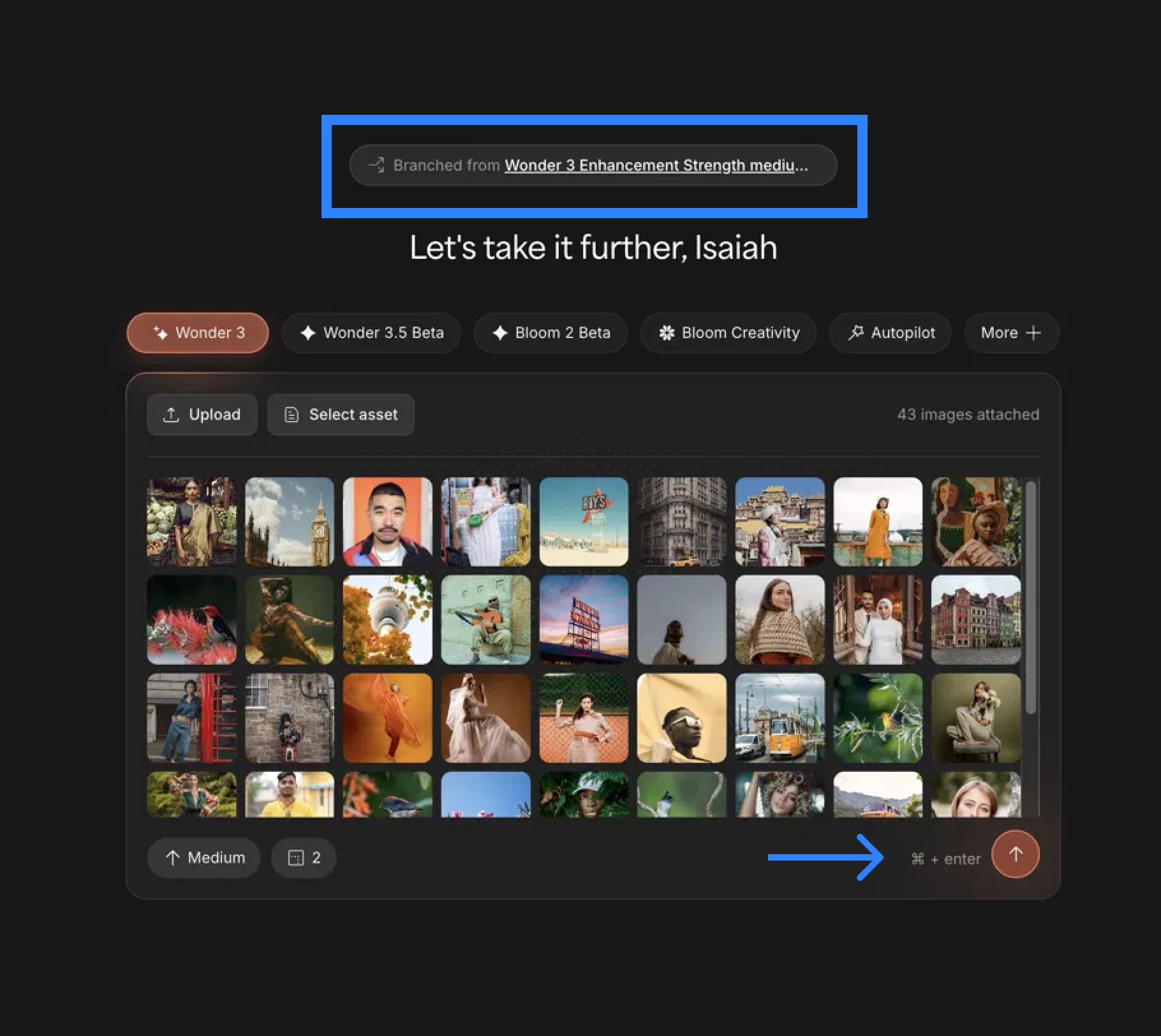
Every branch stays connected to where it came from. A “Branched from…” tag sits at the top of each branched batch — click it to jump straight back to the batch before it. Trace your way all the way back to your original source batch anytime.

Random Seeding for Creative & Bloom Models
You can now run the same image through our Creative and Bloom models and get a different result each time. Don’t love the first output? Run it again for a fresh take — perfect for exploring variations and finding the version you love.
Expanded File Support
We now accept JFIF files — they’re automatically converted to JPEG on upload, so you can drop them straight in without any manual conversion.
Mosaic is joining Topaz Image Web
The photo restoration you love from Mosaic now lives in Topaz Image Web. Existing Mosaic subscribers will receive details on the transition directly via email.
Get Started
Jump in at app.topazlabs.com. For guides and support, visit docs.topazlabs.com and click Support in the bottom right.
We can’t wait to see what you create.
— The Topaz Team