Topaz Gigapixel v1.0.3, v1.0.4 & v1.0.5

Hello!
This update introduces important improvements to stability, performance, and image quality across the app.

The highlight of this release is the new Grain Toggle, which gives users a little more flexibility over the final look of their upscaled images—allowing them to retain natural results or add aesthetic texture to match their creative intent.

Overall, this update enhances both the quality of results and the efficiency of your editing experience.

We appreciate your feedback and look forward to seeing results from your use of Grain!
Thank you!
Esther Huynh
Associate Product Manager


Please use the latest v1.0.5 download links if you’re experiencing an issue with model download errors. If you continue experience issues even after updating, please contact support@topazlabs.com with logs. You can see a description all other changes in the Changelog below.

Topaz Gigapixel v1.0.5
Windows: [Download]
Mac: [Download]
Snapdragon: [Download]
Released December 9, 2025

_

Topaz Gigapixel v1.0.4
Windows: [Download]
Mac: [Download]
Snapdragon: [Download]
Released November 18, 2025

Topaz Gigapixel v1.0.3
Windows: [Download]
Mac: [Download]
Snapdragon: [Download]
Released November 14, 2025


New Addition: GRAIN

The new Grain Toggle, now available for all models both locally and in the cloud! While our generative models can occasionally introduce results that feel a bit too smooth or artificial, this subtle but powerful control lets users dial grain back into the image to restore texture and realism. Whether you’re matching the feel of a camera sensor, preserving film-like detail, or avoiding overly polished outputs, the Grain Toggle offers a simple way to create more natural-looking results with just a single adjustment.
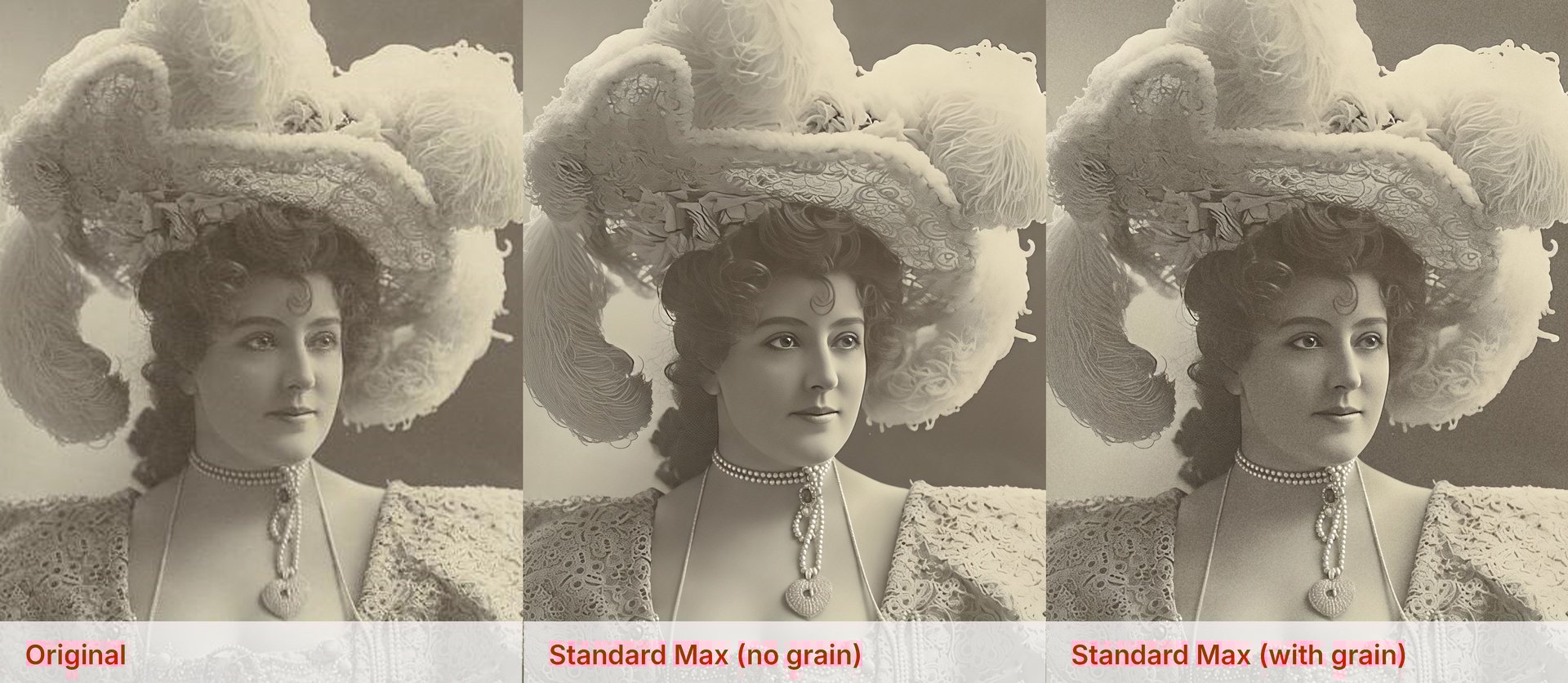
You can find the Grain toggle beneath the model settings in the right panel.
Use the different sliders to adjust the grain to your liking. Turn the toggle on and off to review the grain.
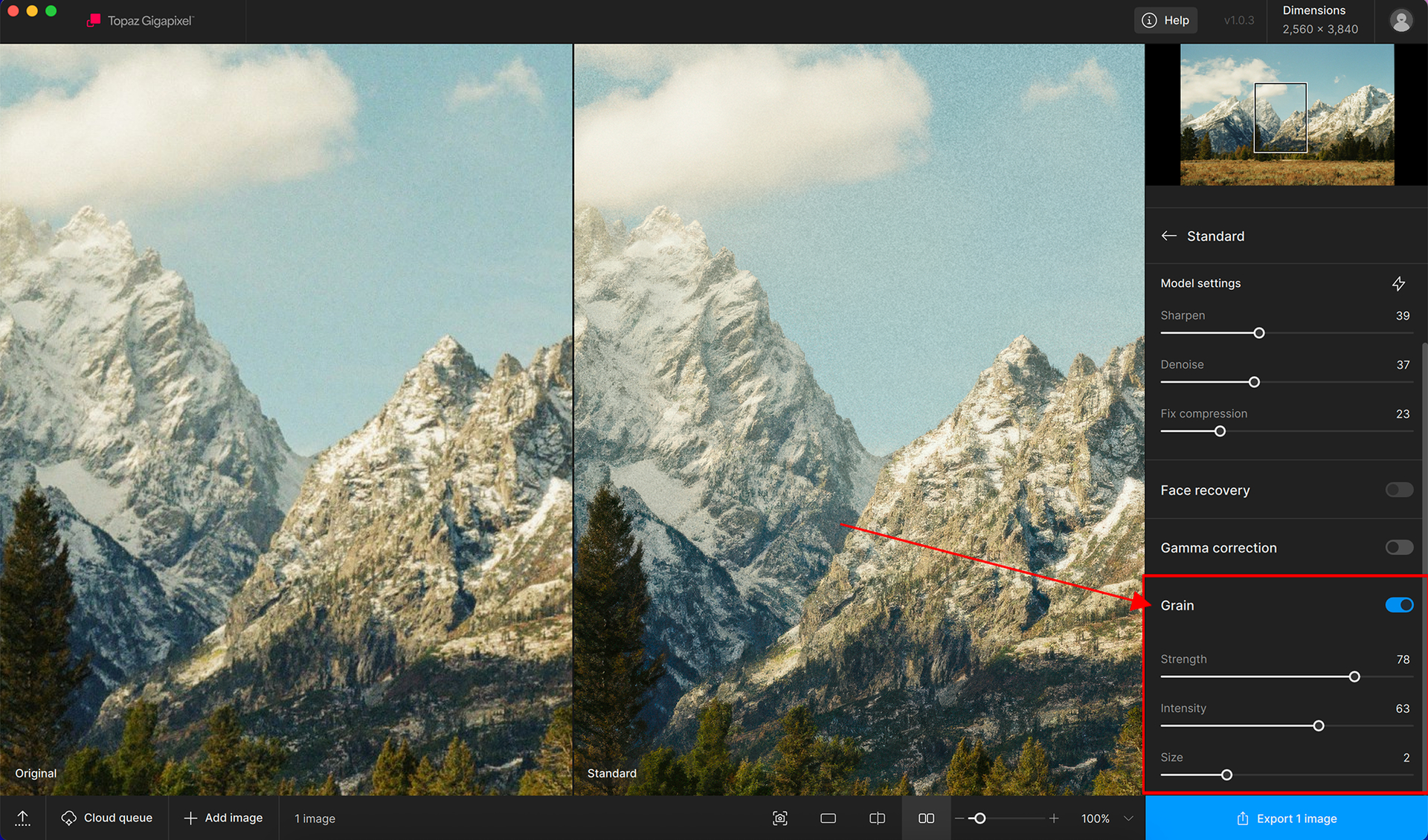
Let us know if there is more we can do to improve this feature!


Support for Intel Mac users returns

Intel mac users now have the ability to access all of Topaz Gigapixel’s models again.
Local exports for generative models will be disabled.


Changelog:

  • Added Intel Mac support
  • Added new Grain option for both local and cloud
  • Added ability to view truncated filename by hovering in file list
  • Added new error dialog if app detects a plugin issue
  • Reduced number of network calls for cloud updates
  • Updated OpenImageIO to 3.1.6.2
  • Updated Libraw to October release
  • Updated OpenVINO
  • Updated how model downloads are handled and displayed
  • Fixed cloud dialog’s copy ID popup not disappearing when scrolling
  • Fixed some tooltips missing in cloud queue
  • Fixed cloud queue count indicator not being sized correctly
  • Fixed model resetting when loading an image
  • Fixed stall on startup
  • Fixed a few performance regressions when loading large batches
  • Fixed 16-bit thumbnails not loading correctly
  • Fixed ARM installer giving incorrect error when run on x86
  • Fixed corrupted output on generative models when input color profile is not invertible
  • (v1.0.4) Added block for CMYK JPEGs due to crash (Convert to TIFF or change colorspaces)
  • (v1.0.4) Fixed generative preview controls not showing on non-Intel Macs
  • (v1.0.4) Fixed dimensions not being visually correct when importing multiple images
  • (v1.0.4) Fixed subscription dialog header being completely hidden on small window sizes
  • (v1.0.5) Fixed crash when downloading models to a file without write permissions
  • (v1.0.5) Fixed Windows installer leaving model files without write permissions if download step is canceled
9 Likes

3 posts were split to a new topic: Starlight black preview

VID_20251115_113508.zip (46.2 MB)

Q1: I attached video compressed with ZIP to see the problem.

I am saving an image and at the end (100%) it display ERROR: Error encountered while processing

I tried several times but the same error. What does it mean? Is it possible to be more specific? Please it is possible to display what is the problem, because we dont know what to do.

Q2: when I tried to use AI setting at the bottom right it displays low minimum requirement? I am whit workstation. Why it doesnt display what are minimum requirements. Please add it to popup info and users will save time to search this info or direct link to system requirements.

Q3: Updates. After pres update it download installation file. When press update it starts to download additional files? Where are stored all update files? After download are unnecessary files deleted?

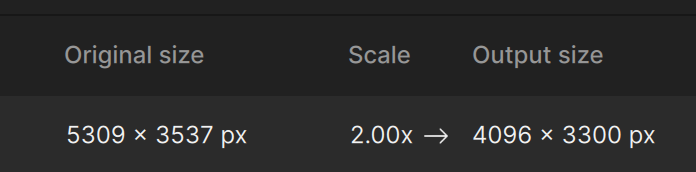
Issue 1: The output scaling calculation is broken:

Issue 2: Recover model is substantially worse than in the previous release.

Issue 3: There is longer has an option to preview user selected patches for recover and redefine. Why was this removed? It is necessary to tune the settings. Instead of previewing a small patch one has to preview the entire image and wait a looong time:

Please bring these options back!

I can confirm. The app seems to be remembering and displaying the output size from the previous image opened.

Switching between scaling options fixes the display.

Thanks for listening and bringing back Intel-Mac support!

3 Likes

Thanks for this Version, the Quality of “Redefine realistic” is now the same (good) as in Version 8.4.

No other problems seem to be there.

(Windows 11, RTX 4090)

3 Likes

BUG: Drag drop CMYK jpg image terminates the application immediately, RGB jpg images work as normal

@michaelezra @alanhusband-677420 and @jamie-6940 Thank you for flagging these. I can confirm the development team is looking into these and I will tag you once they’ve released a fix. If you needed to revert back one version, here is the links - I’ll keep you updated here. Esther will post if development team is in need of more information.

Topaz Gigapixel v1.0.2
Mac: [Download]
Windows: [Download]
Windows ARM: [Download]

2 Likes

Thanks for reporting these issues everyone! We will be bringing this to dev team to address

If you have any other issues, please make sure to include logs as this will help us de-bug more efficiently.

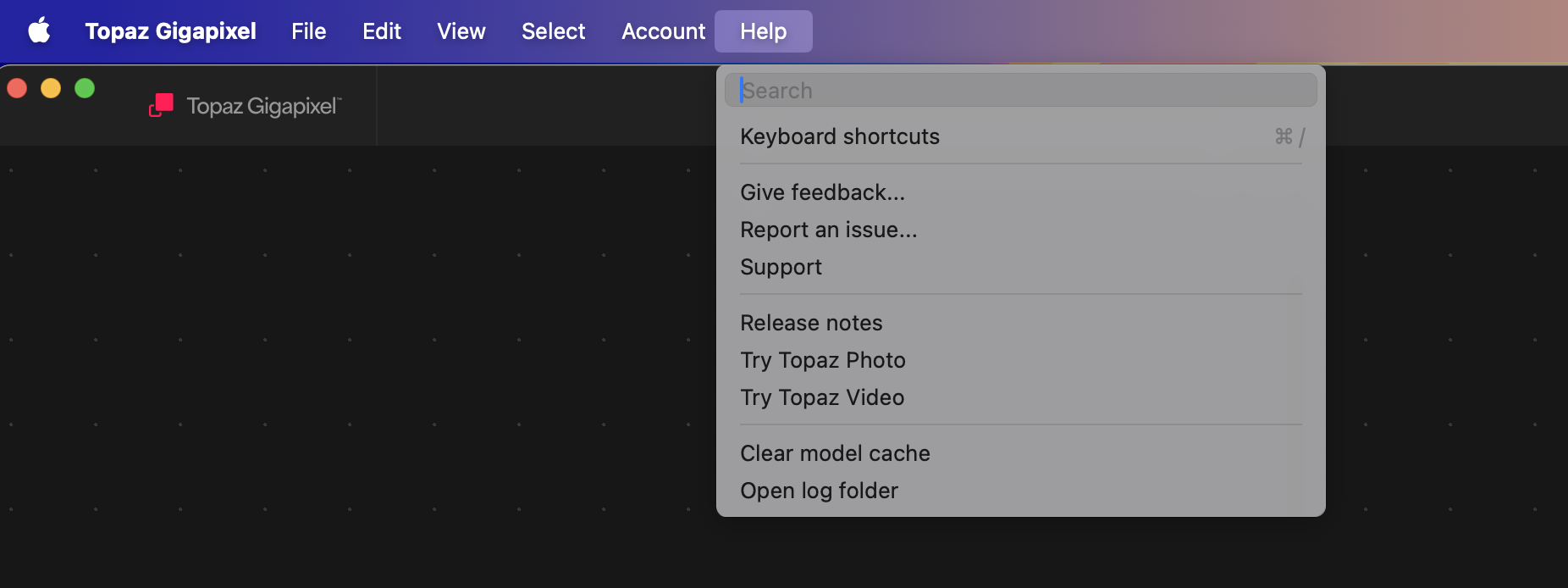
You can access the logs directly through the Main menu of Topaz Gigapixel > Help > Open log folder and send us a compressed zip file of the logs.

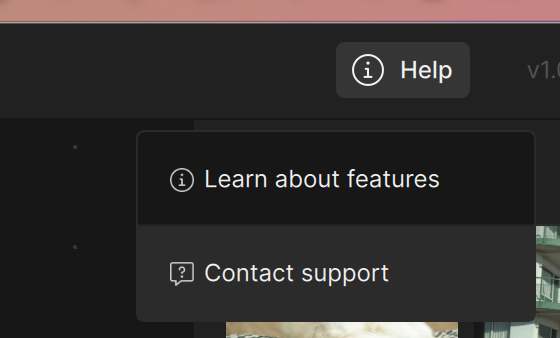
If you need quicker assistance or would like to report this faster, please use the “Help” button in the top corner of the main menu and click “Contact Support”. This will include the logs automatically and you can send your issue to our support team.

Appreciate your patience on these issues!

Hi Michael!
Can you share with us your model settings when you use Recover?
If you have a comparison of results from prior to the update - please feel free to share so we can investigate.

Thanks!

thanks for reporting - could you send us a few images that cause this Error while processing issue? We definitely agree more clarity on the issue of the error would help and we are working on that.

You can securely submit one or two images along with your logs to our Dropbox. Please let me know if you send something.

thanks for reporting - could you send us a few images that cause this Error while processing issue? We definitely agree more clarity on the issue of the error would help and we are working on that.

thanks for reporting - could you send us a few images that cause this Error while processing issue so we can test this on our end? We definitely agree more clarity on the issue of the error would help and we are working on that.

You can securely submit one or two images along with your logs to our Dropbox. Please let me know if you send something.

A post was split to a new topic: Tiling when using Denoise

Where is the patch previewing (small, medium, large) !!? previewing the whole image takes too long, it is not practical at all. Also, output dimensions do not update automatically when adding a new image, they stay with the dimensions of the previous image !

2 Likes

@idris.oulmane - Thanks for flagging - both issues were also flagged above by other users and the development team is addressing both issues. Will tag you here once a fix released for these! Until that update is released you can revert to this version here:

Topaz Gigapixel v1.0.2
Mac: [Download]
Windows: [Download]
Windows ARM: [Download]

2 Likes

I confirm the problem of @idris.oulmane . I have exactly the same phenomenon. It’s the same on the Redefine Realistic and Creative models.

The development team just published a hotfix in v1.0.4 some fixes for the flagged items*. Can you install this patch and test?

Topaz Gigapixel v1.0.4
Windows: [Download]
Mac: [Download]
Snapdragon: [Download]
Released November 18, 2025

@michaelezra - *For the CMYK issue, we added a warning with workarounds until we can resolve the issue. Your contact information is on the development team ticket for this and we can contact you once resolved.

1 Like

Hi there, I just installed the latest Topaz Gigapixel Desktop app 1.0.4 and it’s crashing every time I am trying to upscale, no matter if I do it directly from Photoshop 2026 or using the stand-alone app. Please advise.

Also tried that latest patch which also crashes. I have 571.74 GB available on my machine running Mac 15.7.2 (24G325). Thanks!

@cfuller78 - can you send logs to our support team and we can have a look at what errors are in them: Open the app as standalone and do not open any files, then go to Help > Open Logs folder and attach all the logs to an email to support@topazlabs.com