Until now, I was getting a 0.5-2 fps using the GPU on my Ryzen 5700G. Now, for some reason, the program has started using only the CPU, and only about 25% of it (speed dropped to 0.1 fps).
Any ideas what could be causing this?
What does “device” equal to -2 mean in the ffmpeg command?
“:device=-2:vram=1:instances=0”
(it doesn’t change whether I select CPU or Radeon Graphics in the program preferences).
Just buy a GPU!
First of all, I don’t need it, secondly, it’s not an answer…
Edit: Topaz AI 6.1.3.
-2 equates to the “auto” setting from the preferences.
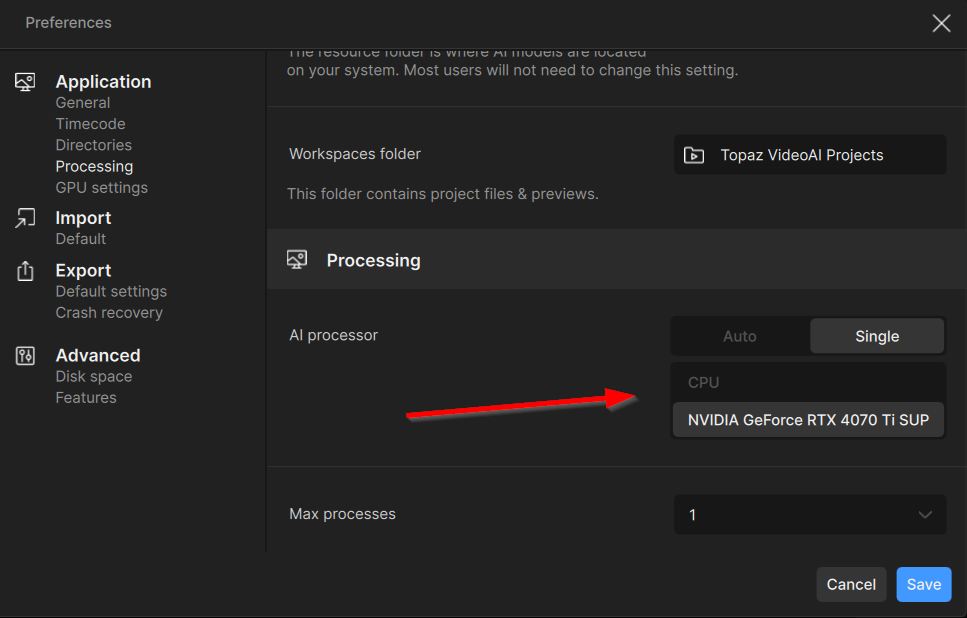
Yes.
But that doesn’t change anything.
Can you paste the ffmpeg command for selecting the CPU and for selecting the GPU? I’m referring to the “device” value.
Thanks. So whatever they choose, I have “auto” and according to Topaz, the CPU is better. Ehhh…
Last time I checked, -1 is cpu, 0 is primary gpu.
I copied the ffmpeg command into the shell, changed the “device=-2” to “device=1”, and the conversion is working using the GPU as expected. The program doesn’t respond to the change in preferences 
I’m reporting this as a bug.
Can you share the app’s logs?
To gather logs, please open Video AI and select Help > Logging > Get Logs for Support and attach the zip file to your reply.
Hi, could you please share how to send a command to change the device used by FFmpeg?
Currently, I’m facing a situation where my CPU usage is always at 100%, while my GPU is only at 60%. Upon checking, I found that FFmpeg is mainly using the CPU — the GPU is active for encoding, but decoding shows 0% usage; only the 3D and encode engines are working.
My system specs: Ryzen 9 7950X, 64GB DDR5, RTX 4070 12GB.
I’d like to use a command to switch FFmpeg from using the CPU to the GPU.
Paste your ffmpeg command from Topaz.
Hello! Have you solved this problem? I’m also encountering the same issue, and it triggers in different versions. I tried checking the registry, but everything seems fine there; it’s just that the ffmpeg command line stubbornly uses the “device=-2” parameter.
No. I use the command line to force GPU. But on my Vega 8 using the CPU (Proteus filter) gives much better results than on the GPU).
