All taps are named „Untitled" instead of the selected preset name like it used to be before.
→ This also makes “Update Preset” impossible.
→ This likely also means that when a new preset is selected, the current tap is overwritten instead of opening a new one.
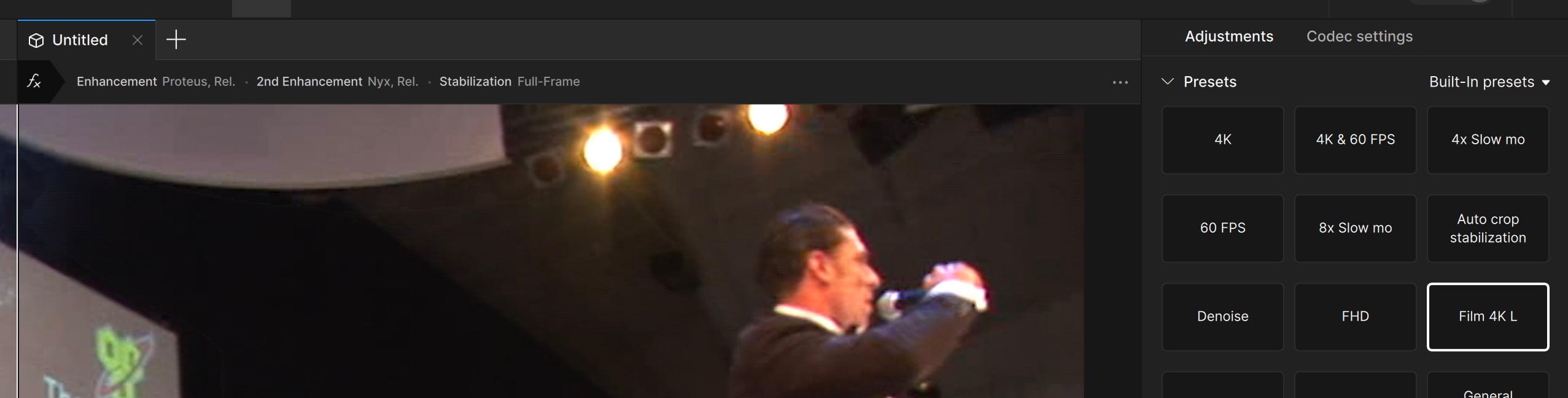
Thanks for reporting this! Internal bug report has been created.
Hey there. Just wanted to provide an update. This was a design choice with the new Presets panel in the new Topaz Video to not rename the tab. You can manually rename the tabs by clicking on the tab name.
That said, updating presets is something the team is working on bringing back into the app.
I think most of your customers will agree that Topaz is absolutely useless at UI design.
It wouldn’t surprise me in the slightest if it was a recent design choice to remove the X and Y offsets for cropping. We’ll find out soon enough.
Anyway, just to clarify that a double-click is required to change the tab name. But that only works if it’s showing the cube icon - i.e. it hasn’t been saved as a preset. If it’s been saved as a preset it will show the 2 circles icon (which DOES enable “update preset” in its menu).
Also to clarify that if a default preset has been set in the app preferences, then when a new source is added, that tab WILL take the default preset’s name, NOT Untitled. Is that intentional, or is that a bug?
Either way, that actually provides a work-around method to update a given preset, by setting it as the default.
Andy
