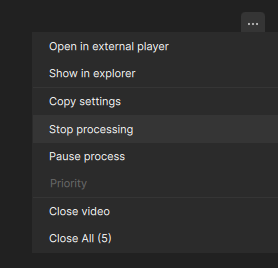
It’s possible for the “Stop processing” option to fail. This option is useful to restart a process and destroy temporary files in the case that another app was open and using an improper amount of resources that derailed the process. This option must be made resolute and certain.
Yes, this usually happens when some kind of error happens during a multi-step process. For example, attempting Aion with another enhancement with scene detection enabled, but the VRAM is insufficient for Aion, which leads to a cascade.
Try disabling scene detection in that process and see if that helps.
The stop processing option though should terminate the export completely at that time and free up your resources to move on to the next video in the queue.
