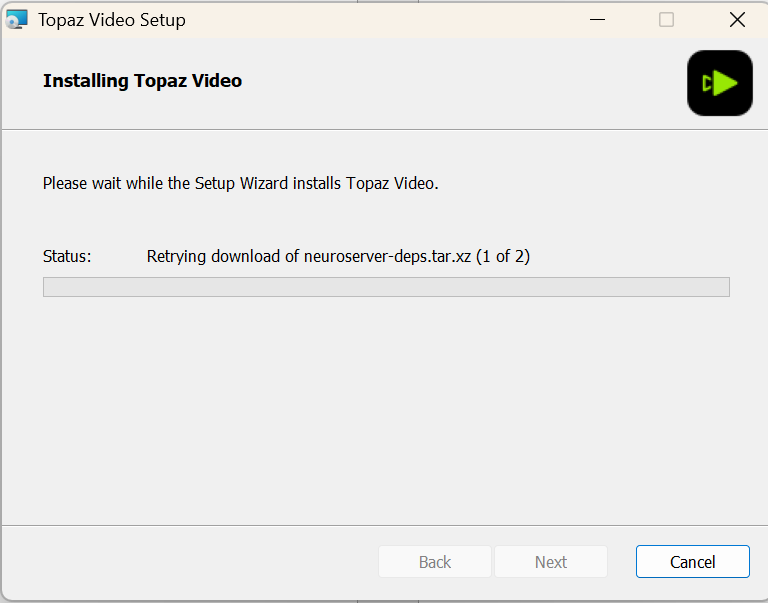
Hi, after updating to 1.7.0 rendering with Starlight precise is not working anymore. Error logs attached. It goes to “Error” almost immediately. Before (Starlight precise 2.5) worked, slow but successful on my RTX 3080 with 10GB.
This looks like a possible mis-match with the model file after the update was installed. Can you do a full uninstall of the current app, and then install a clean copy from the following link?
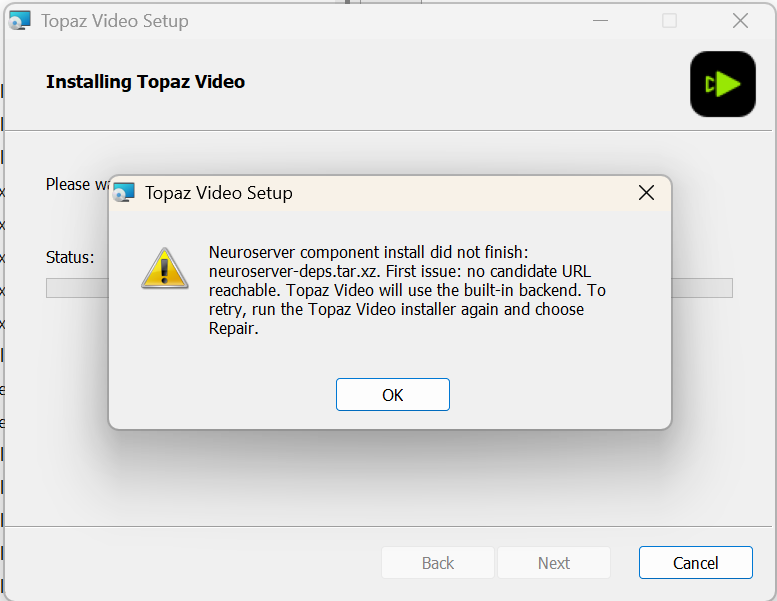
thanks for looking into this. Trying to install from scratch - I face again the issue to download neuroserver files. I checked this install-status json file and the download URI in there - manual download in Chrome works
I again installed all from scratch, ignoring the above neuroserver error, installing neuroserver manually, running into the first error again. Maybe you can provide a ZIP as workaround of a clean installation with models and neuroserver as it should be in c:\Program Files\Topaz Labs LLC\Topaz Video\, so that we can install (ingoring the neuroserver error) and overwriting the program from ZIP.
I suggest checking your antivirus and firewall settings. I’ve had similar issues in other programs that were blocked from using the internet to download a file by a firewall rule.
Hi, I’m having the exact same issue. I shut down my antivirus and firewall, uninstalled, cleaned the register, restarted and installed again. Issue with neuroserver remains.
Update: I tried to go back to version 16.0 and then do the patch 16.1, but the installation of 16.0 now has the same message about the Neuroserver component install did not finish! So it all worked before and now we have this issue when trying reinstalling. I hope this can be fixed quickly!
The problem is more likely on your end than on Topaz’s, so these fixes probably won’t help. As has already been mentioned, check your firewall and antivirus settings, and it’s best to temporarily disable them while installing Neuroserver.
Thanks for your response. It could be my side ofcourse, although I don’t know what changed since the previous version worked fine earlier. Like I wrote I already shut down my firewall and antivirus and it does not solve the issue.
Update: I have a dual boot windows 11 pro setup (for my music hobby). The music boot is much cleaner than the other, but when I tried installing there, the same problem occurs…
I had been using Starlight Precise 2.6 on my computer for a day or two with no problems. Suddenly, half way through a job it started erroring on every clip. I rebooted and tried again, same error - there was a quick messages saying something had blocked neuroserver. I rebooted again and it worked. Attached are the logs created when I had the error.
I tried today again. Switched my LAN network connection from public to private, deactivated windows defender firewall, added the Topaz Installer as allowed program in the firewall - still error is: {
“attemptedUrls”: [
“http://video-models-blue.topazlabs.com/neuroserver/20260809.0/windows/neuroserver-deps.tar.xz”
],
“bytesDownloaded”: 0,
“message”: “Neuroserver component install did not finish: neuroserver-deps.tar.xz. First issue: no candidate URL reachable. Topaz Video will use the built-in backend. To retry, run the Topaz Video installer again and choose Repair.”,
“reason”: “network-timeout”,
“status”: “failed”,
“timestamp”: “2026-08-20T14:52:36Z”
}
Hmm, this is an issue that the team has been working on resolving for a bit. They had it for some users in certain situations, but the issue has continued in others. Some were able to run the Repair option and have it work for them, others continued to see the URL issue. Is there an installer log on the system that you can grab and send in for review?
Thank you. The logs are pointing to an issue with accessing the URL addresses, and that has been shared to the team. They are working through a few things to get this situation resolved for affected users and testing some options.