Greetings fellow renderers,
I’m using Version 1.6 with Starlight Precise 2.5 and it is working without any issues at all after about ten renders. The one that is running now is 7.5 hours long with 1 more hour to go. 100% success so far. I’m 3X upscaling 720X480 ProRes 422 files to 2160 X 1440 resolution.
A quick rundown of my week of upgrades, noob mistakes, a virus and system tweaks incase this helps anyone
Updated my CPU from a stone age model to a bronze age model - system overheated
- installed a larger stock CPU cooler - system overheated
- installed a new Scythe Fuma 3 air cooler - system overheated
- removed the protective plastic from the Fuma 3 cooler ( a common mistake) - system good
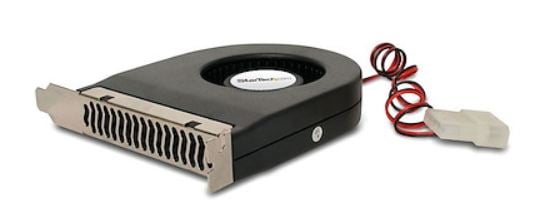
Installed 3 extra 120 mm Arctic Pro fans that are externally powered by a 12V 2.5 A power supply that has a switch with and two fan power leads. Added a Noctua NA FC1 fan controller which plugs into the power supply and controls the fan speeds with a dial. With more fans they don’t have to run as fast and I have dialed in the speed that keeps the CPU at about a 74 C average temperature with the highest spike to 90.5 C, which is very safe. If you get the Noctua NA FC1 it detaches from the power supply too easily. I used small wire ties to secure the connection.
Next my keyboard got totally erratic so I plugged in another one and it had the same problem. Then Windows Defender alerted me that it had isolated a virus that had attached itself to Open Hardware Monitor named the WinNT/ Winring0 virus. Cleaned and rebooted and back to normal. Now I’m using HWiNFO with just the CPU sensor status enabled.
Then my computer completely lost power. My power supply was about 18 years old and the parts dry out and start to fail apparently. Installed a new 850 Watt power supply and my system ran noticeably better and the CPU temps dropped a bit.
Then Topaz Starlight shut down during a render.
I read “Reports around Starlight Precise 2.5 indicate a neuroserver memory leak / out‑of‑memory behavior, especially with certain containers (MKV) and when using trims. Users have seen it eat essentially all system RAM (e.g., 64 GB) before failing, causing crashes or stalls,” I’m not sure if this information is accurate or not.
My error code
Name: System Source: nvlddmkm “That nvlddmkm Event ID 153 means the NVIDIA driver/GPU crashed”
I was advised “Use DDU in Safe Mode to remove all NVIDIA drivers, then install the latest NVIDIA Studio driver directly from NVIDIA’s site.” I downloaded and installed DDU and booted into safe mode. DDU was on my screen in safe mode and I ran it to clean out the old drivers and after boot immediately installed new STUDIO drivers using “Custom Install” Clean Install and unchecked the audio option.
Next I went into the BIOS and changed my GPU’s PCI slot option from automatic to Gen 4. I had previously set my CPU power to Eco mode at 95 watts to back off on the power a little.
I reboot Topaz Video each time and reboot my computer regularly, both of which may be unnecessary but it’s working. I’d rather restart and reboot rather than lose a long render.
MSI Ventus 3 GeForce RTX 5070 Ti, AMD Ryzen 7 5800XT, MSI B550 PRO-VDH mobo, 32 Gb 3200 RAM
Good luck everyone! Dave Jeffery