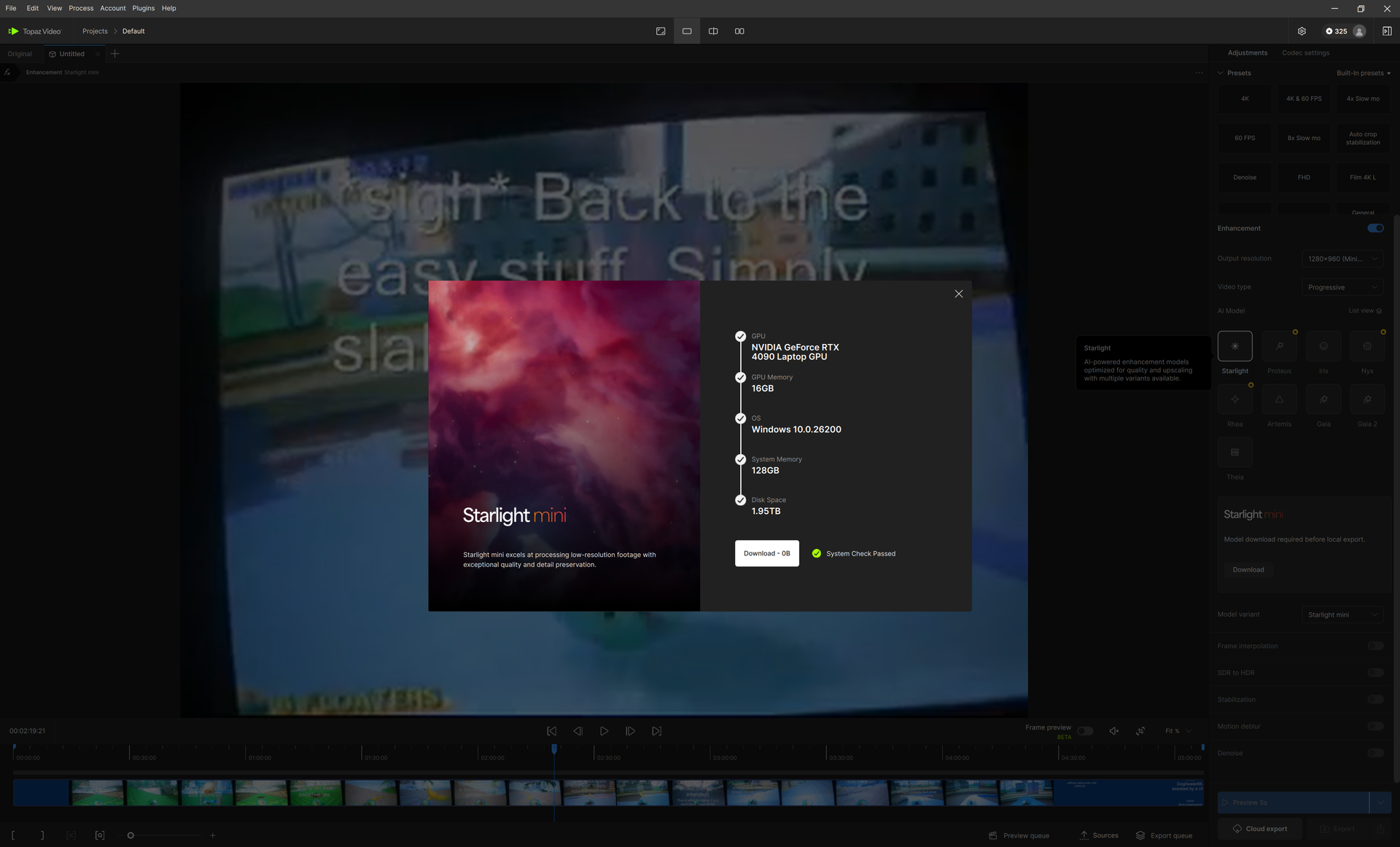
Spent some time downloading the starlight models and they did work at first, but now I’m trying to use it today and it’s asking to download again. Download size is projected to be 0B (0 bytes), pressing the button does nothing, and closing the system check pop-up doesn’t let the models be usable (again, I already downloaded everything yesterday).
I have a strict overage cap with my ISP because they have a monopoly in my area, so I can’t just download 50GB worth of models every day.
Can you pull the logs and send those along with a screenshot of what you are seeing to the support team for review? It sounds like the app is stuck in a loop and we might need to do a clean install to clear everything out and reset. help@topazlabs.com
To gather logs, please select Help > Logging > Get Logs for Support and attach the zip file to your reply.
Here is a video to help with the steps of how to collect the logs.
For some reason, Windows 11 shows up to all apps as a version of Windows 10.
Clicking on the “Download - 0B” button does absolutely nothing. This is consistent for all versions of the Starlight model (I downloaded all versions the night prior to posting the original post and my ISP is telling me I’m near my data allowance because of it).
Thank you for the logs, sending them to the devs to review so we can sort out what happened here and get you back into the app with those models working. Normally I would say doing a clean install of the app and re-downloading of the models would be the option here but let’s see if there is something else we can do to avoid that for right now since you are limited on data allowance.